Collet Style

Collet Style

Collet Style Torsion Grips

Two standard sets of Collet Style grips are available: a small collet grip set for smaller specimens and a large collet grip set for larger specimens. Both sets are double angle style.

工作原理

The Collet Style grips are threaded into or bolted to the output shaft and/or torque cell of MT series frames.

The collet grips use a split collet design that, when manually tightened, provides nearly uniform clamping pressure on the specimen. Collet Style grips accept a smaller range of specimen diameters than chuck style grips (W-MT01 Series) but can withstand higher torsional forces. Both small and large collet grip assemblies are available for gripping a range of specimens. Adapters are included to attach collet grips to the MT series frames.

應用範圍

  • Types of Loading: torsion 
  • Specimen Material: various 
  • Specimen Types: round
配件

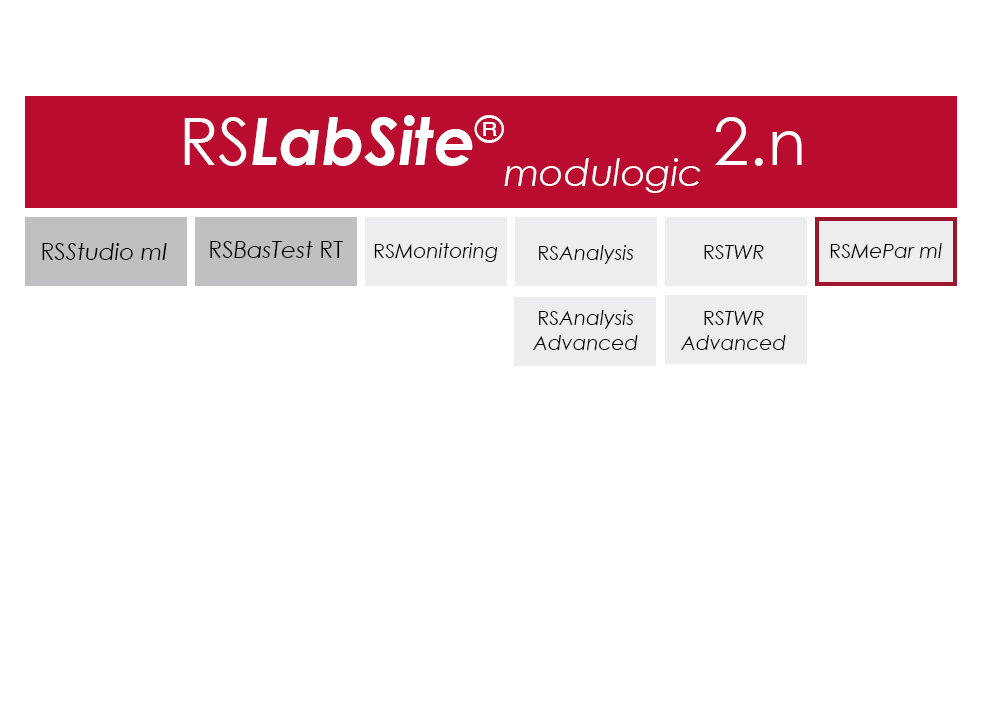
RS TWR

RS TWR

Catalog no. RS TWR

RSTWR

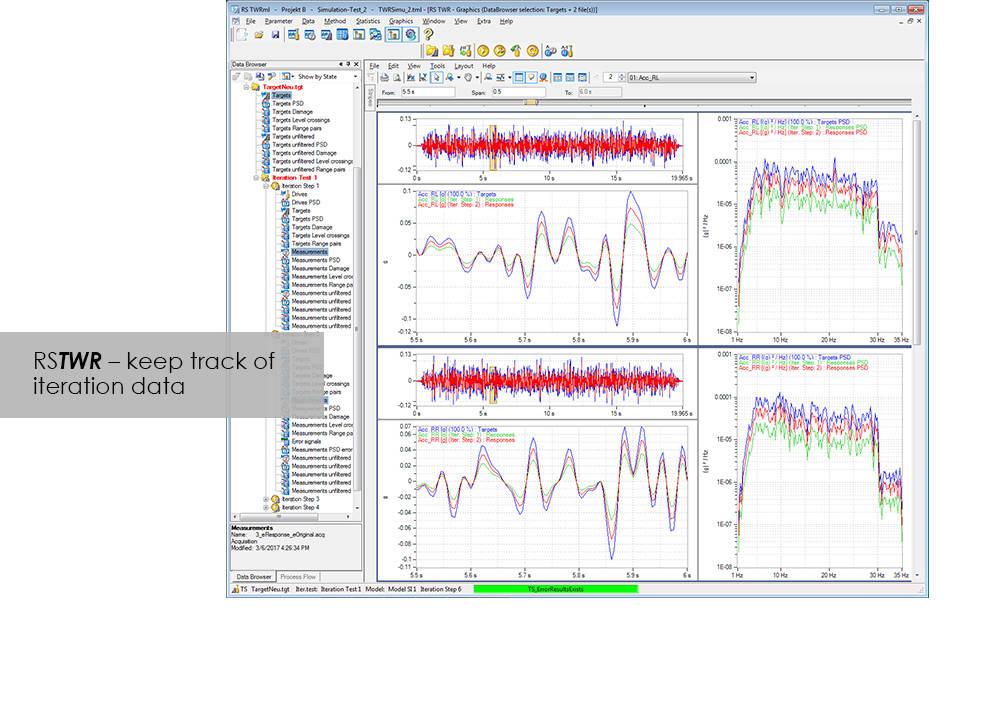
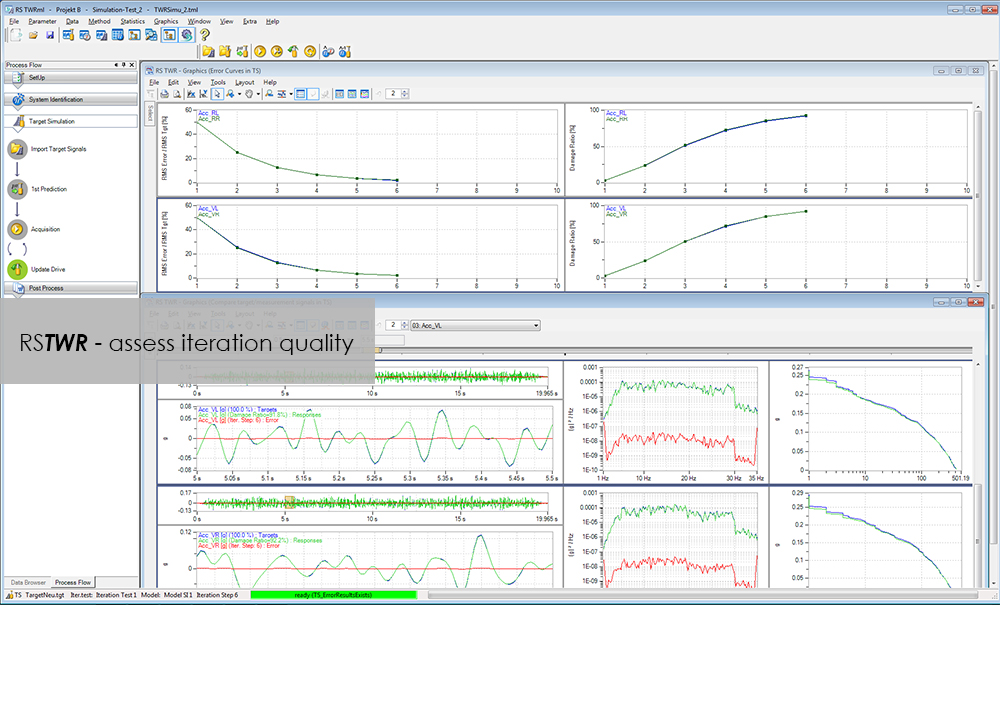
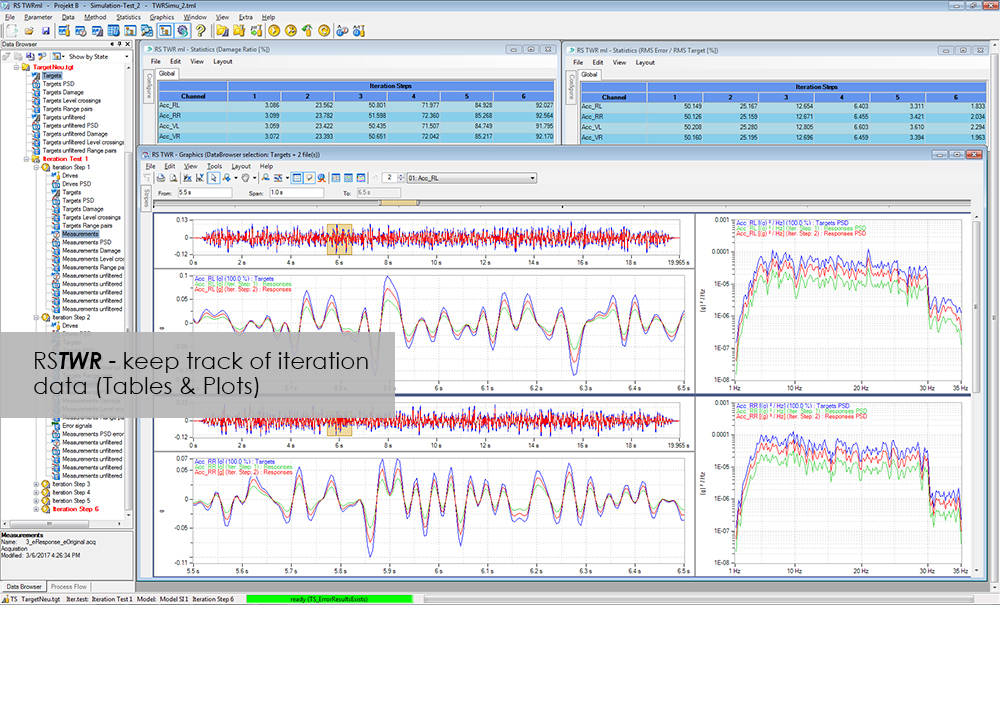
To enable the different loading signals measured under actual service conditions on vehicles, sub-assemblies or components to be replayed on the test rig, these loading signals first need to be "translated". RS TWR (Time Waveform Replication) produces a mathematical model of the test specimen and the test rig, and uses this model to calculate actuator drive signals from measured load histories, e.g. loads or strains. The system employs an iterative procedure and ensures maximum accuracy in the reproduction of measured load data.

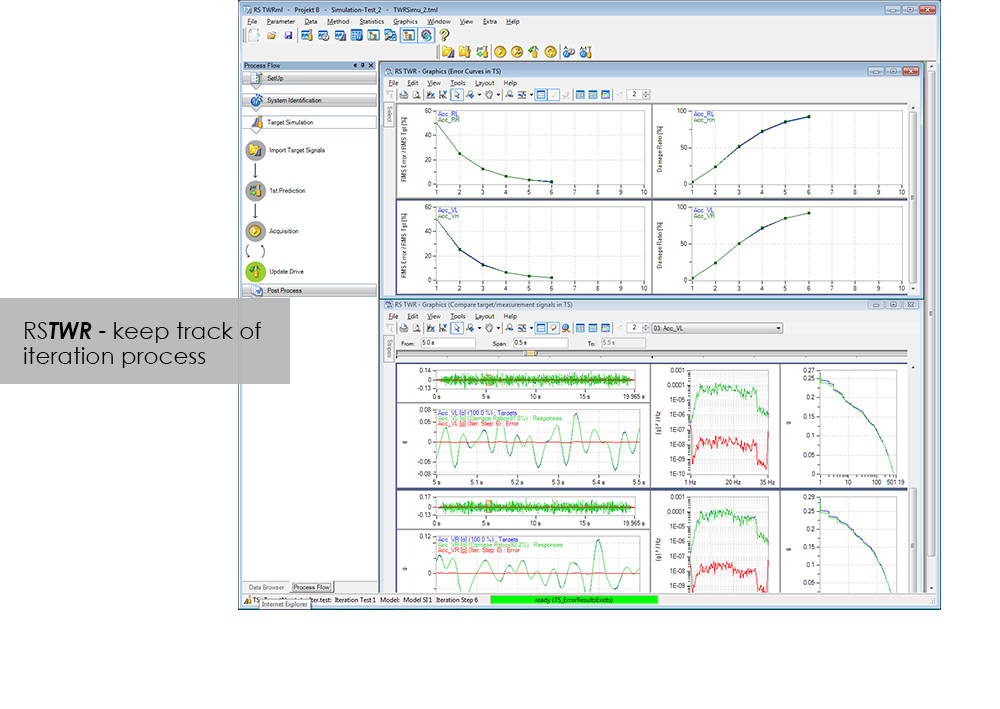
The module excels through user-friendly operation. Assisted by the new integrated process flow tool, less experienced operators will be able after a very short period of familiarization to conduct a typical simulation procedure. The Windows environment will be familiar to most users, and an intelligent selection of parameters minimizes necessary user inputs.

Benefit from the following advantages of RS TWR:

  • Easy to operate through new, integrated process flow tool
  • Fully automatic
    • Automatic management of all setup, model and result files
    • Fully automatic drive file iteration
  • Precise
    • RS TWR enables you to replay loading histories measured on the test track with maximum accuracy on your test rig

RS TWR Features

  • Efficient and transparent data organisation
  • Use of intelligent technologies for model identification
  • Integrated report generation
  • Convergence judgment by forward and backward prediction

Advanced

  • Adaptive model optimization in the iteration phase
  • Time and frequency-dependent correction of the drive signals. e.g. Non-linear stop for a wheel suspension
  • Automatic handling of different models for individual sections in the target signal
  • Interface to virtual test systems

RS Monitoring

RS Monitoring

Catalog no. RS Monitoring

RS Monitoring

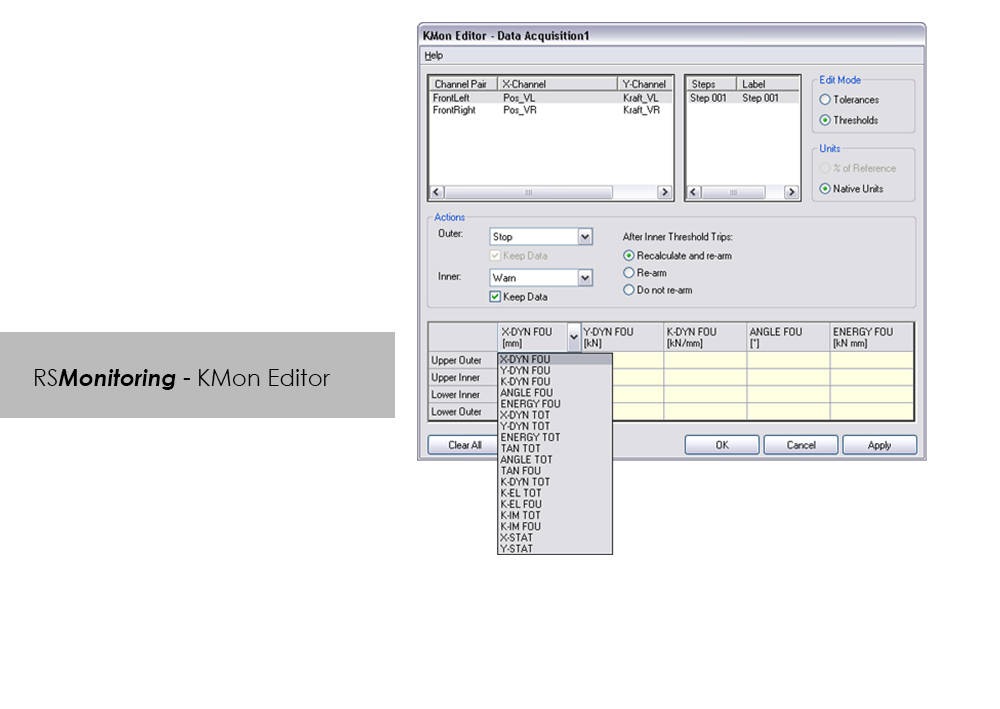
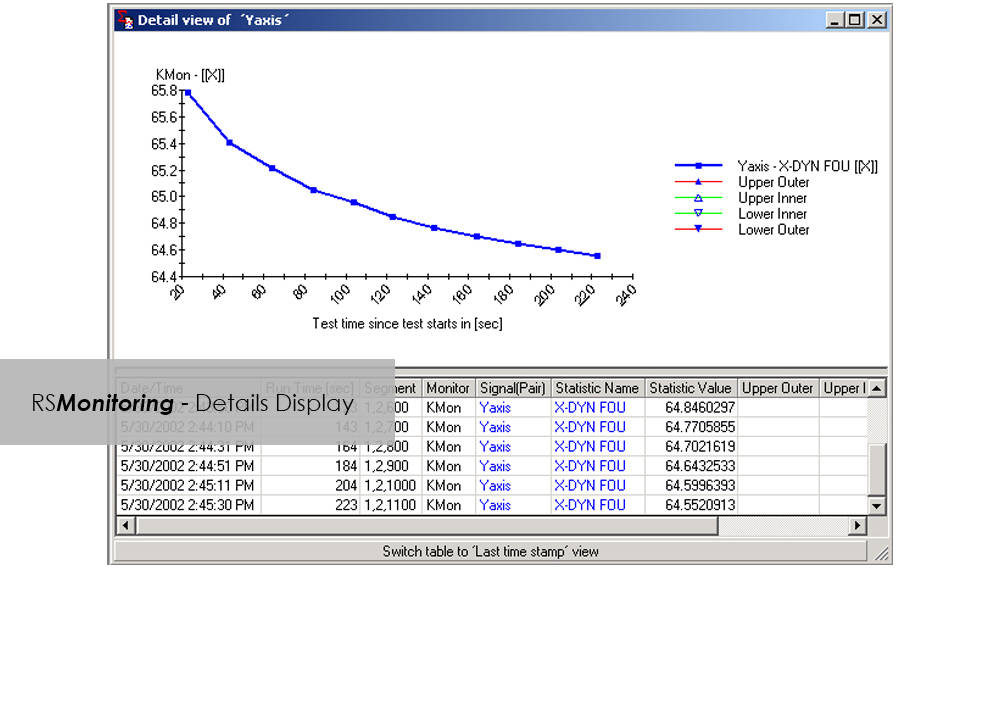
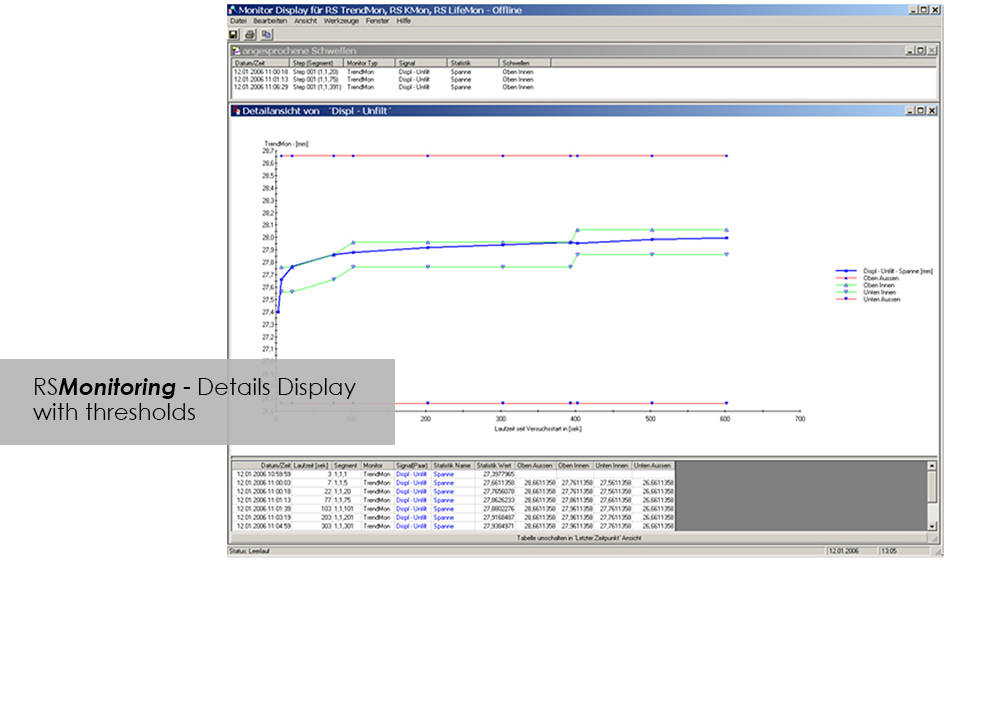
在线监控试样测试或快速简单地分析测量值,如今已不再是足够便捷的功能:市场竞争日益激烈,“产品投入市场的时间 ”需要不断缩短,因此,产品试验效率亟待提升。RS Monitoring 功能强大,可助您更快实现上述目标。该模块可在试验过程中计算监测统计变量和物理变量,并通过雨流计数法记录整体损害。该功能能够让您在早期阶段检测到试样的行为变化,并采取相应的应对措施。这个模块来自RS LabSite®模块化软件组拥有大量十分有用的计算功能。可享用以下优势:

优势:

  • 高性能在线试验监测
  • 对不同的试验任务均可提供最大限度灵活性
  • 为实验室要求提供证书模式

RS Monitoring 的优势

  • 可计算最大偏差、最小偏差、振幅偏差或标准偏差等统计数据
  • 可根据测量值计算在线雨流矩阵,以 2 维或 3 维直方图的形式呈现。
  • 可将矩阵转换为范围对、峰值计数或水平交叉分布,以便更好地进行比较。
  • 可计算振幅、弹簧率、能量损失或滞后环测量值的相移等物理参数。
  • 可监测和显示单个步骤的部分损坏。
  • 可对时域和频域信号的指令/反馈值进行在线比较。

CEAST VisualTHERM 軟體

CEAST VisualTHERM 軟體

Bluehill HV ソフトウェア
Bluehill HV ソフトウェア

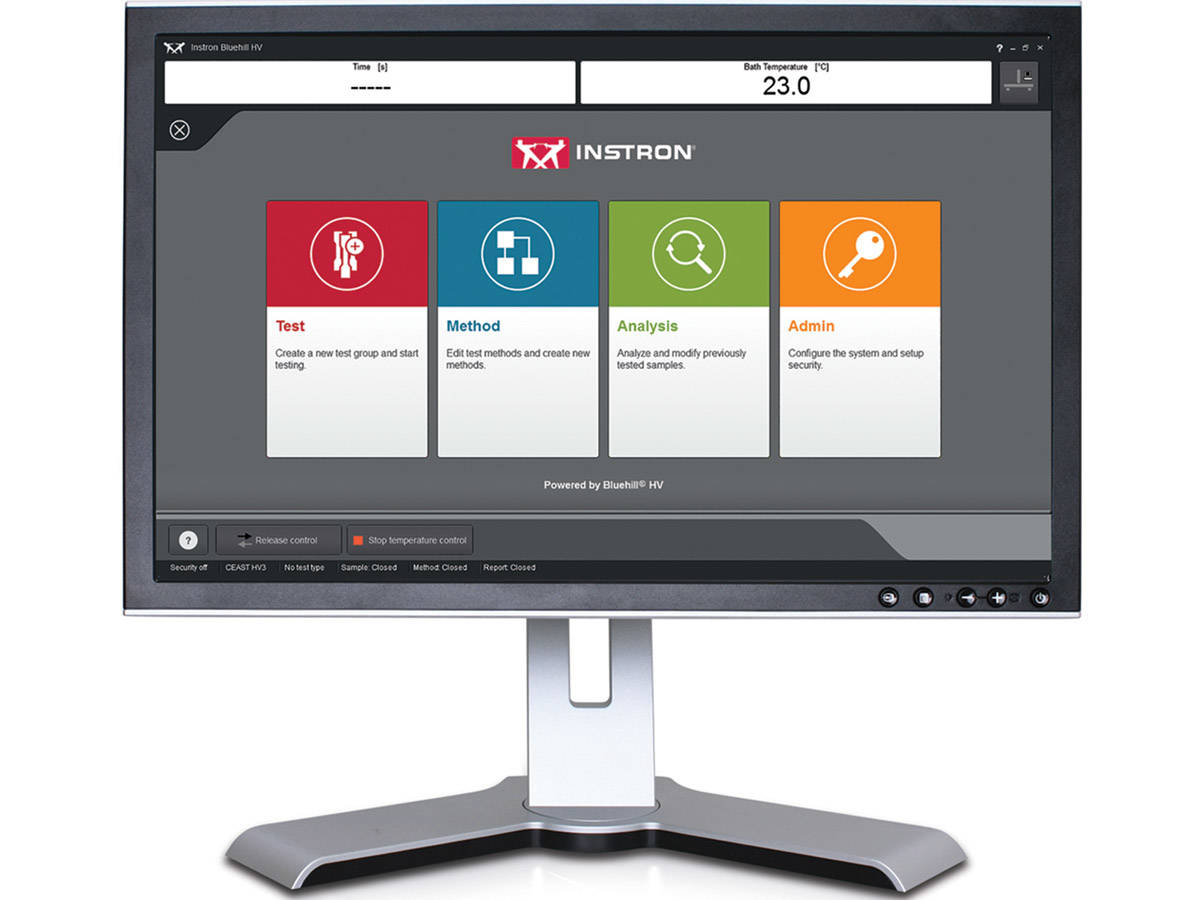
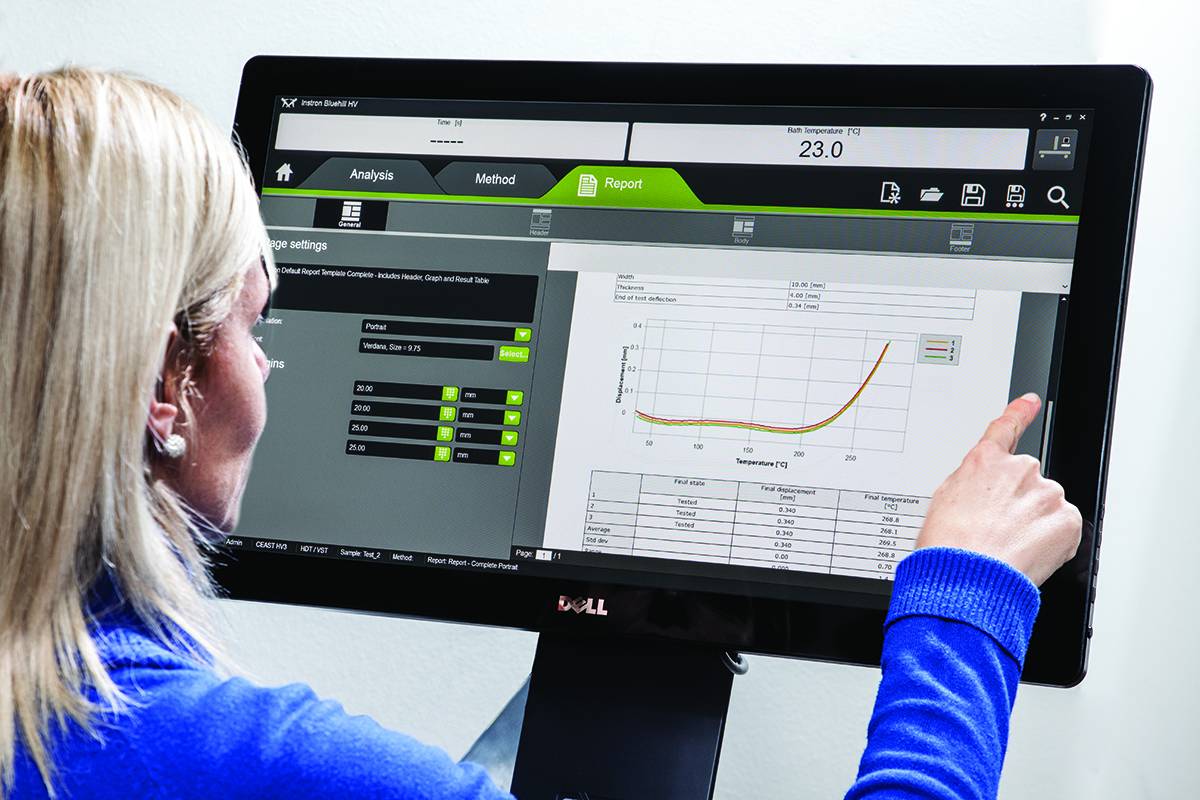
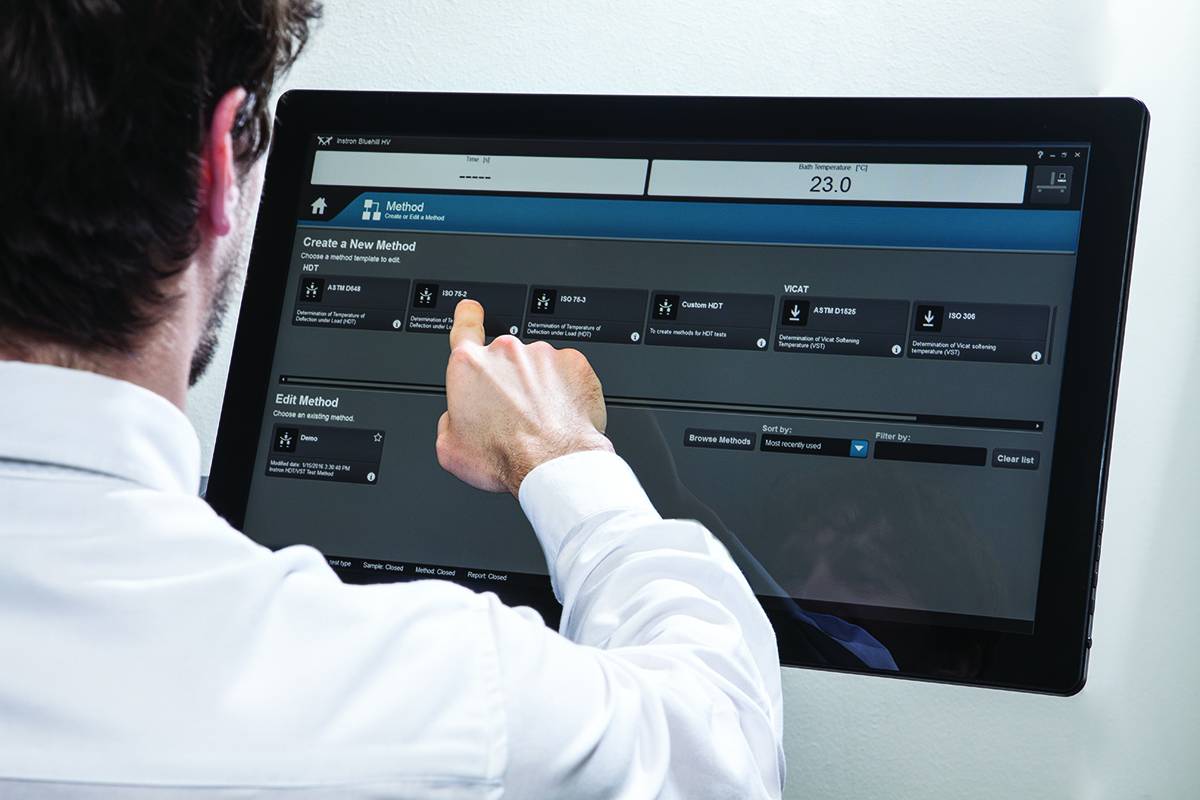
VisualTHERM 軟體是專為 Instron® CEAST HDT (熱變形溫度)和 Vicat(維卡)系列系統所開發。軟體提供易於使用的系統管理、測試執行、數據採集和儲存。

軟體管理完整的溫度測試過程:

  • 編輯參數
  • 即時圖形有助於執行測試
  • 數據採集和儲存
  • 詳細的分析結果
  • 報告管理
  • 數據輸出

這些操作可同時在多個系統進行。

熱機械 HDT 和 Vicat 試驗所要求的國際標準皆由軟體提供,並且以數字及圖形顯示結果。VisualTHERM 管理不同類型的測試,如撓度、溫度、時間,或綜合這些。

文獻

Instron HV Series for HDT and Vicat Testing

The effect of temperature on the mechanical properties of plastic materials has a fundamental role in the design of components, especially in the selection of materials. Unlike metals and ceramics, plastics are extremely sensitive to the slightest changes in temperature. The selection of plastics for applications under different temperatures is a complex task. The material must be able to support a stress under operating conditions without losing its strength and without critical distortion. The effect of temperature on geometrical stability and mechanical properties in general can be studied following different procedures and methods like at constant temperature or with a temperature ramp.

  • 产品
  • 06/21/2018
  • 1.15 MB

Bluehill HV

Bluehill HV is the generation software for HDT and Vicat tests

  • 产品
  • 01/12/2018
  • 366.94 KB

RS Analysis

RSAnalysis

型錄編號 RSAnalysis

Analysis
Analysis

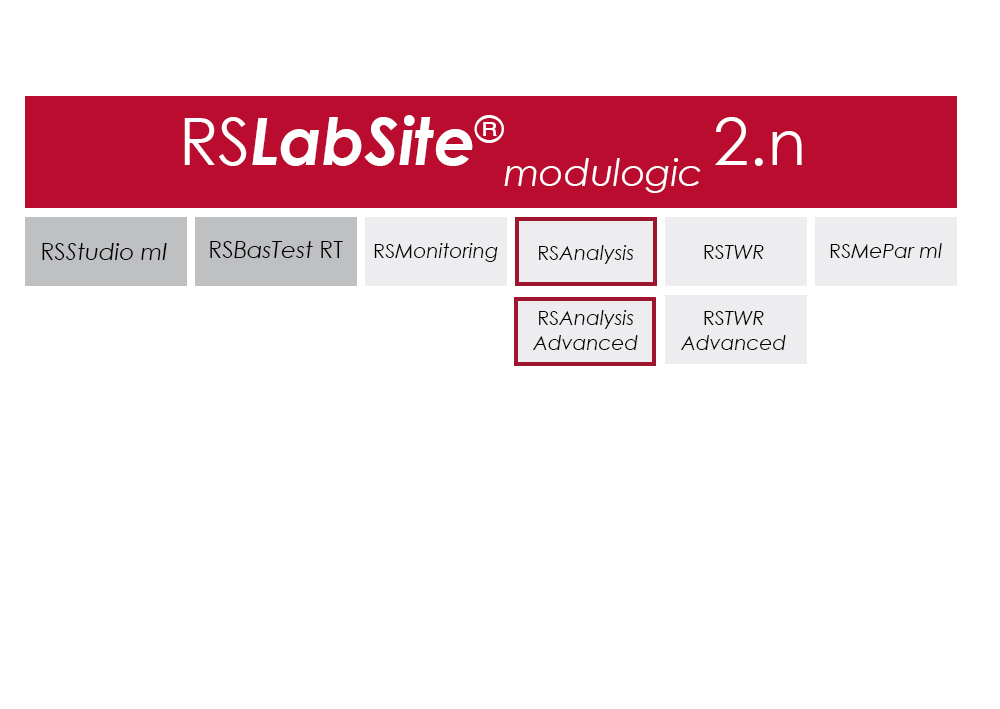
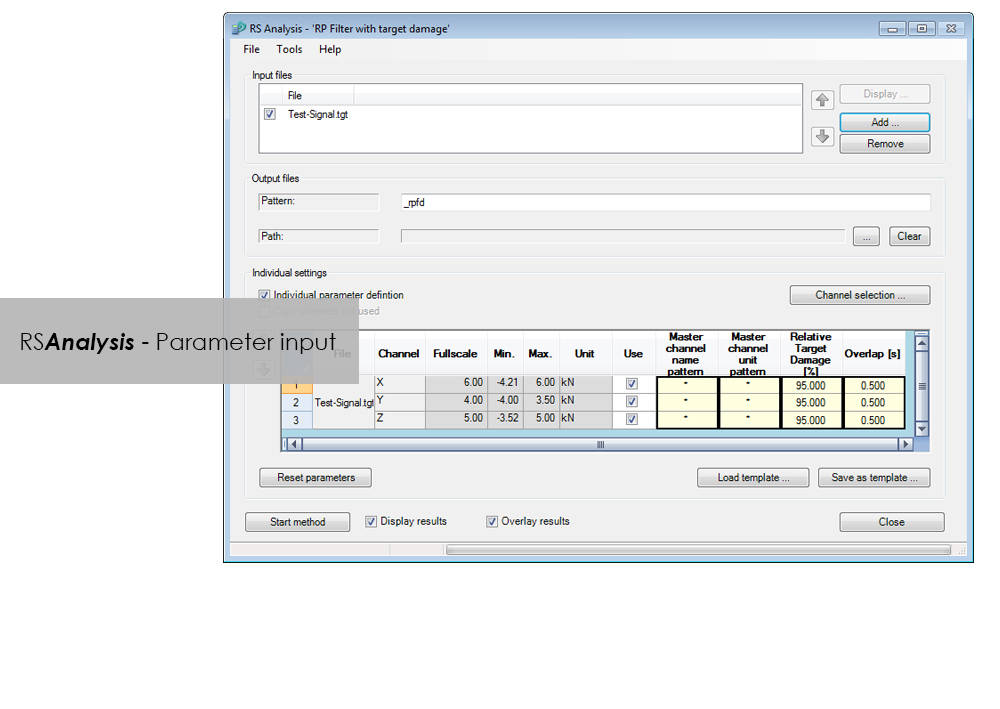
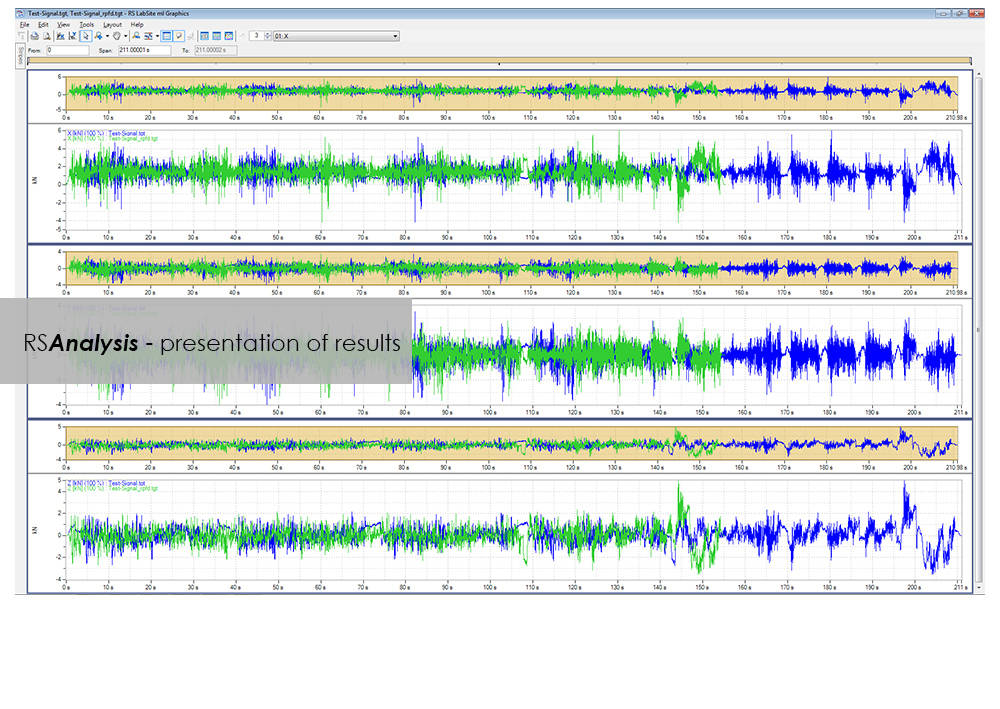
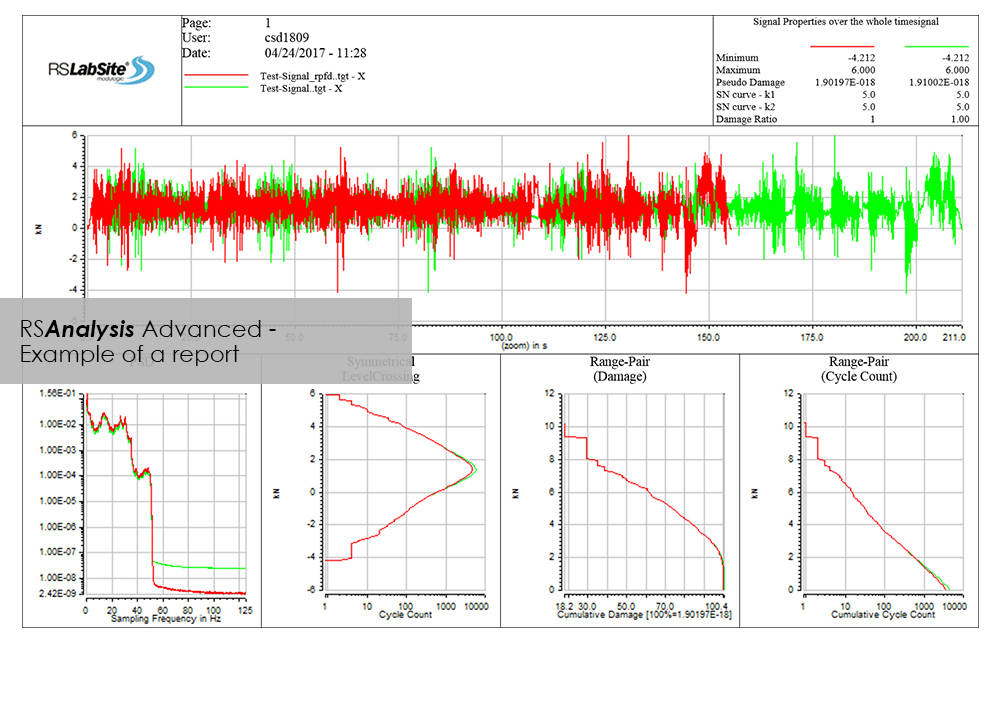
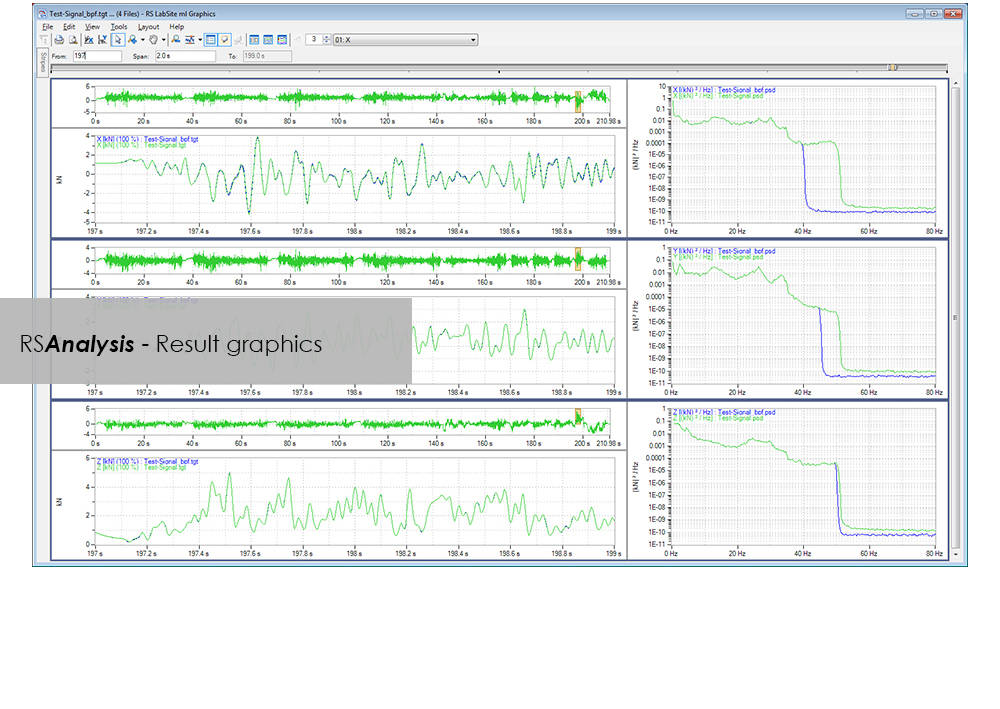
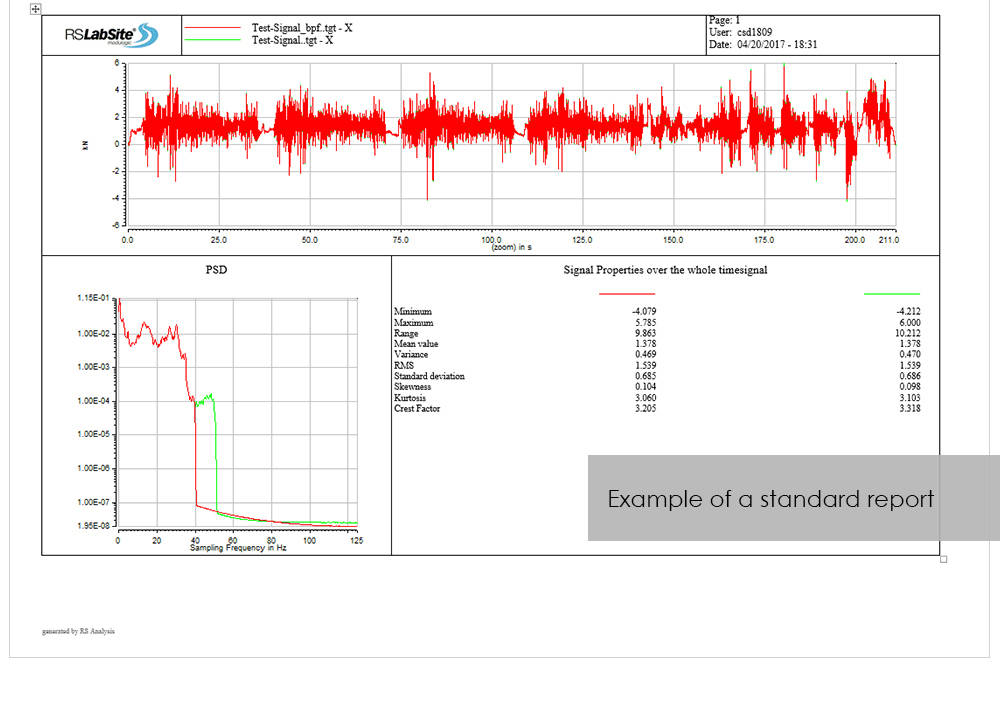
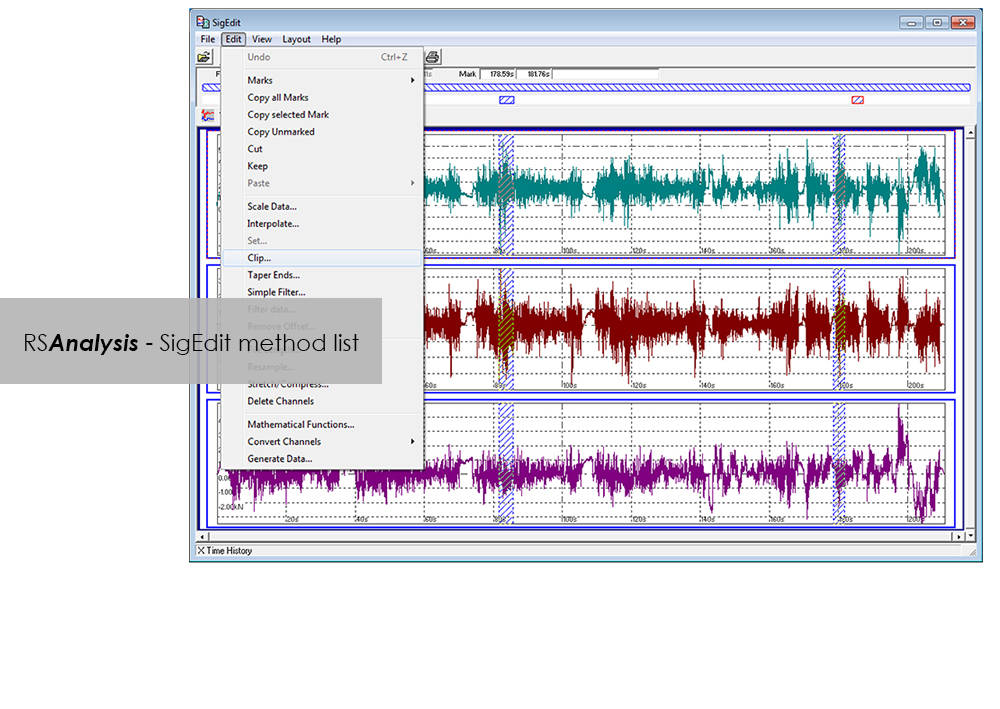
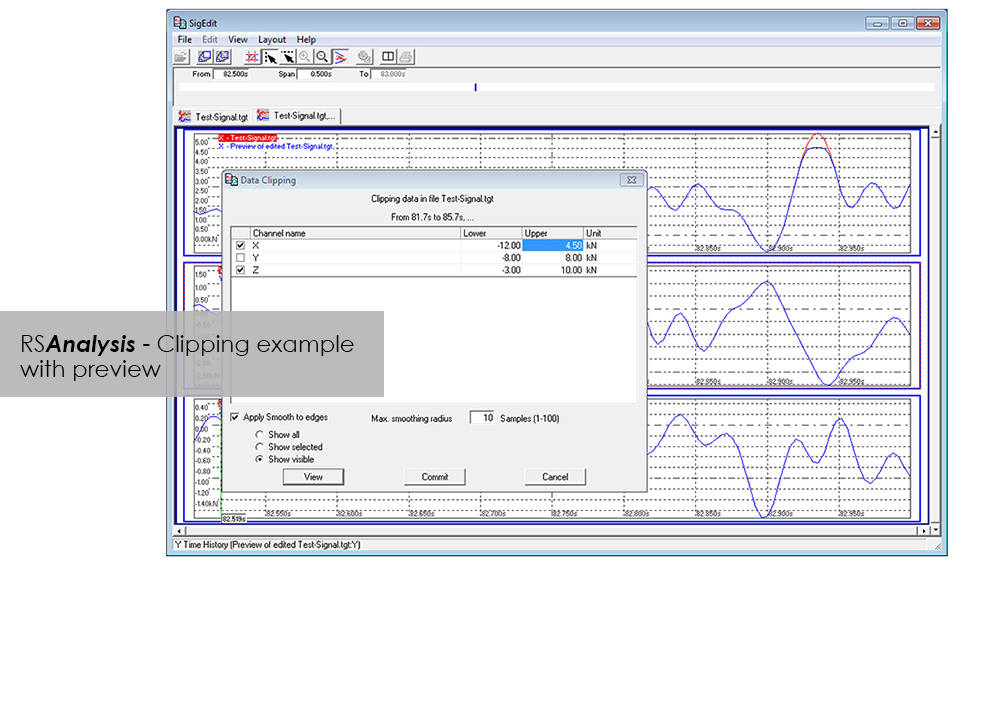
RSAnalysis 是資料擷取與處理流程中不可或缺的重要工具。專用演算法可濃縮並最佳化您的量測資料,並將其轉換為可模擬完整產品生命週期的載荷資料。此 RS LabSite® modulogic SoftwareSuite 模組可對測試資料進行分析與圖形化呈現,同時提供最大的自由度:除量測資料呈現外,亦提供多種其他功能,可快速且系統化地執行典型資料分析程序。

若軟體內建的多種標準報表無法滿足您的需求,可依需要建立自訂格式。如此可確保您隨時掌握測試的進行狀況及其產出結果。

RSAnalysis 提供兩種版本:可依您的特定需求選擇 Basic 或 Advanced 版本。無論選擇哪一版本,您都可享有以下優勢:

  • 透過整合至 Project Manager,將訓練成本降至最低
  • 結果可追溯(測試報告會與測試資料一併儲存在 Project Manager 中)
  • 透過自動化提升高生產力


RSAnalysis 優勢

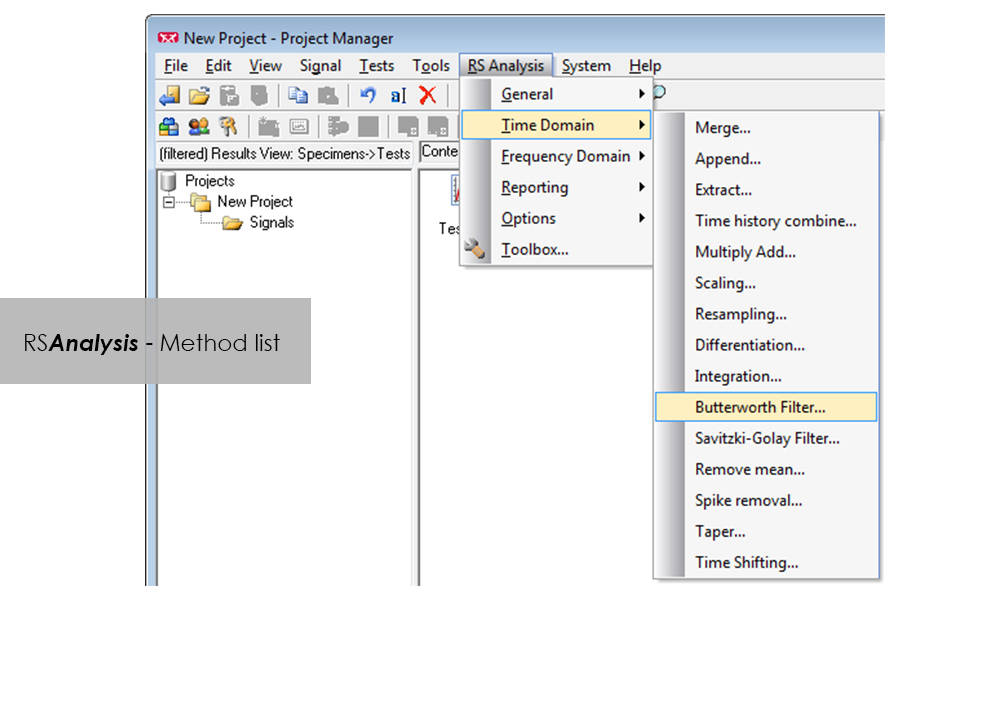
  • 可直接從 RS BasTest Project Manager 啟動處理方法
  • 多種方法
    • 資料匯入與匯出
    • 統計功能
    • 訊號呈現與編輯
    • 偏移/尖峰校正
    • 以頻率為基礎的方法
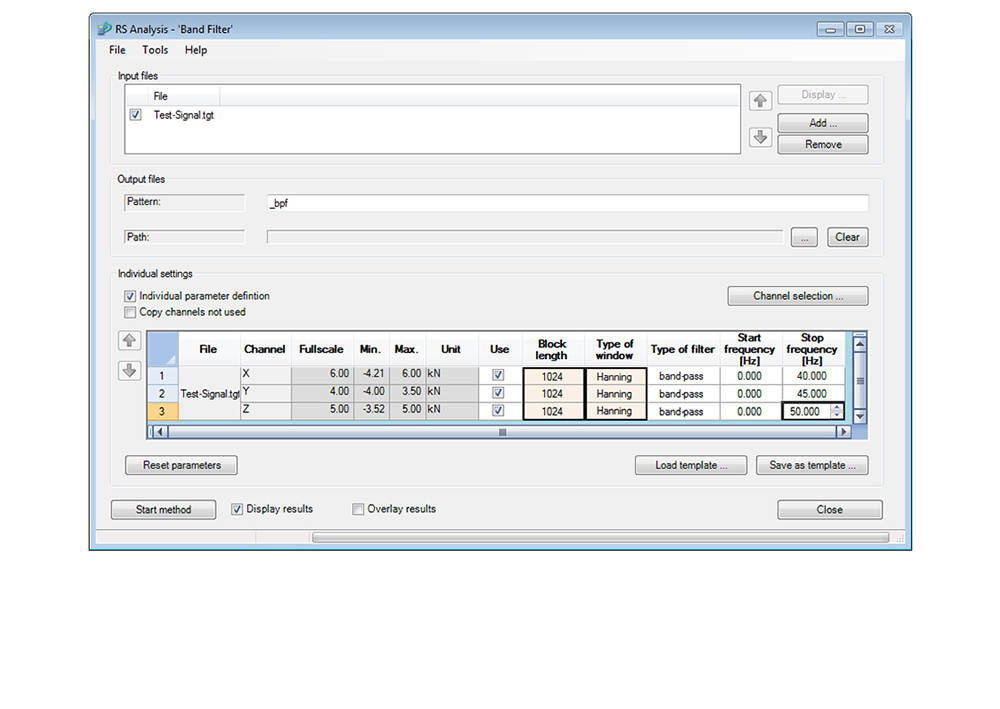
    • 多樣化的濾波功能
    • 圖形化、互動式訊號編輯器
    • 以及更多…
  • 透過方法串接實現自動化
  • 報表產生


Advanced

  • 分類程序
    • 雨流、水平交越或張力配對
    • 停留時間
  • 疲勞相關的編輯與分析程序
    • 應變花處理
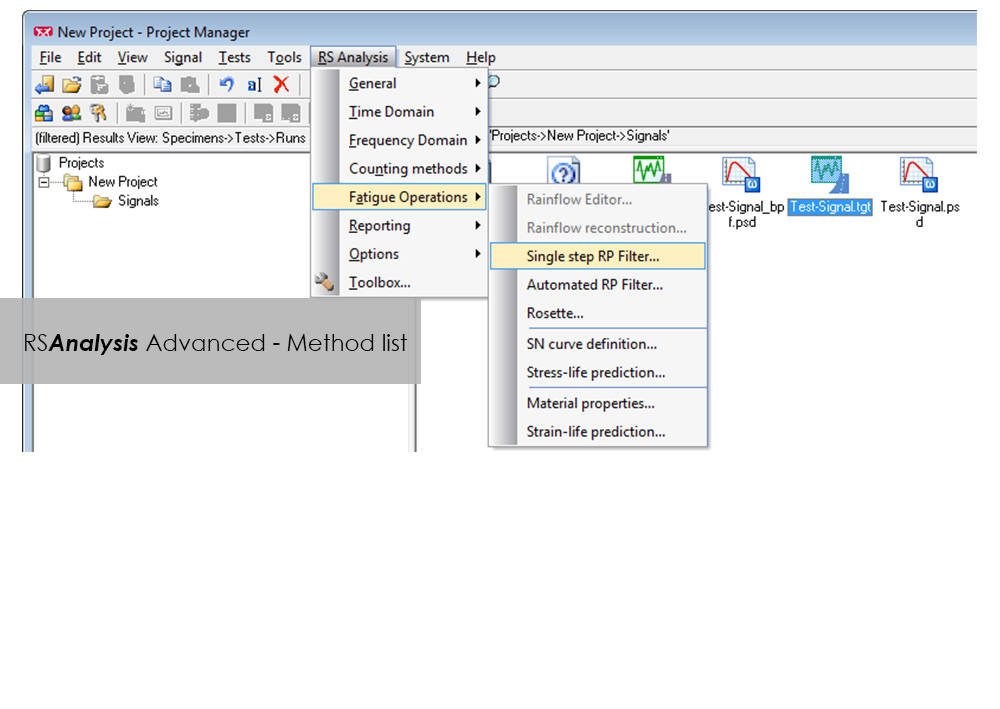
    • 自動資料縮減以移除無害部分(自動雨流投影濾波器)
    • 基於應力或應變的壽命預估
  • Layout Builder:建立您自己的記錄範本
  • 透過圖形化程式設計實現自動化(Process Builder)

LCF 3 低週次疲勞測試軟體,適用於 Instron 8800 系統與 Extend 升級

LCF 3 低週次疲勞測試軟體,適用於 Instron 8800 系統與 Extend 升級

目錄編號 2495-910

2495-910_P
2495-910_P

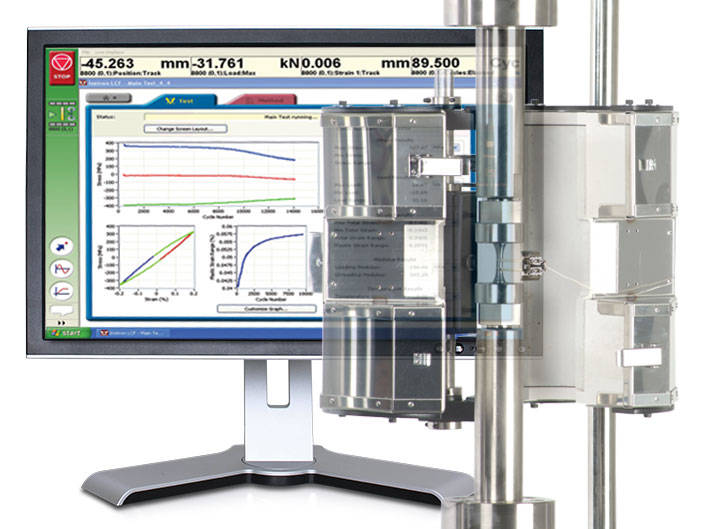
Low-Cycle Fatigue 3 軟體提供靈活的工作空間,專為根據 ASTM、ISO 及 BS 標準執行與分析應變控制疲勞測試而設計。

即時測試工作空間

一系列預先配置的圖表與結果欄位,可即時檢視測試進度。您可自訂螢幕以顯示最多三個週次與趨勢數據圖表。隨時暫停並重新啟動測試,並根據需要檢查模數。

全面的圖表工具箱讓數據一目了然

無論您需要單個或多個圖表,圖表工具箱都能讓使用者清晰顯示 X-Y 與雙 Y 軸圖表,以及峰值與趨勢數據圖。您可以選擇顯示標題、添加圖例或在網格上顯示實際數據點。LCF3 的繪圖能力首屈一指。

強大的分析功能

離線分析測試後數據,可從一系列單週次與趨勢圖中進行選擇。疊加個別選定的遲滯迴圈。以 JPEG 格式匯出個別圖形,並以 TXT 檔案匯出數據。

測試控制觸手可及

開始、停止與完成測試。簡單的測試控制按鈕始終位於螢幕右側。為了增加便利性,測試可以隨時暫停並繼續。

簡易的測試建立

呼叫最近使用的測試方法,或直接瀏覽方法資料夾以建立或編輯現有測試方法。測試方法建立可離線進行,從而最大限度地提高試驗機的可用性。憑藉獨特的逐步數據輸入與測試選擇流程,結合表格化的測試前摘要,您的低週次疲勞測試每次都能成功執行。

自動計算避免錯誤

選擇矩形、圓柱形或管狀幾何形狀,並自動重新計算橫截面積。

線上檢查確保精確模數

利用使用者定義的計算上下限點及清晰的圖形參考,確保您的模數數據準確無誤。

內建溫度控制

在應用程式內控制測試的起始溫度、均熱時間及允許的溫度公差,並將溫度數據直接記錄到測試檔案中。

排除不需要的數據

配置結合線性、對數與峰值的內部數據記錄參數,以符合您的測試需求。

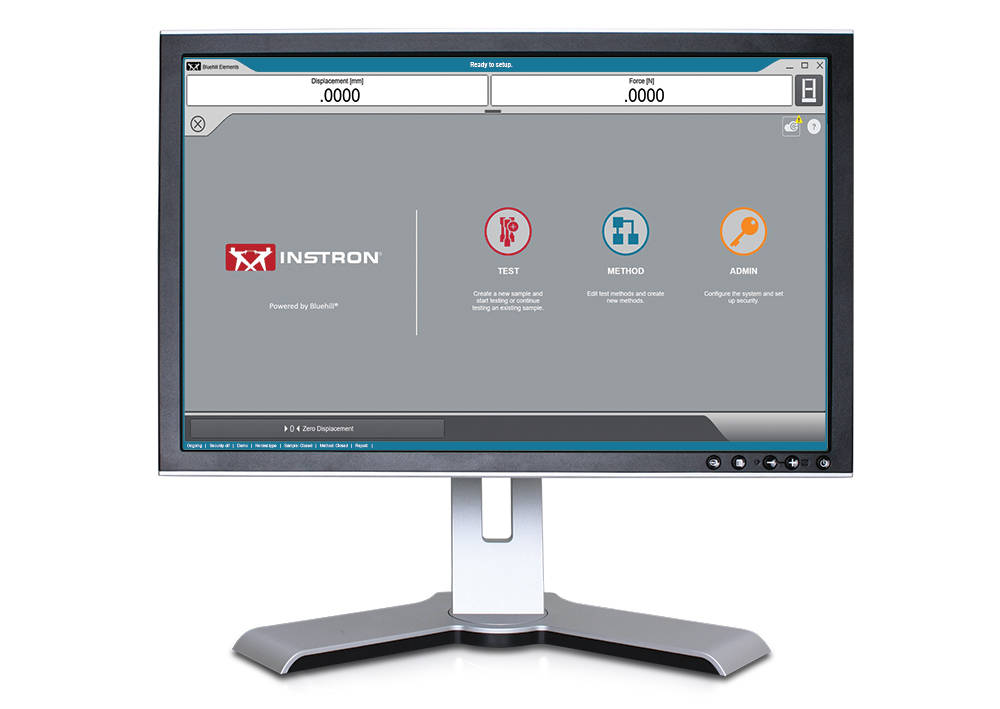
適用於 3400 系統上的基礎材料測試軟體 Bluehill Elements

適用於 3400 系統上的基礎材料測試軟體 Bluehill Elements

Bluehill Elements 軟體採用 Bluehill 平台為基礎,符合簡單的拉伸、壓縮、撓曲、剝離和撕裂測試需求。Bluehill Elements 具有諸如自動生成報告、提示測試工作流程、即時控制圖表等功能,以及善用 TrendTracker 資料庫的選項,特別適用於品質管制測試。


高效工作流程適用特點

自動資料匯出
使用者可將測試結果和原始資料匯出成 CSV 或自訂文字檔。匯出格式完全可自訂,讓使用者能夠輕鬆擷取資料或與實驗室管理系統交流互動。

原始資料檢視功能
直接從軟體檢查任意量測的每個數據點。

操作員無需以手動方式輸入數據
自動從量測裝置輸入試片尺寸、掃描條碼以便將編號和文字輸入到軟體中,或是利用選擇輸入為使用者提供簡單的下拉式選單,省去手動輸入資料的麻煩。

賞心悅目的顯示畫面
測試狀態、量測和主要測試結果都會顯示在方便讀取的即時顯示畫面上。


靈活又簡單

直覺式操作,使培訓需求降至最低
Instron 瞭解勞動力變化的事實,因此我們選擇以最低的培訓需求作為易用性的關鍵指標。Bluehill Elements 軟體具有簡單、使用方便的介面。

準確的報告給正確的對象
Bluehill Elements 整合幾種預先定義的報告範本,可輸出至印表機、電子郵件,或是直接將檔案儲存成可輕鬆分享的 PDF 檔。利用預填選項,即可輕鬆更改曲線圖的位置並設定表格。使用者可將特定報告範本連結到指定的方法,以針對不同測試自動產生報告。

基本安全性
在生產與品質管制測試中,一般測試人員不應有權存取方法及變更參數;針對這類測試,Bluehill Elements 備有三種可配置的安全性等級:系統管理員、管理者和操作員。

共同語言
在測試領域裡,Bluehill 是一套標準工具。Bluehill 提供 15 種語言版本並已在全球成千上萬的系統中使用,其測試方法、計算和資料格式已獲普遍認可及接受。不論您要與當地供應商核對資料,還是與跨國客戶比較測試方法,Bluehill Elements 都能讓您使用共同語言來溝通。


Bluehill Elements 的附加元件

TestCam
連接 USB 網路攝影機,以體驗逐點影片播放,如此即使在測試完成後,使用者仍可一面觀看影片,一面檢視測試資料。

通過/失敗部件
為多個測試結果設置接受標準。如果其中一項結果高於或低於可接受範圍,Bluehill Elements 將自動顯示代表「通過」綠色打勾圖示,或是代表「失敗」的紅色畫叉圖示。

TrendTracker 測試結果管理軟體
Bluehill Elements 的 TrendTracker 選配軟體可讓使用者直接將結果匯出到 TrendTracker 資料庫。TrendTracker Viewer 提供一個直覺式介面,用於搜尋、顯示及分析長期測試結果。


電腦需求

需要 Windows 10或 11,64 位元作業系統。Bluehill Elements 可搭配使用觸控螢幕。

文獻

Bluehill Elements

Bluehill Elements™ 以 Bluehill® 軟體平台為基礎,符合簡單的拉伸、壓縮、撓曲、剝離和撕裂測試需求。Bluehill Elements 具有諸如自動產生報告、提示測試工作流程、即時控制圖表等功能,以及善用 TrendTracker 資料庫的選項,特別適用於品質管制測試。

  • 产品
  • 02/03/2020
  • 854.41 KB

DIC 重播

測試軟體 » DIC 重播 » Page 17

DIC 重播

數位影像相關(DIC)軟體

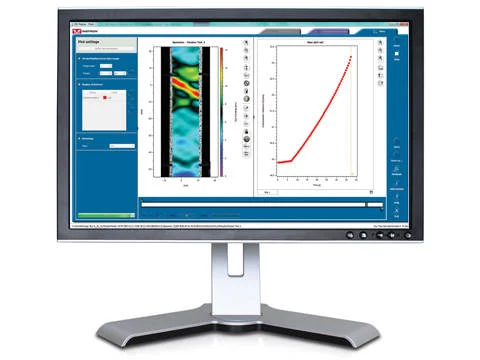
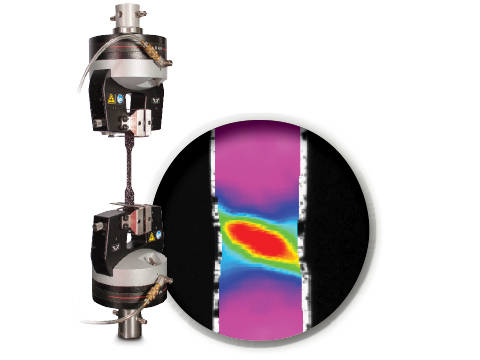
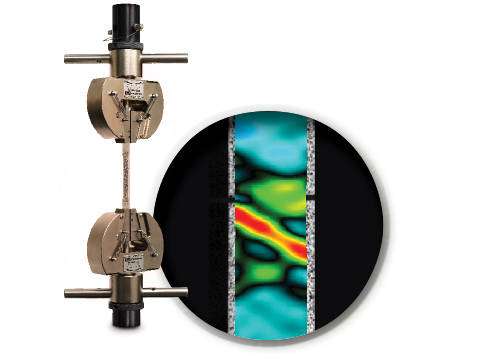
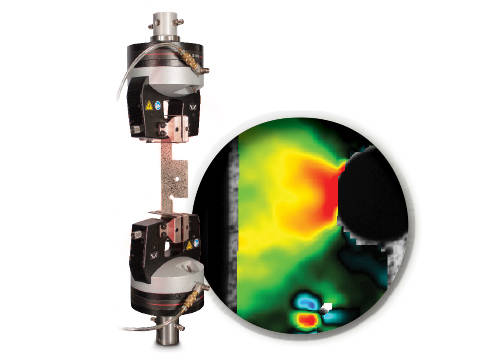
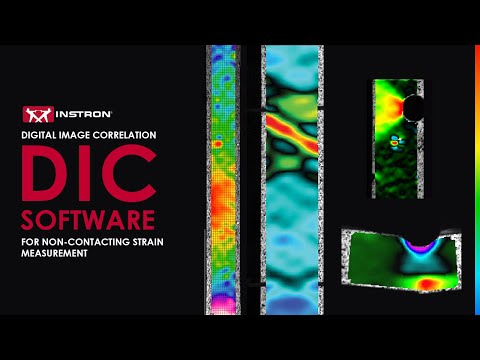
DIC 是一種光學技術,透過比較受測試樣表面影像來產生全場應變與位移圖。它可建立影像,用於在試樣完整二維表面上視覺化應變與位移。

DIC 重播軟體為獨立的 2D DIC 套件。此軟體可讀取由 Instron® AVE(先進影像延伸計)儲存的影像與校正資料,並以後處理模式運作。使用者介面沿用 Bluehill® 相同的分頁式風格與圖形設計。

標準功能包括:

  • 軸向應變(Eyy)、軸向位移(Ey)、橫向應變(Exx)、橫向位移(Ex)、剪應變(Exy)、最大正應變與最小正應變的全場應變與位移圖
  • 虛擬應變規
  • 虛擬延伸計
  • 方法儲存
  • 圖表產生
  • 與 Bluehill 測試資料(載荷、位置等)同步
  • 使用者自訂影像擷取率,最高達 50 Hz
  • 三種操作模式(DIC 後處理、透過 AVE 的即時應變,或兩者兼具)

優點:

  • 檢視材料測試現象,例如不連續降伏、局部頸縮等
  • 分析傳統延伸計不切實際的零件或元件平面上的應變和位移
  • 視覺化並偵測肉眼不可見的裂紋
  • 通過將一個樣本與下一個樣本進行比較來檢查樣本製備技術
  • 通過識別超出標準標距長度的局部應變來檢查標準合規性
  • 可視化平面彎曲或壓縮試樣的側面輪廓,以觀察應變行為


文獻

DIC Replay | 2D Digital Image Correlation Software Data Sheet

Digital Image Correlation (DIC) reveals what traditional measurements miss — localized strain, deformation patterns, and failure mechanisms across the full surface of a test specimen. Instron’s DIC Replay software is designed specifically for materials testing professionals, combining an intuitive interface with direct synchronization to Bluehill® load, position, and strain data. Key capabilities include full-field strain and displacement visualization, virtual gauges for localized analysis, reusable methods for repeatable workflows, and a portable USB license for flexible access at the test system, in the office, or offline.

  • 产品
  • 04/12/2017
  • 2.39 MB

CrashSim

測試軟體 » CrashSim » Page 17

CrashSim

Crash Sim Startpage
Crash Sim Startpage

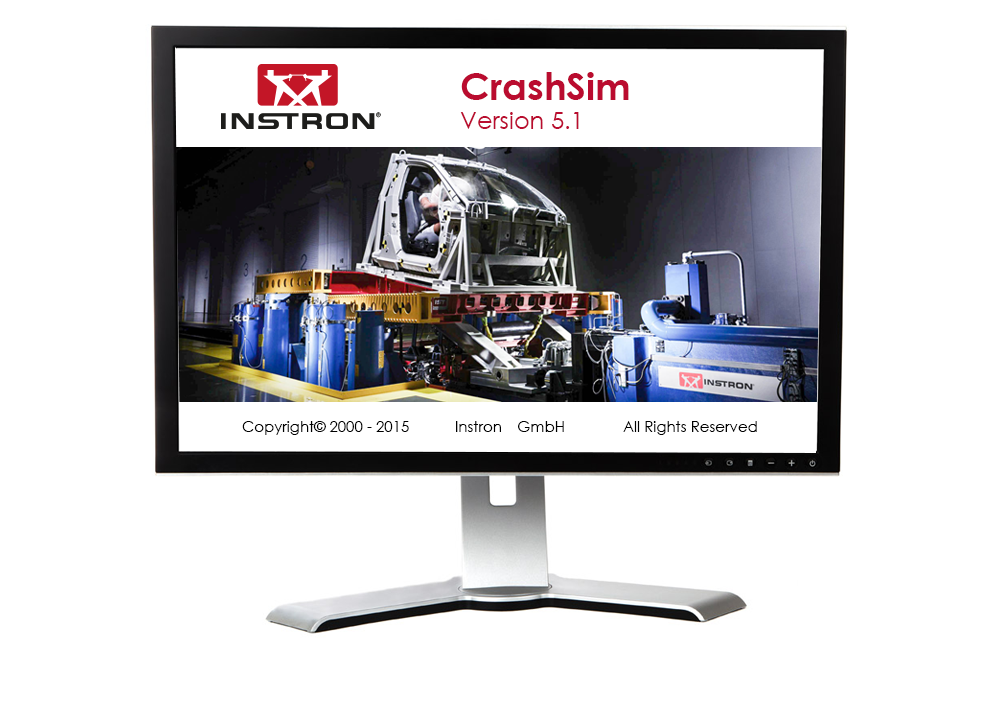
应用软件CrashSim用于在Instron台车系统上进行的碰撞试验的准备、执行、监控、分析和记录。通过与全球用户群体的合作,我们对这一聚焦于用户应用的软件进行了持续不断的升级。

使用CrashSim不需要具备专门的知识,软件操作直观,易于理解。用户界面符合Windows7标准。

以下应用所需的参数设置和阀门配置存储在控制系统中,并且在选择测试方法时由CrashSim自动设置:

  • 正碰和后碰模拟
  • 带主动控制俯仰的正碰模拟
  • 侧面柱碰模拟
  • 侧面碰撞模拟
  • 鞭打-低速后碰撞测试

得益于这一高度自动化,确保了测试操作的高产和高效。

基础版本的CrashSim 5.0具备以下功能:

  • 脉冲数据输入和过滤
  • 根据加速度/时间曲线计算驱动信号
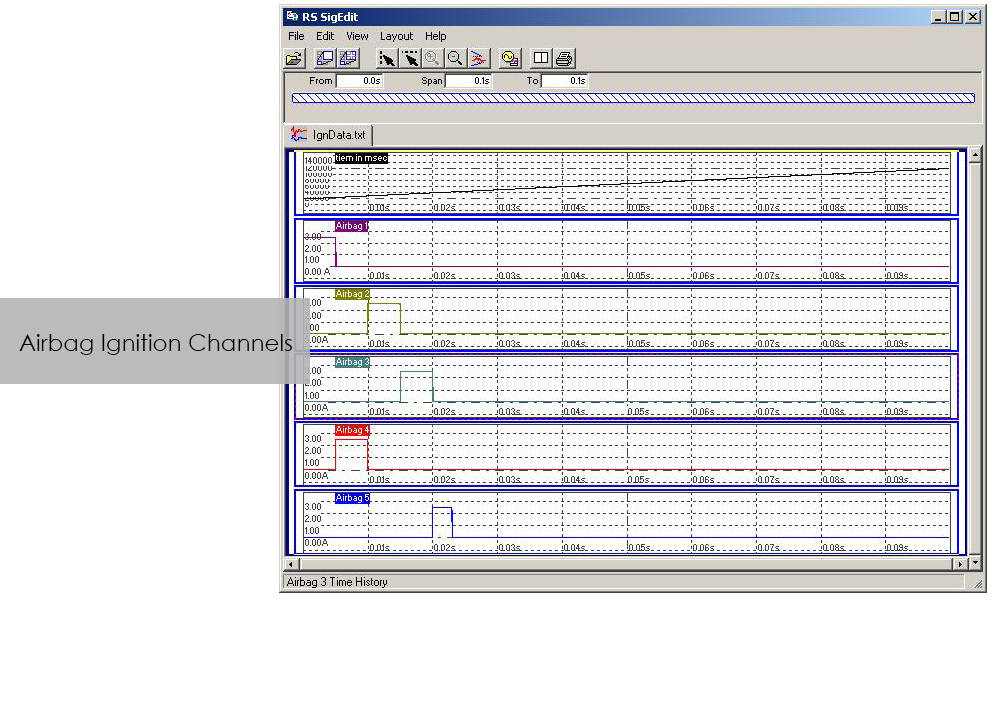
  • 控制所有外围系统(安全气囊点火器、数据采集、摄像系统、...)
  • 试验运行
  • 试验结果评估
  • 试验参数的数字存储和检索,用于将来的应用。
  • 通过进程显示实现系统状态可视化

高级版本的CrashSim 5.1包括了Instron开发的最新迭代模型,这大大减少了所需的迭代次数。该版本还包括CrashSim Office软件模块。该模块允许对测试脉冲进行外部处理,直到产生台车系统的驱动信号。 以前,波形预测只能通过在系统上试打来实现,而现在则可以通过CrashSim Office软件进行离线操作来实现。 。这减轻了此类任务的日常测试操作,提高了系统的工作效率。

了解有关碰撞模拟系统的更多信息.

RS BasTest RT

RS BasTest RT

Catalog no. RS BasTest RT

RSBasTest RT

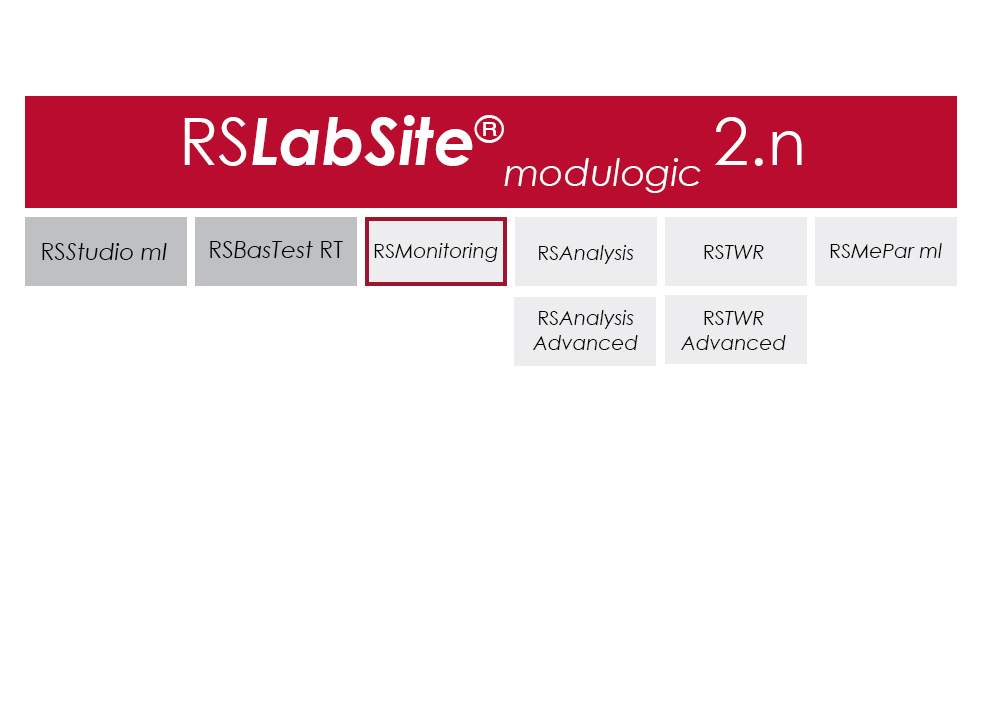
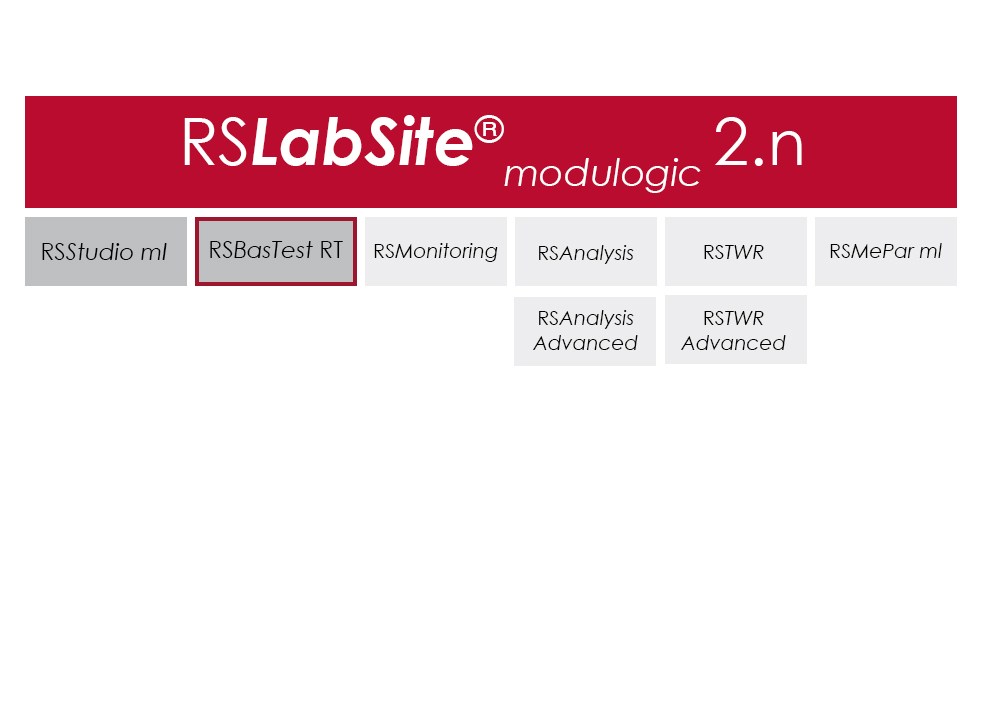
RS BasTest provides a wide range of functions for editing, performing and conducting durability tests. Project Manager will guide you through all processes. It is used to create new projects, and its integrated data base collects and manages all measurement data. If you are envisaging a future extension of your testing environment, you will be ideally set up with RS BasTest: Other modules from the RS LabSite® modulogic family can be integrated into the system without any further intervention. The basic module will assist you with a high degree of flexibilty and provide the following benefits:

  • Basic software package with comprehensive functionality
  • Intuitive operation
  • Flexible adaption to your testing tasks

RS BasTest RT Benefits

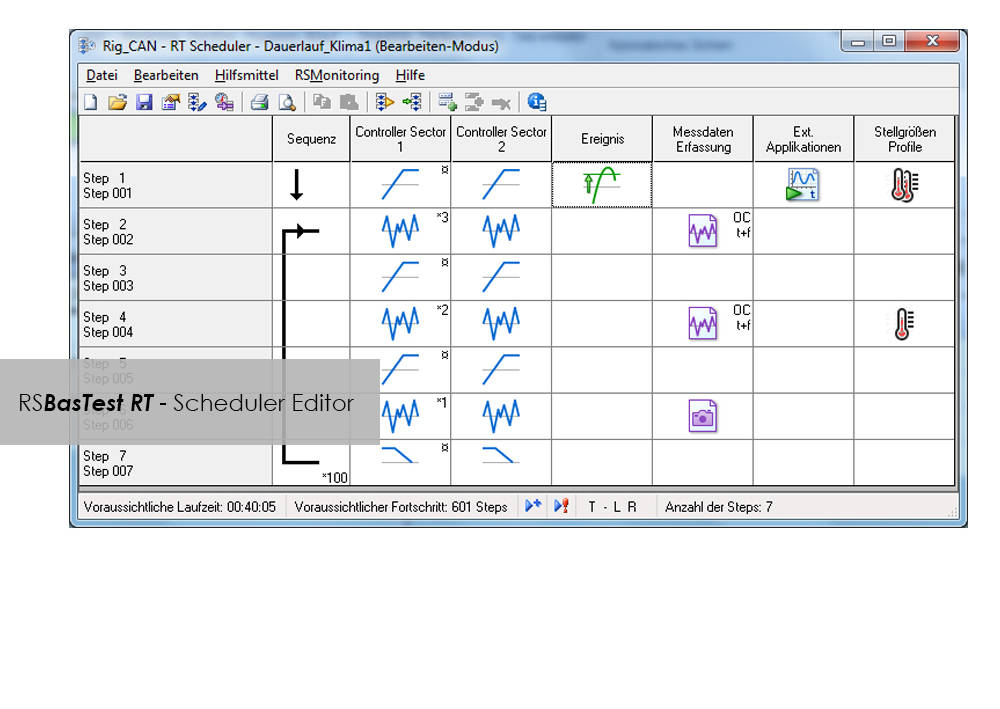
  • Numerous test methods, which are processed in real time by the control electronics:
    • Constant amplitude programs
    • Cyclic block programs for single or multi-channel testing
    • Execution of single- or multi-axial durability tests
    • Event controlled test procedure
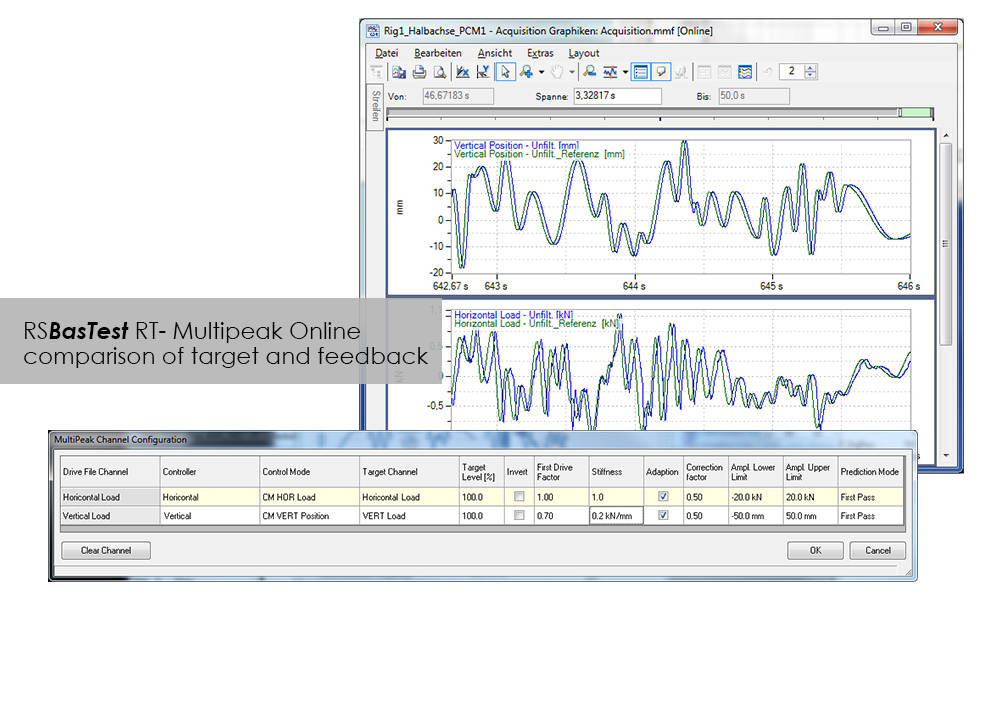
    • Replay of multi-channel service loads with adaptive control of peak values.(MultiPeak)
  • Multi-channel data acquisition
    • three different options optimized for the respective test metho
    • flight recorder (record / store measurement data even when the test stops or pauses)
  • Switchboard for the administration of test results with database for projects, tests and results. Optionally available as a laboratory version:
    • Central administration and backup
    • Local preparation and execution at the test stand
    • Evaluation at test stand or office
  • Licensing model to suit your laboratory requirements
  • Seamless integration with Labtronic 8800ml

Console Software For Use With Instron 8800 Systems, ElectroPuls and ExtendUpgrades

Console Software For Use With Instron 8800 Systems, ElectroPuls and ExtendUpgrades

Catalog no. 2495-901

Console Software For Use With Instron 8800 Systems, ElectroPuls, and Extend Upgrades 

Compatible with WaveMatrix, LCF3, Bluehill 2 and Fracture Mechanics (da/dN, K1C & J1C)  

Includes

  • All controller set up functions such as Specimen Protect, transducer calibration, limits, control loop settings (PID´s) and calculated ("Modal") control channels
  • System status displays indicating current control mode, limits, waveform generator, transducer calibration and hydraulics/power
  • Auto Tuning Wizard to perform automatic set up of control loop PID values
  • Loop tuning tool with fast-refresh digital scope to facilitate manual setting and adjustment of control loop PID values
  • Multiple digital Live Displays of transducer values and cycle/time counters that can be rearranged and resized, with setup save/recall from computer disk.
  • Waveform control (start/pause/stop at specified cycle count) to run simple fatigue tests
  • Scope software package for real time graph showing the output of up to four transducers and basic data capturing facilities
  • Comprehensive on-line help system
  • RS Save software for saving and restoring of test system parameters to and from disk
  • DAX data acquisition software for one axis and up to four transducers
  • Latest firmware update for 8800, ElectroPuls and Data Acquisition Boards
  • Set of Electronic Manuals in PDF Format
  • Available in English, French, German or Japanese 

Please contact Instron for the minimum PC requirements necessary to install and operate this software.

RS MePar ml

RS MePar ml

Catalog no. RS MePar ml

RSMePar ml

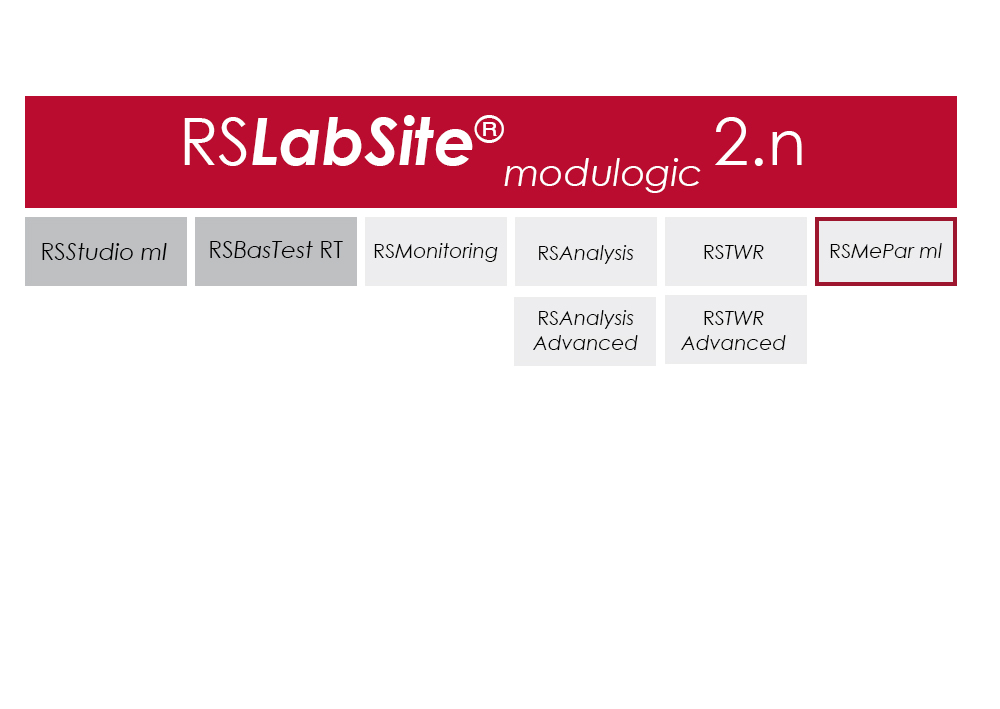
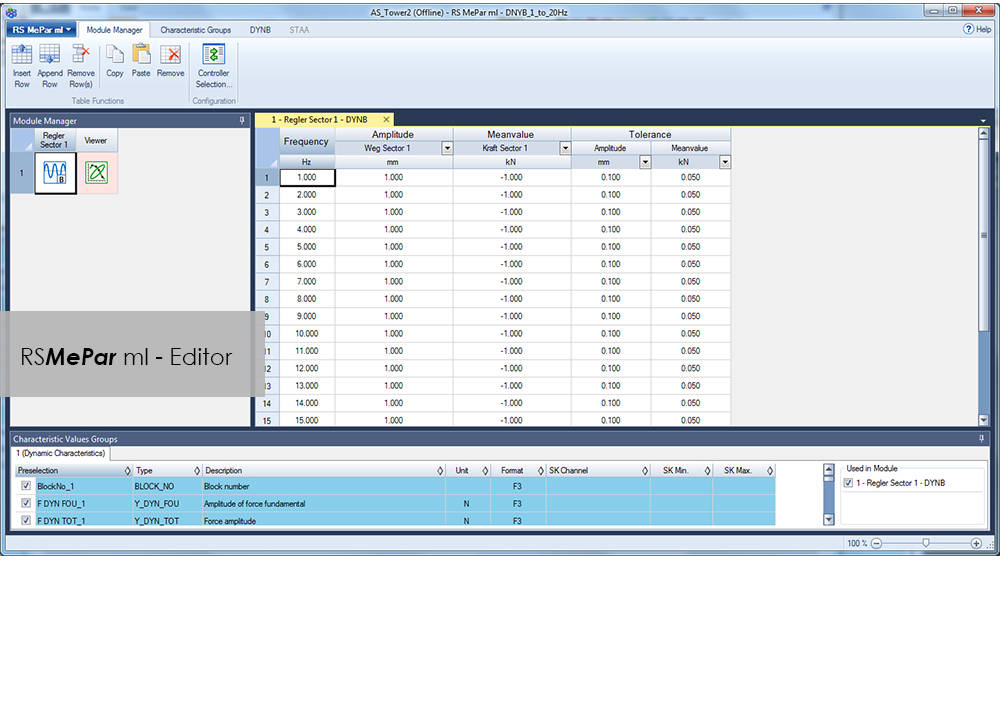
RS MePar ml 是 RS LabSite 模块化软件组的一个模块,与 RS Studio ml 和 RS BasTest RT(RS LabSite 模块化的基础模块)配套使用,可用于确定具有粘弹性部件的特性。RS MePar ml 可用于创建简单的单轴试验或复杂的多轴试验。

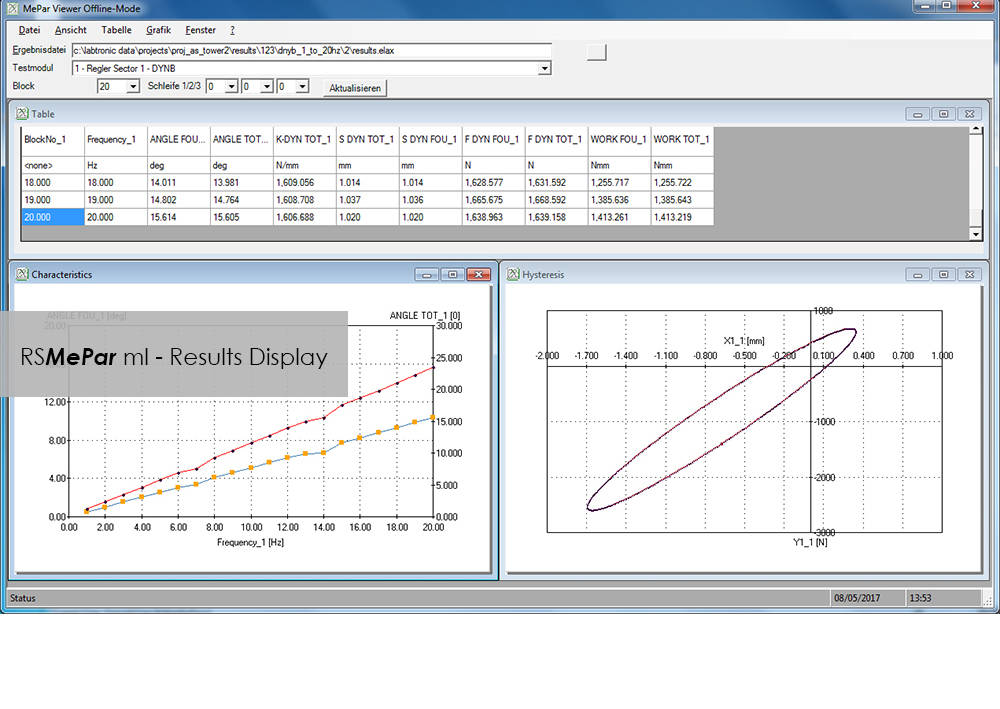
灵活的试验监控和数据采集功能可确保试验工程师拥有所需信息,从而精确指出进行试验的部件。此外,MePar Viewer 的整合数据不仅能使装置中产生的试验数据可视化,还能以多种图表进行展示。使用该工具,可直接在屏幕上观察到试验结果。

RS MePar ml 可用于完成以下任务:

  • 确定试样的静态特性
  • 确定试样的动态特性
  • 确定组件的谐振频率
  • 分析和记录试验结果和试验条件

适用对象:

  • 弹性体
  • 弹性体化合物元素
  • 水陆两用器
  • 振动阻尼器
  • 扭转振动阻尼器
  • 排气管线
  • 离合器
  • 曲轴


优点:

  • 该软件适用 Windows 系统,便于上手,易于操作 。
  • MePar-Viewer 功能能按要求绘制测量文件里的各系列数据,用户可以选择缩放比例,以便生成试验报告。
  • 所有试验数据均存储在一个数据库中,能导出到其他程序,如 MS-Excel,用于展示或进一步处理。