

Bluehill® Impact Software
The Drop Weight Impact Testing Machine Software
Bluehill Impact is built from the ground up for touch interaction. The Operator Dashboard features large touchpoints that make the user experience simpler and smarter. Easy-to-understand icons and workflows make it easy to train new or experienced users, simplify operator training, and get you testing faster than ever before.
Contact Our Sales Department
Please complete the form below and we will be happy to contact you with a response. Our typical response time for an online request is within 1–2 business days. For a faster response, please call +1-800-473-7838.

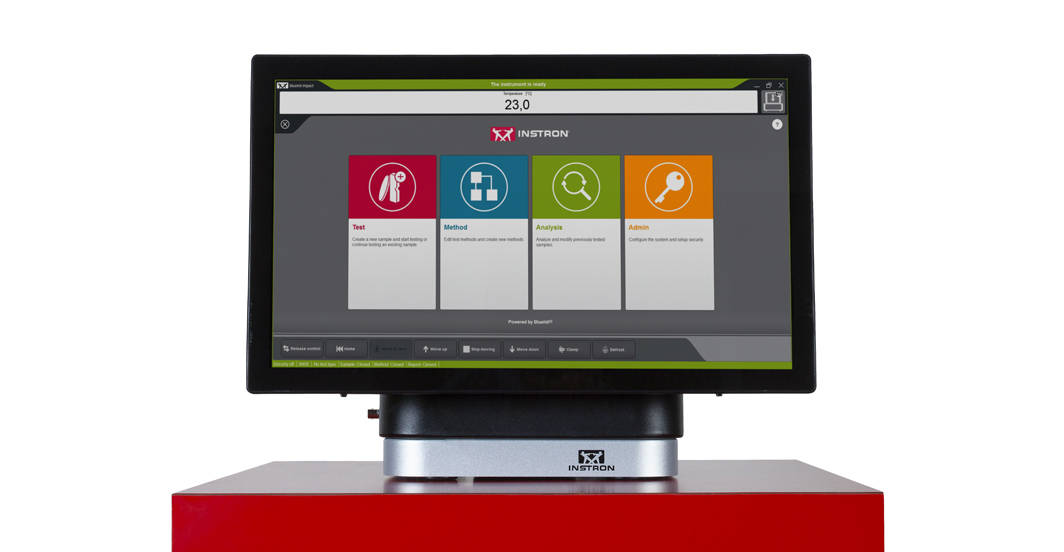
SIMPLER
Effortless Drop Weight Impact Testing Workflows
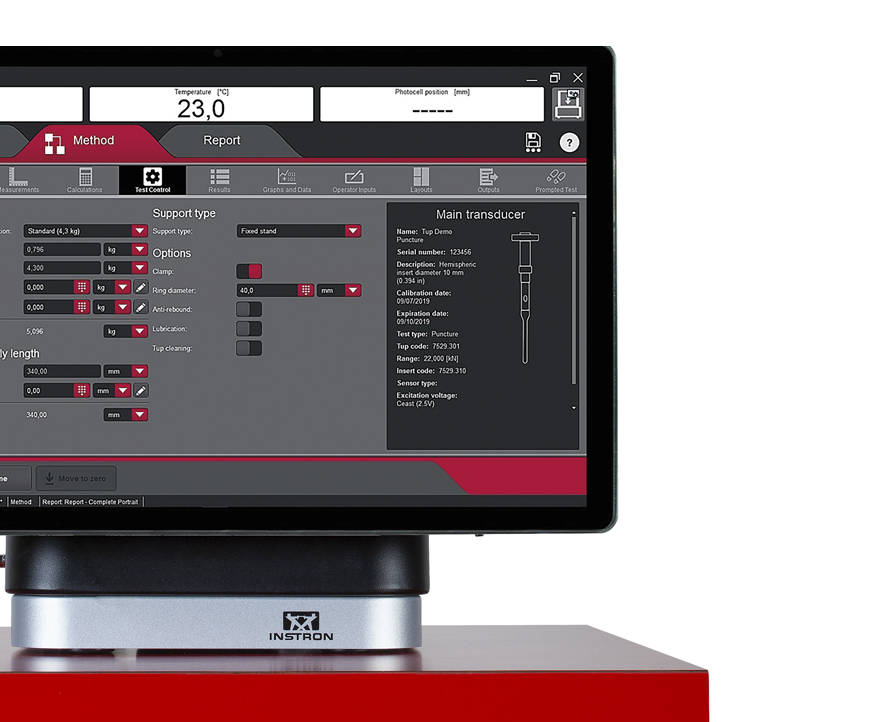
Smart Defaults - Bluehill Impact provides a set of pre-configured defaults covering the most common impact testing scenarios.
Flexible Data Analysis -Users can define unique data flows and procedures, ensuring flexibility in how data is processed. Bluehill Impact automatically reports on anomalies and inconsistent results when they fall outside set parameters.
Guided Workflow -Thanks to prompted tests and the touch panel, setting up procedures takes just a few clicks. Users are guided through the entire testing process with step-by-step instructions, keeping tests repeatable, simple, and error-free — and prompts can be customized with your own text messages.
Fast Data Acquisition and Results -The new Dashboard, paired with the data acquisition system and Bluehill Impact software, increases productivity by streamlining the path from test setup to results.
Speed Up Collaboration -Move from task to task easily, sharing test methods and results with your company or your customers through Bluehill Impact's file management system.
SMARTER
Advanced Capabilities for Advanced Drop Weight Impact Testing

Specimen Multi-Selection
Edit parameters for multiple specimens at the same time with a single click.
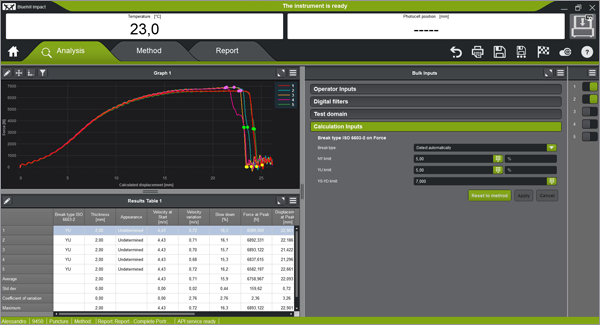
Break Type Recognition
Automatic recognition of break type based on curve shape (ISO 6603-2), ensuring break type classification stays consistent from operator to operator.
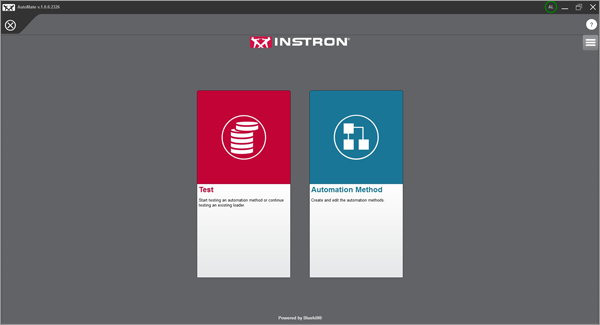
Automatic Testing
Once a test method has been created in Bluehill Impact, the AutoMate software module lets you customize how specimens in the automatic feeder are tested — assigning different test velocities and temperatures as needed.
SAFER
Safety Without Sacrificing Throughput
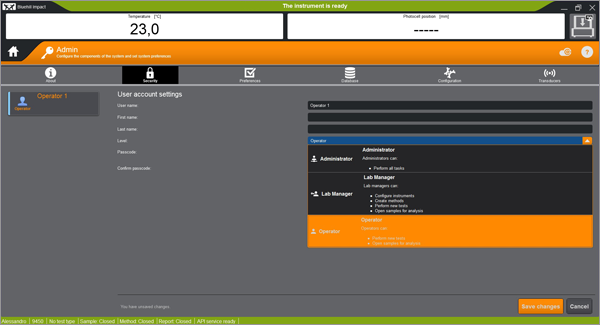
Secure Access
Bluehill Impact's security settings let lab managers configure permissions, granting full access to super users and limiting access where needed.
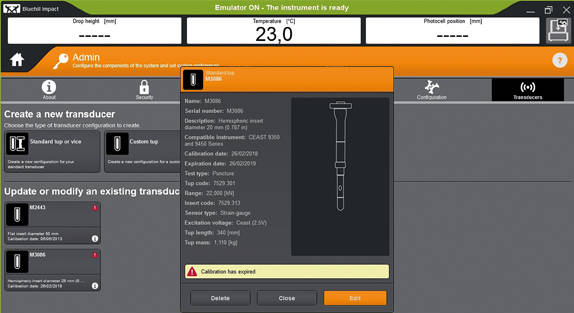
Tup Calibration Alert
Automatic alerts are generated as a tup's calibration period approaches expiration, helping reduce the risk of invalid tests and protecting your results against inaccuracies.
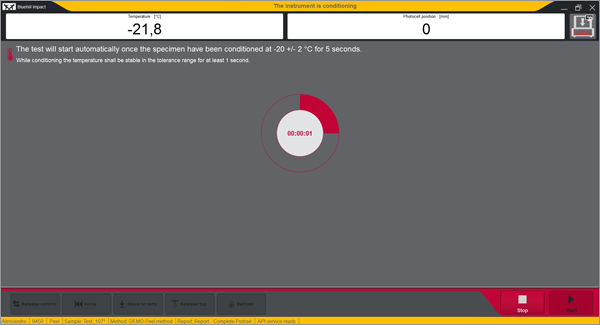
Built-In Safety Notifications
The Dashboard gives clear visual information on instrument status, so users always know when a test is in progress.
Remote Technical Support (RTS)
Powered by Instron Connect
Instron Remote Technical Support (RTS), powered by Connect, allows our technical support team to connect directly to your Instron systems — either through remote screen share or integrated augmented reality (AR) — for fast, high-quality system diagnostics that help increase your Instron system's uptime.
- Remote Screen Share connects your system directly with an Instron support engineer for real-time troubleshooting.
- Augmented Reality Diagnostics let support engineers see exactly what your technician sees, guiding them through repairs or adjustments in real time.
- Faster Resolution reduces downtime by cutting out the delays of scheduling an on-site visit for issues that can be diagnosed remotely.
Compatibility and Upgrades
Have an Older Software Version?
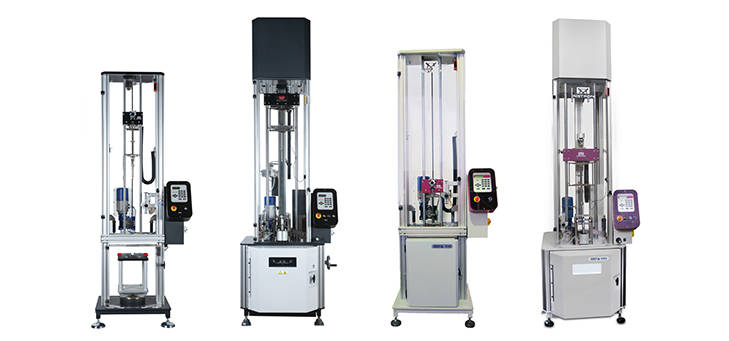
Bluehill Impact and the Dashboard with Data Acquisition System deliver a state-of-the-art controller experience that can be retrofitted onto existing machines:
- 9340 Drop Weight Impact Testing Machines with firmware version later than 1.00
- 9350 Drop Weight Impact Testing Machines with firmware version later than 3.00, including machines with the automatic feeding option
Learn about upgrading your drop weight impact testing software by contacting us.

Talk to an Instron Expert.
Not sure if your drop weight impact testing system is compatible with Bluehill Impact, or which upgrade path fits your lab? Tell us about your setup and we will help you find the right solution.
Contact Our Sales Department.
Please complete the form below and we will be happy to contact you with a response. Our typical response time for an online request is within 1-2 business days. For a faster response, please call +1-800-473-7838.