
Is Your Testing Lab Windows 11 Ready?
Microsoft support for Windows 10 Pro ends on October 14, 2025. To avoid any disruption to your Instron equipment, we advise you to proactively assess your current Instron computers and software for Windows 11 compatibility. This will allow you to plan and integrate any required updates seamlessly into your organization's Windows 11 migration schedule.
Many Instron-supplied computers have been provided with Windows 10 IoT Enterprise LTSC. This version of Windows has extended support beyond 2025, which means you could have more time to plan your transition.
Windows 11 Support
Computers Purchased from Instron
- Windows 11 is currently provided on all Instron-supplied computers.
- Refer to table below for information on computers previously purchased from Instron. If compatible with Windows 11, consult your IT team if they intend to perform the upgrade or if they prefer a new computer to be purchased.
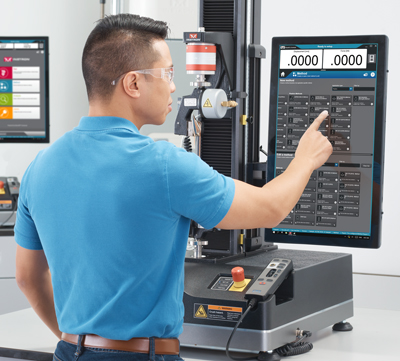
Instron Software
Windows 11 is supported by all currently offered Instron software. Refer to the list of active software applications below. For legacy software support, refer to the Out of Production – Software page.
- Bluehill Universal (4.28 or newer)
- Bluehill Elements (4.28 or newer)
- Bluehill Central
- WaveMatrix3
- Bluehill Fracture
- Bluehill Melt
- Bluehill HV (4.29 or newer)
- Bluehill VHS
- Bluehill Automation
- CEAST View (6.46)
- DIC Replay (V1.0.1.50171 or newer)
- Bluehill Impact for Pendulum, MPX, and Drop Tower (4.26 or newer)
Next Steps
As you plan for this transition, we recommend contacting your local Instron representative to complete a courtesy Lab Health Check. During this visit, your Instron representative will evaluate the product lifecycle details for all of the mechanical testing equipment in your lab.
Please contact us if you have any questions.
FAQs
Yes, the computer controlling the Instron will continue to work when end of Microsoft support is reached. However, your system would be at an increased risk because:
- Microsoft will no longer provide any updates, including security updates, bug fixes, or technical support.
- Third-party software and hardware will gradually lose compatibility with your outdated Windows version. This includes Instron software and hardware.
Active Instron-supplied computers
| Instron Catalog # | Maker | Model | Shipment Period | OS Shipped | W11 Compatible* |
|---|---|---|---|---|---|
| 2490-647 | Dell | Dell OptiPlex XE4 | 2024 - Active | W11 Pro | Yes |
| 2490-686 | Dell | Dell Precision T5860 | March 2024 - Active | W11 Pro | Yes |
| 2490-696B1 | Advantech | UTC-320I, 21.5 inch | June 2025 – Active | W11 IoT Enterprise LTSC 24H2 | Yes |
Discontinued Instron-supplied computers
| Instron Catalog # | Maker | Model | Shipment Period | OS Shipped | W11 Compatible* |
|---|---|---|---|---|---|
| 2490-647 | Dell | Dell Optiplex 7040 | 2016 - 2017 | W10 Pro | No |
| 2490-647 | Dell | Dell Optiplex 7050 | 2017 - 2019 | W10 Pro | No |
| 2490-686 | Dell | Dell Precision T5810 | 2017 – 2018 | W10 Pro | No |
| 2490-695B1 | Elo | I-series 1.0 (E222781), 15.6 inch | 2017 - 2020 | W10 IoT Enterprise LTSB 2016 (1607) | No |
| 2490-695B2 | Elo | I-series 1.0 (E222793), 21.5 inch | 2017 - 2020 | W10 IoT Enterprise LTSB 2016 (1607) | No |
| 2490-686 | Dell | Dell Precision T5820 | 2018 – March 2024 | W10 Pro | Yes |
| 2490-696B1 | Advantech | UTC320-FP, 21.5 inch | 2019 – March 2023 | W10 IoT Enterprise LTSB 2016 (1607) | No |
| 2490-647 | Dell | Dell Optiplex 7090 | 2019 – 2022 | W10 Pro | Yes |
| 2490-647 | Dell | Dell OptiPlex XE4 | 2022 – February 2024 | W10 Pro | Yes |
| 2490-696B1 | Advantech | UTC-320F, 21.5 inch | March 2023 - April 2024 | W10 IoT Enterprise LTSC 2019 (1809) | No |
| 2490-696B5 | Elo | I-series 2.0 (E465329), 21.5 inch | April 2023 - April 2024 | W10 IoT Enterprise LTSC 2019 (1809) | Yes |
| 2490-696B1 | Advantech | UTC-320I, 21.5 inch | April 2024 – June 2025 | W10 IoT Enterprise LTSC 2019 (1809) | Yes |
