Instron

Migrate to newer Drop Weight Impact Testing technology to minimize risks

Page 3

Migrate to newer Drop Weight Impact Testing technology to minimize risks

Dynatup 9200 and Fractovis 6785 Transition into Phase 4 from June 30th, 2022
9250

Years ago, you chose to partner with Instron for your impact test program to mitigate risk from both a product and regulatory perspective while generating accurate and repeatable data. You also wanted to facilitate new product development, ship quality products, and meet your customer lead times to achieve your revenue goals. And you wanted to become more efficient in your testing—simplifying processes and reducing the number of people in your lab.

By working with us, you have met these goals!

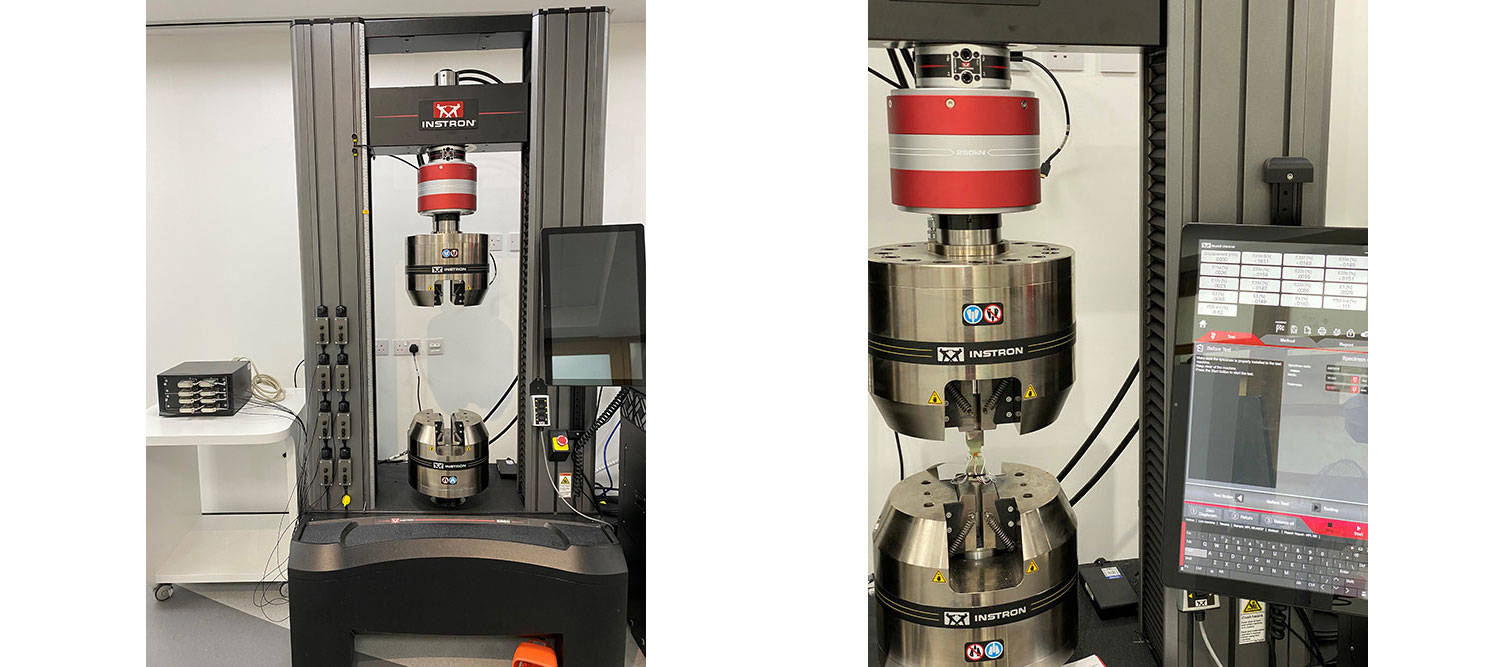
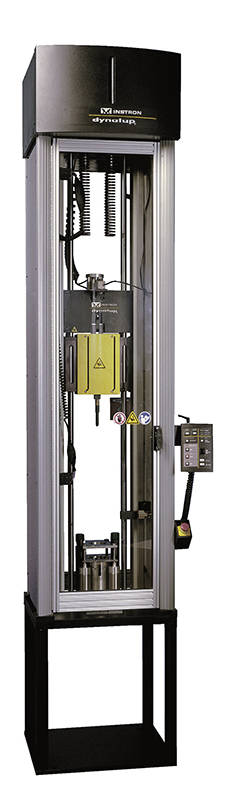
Unfortunately, it’s becoming untenable for Instron to support CEAST Fractovis model 6785 and Dynatup 9200 Series Drop Weight Impact Testing systems. These units were designed in the 1990s and last produced in the 2000s. As a result of the technological evolution, the parts that were state-of-the-art at that time are now outdated and some are no longer produced by our suppliers. Moreover, drawings and technical datasheets are not available anymore. Replacing singular parts that break is increasingly expensive. Adding to our concern, some of your systems may be running an older operating system, which is no longer receiving security updates from Microsoft.

How would your organization be impacted if your impact testing systems were unavailable?

The Risk of No Change

Without a plan for migrating from your CEAST Fractovis and Dynatup Series systems, you could experience unplanned and extended downtime. Not having the latest technology —or replacing your Instron system with a product from a different supplier— could introduce unnecessary variation in test results. Additionally, your operators—who are increasingly from a younger generation—may be less attracted to working with equipment that has an older user interface. And without security updates to the OS, you’re exposed to a data breach. You face a greater risk of budget surprises, defective products, and delayed revenues.

How much time and money would a product recall because of invalid tests cost your company?

Why Evolve

By establishing a solid migration plan with Instron, you can transition your impact testing without risk. You will be able to:

  • Make your system easier to use and allow your people to produce faster results
    With high turnover among research laboratories, Bluehill Impact Software ease of use allow to reduce learning curves and its intuitiveness provides well-trained users in a very short time. Bluehill Impact software with its pre-configured test methods, immediate access to results and graphs together with the high-resolution data acquisition chain, ensures the accuracy of the force measuring system.
  • Extend your current testing infrastructure to achieve more value for your customers
    With 9450 Bluehill Impact Software and High-Speed Camera, customer can perform advanced mechanical evaluations. With tensile-impact accessories and Digital Image Correlation software, it is possible to evaluate the longitudinal strain of the specimen when impacted under tensile-Impact conditions.
  • Satisfy your customers timing expectations
    Our new 9450 AutoMate Software module allows to customize how the specimens in the feeder are tested, assigning different test velocities and temperatures to a single batch of specimens. These solutions allow you to reduce operating cost and save your operators’ time.
  • Reduce the time to repair your equipment
    Our new systems allow for remote diagnostics and were engineered with support technician input and specified repair times as a design objective. By evolving with Instron, you will more accurately pinpoint problems. Thanks to the ready-to-ship Field Replacement Units (FRU) Instron service engineers can replace parts faster minimize downtime and the impact on your business.
  • Preserve your technical support and on-site service
    By evolving with Instron, your existing service will evolve into a more secure testing platform: you can benefit from new interesting services such as Instron Connect with the Advanced Remote Tech Support and on-site accredited calibration. Moreover, you can continue to rely on those Instron professionals who already know the specific needs and processes of your organization and with whom you have established a strong working relationship—leading to greater peace of mind.

Find out more on the 9400 Series Drop Weight Impact Testing machines.

Several CEAST Fractovis/Dynatup Series customers have already completed the transition to the new technology.

Drop weight impact test machines

Instron Introduces TrendTracker Module for Bluehill Central

Page 3

Instron® Introduces TrendTracker Module for Bluehill® Central


Instron is excited to announce the release of TrendTracker, a module in Bluehill Central designed to accelerate the data analysis workflow of your single or multi-location materials testing laboratories. An intuitive interface allows you to quickly search, display, and analyze results over time and across multiple samples and test systems.

With the TrendTracker add-on for Bluehill Universal, Instron frames can automatically send test results to a centralized database to be viewed in Bluehill Central. The TrendTracker module’s statistical process control (SPC) tools make it easier to identify and remediate inconsistencies in your manufacturing process.

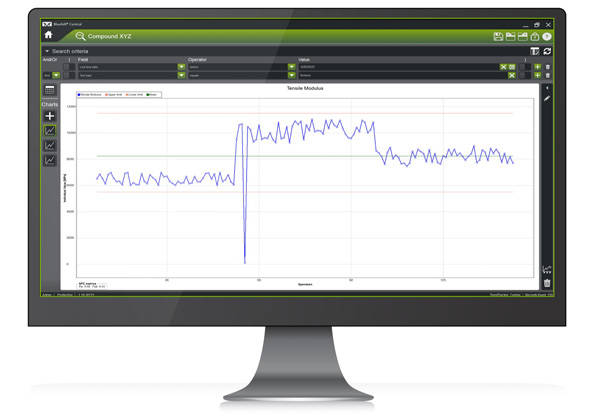
Customizable searches query the database for the data you need and display it using sortable tables and a variety of control charts to evaluate the performance of your product.

TrendTracker Software

Available control charts include run charts, Xbar charts, R charts, S charts, box plots, and histograms. Available SPC measures include fundamental statistics such as mean, median, maximum, minimum, standard deviation, and variance - but also more comprehensive measures such as acceptance limits, control limits, process capability metrics (Pp, Ppk, Cp, Cpk), and Western Electric Co (WECO) rules.

Bluehill Central is a networked lab management solution that allows lab managers to remotely manage all test systems running Bluehill Universal, regardless of the number of systems or their location in the world. TrendTracker is one of the available modules for results analysis. Traceability and Lab Management are additional modules for centrally managing your Instron’s files and tracking the changes associated with those files.

To learn more, visit our Bluehill Central page.

Instron Introduces New 3400 and 6800 Series Universal Testing Systems in 100 kN and 300 kN Capacities

Page 3

Instron Introduces New 3400 and 6800 Series Universal Testing Systems in 100 kN and 300 kN Capacities

User Safety

 
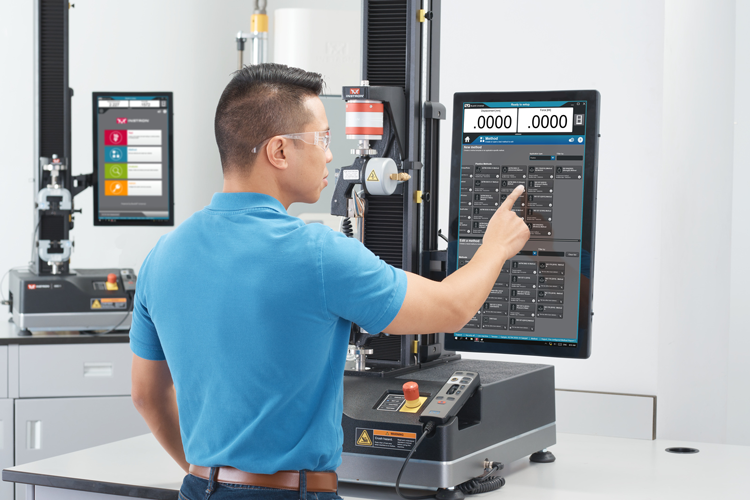
Accidents occur at the highest frequency during test setup, and Instron has taken on the challenge of reducing the rate of recurrence with their patent-pending Operator Protect system architecture along with Safety Coaching. Operator Protect and Safety Coaching are built into the 3400 and 6800 Series systems and are designed to limit the machine’s movement during test setup while providing visual machine status reminders to the operator and bystanders.

When the system is in setup mode, several new features are present to reduce the risk of accident. Crosshead movement speed is restricted, the Smart-Close Air Kit restricts gripping pressure on low force grips to a pre-defined safe level, and Safety Coaching uses system lighting and a color-coded border around the software to visually indicate that the machine is in safe setup mode. Once the operator is ready to begin testing, a virtual interlock button allows the enablement of the system’s full crosshead speed, full grip pressure capabilities, and triggers visual cues that signify that the safety limits have been removed for testing. System movement on the 3400 Series is controlled from a redesigned Operator Panel, while the 6800 Series introduces a new ergonomic handset that allows the user to operate the system from a distance.

Metals Testing on 6800 Series Universal Testing Systems


User Comfort

 
To improve operator comfort, the new 3400 and 6800 Series systems are available with a tall base option. The tall base moves the testing platform to an ergonomically comfortable height and adds a shelf for storage. The 3400 and 6800 Series have an all-new contoured base design allowing the operator easy access to the test space for fixture assembly and a comfortable reach to the control panel on the 3400 Series or the handset on the 6800 Series.

Testing Repeatability

 
All 6800 Series systems are equipped with an Auto Positioning feature which remembers a pre-assigned fixture separation and the starting location for the assigned test method. When using a test method configured with Auto Positioning, an operator is shown a picture of the assigned fixtures, reminded to set travel limits, and notified when and where the crosshead will move for test commencement. The goal of Auto Positioning is to improve data repeatability and reduce testing errors.

Collision Mitigation

 
The 3400 and 6800 Series systems are equipped with a new Collision Mitigation feature to help reduce accidental equipment and specimen damage. Collision Mitigation enables the systems to continually monitor force during jog and return, and will automatically stop the crosshead movement if an unexpected force is detected. Mishaps happen, and the goal of Collision Mitigation is to reduce the negative financial and downtime impacts associated with such occurrences.

To learn more, visit our 6800 Series and 3400 Series pages.

* 300 kN model available for 6800 Series only.

Instron Statement on Log4j Vulnerability

Page 3

Instron Statement on Log4j Vulnerability

With news of the high severity Log4j vulnerability (CVE-2021-44228) breaking on Friday, December 10, Instron’s Software Engineering teams have reviewed all of our supported Instron software.

Based on our current understanding of the vulnerability, we are able to confirm that Instron’s supported platforms are NOT impacted by this vulnerability.

Due to the severe and widespread nature of this vulnerability, our teams are continuing to actively monitor the situation, please contact Instron Technical Support with any detailed questions.

Instron Introduces Bluehill Central Lab Management Software

Page 3

Instron Introduces Bluehill® Central Lab Management Tool

Instron is excited to launch Bluehill Central, a networked lab management solution for Bluehill Universal software. Bluehill Central allows lab managers to remotely manage all test systems running Bluehill Universal, regardless of the number of systems or their location in the world.

The new Bluehill Central software uses a single database to manage Instron systems and data at the enterprise level, simplifying the lab management process. This platform uses a single database to allow lab managers to remotely manage a wide range of tasks across all the frames on their network, including all Bluehill Universal users and permissions, test method templates, results, file revision approvals, and audit trail data.

"Many labs with multiple Instron systems feel the burden of localized management and have expressed their preference to centrally manage their templates and data,” explains Dan Caesar, Product Manager for Instron’s Static Testing Software. “Bluehill Central was developed to address that burden by offering a centralized platform to simplify file and user management, lower risks associated to testing errors, and make regulatory compliance easier than ever before.”

Bluehill Central is built around the concept of teams, which are groups of users that share common files and settings. An individual operator’s permissions and access to files and approved test methods are defined by their team, giving labs the flexibility to support different workflows and settings depending on who is using the test frame.

The Traceability module in Bluehill Central gives lab managers top-down control over test method changes, requests, and test results, simplifying approvals and compliance while preventing accidental use of unapproved test methods. Activity from all connected test systems is automatically captured in a secure and searchable audit trail, offering a convenient way to review who did what, when, and why. This can speed up the audit process and better control risk along the way.

Test results from a network of connected test frames can also be set up to automatically upload to a central repository, allowing all test results to be analyzed using the TrendTracker module in Bluehill Central. This module permits users to quickly search and analyze data, making it easier to identify and remediate inconsistencies.

Visit the  page to learn more.

Instron Supports Development of New Composites Test Standard

Page 3

Dynamic Fatigue


Composite materials are most commonly tested to determine their in-plane properties. However, there is also an increasing demand for measurement of their through-thickness properties, which is only likely to become more common with the development of reinforcements.

Instron recently participated in a Round Robin test program lead by the National Physical Laboratory to support the development of a new ISO standard for the through-thickness testing of polymer composite materials. The new standard, ISO NP 20975-1 “Fiber-Reinforced Plastic Composites - Determination of Laminate Through-Thickness Properties, Part 1: Specimen Designs for Direct Tension and Compression Tests,” covers both tension and compression testing in the through-thickness direction.

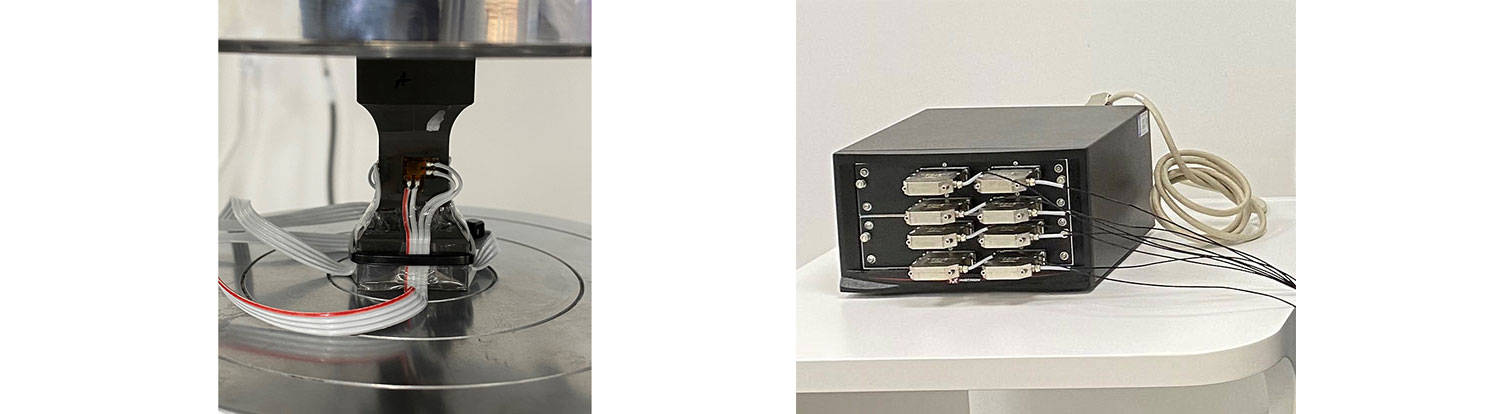
This testing was performed on an AlignPRO fixture and checked using a strain gauged alignment specimen.


The compression test specimens were tested between a pair of compression platens mounted on the hydraulic grips. The upper compression platen incorporated a lockable spherical seat which allowed the alignment of the platens to be adjusted.

For strain measurement we used four axial and four transverse strain gauges (for determining Poissons ratio). The gauges were connected using Instron strain gauge adapters and along with an expansion channel module. Test control, data collection, and analysis were performed using Bluehill Universal software.

Successful tests were carried out on both carbon and glass fiber specimens, and the data will help to validate and establish the precision of the new test method.


Torsion Add-On 3.0 for Axial Test Systems

Page 3

Instron® Launches

Torsion Add-On 3.0 for Axial Test Systems

Instron is excited to announce the launch of the Torsion Add-On 3.0 for universal testing systems. Recently redesigned to take advantage of the latest functionality offered by the new Instron 6800 Series, this system now offers a simpler, safer, and more intuitive user experience.

Since its introduction in 2015 the Torsion Add-On product line has become an increasingly popular tool for testing a wide variety of medical devices, electronics, consumer products, packaging, and automotive components. Its ability to perform axial, torsion, and simultaneous axial-torsion testing enable it to simulate real world use of products and components in a testing environment. It also meets the requirements of a variety of international testing standards, including ISO 11040-4, ISO 80369, and ASTM F543.

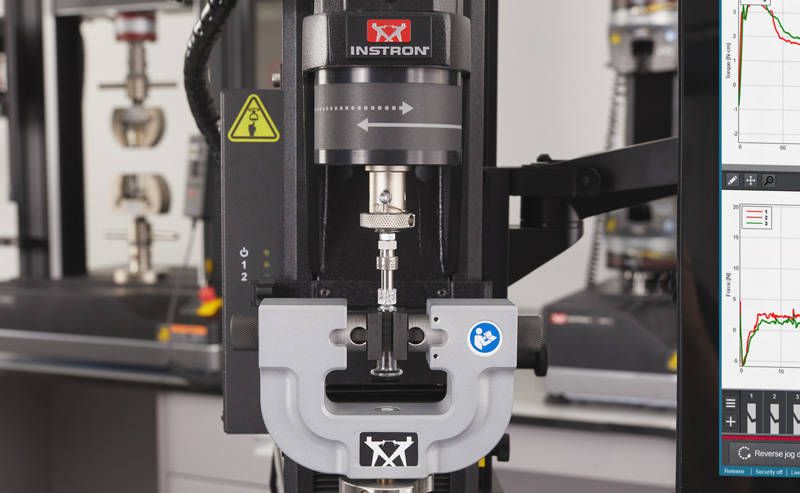
As part of the redesign, Instron has improved the durability and usability of the product for both  6800 and 5900 systems. The incorporated mechanical changes result in increased rotary performance and stiffness and reduced rotary backlash. Rotary direction icons are coordinated between the motor, handset, and software to provide clarity on clockwise and counterclockwise directions and avoid inadvertent damage to specimens or fixtures. Bluehill Universal materials testing software provides fully integrated control of the rotary axis, including the new Rotate to Angle feature, allowing users to quickly and easily move to a specified angle by simply entering the desired rotational angle. With the release of version 3.0, users of the 6800 Series testing systems can now take advantage of the integrated handset for a safer and more ergonomic operation.

The Torsion Add-On 3.0 can be added to any new or existing 6800 or 5900 Series universal testing system. For more information, visit the Torsion Add-On product page.

Instron Service Launches Instron Remote Technical Support

Page 3

Instron® Service Launches

Instron Remote Technical Support


Instron is excited to announce the launch of Remote Technical Support (RTS), a revolutionary new service capability designed to make it easier to diagnose and fix technical issues with your Instron testing system as well as help you stay current with calibrations and software/firmware updates.

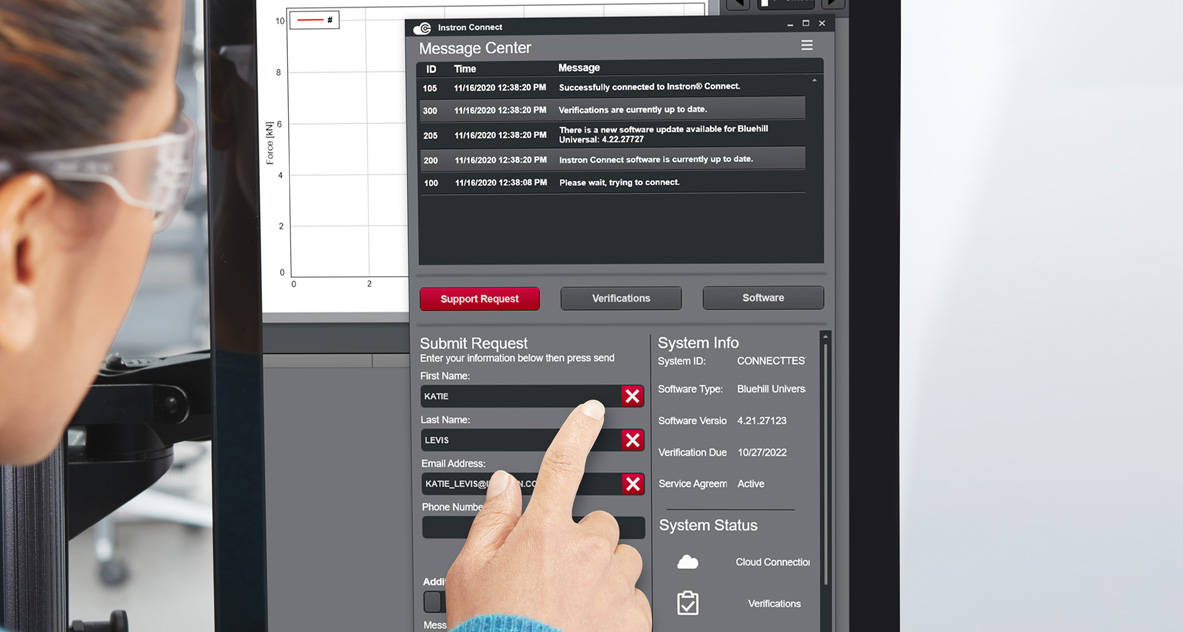
Instron RTS, powered by Instron Connect, offers the highest level of technical support for Instron testing systems around the world. The Instron Connect platform is built directly inside Bluehill® software and provides a secure connection between the testing systems at your facility and Instron’s network of global support engineers. This secure connection allows Instron’s technical support team to connect directly to the systems in your lab by either remote screen sharing or through an integrated augmented reality (AR) tool, offering fast and high-quality system diagnostics to reduce system downtime for many technical support tickets.

Instron RTS is also critical to helping users maintain lab certifications, offering automated notifications and easy access to each instrument’s calibration status and certificates in order to provide security for audits and lab evaluations. Instron RTS also helps users stay current with the latest software and firmware updates with convenient notifications and fast, reliable direct downloads to help keep your Instron instruments running in optimal condition.

Instron RTS is currently available as part of Bluehill Universal materials testing software but can also be used with other Instron software platforms, including Bluehill 3 and Bluehill 2 (Windows® 7 or higher required).

Instron Launches All-New Live Virtual Training Classes

Page 3

Instron® Launches

All-New Live Virtual Training Classes

Materials Testing

In response to social distancing guidelines surrounding COVID-19, Instron has launched Virtual Training classes – live, instructor led training courses designed to simulate the traditional classroom learning experience without having to leave your home or office.

With the help of the Adobe Connect platform, students will have many of the same capabilities normally available in person, including the ability to ask questions and hear questions from other students, work directly in the materials testing software, and the option to screenshare with the instructor.

Instron is currently offering three of their most popular training courses in this new Virtual Training format, including Introduction to Materials Testing, Bluehill® Universal Operators, and TestProfiler for Bluehill Universal Users with Advanced Features. There are also plans to roll out additional courses in this format in the coming months.

One additional benefit to Instron’s Virtual Training is that there is no minimum attendance requirement, meaning that all classes are guaranteed to run. Larger class sizes may be broken up into separate sessions to ensure a lower student-teacher ratio.

For larger group sizes or for custom training requirements, Instron can customize a syllabus around specific needs for both Virtual Training and instructor led in-person training at your facility.

Visit our Virtual Training section to view the available courses and current schedule.

Instron Introduces AverEdge32 for AVE2

Page 3

Instron Introduces AverEdge32 for AVE2

Advanced Averaging Transverse Strain Measurement Technology for Sheet Metal

AverEdge32

Built on our trusted AVE2 Advanced Video Extensometer, AverEdge32 is Instron’s latest innovation in providing best-in-class transverse strain accuracy for all sheet metal materials.

AverEdge32 is an optional advanced feature of the AVE2 that utilizes edge-detection technology to simultaneously measure transverse strain at 32 locations along the specimen gauge length. It then averages them in real time, resulting in a smooth and repeatable transverse strain value, which is essential to calculating the plastic strain ratio (r-value) of sheet metal.

With the ever-increasing importance of vehicle lightweighting, formability testing of sheet metals, especially aluminum and high-strength steel, requires accurate and repeatable transverse strain measurement. This is particularly important for calculating the r-value, which can be greatly impacted by small errors in strain.

Materials that exhibit discontinuous yielding and/or the Portevin-Le Chatelier (PLC) effect, produce noisy or inconsistent transverse strain data when measured at a single gauge width. AverEdge32 solves this dilemma and has shown up to 20x reduction in variability, resulting in r-value results with sub-5% variance, similar to other material properties such as yield strength.

This capability can be easily added to any existing AVE2 without affecting any other existing capabilities, providing a simple upgrade with minimal downtime or risk. It also eliminates the need for transverse marks on the specimen.

Improving repeatability of the r-value is one major benefit which encompasses several others. Repeatable results can allow a manufacturer to set better expectations with their customer, which improves confidence in the product and benefits the reputations of both companies. Improved repeatability also eliminates the need to retest specimens, which also means reduced test times, reduced waste, and elimination of production stops, which allows product to ship on time and ultimately reduces cost.

Instron to provide free remote training opportunities for students and teachers impacted by COVID-19

Page 3

Instron to provide free remote training opportunities for students and teachers impacted by COVID-19

FREE Basic Introduction to Materials Testing online training course!

Instron is a strong supporter of STEM education and the training of young engineers. As schools, colleges, and universities transition to an online model during these challenging times, Instron will be offering FREE access to our Introduction to Materials Testing course to all students and professors (English only).

This course will introduce students to the basics of static materials testing, including the history of mechanical testing, essential terminology, the differences between major test types, common calculations, appropriate grips and fixtures, best practices, and more. Our Introduction to Materials Testing course is ideal for new students and researchers, or anyone looking for a technical refresher.

Free access to this course will run until June 30, 2020 and will help keep students on track throughout their remote learning experiences and prepare them for laboratory work when they are able to return to the physical classroom. We are committed to assisting during this crisis and hope this can provide some semblance of normalcy in their education.

To sign up for this free course, please contact your local Instron Sales Representative or simply reach out to our Training Center at go.instron.com/freetraining and fill out the form to get free access.

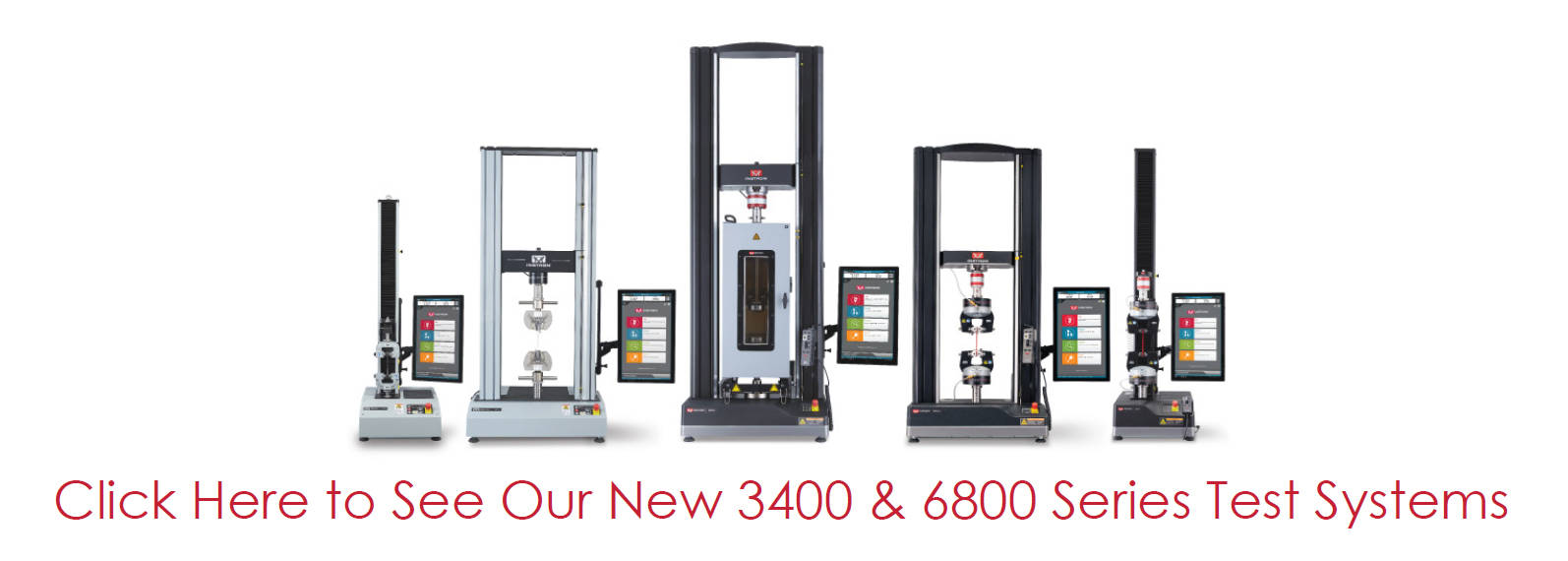
Click here to see our new 3400 and 6800 testing systems

Instron Releases Traceability Module in Bluehill Universal

Page 3

Instron Releases

New Traceability Module for Bluehill Universal Software

Bluehill Universal Method Selection

The new Traceability module for Bluehill® Universal software is designed to help Instron® users achieve FDA 21 CFR Part 11 compliance, as well as accomplish compliance with other regulatory accreditations such as Nadcap, A2LA, and ISO 17025. The Traceability module features three main components: revisions history, electronic signatures, and an audit trail. By using these in combination with Bluehill’s security features, users are able to know who did what, when, and why in their test system, and have the power to prove it during an audit.


Bluehill Universal Security

Bluehill Security allows lab managers to configure permissions in the software, granting access to trained personnel and limiting access where needed. Bluehill users can choose one of three different security options offering various levels of integration with your organization’s existing security network. For example, lab managers or super users can be configured to have full access to the system with the ability to create and edit test methods, while other operators can be assigned restricted permissions and only be able to run tests on existing methods.


Bluehill Universal Revision History

Revision history allows users to view the full revision history of Bluehill methods, tested samples, and report templates. Each revision contains the details of the affected item, including a time stamp, both the previous and the new value, and the name of the users involved with initiating and, if required, approving the change.


Bluehill Universal Electronic Signatures

Electronic signatures serve as electronic approvals and replace the need for manual, hard copy signatures. Electronic signatures can be configured for primary, secondary, and tertiary electronic sign off to ensure that method revisions and test data are reviewed before a change is implemented or data is publicized.


Bluehill Universal Audit Trail

Bluehill Universal’s built-in secure, and searchable audit trail tracks system level usage such as log-ins and log-outs, as well as additions, modifications, and deletions to all Bluehill files. The audit trail also captures usernames, dates, and timestamps for all activities. This allows full visibility into all system activities during an audit.


Available in Bluehill version 4.18, Traceability is compatible with new systems as well as existing systems when purchased with a software update or upgrade.

Related Content

FDA 21 CFR Part 11 Implementation - Bluehill Universal's Traceability Module White Paper
The purpose of this document is to inform the end user how the Traceability Module within Bluehill Universal can help meet the technical requirements of FDA 21 CFR Part 11. This document outlines the three key areas in Bluehill Universal (Security, Audit Trail, and Signatures) and also provides a row-by-row interpretation of how Bluehill Universal addresses each of the Part 11 items. Ultimately, each end user should perform their own assessment and create appropriate work instructions that cover the Instron system, Bluehill Universal, the Windows file systems, and the user’s Quality Management system.

Traceability Webinar
In this webinar, Instron introduces Bluehill Universal's latest Module called Traceability. Bluehill Traceability enables users to meet the requirements of audits associated with FDA 21 CFR Part 11, ISO 17025, Nadcap, and others, allowing users to determine who did what, when, and why. The webinar includes a presentation and software demonstration.

Security in Bluehill Software White Paper
This white paper outlines the security options in Bluehill Universal, Bluehill Elements, Bluehill Central.