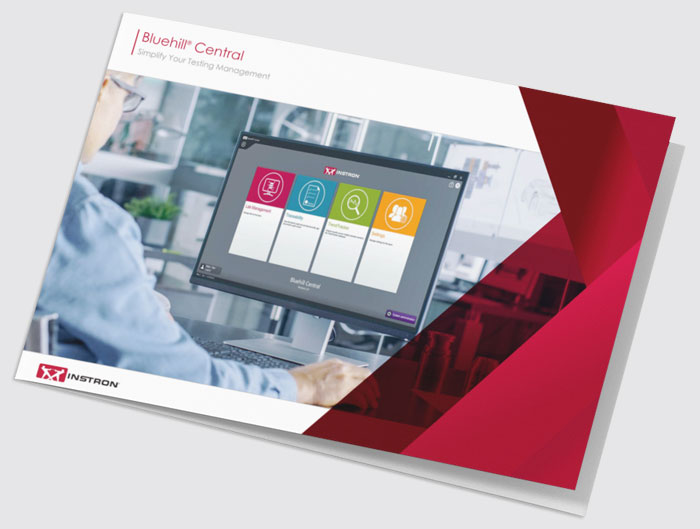
BLUEHILL® CENTRAL
Connected Systems. Secured Files. Trusted Results.
Bluehill Central transforms laboratory management by centralizing the oversight of templates, results, users, and audit trails across your Instron universal testing systems. This remote connectivity not only guarantees procedural consistency and data integrity but also provides the visibility to identify data performance shifts across your operations in real-time.
230+
Trusted by More Than 230 Organizations Daily
How It Works
Bluehill Central Architecture
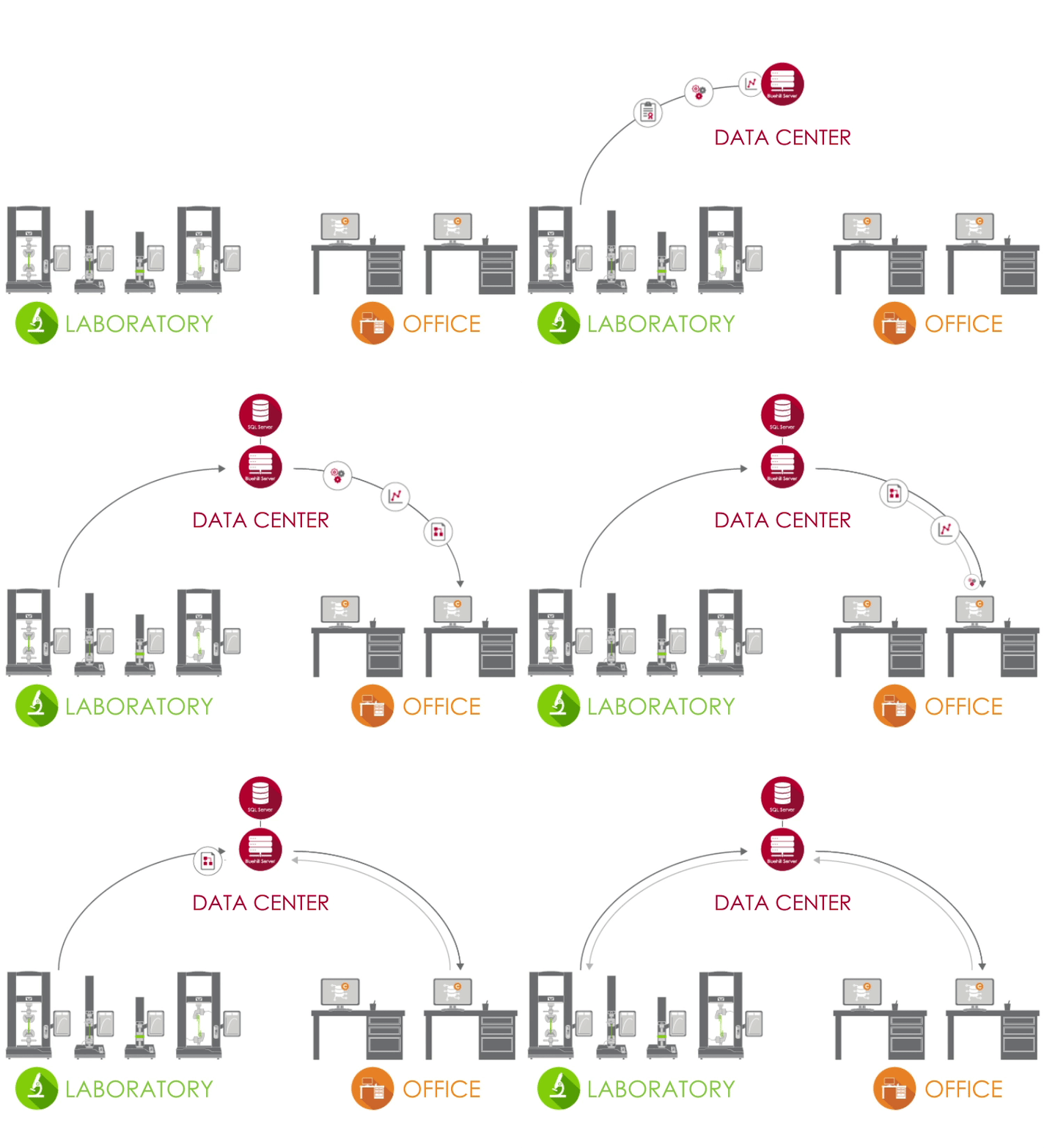
Bluehill Central is a centralized hub that connects all your lab's testing data, settings, and files in one place. Instead of managing every lab computer individually, everything is synced through a single server.
Here is the breakdown of how it works:

The Laboratory (The Input)
Testing machines in the lab are connected to your corporate network. They send their data directly to the central database, so you don't have to worry about saving files locally on each machine.

The Data Center (The Brain)
Your IT team hosts a central server that stores all the information. This "brain" manages all the communication between the lab machines and the database, keeping everything organized and secure.

The Office (The Remote Access)
You don't have to be at the machine to work. From your desk, you can:
- Review results from a single test
- Query results from multiple tests for statistical process control
- Create, change, or approve methods
- Manage user permissions
The Bottom Line
Bluehill Central eliminates the manual work and data integrity risk of managing separate Instron workstations by putting all your lab's data into one shared, professional system.
Traditional Testing vs. Testing with Bluehill Central
How Testing Practices Change With Centralized Management
Bluehill Central modernizes materials testing through a modular approach that brings control, traceability, and insight together. Built on a secure foundation of Team structures, its core modules — Lab Management, Traceability, and TrendTracker — work independently or as a complete system to replace fragmented, manual testing practices.
| The “Old” Way Isolated Systems |
The Bluehill Central Way Connected Lab |
Module | |
|---|---|---|---|
| Method Control | Uncontrolled Method Versions Operators may accidentally use outdated method files saved locally on a PC or USB drive. |
Single Source of Truth Every frame pulls the same approved method from the server with automatic revision history. |
 |
| Risk Management | Single Point of Failure If a local PC fails, test methods and historical data may be permanently lost. |
Enterprise Security Data is backed up to a secure Microsoft SQL server and is fully recoverable. |
|
| Data Integrity | Manual Review Process Reviewing tests requires physical lab access, specific PCs, and paper-based logs. |
Instant Traceability Managers review, approve, and electronically sign results directly from their desk. |
 |
| Audit Preparation | Manual Audit Preparation Tedious manual tracking of testing process that is difficult to prove end-to-end traceability. |
One‑Click Compliance Generate a complete, tamper‑proof audit trail across all systems in seconds. |
|
| Analysis | Fragmented Data Analysis Hours spent manually aggregating data from multiple machines into spreadsheets. |
Automated Insights TrendTracker automatically aggregates data and flags trends and outliers. |
 |
| User Access | Machine-Level Access Difficult to restrict changes on local machines, increasing risk of mistakes. |
Centralized Access User permissions are managed in one place. Teams provide flexibility to support different levels of security for different groups. |
All Modules |
Which Modules Are Right for Your Lab?
Take a short quiz to find out.
Lab Management Module
What is the Lab Management module? A centralized file system that stores all test methods, results, and templates network-wide.
What it does for you: Eliminates "version chaos" by ensuring every machine runs the same approved, up-to-date method.

View Revision History
Each Bluehill file contains its history, detailing all changes associated with each revision of the file.

Upload & Download Files
Storing and retrieving files from the database is simple with upload and download functions.

Read and Write Access
Limit which users can make changes or access files by configuring read and write access for files and folders.

Sync with Offline Mode
Operators can continue testing if connection to the database is lost by making critical files or folders available offline in Bluehill Universal.
Traceability Module
Included With the Lab Management Module
What is the Traceability module? Electronic signatures and audit trail recording "who, what, when, why" for Bluehill activity on all systems.
What it does for you: Simplifies compliance for FDA 21 CFR Part 11 and ISO 17025 with indisputable documentation.

Review File Changes Remotely
Perform file reviews from all connected test systems from the comfort of your desk.

Filter and Print Audit Trail
Query, filter, and print the audit trail of all connected test systems.

View Details of Audit Trail Items
The detail pane provides further information associated with the selected audit trail entry.
TrendTracker Module
What is the TrendTracker module? A data analysis tool that aggregates and plots results across multiple systems and dates.
What it does for you: Replaces manual data analysis with instant statistical insights and visual quality-control charts.
Learn more about the statistics and charts available in TrendTracker.
Discover how TrendTracker optimizes lab workflows across three common use cases - from medical device manufacturing to adhesive quality control and product design. Watch Video

Multi-Sample Data Analysis
Perform data analysis on results from multiple samples produced by multiple test systems.

Customizable Queries
Create queries defined by test parameters or results that provide insights to trends and outliers.

Visually Plotting
Plot a variety of chart types to visualize data sets.

Export Data
Export the data to a CSV file and open it in an application, like Minitab®, for further analysis.

Teams
What are Teams in Bluehill Central? A secure permission engine that groups users and controls access to specific lab functions.
What it does for you: Reduces human error by showing operators only what they need while supporting multiple groups with different workflows.
Learn about security options in Bluehill Central.
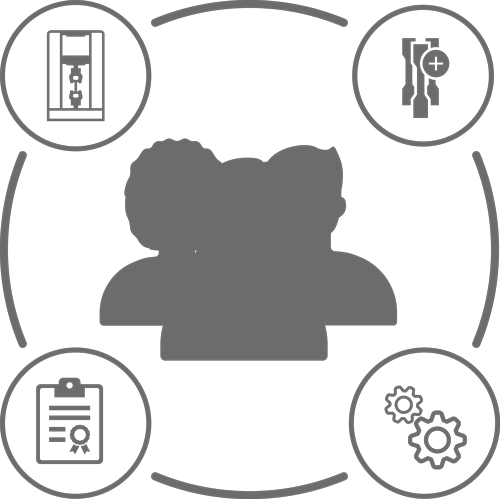
Team Configuration Overview
- MEMBERS: Individual users with personalized permissions
- TESTING SYSTEMS: Instron frames in your lab connected to Bluehill Central
- FILES: Bluehill methods, report templates, PDF reports, or other Instron related files
- AUDIT TRAIL: A record of actions performed by team members
- SETTINGS: Security type, file approvals, and other team-level settings
See How Bluehill Central Fits Your Lab
Resources
- Bluehill Central Brochure
- Bluehill Central Guide for Lab Managers and IT Admins
- Frequently Asked Questions for Bluehill Central
- Comparison of Standard Security vs. Local Traceability vs. Traceability in Bluehill Central
- Webinar: Introducing Bluehill Central Software
- Webinar: Control Charts and Statistics in Bluehill Central’s TrendTracker Module
- Webinar: Introducing TrendTracker for Bluehill Central
- Instron Catalog: Accessories for Materials Testing