Instron

Bluehill® Central Quiz

Software para el ensayo de materiales

Bluehill® Central Quiz


Take a Tour of Bluehill Universal

Software para el ensayo de materiales

TOUR BLUEHILL® UNIVERSAL

Simpler, Smarter, Safer Materials Testing Software

Start a test, create a method … learn about the primary modules in the Home screen tour.​

Get a feel for the workspace users will interact with when running a test in the Testing tour.​

The Instron is controlled by parameters specified in a test method. Learn about method configuration in the Creating a Method tour.

Get a glimpse how report templates are configured in the Reporting tour.​

Bluehill Central

Software para el ensayo de materiales

BLUEHILL® CENTRAL

Simplifique la gestión de sus pruebas

El software Bluehill Central es una herramienta de gestión de laboratorio que permite la gestión centralizada y remota de las aplicaciones de software Bluehill Universal asociadas con múltiples bastidores de ensayo de Instron. El software le permite gestionar de forma remota todos los usuarios de Bluehill Universal, las plantillas de ensayo, los resultados, las aprobaciones de revisión de archivos y los datos de la pista de auditoría de múltiples sistemas de Instron.
Solicitar una demostración Ver las últimas funciones


190+
Base de datos de Bluehill Central
Implementaciones desde el lanzamiento
425+
Sistemas de ensayo universales
Conectados con Bluehill Central
¿Es Bluehill Central adecuado para su laboratorio?
Realice un breve cuestionario para averiguarlo.

Haga la prueba

CÓMO FUNCIONA
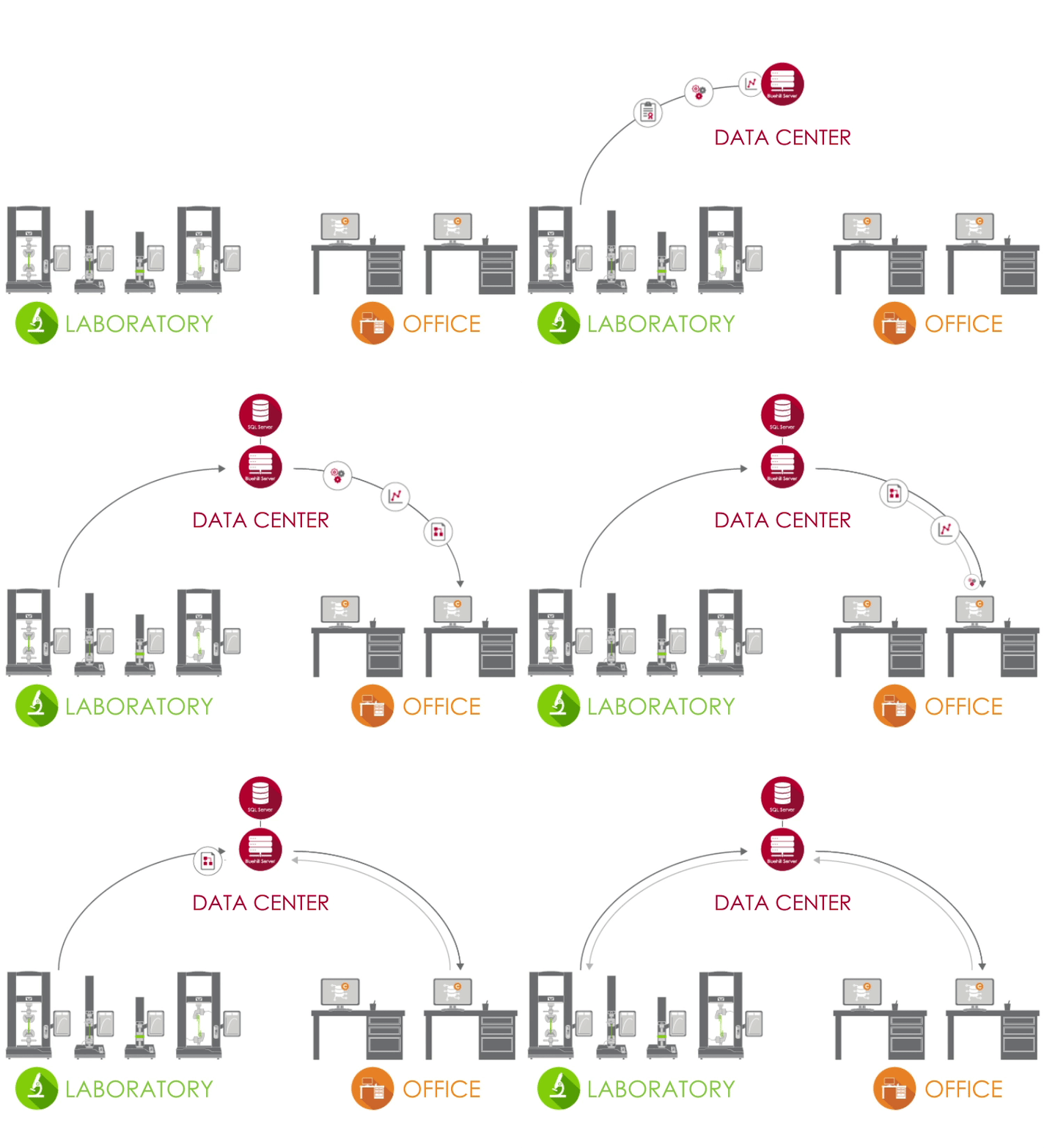
Arquitectura de Bluehill Central


Arquitectura de Bluehill Central

Bluehill Central utiliza una red cliente/servidor para almacenar todos los datos, archivos y ajustes compartidos en una base de datos Microsoft® SQL Server. Cuando Bluehill Universal está conectado al servidor Bluehill Central de su laboratorio, cada sistema de ensayo envía y recibe datos de la base de datos centralizada, lo que elimina el riesgo de variación y la carga de gestionar localmente cada sistema.

Icono de laboratorio LABORATORIO
En el laboratorio, los PC que ejecutan Bluehill Universal y están conectados a la red corporativa pueden acceder a la base de datos de Bluehill Central a través del plugin Central.
Icono del centro de datos CENTRO DE DATOS
Un centro de datos gestionado por su grupo de TI puede alojar la base de datos SQL Server que almacena centralmente los datos de Instron y la aplicación Bluehill Server que gestiona todas las transacciones entre los clientes y la base de datos. Todos los clientes y servidores están conectados a través de su red corporativa.
Icono de oficina OFICINA
Fuera del laboratorio, puede acceder de forma remota a los archivos y ajustes desde el visor de Bluehill Central. También puede utilizar licencias offline de Bluehill Universal para editar métodos de ensayo y ver datos de muestras.

Obtenga más información en nuestra Guía para responsables de laboratorio y administradores de TI.

EQUIPOS


Bluehill Central permite organizar grupos de usuarios en equipos que comparten archivos y ajustes comunes. Los permisos de un operador y el acceso a los archivos se definen por su equipo. Esto proporciona a su laboratorio la flexibilidad necesaria para admitir diferentes flujos de trabajo y ajustes en función del grupo que utilice el sistema.

MIEMBROS | Usuarios individuales con permisos personalizados

SISTEMAS DE ENSAYO | Bastidores de Instron en su laboratorio conectados a Bluehill Central

ARCHIVOS | Métodos de Bluehill, plantillas de informes, informes en PDF u otros archivos relacionados con Instron

TRAZA DE AUDITORÍA | Un registro de las acciones realizadas por los miembros del equipo

AJUSTES | Tipo de seguridad, aprobaciones de archivos y otros ajustes a nivel de equipo


Obtenga más información sobre las opciones de seguridad en Bluehill Central.

HAGA MÁS CON CENTRAL
¿Qué módulos son los adecuados para su laboratorio?


GESTIÓN DEL LABORATORIO


El módulo de gestión de laboratorio contiene el repositorio de archivos de Bluehill Central, que se almacena en el servidor de la base de datos. Los bastidores de Instron conectados pueden acceder a la base de datos para ejecutar métodos de ensayo controlados o exportar resultados.


 

Icono del historial de revisiones

Ver historial de revisiones
Cada archivo de Bluehill contiene su historial, que detalla todos los cambios asociados con cada revisión del archivo.

Icono de carga y descarga

Cargar y descargar archivos
Almacenar y recuperar archivos de la base de datos es sencillo con las funciones de carga y descarga.

Icono de lectura y escritura

Acceso de lectura y escritura
Limite qué usuarios pueden realizar cambios o acceder a los archivos configurando el acceso de lectura y escritura para archivos y carpetas.

Icono de sincronización offline

Sincronizar con el modo sin conexión
Los operadores pueden continuar realizando ensayos si se pierde la conexión con la base de datos haciendo que los archivos o carpetas críticos estén disponibles sin conexión en Bluehill Universal.
TRAZABILIDAD


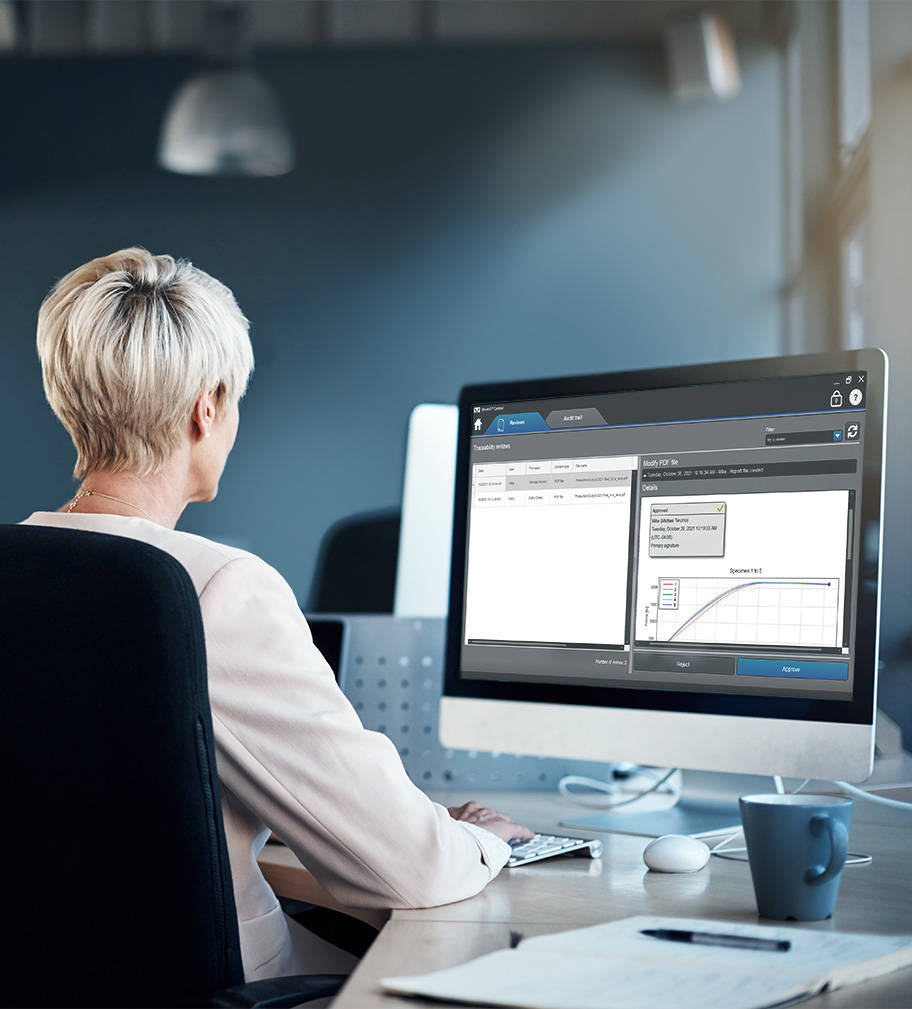
El módulo de trazabilidad de Bluehill Central le permite revisar de forma remota y aprobar electrónicamente las modificaciones del método de ensayo, los datos de las muestras y otros cambios en los archivos de Bluehill que se producen en los sistemas de Instron. Las aprobaciones de archivos y muchas otras acciones del usuario en Bluehill Central y Bluehill Universal se capturan automáticamente en una pista de auditoría centralizada para verificar quién hizo qué, cuándo y por qué en cualquier sistema Instron conectado. Nota: El módulo de trazabilidad muestra los datos de los sistemas Instron con la trazabilidad + gestión de laboratorio (plugin Central), un complemento
a Bluehill Universal.


 

Icono de cambios de archivo

Revise los cambios en los archivos de forma remota
Realice revisiones de archivos de todos los sistemas de prueba conectados desde la comodidad de su escritorio.

Icono del filtro

Filtrar e imprimir el registro de auditoría
Consulte, filtre e imprima el registro de auditoría de todos los sistemas de pruebas conectados.

Icono del panel de detalles

Ver detalles de los elementos del registro de auditoría
El panel de detalles proporciona más información asociada a la entrada de pista de auditoría seleccionada.


Lab Manager utilizando el módulo de trazabilidad

Vea cómo se compara la trazabilidad en Bluehill Central con la seguridad estándar en Bluehill Universal y la trazabilidad local.

Comparar características

Descubra cómo la trazabilidad dentro de Bluehill Central puede ayudarle a cumplir los requisitos técnicos de FDA 21 CFR Parte 11.

Descargar el informe técnico

Software TrendTracker

TRENDTRACKER

El módulo TrendTracker de Bluehill Central acelera el flujo de trabajo de análisis de datos de su laboratorio. Una interfaz intuitiva le permite buscar, mostrar y analizar rápidamente los resultados a lo largo del tiempo y en múltiples muestras y sistemas de ensayo. Diga adiós a la tediosa búsqueda de archivos y al copia y pega de datos.

Icono de análisis de datos

Análisis de datos de múltiples muestras
Realice análisis de datos sobre resultados de múltiples muestras producidos por múltiples sistemas de ensayo.

Icono de consultas personalizable

Consultas personalizables
Cree consultas definidas por parámetros de prueba o resultados que proporcionen información sobre tendencias y valores atípicos.

Icono de trazado

Trazado visual
Trace diversos tipos de gráficos para visualizar conjuntos de datos.

Icono de exportación de datos

Exportar datos
Exporte los datos a un archivo CSV y ábralos en una aplicación, como Minitab®, para su posterior análisis.

Obtenga más información sobre las estadísticas y los gráficos disponibles en TrendTracker.

Descubra cómo TrendTracker le permite tomar decisiones más rápidas y basadas en datos.

Haga un rápido recorrido por TrendTracker y compruebe lo fácil que es configurarlo, supervisar las tendencias y descubrir nuevas perspectivas.

Frequently Asked Questions for Bluehill Central

Software para el ensayo de materiales

BLUEHILL® CENTRAL | FREQUENTLY ASKED QUESTIONS


Get answers to the most frequently asked questions (FAQ) about Bluehill Central, Instron's lab management software.

Method Templates in Bluehill Universal

Software para el ensayo de materiales

METHOD TEMPLATES IN BLUEHILL® UNIVERSAL

PLANTILLAS DE MÉTODOS EN BLUEHILL® UNIVERSAL

A continuación se muestra una lista de todos los métodos de prueba preconfigurados disponibles en el software de prueba de materiales Bluehill Universal.

Bluehill Universal

Software para el ensayo de materiales

BLUEHILL® UNIVERSAL

El software de ensayo de materiales de última generación


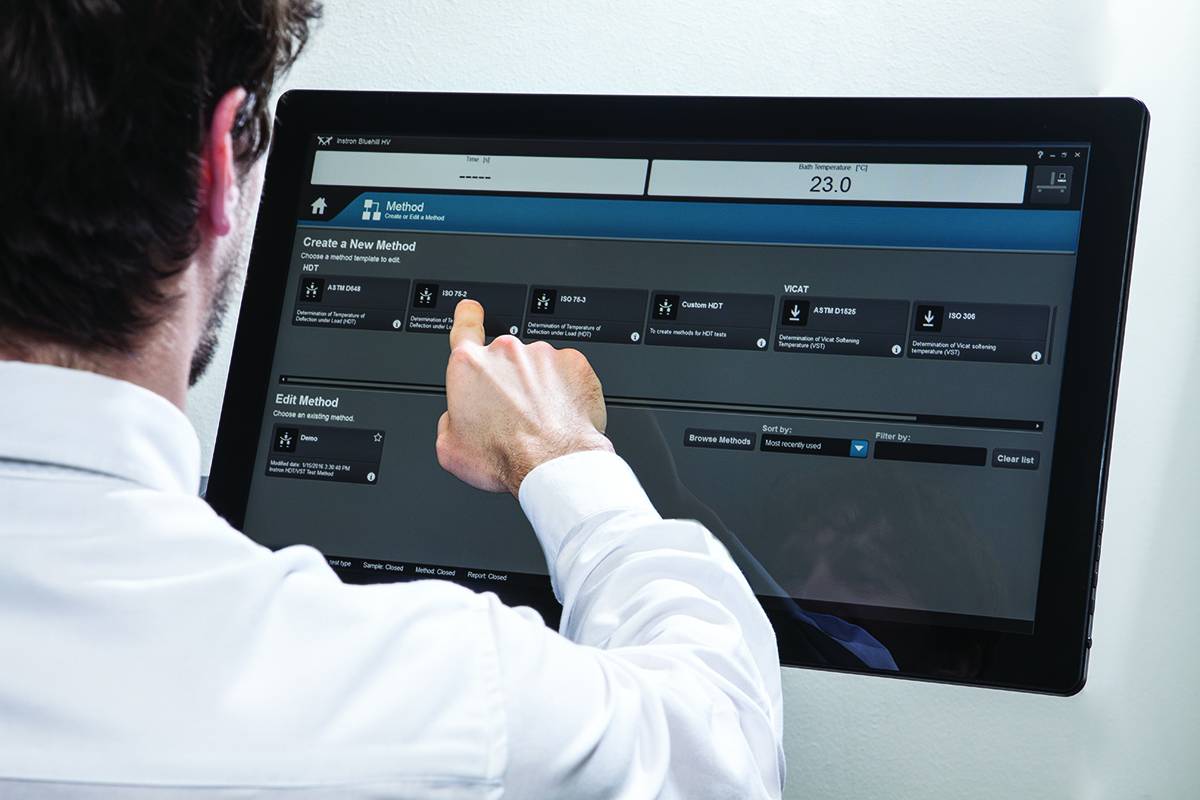
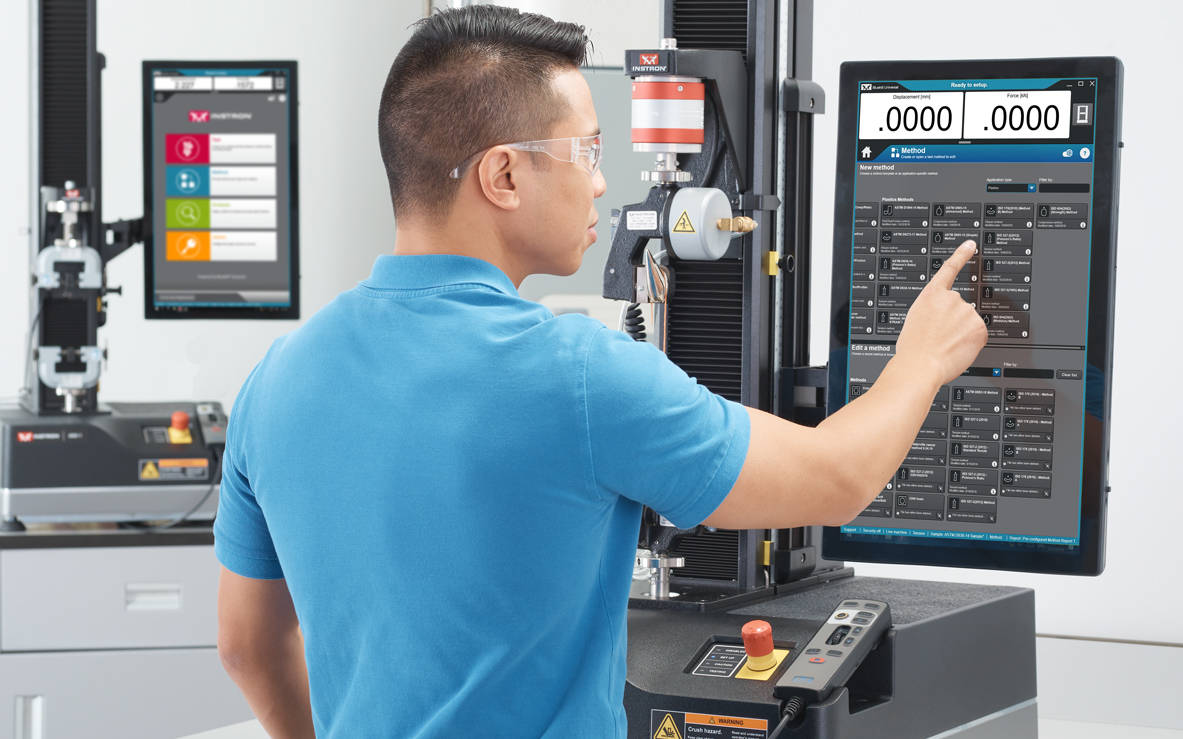
Bluehill Universal se ha diseñado desde cero para la interacción táctil. La nueva disposición vertical, con su diseño visual minuciosamente creado, proporciona la vista más integral del área de trabajo del ensayo en la consola del operador, un sensacional monitor táctil de gran formato con controlador integrado. Los flujos de trabajo intuitivos facilitan la formación de usuarios nuevos o experimentados, simplifican la formación del operador y le permiten comenzar a realizar ensayos más rápido que nunca.

Take A TourSolicite Una DemostracióN

Bluehill Universal Operator Dashboard

MÁS SENCILLO
Flujos de trabajo sencillos y funcionalidad optimizada


La consola del operador incluye puntos táctiles grandes e iconos fáciles de entender para que la experiencia del usuario sea más sencilla e inteligente. Diseñada con la ergonomía en mente, la consola de operador es un ordenador Todo-en-uno de gran formato y con pantalla táctil que puede ser montado en el lateral del equipo Instron o con una base tipo pedestal.


QuickTest

Cuando se necesitan resultados de forma rápida, QuickTest permite a los usuarios introducir unos parámetros sencillos y ejecutar el ensayo en cuestión de segundos.

Plantillas de métodos

Bluehill Universal incluye un amplio catálogo de métodos preconfigurados para algunos de los estándares más utilizados, como ASTM, ISO y EN.

Ensayos por secuencias

Es posible guiar al usuario a través de todo el proceso de ensayo con instrucciones paso a paso, asegurando que los ensayos sean repetibles, sencillos y sin errores.


Medición de probetas integrada

Conecte los micrómetros y calibradores directamente al sistema e importe fácilmente las dimensiones de la probeta para obtener las mediciones de esfuerzo.

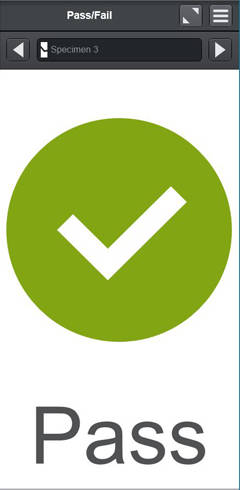
Pass/Fail
(Apto/No apto)

Permite a los usuarios añadir un componente de ensayo al área de trabajo para visualizar de forma rápida si el ensayo ha sido apto o no apto, en función de los criterios de aceptación establecidos en el método de ensayo.

Escáner de código
de barras

Los usuarios pueden introducir información en Bluehill Universal de forma sencilla con cualquier escáner de código de barras USB. Cree un código de barras, incluida la función de tabulación, y la información se podrá añadir en cualquier campo de entrada de texto o números.
 

Running a Test in Bluehill Universal
MÁS INTELIGENTE
Capacidad avanzada sin la complejidad


La simplicidad no supone renunciar a funciones avanzadas. Las funciones modulares de Bluehill Universal le ofrecen la potencia y la flexibilidad de ejecutar los ensayos más complejos.

CAPACIDADES AVANZADAS

Exportación personalizable

Exporte cualquier dato después del ensayo para integrarlo en su sistema de gestión de información de laboratorio: desde un informe profesional con gráficos y tablas hasta archivos de texto personalizados.

MáS InformacióN

TestProfiler

Elabore sencillos ensayos cíclicos que incluyan rampas, retenciones y ondas de triángulo. La lógica condicional le permite crear patrones de bucle que ayudan a recrear escenarios de la vida real con sus ensayos.

(Capacidad opcional)

MáS InformacióN


Generador de expresiones

Cree sus propias funciones personalizadas con una lista de variables, mediciones y datos en bruto. Por ejemplo, los usuarios pueden establecer la velocidad de ensayo en función de la anchura y el espesor de la probeta o crear una expresión personalizada de datos en bruto, como restar la fuerza de arrastre cuando se realice el ensayo en un baño de fluido.

Entradas de opción 

Las entradas de opción ofrecen a los usuarios una lista predefinida de opciones que minimizan el tiempo de entrada de datos y reducen el riesgo de error para las entradas utilizadas más habitualmente, como el nombre del operador, el color o el tipo de muestra. Además, cada opción puede vincularse con otros parámetros, como las dimensiones o la velocidad de la prueba.
MáS InformacióN


Seguridad y Trazabilidad


Bluehill Universal Security

Seguridad

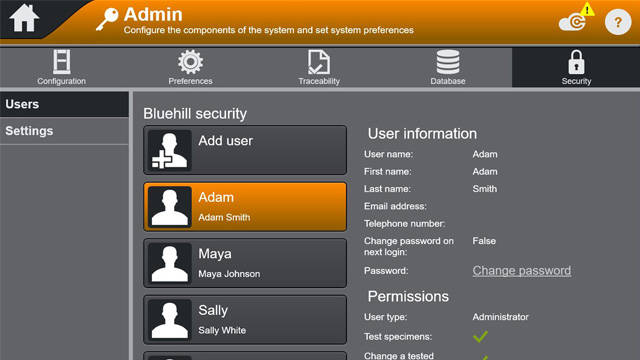
Bluehill Security permite que el responsable del laboratorio configure los permisos en el software para otorgar acceso de superusuario al personal formado y limitar el acceso en caso necesario. Con Bluehill Security, los permisos de inicio de sesión pueden configurarse directamente en Bluehill o vincularse al inicio de sesión local de Windows o a Windows Active Directory.

Documento técnico sobre seguridad en el software Bluehill
Seminario web: Mejore la integridad de los datos con Bluehill Universal Security


Módulo de trazabilidad

El módulo de trazabilidad de Bluehill Universal permite a los usuarios cumplir con los requisitos de auditoría asociados a FDA 21 CFR Parte 11, ISO 17025, Nadcap y otros. Mediante una integración perfecta de aprobaciones electrónicas, historial de revisiones y un sistema automatizado de registro de auditoría, este potente complemento se combina con la seguridad incorporada de Bluehill para proporcionar una trazabilidad de datos inigualable.

(Capacidad opcional)

Folleto
Comparación de funciones: Seguridad estándar frente a trazabilidad (local) o frente a trazabilidad (Bluehill Central)
Documento técnico de implementación de la normativa FDA 21 CFR Parte 11
Integridad de datos y trazabilidad de Bluehill | Creación de un laboratorio más eficiente
Seminario web: Presentamos el módulo de trazabilidad de Bluehill Universal

Tipos de base de datos

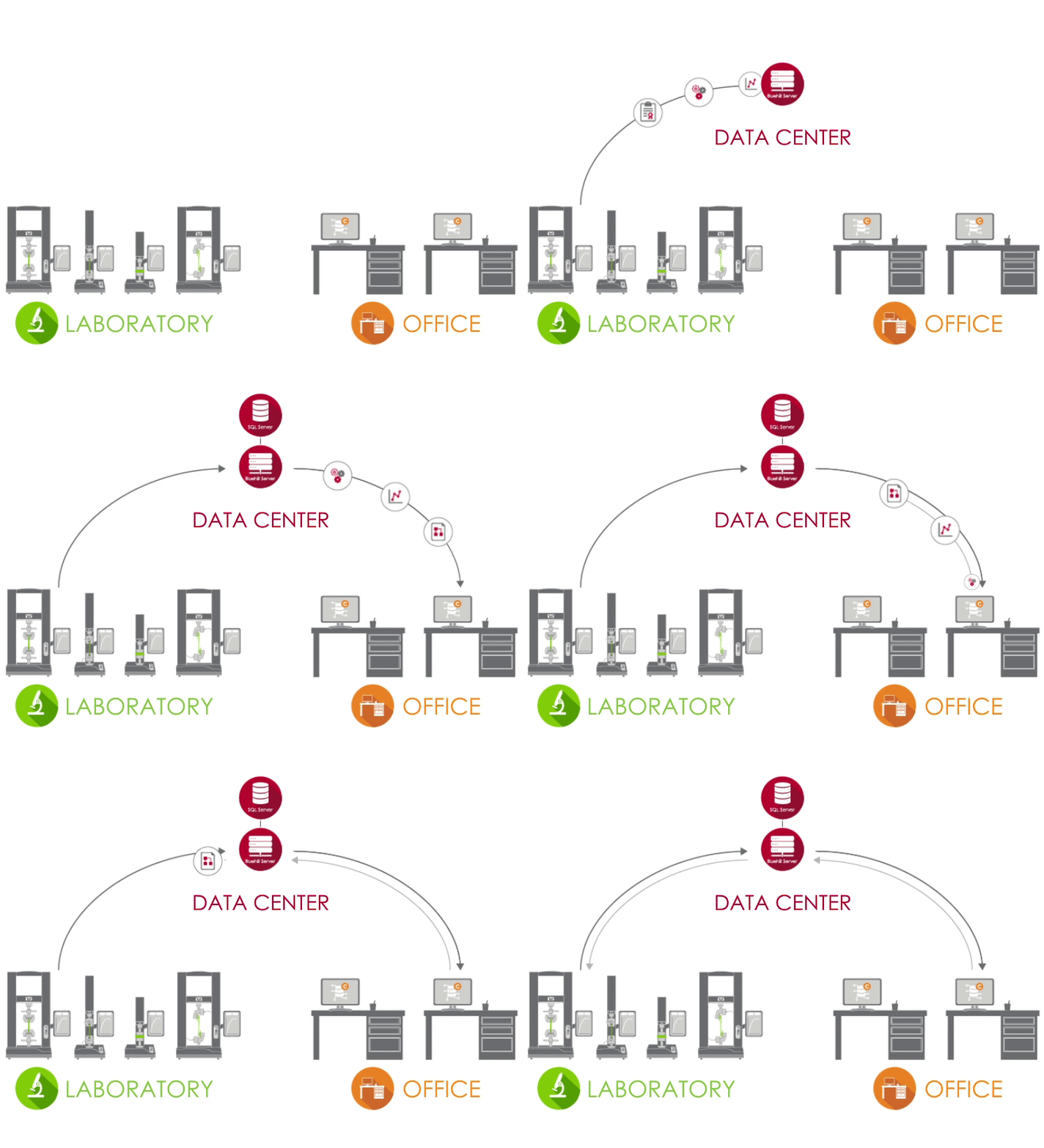
El registro de auditoría de trazabilidad ofrece una base de datos local y también en red para adaptarse a sus preferencias de gestión de los datos. Una base de datos centralizada en red ofrece a su laboratorio una mayor eficiencia y menores riesgos en comparación con una gestión local de los datos. Se recomienda determinar las preferencias de infraestructura de TI y gestión de datos de su laboratorio al tener en cuenta estas alternativas.


local systems
Local


El módulo local de trazabilidad de Bluehill Universal almacena los datos de seguimiento de auditoría en una base de datos Microsoft SQL Express alojada en el ordenador que ejecuta Bluehill Universal conectado al sistema Instron. El modelo de base de datos local está pensado para laboratorios que no pueden conectar ordenadores a una red compartida. La visualización del registro de auditoría y la firma electrónica de archivos se produce localmente en el ordenador, y cada sistema Instron con una base de datos local de trazabilidad almacena su propia base de datos SQL Express. Las funciones de copia de seguridad y restauración de la base de datos se pueden realizar manualmente en Bluehill Universal.
 

Bluehill Central Architecture
Red


La solución de red para el módulo de trazabilidad de Instron cuenta con la tecnología de Bluehill Central, que utiliza un marco de trabajo cliente/servidor para almacenar todos los datos de registro de auditoría, archivos y configuraciones compartidos en una base de datos de Microsoft SQL Server. Cuando Bluehill Universal está conectado al servidor Bluehill Central de su laboratorio, cada sistema de prueba envía y recibe datos de la base de datos centralizada, eliminando el riesgo de variación y la molestia de gestionar localmente cada sistema. La visualización del registro de auditoría, la firma electrónica de archivos y la gestión de usuarios se realizan de forma remota en Bluehill Central o localmente en Bluehill Universal. Las funciones de copia de seguridad y restauración de la base de datos se pueden realizar manualmente en Bluehill Central.


ANÁLISIS DE DATOS

Análisis

Repita, vuelva a analizar o haga modificaciones en las probetas ensayadas previamente sin necesidad de volver a ejecutar los ensayos.

(capacidad opcional)

TestCam

Conecte una cámara web por USB para experimentar la reproducción de vídeo punto por punto, lo que le permitirá ver el ensayo incluso después de que haya finalizado.

(capacidad opcional)


Submuestras

Al usar la submuestra, los usuarios tienen la capacidad de ordenar los resultados en función de los parámetros, incluido el nombre del operador, la ubicación de la rotura de la probeta y las propiedades específicas de la probeta.

TrendTracker

Con el complemento TrendTracker, Bluehill Universal exporta los resultados y la información asociada a la muestra directamente a la base de datos SQL asociada a bluehill Central. Desde el módulo Trendtracker de Bluehill Central, los usuarios pueden facilmente realizar consultas de datos para analizar las métricas de control de sus ensauyos.

(capacidad opcional)
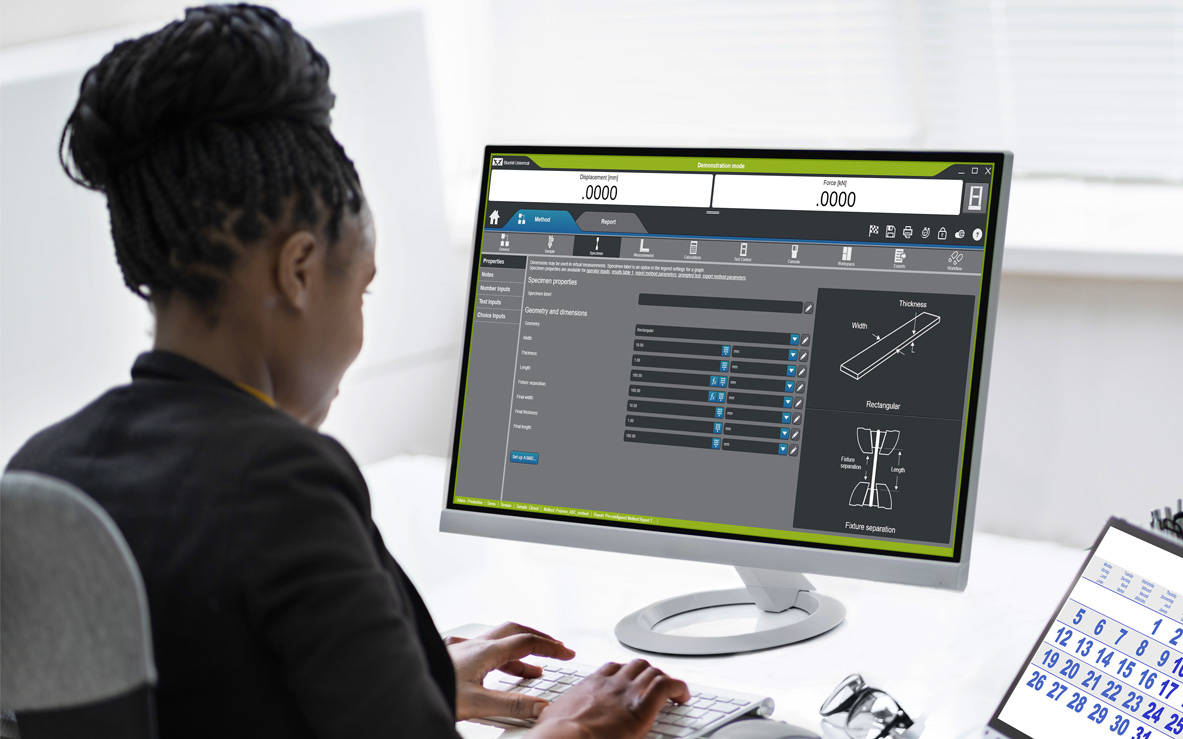
 

Operator Using an Offline License of Bluehill Universal

Interfaz de programación de aplicaciones

La interfaz de programación de aplicaciones (API) de Bluehill Universal permite a los administradores del sistema programar sus propias interfaces personalizadas para controlar las acciones que se realizan en Bluehill antes y después del ensayo. En numerosos casos, la API puede permitirle automatizar algunos componentes de la secuencia de ensayo, así como crear su propia interfaz para ejecutar determinadas partes del sistema, como la importación, el inicio o la exportación.

MáS InformacióN

Licencias fuera de línea

Algunos usuarios prefieren crear métodos o realizar un análisis de datos posterior al ensayo en sus propios escritorios o de forma remota en sus portátiles, en vez de en el instrumento de ensayo. La opción de programación y análisis de datos fuera de línea está disponible como licencia única o ilimitada.

INSTRON CONNECT
La próxima generación de soporte técnico


Instron Connect, integrado en Bluehill Universal, aprovecha el Internet de las cosas (IoT) para ofrecer a los clientes un soporte técnico aún más rápido y ágil. Instron se esfuerza por ser la marca líder en satisfacción al cliente, e Instron Connect permite acercar aún más a nuestros ingenieros de soporte a su organización.


 

Instron Connect Icon
Soporte Técnico
Líder del Sector
Instron Connect permite a nuestro equipo de soporte técnico proporcionar asistencia y orientación sin igual. Nuestras inversiones en conectividad segura nos permiten leer directamente la información de diagnóstico del sistema, ayudarle con preguntas de software a través de la pantalla compartida remota y poner nuestra vista en su laboratorio para identificar problemas de hardware a través de nuestra plataforma de soporte de vídeo con realidad aumentada.
Reduce Risk Icon
Mejore
sus capacidades
Mejore la productividad de su sistema Instron con la herramienta de solución de problemas InSkill AI, que utiliza una amplia y exclusiva experiencia técnica en el diagnóstico rápido de problemas y en proporcionar soluciones.
Software Update Icon
Obtenga información
rápidamente
Acceda a los certificados de calibración, el historial de servicio y la información del acuerdo de servicio de su sistema Instron a través del Instron Connect Portal o la aplicación móvil InSkill AI para proporcionar seguridad en las auditorías y las evaluaciones de laboratorio.


Instron Universal Testing Machines

COMPATIBILIDAD

Bluehill Universal está disponible con una consola del operador en los nuevos sistemas 6800 y 3400. También se puede añadir a los actuales sistemas de ensayos estáticos 6800, 3400, 5900, 3300, 5500, 59R e IS02 y a los sistemas actualizados a la electrónica del sistema 5900. Los sistemas dinámicos ElectroPuls™ y 8800 también pueden aprovechar la versatilidad y la facilidad de uso de Bluehill Universal cuando se ejecutan ensayos estáticos.


Recursos adicionales para obtener más información

Formación | Requisitos del ordenador | Carta de Bluehill SQA


CrashSim Office

Software para el ensayo de materiales

CrashSim Office

CrashSim Office

CrashSim Office is a stand-alone program for signal preparation and processing, as well as for predicting the pulse-making capability and the generation of the DriveSignal for the CrashSimulationSystem. CrashSimOffice is used offline from the crash simulation system and has essentially the following characteristics

Import Functions

  • Easy import from a wide range of data formats
  • Define sampling rate or time data (can be variable period)
  • Add/Clip time to pulse
  • CFC filtering with preview
  • Preview of imported pulse

Edit Functions

  • Scale/Stretch entire pulse
  • Individual peak editing
  • Insert/Delete data
  • Display of velocity and stroke based on edits
  • Graphical editing with zoom
  • Preview of edited pulse

Prediction Functions

  • Contains all rig parameters
  • Simulate different payloads
  • View predicted acceleration result, velocity, and stroke
  • Go direct to Edit function for further editing
  • Save final result as tgt file for use at the rig


CrashSim Office is an indispensable tool in the modern development process. Due to its variety of possibilities, it relieves the sled test operation of a multitude of necessary pre-shots to prove the feasibility of a pulse. As a result, CrashSim Office helps the sled system to function as efficiently and productively as possible.

Learn more about Crash Simulation Systems.

WaveMatrix3 FAQs

WAVEMATRIX3
FAQs

Test Review | Specimen & Test Inputs | Security

What are the new features of WaveMatrix3?
The new features of are; Test Review, Specimen & Test Inputs, Security and IT Compatibility.

What controller is WaveMatrix3 compatible with?
WaveMatrix3 is compatible with 8800T controllers running v8.15 or higher, or 8800MT controllers running MR24 firmware or higher. WM3 is compatible with Windows 10 and Windows 11 Professional (64 bit). WaveMatrix3 is not compatible with Windows 7 and XP, so if a customer has Windows 7 or older, then a new PC (2490-647) needs to be quoted. If they have a classic controller, add USB-GPIB adapter (2490-950).

What if I have already purchased modules for WaveMatrix1 or Wavematrix2?
If a version of WaveMatrix with existing modules is installed on your current machine and you wish to upgrade to WaveMatrix3, there is not an additional cost for the existing modules which will be automatically ported and work with the new software once it is installed.

Is (re)calibration needed after upgrading to WaveMatrix3 & why?
No. All versions of WaveMatrix simply receive data from the 8800 Classic or MT controller – it cannot affect calibration.

Do I need any specific training when upgrading to WaveMatrix3?
If ordering a new machine, training will be provided during installation. For machines with existing versions of WaveMatrix that are being upgraded, training is not required.

Do I need to update Console?
Possibly. All WaveMatrix3 software upgrades should use the latest version of Console.

Do I need to purchase a new PC?
If the PC is running Windows 10 or 11 then a new PC will not be required.

Can WaveMatrix2 and WaveMatrix1 methods and results files be used in WaveMatrix3?
Yes. Note that WaveMatrix3 has not been specifically developed to allow for methods and results files to be used on older versions of WaveMatrix (1 or 2) and this is not supported.


Test Review:
How do I use this feature?
Test review allows users to review their test results directly from the Test tab in WaveMatrix3. Features include editable layout of graphs and results tables, zoom tool, and the ability to overlay multiple cycles for quick review.

How is my data displayed?
The default graph layout will mirror the WM3 test workspace when users first open a test in test review. Users can edit the layout, number of graphs and graph types within test review. Any changes to the layout will be saved, but the original data and method files will remain untouched.

How do I edit the graph layout and graph types?
The graph layout can be changed using the edit layout function, and graph types can be changed using the properties function. Various display options are available such as showing or hiding the legend, adjusting the scale, etc.

How many graphs can I have for one test?
Test review allows up to 4 graphs to be displayed at one time.

What graph types are available?
The graph types available are X-Y, Double Y, Peaks & Trends, Multi-Channel and Stop File.

How do I copy a graph?
Graphs can be copied as an image to the clipboard by right clicking or using the task menu.

Can I review multiple tests?
Users can have multiple instances of test review open for reviewing each test. Users cannot include multiple tests in one review.

How does the Area of Interest pane help me focus my test review?
The Area of Interest pane is used to select the data you wish to include in your Test Review. Multiple cycles can be overlaid by enabling the multi-selection option. Focus the review on your chosen data by editing the Data Source, choosing the steps/loops of interest, and choosing cycles of interest.

Can I compare multiple cycles from the same test?
Yes. Multiple cycles can be selected and displayed in test review.

Can I compare trends from multiple steps from the same test?
Yes. Multiple steps can be selected and displayed in test review.


Specimen & Test Inputs:
When should I add a specimen and test input?
When you want to record dimensions or information about the specimen and/or test along with the test data and when you want to calculate or control axial stress during the test using a cross-section measurement.

Which types of specimens can I add?
The basic specimen geometries (for axial stress) are Flat, Round, or Custom – all of these have mandatory cross-section details and support user-defined inputs. “Other” specimen type allows users to add specimen and test inputs without a cross sectional area and corresponding stress channel. “None” specimen type is provided for backward compatibility for methods from WaveMatrix1 or WaveMatrix2 and collects no inputs at all.

How many specimens and test inputs can I add?
Users can add an unlimited number of specimens and test inputs.

Can I use a specimen and test inputs in user-defined calculations?
Yes. Basic guidance and an example is provided in the online help, or contact the Dynamic Applications team in High Wycombe for advice.

What can I add as a specimen and test input?
Specimen and test inputs are completely customizable. Any dimensions can be added in the ‘custom dimensions’ field with units of length, while any free form text can be added in the ‘custom properties’ field. For example, batch numbers, material, color, total length etc.

How do I view my specimen and test inputs in the test workspace?
These are shown on the test inputs panel, which is now a default part of layout in new methods. Screen layout and panel contents are configured in the method.

How do I prevent a specimen and test input from being edited in the test workspace?
Users can remove specimen and test inputs from the test inputs tab in the method, which will prevent the input from showing in the test workspace. If security is enabled, operators will not be able to access those inputs.

How do I update specimen and test inputs during the test?
Users can update specimen and test inputs in the test workspace. Cross-section inputs cannot be edited after test start, but all other fields can be updated while the test is running (for example users may wish to record visual observations during the test). The final value will be saved at the end of the test.

Can I add a specimen or test input after a test has ended?
No. All specimen and test inputs must be added to the method. They can only be entered or updated during setup or while the test is running.

Where are the specimen and test inputs saved?
There is a specimen and test inputs .txt file saved in the test folder. The specimen and test details are also saved in the method file.


Security:
What does the Security feature do?
The Security option allows you to create and manage different access levels and associated permissions for system operators. If Security is enabled each user must log in with their own account settings (username and passcode) and can only perform operations permitted by their access level.

What happens if Security is disabled?
If Security is disabled or never enabled initially, all users have unlimited access to all non-security operations. Only Administrators can enable or disable Security.

If Security was not activated at first use, can it be activated later?
Yes. An Administrator profile will be automatically created and asked to create their own PIN and when the feature is first enabled.

How many users can be set up?
You can set up as many users as required, and you can set up multiple users at each level to suit your lab needs.

How many user levels are there?
Three: Administrator, Lab Manager, Operator.

What can users do at each level?
Operators can only run tests using existing methods; they can review data and access tutorials. Lab Managers can create and edit methods and use all functions except Security settings. Administrators have full access to all features including enable/disable Security and create user profiles.

Can I customize my user account settings?
You can customize your own username, first and last name, and passcode. An Administrator can also modify the settings of other users, including their Access Level.

Can I modify the user account settings of another user?
Only an Administrator can change other users’ settings.

Can I remove a user?
An Administrator can remove/add a user and change their settings.

If I remove a user, what happens to their methods?
Saved methods remain visible and usable by other users.

I forgot my passcode, what should I do?
Ask an Administrator to modify your settings and assign a new passcode.

Can I disable Security if users are set up?
An Administrator can disable Security at any time. The list of users will be available again if/when the Administrator re-enables Security.

Can I manage Security for multiple systems centrally?
No. Security is enabled and user profiles are set up locally on each system.

Requisitos informáticos de Bluehill Universal

Software para el ensayo de materiales

Requisitos informáticos de Bluehill Universal

A continuación, se indican los requisitos informáticos mínimos necesarios para instalar y utilizar correctamente el software de ensayo Bluehill® Universal en su sistema. Otros requisitos dependen de dispositivos adicionales, como los extensómetros de vídeo. Póngase en contacto con nosotros para obtener la configuración recomendada.

  • Procesador Intel Pentium (Dual Core o Single Core) con una velocidad de reloj de 2 GHz o superior
  • 8 GB de RAM (16 GB si se utiliza un extensómetro de vídeo)
  • Microsoft® Windows 10 o 11 (solo 64 bits)
  • Puerto USB (para la instalación del software)
  • Disco duro con 2 GB de espacio libre
  • Resolución de pantalla mínima: 1024 x 768 en color de alta resolución
  • 1 puerto serie sin usar (solo para ASMD)
  • 1 puerto Ethernet sin usar (solo Instron® 3300/5500/5900/3400/6800; 2 puertos Ethernet si se requiere accesibilidad a la red. Se pueden utilizar adaptadores USB).

Bluehill Universal está diseñado para la interacción táctil, por lo que se recomienda utilizar un monitor con pantalla táctil para una experiencia de usuario óptima.

Los requisitos dependen además de los módulos complementarios, como los extensómetros de vídeo. Póngase en contacto con nosotros para obtener la configuración recomendada.


BHI Pendulum

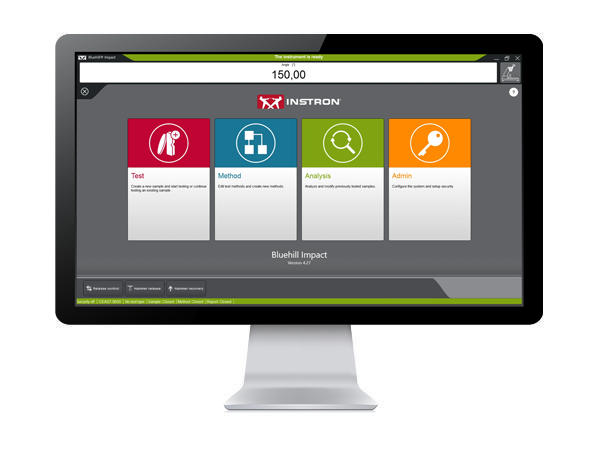
BLUEHILL® IMPACT
Pendulum Impact Testing Software

Bluehill Impact for Pendulum has been designed to meet customer needs. The touchscreen interface features an outstanding visual design that improves user experience while also incorporating safety features. Intuitive workflows make it easy to train users, simplify operator training, and allow you to start testing faster than ever before.

 

SAVE TIME | FULL CUSTOMIZATION
ENHANCED SAFETY

Test Icon Grey

CLICK TO PLAY TESTING
Pre-configured methods are already provided. You can select a suitable method, and press start immediately.

Test Icon Grey

ENHANCED SAFETY
The color-coded framework informs you about the machine's status and provides clear, valuable information to the user. A simple glance lets you know what environment you are in, and whether it is safe to interact with the machine.

Test Icon Grey

ADVANCED CALCULATION
Automatic identification of break type from the shape of the curve in accordance with ISO 179-2.

Test Icon Grey

USER-DEFINED ACCESS RIGHTS
With three different pre-defined profiles to select from, it is possible to configure the workspace to suit the needs of different users and limit the functionality that is available to an individual.
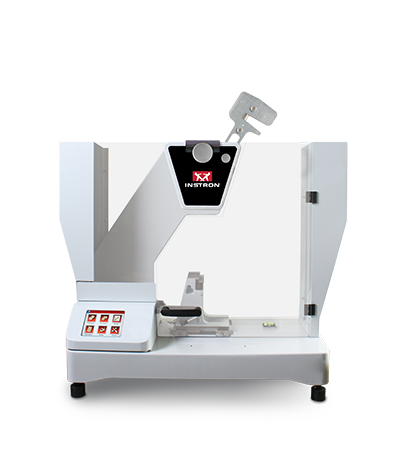
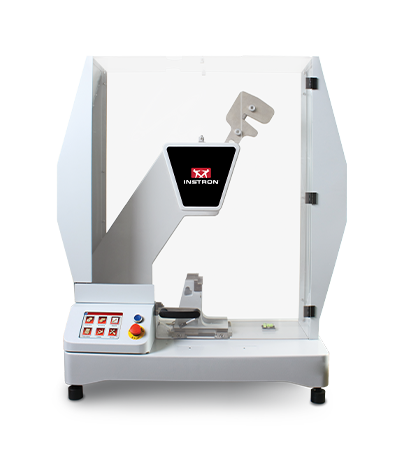
BLUEHILL IMPACT FOR PENDULUM WORKS WITH INSTRON IMPACT PENDULUM TESTING MACHINES
9050 Manual Pendulum
Instron 9050 Manual
9050 Motorized Pendulum
Instron 9050 Motorized

Pendulum Impact Testing Machine enables users to determine the impact resilience of plastics and composites, easily and safely.

EXTRAS

Red Print Icon

Bluehill Impact for Pendulum Brochure

Grey Document Icon

Bluehill Impact for Pendulum POD


Bluehill Fracture Standards Library

Software para el ensayo de materiales

Instron® Bluehill® Fracture Standards Library

SYNOPSIS

Bluehill Fracture Standards Library is a Microsoft Windows PC compatible software package, developed by Instron - Division of ITW Limited, that provides a library of analysis functionality used by the Instron Bluehill Fracture software.

Tests and Specimens by Standard
Analysis Result
Measurement
Specimen
KIc
KIsi
CTODc
Jc
JIc
Clip-Gauge
DCPD
C(T) Straight Notch
C(T) Load Line
SEN(B)
Disc Straight Notch
Disc Load Line
Arc Tension
Arc Bend
M(T)
ASTM E399-23
ASTM E1820-24
ISO 12135:2021
GB/T 21143-2014
BS 7448-1:1991*
ASTM E647-19
ISO 12108:2019
Standards and Specimens by Test Type
Brittle KIc
Brittle/Basic CTOD or J
Ductile JIc (single specimen)
Ductile JIc (DCPD)
Crack Growth
*Excludes post-test analysis
Standards →
ASTM E399-23
ISO 12135:2021
(GB/T 21143-2014)
ASTM E1820-24
ISO 12135:2021
(GB/T 21143-2014)
ASTM E1820-24
ISO 12135:2021
(GB/T 21143-2014)
ASTM E1820-24
ASTM E647-19
ISO 12108:2018
(GB/T 6398-2017)
Specimens ↓
C(T) Straight Notch
C(T) Load Line
SEN(B)
Disc Straight Notch
Disc Load Line
Arc Tension
Arc Bend
M(T)
*NOTE: Bluehill Fracture continues to support analysis of KIc, CTODc, and Jc, according to BS7448-1:1991, but this standard is now withdrawn and superseded by BS EN ISO 12135:2021.
For advanced testing needs on fatigue crack growth studies, please contact Instron to discuss advanced tools available in WaveMatrix3 software.
RELEASE NOTES

Version 2.4 Build 24093.01 (16/September/2024)

  • Support added for:
    • Update to latest revision ASTM E1820-24 for existing analyses (J and CTOD)
    • Addition of support for ASTM E399-23 Annex X1 “size independent” analysis of KIsi
  • Improved data collection for point of failure in extremely brittle tests
  • Requires Bluehill Fracture V2.4 or later


Version 2.3 Build 24093.01 (19/April/2024)

  • Support added for:
    • GB/T 21143-2014 analysis of KIC (Chinese National standard)
    • GB/T 21143-2014 analysis of single point CTOD and J0 (Chinese National standard)
    • GB/T 21143-2014 analysis of JIc from unloading compliance method (Chinese National standard)
  • Requires Bluehill Fracture V2.3 or later


Version 2.2 Build 23335.3 (16/January/2024)

  • Support added for:
    • ASTM E399-23 analysis of KIC
    • ASTM E1820-23b analysis of JIC and CTOD
    • ASTM E1820-23b analysis of Jc from brittle test
    • ISO 12135:2021 analysis of single point CTOD and J0
    • ISO 12135:2021 analysis of JIc from unloading compliance method
    • Conversion of ductile tests for brittle analysis
  • Requires Bluehill Fracture V2.2 or later


Version 2.0 Build 22018.01 (18/January/2022)

  • Support added for:
    • BS7448-1:1991 analysis of single point J Integral
    • ASTM E1820-20b (Annex 18 - DCPD Method) analysis of JIc using electrical crack length measurement
    • ISO 12135:2021 analysis of KIc
    • Test temperature recorded from Eurotherm and Instron Furnace Controller devices
  • Requires Bluehill Fracture V2.0 or later


Version 1.3 (20/May/2021)

  • Support added for:
    • ASTM E399-20a analysis of KIc
    • ASTM E1820-20b analysis of JIc and CTOD
    • BS-7448-1:1991 analysis of single point CTOD
  • Requires Bluehill Fracture V1.3 or later


Version 1.2 Build 20167 (23/Jun/2020)

  • Support added for:
    • ASTM E399-20 analysis of KIc
    • ASTM E1820-20ε1 analysis of JIc and CTOD
  • Requires Bluehill Fracture V1.2 or later


Version 1.2 Build 20063 (10/Mar/2020)

  • Support added for:
    • Crack Growth tests
    • Disk CT Load Line, Disk CT Front Face, and Arc Tension specimens
    • ASTM E1820-20 analysis of JIc and CTOD only
  • Requires Bluehill Fracture V1.2 or later


Version 1.1 (07/Nov/2019)

  • Support added for:
    • ASTM E399-19 analysis of KIc only
    • ASTM B645-10 analysis of KIc only
    • ASTM E1820-18a analysis of JIc and CTOD only
  • Requires Bluehill Fracture V1.1 or later


Version 1.0 (04/Feb/2019)

  • Initial release with support for:
    • ASTM E399-2017 analysis of KIc only
    • ASTM E399-2012 analysis of KIc only
    • BS 7448-1:1991 analysis of KIc only
    • ISO 12135:2016 analysis of KIc only
    • ISO 12135:2002 analysis of KIc only
  • Requires Bluehill Fracture V1.0 or later
Learn more about Bluehill Fracture

Learn More

Ask for support

Contact Us

Últimas funciones de bluehill® universal

Software para el ensayo de materiales

ÚLTIMAS PRESTACIONES DE BLUEHILL® UNIVERSAL

Nota: La lista de funciones que se muestra a continuación tiene como objetivo destacar las mejoras significativas incluidas en cada versión del software. Para obtener una lista completa de las mejoras y modificaciones por versión, consulte las Notas de la versión de Bluehill Universal, que se almacenan en la carpeta Instron accesible desde el Inicio de Windows. Si Bluehill Universal no se ha instalado, póngase en contacto con nosotros para solicitar las Notas de la versión.


Bluehill universal v4.55

Publicado en agosto de 2025

  • Compatibilidad con bluehill Central 2
  • Servidor sin conexión para continuar las pruebas mientras la conexión a la base de datos de Bluehill Central no está disponible

Bluehill universal v4.52

Publicado en junio de 2025

  • Compatibilidad con los extensómetros de vídeo AVE3 / SVE3
  • Ajuste automático de la ganancia de control del bucle disponible para los transductores de deformación de los sistemas de la serie 3400
  • Compatibilidad con la bomba de agarre hidráulico compacta (número de catálogo 2718-700)
  • Bluehill Elements admite la orientación vertical del monitor
  • Corregido el aviso de dirección IP para la comunicación entre ordenadores
  • Opción de kit de aire de cierre inteligente para utilizar la presión de suministro durante la prueba

Bluehill universal v4.47

Publicado en julio de 2024

  • Nuevos tipos de métodos de autoinyector (básico y TestProfiler) para dar soporte a los sistemas de prueba de autoinyectores. Hardware necesario.
  • Nueva función de idoneidad del sistema para exigir comprobaciones diarias del transductor antes de la prueba. Actualmente sólo disponible para los sistemas de pruebas con autoinyectores.
  • La nueva opción de muestra para Pasa / No pasa vinculada a los límites de fallo de la estadística media y mediana puede mostrarse en el componente del espacio de trabajo Pasa / No pasa y en el informe. Antes sólo estaba disponible para muestras individuales.
  • Nueva tecla programable para alternar los estados de salida de las E/S digitales.
  • Nueva opción de exportación para reducir el número de puntos de datos brutos en el archivo Export 1 / 2. Se pueden configurar hasta tres dominios con un número específico de puntos retenidos en cada uno.
  • Balanza Mettler Toledo compatible para mediciones de masa. Hardware necesario.
  • Rendimiento avanzado (opción K1) ahora incluido en la base de Bluehill Universal, que admite una velocidad de captura de datos de hasta 5000 Hz para los sistemas de las series 5900 / 6800.
  • Nueva opción de exportación para anular la ubicación predeterminada de los archivos de vídeo de la TestCam.

Bluehill universal v4.42

Publicado en enero de 2023

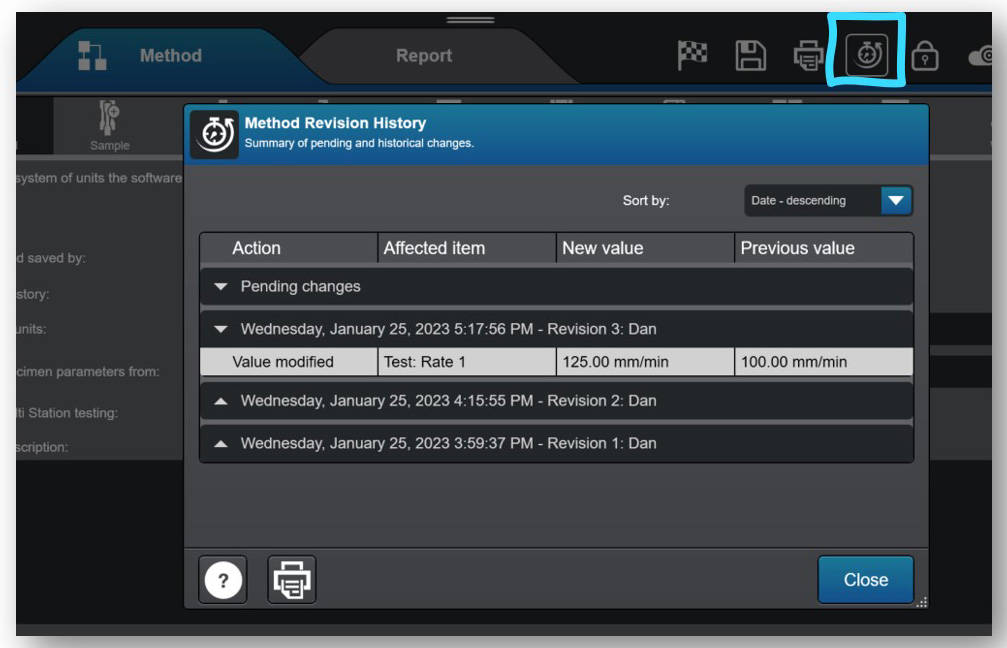
  • El historial de revisiones ahora está disponible para todos los usuarios de Bluehill Universal, registrando automáticamente los cambios en los métodos, las muestras y las plantillas de informes. Anteriormente una compra opcional con el complemento Traceability, el registro de cambios que captura quién, qué y cuándo de los cambios en los archivos de Bluehill ahora está disponible como parte de la oferta estándar. Nota: Los datos del historial de revisiones se almacenan exclusivamente en el propio archivo. El complemento Traceability es necesario para (1) almacenar el historial de revisiones en una base de datos de seguimiento de auditoría y (2) utilizar firmas electrónicas para la aprobación de cambios. El historial de revisiones no es accesible en Bluehill Elements.
Calculation Status
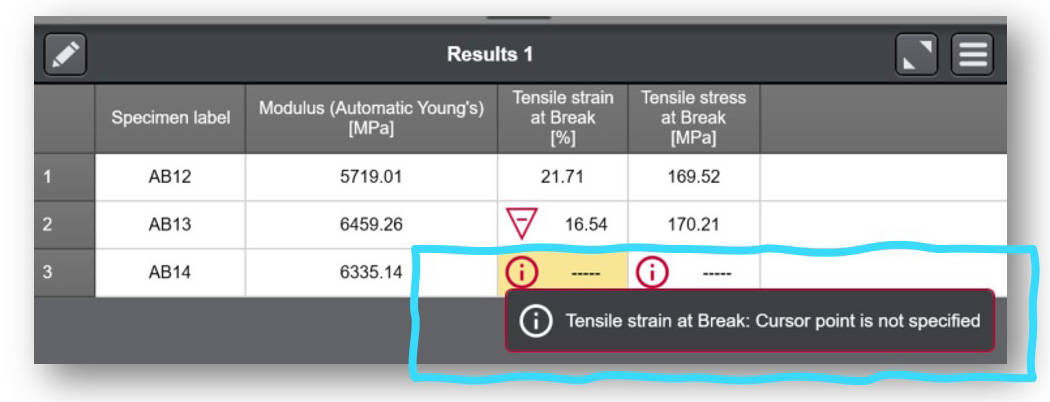
  • Los detalles del estado de cálculo son ahora fácilmente accesibles para el usuario en la tabla de resultados. Si un resultado no se calcula o se activa una advertencia, aparece un icono de información en la celda asociada de la tabla de resultados, y el usuario puede seleccionar la celda para averiguar el motivo.


Bluehill universal v4.37

Publicado en agosto de 2022

  • Añadida compatibilidad con el controlador de horno Eurotherm EPC 3016.
  • Nueva posibilidad de cambiar la dirección IP por defecto utilizada por Bluehill para comunicarse con el controlador del marco. Nota: anular la dirección IP por defecto sólo es necesario en casos excepcionales. Si es necesario, póngase en contacto con el servicio técnico de Instron, ya que el cambio debe iniciarse desde Service Tool Universal.

Bluehill universal v4.34

Publicado en abril de 2022

  • Nuevo complemento para el módulo TrendTracker de Bluehill Central para realizar el control estadístico de procesos (SPC) en todos los resultados de las pruebas de Instron. Las tendencias y los valores atípicos de su material se pueden identificar con estadísticas y una variedad de gráficos visuales.
  • Nueva opción de equilibrio automático para la tensión, la compresión y la deformación a la flexión ahora disponible en los métodos de prueba TestProfiler.
  • Nuevos métodos de ensayo preconfigurados añadidos al módulo de aplicación Metales: ASTM F606-21, ISO 898-1:2013, ASTM C39-21, ASTM C78-21, y plantillas para los comprobadores de muelles Instron.

Bluehill universal v4.28

Publicado en diciembre de 2021

  • Nuevo complemento para los módulos Traceability y Lab Management de Bluehill Central para gestionar de forma remota todos los usuarios de Bluehill Universal, las plantillas de prueba, las aprobaciones de revisión de archivos y los datos de seguimiento de auditoría de varios sistemas Instron. Bluehill Central, que se lanzó en diciembre de 2021, tiene su propia aplicación de visualización y utiliza el dominio corporativo para compartir datos y archivos con todos los clientes conectados de Bluehill Universal o Bluehill Central.
  • Nuevo 'Destino de retorno' de la cruceta: en un método de prueba Bluehill, ahora puede configurar la cruceta para que retorne a un valor distinto de cero.
  • Nueva opción de filtrado de datos 'Desplazamiento' para los controladores 5500 (actualmente disponible para otros tipos de controladores de bastidor y se encuentra en Admin > Bastidor > Opciones de bastidor > Anular la configuración predeterminada del filtro de datos).
  • Nuevo 'Tiempo de transición' de la mitigación de colisiones - La mitigación de colisiones (activa en todas las tramas 6800/3400) le ofrece ahora la opción de establecer un tiempo de retardo antes de activarse (no se recomienda a menos que lo indique un representante de Instron).
  • Calificado* en el sistema operativo Windows® 11. Tenga en cuenta: El software Bluehill Universal (la aplicación) está calificado. Debe asegurarse de que el ordenador que ejecuta Bluehill Universal también cumple los requisitos de Windows 11.
*Calificado significa que el producto ha sido probado y es totalmente compatible.

Bluehill universal v4.25

Publicado en mayo de 2021

  • Nueva visualización en vivo disponible - "Zona activa" - para indicar visualmente la zona actual de la prueba en curso en su espacio de trabajo de pruebas.
  • Nueva capacidad para usuarios con agarres neumáticos y el Smart-Close Air Kit. La configuración de Protección del operador se puede configurar para permitir que cualquier usuario cambie el modo de control del agarre neumático sin necesidad de permisos de administrador.
  • Nueva opción de exportación: anteponer los parámetros del método a la tabla de resultados
  • Mejora de la gestión de los valores de fecha/hora. La selección del valor fecha/hora almacena ahora la información de la zona horaria, utilizando el Tiempo Universal Coordinado (UTC). Los valores de fecha/hora seguirán mostrándose al usuario en hora local.
  • Se ha añadido compatibilidad con el complemento de torsión 3.0 para el controlador de cuadro 5900
  • Añadido soporte para la etapa XY automatizada AT2 en el controlador de trama 6800

Bluehill universal v4.23

Publicado en diciembre de 2020

  • Nueva posibilidad de personalizar las unidades por defecto para los nuevos métodos a nivel de administrador. Cuando las unidades por defecto estén configuradas según la preferencia de unidad deseada, los usuarios no tendrán que especificarlo al crear nuevos métodos.
  • Nueva posibilidad de especificar el parámetro Ciclos para un paso cíclico de TestProfiler como una expresión. Los usuarios pueden ahora vincular la expresión a una entrada numérica, una entrada de elección o incluso desarrollar su propia función para definir el número de ciclos.
  • Nueva capacidad para finalizar un paso de Retención de TestProfiler con un ángulo de rotación absoluto (limitado a los usuarios del complemento de torsión). Ahora los usuarios pueden seleccionar el control giratorio de rotación absoluta y definir un ángulo de Fin de rotación para completar el paso de Retención actual.
  • Nueva capacidad para definir un intervalo de advertencia en los resultados que identifique un resultado válido que esté cerca del intervalo de fallo definido. Los límites de advertencia y fallo se encuentran en la(s) sección(es) Resultados de un método.
  • Nueva capacidad para crear una medida virtual derivada.
  • Funcionalidad adicional para especificar la medida a promediar cuando se utiliza el cálculo de Valor Medio. Anteriormente, el cálculo del Valor Medio se limitaba a la Fuerza (eje Y) y al Desplazamiento (eje X).
  • Funcionalidad adicional para establecer rangos de aceptación (fallo) en la media/mediana independientemente de los resultados individuales. Anteriormente, los límites de fallo se compartían entre los especímenes individuales y la media/mediana de la muestra.
  • Se ha añadido compatibilidad con la nueva plataforma Instron RTS, Powered by Connect (anteriormente denominada Instron Connect).

Bluehill universal v4.19

Publicado en junio de 2020

  • Nueva funcionalidad de bloqueo de pantalla para bloquear Bluehill a petición o tras un periodo determinado de inactividad. Los usuarios pueden configurar esta funcionalidad para que funcione con o sin el uso de la seguridad Bluehill. Si la seguridad Bluehill está activada, los usuarios deberán volver a introducir su nombre de usuario y contraseña para desbloquear el software. Una vez bloqueado el software, los usuarios pueden personalizar su mensaje de ausencia para notificar a otro personal del laboratorio el estado de la máquina y de las pruebas.

Bluehill universal v4.18

Publicado en febrero de 2020

  • Nueva compatibilidad del controlador con los sistemas de las series 3400 y 6800, incluida la compatibilidad con la mitigación de colisiones, el airkit de cierre inteligente, el entrenamiento de seguridad por software y el posicionamiento automático en los sistemas 6800.
  • El nuevo módulo de trazabilidad. El módulo opcional proporciona a los usuarios el historial de revisiones de métodos, muestras y plantillas de informes, firmas electrónicas y un registro de auditoría seguro y con capacidad de búsqueda integrado en Bluehill Universal.
  • Control de pruebas de la plataforma XY en los métodos Bluehill Universal Compression y Compression Test Profiler. Permite a los usuarios con hardware de plataforma XY crear secuencias de control de pruebas de cuadrícula, diamante o personalizadas directamente en Bluehill Universal, eliminando la necesidad de TestMaster™.
  • Nueva tecla programable para realizar un movimiento relativo a demanda. Ideal para usuarios que desean mover el travesaño del sistema en modelos de suelo o sistemas de altura extra sin tener que mover manualmente el sistema.
  • Activación/desactivación automática del marco cuando se utiliza Seguridad y un usuario se conecta/desconecta.
  • Nueva entrada del operador para introducir la presión de agarre. Adecuado para usuarios con el smart-close airkit.

Bluehill universal v4.11

Publicado en junio de 2019

  • Capacidad de exportación RS232. Además de exportar a un tipo de archivo, esta función permite a los usuarios exportar directamente a un puerto serie.
  • Recordatorio para fijar los límites de seguridad. Al abrir un nuevo método o archivo de muestra, los usuarios deben confirmar que se han establecido los límites de la cruceta.
  • Nuevos cálculos de botones e interruptores para pruebas electrónicas y de componentes. Estos nuevos cálculos ayudan a los usuarios a cuantificar la utilidad de sus productos.
  • Entradas de datos de muestra. Permite a los usuarios seleccionar fácilmente una fecha en una prueba mediante un icono de calendario.

Bluehill universal v4.08

Publicado en diciembre de 2018

  • Tipos de método TestProfiler de tensión / torsión y TestProfiler de compresión / torsión. Se utiliza con el complemento de torsión 2.0 para ensayos biaxiales (requiere hardware).
  • Seguridad Bluehill mejorada con permisos ampliados y compatibilidad con el inicio de sesión de Windows® y Active Directory. Vea este seminario web a la carta para obtener más información.
  • Cálculo de ajuste cuadrático que permite a los usuarios definir una curva de ajuste polinómico de 2º a 6º orden.
  • Posibilidad de equilibrar un transductor directamente desde la pantalla en directo.

Bluehill universal v4.06

Publicado en junio de 2018

  • Los criterios generalizados de final de prueba permiten a los usuarios especificar los finales de las pruebas con más mediciones físicas y virtuales.
  • Entradas de elección (menús desplegables personalizados) ahora disponibles a nivel de muestra.
  • Más opciones para personalizar los archivos de exportación y las acciones posteriores a la prueba, como el nombre del archivo y el lanzamiento de un archivo ejecutable al final de una prueba.
  • La media ponderada de 4 barras ya está disponible como estadística de muestra.
  • Ahora los sistemas Multiestación admiten la prueba provocada y la retirada del extensómetro.

Bluehill universal v4.04

Publicado en noviembre de 2017

  • Las NUEVAS submuestras le permiten ordenar rápidamente su tabla de resultados por parámetros similares, como urdimbre/trama, nombre del operador, máquina/cruz, etc. Esto puede utilizarse para mostrar estadísticas de subgrupos individuales, lo que le permite reconocer tendencias y diferencias rápidamente dentro de una muestra de prueba.
  • Los resultados de QuickTest se muestran ahora con indicadores en el gráfico.
  • Compatibilidad con los retrofits 59-R5 y 59-R6 de sólo adquisición de datos de sistemas controlados manualmente.

Bluehill universal v4.03

Publicado en agosto de 2017

  • NUEVO Indicador visual de Pasa/Falla para el área de trabajo de pruebas que le permite ver rápidamente desde el otro lado de la sala si una prueba pasa o falla en función de los criterios de rango de aceptación establecidos en el método.
  • Al modificar un cálculo o una entrada después de la prueba, ahora no es necesario volver a calcular la tabla de resultados desde el área de trabajo de la prueba.
  • Las ganancias son ahora modificables dentro de los bloques individuales de TestProfiler.
  • El Constructor de expresiones puede utilizarse para definir los criterios de aceptación de las entradas y los resultados.

Bluehill universal v4.01

Publicado en febrero de 2017

  • QuickTest: Cree un método QuickTest introduciendo unos pocos parámetros básicos y empiece a ejecutar pruebas sencillas de una sola rampa en cuestión de segundos.
  • Capacidad de exportación mejorada: Mayor flexibilidad para crear resultados personalizados y archivos de salida de datos brutos, lo que facilita el envío de la información de las pruebas a sus sistemas de gestión de datos.
  • Instron Connect: Una forma revolucionaria de ponerse en contacto con el servicio técnico de Instron. Envíe consultas directamente desde Bluehill Software.

Últimas funciones en Bluehill® Central

Software para el ensayo de materiales

ÚLTIMAS FUNCIONES DE BLUEHILL® CENTRAL

Nota: La lista de funciones que se muestra a continuación tiene como objetivo destacar las mejoras significativas incluidas con cada versión del software. Para obtener una lista completa de las mejoras y modificaciones por versión, consulte las Notas de la versión de Bluehill Central, que se almacenan en la carpeta de Instron a la que se puede acceder desde el Inicio de Windows. Si Bluehill Central no se ha instalado, póngase en contacto con nosotros para solicitar las Notas de la versión.

Bluehill Central v2.12

Publicado en agosto de 2025

  • La gestión de laboratorio ahora se puede adquirir sin trazabilidad.
  • Modo sin conexión: Si se pierde la conexión con el servidor, el modo sin conexión permite que las pruebas continúen. Los archivos y las carpetas configurados para estar disponibles sin conexión se sincronizan en cada máquina. Nota: Si utiliza la autenticación de usuario de Active Directory (AD), se requiere acceso al controlador de dominio de AD sin conexión.
  • Acceso de lectura/escritura: Proteja sus archivos restringiendo quién puede abrir o editar archivos con la configuración de acceso de lectura y escritura.
  • Estado de revisión: Cada revisión de un archivo tiene un estado: Activo, Obsoleto, Borrador o Pendiente de revisión. Los usuarios con permiso pueden cambiar el estado de un archivo.
  • Enviar archivos para su revisión: Los usuarios pueden enviar archivos para su revisión desde Bluehill Central. Esto se aplica a los equipos con requisitos de trazabilidad y revisión.
  • Opción de no autenticación de usuario: Los equipos se pueden configurar sin usuarios para los laboratorios que no requieren autenticación de usuario ni permisos individuales. Nota: Instron recomienda la autenticación de usuario para todos los laboratorios.

Bluehill Central v1.27

Publicado en noviembre de 2024

Gestión de laboratorio
  • Buscar archivos por fecha de modificación
  • Filtrar archivos por nombre, usuario, tipo de archivo, fecha de modificación
Seguridad
  • Añadir un grupo de usuarios a un equipo (cuando se utiliza la seguridad de Active Directory)
  • Permisos de carga y descarga separados de “Gestionar archivos y carpetas”
Trazabilidad
  • La configuración de la firma y los comentarios se puede configurar para las operaciones de archivos de gestión de laboratorio (es decir, mover, cargar, eliminar)

Bluehill Central v1.24

Publicado en julio de 2024

Todas las nuevas funciones para el sistema de archivos de gestión de laboratorio:
  • Búsqueda de archivos
  • Panel de vista previa para archivos PDF y otros archivos
  • Función de impresión para archivos PDF
  • Descargar, mover, eliminar y cargar archivos y carpetas en bloque
  • Iconos de archivo asociados a cada tipo de archivo
  • Navegar por las carpetas con hipervínculo en la ruta del archivo

Bluehill Central v1.18

Publicado en diciembre de 2022

  • Rendimiento de la consulta TrendTracker mejorado.

Bluehill Central v1.15

Publicado en abril de 2022

  • ¡Módulo TrendTracker lanzado! TrendTracker permite a los usuarios realizar de forma remota el control estadístico de procesos (SPC) en todos sus resultados de pruebas de Instron. Encuentre tendencias y valores atípicos en su material creando plantillas de búsqueda personalizadas con los datos, las estadísticas y los gráficos visuales más importantes para usted. Todos los sistemas Instron con el complemento TrendTracker para Bluehill Universal pueden enviar automáticamente datos a la base de datos de TrendTracker gestionada por Bluehill Central.

Bluehill Central v1.12

Publicado en diciembre de 2021

  • Primera versión de producción de Bluehill Central. Los módulos de trazabilidad y gestión de laboratorio están disponibles para la gestión centralizada y remota de usuarios de Bluehill Universal, plantillas de prueba, aprobaciones de revisión de archivos y datos de seguimiento de auditoría de múltiples sistemas Instron. Todos los sistemas Instron con el complemento de trazabilidad y gestión de laboratorio para Bluehill Universal envían y reciben automáticamente archivos y ajustes gestionados por Bluehill Central.

WaveMatrix3 Dynamic Software


WAVEMATRIX3

CONTACT US


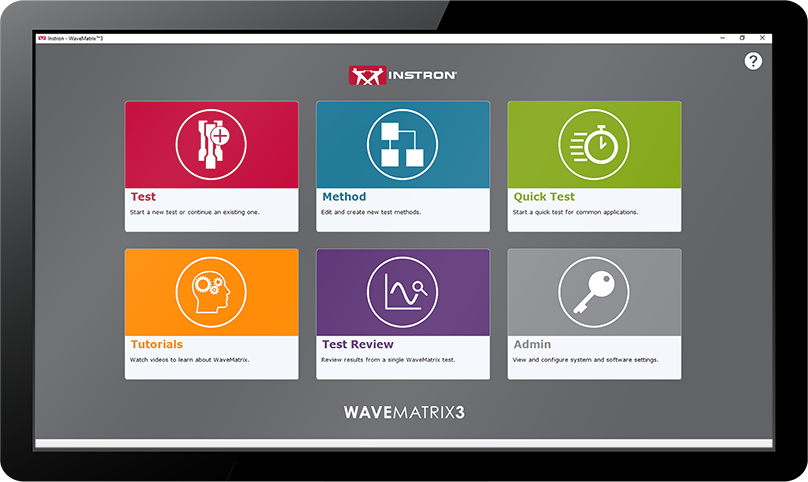
WaveMatrix3 Screen

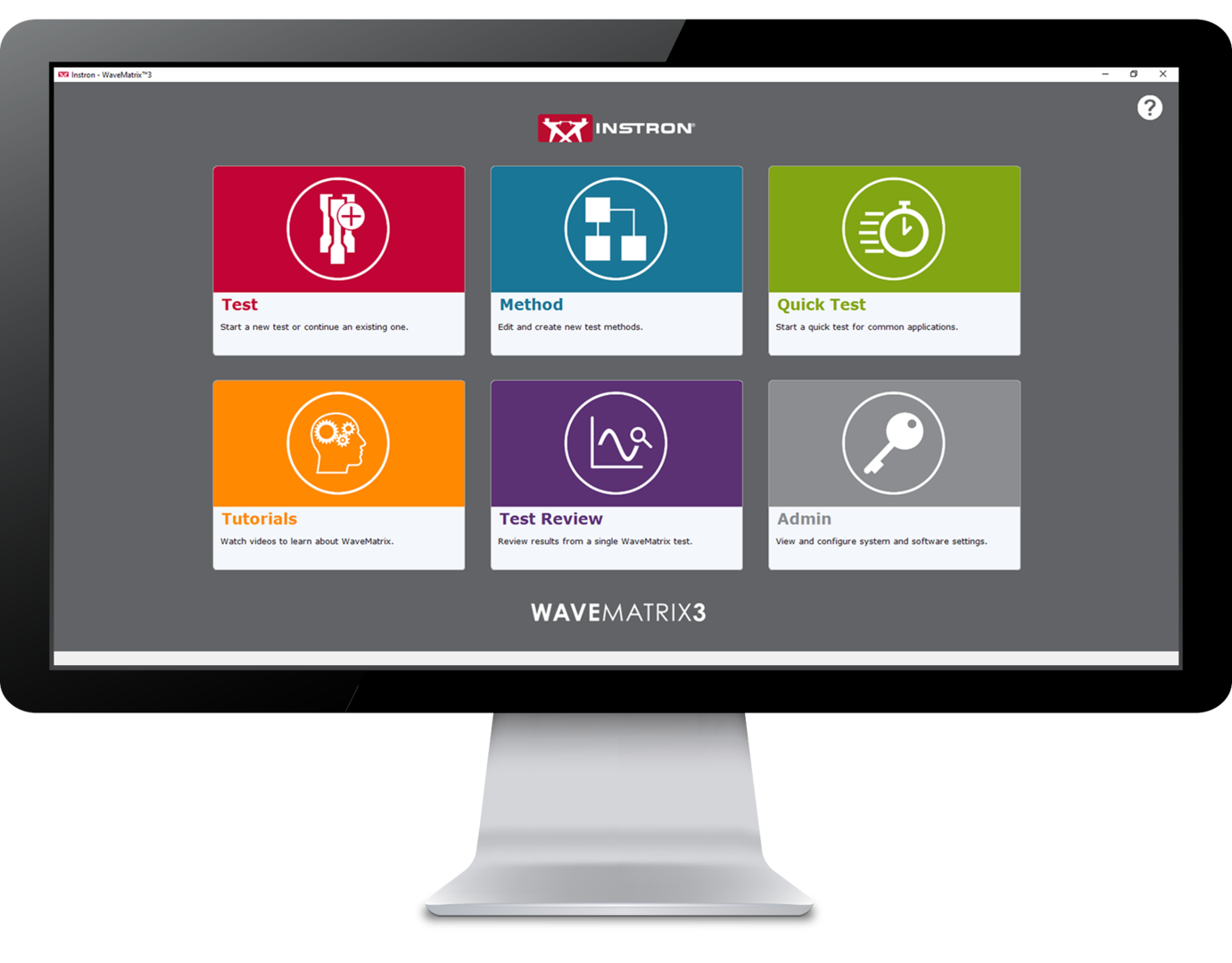
WaveMatrix3 is the perfect solution for companies using Instron® Dynamic and Fatigue Testing Systems. Developed together with our expert customers and for use with ElectroPuls® and Servohydraulic material testing machines, this innovative software will save time, enhance productivity, improve confidence and ensure your test facilities are futureproofed.
WaveMatrix3 WaveMatrix2 WaveMatrix1
FEATURE
WAVEMATRIX3
WAVEMATRIX2
WAVEMATRIX
Intuitive User Interface
Retrospective Test Review
Auto-Calibration
Stiffness Based Tuning
Quick Test Setup
Customizable Specimen & Test Details
Integrated Virtual Test Information
Specimen Protect
Example Methods
Video Tutorials
PIN-Coded Accessibility
User Defined Access Rights
Visual Test Space
Intuitive Test Setup
Visual Sequence Builder
Microsoft Windows 11 Compatibility
WaveMatrix Backwards Compatibility
Always-On-Top Display
Automatic Logging
Robust File Structure

Save Time | Enhanced Productivity
Improve Confidence | Futureproof Facilities

TEST REVIEW | SAVE TIME

Reducing the time taken to accurately perform tests has been a continuous focus for product innovation and with WaveMatrix3, this concept was central to development. Designed using expert customer feedback, the following features have been produced to accelerate the process of reviewing a test.

SPECIMEN & TEST INPUTS | ENHANCE PRODUCTIVITY

Improving productivity can occupy a significant part of any organizations continuous improvement efforts and is a key component of sustainable growth and unlocking employee potential. WaveMatrix3 has been designed to improve throughput and minimize the inefficiency of routine testing.

SECURITY | IMPROVE CONFIDENCE

Resources required for test validation are necessary and critical to ensuring the quality of test data. WaveMatrix3 features help to simplify the conformity process so that laboratories are more effective, the potential for human error is reduced and confidence in the result is improved.

IT COMPATIBILITY | FUTUREPROOF FACILITIES

As the world advances into the 4th industrial revolution, the demands for automation and data exchange in the materials testing industry has increased. Software has often been used to solve this challenge and WaveMatrix3 has been designed to meet these challenges and ensure testing facilities are as futureproofed as possible.
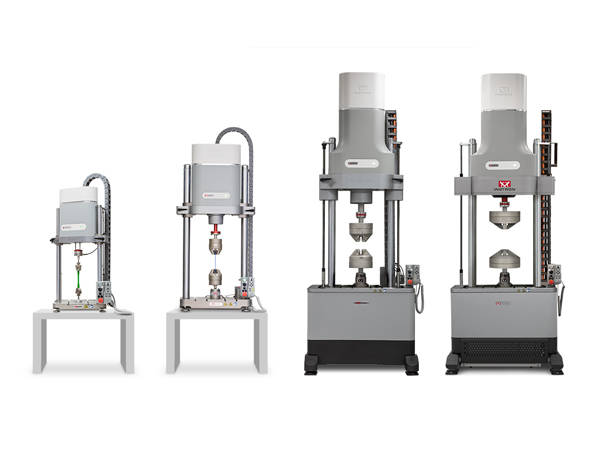
WAVEMATRIX3 SUPPORTS ADDITIONAL MODULES THAT WILL ENHANCE THE CAPABILITIES OF THE ORIGINAL SOFTWARE

CALCULATIONS
MODULE

Grey Calculator Icon

Data Sheet

Download

ADVANCED CONTROL
MODULE

Grey Strain Icon

Data Sheet

Download

SPECIMEN SELF-HEATING
CONTROL
MODULE

Grey Thermometer Icon

Data Sheet

Download


WAVEMATRIX3 WORKS WITH INSTRON DYNAMIC AND FATIGUE TESTING SYSTEMS
ElectroPuls Systems
ElectroPuls® All-Electric Dynamic
and Fatigue Test Systems

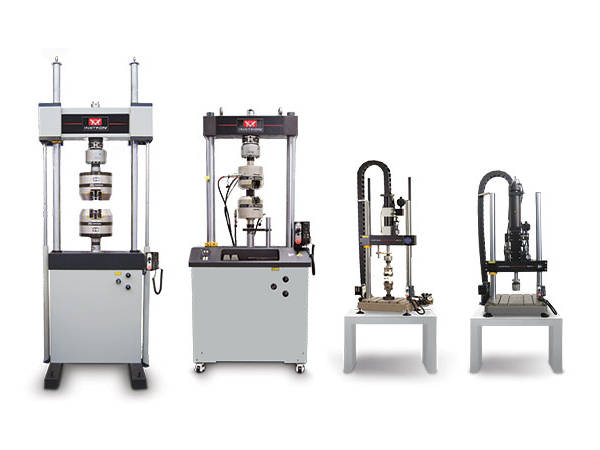
Linear electric motor driven dynamic test machines for fatigue and fracture mechanics testing.
More Info

Servohydraulic Fatigue Testing Systems
General Purpose
Hydraulic Fatigue

General purpose servohydraulic systems ideal for high-cycle and low-cycle fatigue, fracture mechanics and quasi-static testing.

More Info


EXTRAS

Red Print Icon

Brochure

Download

Grey Document Icon

Data Sheet

Download

Dark Grey Curiosity Icon

FAQs

Learn More


WAVEMATRIX3
CONTACT US


LCF3

Software para el ensayo de materiales

LCF3

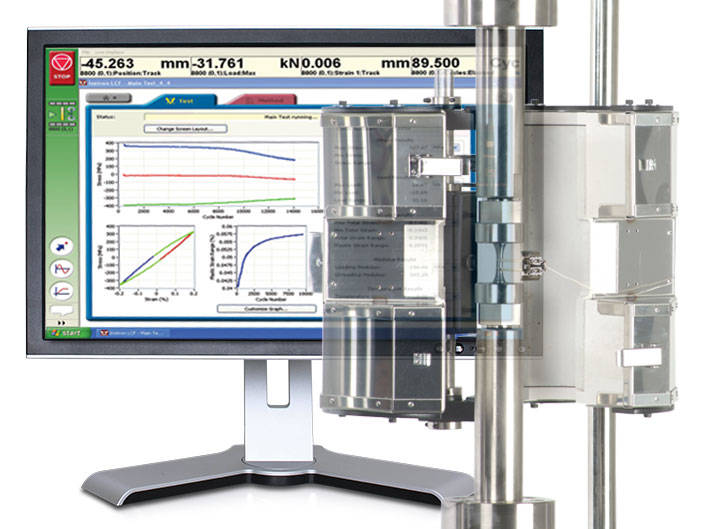
Provides system control, data acquisition, real-time graphs, calculation of results, storage of data to disk, and post test graphs and reports in accordance with the relevant sections of ASTM E606-04, BS 7270 (2006), and ISO 12106 (2003).

Principio de funcionamiento

  • Tests can be run in axial strain, plastic strain or stress control
  • Ability to select from a range of SI and US Customary units
  • Test method editor allowing for simple test method creation and recall
  • Support of rectangular, cylindrical and tubular specimens
  • Automatic calculation of Modulus within user specified limits
  • Temperature control and/or monitoring are available for Eurotherm 900, 2000 and 3000 series instruments
  • Automatic adjustment of gauge length when at test temperature
  • Support of Sine, Triangular and Trapezoidal waveforms
  • Ability to perform stress controlled run-out tests at up to 50Hz
  • Selectable specimen break criteria to accurately pinpoint specimen failure
  • Combined linear, logarithmic and peak interval data logging
  • Review of summary data
  • User configurable run-time screen capable of displaying results fields and up to 3 graphs
  • Ability to stop and re-start test at any point, with modulus checking as required
  • Off-line analysis with user configurable trend and hysteresis plots
  • Export of graphs and test data
  • Comprehensive on-line help system
  • Set of Electronic Manuals in PDF Format

Please contact Instron for the minimum PC requirements necessary to install and operate this software.

Rango de aplicación

  • Low Cycle Fatigue tests to ASTM E606-04 and ISO12106 (2003)
  • Compatible with 8800 Series systems only

Accessories

RS LabSite® modulogic

Software para el ensayo de materiales

RS LabSite® modulogic

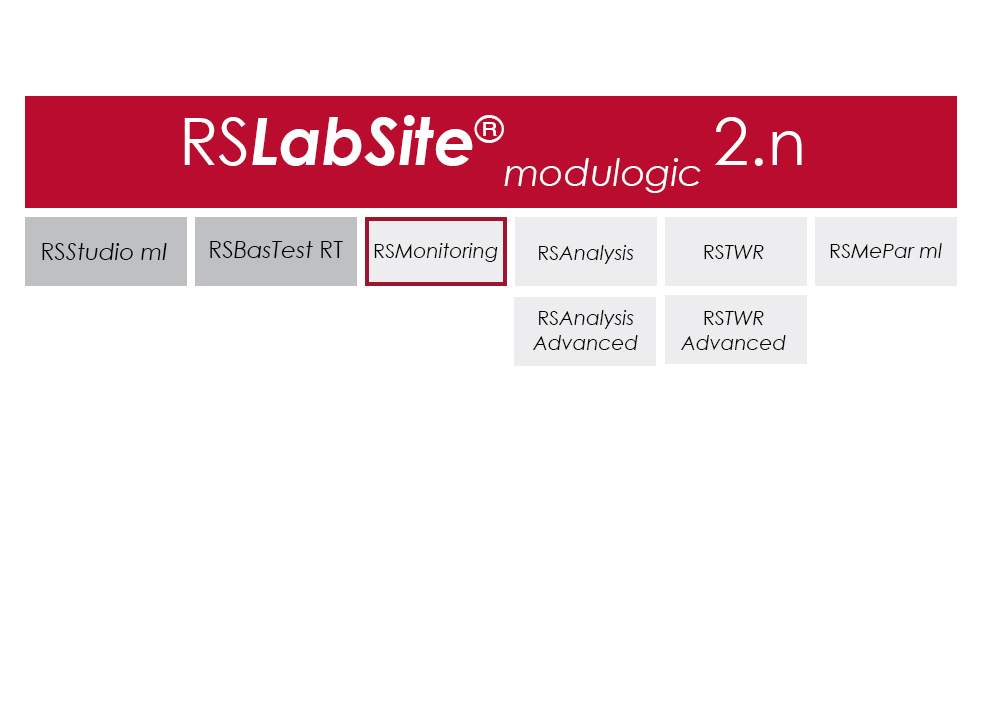
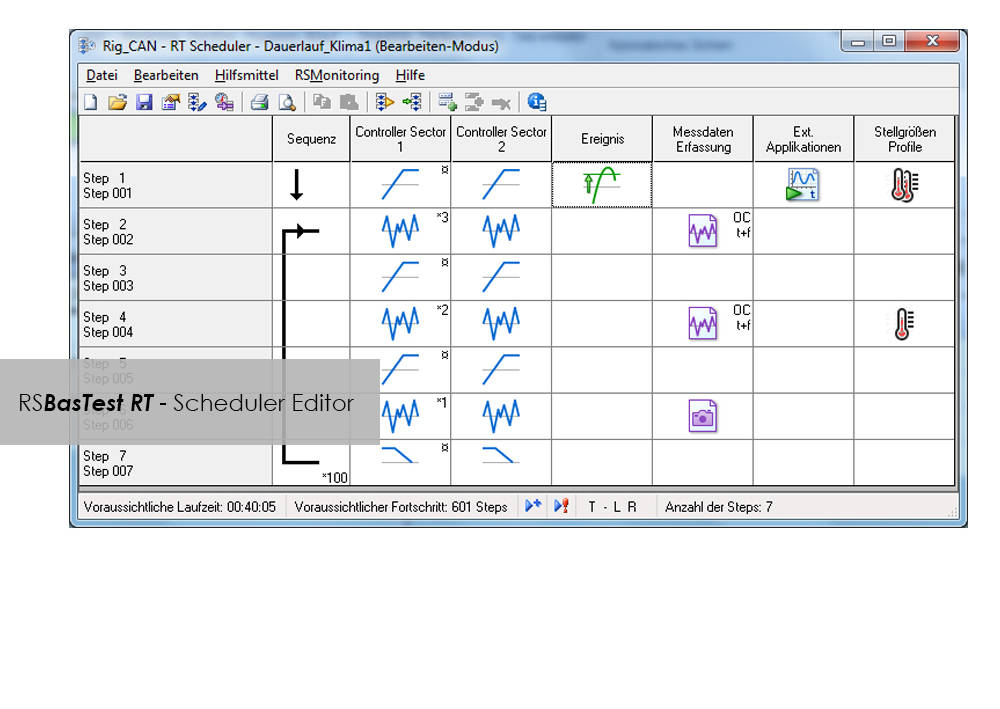
RS LabSite® modulogic is a comprehensive and adaptable software suite conceived for introducing service loads into individual components or complete vehicles, or performing calculations within the framework of Virtual Prototyping (standardized loadsequences, virtual generation of load data). This enables you to stay in full control of all tasks that follow the acquisition of measurement data in the proving ground.

In addition RS LabSite® modulogic provides open and closed loop control functions for your durability tests, collects data and monitors the entire process. Extensive reporting functions with graphical presentation of results – programmable to suit your requirements – round off the package.

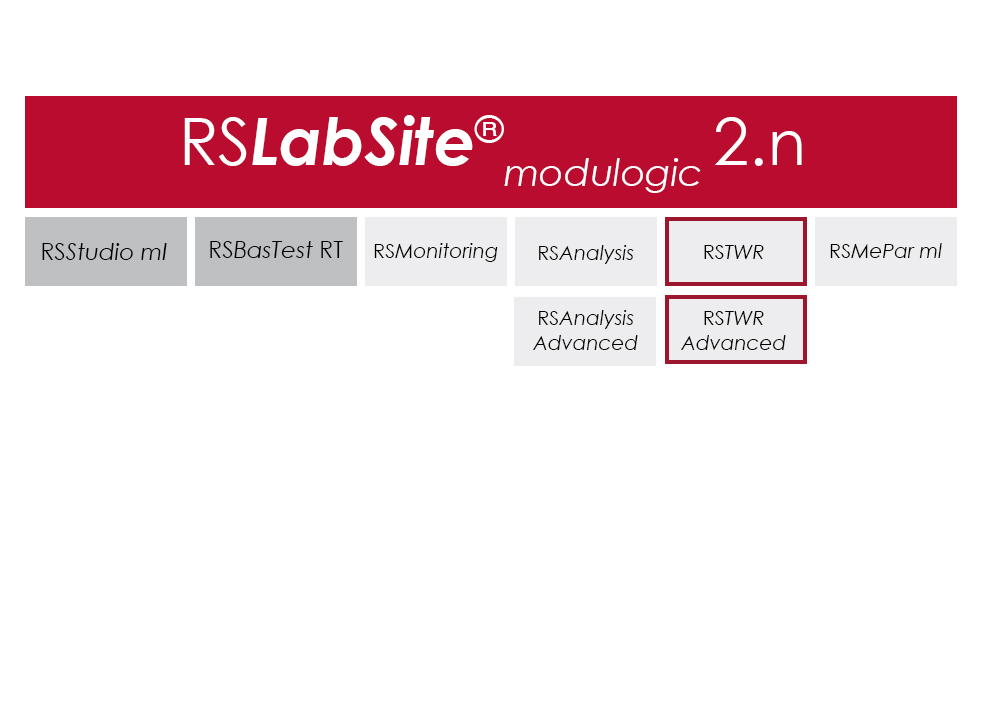
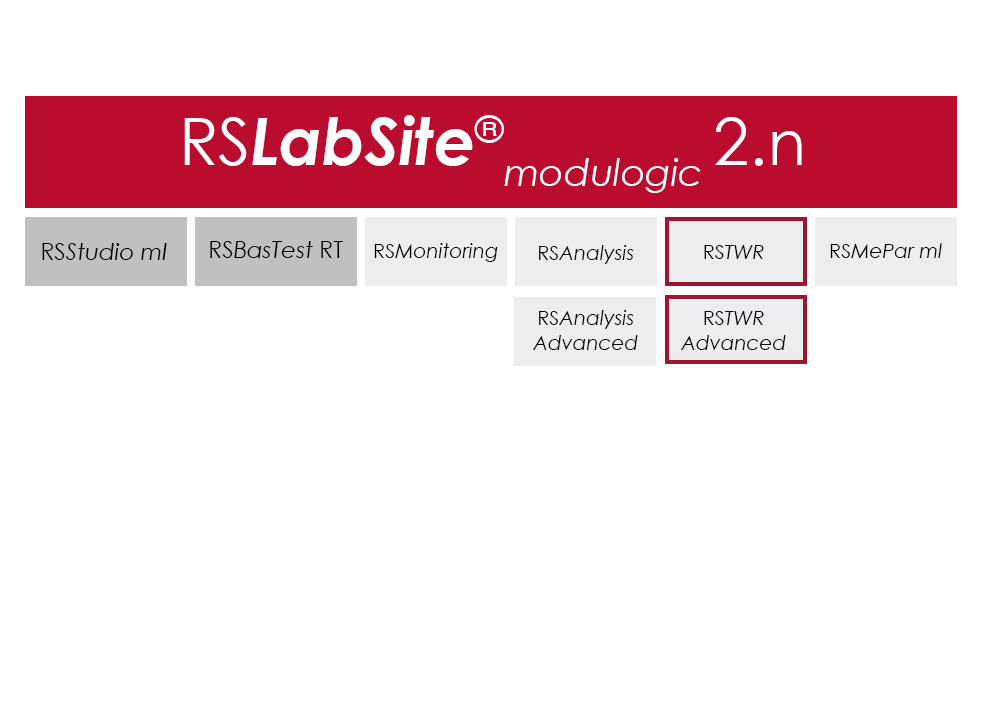
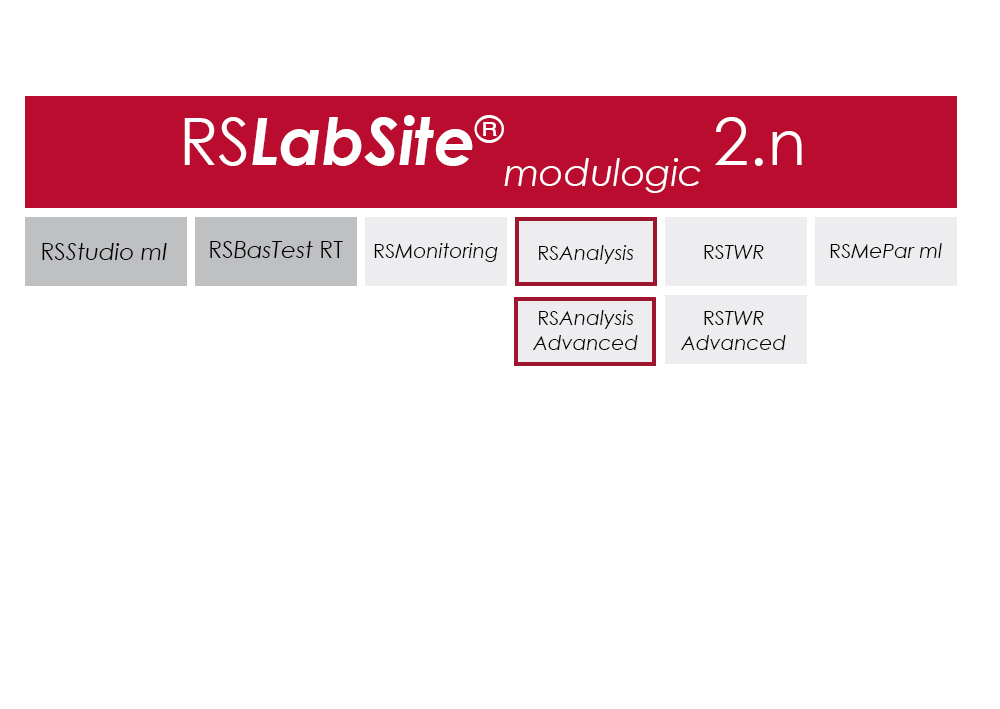
The software is modular and consists of four components. The basic module, RS BasTest RT, provides all necessary tools for digital pre-processing of durability tests. Depending on requirements, the extension modules RS Analysis, RS TWR and RS Monitoring, can be used for single- and multi-axial service load simulations, specific analysis procedures or multistage reporting functions. The software runs under the Windows© operating system.

RS LabSite® modulogic is an integrated and modular solution for analysis of test rig data and test execution:

  • More efficient testing process owing to a user friendly and process-oriented workflow
  • Reduced cost of testing as a result of shorter testing times
  • Reduction of the risk of product recall by representative test results

Software

Item Name Cat#
RS MePar ml RS MePar ml
RS BasTest RT RS BasTest RT
RS Monitoring RS Monitoring
RS TWR RS TWR
RS Analysis RS Analysis

RS TWR

Software para el ensayo de materiales

RS TWR

Catalog no. RS TWR

RSTWR

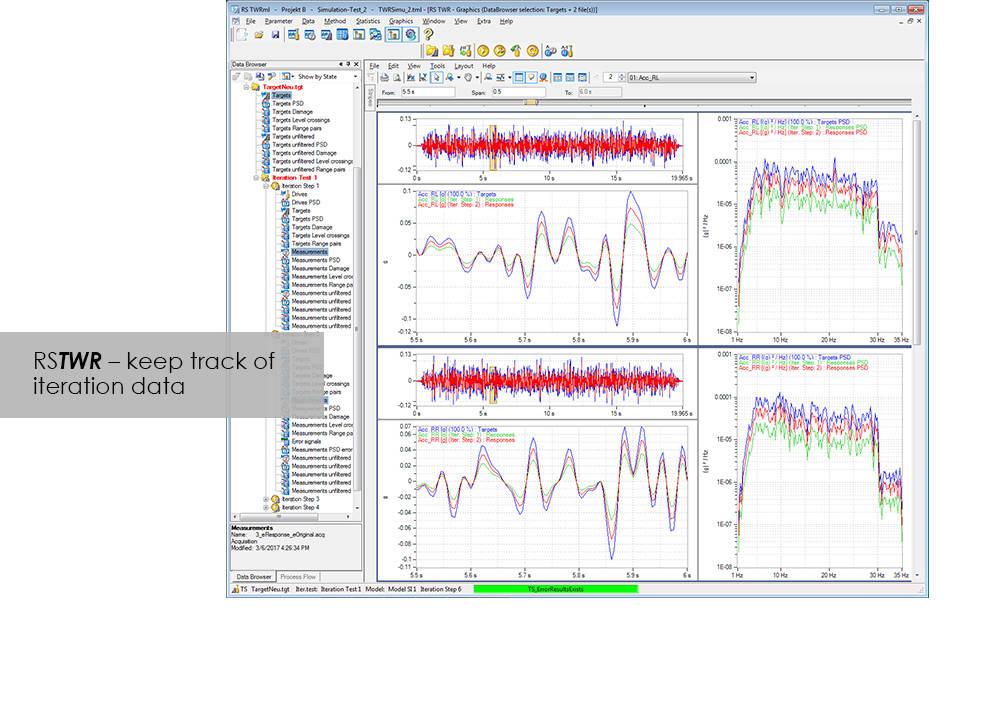
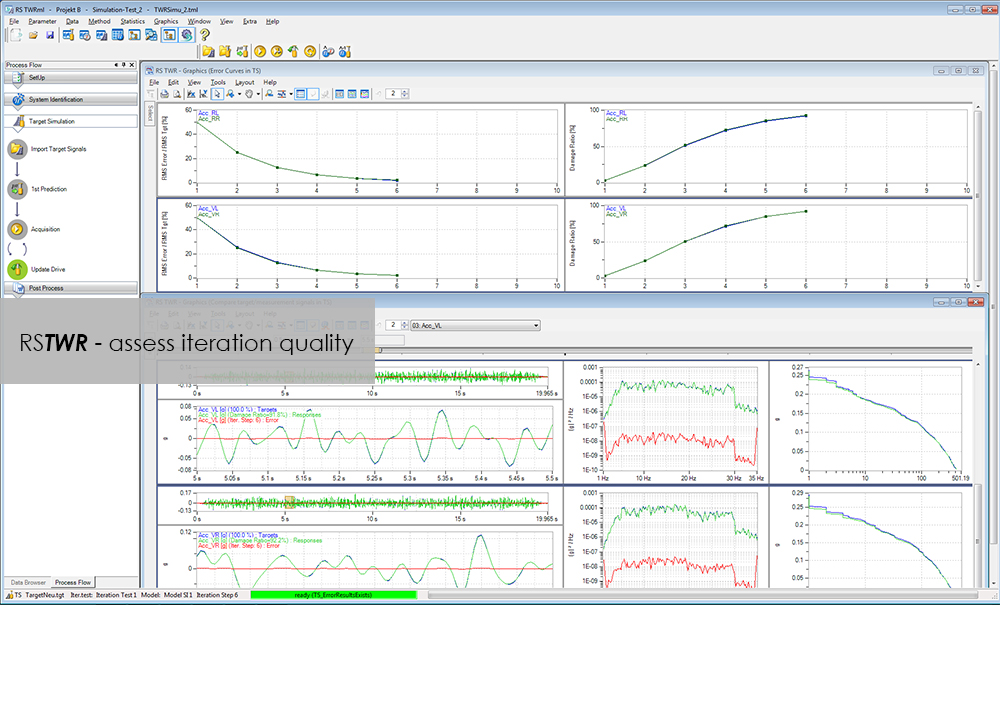
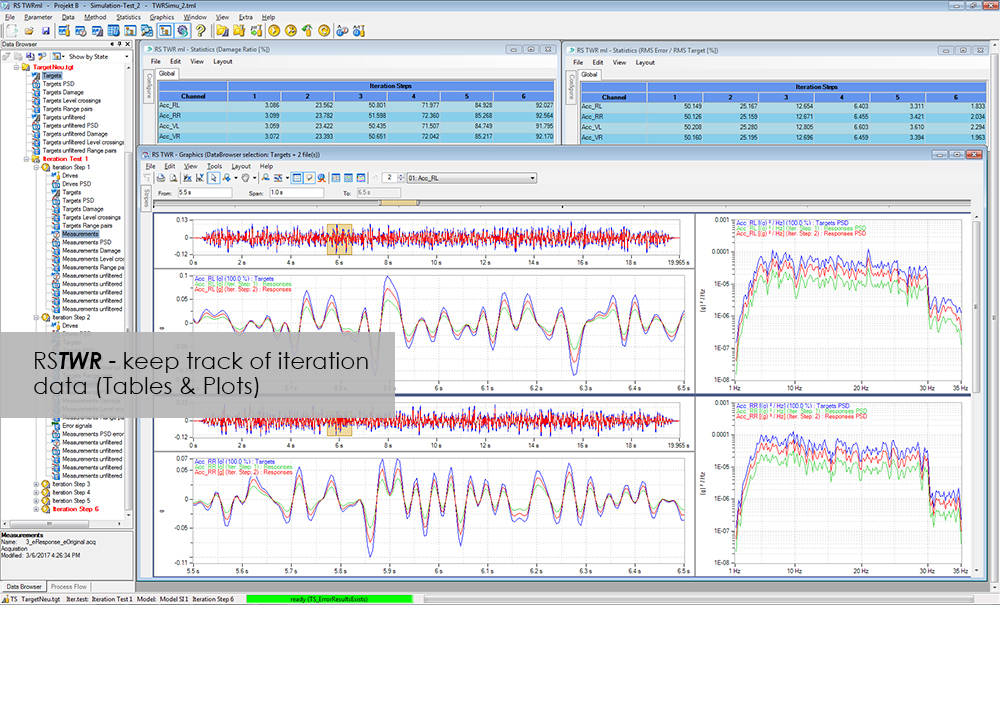
To enable the different loading signals measured under actual service conditions on vehicles, sub-assemblies or components to be replayed on the test rig, these loading signals first need to be "translated". RS TWR (Time Waveform Replication) produces a mathematical model of the test specimen and the test rig, and uses this model to calculate actuator drive signals from measured load histories, e.g. loads or strains. The system employs an iterative procedure and ensures maximum accuracy in the reproduction of measured load data.

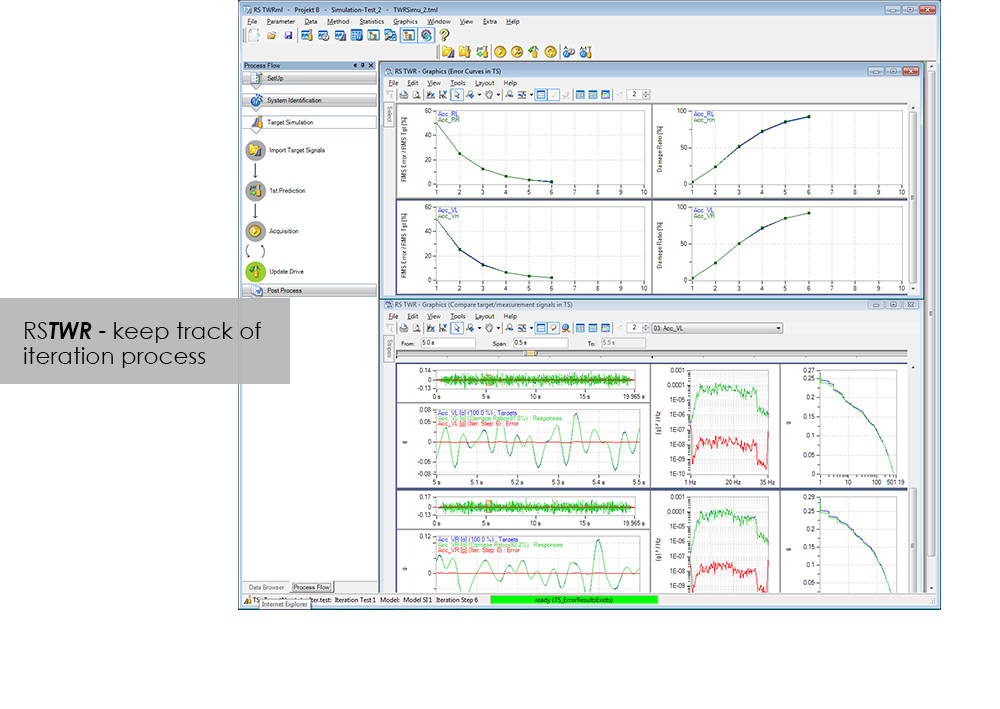
The module excels through user-friendly operation. Assisted by the new integrated process flow tool, less experienced operators will be able after a very short period of familiarization to conduct a typical simulation procedure. The Windows environment will be familiar to most users, and an intelligent selection of parameters minimizes necessary user inputs.

Benefit from the following advantages of RS TWR:

  • Easy to operate through new, integrated process flow tool
  • Fully automatic
    • Automatic management of all setup, model and result files
    • Fully automatic drive file iteration
  • Precise
    • RS TWR enables you to replay loading histories measured on the test track with maximum accuracy on your test rig

RS TWR Features

  • Efficient and transparent data organisation
  • Use of intelligent technologies for model identification
  • Integrated report generation
  • Convergence judgment by forward and backward prediction

Advanced

  • Adaptive model optimization in the iteration phase
  • Time and frequency-dependent correction of the drive signals. e.g. Non-linear stop for a wheel suspension
  • Automatic handling of different models for individual sections in the target signal
  • Interface to virtual test systems

RS Monitoring

Software para el ensayo de materiales

RS Monitoring

Catalog no. RS Monitoring

RSMonitoring

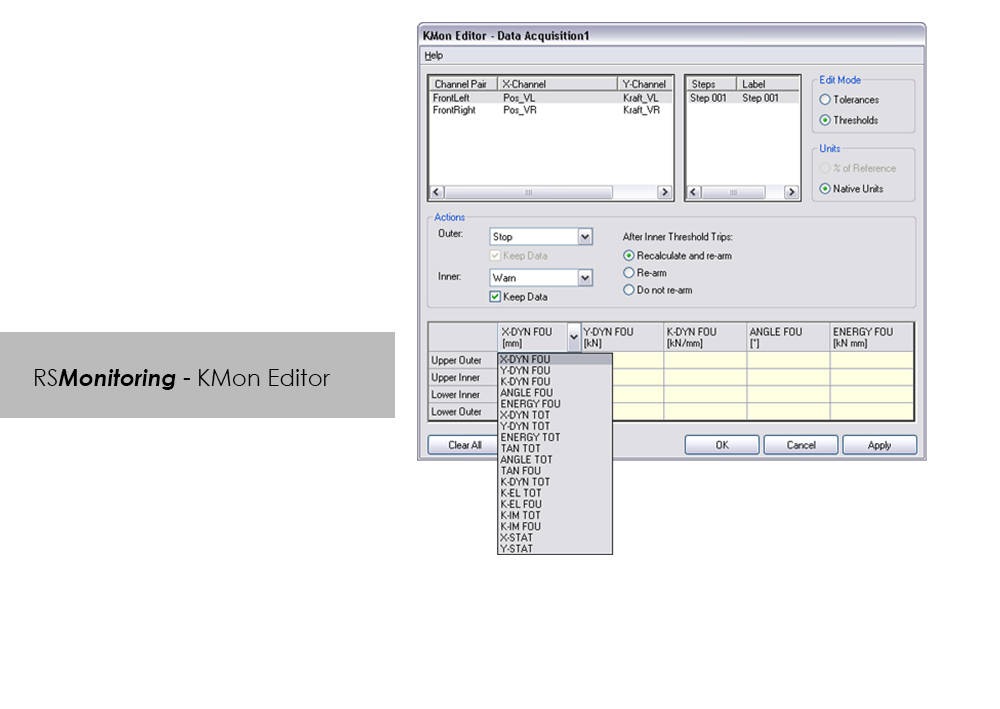
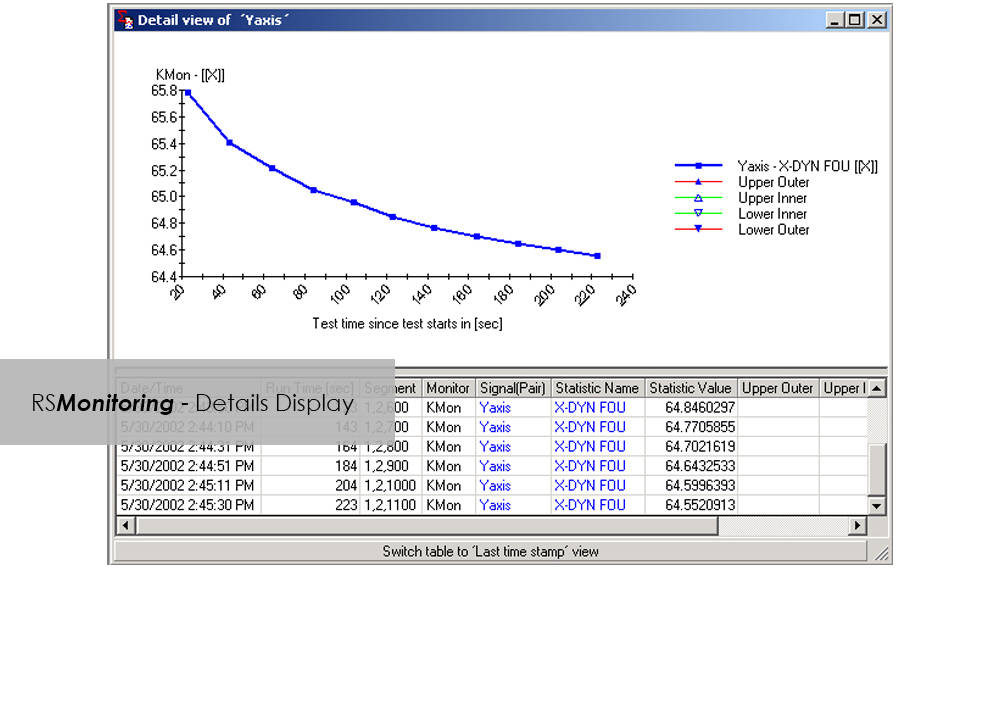
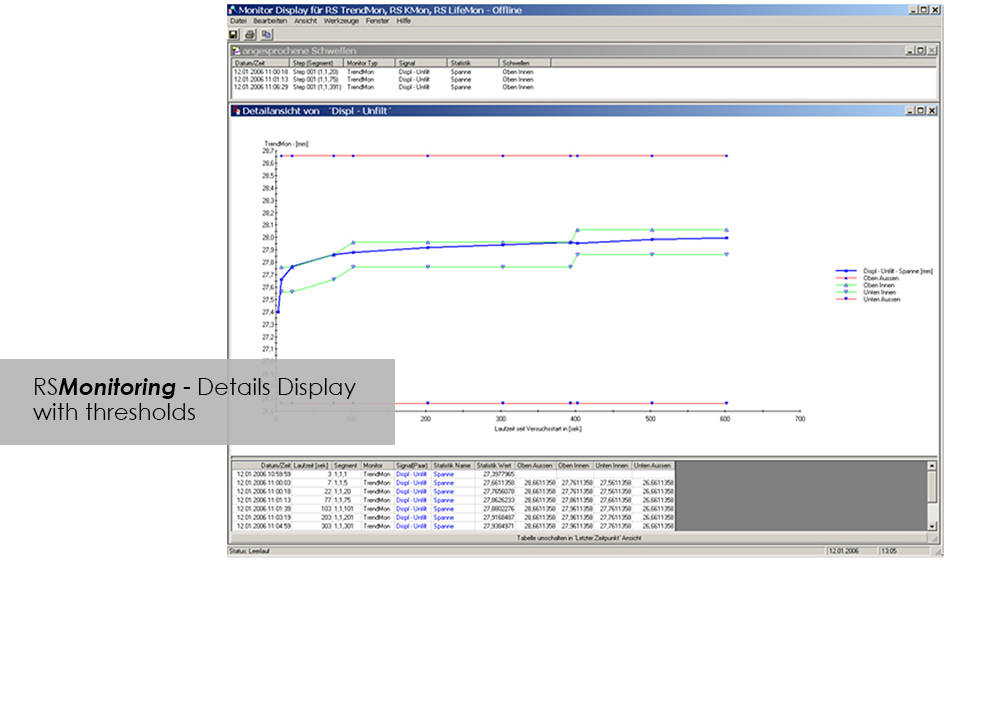
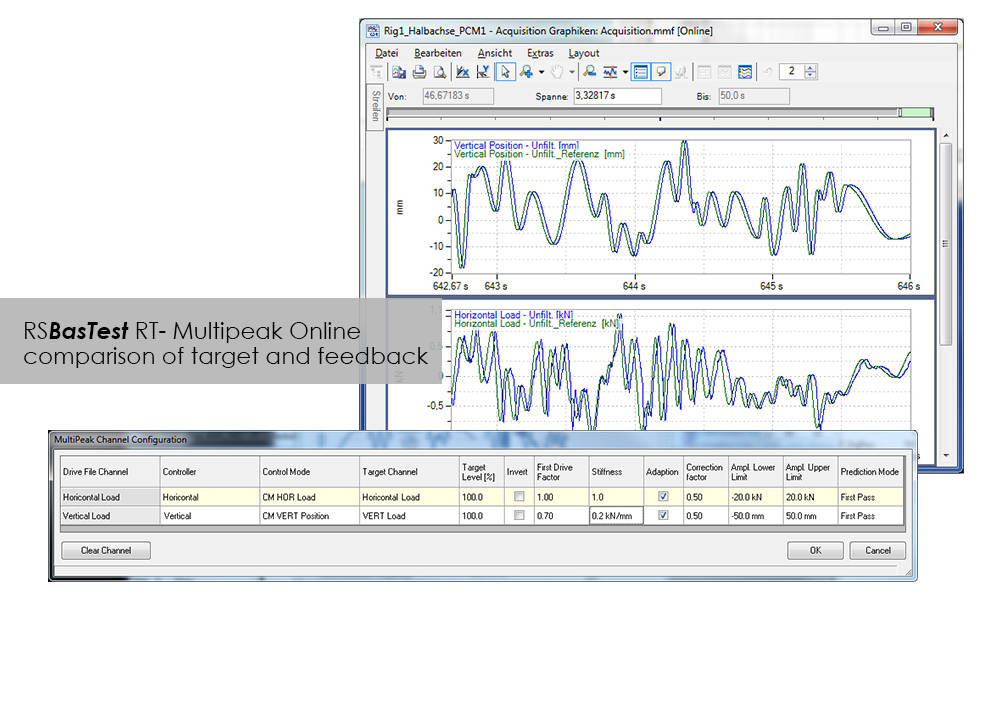
Online monitoring of specimen testing, or quick and easy analysis of measurement values are nowadays no longer convenience features: Fierce competition and the necessity to reduce "Time-to-Market" are entailing a need for ever increasing efficiency. RS Monitoring is a powerful tool that will bring you a significant step closer to this objective. For example, the module enables calculation and monitoring of statistical and physical variables even while the test is in progress, and logs overall damage through rainflow counting. This will enable you to detect changes in the behavior of your test specimen at an early stage, and respond appropriately. This module from the RS LabSite® modulogic Software Suite combines a wealth of extremely useful calculation functions. Make use of the following advantages:
Advantages:

  • High performance on line test monitoring
  • Maximum flexibility for a variety of different evaluation tasks
  • Licensing model to suit your laboratory requirements


RS Monitoring Benefits

  • Calculation of statistical data such as maximum, minimum, amplitude or standard deviation
  • Calculation of online rainflow matrices from measured values, presentation as a 2- or 3-dimensional histogram
  • Conversion of matrices into range pair, peak counting or level crossing distributions for better comparison
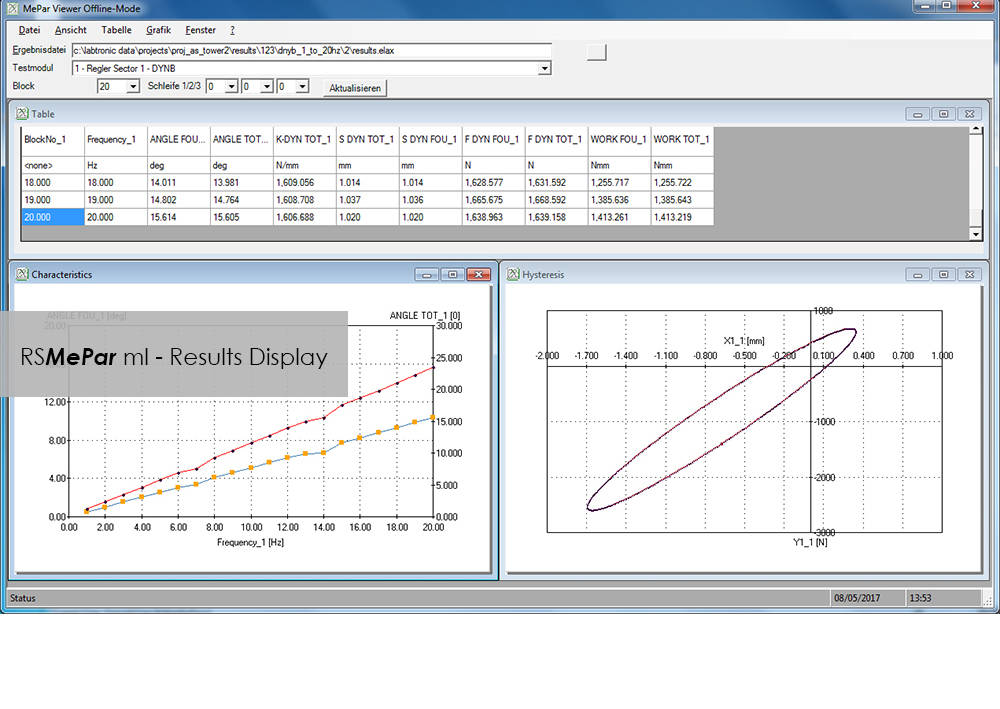
  • Calculation of physical parameters such as amplitudes, spring rates, energy loss or phase shift from measured hysteresis loops
  • Monitoring and display of partial damage for individual steps
  • Online comparison of command/feedback values of signals in the time and frequency domains

CEAST VisualTHERM Software

Software para el ensayo de materiales

CEAST VisualTHERM Software

El software VisualTHERM Software está especificamente desarrollado para la línea de productos CEAST HDT y VICAT de Instron® . El software proporciona una gestión fácil del aparato, ejecución del ensayo, adquisición y almacenamiento de datos.

El software gestiona completamente el procedimiento de ensayo térmico:

  • Edición de parámetros
  • Gráficos en tiempo real que facilitan la ejecución del ensayo
  • Adquisición y almacenamiento de resultados
  • Análisis detallado de los resultados
  • Gestión de informes
  • Exportación de datos

Todas estas operaciones pueden ser llevadas a cago con más de un sistema simultáneamente.

Este software ofrece todos los resultados requeridos por las normas internacionales para ensayos termo-mecánicos HDT y VICAT, tanto desde el punto de vista numérico como gráfico. VisualTHERM gestiona diferentes tipos de ensayos basados en la deflección, temperatura, tiempo o una combinación de estos.

Literatura

Instron HV Series for HDT and Vicat Testing

The effect of temperature on the mechanical properties of plastic materials has a fundamental role in the design of components, especially in the selection of materials. Unlike metals and ceramics, plastics are extremely sensitive to the slightest changes in temperature. The selection of plastics for applications under different temperatures is a complex task. The material must be able to support a stress under operating conditions without losing its strength and without critical distortion. The effect of temperature on geometrical stability and mechanical properties in general can be studied following different procedures and methods like at constant temperature or with a temperature ramp.

  • Productos
  • 06/21/2018
  • 1.15 MB

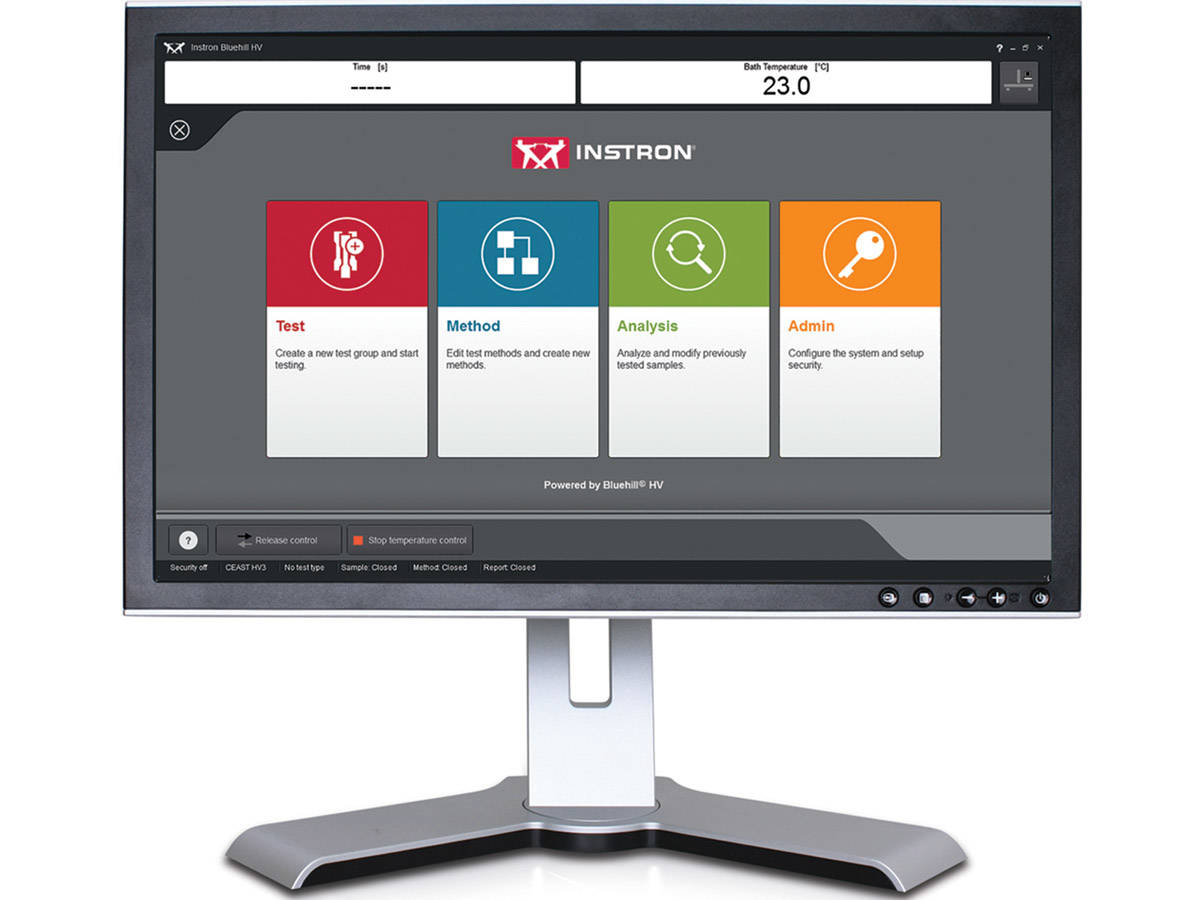
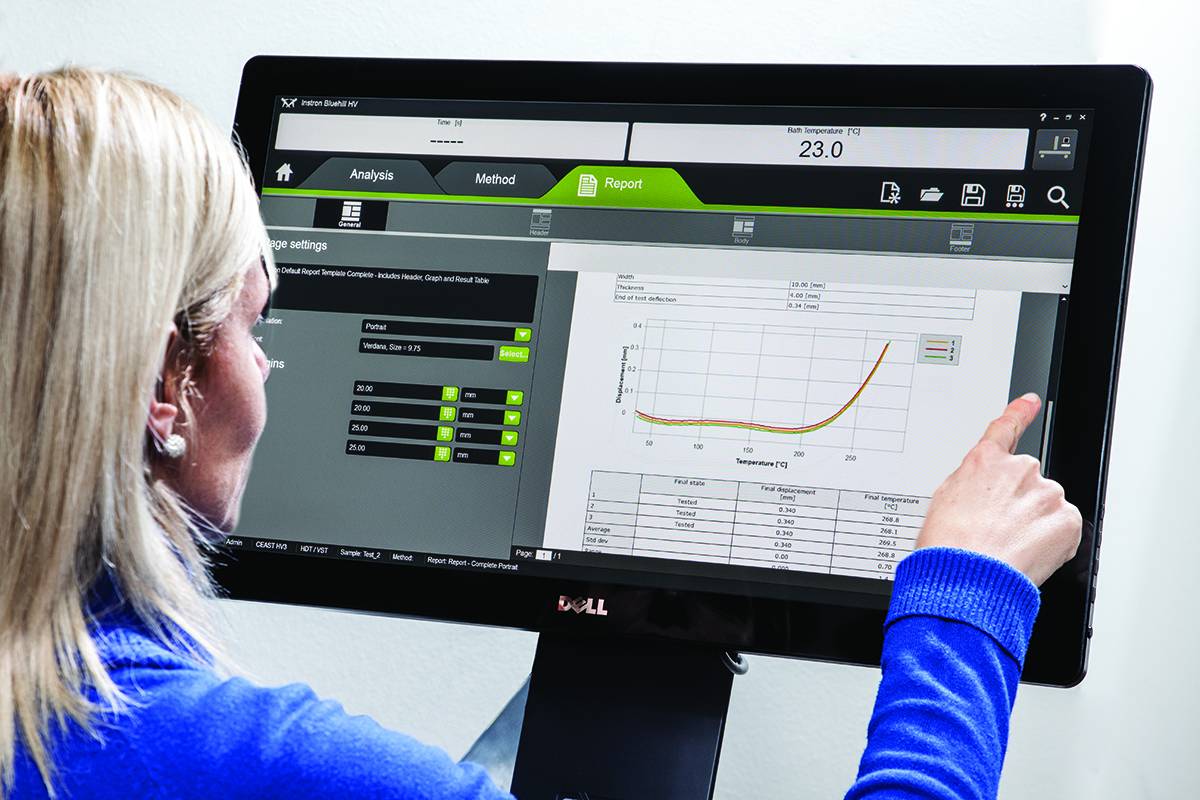
Bluehill HV

Bluehill HV is the generation software for HDT and Vicat tests
  • Productos
  • 01/12/2018
  • 366.94 KB

RS Analysis

Software para el ensayo de materiales

RS Analysis

Catalog no. RS Analysis

RSAnalysis

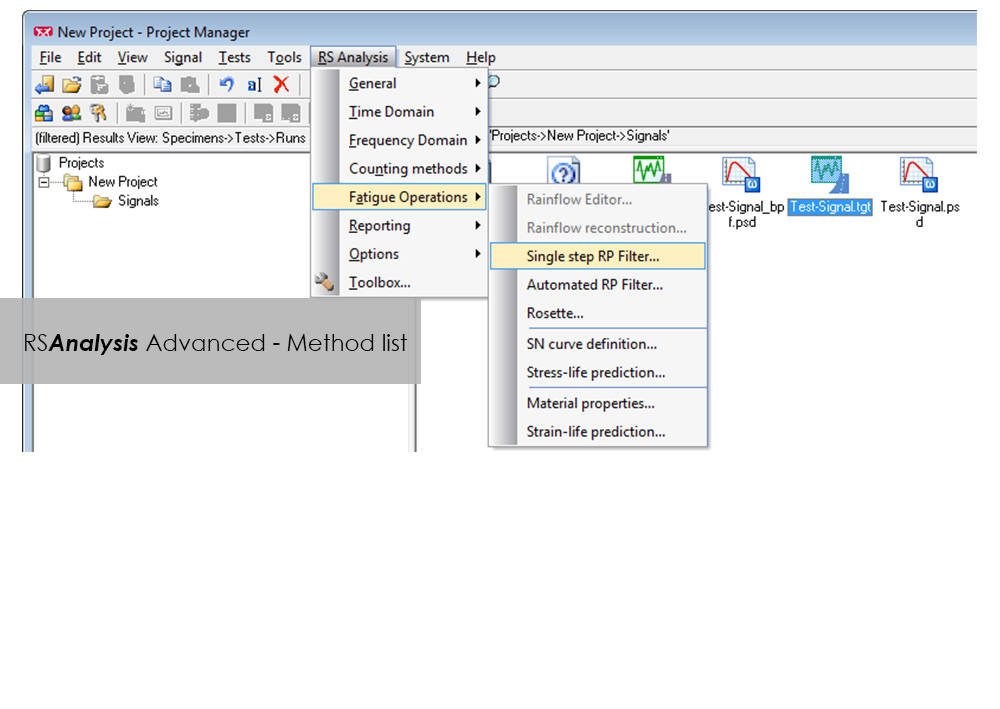
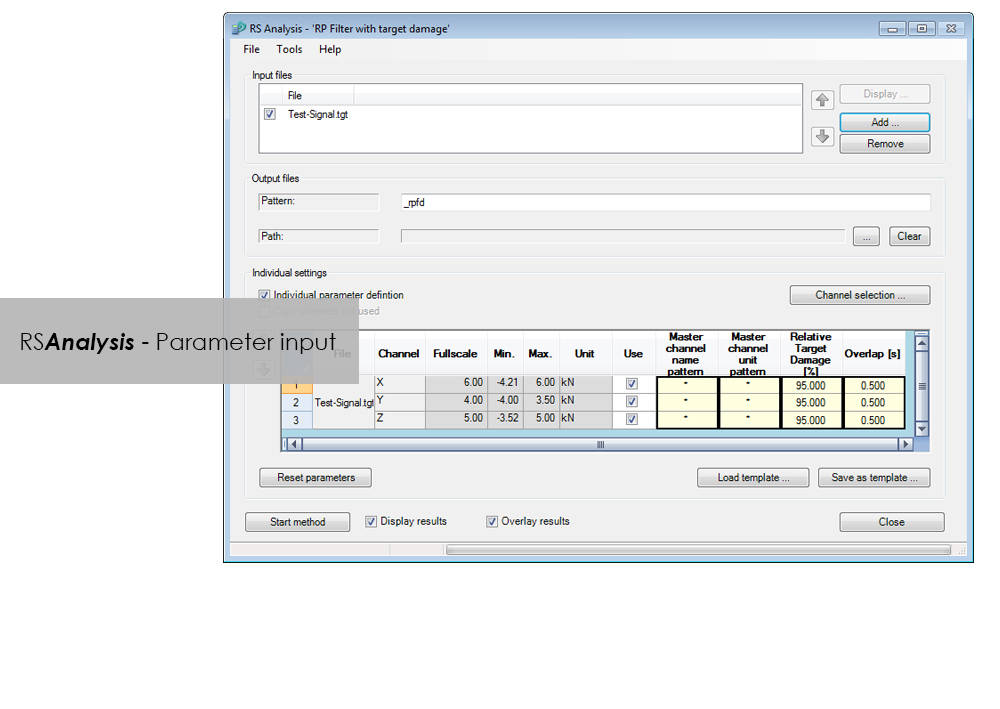
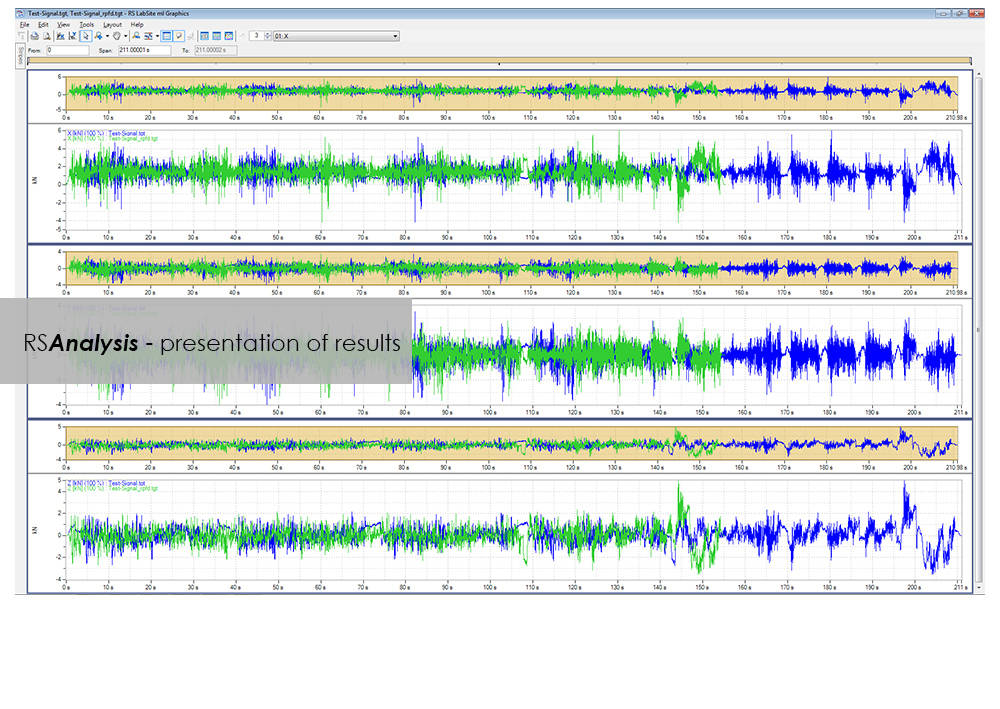
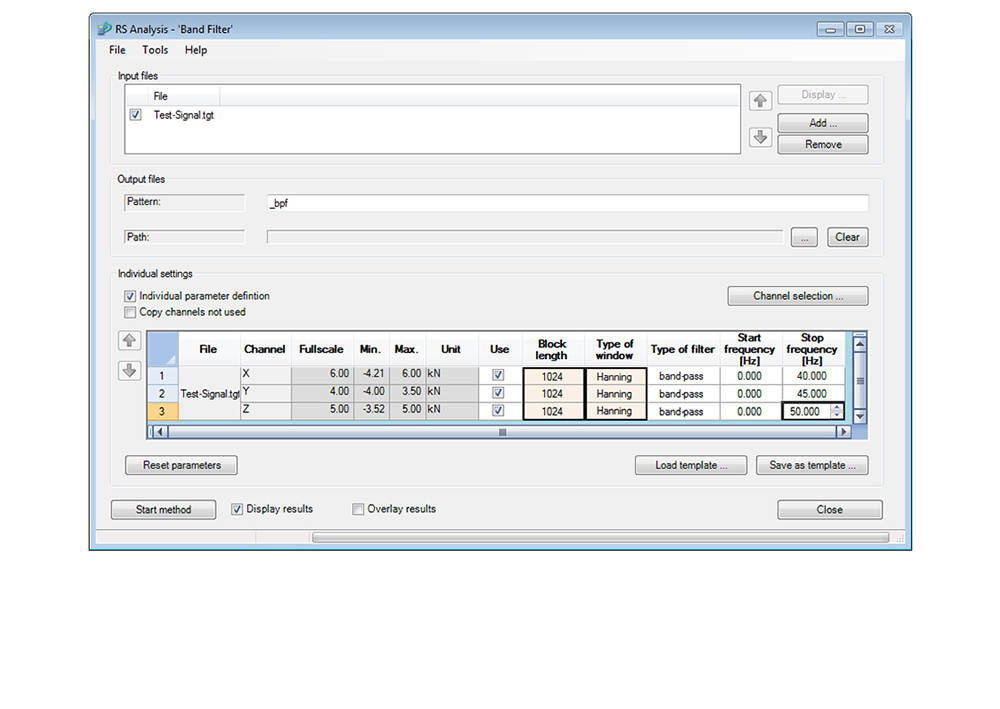
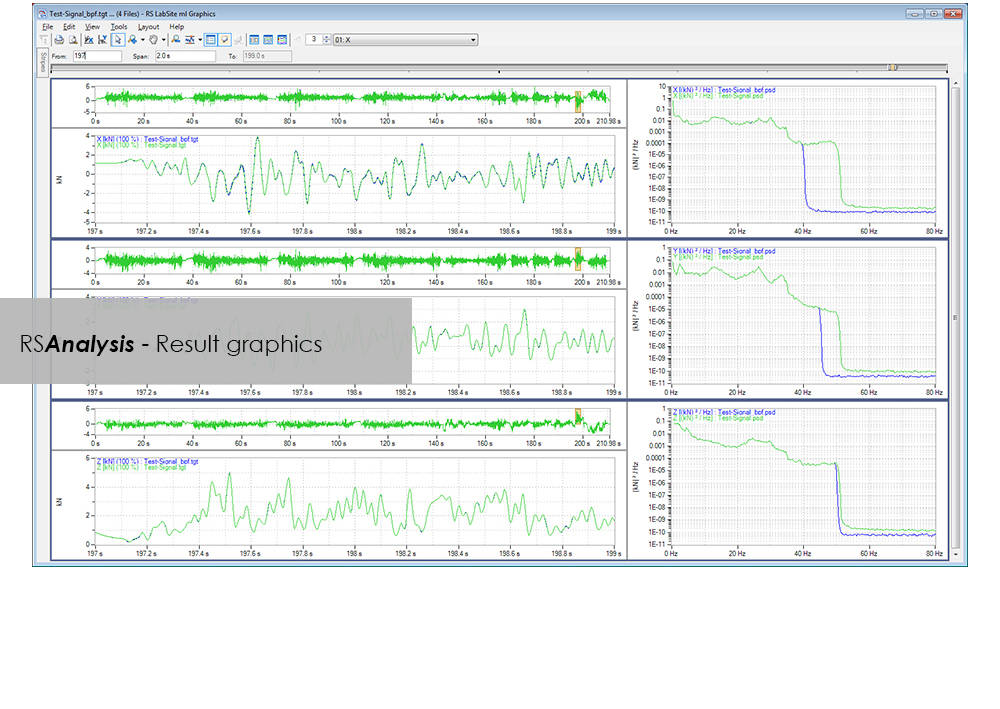
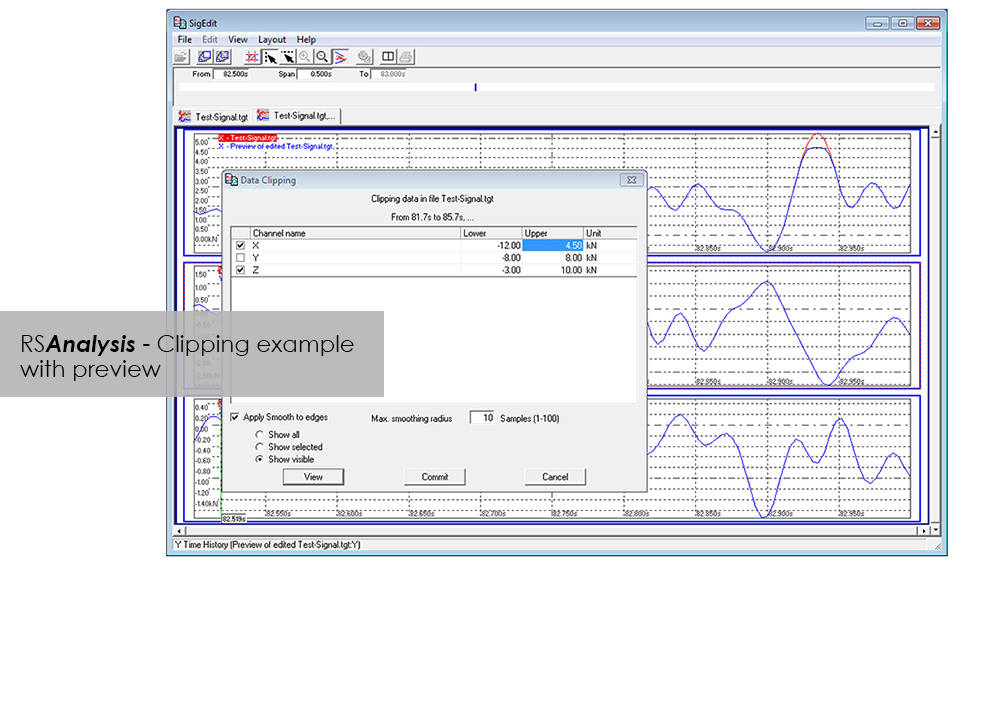
RSAnalysis is an important tool throughout the data acquisition and handling process. Dedicated algorithms condense and optimize your measurement data and turn them into loading data that simulates a complete product life circle. This module from the RS LabSite® modulogic SoftwareSuite provides for analysis and graphical presentation of test data, while allowing maximum freedom: Apart from the presentation of measured data, a wealth of other functions are available for performing typical data analysis procedures quickly and systematically.

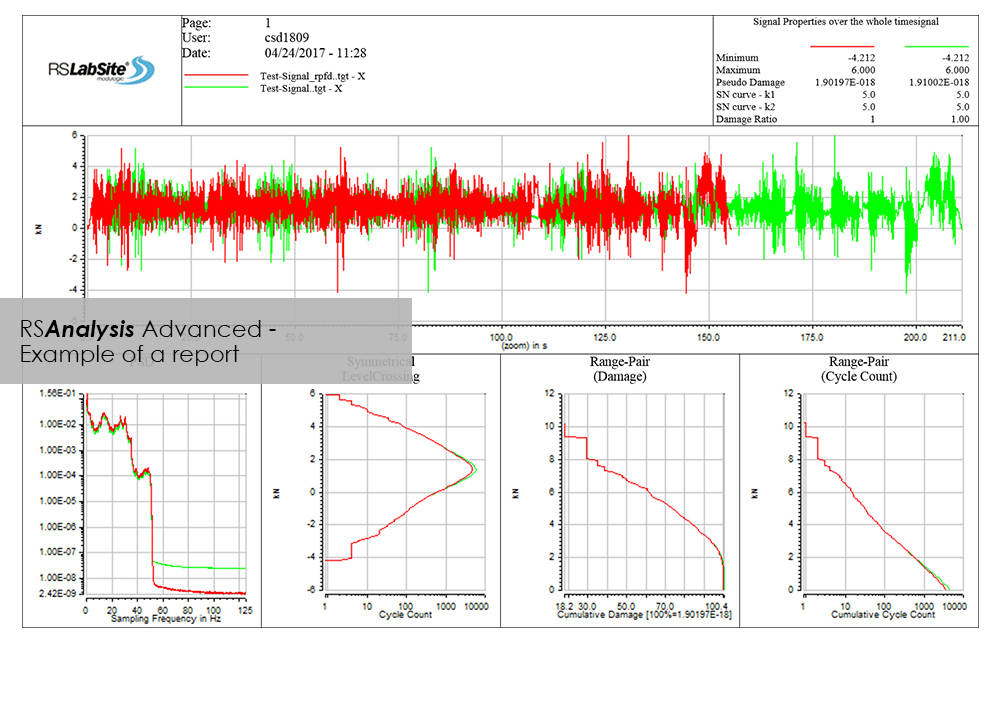
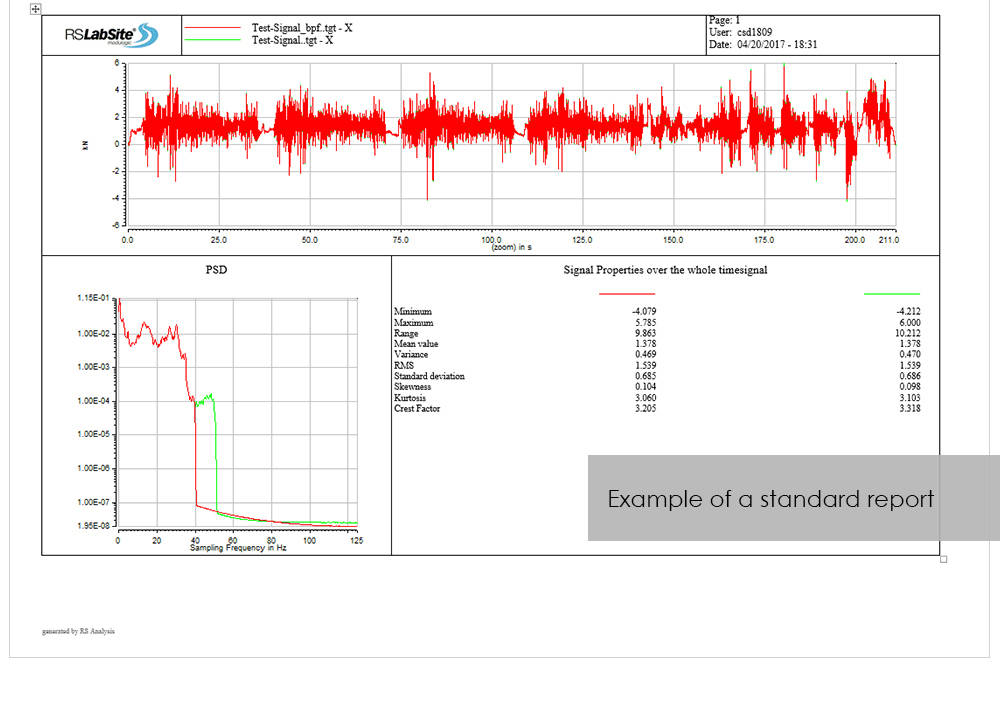
If the numerous standard reports integrated in the software do not meet your requirements, customized formats can be created as required. This makes sure that you are aware at all times how your tests are running and what results they are producing.

RS Analysis is available in two versions: Choose either the Basic- or the Advanced-versions in accordance with your specific needs. Whichever version you choose, the following benefits will be at your disposal:
  • Minimum cost of training through integration in Project Manager
  • Traceable results (Test reports are stored in Project Manager along with the test data)
  • High productivity through automation


RS Analysis Benefits

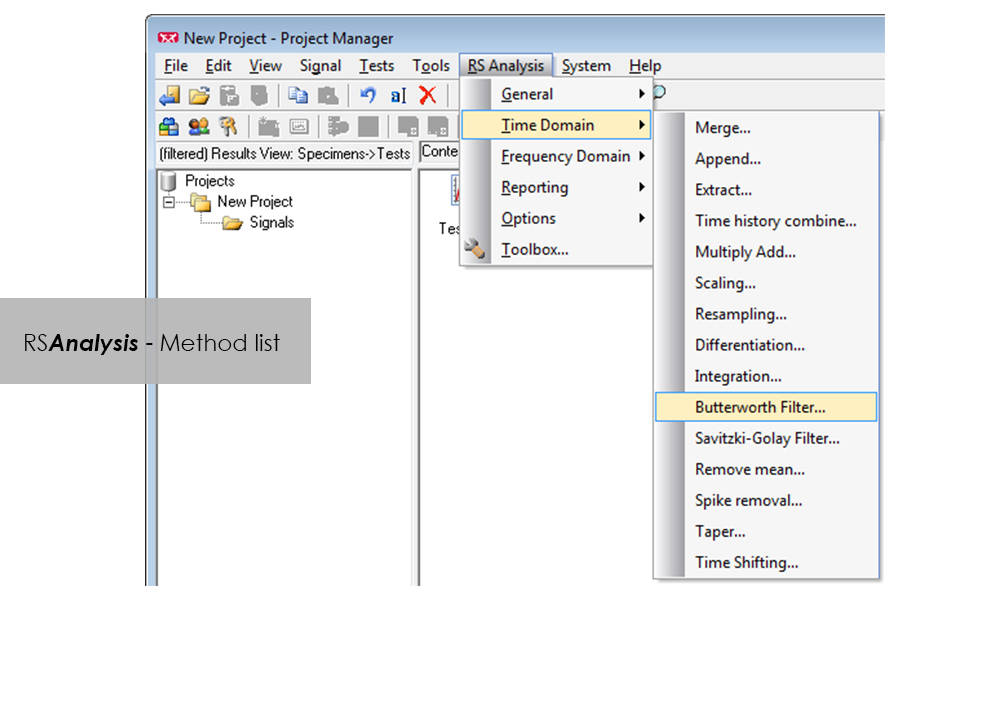
  • Processing methods are started directly from RS BasTest Project Manager
  • Numerious methods
    • Importing and exporting of data
    • Statistical functions
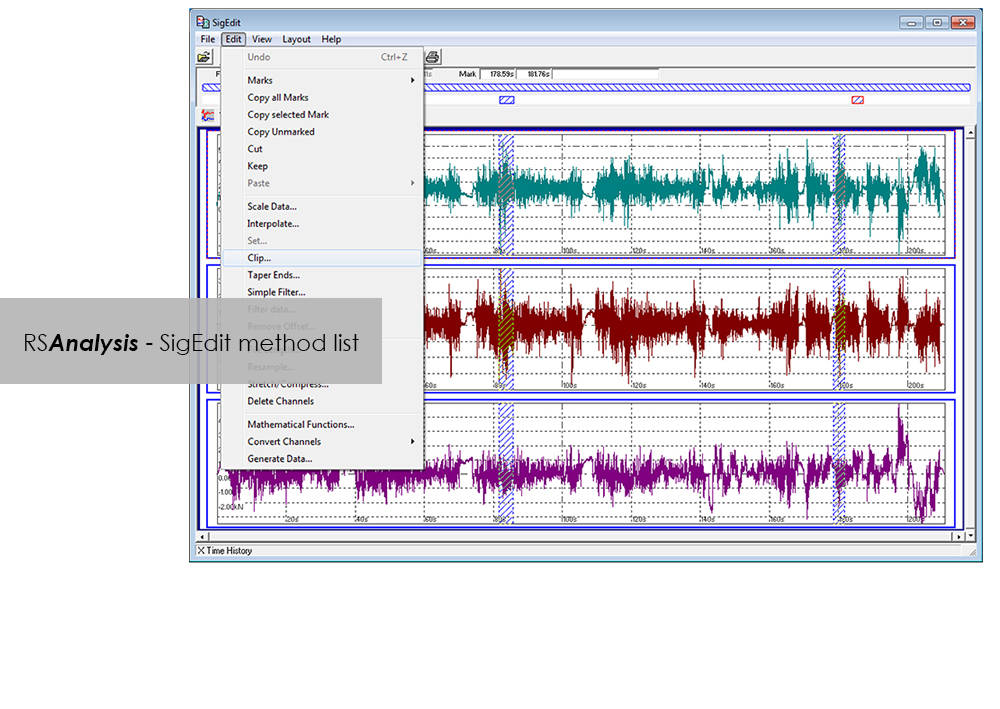
    • Signal presentation and editing
    • Offset/spike correction
    • Frequency-based methods
    • Wide range of filter functions
    • Graphical, interactive signal editor
    • and many more...
  • Automation through linking of methods
  • Report generation


Advanced

  • Classification procedure
    • Rainflow, level crossing or tension pairing
    • length of stay
  • Fatigue-related editing and analysis procedures
    • Rosette processing
    • Automatic data reduction to remove non-harmful parts (Automatic Rainflow Projection Filter)
    • life expectancy based on stress or strain
  • Layout Builder to create your own templates for logs
  • Automation through graphical programming (Process Builder)

LCF 3 Low Cycle Fatigue Testing Software For Use With Instron 8800 Systems and Extend Upgrades

Software para el ensayo de materiales

LCF 3 Low Cycle Fatigue Testing Software For Use With Instron 8800 Systems and Extend Upgrades

Catalog no. 2495-910

2495-910_P
2495-910_P

Low-Cycle Fatigue 3 Software offers a flexible workspace designed to run and analyze strain-controlled fatigue tests in accordance with ASTM, ISO, and BS Standards.

Live Test Workspace

A range of pre-configured graph and results fields allow real time views of how the test is progressing. Customize the screen to display up to three graphs of cycle and trend data. Pause and re-start the test at any time, checking modulus as desired.

Comprehensive Graphing Toolbox Brings Clarity

Whether you need a single or multiple graphs, the graphing toolbox allows users to clearly display X-Y and double-Y graphs, and peak and trend data charts. Choose to show titles, add legends or show actual data points on a grid. LCF3’s graphing capability is second to none.

Powerful Analysis

Analyze post-test data off-line, selecting from a range of single cycle and trend plots. Overlay individually selected hysteresis loops. Export individual graphics in JPEG format, and data as TXT files.

Test Controls Right Where You Need Them

Start, stop, and finish a test. The simple test control buttons are consistently at the right side of the screen. For added convenience, a test can be paused and continued when desired.

Simple Test Creation

Recall recently used test methods or simply browse the method folder to create or edit existing test methods. Test method creation is available off-line, maximizing testing machine availability. With a unique step-by-step data entry and test selection process, combined with a tabulated pre-test summary, your Low-Cycle Fatigue test will run successfully each time.

Automatic Calculation Avoids Errors

Select rectangular, cylindrical or tubular geometries, and automatically re-calculate the cross sectional area.

Online Check Ensures Accurate Modulus

Ensure your modulus data is accurate by utilizing the user-defined upper and lower calculation points, with clear graphical references.

Built-in Thermal Control

Control the test’s start temperature, soak period, and allowable thermal tolerances from within the application, and log temperature data directly into the test file.

Eliminate Unwanted Data

Configure the combined linear, logarithmic and peak internal data logging parameters to suit your test requirements.
Bluehill Elements para ensayos de materiales básicos en los sistemas 3400

Software para el ensayo de materiales

Bluehill Elements para ensayos de materiales básicos en los sistemas 3400

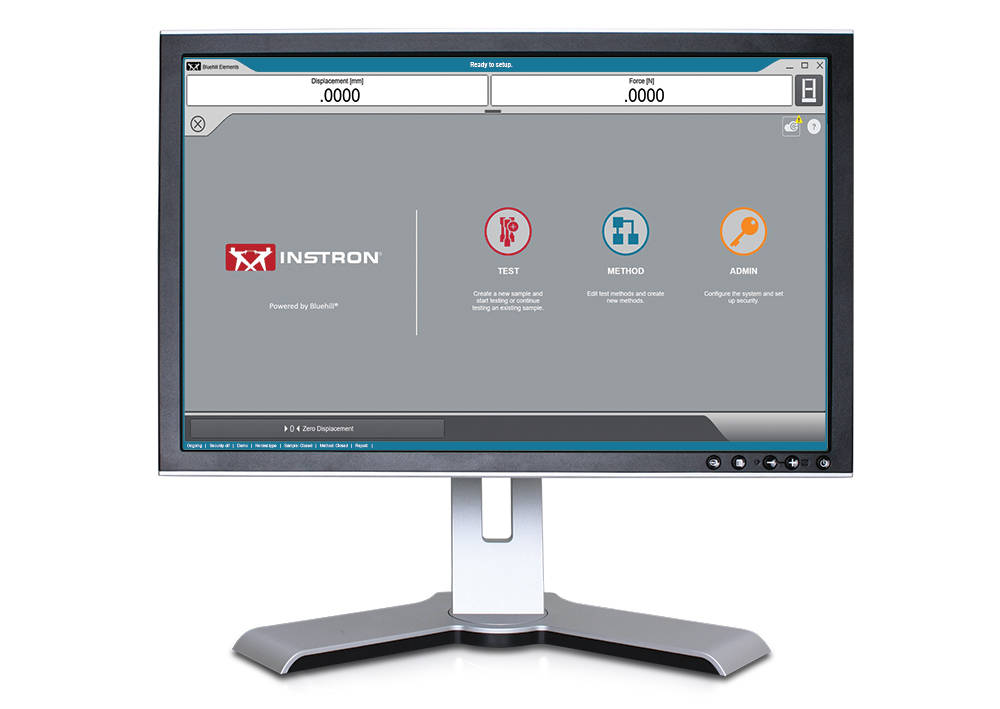
El software Bluehill Elements, desarrollado en la plataforma de Bluehill, cumple con los requisitos de ensayos sencillos de tensión, compresión, flexión, pelado y desgarro. Bluehill Elements es perfecto para ensayos de control de calidad, gracias a funcionalidades como la generación automática de informes, los flujos de trabajo de ensayo por secuencias, los gráficos de control en vivo y la opción de utilizar la base de datos de TrendTracker.
 

Características para flujos de trabajo eficientes

Exportación de datos automática
Los usuarios pueden exportar los resultados del ensayo y los datos en bruto en CSV o en archivos de texto personalizados. El formato de exportación es totalmente personalizable, lo que permite a los usuarios recuperar fácilmente datos o interactuar con un sistema de gestión de información de laboratorio.

Visor de datos en bruto
Examine cada punto de datos para cualquier medición directamente desde el software.

Entradas incluidas por el operador sin la entrada manual de datos
Introduzca automáticamente las dimensiones de la probeta desde los dispositivos de medición, escanee un código de barras para introducir entradas de texto y números en el software, o utilice las entradas de elección para que los usuarios dispongan de menús desplegables sencillos con el fin de eliminar la entrada de datos manual.

Muestra más de lo que parece
El estado del ensayo, las mediciones y los principales resultados se muestran en los displays activos de fácil lectura.


Flexible pero simple

Manejo intuitivo, formación mínima
Instron entiende la realidad de los cambios en la mano de obra. Por ello, hemos optado por una formación mínima como medida clave para la utilizabilidad. El software Bluehill Elements dispone de una interfaz sencilla e intuitiva.

El informe adecuado para el destinatario indicado
Bluehill Elements incorpora varias plantillas de informe predefinidas para enviarlas a una impresora, enviarlas por correo electrónico o guardar el archivo directamente como PDF para compartirlas con facilidad. El cambio de la ubicación de los gráficos y las tablas se puede configurar fácilmente con opciones que se hayan completado previamente. Los usuarios pueden vincular una plantilla de informe específica a un determinado método, mediante la automatización de la generación de informes para diferentes ensayos.

Seguridad básica
En los ensayos de producción o de control de calidad, en los que los evaluadores generales no deberían tener acceso a cambiar los parámetros en el método, Bluehill Elements dispone de tres niveles configurables de administradores, responsables y operadores de seguridad.

Un idioma común
En el ámbito de los ensayos, Bluehill es una herramienta estándar. Disponible en quince idiomas y utilizada con miles de sistemas en todo el mundo, los métodos de ensayo, los cálculos y los formatos de los datos de Bluehill se reconocen y aceptan de forma unánime. Independientemente de si está comparando datos con un proveedor local o comparando métodos de ensayo con un cliente multinacional, Bluehill Elements le permite hablar un idioma común.


Complementos para Bluehill Elements

TestCam
Conecte una cámara web por USB para experimentar la reproducción de vídeo punto por punto. Esto permitirá que los usuarios vean los datos del ensayo junto con el vídeo cuando finalice el ensayo.

Componente Pass/Fail (Apto/No apto)
Configure los criterios de aceptación para varios resultados de ensayo. Si uno de estos resultados es superior o inferior al intervalo de aceptación, Bluehill Elements mostrará automáticamente un icono grande de una marca verde en Pass (Apto) o una X roja en Fail (No apto).

TrendTracker
El complemento TrendTracker para Bluehill Elements permite que los usuarios exporten los resultados a la base de datos de TrendTracker directamente. El TrendTracker Viewer proporciona una interfaz intuitiva para buscar, mostrar y analizar los resultados de los ensayos con el paso del tiempo.


Requisitos del ordenador

Requiere Windows 10 u 11, sistema operativo de 64 bits. Bluehill Elements se puede utilizar con un monitor táctil.

Literatura

Bluehill Elements

Diseñado sobre la base de la plataforma de software Bluehill®, el software Bluehill Elements™ satisface los requisitos de ensayos básicos de tracción, compresión, flexión, pelado y desgarramiento. Bluehill Elements es perfecto para ensayos de control de calidad, gracias a funcionalidades como la generación automática de informes, los flujos de trabajo de ensayo por secuencias, los gráficos de control en vivo y la opción de utilizar la base de datos de TrendTracker.
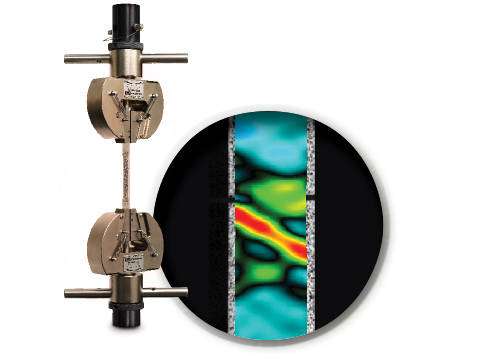
  • Productos
  • 02/03/2020
  • 133.75 KB

DIC Replay

Software para el ensayo de materiales

DIC Replay

Digital Image Correlation (DIC) Software


DIC is an optical technique that compares images of a tested specimen’s surface to generate full field strain and displacement maps. It creates pictures that can be used to visualize strain and displacement over the full two dimensional surface of the test specimen.

DIC Replay Software is a self-contained 2D DIC package. The software consumes images and calibration data saved by the Instron® Advanced Video Extensometer (AVE) and works in a post-processing mode. The user interface leverages the same tabbed style and graphical design of Bluehill®

Standard features include:

  • Full field strain and displacement maps for axial strain (Eyy), axial displacement (Ey), transverse strain (Exx), transverse displacement (Ex), shear strain (Exy), maximum normal strain, and minimum normal strain
  • Virtual strain gauges
  • Virtual extensometers
  • Method saving
  • Plot generation
  • Synchronization with Bluehill test data (load, position, etc.)
  • User defined image collection rate up to 50Hz
  • Three modes of operation (post-processing DIC, real time strain through AVE, or both)

Benefits:

    • View materials testing phenomenon, such as discontinuous yielding, localized necking, and more
    • Analyze strain and displacement on the flat surface of a part or component where traditional extensometers are impractical
    • Visualize and detect cracks that are not visible by eye
    • Check specimen preparation techniques by comparing one specimen to the next
    • Check for standards compliance by identifying localized strain that falls outside of the standard gauge length
    • Visualize the side profile of a flat flexure or compression specimen to observe strain behavior
Literatura

DIC Replay | 2D Digital Image Correlation Software Data Sheet

Instron DIC Replay Software is a 2D digital image correlation package that works seamlessly with the AVE 2 Advanced Video Extensometer. Use this package to visualize strain and displacement over the full surface of a two dimensional object or create simple line plots from virtual strain gauges and extensometers.
  • Productos
  • 04/12/2017
  • 2.38 MB

CrashSim

Software para el ensayo de materiales

CrashSim

Crash Sim Startpage
Crash Sim Startpage

The application software CrashSim is used for the preparation, execution, monitoring, analysis and documentation of crash tests carried out on the Instron sled system. The user application focused software has been continuously improved in cooperation with our worldwide user groups.

There is no special knowledge required for the operation of CrashSim because it is intuitive and largely self-explanatory. The user interface complies with the Windows 7 standard.

The parameter settings and valve configurations required for the applications listed below are stored in the control system and are set automatically by CrashSim when selecting the test method:

  • Frontal and rear impact simulation
  • Frontal Impact with active controlled pitch simulation
  • Side and Pole Impact simulation
  • Side Impact simulation
  • Whiplash - Low Speed Rear Impact Test


Thanks to this high degree of automation, efficient and productive test operation is ensured.

The basic version CrashSim 5.0 offers the following functions:

  • Pulse data input and filtering
  • Calculation of drive signals from acceleration / time traces
  • Control of all peripheral systems (airbag igniter, data acquisition, camera systems,...)
  • Test execution
  • Evaluation of the test results
  • Digital storage and retrieval of test parameters for future applications.
  • Visualization of the system status via process display


The advanced version of CrashSim 5.1 includes the new iteration model developed by Instron, which dramatically reduces the number of iterations required. This version also includes the CrashSim Office software module. The module allows external processing of test pulses up to the generation of the drive signals for the catapult system. Pulse predictions previously performed only through trial shots with the system can now be carried out offline with CrashSim Office. This relieves the daily test operation of such tasks and increases the productivity of the system.

Learn more about Crash Simulation Systems.
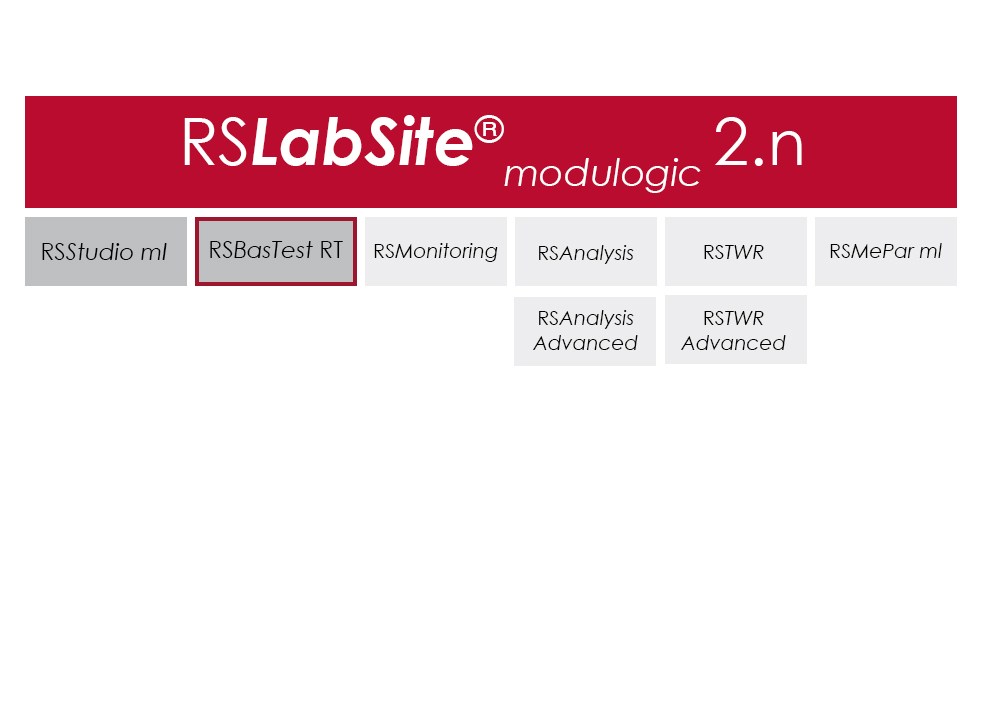
 

RS BasTest RT

Software para el ensayo de materiales

RS BasTest RT

Catalog no. RS BasTest RT

RSBasTest RT

RS BasTest provides a wide range of functions for editing, performing and conducting durability tests. Project Manager will guide you through all processes. It is used to create new projects, and its integrated data base collects and manages all measurement data. If you are envisaging a future extension of your testing environment, you will be ideally set up with RS BasTest: Other modules from the RS LabSite® modulogic family can be integrated into the system without any further intervention. The basic module will assist you with a high degree of flexibilty and provide the following benefits:

  • Basic software package with comprehensive functionality
  • Intuitive operation
  • Flexible adaption to your testing tasks

RS BasTest RT Benefits

  • Numerous test methods, which are processed in real time by the control electronics:
    • Constant amplitude programs
    • Cyclic block programs for single or multi-channel testing
    • Execution of single- or multi-axial durability tests
    • Event controlled test procedure
    • Replay of multi-channel service loads with adaptive control of peak values.(MultiPeak)
  • Multi-channel data acquisition
    • three different options optimized for the respective test metho
    • flight recorder (record / store measurement data even when the test stops or pauses)
  • Switchboard for the administration of test results with database for projects, tests and results. Optionally available as a laboratory version:
    • Central administration and backup
    • Local preparation and execution at the test stand
    • Evaluation at test stand or office
  • Licensing model to suit your laboratory requirements
  • Seamless integration with Labtronic 8800ml

Console Software For Use With Instron 8800 Systems, ElectroPuls and ExtendUpgrades

Software para el ensayo de materiales

Console Software For Use With Instron 8800 Systems, ElectroPuls and ExtendUpgrades

Catalog no. 2495-901

Console Software For Use With Instron 8800 Systems, ElectroPuls, and Extend Upgrades 

Compatible with WaveMatrix, LCF3, Bluehill 2 and Fracture Mechanics (da/dN, K1C & J1C)  

Includes

  • All controller set up functions such as Specimen Protect, transducer calibration, limits, control loop settings (PID´s) and calculated ("Modal") control channels
  • System status displays indicating current control mode, limits, waveform generator, transducer calibration and hydraulics/power
  • Auto Tuning Wizard to perform automatic set up of control loop PID values
  • Loop tuning tool with fast-refresh digital scope to facilitate manual setting and adjustment of control loop PID values
  • Multiple digital Live Displays of transducer values and cycle/time counters that can be rearranged and resized, with setup save/recall from computer disk.
  • Waveform control (start/pause/stop at specified cycle count) to run simple fatigue tests
  • Scope software package for real time graph showing the output of up to four transducers and basic data capturing facilities
  • Comprehensive on-line help system
  • RS Save software for saving and restoring of test system parameters to and from disk
  • DAX data acquisition software for one axis and up to four transducers
  • Latest firmware update for 8800, ElectroPuls and Data Acquisition Boards
  • Set of Electronic Manuals in PDF Format
  • Available in English, French, German or Japanese 

Please contact Instron for the minimum PC requirements necessary to install and operate this software.
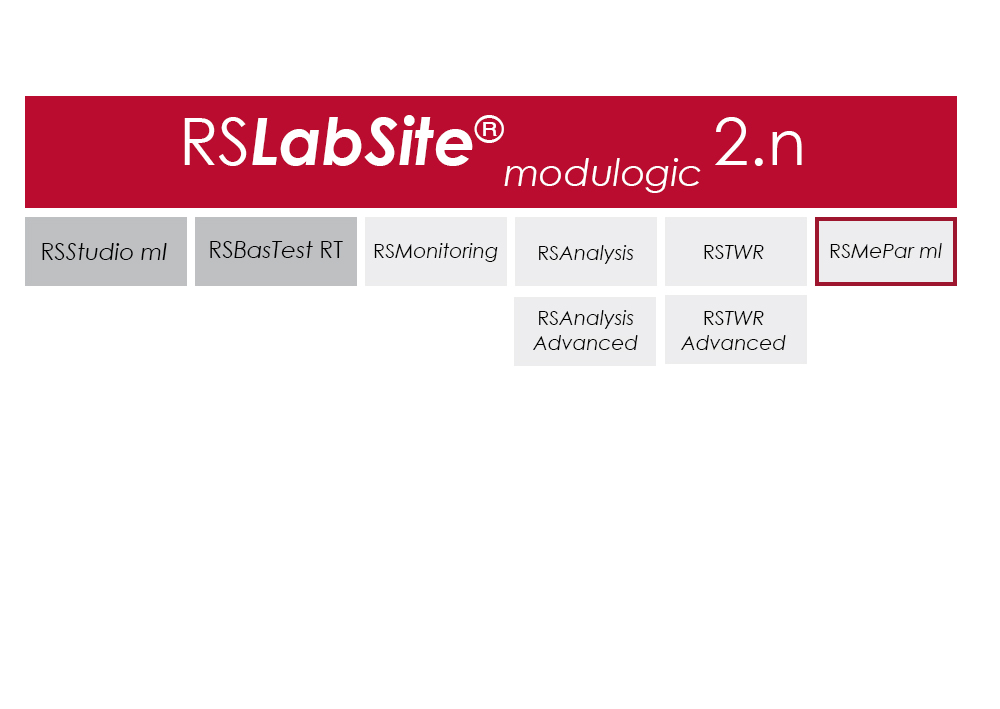
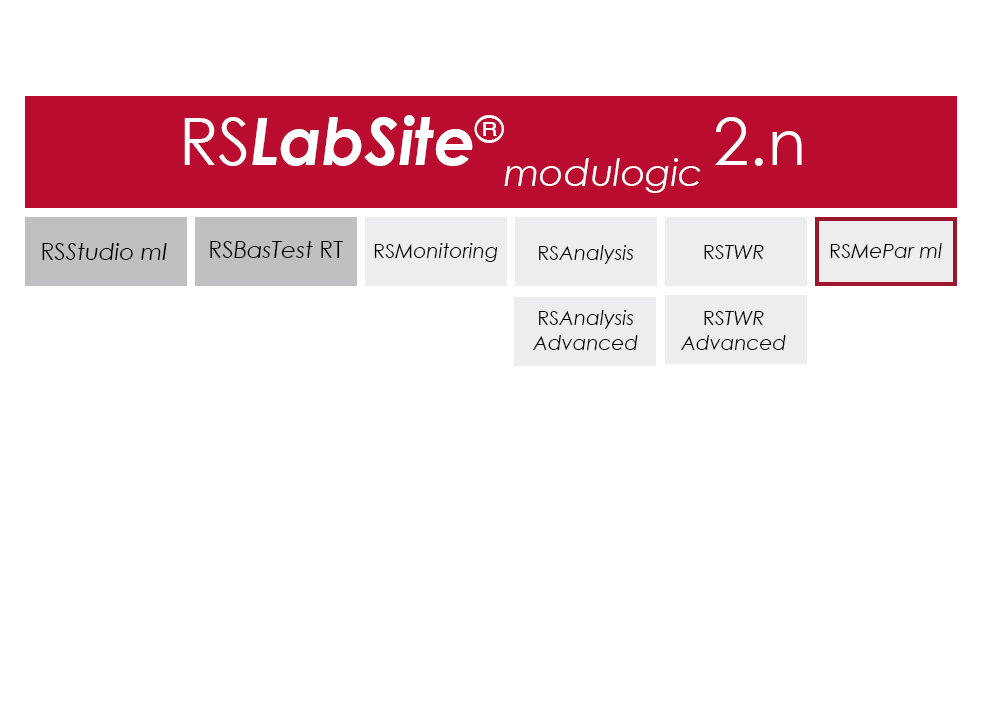
RS MePar ml

Software para el ensayo de materiales

RS MePar ml

Catalog no. RS MePar ml

RSMePar ml

RS MePar ml, a module from the RS LabSite® modulogic, software suite, working in conjunction with RS Studio ml and RS BasTest RT, the RS LabSite® modulogic basic module, provides all functions for determining the characteristics of components with viscoelastic properties. RS MePar ml is used to create simple single- axis or complex multi-axis tests.

Flexible test monitoring and data acquisition functions ensure that the test engineer has all the information he needs to precisely specify the components undergoing test. In addition, the integration of MePar Viewer enables the visualisation of test data as they occur on the rig, along with various graphical displays. This tool enables test results to be observed directly on the screen.
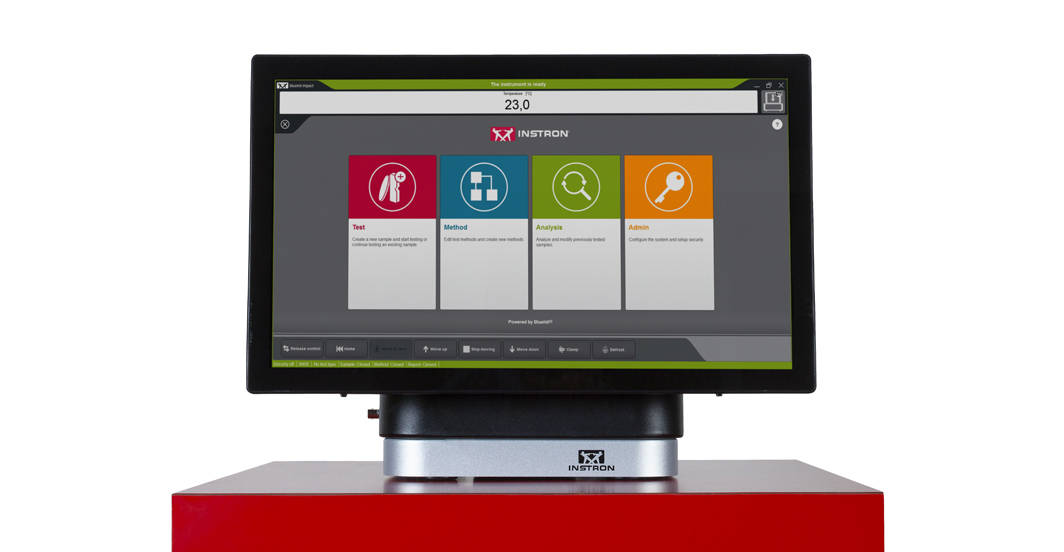
RS MePar ml can be used to fullfil the following tasks:

  • Determine static properties of test specimen
  • Determine dynamic properties of test specimen
  • Determine component resonant frequencies
  • Analyze and document test results and test conditions

Suitable for:

  • Elastomers
  • Elastomer compound elements
  • Hydromounts
  • Vibration dampers
  • Torsional vibration dampers
  • Exhaust Lines
  • Clutches
  • Crankshaft

Benefits:

  • The Windows© compliant software is familiar and easy to use
  • The MePar-Viewer functionality enables individual series of data from the measurement file to be plotted as required, with user-selectable scaling for easy test report generation
  • All test data is stored in a data base, enabling data to be exported to other programs such as MS-Excel for presentation or further processing.

Bluehill Impact for Drop Towers

BLUEHILL® IMPACT SOFTWARE

The Drop Weight Impact Testing Machine Software

Bluehill Impact Software for Drop Towers


Bluehill Impact is built from the ground up for touch interaction. The Operator Dashboard features large touchpoints to make the user experience simpler and smarter. Easy-to-understand icons and workflows make it easy to train new or experienced users, simplify operator training, and allow you to start testing even faster than ever before.

REQUEST A QUOTE OR DEMO


SIMPLER
Effortless Drop Weight Impact Testing Workflows
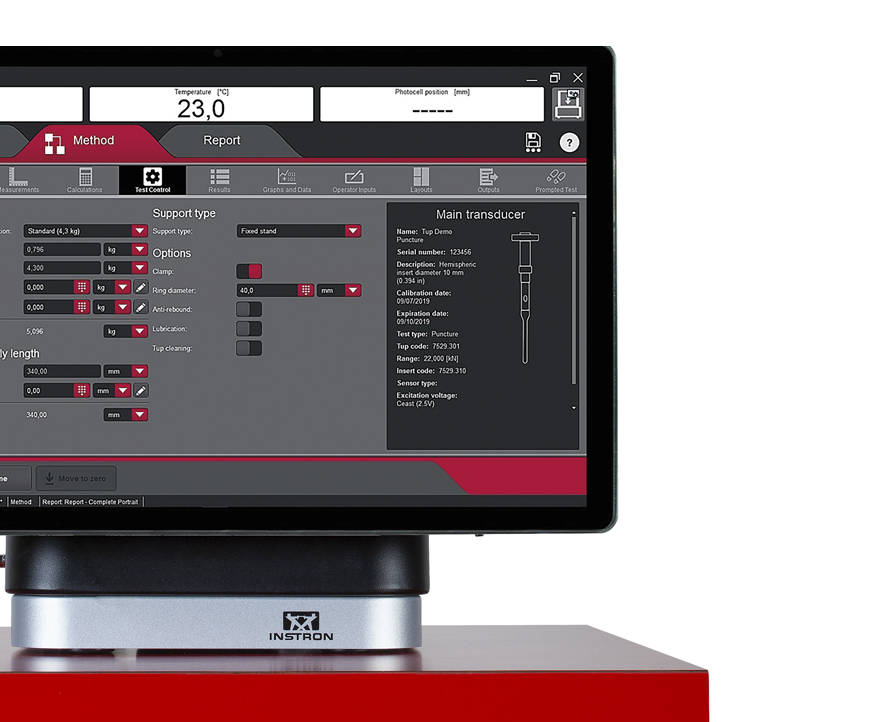
 

Bluehill Simpler Screenshot
Smart Defaults

Bluehill Impact provides a set of pre-configured defaults that cover the most common impact testing scenarios.

Flexible Data Analysis

Users can define unique data flow and procedures ensuring data processing flexibility. Bluehill Impact reports on anomalies and inconsistent results when they are outside set parameters.

Guided Workflow

Thanks to prompted tests and the touch panel, procedures set up takes just a few clicks. Users can be guided through the entire testing process with step-by-step instructions, ensuring that their tests remain repeatable, simple, and error-free. The prompts are customizable with your own text messages.

Fast Data Acquisition and Results

Increased productivity thanks to the combination of the new Dashboard with data acquisition system and Bluehill Impact.

Speed Up Collaboration

Move from task to task: easily share test method and results within your Company or your Customers with Bluehill Impact file management system.

SMARTER
Advanced Capabilities for Advanced Drop Weight Impact Testing

Bluehill Impact Specimen Multiselection

Specimen Multi Selection
Edit parameters for many specimens at the same time with one click.
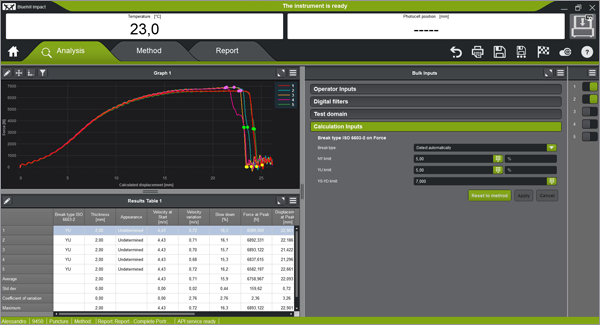
Bluehill Impact Smarter Test Analysis

Break Type Recognition
Automatic recognition of the break type according to the shape of the curve (ISO 6603-2). This ensures associations to the break type remain the same operator-to-operator.
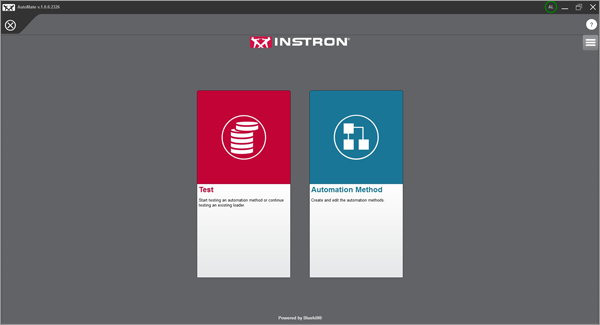
Automatic Testing

Automatic Testing
Once a test method has been created in Bluehill Impact, you can use AutoMate Software module to customize how the specimens in the automatic feeder are tested, assigning different test velocities and temperatures.
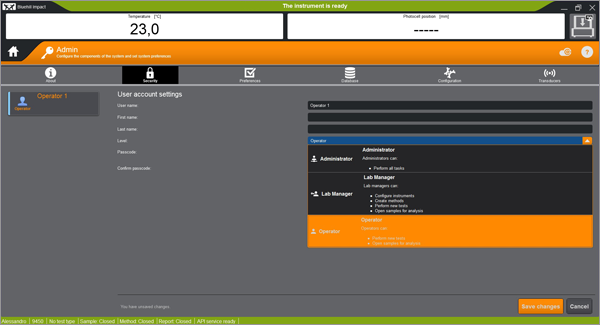
 

SAFER
Safety with High Throughput 


Secure Access

Secure Access
Bluehill Impact security allows the Lab manager to configure permissions granting full access to super users and limiting access where needed.
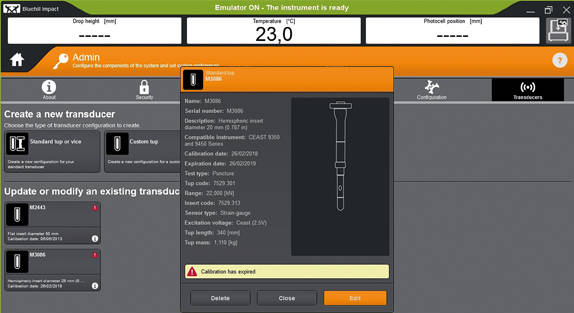
Calibration Alert

Tups Calibration Alert
Automatic alerts are generated when Tup calibration period is expiring. This feature helps to reduce the risk of invalid tests and protect your results against inaccuracies.
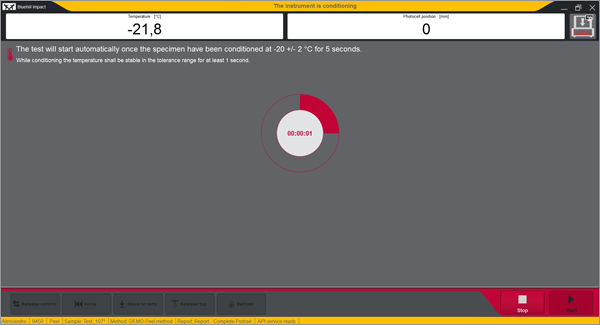
Built-In Safety Notifications

Built-In Safety Notifications
The Dashboard gives clear visual information on the instrument status, so users always know when a test is in progress.


REMOTE TECHNICAL SUPPORT (RTS)

Powered by Instron Connect
Instron Remote Technical Support (RTS), powered by Connect, allows our technical support team to connect directly to your Instron systems by either remote screen share or through integrated augmented reality (AR), providing fast and high-quality system diagnostics which should increase your Instron systems uptime.

LEARN MORE

HAVE AN OLDER SOFTWARE VERSION?
Learn About Upgrading your Drop Weight Impact Testing Software
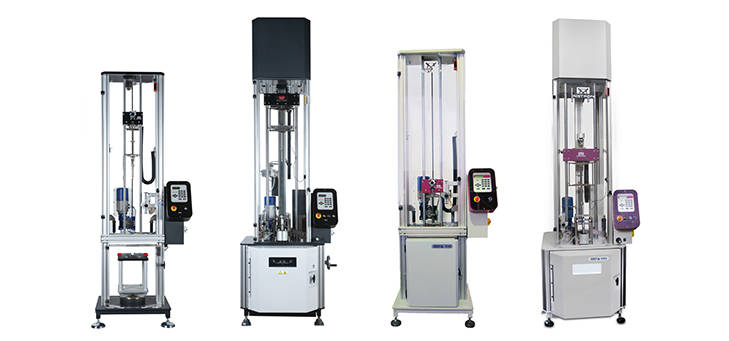
9400 and 9300 Drop Tower Systems

Bluehill Impact & Dashboard with Data Acquisition System

The state-of-the-art controller can be retrofitted on all the 9340 with Firmware version later than 1.00 and on all the 9350 Drop Weight Impact Testing Machines with FW version later than 3.00, including machines with automatic feeding option.


Bluehill Fracture

Bluehill® Fracture

Simplify your Fracture Testing, Analysis and Reporting

Bluehill Fracture is a dedicated fracture mechanics software from Instron. Machine control, data analysis and reporting are performed for metals fracture toughness measurement to key international standards.

As a leading supplier of testing equipment for crack propagation and fracture toughness, Instron are aware of the challenges users face in reducing both the complexity and time taken to produce accurate, repeatable results. The Bluehill Fracture software package addresses these challenges.

Customizable test flows guide the user through the steps needed to produce their final results, saving time by minimizing data entry at each step.

Comprehensive on-screen user guidance along with automatic post-test analysis and reporting tools also reduce the skills and training required. Additionally, the layout, terminology and test progression is common to other Instron software packages, such as Bluehill Universal.

For the latest technology now available with Bluehill Fracture DCPD software, click below to upgrade today.
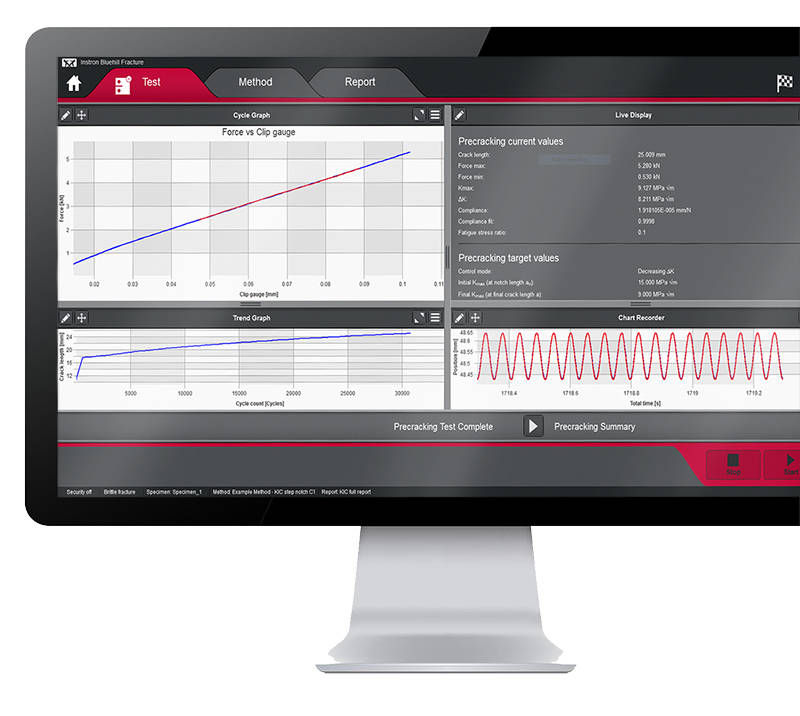
UPGRADE NOW


Bluehill Fracture Screen
SIMPLER
Spend less time setting up testsWhether you are testing using a predefined method or customizing your own, Bluehill Fracture comes with the tools to create the method you need.


Method Definition
Bluehill Fracture's unique test workflow definition breaks the test into a logical series of steps, enabling the test designer to control the process of data entry before, during and after the test.

A reduction in entering the same data for each test saves time and minimizes data entry errors. Parameters for each stage can either be pre-populated prior to the test, imported automatically from a LIMS system or entered manually every time a test is run.
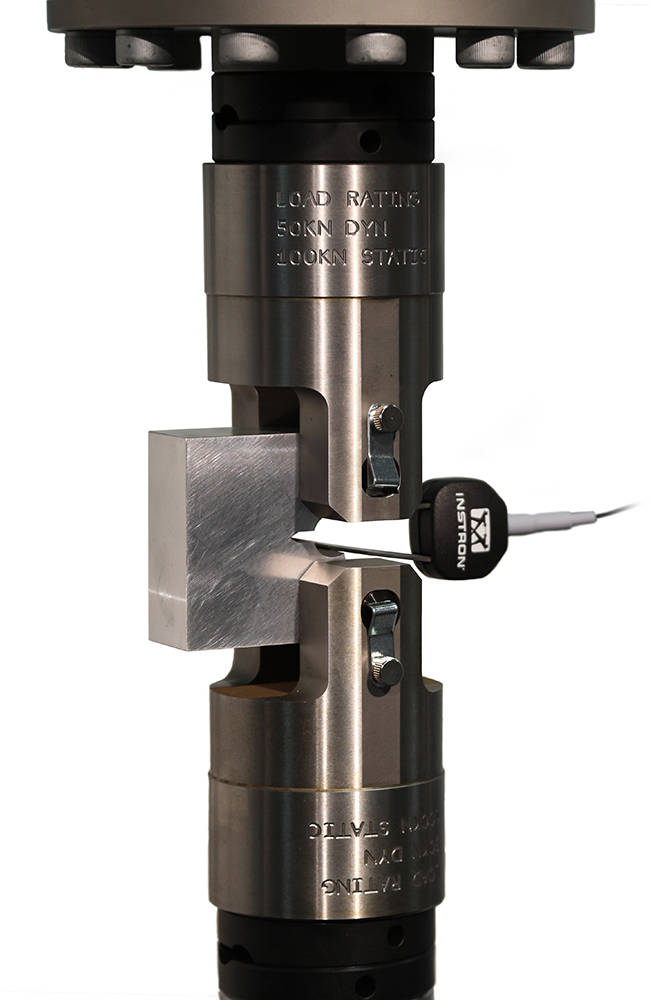
  • Customizable Work Flow
    Work flow can be clear and simple or fully detailed depending on your need. Guidance notes can be added to aid operators throughout the test.
  • Intuitive Interface
    The modern user interface is both intuitive and clear allowing for reduced training and simplified instructions.
  • Save Time
    Methods steps can be tailored to suit the test type and operator, saving time and reducing errors.
Bluehill Fracture CT Specimen in Grips

SMARTER
Produce results faster

Although Bluehill Fracture is simple to use, there are still many advanced features for analysis and report generation.


Run and Analyse Tests
Performing and analyzing Fracture Toughness tests has never been simpler than with Bluehill Fracture.

Select a test method to run, from a pre-defined list or your own customized method, and Bluehill Fracture will step you through the pre-test data entry you define, then when ready, the software will perform pre-cracking (if required) and finally onto the main fracture test.


Testing Icon Orange

Run a Test

Pre-configured material properties and pre-cracking targets reduce user input and increase throughput.

Analysis Icon Orange

Post-test Analysis

The software guides operators through data input, graph plotting and results calculation.

Report Icon Orange

Report Generation

The report and export function within Bluehill Fracture completely automates the process of generating a summary report.

SAFER
Control user access and check results

Validity checks confirm your tests are within predefined parameters whilst the security settings allow advanced users to protect areas of the method containing critical settings.


Analysis
The report and export function within Bluehill Fracture completely automates the process of generating a summary report. This reduces complexity, time and errors by avoiding additional data export and manipulation at the post test reporting stage.

Whether you need a summary in text output format or a fully customized PDF report in your organization’s format, Bluehill Fracture has the features to achieve this at the click of mouse button.
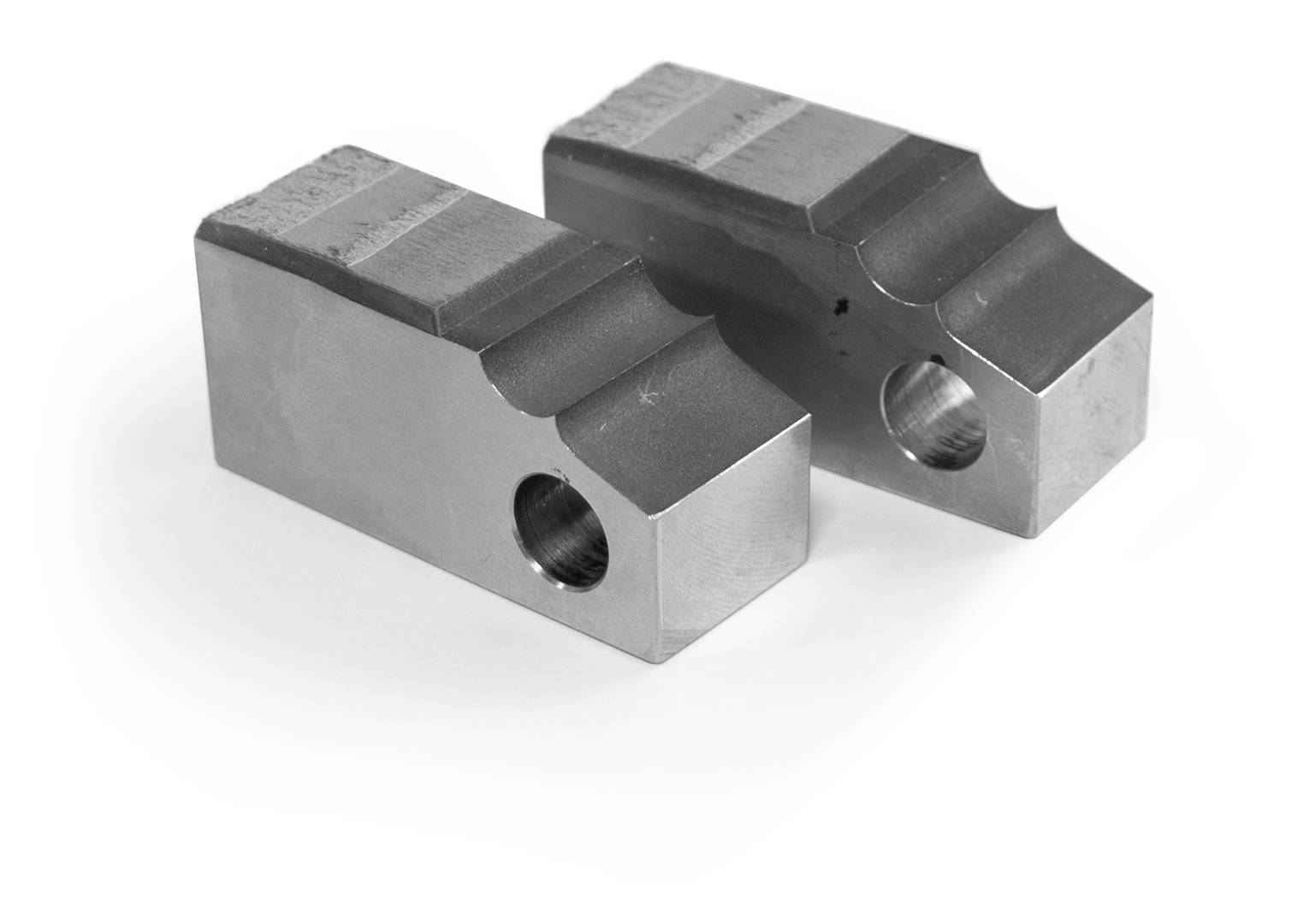
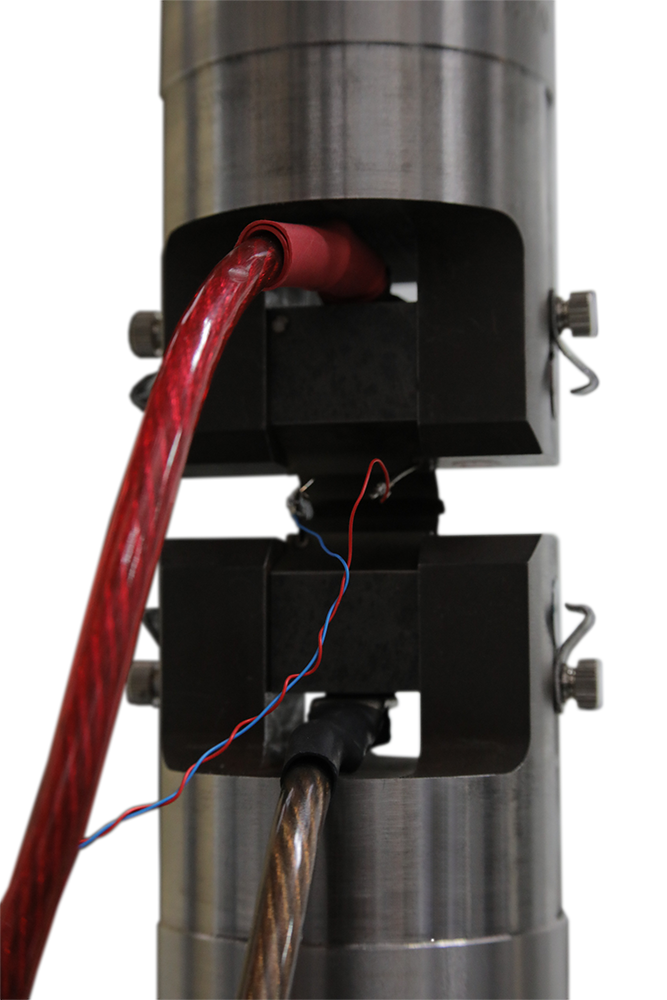
  • Automatic validity Checks
    Bluehill Fracture provides both a summary check and detailed breakdown of values and reference clauses for auditability. Validity checks are itemized and include achieved values and allowable limits.
  • User Access
    Account settings control who in the laboratory can change and update test methods.
  • Stay Up to Date
    By utilizing a separate standards library keeping abreast of the latest revisions is a simple upgrade.

Fracture CT Specimen

ADVANCED TOOLS
In addition to more common tests, measurement and analysis is provided for standardized methods using direct current potential drop (DCPD) for crack length measurement.

Bluehill Fracture Specimen DCPD

Test control and method set up are similar to mechanical compliance-based methods and raw data is stored in the same way. Signal noise depends greatly on the preamplification and conditioning of the DCPD system, so an additional averaging feature is available to stabilize readings during crack growth.

For fracture toughness determination, corrected displacement is calculated from user-specified frame compliance coefficients stored within the method, so that correct analyses can be used for different load strings. Manual and automated methods of V0 determination are provided, with a configurable interval for generation of J-da plot.

SUPPORTING DCPD MEASUREMENTS

  • Accepts X or X/Y from any conditioning system as scaled 0-10V transducer input
  • Live calculation of crack length for pre-cracking and fatigue crack growth experiments
  • Automatic setting of reference voltage during test
  • User-defined voltage - crack length relationships
  • Post-test analysis for JIc according to E1820 annex 18

LEARN MORE

Integration Icon Red

Integration

Various functions are available to support integration with laboratory data management systems (e.g. LIMS), such as the option to import automatically generated inputs of specimen geometry and material properties.

Features Icon Red

Supported Features

Bluehill Fracture modules support all common test standards (ASTM, ISO and BS) for crack propagation, ductile and brittle fracture, crack length measurements and specimen geometries. Users can test to predefined standards (e.g. ASTM E647, ASTM E399, ASTM E1820, ISO 12135).

For the latest Bluehill Fracture standard compatibility:

click here

Compatibility Icon Red

Compatibility
Bluehill Fracture is available with new ElectroPuls® and Servohydraulic systems, as well as any existing dynamic testing system with an 8800 or 8800MT controller running Windows 7 or 10.