

Instron Connect: Bringing System Information and Support Together
Troubleshooting tools, important documents, instant answers to common questions, and direct access to technical support
An Instron® testing system represents a long-term investment that will operate for many years. Over that time, many people will operate it, software may be updated, components could be serviced or replaced, and the system will undergo numerous calibrations and preventive maintenance activities.
All these factors generate a trail of information and records that need to remain accessible.
Then there are the less predictable situations: an unfamiliar system message, a question about how something works, or an issue that interrupts testing. In those circumstances, finding the right information, or the right person to ask, becomes much more important.
Instron Connect brings together system information, technical resources, troubleshooting tools, and expert support in a single connected experience, helping users to find answers faster and keep their testing programs running efficiently.
Finding What You Need
Not every interaction with Instron support starts with a problem. Often, users simply need quick access to important information such as calibration certificates, service records, software updates, or system documentation.
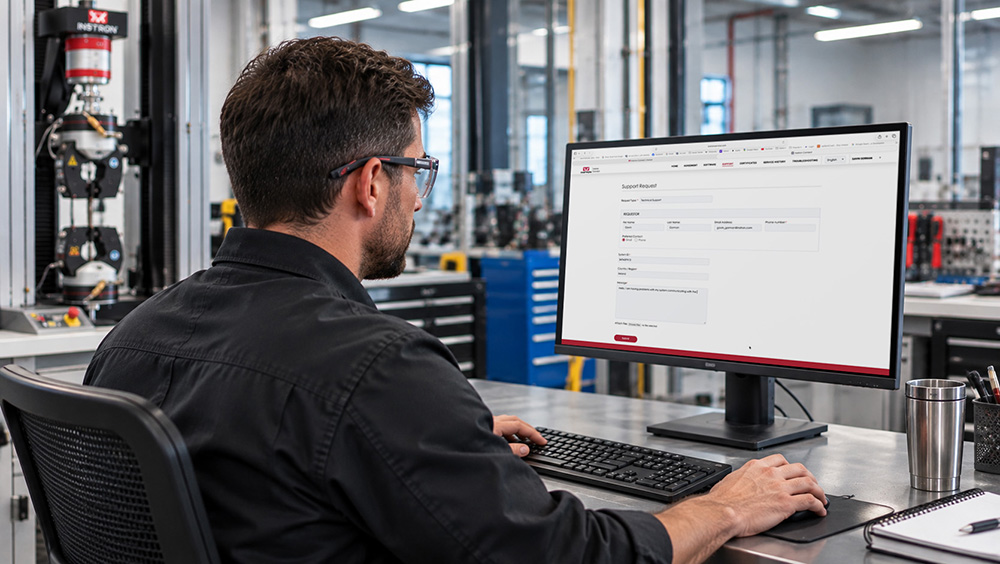
When critical documents are required, valuable time shouldn't be spent searching through emails, local folders, or disconnected record systems. The Instron Connect Portal provides a centralized location for accessing the information you need, including calibration certificates, service history, software updates, AI-powered troubleshooting tools, and service agreement details. You can also submit technical support requests and service inquiries directly through the portal.
When records are linked to your equipment, information is easier to locate when it matters most, whether you're preparing for an audit, reviewing equipment history, or managing multiple Instron systems across your organization.
When the Question Is Technical
Documentation is an essential part of supporting a testing system, but sometimes operators need quick answers to specific questions.
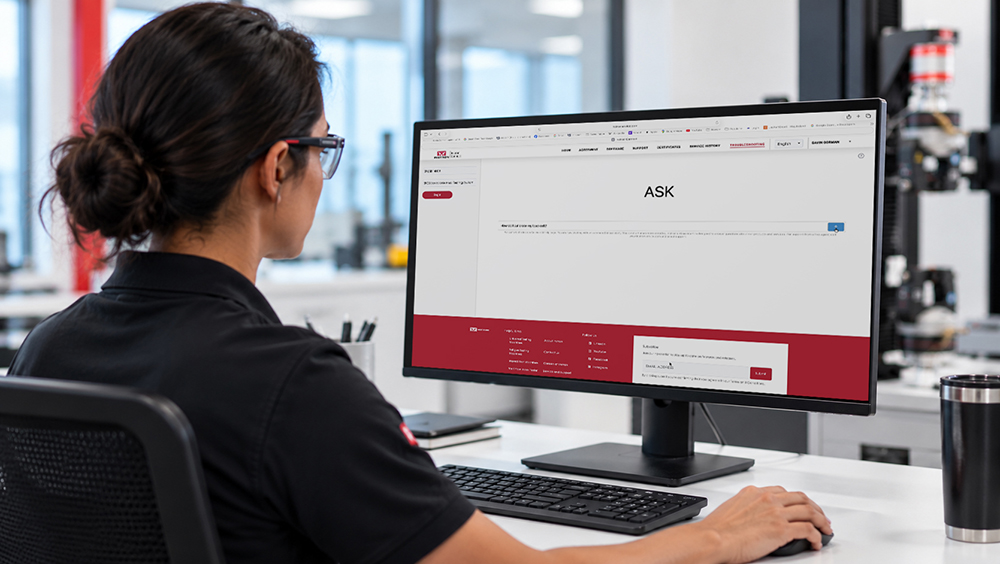
InSkill AI provides instant access to Instron's technical knowledge through the InSkill® mobile app, the web portal, and the Instron Connect Portal. Using the built-in Ask feature, operators can submit questions in everyday language and receive guidance drawn from Instron's extensive knowledge base.
Whether you're trying to understand a system message, learn how a feature works, locate specific information, or troubleshoot an issue, InSkill AI helps you find relevant answers quickly and efficiently.
Because InSkill AI can tailor responses to your specific Instron system, users receive more relevant guidance, making it easier to resolve questions and navigate unfamiliar situations with confidence.
Many common questions can be answered directly through InSkill AI. When additional assistance is required, users can seamlessly connect with Instron Technical Support for further help.
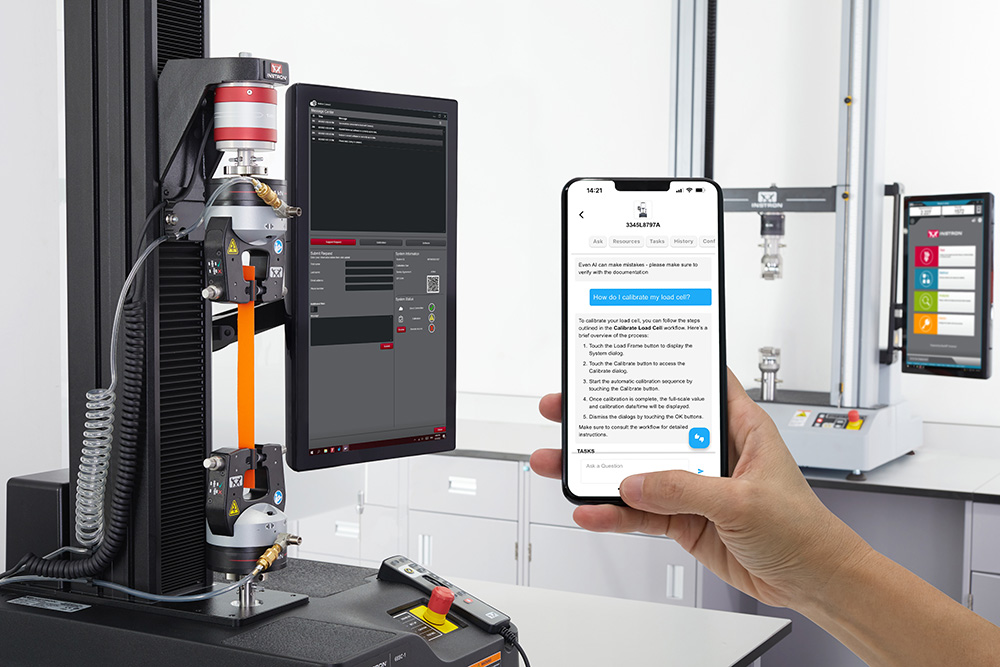
Connecting to Technical Support from Your Instron Testing System
When technical assistance is needed, getting help quickly can make all the difference. Instron Connect software provides direct access to technical support from the dashboard or computer connected to your Instron testing system.
Operators can submit support requests directly through the software and securely share system information and diagnostic data with Instron Technical Support. When support teams have detailed system information up front, issues can be diagnosed more efficiently, helping to reduce troubleshooting time and accelerate resolution.
In addition to connecting you with technical support, Instron Connect software provides convenient access to software updates, service reminders, and other system-specific information, helping to keep your equipment up to date and operating at peak performance.
Which Features Require an Internet Connection?
All Instron Connect features can be accessed in multiple ways, including through the web portal, the frame dashboard, and the InSkill mobile app. We understand that connecting your testing system to the internet isn't always practical or straightforward. That's why we've designed Instron Connect to provide flexible access options, allowing you to take advantage of key features in the way that best fits your environment and IT requirements.
The table below outlines which features require an internet connection and the different ways they can be accessed.
| Platform | How it is accessed | Internet connection required | Testing system connected to the internet |
| Instron Connect Portal | Web browser | Yes | No |
| InSkill | App, web portal, or Instron Connect Portal | Yes | No |
| Instron Connect Software | Computer connected to the Instron testing system | Yes | Yes |
The Instron Connect Portal and InSkill can be accessed independently of your testing system, allowing users to access support resources, documentation, and other valuable features from any internet-connected device.
The Instron Connect software runs directly on the testing system's dashboard or connected PC. When connected to the internet, it uses a secure connection to communicate with Instron, enabling features such as technical support requests, diagnostic data sharing, software updates, service reminders, and other system-specific services.
From Troubleshooting to Technical Support
Many questions can be resolved using self-service resources, but some situations require the expertise of an Instron Technical Support Engineer. When additional assistance is needed, Instron Connect makes it easy to submit a support request and share relevant details about your system and the issue you're experiencing.
When key system information and diagnostic data are automatically included with your request, Instron Technical Support can gain a clearer understanding of the problem from the outset. This helps the team assess the issue more quickly, recommend the appropriate next steps, and work toward a faster resolution.
Whether you need access to service records, answers to technical questions, or direct support from Instron experts, Instron Connect has the tools and information you need — helping you spend less time searching and more time testing.
Need help? Contact Technical Support.
One Account for All Your Systems
Manage all your Instron systems from a single account. View service agreement details, access calibration certificates, stay current with software updates, and get instant answers about your equipment across one lab or multiple locations.