Instron

Bluehill® Central Quiz

測試軟體

Bluehill® Central Quiz


Take a Tour of Bluehill Universal

測試軟體

TOUR BLUEHILL® UNIVERSAL

Simpler, Smarter, Safer Materials Testing Software

Start a test, create a method … learn about the primary modules in the Home screen tour.​

Get a feel for the workspace users will interact with when running a test in the Testing tour.​

The Instron is controlled by parameters specified in a test method. Learn about method configuration in the Creating a Method tour.

Get a glimpse how report templates are configured in the Reporting tour.​

Bluehill Central

測試軟體

BLUEHILL® CENTRAL

簡化您的測試管理

Bluehill Central 軟體是一種實驗室管理工具,可對與多個 Instron 試驗機台相關聯的 Bluehill Universal 軟體應用程式,進行集中式的遠端管理。透過此軟體,您可以從多個 Instron 系統遠端管理所有 Bluehill Universal 使用者、試驗範本、結果、檔案修訂核准和稽核追蹤資料。
請求示範 查看最新 Features


190+
Bluehill Central 資料庫
自推出以來的實施情況
425+
與 Bluehill Central
連接的萬用試驗系統
Bluehill Central 是否適合您的實驗室?
做一個簡短的測驗來找出答案。

參加測驗

運作方式
Bluehill Central 架構


Bluehill Central 架構

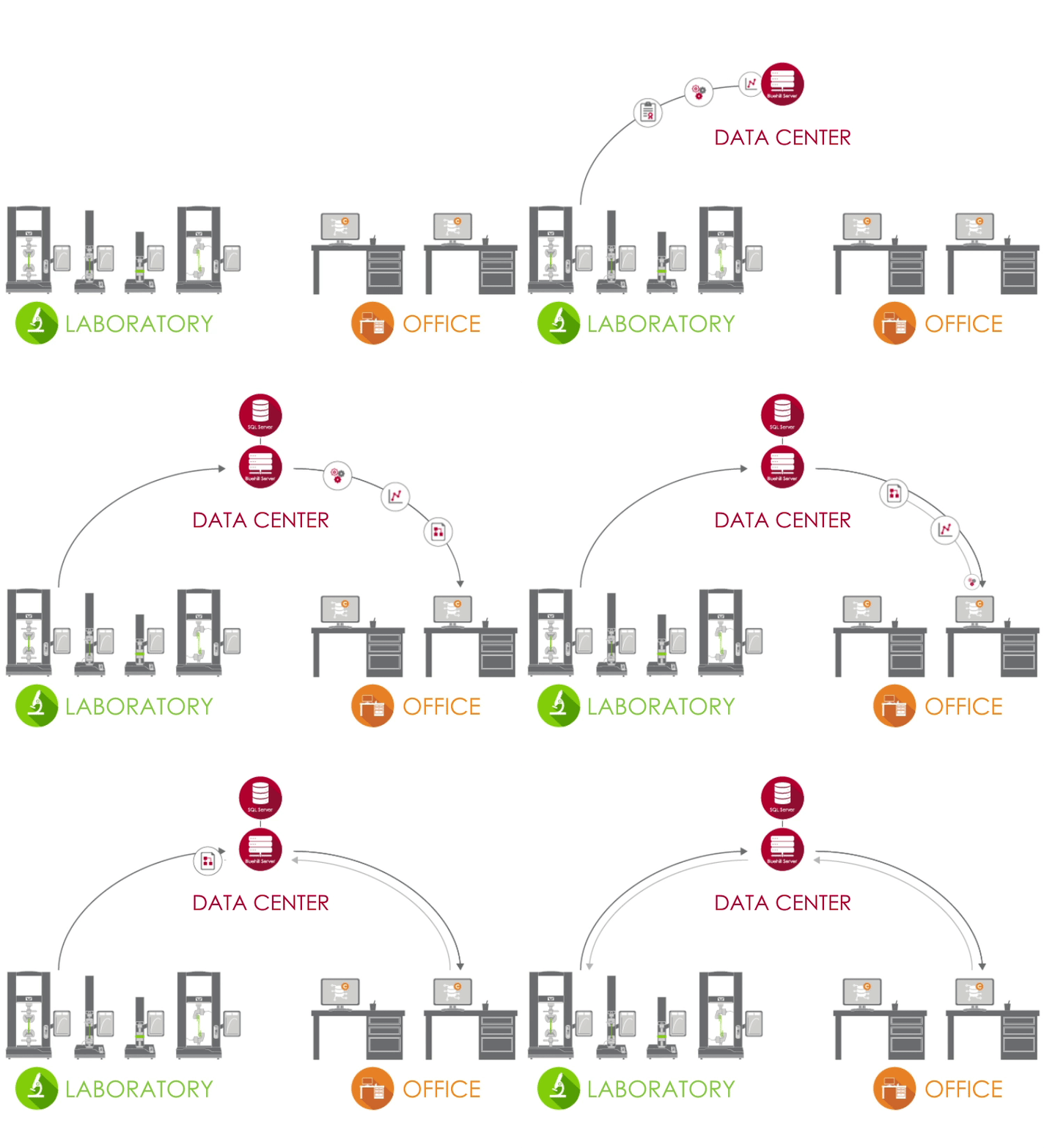
Bluehill Central 使用客戶端/伺服器網路,將所有共用資料、檔案和設定儲存在 Microsoft® SQL Server 資料庫中。當 Bluehill Universal 連接到您實驗室的 Bluehill Central 伺服器時,每個測試系統都會與集中式資料庫進行資料傳送和接收,消除了差異風險和本地管理每個系統的負擔。

test lab Icon 實驗室
在實驗室中,執行 Bluehill Universal 並連接到您公司網路的電腦可以透過 Central 外掛程式存取 Bluehill Central 資料庫。
資料中心 Icon 資料中心
由您的 IT 部門管理的資料中心可以託管 SQL Server 資料庫,該資料庫集中儲存 Instron 資料和 Bluehill Server 應用程式,該應用程式處理用戶端和資料庫之間的所有交易。所有用戶端和伺服器都透過您的公司網路連接。
辦公室 Icon 辦公室
在實驗室外,您可以從 Bluehill Central 檢視器遠端存取檔案和設定。您也可以使用離線 Bluehill Universal 授權來編輯試驗方法和檢視樣本資料。

在我們的 實驗室經理和IT管理員指南中瞭解更多資訊。

團隊


Bluehill Central 允許將使用者群組組織成共用通用檔案和設定的團隊。操作員的權限和檔案存取權由其團隊定義。這讓您的實驗室能夠靈活地支援不同的工作流程和設定,具體取決於使用該系統的群組。

成員 | 具有個性化權限的個人用戶

試驗系統 | 您實驗室中連接到 Bluehill Central 的 Instron 機台

檔案 | Bluehill 方法、報告範本、PDF 報告或其他 Instron 相關檔案

稽核軌跡 |團隊成員執行的作記錄

設置 |安全類型、文件審批和其他團隊級別設置


瞭解 Bluehill Central 中的安全性選項

使用 CENTRAL
做更多事情哪些模組適合您的實驗室?


實驗室管理


實驗室管理模組包含儲存在資料庫伺服器上的 Bluehill Central 檔案儲存庫。連接的 Instron 試驗機可以存取資料庫以執行受控測試方法或匯出結果。

 

修訂歷史記錄 Icon

檢視修訂歷史
每個 Bluehill 檔案都包含其歷史記錄,詳細說明與檔案的每個修訂版本相關的所有變更。

上傳 下載 Icon

上傳和 下載 檔案
透過上傳和下載功能,從資料庫儲存和擷取檔案很簡單。

讀寫 Icon

讀寫存取
透過設定檔案和資料夾的讀寫存取權限,限制哪些使用者可以進行變更或存取檔案。

離線同步 Icon

與離線模式同步
如果由於在 Bluehill Universal 中提供離線的重要檔案或資料夾而導致與資料庫的連線中斷,操作員可以繼續進行試驗。
可追溯性


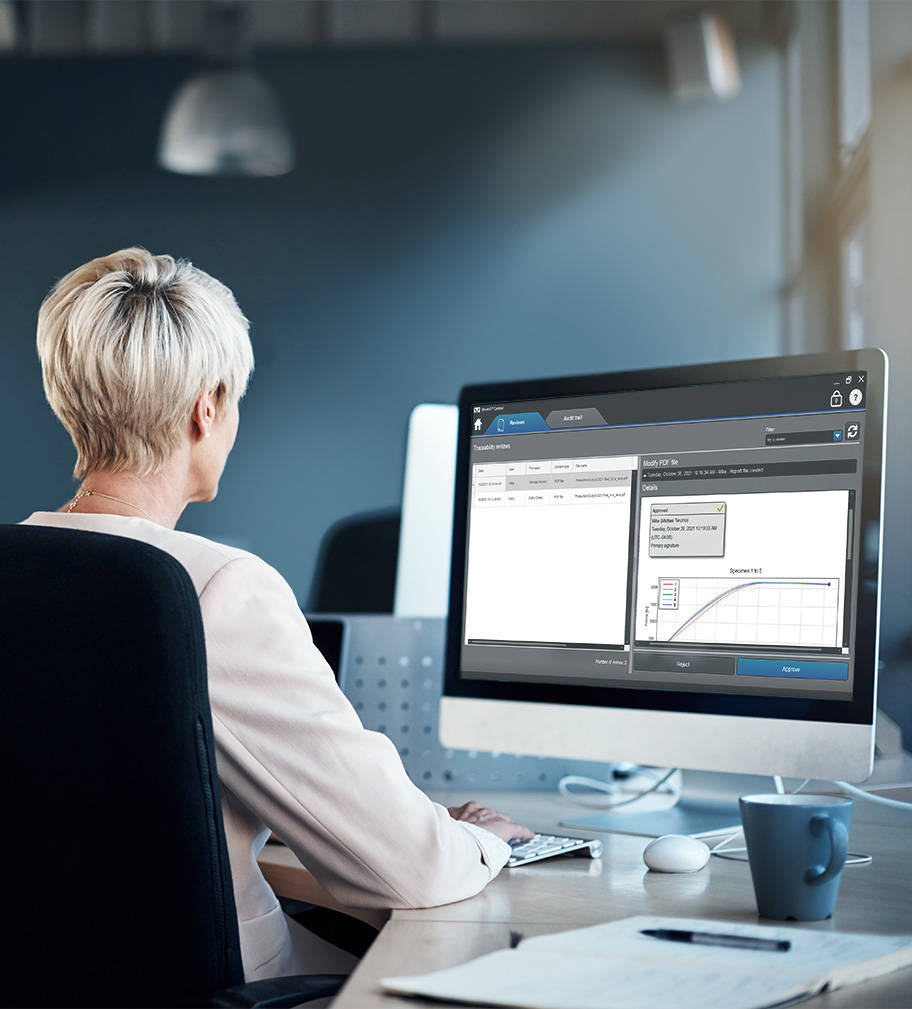
Bluehill Central 中的可追溯性模組允許您遠端審查並以電子方式簽署測試方法修改、樣本資料以及在 Instron 系統上發生的其他 Bluehill 檔案變更。檔案核准和 Bluehill Central 及 Bluehill Universal 中的許多其他使用者操作都會自動記錄在集中式稽核追蹤中,以驗證在任何連接的 Instron 系統上誰做了什麼、何時做的以及為什麼做。注意:可追溯性模組顯示來自具有可追溯性 + 實驗室管理(Central 外掛程式)的 Instron 系統的資料,這是 Bluehill Universal 的附加元件。


 

檔案變更 Icon

遠端審查檔案變更
在您的辦公桌上輕鬆完成從所有連接的 test 系統執行檔案審查。

篩選 Icon

篩選和列印稽核追蹤
查詢、篩選和列印所有連接的測試系統的稽核追蹤。

詳細資訊窗格 Icon

查看稽核軌跡
的詳細資訊詳細資訊窗格提供與所選稽核軌跡相關的更多資訊。


使用可追溯性模組的實驗室管理員

瞭解 Bluehill Central 中的可追溯性如何與 Bluehill Universal 中的標準安全性和本機可追溯性進行比較。

比較功能

瞭解 Bluehill Central 中的可追溯性如何協助您滿足 FDA 21 CFR Part 11 的技術要求。

下載白皮書

TrendTracker Software

趨勢跟蹤器

Bluehill Central 中的 TrendTracker 模組可加速您實驗室的資料分析工作流程。直覺的介面讓您能夠快速搜尋、顯示和分析跨多個樣本和測試系統的長期結果。告別繁瑣的檔案搜尋和資料複製貼上工作。

資料分析 Icon

多樣品資料分析
對來自多個測試系統產生的多樣品的結果執行資料分析。

客製化查詢 Icon

客製化查詢
建立由測試參數或結果定義的查詢,提供趨勢和異常值的見解。

Plot Icon

視覺繪圖
繪製各種圖表類型以可視化數據集。

Data Export Icon

匯出資料
將資料匯出到 CSV 檔案,並在應用程式 (例如 Minitab®) 中開啟以進行進一步分析。

了解有關 TrendTracker 中可用的統計數據和圖表的更多資訊。

瞭解 TrendTracker 如何使您能夠更快地做出數據驅動的決策。

快速流覽 TrendTracker,瞭解設置、監控趨勢和發現洞察有多麼容易。

Frequently Asked Questions for Bluehill Central

測試軟體

BLUEHILL® CENTRAL | FREQUENTLY ASKED QUESTIONS


Get answers to the most frequently asked questions (FAQ) about Bluehill Central, Instron's lab management software.

Bluehill Universal 中的方法範本


測試軟體


BLUEHILL® UNIVERSAL 中的方法範本

以下是 Bluehill Universal 材料測試軟體中所有可用的預設測試方法清單。

Bluehill Universal

測試軟體

BLUEHILL® UNIVERSAL

新一代的材料測試軟體


Bluehill Universal 是專為觸控互動而設計。全新的直立式版面,搭配精心打造的視覺設計,使操作面板擁有最完備的測試工作區畫面,帶來令人驚豔的大尺寸觸控螢幕以及內建控制器。直覺式工作流程讓訓練新手或老手都變得輕鬆、簡化操作員的訓練,而且讓您的測試速度變得比以前更快。

Take A Tour詢問軟體演示

Bluehill Universal Operator Dashboard

更簡單好用
輕鬆的工作流程與精簡的功能性


操作面板功能具備大型觸控點以及易於理解的圖示,提供更簡單、更聰明的使用體驗。Operator Dashboard 設計以人體工學為出發點,採用放大顯示的一體化電腦與觸控螢幕,可掛放在使用者的 Instron 系統側面,或搭配托架基座使用。


快速測試

當您需要快速取得結果時,QuickTest 讓使用者只需輸入幾個簡單參數,就能在數秒內執行測試。

方法範本

Bluehill Universal 包含一個預先設定的測試方法資料庫,符合一些最常用的 ASTM、ISO、EN 和其他標準。

提示測試

透過逐步指示引導使用者完成整個測試程序,以確保測試是可重複、簡單而且無錯誤。

整合試片量測

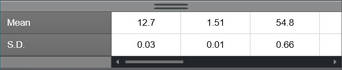
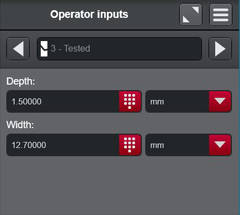
直接將測微計和卡尺連結系統,即可輕鬆匯入試片尺寸,以進行應力量測。

通過/失敗

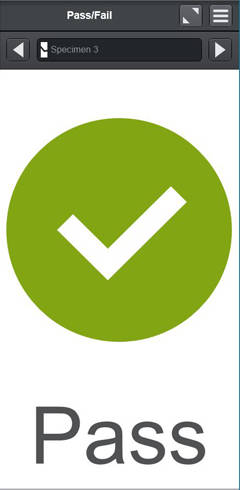
可讓使用者將測試部件新增到工作區中,以根據測試方法中設定的可接受範圍,快速呈現測試結果是通過還是失敗。

條碼掃描器

使用者可透過任何 USB 條碼掃描器,順暢地將資訊輸入 Bluehill Universal 中。只要建立一個條碼(包括標籤功能),便可在任何文字或數字輸入欄位中新增資訊。
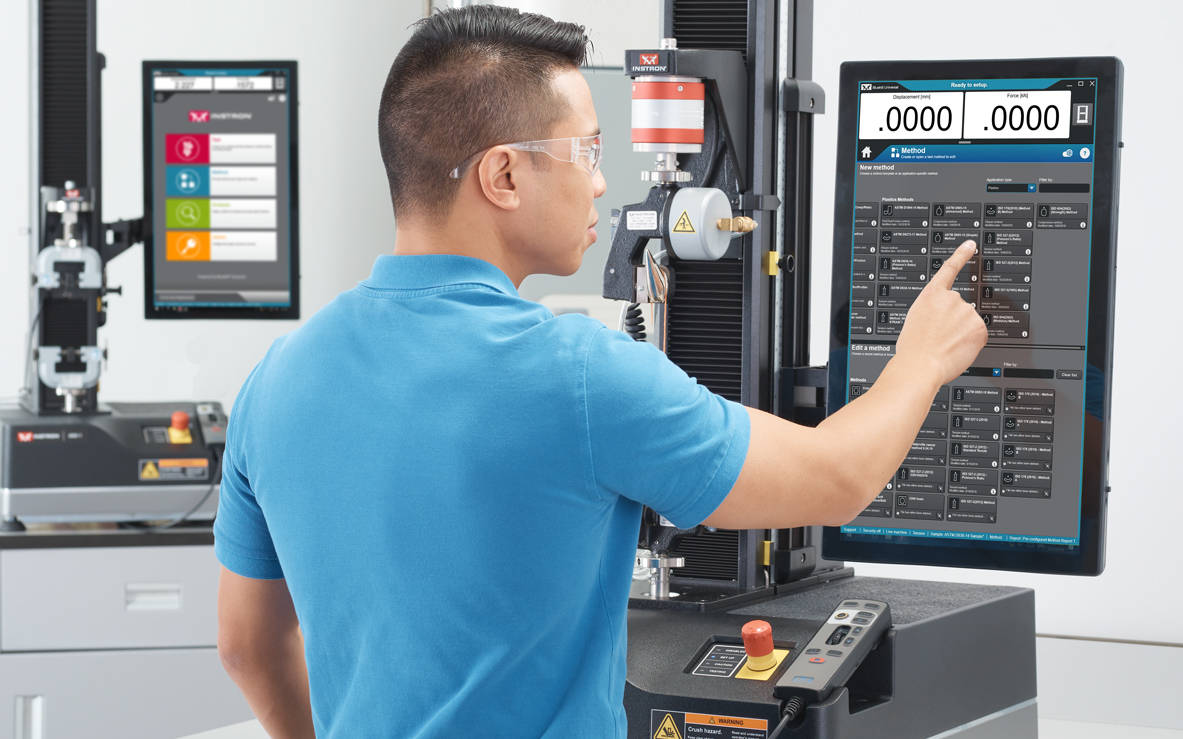
 

Running a Test in Bluehill Universal
更聰明
絲毫不複雜的進階功能


簡單操作並不代表您必須放棄進階的功能。Bluehill Universal 的模組化功能帶來強大的功能和靈活性,方便您執行最複雜的測試。

進階功能

可自訂匯出

測試完成後可匯出所有資料,從包含曲線圖和表格的專業報告,到與您的實驗室資訊管理系統整合的自訂文字檔皆可。

了解更多

TestProfiler 循環測試軟體

建立簡單循環測試,其中包含昇降段、保持段和三角波形。條件邏輯可讓您建立迴圈模式,以協助您以測試重建現實情境。

(選用工作量)

了解更多


運算式生成器

使用一組變數、量測值和原始資料建立您自己的自訂功能。例如,使用者可將測試速度設為試片寬度和厚度的函數,或是建立自訂原始資料運算式,例如在流體槽中測試時減去阻力。
選項輸入 

選項輸入提供使用者預先設定的選項清單,可縮短資料輸入時間並降低常用輸入的錯誤風險,例如算子名稱、顏色或試件類型。此外,各個選項均可與其他參數連結,例如測試率或尺寸。

了解更多


安全與追蹤功能


Bluehill Universal Security

保安

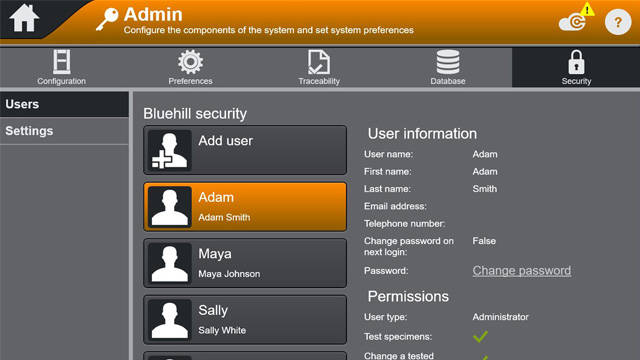
Bluehill Security 可讓實驗室主管在軟體中配置權限,授與存取權給受過訓練的人員(如超級使用者),並在需要時限制存取權限。Bluehill 安全允許您直接在 Bluehill 中配置登入權限,或是連結到本機 Windows 登入或 Windows Active Directory。

Bluehill 軟體白皮書的安全性
網路研討會:透過 Bluehill Universal 安全性來提升資料完整度


追蹤功能模組

Bluehill Universal 的追蹤功能模組可讓使用者符合與 FDA 21 CFR 第 11 部分, ISO 17025、Nadcap 等規範相關的稽核要求。透過無縫整合電子核准、修訂歷程記錄,以及自動化稽核軌跡,此功能強大的附加元件結合 Bluehill 的內建安全性,提供無人能及的資料可追溯性。

(選用工作量)

手冊
功能比較:標準安全性 vs. 可追溯性(本機)vs. 可追溯性(Bluehill Central)
FDA 21 CFR 第 11部分「施行白皮書」
數據完整性和 Bluehill 可追溯性 |創建一個更高效的實驗室
網路研討會:Bluehill Universal 可追溯性模組介紹

資料庫類型

可追溯性數據檢查提供網路與本機資料庫功能,能夠因應您的資料管理偏好。支援網路連線的集中管理資料庫,為您的實驗室提供更優異的效率,與在本機管理的資料相比更能降低風險。在考慮這些替代選項時,建議先判斷您的實驗室 IT 基礎建設與資料管理偏好。


local systems
本機


Bluehill Universal 的本機可追溯性模組將數據追蹤資料儲存在 Microsoft SQL Express 資料庫中,而該資料庫的主機位於執行與 Instron 系統連線的 Bluehill Universal 電腦上。本機資料庫模型適用於無法將電腦連線到共享網路的實驗室。在電腦本機上檢視數據追蹤資料以及電子簽署檔案,而每一個搭載本機可追溯性資料庫的 Instron 系統都會儲存自己的 SQL Express 資料庫。資料庫備份與還原功能可在 Bluehill Universal 手動執行。
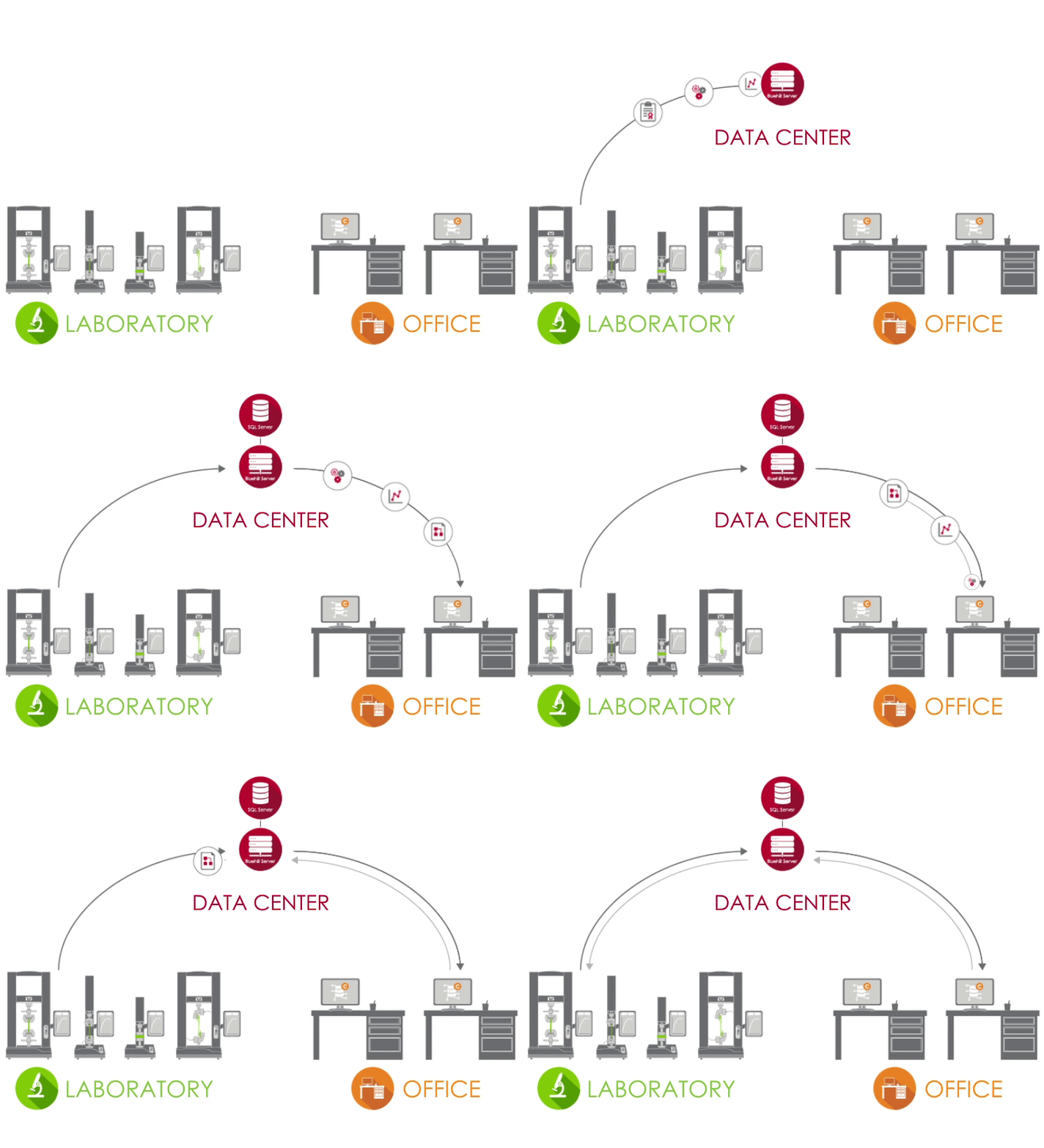
 

Bluehill Central Architecture
網路


Instron 可追溯性的網路解決方案由 Bluehill Central, 提供技術支援,在 Microsoft SQL 伺服器上部署客戶端/伺服器架構來儲存所有共享的數據追蹤資料、檔案以及設定。當 Bluehill Universal 連線到您的實驗室的 Bluehill Central 伺服器時,每一個測試系統都會從集中管理的資料庫中傳送並接收檔案,降低變數的風險以及在本地管理各個系統的負擔。可在 Bluehill Central 中遠端執行或在 Bluehill Universal 中以本機檢視數據追蹤資料、電子簽署檔案、以及使用者管理。資料庫備份與還原功能可在 Bluehill Central 手動執行。


資料分析

分析

無需重新執行測試,即可重播、重新分析或修改先前測試過的試片。

(選用工作量)

TestCam

連接 USB 網路攝影機,以體驗逐點影片播放,如此即使在測試完成後,您仍能檢視測試。

(選用工作量)


子樣本

使用子樣本,使用者便能依據所有參數對結果進行排序,包括操作員姓名、試片斷裂位置和特定試片性質。

TrendTracker 測試結果管理軟體

直接將結果匯出到 TrendTracker 資料庫。使用者可以在 Bluehill Universal 中建立多個資料庫連線,然後在適當的方法中選擇 TrendTracker 資料庫。

(選用工作量)
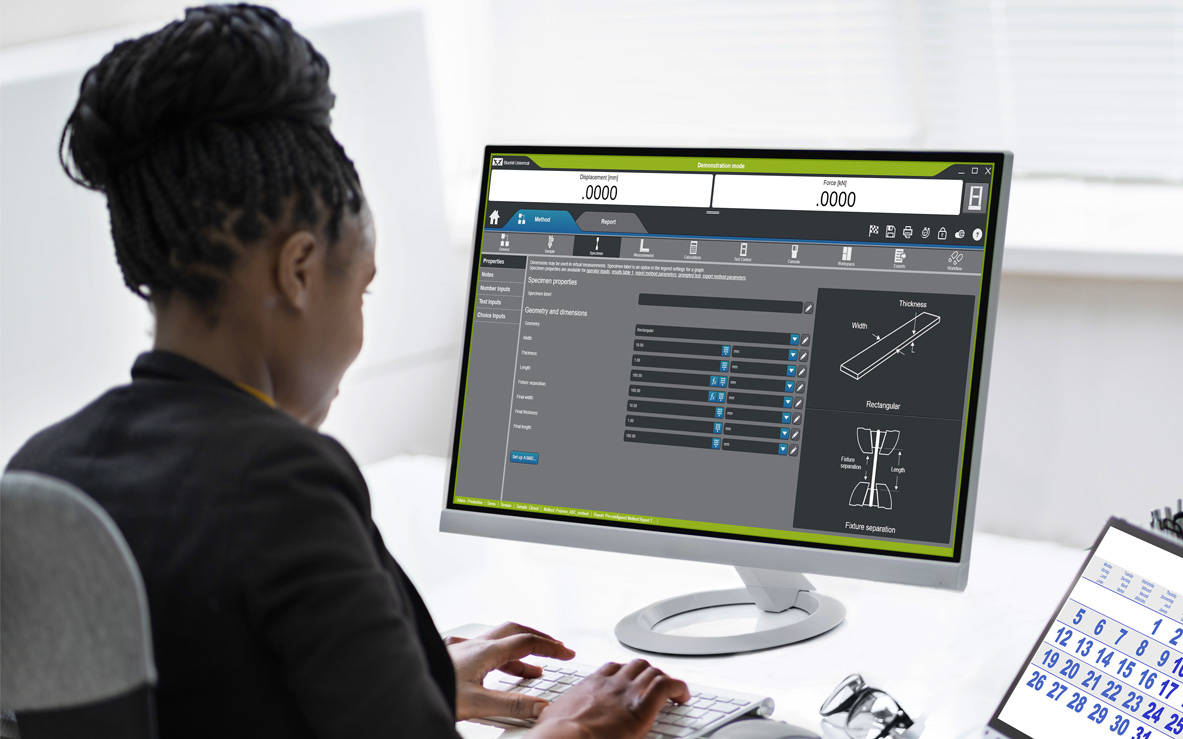
 

Operator Using an Offline License of Bluehill Universal

應用程式設計介面

Bluehill Universal 的應用程式設計介面 (API) 可讓系統管理員編製自己的自訂介面,以便在 Bluehill 內控制測試前後的動作。在許多情況下,API 都可讓您於測試序列的部分環節自動化,還能建立您自己的介面,以便執行系統的特定功能,例如匯入、開始或匯出。

了解更多

離線授權

某些使用者習慣在自己的辦公桌或是在自己的筆記型電腦上從遠端建立方法或測試後資料分析。「離線程式設計與資料分析」選項以單一授權或無限授權的形式提供。

INSTRON CONNECT
次世代的技術支援


內建於 Bluehill Universal 的 Instron Connect,運用物聯網 (IoT) 為顧客帶來更快速、更精簡的技術支援。Instron 努力成為顧客滿意度的領導品牌,而 Instron Connect 能夠讓我們的支援工程師更貼近企業用戶。


 

Instron Connect Icon
引領產業的技術支援
Instron Connect 讓我們的技術支援團隊提供無可比擬的協助與指引。我們在安全連線方面的投資讓我們能直接讀取系統診斷資訊、協助您透過遠端畫面分享功能來解決軟體問題,而透過擴增實境視訊支援平台,讓我們能如在您的實驗室中觀察硬體問題。

Reduce Risk Icon
提升您的工作能力
運用 InSkill AI 疑難排解工具來提升您的 Instron 系統生產力,整合豐富的獨家技術專業,可快速診斷問題並提供解決方案。

Software Update Icon
快速取得資訊
透過 Instron Connect Portal 或 InSkill AI 行動應用程式可存取您的 Instron 系統校正憑證、服務歷史紀錄以及服務合約資訊,為稽核與實驗室評估提供安全性。


Instron Universal Testing Machines

相容性

新型 6800 與 3400 系統透過操作面板提供 Bluehill Universal。除了升級到 5900 電子設備的系統之外,您還可以將它新增到現有的 6800、3400、5900、3300、5500、59R 和 IS02 等靜態測試系統。ElectroPuls™ 和 8800 動態系統在執行靜態測試時,也可以利用 Bluehill Universal 的多功能和簡單易用的特性。


了解更多訊息及其他資源

訓練 | 電腦需求 | Bluehill SQA 信函 

CrashSim Office

測試軟體

CrashSim Office

CrashSim Office

CrashSim Office是一款独立的程序,用于信号准备和处理,以及预测波形生成能力和生成适用于碰撞模拟系统的驱动信号。CrashSimOffice脱机用于碰撞模拟系统,主要具有以下特征

导入功能

  • 轻松从各种数据格式导入
  • 定义采样率或时间数据(支持可变周期)
  • 添加/剪辑波形时间
  • 带预览的CFC过滤
  • 导入波形的预览

编辑功能

  • 缩放/拉伸整个波形
  • 单个峰值编辑
  • 插入/删除数据
  • 编辑速度和行程显示
  • 带缩放功能的图形编辑
  • 编辑波形的预览

预测功能

  • 包含所有装置参数
  • 模拟不同有效载荷
  • 视图预测的加速度结果、速度和行程
  • 直接进入编辑功能进行进一步编辑
  • 将最终结果保存为tgt文件,以便在装置中使用

CrashSim Office是现代软件开发过程中不可或缺的工具。由于可变因素较多,该程序免除了滑台试验操作中大量必要的预发射,以证明波形的可行性。因此,CrashSim Office能帮助滑台系统更有效、更高效率地运行。

深入了解碰撞模拟系统.

WaveMatrix3 FAQs

WAVEMATRIX3
FAQs

Test Review | Specimen & Test Inputs | Security

What are the new features of WaveMatrix3?
The new features of are; Test Review, Specimen & Test Inputs, Security and IT Compatibility.

What controller is WaveMatrix3 compatible with?
WaveMatrix3 is compatible with 8800T controllers running v8.15 or higher, or 8800MT controllers running MR24 firmware or higher. WM3 is compatible with Windows 10 and Windows 11 Professional (64 bit). WaveMatrix3 is not compatible with Windows 7 and XP, so if a customer has Windows 7 or older, then a new PC (2490-647) needs to be quoted. If they have a classic controller, add USB-GPIB adapter (2490-950).

What if I have already purchased modules for WaveMatrix1 or Wavematrix2?
If a version of WaveMatrix with existing modules is installed on your current machine and you wish to upgrade to WaveMatrix3, there is not an additional cost for the existing modules which will be automatically ported and work with the new software once it is installed.

Is (re)calibration needed after upgrading to WaveMatrix3 & why?
No. All versions of WaveMatrix simply receive data from the 8800 Classic or MT controller – it cannot affect calibration.

Do I need any specific training when upgrading to WaveMatrix3?
If ordering a new machine, training will be provided during installation. For machines with existing versions of WaveMatrix that are being upgraded, training is not required.

Do I need to update Console?
Possibly. All WaveMatrix3 software upgrades should use the latest version of Console.

Do I need to purchase a new PC?
If the PC is running Windows 10 or 11 then a new PC will not be required.

Can WaveMatrix2 and WaveMatrix1 methods and results files be used in WaveMatrix3?
Yes. Note that WaveMatrix3 has not been specifically developed to allow for methods and results files to be used on older versions of WaveMatrix (1 or 2) and this is not supported.


Test Review:
How do I use this feature?
Test review allows users to review their test results directly from the Test tab in WaveMatrix3. Features include editable layout of graphs and results tables, zoom tool, and the ability to overlay multiple cycles for quick review.

How is my data displayed?
The default graph layout will mirror the WM3 test workspace when users first open a test in test review. Users can edit the layout, number of graphs and graph types within test review. Any changes to the layout will be saved, but the original data and method files will remain untouched.

How do I edit the graph layout and graph types?
The graph layout can be changed using the edit layout function, and graph types can be changed using the properties function. Various display options are available such as showing or hiding the legend, adjusting the scale, etc.

How many graphs can I have for one test?
Test review allows up to 4 graphs to be displayed at one time.

What graph types are available?
The graph types available are X-Y, Double Y, Peaks & Trends, Multi-Channel and Stop File.

How do I copy a graph?
Graphs can be copied as an image to the clipboard by right clicking or using the task menu.

Can I review multiple tests?
Users can have multiple instances of test review open for reviewing each test. Users cannot include multiple tests in one review.

How does the Area of Interest pane help me focus my test review?
The Area of Interest pane is used to select the data you wish to include in your Test Review. Multiple cycles can be overlaid by enabling the multi-selection option. Focus the review on your chosen data by editing the Data Source, choosing the steps/loops of interest, and choosing cycles of interest.

Can I compare multiple cycles from the same test?
Yes. Multiple cycles can be selected and displayed in test review.

Can I compare trends from multiple steps from the same test?
Yes. Multiple steps can be selected and displayed in test review.


Specimen & Test Inputs:
When should I add a specimen and test input?
When you want to record dimensions or information about the specimen and/or test along with the test data and when you want to calculate or control axial stress during the test using a cross-section measurement.

Which types of specimens can I add?
The basic specimen geometries (for axial stress) are Flat, Round, or Custom – all of these have mandatory cross-section details and support user-defined inputs. “Other” specimen type allows users to add specimen and test inputs without a cross sectional area and corresponding stress channel. “None” specimen type is provided for backward compatibility for methods from WaveMatrix1 or WaveMatrix2 and collects no inputs at all.

How many specimens and test inputs can I add?
Users can add an unlimited number of specimens and test inputs.

Can I use a specimen and test inputs in user-defined calculations?
Yes. Basic guidance and an example is provided in the online help, or contact the Dynamic Applications team in High Wycombe for advice.

What can I add as a specimen and test input?
Specimen and test inputs are completely customizable. Any dimensions can be added in the ‘custom dimensions’ field with units of length, while any free form text can be added in the ‘custom properties’ field. For example, batch numbers, material, color, total length etc.

How do I view my specimen and test inputs in the test workspace?
These are shown on the test inputs panel, which is now a default part of layout in new methods. Screen layout and panel contents are configured in the method.

How do I prevent a specimen and test input from being edited in the test workspace?
Users can remove specimen and test inputs from the test inputs tab in the method, which will prevent the input from showing in the test workspace. If security is enabled, operators will not be able to access those inputs.

How do I update specimen and test inputs during the test?
Users can update specimen and test inputs in the test workspace. Cross-section inputs cannot be edited after test start, but all other fields can be updated while the test is running (for example users may wish to record visual observations during the test). The final value will be saved at the end of the test.

Can I add a specimen or test input after a test has ended?
No. All specimen and test inputs must be added to the method. They can only be entered or updated during setup or while the test is running.

Where are the specimen and test inputs saved?
There is a specimen and test inputs .txt file saved in the test folder. The specimen and test details are also saved in the method file.


Security:
What does the Security feature do?
The Security option allows you to create and manage different access levels and associated permissions for system operators. If Security is enabled each user must log in with their own account settings (username and passcode) and can only perform operations permitted by their access level.

What happens if Security is disabled?
If Security is disabled or never enabled initially, all users have unlimited access to all non-security operations. Only Administrators can enable or disable Security.

If Security was not activated at first use, can it be activated later?
Yes. An Administrator profile will be automatically created and asked to create their own PIN and when the feature is first enabled.

How many users can be set up?
You can set up as many users as required, and you can set up multiple users at each level to suit your lab needs.

How many user levels are there?
Three: Administrator, Lab Manager, Operator.

What can users do at each level?
Operators can only run tests using existing methods; they can review data and access tutorials. Lab Managers can create and edit methods and use all functions except Security settings. Administrators have full access to all features including enable/disable Security and create user profiles.

Can I customize my user account settings?
You can customize your own username, first and last name, and passcode. An Administrator can also modify the settings of other users, including their Access Level.

Can I modify the user account settings of another user?
Only an Administrator can change other users’ settings.

Can I remove a user?
An Administrator can remove/add a user and change their settings.

If I remove a user, what happens to their methods?
Saved methods remain visible and usable by other users.

I forgot my passcode, what should I do?
Ask an Administrator to modify your settings and assign a new passcode.

Can I disable Security if users are set up?
An Administrator can disable Security at any time. The list of users will be available again if/when the Administrator re-enables Security.

Can I manage Security for multiple systems centrally?
No. Security is enabled and user profiles are set up locally on each system.

Bluehill Universal 電腦需求

測試軟體

Bluehill Universal 電腦需求

以下是安裝和正確操作您系統上的 Bluehill® Universal 測試軟體所需的最低電腦需求。其他需求取決於附加裝置,例如影像引伸計。請聯絡我們以取得建議的配置。

  • 具有 2 GHz 或更快時脈速度的 Intel Pentium(雙核心或單核心)處理器
  • 8 GB RAM(如果使用影像引伸計,則為 16 GB)
  • Microsoft® Windows 10 或 11 (僅限 64 位元)
  • USB 連接埠(用於軟體安裝)
  • 具有 2 GB 可用空間的硬碟
  • 最低顯示器解析度:1024 x 768 高彩
  • 1 個未使用的序列埠(僅適用於 ASMD)
  • 1 個未使用的乙太網路埠(僅適用於 Instron® 3300/5500/5900/3400/6800 - 如果需要網路可存取性,則需要 2 個乙太網路埠。可以使用 USB 轉接器。)

Bluehill Universal 專為觸控互動而設計,因此建議使用觸控螢幕顯示器以獲得最佳使用者體驗。

其他需求取決於附加模組,例如影像引伸計。請聯絡我們以取得建議的配置。


BHI Pendulum

BLUEHILL® IMPACT
Pendulum Impact Testing Software

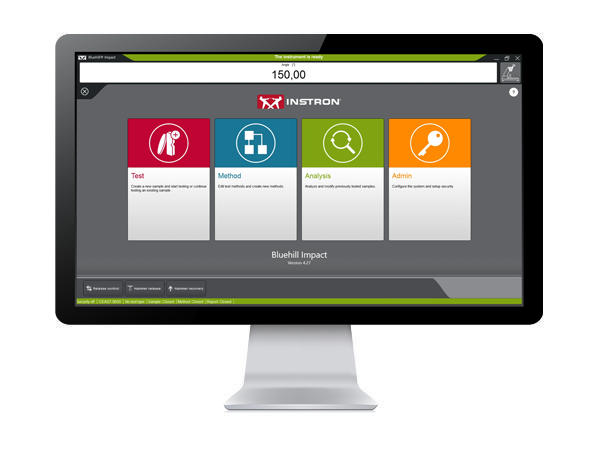
Bluehill Impact for Pendulum has been designed to meet customer needs. The touchscreen interface features an outstanding visual design that improves user experience while also incorporating safety features. Intuitive workflows make it easy to train users, simplify operator training, and allow you to start testing faster than ever before.

 

SAVE TIME | FULL CUSTOMIZATION
ENHANCED SAFETY

Test Icon Grey

CLICK TO PLAY TESTING
Pre-configured methods are already provided. You can select a suitable method, and press start immediately.

Test Icon Grey

ENHANCED SAFETY
The color-coded framework informs you about the machine's status and provides clear, valuable information to the user. A simple glance lets you know what environment you are in, and whether it is safe to interact with the machine.

Test Icon Grey

ADVANCED CALCULATION
Automatic identification of break type from the shape of the curve in accordance with ISO 179-2.

Test Icon Grey

USER-DEFINED ACCESS RIGHTS
With three different pre-defined profiles to select from, it is possible to configure the workspace to suit the needs of different users and limit the functionality that is available to an individual.
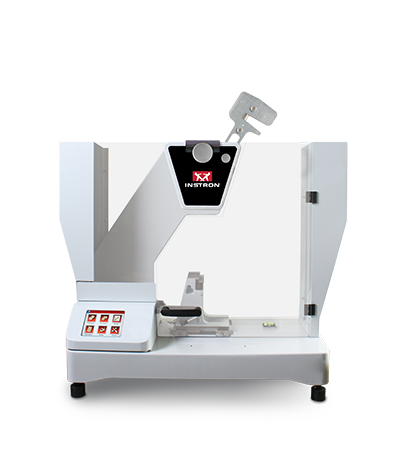
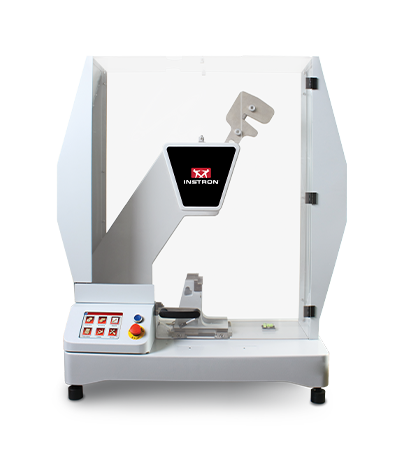
BLUEHILL IMPACT FOR PENDULUM WORKS WITH INSTRON IMPACT PENDULUM TESTING MACHINES
9050 Manual Pendulum
Instron 9050 Manual
9050 Motorized Pendulum
Instron 9050 Motorized

Pendulum Impact Testing Machine enables users to determine the impact resilience of plastics and composites, easily and safely.

EXTRAS

Red Print Icon

Bluehill Impact for Pendulum Brochure

Grey Document Icon

Bluehill Impact for Pendulum POD


Bluehill Fracture Standards Library

測試軟體

Instron® Bluehill® Fracture Standards Library

SYNOPSIS

Bluehill Fracture Standards Library is a Microsoft Windows PC compatible software package, developed by Instron - Division of ITW Limited, that provides a library of analysis functionality used by the Instron Bluehill Fracture software.

Tests and Specimens by Standard
Analysis Result
Measurement
Specimen
KIc
KIsi
CTODc
Jc
JIc
Clip-Gauge
DCPD
C(T) Straight Notch
C(T) Load Line
SEN(B)
Disc Straight Notch
Disc Load Line
Arc Tension
Arc Bend
M(T)
ASTM E399-23
ASTM E1820-24
ISO 12135:2021
GB/T 21143-2014
BS 7448-1:1991*
ASTM E647-19
ISO 12108:2019
Standards and Specimens by Test Type
Brittle KIc
Brittle/Basic CTOD or J
Ductile JIc (single specimen)
Ductile JIc (DCPD)
Crack Growth
*Excludes post-test analysis
Standards →
ASTM E399-23
ISO 12135:2021
(GB/T 21143-2014)
ASTM E1820-24
ISO 12135:2021
(GB/T 21143-2014)
ASTM E1820-24
ISO 12135:2021
(GB/T 21143-2014)
ASTM E1820-24
ASTM E647-19
ISO 12108:2018
(GB/T 6398-2017)
Specimens ↓
C(T) Straight Notch
C(T) Load Line
SEN(B)
Disc Straight Notch
Disc Load Line
Arc Tension
Arc Bend
M(T)
*NOTE: Bluehill Fracture continues to support analysis of KIc, CTODc, and Jc, according to BS7448-1:1991, but this standard is now withdrawn and superseded by BS EN ISO 12135:2021.
For advanced testing needs on fatigue crack growth studies, please contact Instron to discuss advanced tools available in WaveMatrix3 software.
RELEASE NOTES

Version 2.4 Build 24093.01 (16/September/2024)

  • Support added for:
    • Update to latest revision ASTM E1820-24 for existing analyses (J and CTOD)
    • Addition of support for ASTM E399-23 Annex X1 “size independent” analysis of KIsi
  • Improved data collection for point of failure in extremely brittle tests
  • Requires Bluehill Fracture V2.4 or later


Version 2.3 Build 24093.01 (19/April/2024)

  • Support added for:
    • GB/T 21143-2014 analysis of KIC (Chinese National standard)
    • GB/T 21143-2014 analysis of single point CTOD and J0 (Chinese National standard)
    • GB/T 21143-2014 analysis of JIc from unloading compliance method (Chinese National standard)
  • Requires Bluehill Fracture V2.3 or later


Version 2.2 Build 23335.3 (16/January/2024)

  • Support added for:
    • ASTM E399-23 analysis of KIC
    • ASTM E1820-23b analysis of JIC and CTOD
    • ASTM E1820-23b analysis of Jc from brittle test
    • ISO 12135:2021 analysis of single point CTOD and J0
    • ISO 12135:2021 analysis of JIc from unloading compliance method
    • Conversion of ductile tests for brittle analysis
  • Requires Bluehill Fracture V2.2 or later


Version 2.0 Build 22018.01 (18/January/2022)

  • Support added for:
    • BS7448-1:1991 analysis of single point J Integral
    • ASTM E1820-20b (Annex 18 - DCPD Method) analysis of JIc using electrical crack length measurement
    • ISO 12135:2021 analysis of KIc
    • Test temperature recorded from Eurotherm and Instron Furnace Controller devices
  • Requires Bluehill Fracture V2.0 or later


Version 1.3 (20/May/2021)

  • Support added for:
    • ASTM E399-20a analysis of KIc
    • ASTM E1820-20b analysis of JIc and CTOD
    • BS-7448-1:1991 analysis of single point CTOD
  • Requires Bluehill Fracture V1.3 or later


Version 1.2 Build 20167 (23/Jun/2020)

  • Support added for:
    • ASTM E399-20 analysis of KIc
    • ASTM E1820-20ε1 analysis of JIc and CTOD
  • Requires Bluehill Fracture V1.2 or later


Version 1.2 Build 20063 (10/Mar/2020)

  • Support added for:
    • Crack Growth tests
    • Disk CT Load Line, Disk CT Front Face, and Arc Tension specimens
    • ASTM E1820-20 analysis of JIc and CTOD only
  • Requires Bluehill Fracture V1.2 or later


Version 1.1 (07/Nov/2019)

  • Support added for:
    • ASTM E399-19 analysis of KIc only
    • ASTM B645-10 analysis of KIc only
    • ASTM E1820-18a analysis of JIc and CTOD only
  • Requires Bluehill Fracture V1.1 or later


Version 1.0 (04/Feb/2019)

  • Initial release with support for:
    • ASTM E399-2017 analysis of KIc only
    • ASTM E399-2012 analysis of KIc only
    • BS 7448-1:1991 analysis of KIc only
    • ISO 12135:2016 analysis of KIc only
    • ISO 12135:2002 analysis of KIc only
  • Requires Bluehill Fracture V1.0 or later
Learn more about Bluehill Fracture

Learn More

Ask for support

Contact Us

Bluehill® Universal 的最新功能

測試軟體

BLUEHILL® UNIVERSAL 的最新功能

注意:下面顯示的功能清單旨在突出每個軟體版本版本中包含的重要增強功能。有關按版本劃分的增強功能和修改的完整清單,請參閱 Bluehill Universal 發行說明,該說明存儲在Instron資料夾中,可從Windows開始訪問。如果尚未安裝 Bluehill Universal , 請聯繫我們 索取發行說明。


Bluehill universal v4.55

於 2025 年 8 月發布

  • 支援 bluehill Central 2
  • 離線伺服器可在無法連線至 Bluehill Central 資料庫時繼續測試

Bluehill Universal 版 v4.52

發佈時間:2025年6月

  • 支援 AVE3 / SVE3 影像延伸計
  • 自動回路控制增益設置可用於 3400 系列 系統上的應變感測器
  • 支援 緊湊型液壓夾緊泵 (目錄號 2718-700)
  • Bluehill Elements 支援縱向顯示器方向
  • 修復了計算機通信的IP位址警告
  • 智慧關閉空氣套件選項,可在測試期間使用供氣壓力

Bluehill Universal 版 v4.47

發佈時間:2024 年 7 月

  • 新的自動注射器方法類型(basic 和 TestProfiler),以支援 自動注射器測試系統。所需的硬體。
  • 新的系統適用性功能,要求在測試前每天檢查感測器。目前僅適用於自動注射器測試系統。
  • 連結到均值和中位數統計失敗邊界的“通過/失敗”的新示例選項可以顯示在“通過/失敗”工作區元件和報告中。以前僅適用於單個樣本。
  • 用於切換數位 I/O 輸出狀態的新軟鍵。
  • 新的匯出選項可減少 Export 1 / 2 file 中的原始數據點數量。最多可以配置三個域,每個域中保留特定數量的點。
  • 梅特勒-托利多秤支持進行質量測量。所需的硬體。
  • 高級性能(K1 選項)現在包含在基本 Bluehill Universal 中,支援 5900 / 6800 Series 系統高達 5000 Hz 的數據採集速率。
  • 新的匯出選項可覆蓋 TestCam 影像檔的預設位置。

Bluehill Universal v4.42

發佈時間:2023年1月

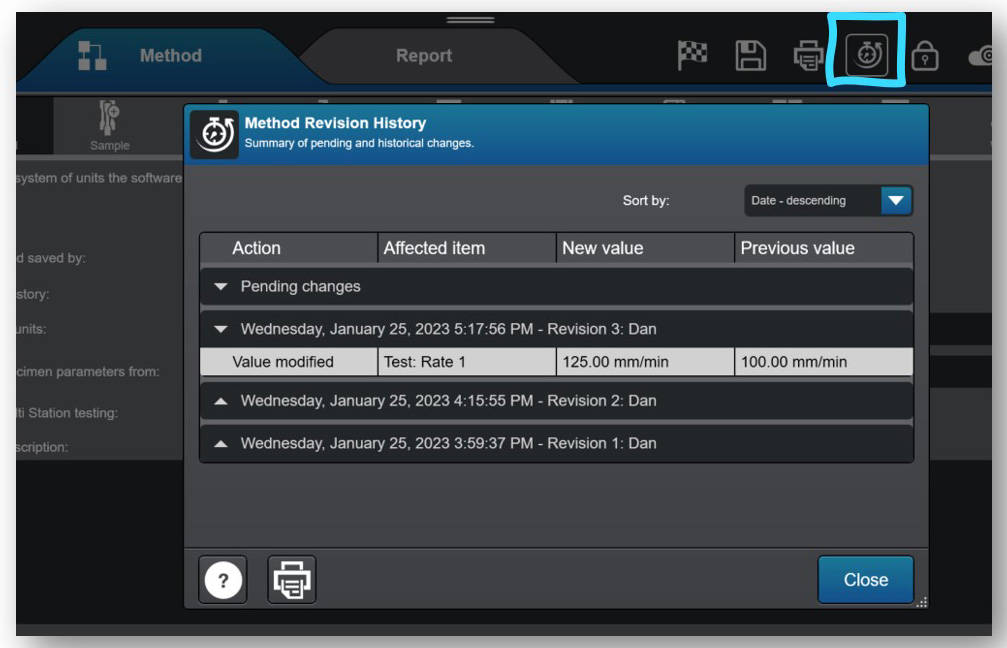
  • 現在,所有 Bluehill Universal 使用者都可以使用修訂歷史記錄,自動記錄對方法、樣品和報告範本的更改。以前,Traceability 附加元件是可選的購買,用於捕獲 Bluehill 檔更改的人員、內容和時間的更改日誌現在作為標準產品的一部分提供。請注意:修訂歷史數據僅存儲在檔本身中。需要 Traceability 外掛程式來 (1) 將修訂歷史記錄存儲在審計跟蹤資料庫中,以及 (2) 使用電子簽名進行變更批准。在Bluehill Elements 中無法訪問修訂歷史記錄。
Calculation Status
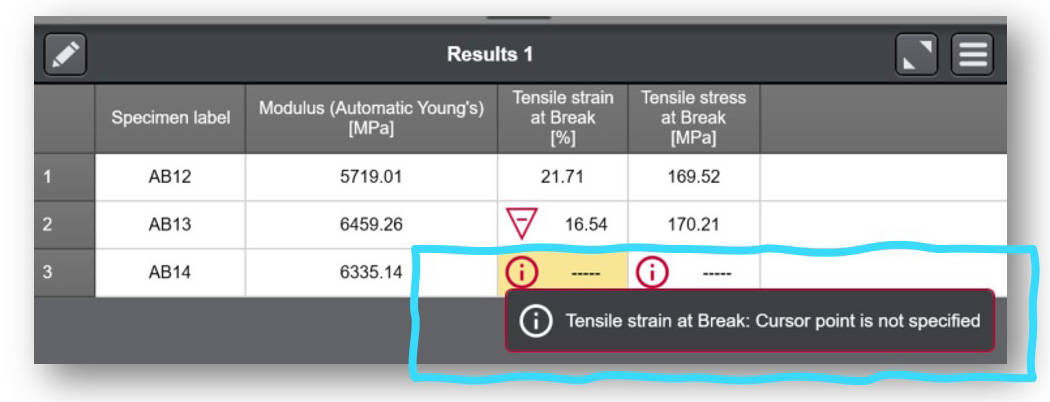
  • 現在,用戶可以在結果表中輕鬆訪問計算狀態詳細資訊。如果結果計算失敗或觸發警告,則結果表的關聯單元格中會顯示一個資訊圖示,使用者可以選擇該單元格來瞭解原因。


Bluehill Universal v4.37

發佈時間:2022 年 8 月

  • 新增支援 Eurotherm EPC 3016 爐控器。
  • 更改 Bluehill 用於與幀控制器通信的預設 IP 位址的新功能。注意:僅在極少數情況下需要覆蓋預設IP位址。如果需要,請聯繫 Instron 服務部門,因為更改必須從 Service Tool Universal 啟動。

Bluehill Universal v4.34

發佈時間:2022 年 4 月

  • Bluehill Central 的 TrendTracker 模組的新外掛程式,可對所有 Instron 測試結果執行統計過程控制 (SPC)。您可以通過統計數據和各種可視化圖表來識別材料中的趨勢和異常值。
  • TestProfiler 測試方法現已推出用於拉伸、壓縮和彎曲應變的新自動平衡選項。
  • “金屬”應用模組中新增了預配置測試方法: ASTM F606-21、ISO 898-1:2013、 ASTM C39-21、 ASTM C78-21 和 Instron 彈簧試驗機範本。

Bluehill Universal v4.28

發佈時間:2021年12月

  • Bluehill Central 的可追溯性和實驗室管理模組的新外掛程式,用於遠端管理來自多個 Instron 系統的所有 Bluehill Universal 用戶、測試範本、檔修訂批准和審計跟蹤數據。Bluehill Central 於 2021 年 12 月發布,擁有自己的查看器應用程式,並使用您的公司域與所有連接的 Bluehill Universal 或 Bluehill Central 用戶端共用數據和檔。
  • 新的橫樑“返回目的地” – 在 Bluehill 測試方法中,您現在可以將橫樑配置為返回非零值。
  • 用於 5500 控制器的新「位移」數據過濾選項(當前可用於其他框架控制器類型,可在 Admin > Frame > 選項 > 覆蓋預設數據篩檢程式設定中找到)。
  • 新的碰撞緩解「過渡時間」 – 碰撞緩解(在所有 6800/3400 幀上處於活動狀態)現在允許您選擇在啟動之前設置時間延遲(除非 Instron 代表指示,否則不建議使用)
  • 在 Windows® 11作系統上合格*。請注意:Bluehill Universal 軟體(應用程式)是合格的。您必須確保運行 Bluehill Universal 的電腦也滿足 Windows 11 要求。
*合格意味著產品已經過測試並得到全面支援。

Bluehill Universal v4.25 版本

發佈時間:2021年5月

  • 提供新的實時顯示 – “Active zone” – 直觀地指示測試工作區中當前測試的當前區域。
  • 為使用氣動手柄和 智能關閉器動套件的使用者提供新功能。操作者保護設置可以配置為允許任何使用者更改氣動夾具控制模式,而無需管理員許可權。
  • 新的匯出選項 - 在結果表前添加方法參數
  • 改進了日期/時間值管理。選擇日期/時間值現在使用協調世界時 (UTC) 儲存時區資訊。要保持以本地時間向用戶顯示的日期/時間值。
  • 添加了對 5900 幀控制器的 Torsion Add-on 3.0 的支援
  • 添加了對 6800 幀控制器上的 AT2 自動 XY 平台 的支援

Bluehill Universal v4.23 版本

發佈時間:2020 年 12 月

  • 新增了在 Admin 級別為新方法自定義預設單位的功能。當預設單位配置為所需的單位首選項時,用戶在創建新方法時無需指定。
  • 新增了將 TestProfiler 循環步驟的 Cycles 參數指定為表達式的功能。用戶現在可以將表達式連結到數位輸入、選擇輸入,甚至開發自己的函數來定義 # 迴圈。
  • 新增以絕對旋轉角度結束 TestProfiler 保持步驟的功能(僅限 Torsion Add-on 使用者)。使用者現在可以選擇絕對旋轉控制,並定義旋轉結束角度來完成目前的保持步驟。
  • 新增了在結果上定義警告範圍的功能,用於識別接近定義的失敗範圍的有效結果。警告和失敗邊界位於方法的 Results 部分。
  • 新增了創建導數的 Virtual measurement(虛擬測量)的功能。
  • 在使用 Average Value 計算時指定要平均的測量值的附加功能。以前,平均值計算僅限於力 (Y 軸) 和 位移 (X 軸)。
  • 新增功能:可分別為平均值/中位數設定合格(失敗)範圍,與單一試件的結果範圍獨立設定。先前,失敗範圍是由單一試件與樣本的平均值/中位數共用。
  • 增加了對新的 Instron RTS, Powered by Connect 平臺(以前稱為 Instron Connect)的支援。

Bluehill Universal v4.19

發佈時間:2020 年 6 月

  • 新的螢幕鎖定功能,可按需或在一段時間不活動后鎖定 Bluehill 。用戶可以將此功能配置為在使用 Bluehill Security 的情況下工作。如果啟用了 Bluehill 安全性,用戶必須重新輸入其使用者名和密碼才能解鎖軟體。軟體鎖定后,使用者可以自定義他們的離開消息,以通知其他實驗室人員機器和測試的狀態。

Bluehill Universal v4.18 版本

發佈時間:2020 年 2 月

  • 對 3400 和 6800 Series 系統的新控制器支援,包括對碰撞緩解、智慧關閉器動套件、軟體安全指導和 6800 系統上自動定位的支援。
  • 新的 Traceability 模組。該可選模組為使用者提供方法、樣本和報告範本修訂歷史記錄、電子簽名以及 Bluehill Universal 中內置的安全且可搜索的審計跟蹤。
  • Bluehill Universal Compression 和 Compression Test Profiler 方法中的 XY 載物台測試控制。允許使用 XY 平台硬體的使用者直接在 Bluehill Universal 中創建網格、菱形或自定義測試控制序列,無需 TestMaster™。
  • 用於按需進行相對移動的新軟鍵。非常適合希望在落地式模型或額外高度系統上移動系統橫樑而無需手動點動系統的使用者。
  • 使用安全和用戶登錄/註銷時自動啟用/禁用幀。
  • 用於輸入夾持壓力的新作員輸入。適合使用智慧關閉器動套件的使用者。

Bluehill Universal v4.11 版本

發佈時間:2019 年 6 月

  • RS232 匯出功能。除了匯出為檔類型外,此功能還允許使用者直接匯出到串行埠。
  • 提醒設置安全限制。打開新方法或示例檔時,用戶必須確認已設置交叉頭限制。
  • 用於測試電子元件和元件的新按鈕和開關計算。這些新的計算方法可幫助使用者量化其商品的實用性。
  • 示例數據輸入。允許使用者使用日曆圖示輕鬆選擇測試中的日期。

Bluehill Universal v4.08

發佈時間:2018 年 12 月Released December 2018

  • Tension / Torsion TestProfiler (拉伸/扭轉 TestProfiler) 和 Compression / Torsion TestProfiler (壓縮/扭轉 TestProfiler) 方法類型。與 Torsion Add-On 2.0 一起使用,進行雙軸測試(需要硬體)。
  • 增強的 Bluehill 安全性,具有擴展許可權以及 Windows® 登錄和 Active Directory 支援。 觀看此點播網路研討會以瞭解更多資訊。
  • 二次擬合計算允許使用者定義從 2 階到 6 階多項式擬合的曲線。
  • 能夠直接從 Live Display 平衡感測器。

Bluehill Universal 版 v4.06

發佈時間:2018 年 6 月

  • 通用測試結束標準允許使用者指定具有更多物理和虛擬測量的測試結束。
  • Choice Inputs (自定義下拉功能表) 現在可在 Sample 級別使用。
  • 用於自定義匯出檔和測試後作的更多選項,例如檔案命名和在測試結束時啟動可執行檔。
  • 4條加權平均值現在作為樣本統計量提供。
  • 多工位系統現在支援提示移除測試和引伸計。

Bluehill Universal v4.04

發佈時間:2017年11月

  • 新的子樣品允許您按相似參數對結果表進行快速排序,例如經紗/緯紗、作員姓名、機器/交叉等。這可用於顯示各個子組的統計數據,從而使您能夠快速識別測試樣本中的趨勢和差異。
  • QuickTest 結果現在與圖表上的指示器一起顯示。
  • 支援手動控制系統的 59-R5 和 59-R6 僅數據採集改造。

Bluehill Universal 版 v4.03

發佈時間:2017 年 8 月

  • 測試工作區的新 Visual Pass/Fail 指示器允許您根據方法中設置的驗收範圍標準,從房間的另一端快速查看測試是通過還是失敗。
  • 現在,在修改計算或輸入後測時,無需從測試工作區重新計算 Results Table(結果表)。
  • 現在可以在單個 TestProfiler 塊中修改增益。
  • Expression Builder 可用於定義輸入和結果的驗收標準。

Bluehill Universal v4.01

發佈時間:2017年2月

  • QuickTest:通過輸入一些基本參數創建 QuickTest 方法,並在幾秒鐘內開始運行簡單的單斜坡測試。
  • 增強的匯出功能:更靈活地創建自定義結果和原始資料輸出檔,從而更輕鬆地將測試資訊發送到數據管理系統。
  • Instron Connect:一種與 Instron 技術支援取得聯繫的革命性方式。直接從 Bluehill Software 發送查詢。

Bluehill® Central 最新功能

測試軟體

BLUEHILL® CENTRAL 的最新功能

注意:下方顯示的功能清單旨在強調每個軟體版本發佈中包含的重要增強功能。如需每個版本的完整增強功能和修改清單,請參閱 Bluehill Central 發行說明,該說明儲存在可從 Windows「開始」存取的 Instron 資料夾中。如果尚未安裝 Bluehill Central,請聯絡我們以索取發行說明。

Bluehill Central v2.12

於 2025 年 8 月發布

  • 實驗室管理現在無需追溯性即可購買。
  • 離線模式:如果伺服器連線中斷,離線模式允許測試繼續進行。設定為可離線使用的檔案和資料夾會在每台機器上同步。注意:如果使用 Active Directory (AD) 使用者驗證,則離線時需要存取 AD 網域控制站。
  • 讀取/寫入權限:透過限制誰可以使用讀取和寫入權限設定開啟或編輯檔案來保護您的檔案。
  • 修訂狀態:檔案的每個修訂版本都有一個狀態 —「作用中」、「已過時」、「草稿」或「待審核」。具有權限的使用者可以變更檔案的狀態。
  • 提交檔案以供審查:使用者可以從 Bluehill Central 提交檔案以供審查。這適用於具有追溯性和審查要求的團隊。
  • 無使用者驗證選項:可以為不需要使用者驗證和個別權限的實驗室配置沒有使用者的團隊。注意:Instron 建議所有實驗室都進行使用者驗證。

Bluehill Central v1.27

2024 年 11 月發布

實驗室管理
  • 按修改日期搜尋檔案
  • 依名稱、使用者、檔案類型、修改日期篩選檔案
安全性
  • 將使用者群組新增至團隊(使用 Active Directory 安全性時)
  • 上傳和下載權限與「管理檔案和資料夾」分開
追溯性
  • 可以為實驗室管理檔案操作(即移動、上傳、刪除)配置簽名和註解設定

Bluehill Central v1.24

發佈時間:2024 年 7 月

實驗室管理檔案系統的所有新功能:
  • 檔案搜尋
  • PDF 和其他檔案的預覽窗格
  • PDF 的列印功能
  • 批量下載、移動、刪除和上傳檔案和資料夾
  • 與每種檔案類型相關聯的檔案圖示
  • 使用檔案路徑中的超連結瀏覽資料夾

Bluehill Central v1.18

2022 年 12 月發布

  • TrendTracker 查詢效能已改善。

Bluehill Central v1.15

發佈時間:2022 年 4 月

  • TrendTracker 模組已發佈!TrendTracker 允許使用者對所有 Instron 測試結果遠端執行統計製程管制 (SPC)。透過建立包含對您最重要的資料、統計數據和視覺圖表的自訂搜尋範本,找出材料中的趨勢和異常值。所有安裝有 Bluehill Universal 的 TrendTracker 外掛程式的 Instron 系統,都可以自動將資料傳送至由 Bluehill Central 管理的 TrendTracker 資料庫。

Bluehill Central v1.12

發佈時間:2021年12月

  • Bluehill Central 的第一個生產發佈版本。追溯性和實驗室管理模組可用於集中式遠端管理 Bluehill Universal 使用者、測試範本、檔案修訂核准以及來自多個 Instron 系統的稽核追蹤資料。所有安裝有 Bluehill Universal 的追溯性和實驗室管理外掛程式的 Instron 系統,都會自動傳送和接收由 Bluehill Central 管理的檔案和設定。

WaveMatrix3 Dynamic Software

測試軟體

WAVEMATRIX3

聯絡我們


WaveMatrix3 Screen

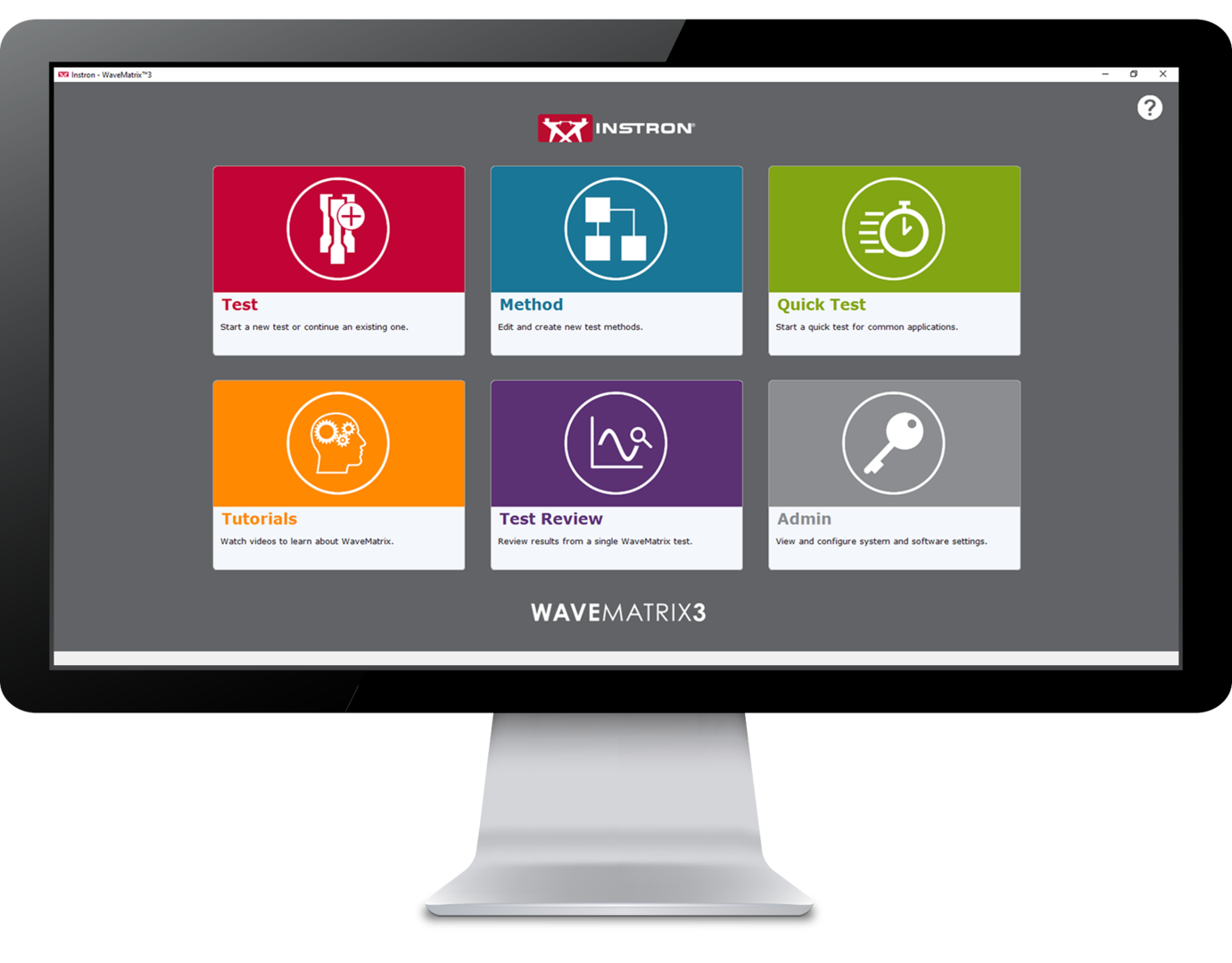
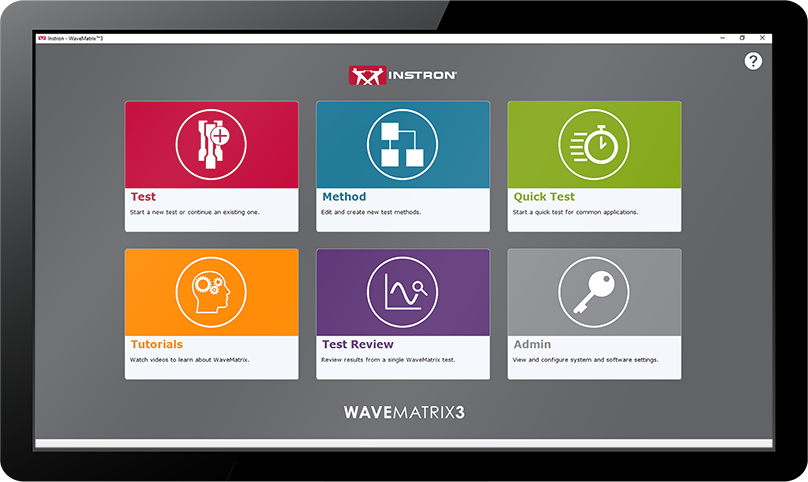
WaveMatrix3是Instron® 動態疲勞測試系統的完美解決方案。 這款創新的軟體與我們的專業客戶共同開發,應用於全電子動靜態疲勞試驗機(ElectroPuls®)及伺服液壓材料試驗機(Servohydraulic),將節省時間、提高生產力、增強信心,並確保您的測試設施面向未來。
WaveMatrix3 WaveMatrix2 WaveMatrix1
FEATURE
WAVEMATRIX3
WAVEMATRIX2
WAVEMATRIX
直覺的使用者介面
回顧性測試審查
自動校正
基於剛性調校
快速測試設定
可自訂的樣本和測試詳細信息
整合虛擬測試訊息
試片保護
範例方法
影片教學
PIN 碼輔助功能
使用者定義的存​​取權限
視覺測試空間
直覺的測試設置
視覺序列產生器
微軟 Windows 11 兼容性
WaveMatrix 向後兼容性
始終置頂顯示
自動記錄
強大的文件結構

省時間 | 提高生產力
增強信心 | 面向未來的設施

測試回顧 | 省時間

該產品創新的核心概念是使用 WaveMatrix3來節省測試的所需時間。此為專業客戶提供的回饋進行設計,而產生具有加速審查測試的特色。

樣本和測試輸入 | 提高生產力

提高生產力為任何組織持續改善作業的重要關鍵,也是永續成長和釋放員工潛力的重點。WaveMatrix3旨在提高產能並將日常測試的低效率減少到最大化。

安全 | 增強信心

測試認證所需的資源對確保測試數據的品質是至關重要的。WaveMatrix3的功能有助於簡化合規流程,使實驗室更有效率,減少人為錯誤的可能性,並提高結果的可信度。

資訊科技相容性 | 面向未來的設施

隨著世界進入第四次工業革命,材料測試產業對自動化和數據交換的需求不斷增加。 軟體通常用於解決這項挑戰,WaveMatrix3的設計就是為了應對這些挑戰並確保測試機構盡可能面向未來。

WAVEMATRIX3 支援附加模組,可增強原始軟體的功能

計算模組

Grey Calculator Icon

Data Sheet

下載

強化控制模組

Grey Strain Icon

Data Sheet

下載

試片自熱控制模組

Grey Thermometer Icon

Data Sheet

下載


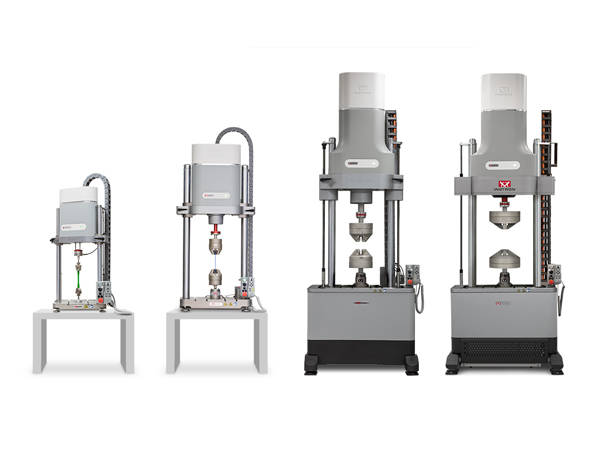
WAVEMATRIX3與INSTRON動態疲勞測試系統搭配使用
ElectroPuls Systems
全電子動靜態疲勞測試系統

線性馬達驅動的動態試驗機,用於疲勞和斷裂力學測試。

更多信息

Servohydraulic Fatigue Testing Systems
通用液壓疲勞
通用伺服液壓系統非常適合高週數和低週疲勞、斷裂力學和準靜態測試。

更多信息


EXTRAS

Red Print Icon

手冊

下載

Grey Document Icon

Data Sheet

下載

Dark Grey Curiosity Icon

常見問題解答

了解更多


WAVEMATRIX3
聯絡我們


LCF3 Software

測試軟體

LCF3 Software

Provides system control, data acquisition, real-time graphs, calculation of results, storage of data to disk, and post test graphs and reports in accordance with the relevant sections of ASTM E606-04, BS 7270 (2006), and ISO 12106 (2003).

工作原理

  • Tests can be run in axial strain, plastic strain or stress control
  • Ability to select from a range of SI and US Customary units
  • Test method editor allowing for simple test method creation and recall
  • Support of rectangular, cylindrical and tubular specimens
  • Automatic calculation of Modulus within user specified limits
  • Temperature control and/or monitoring are available for Eurotherm 900, 2000
    and 3000 series instruments
  • Automatic adjustment of gauge length when at test temperature
  • Support of Sine, Triangular and Trapezoidal waveforms
  • Ability to perform stress controlled run-out tests at up to 50Hz
  • Selectable specimen break criteria to accurately pinpoint specimen failure
  • Combined linear, logarithmic and peak interval data logging
  • Review of summary data
  • User configurable run-time screen capable of displaying results fields and up to
    3 graphs
  • Ability to stop and re-start test at any point, with modulus checking as required
  • Off-line analysis with user configurable trend and hysteresis plots
  • Export of graphs and test data
  • Comprehensive on-line help system
  • Set of Electronic Manuals in PDF Format

Please contact Instron for the minimum PC requirements necessary to install and operate this software.

應用範圍

  • Low Cycle Fatigue tests to ASTM E606-04 and ISO12106 (2003) 
  • Compatible with 8800 Series systems only

軟體

RS LabSite® modulogic

測試軟體

RS LabSite® modulogic

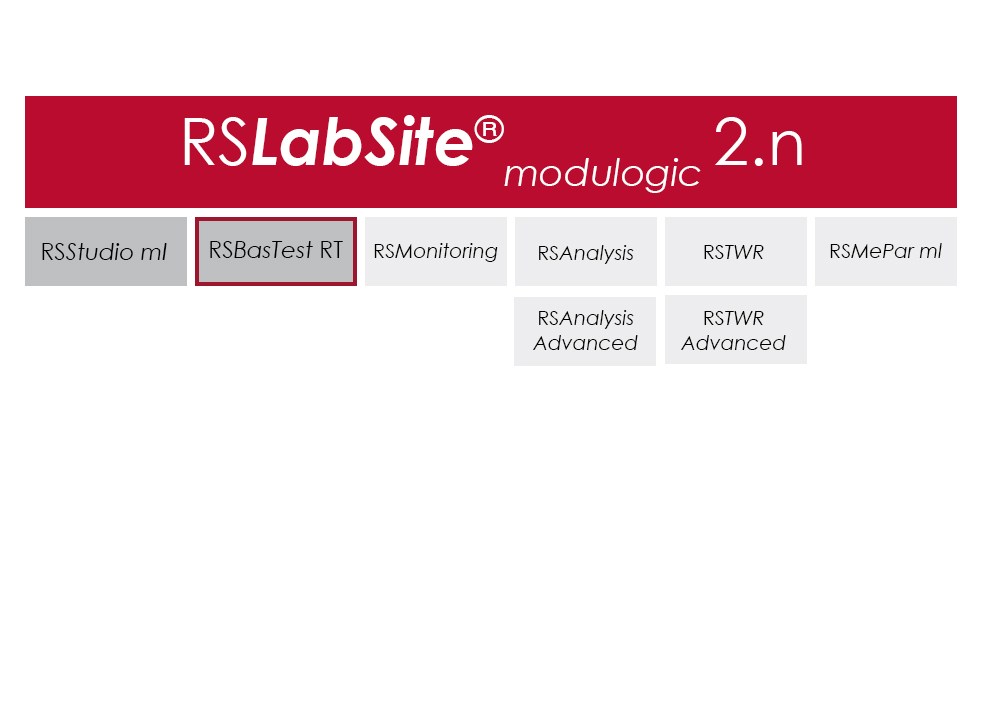
RS LabSite® modulogic is a comprehensive and adaptable software suite conceived for introducing service loads into individual components or complete vehicles, or performing calculations within the framework of Virtual Prototyping (standardized loadsequences, virtual generation of load data). This enables you to stay in full control of all tasks that follow the acquisition of measurement data in the proving ground.

In addition RS LabSite® modulogic provides open and closed loop control functions for your durability tests, collects data and monitors the entire process. Extensive reporting functions with graphical presentation of results – programmable to suit your requirements – round off the package.

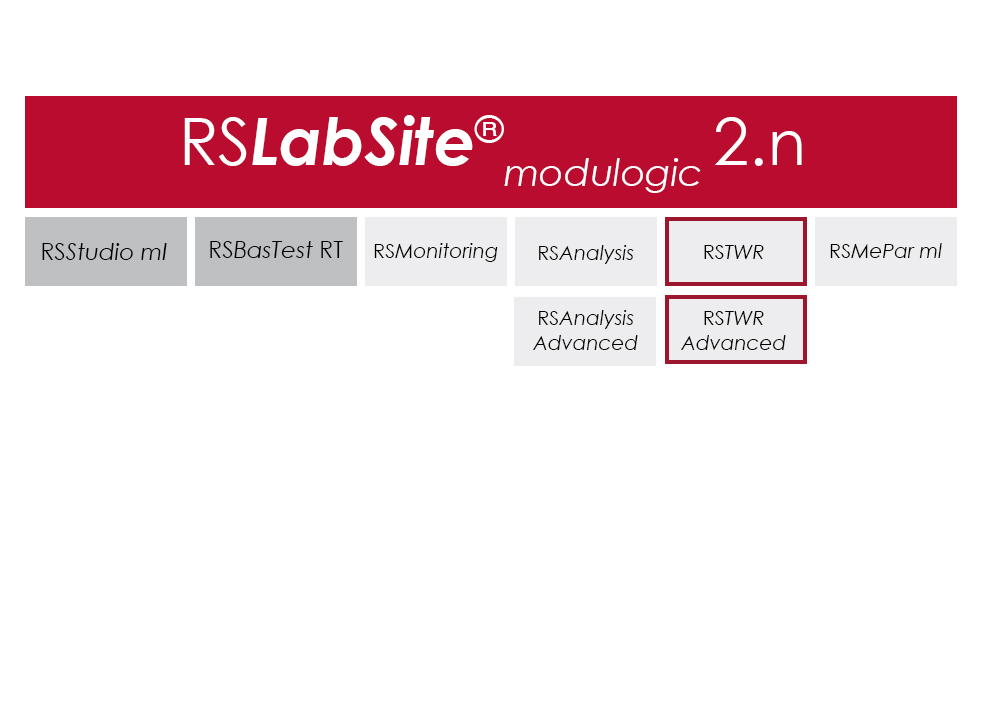
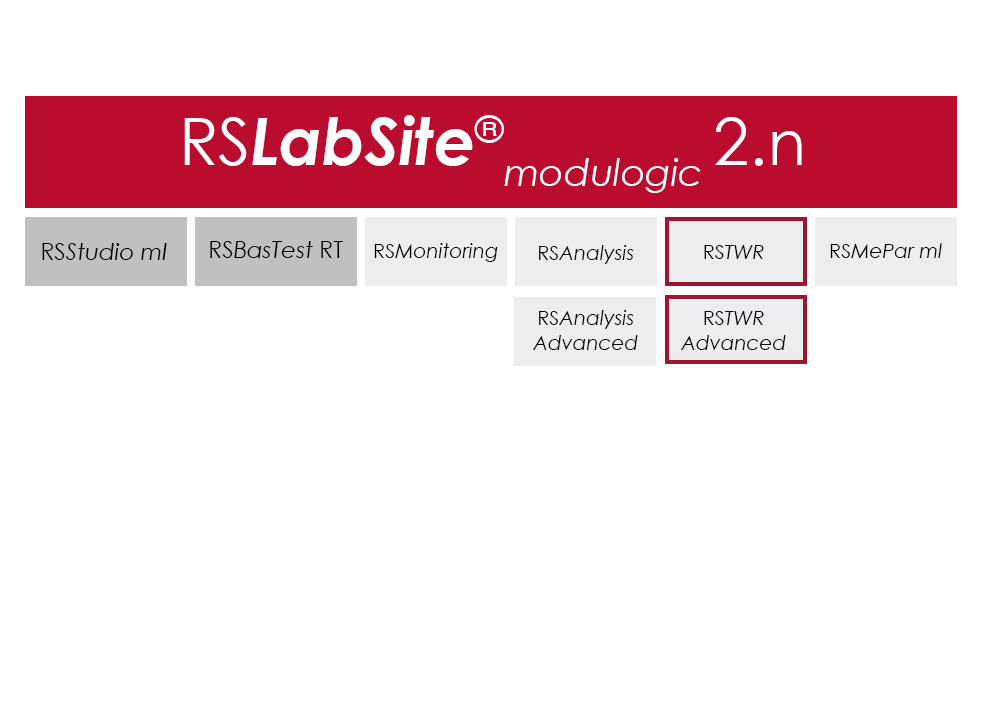
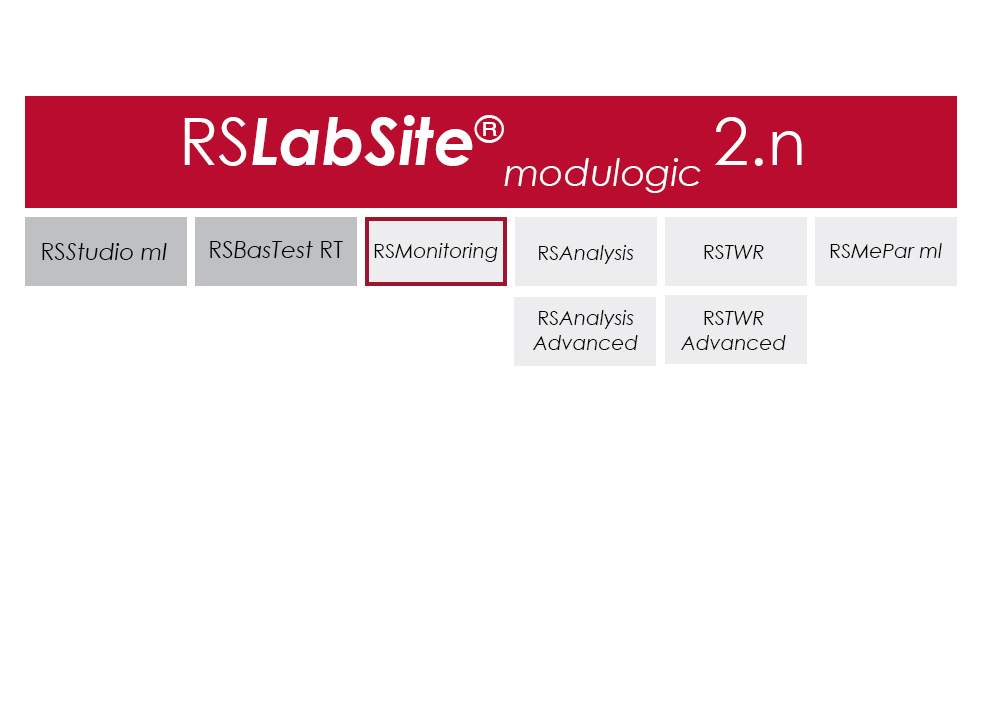
The software is modular and consists of four components. The basic module, RS BasTest RT, provides all necessary tools for digital pre-processing of durability tests. Depending on requirements, the extension modules RS Analysis, RS TWR and RS Monitoring, can be used for single- and multi-axial service load simulations, specific analysis procedures or multistage reporting functions. The software runs under the Windows© operating system.

RS LabSite® modulogic is an integrated and modular solution for analysis of test rig data and test execution:

  • More efficient testing process owing to a user friendly and process-oriented workflow
  • Reduced cost of testing as a result of shorter testing times
  • Reduction of the risk of product recall by representative test results

軟體

Item Name Cat#
RS MePar ml RS MePar ml
RS BasTest RT RS BasTest RT
RS Monitoring RS Monitoring
RS TWR RS TWR
RS Analysis RS Analysis

RS TWR

測試軟體

RS TWR

Catalog no. RS TWR

RSTWR

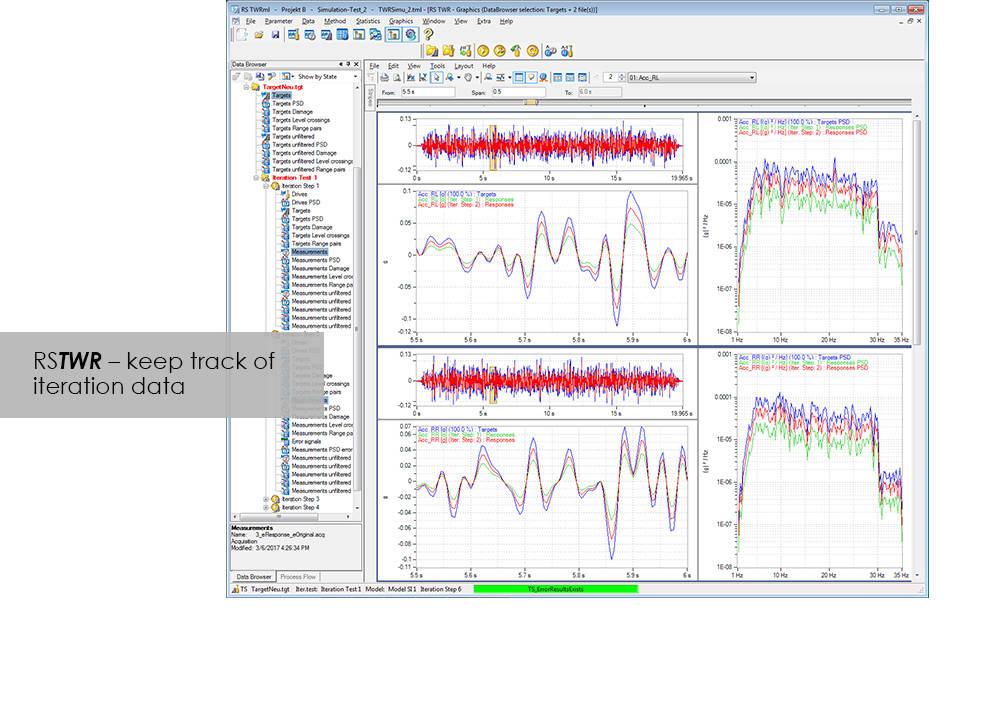
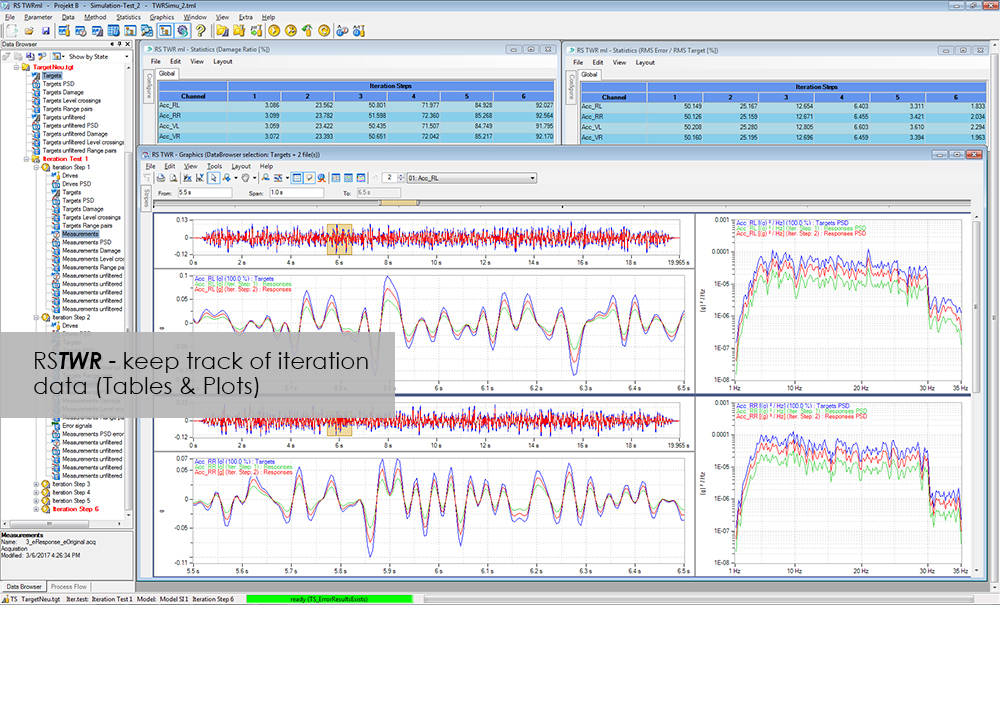
To enable the different loading signals measured under actual service conditions on vehicles, sub-assemblies or components to be replayed on the test rig, these loading signals first need to be "translated". RS TWR (Time Waveform Replication) produces a mathematical model of the test specimen and the test rig, and uses this model to calculate actuator drive signals from measured load histories, e.g. loads or strains. The system employs an iterative procedure and ensures maximum accuracy in the reproduction of measured load data.

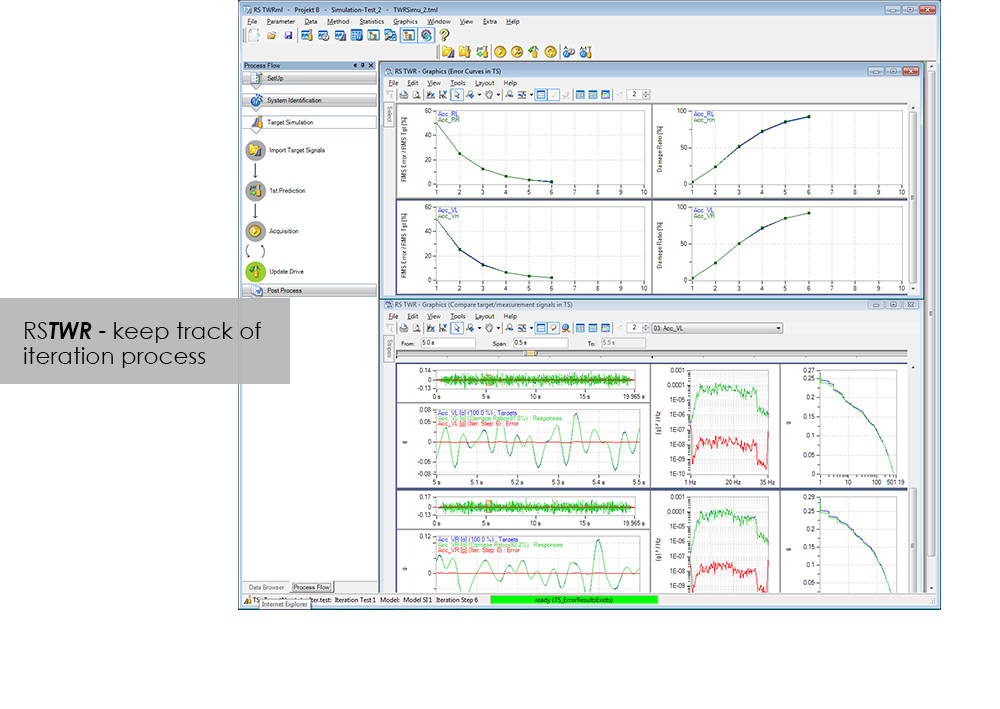
The module excels through user-friendly operation. Assisted by the new integrated process flow tool, less experienced operators will be able after a very short period of familiarization to conduct a typical simulation procedure. The Windows environment will be familiar to most users, and an intelligent selection of parameters minimizes necessary user inputs.

Benefit from the following advantages of RS TWR:

  • Easy to operate through new, integrated process flow tool
  • Fully automatic
    • Automatic management of all setup, model and result files
    • Fully automatic drive file iteration
  • Precise
    • RS TWR enables you to replay loading histories measured on the test track with maximum accuracy on your test rig

RS TWR Features

  • Efficient and transparent data organisation
  • Use of intelligent technologies for model identification
  • Integrated report generation
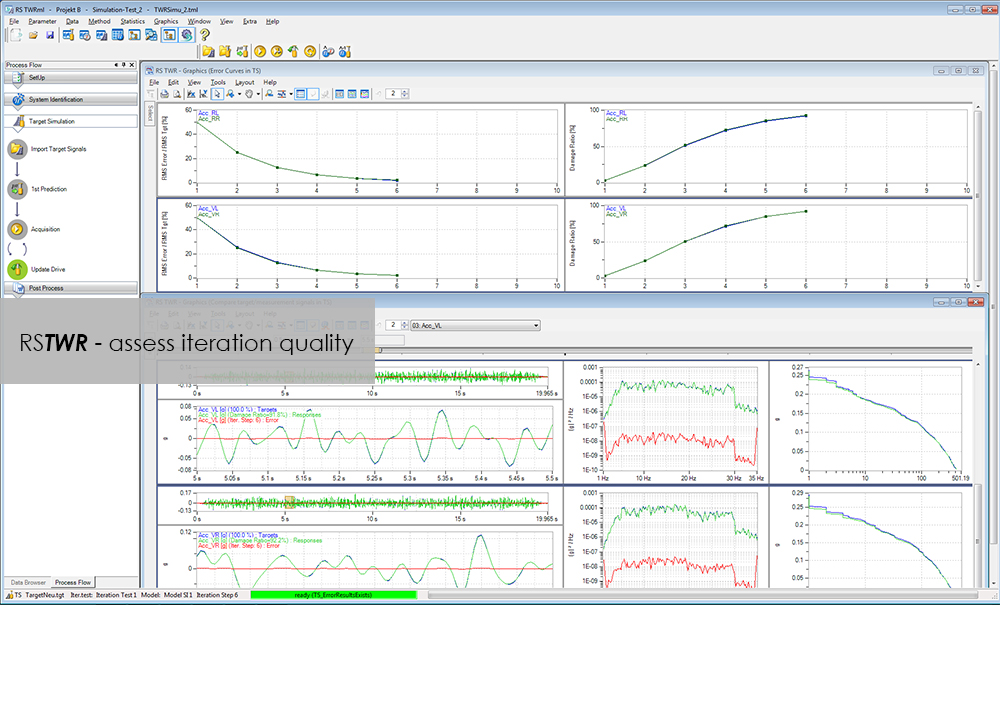
  • Convergence judgment by forward and backward prediction

Advanced

  • Adaptive model optimization in the iteration phase
  • Time and frequency-dependent correction of the drive signals. e.g. Non-linear stop for a wheel suspension
  • Automatic handling of different models for individual sections in the target signal
  • Interface to virtual test systems

RS Monitoring

測試軟體

RS Monitoring

Catalog no. RS Monitoring

RS Monitoring

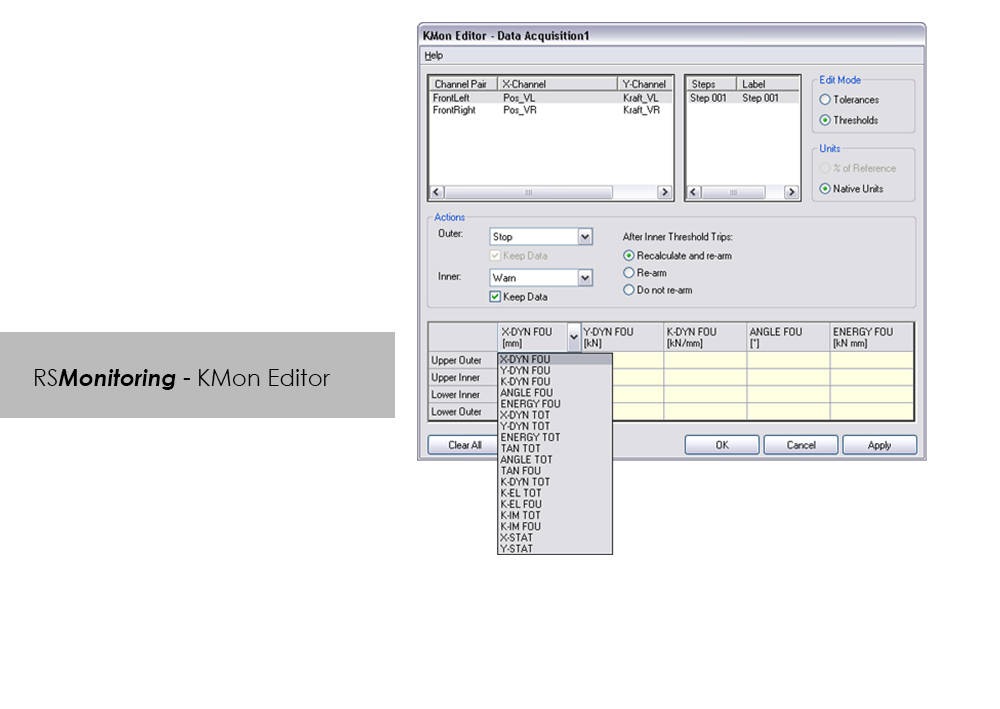
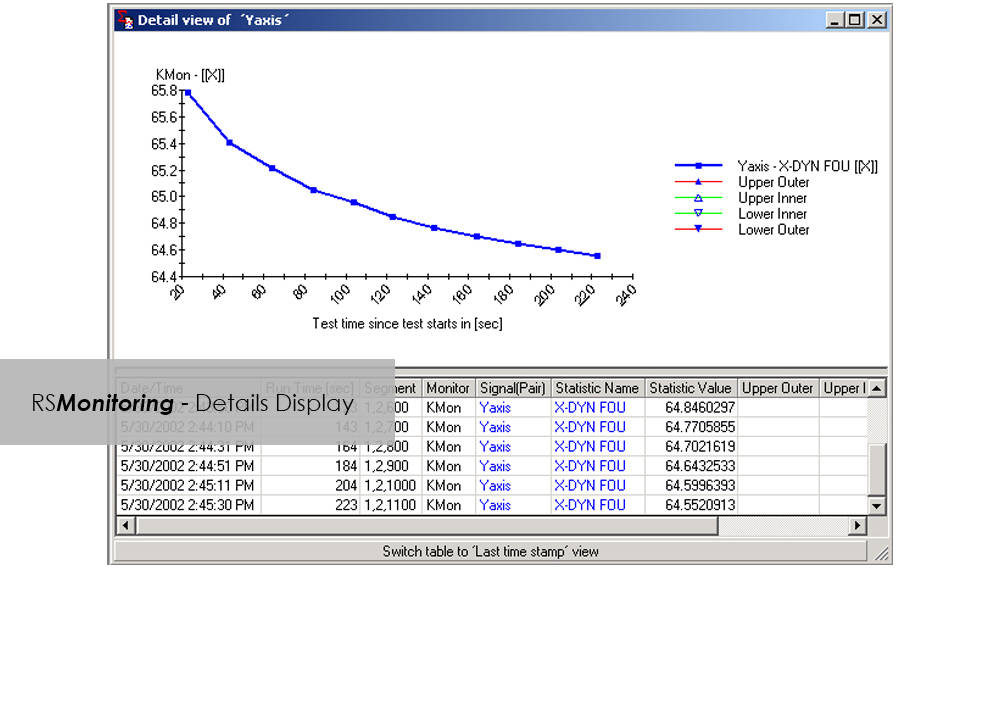
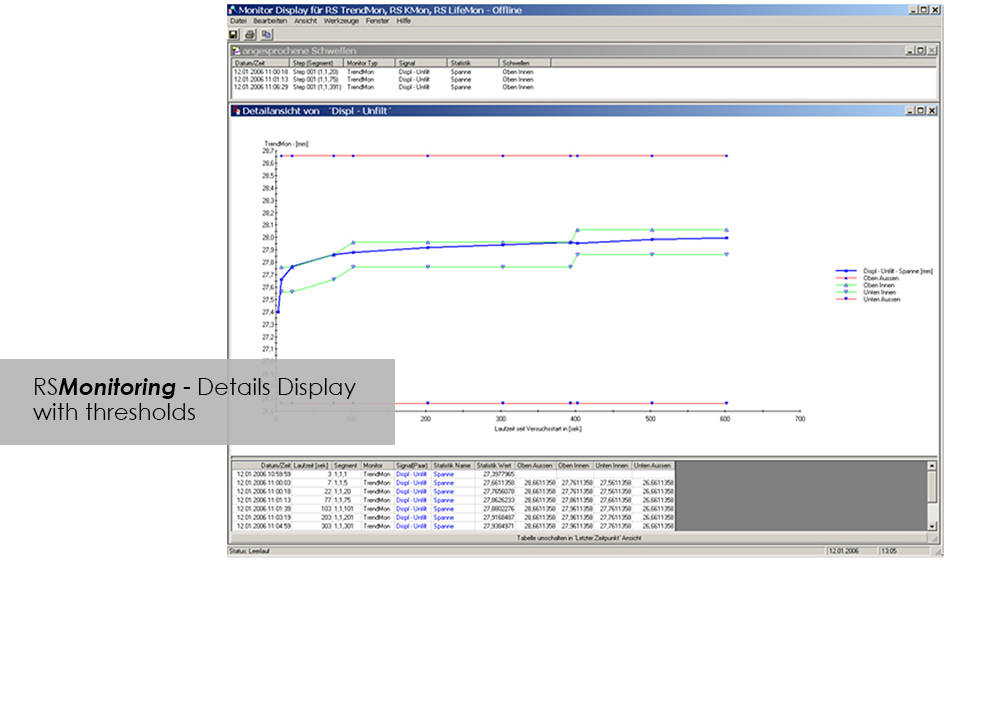
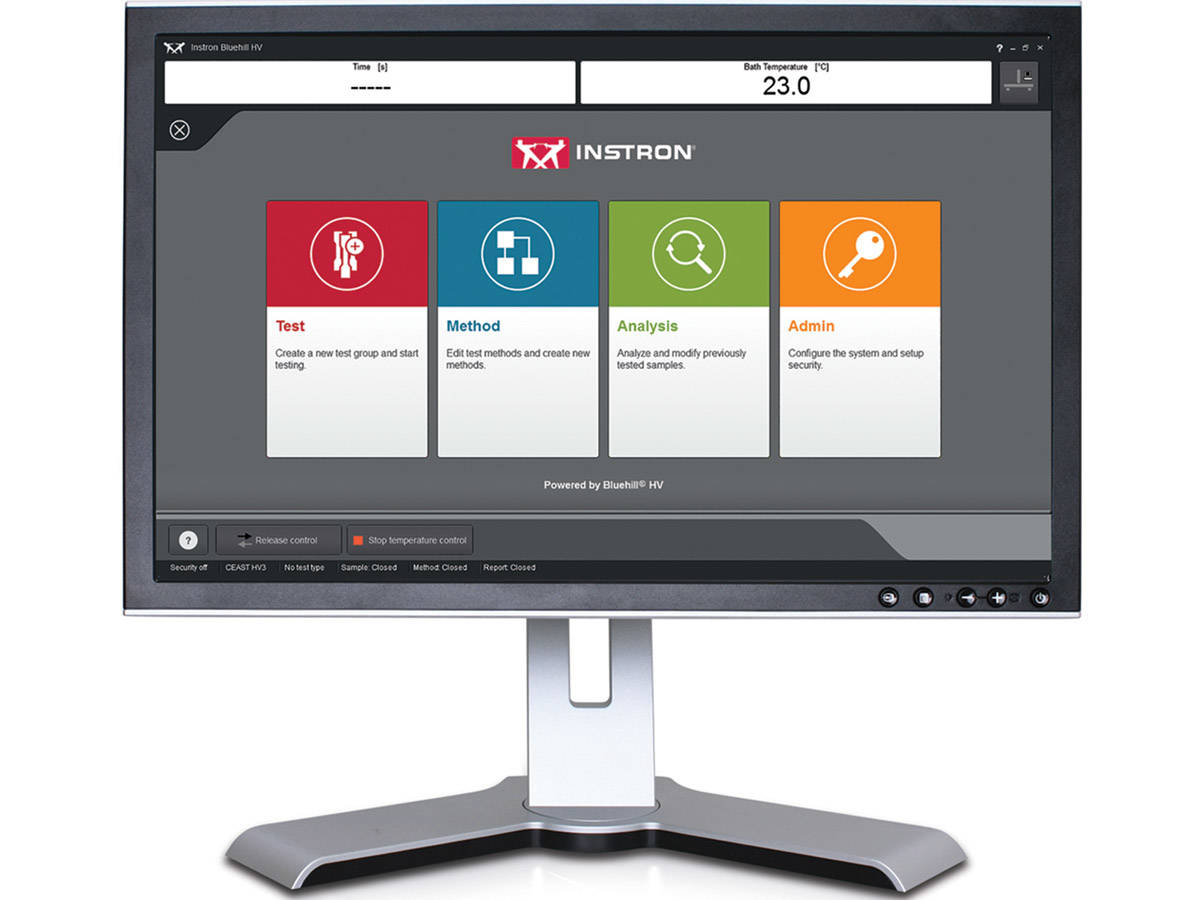
在线监控试样测试或快速简单地分析测量值,如今已不再是足够便捷的功能:市场竞争日益激烈,“产品投入市场的时间 ”需要不断缩短,因此,产品试验效率亟待提升。RS Monitoring 功能强大,可助您更快实现上述目标。该模块可在试验过程中计算监测统计变量和物理变量,并通过雨流计数法记录整体损害。该功能能够让您在早期阶段检测到试样的行为变化,并采取相应的应对措施。这个模块来自RS LabSite®模块化软件组拥有大量十分有用的计算功能。可享用以下优势:
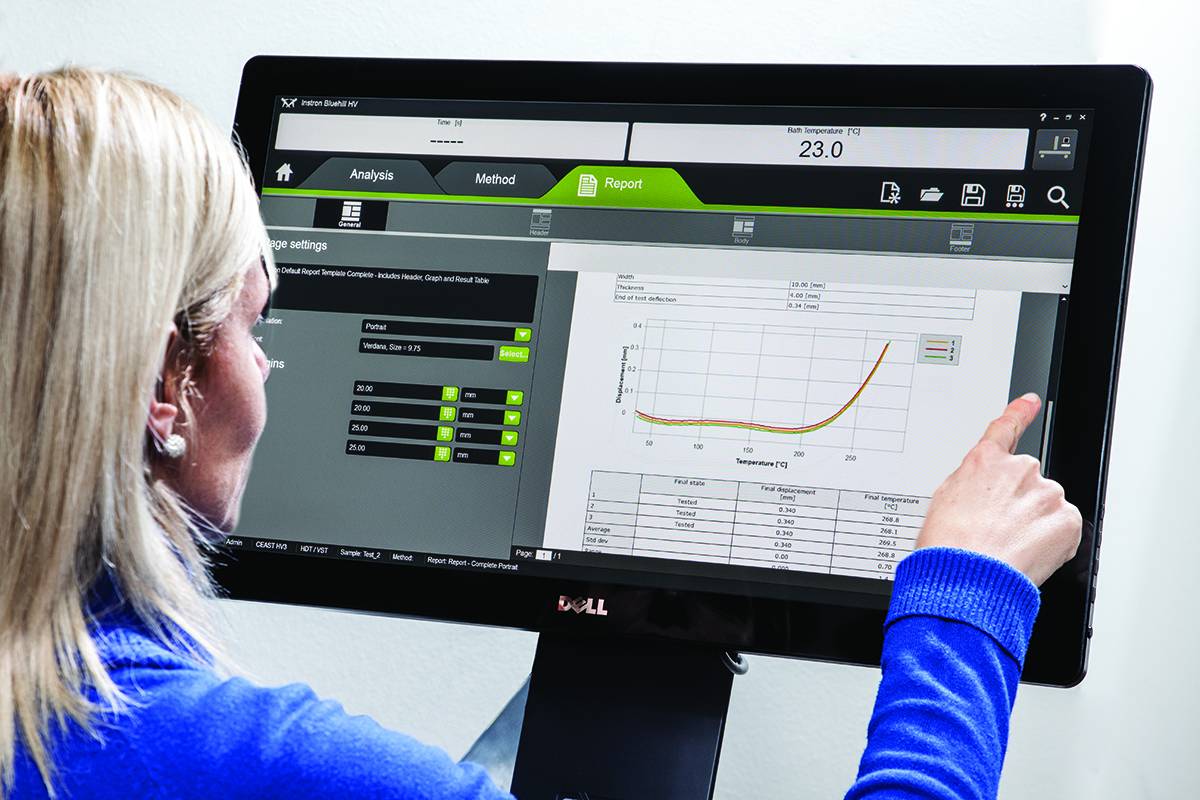
优势:

  • 高性能在线试验监测
  • 对不同的试验任务均可提供最大限度灵活性
  • 为实验室要求提供证书模式

RS Monitoring 的优势

  • 可计算最大偏差、最小偏差、振幅偏差或标准偏差等统计数据
  • 可根据测量值计算在线雨流矩阵,以 2 维或 3 维直方图的形式呈现。
  • 可将矩阵转换为范围对、峰值计数或水平交叉分布,以便更好地进行比较。
  • 可计算振幅、弹簧率、能量损失或滞后环测量值的相移等物理参数。
  • 可监测和显示单个步骤的部分损坏。
  • 可对时域和频域信号的指令/反馈值进行在线比较。

CEAST VisualTHERM 軟體

測試軟體

CEAST VisualTHERM 軟體

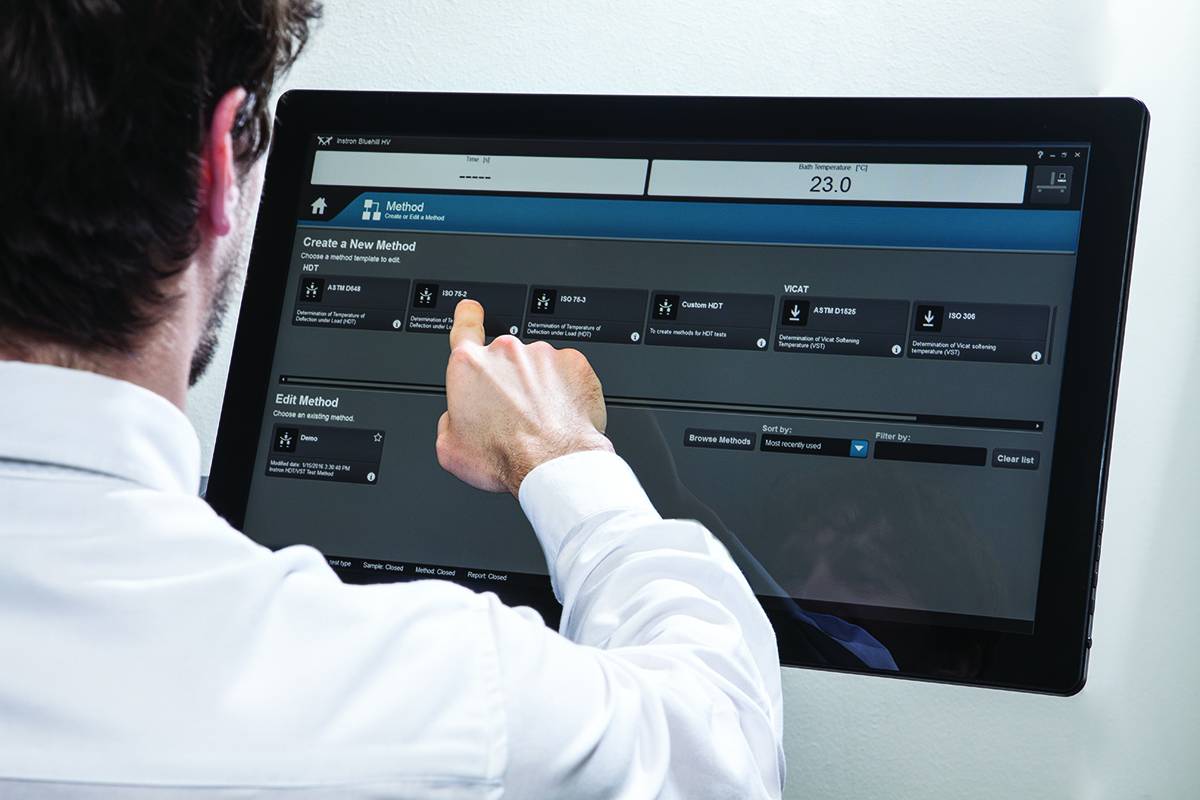
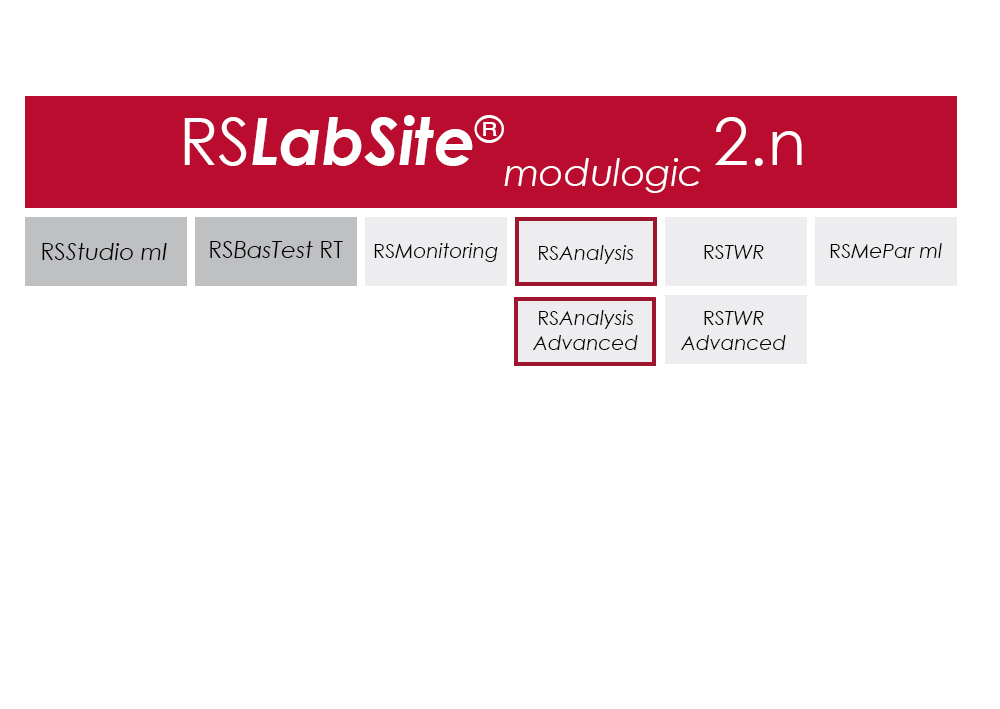
VisualTHERM 軟體是專為 Instron® CEAST HDT (熱變形溫度)和 Vicat(維卡)系列系統所開發。軟體提供易於使用的系統管理、測試執行、數據採集和儲存。

軟體管理完整的溫度測試過程:

  • 編輯參數
  • 即時圖形有助於執行測試
  • 數據採集和儲存
  • 詳細的分析結果
  • 報告管理
  • 數據輸出

這些操作可同時在多個系統進行。

熱機械 HDT 和 Vicat 試驗所要求的國際標準皆由軟體提供,並且以數字及圖形顯示結果。VisualTHERM 管理不同類型的測試,如撓度、溫度、時間,或綜合這些。

文獻

Instron HV Series for HDT and Vicat Testing

The effect of temperature on the mechanical properties of plastic materials has a fundamental role in the design of components, especially in the selection of materials. Unlike metals and ceramics, plastics are extremely sensitive to the slightest changes in temperature. The selection of plastics for applications under different temperatures is a complex task. The material must be able to support a stress under operating conditions without losing its strength and without critical distortion. The effect of temperature on geometrical stability and mechanical properties in general can be studied following different procedures and methods like at constant temperature or with a temperature ramp.

  • 产品
  • 06/21/2018
  • 1.15 MB

Bluehill HV

Bluehill HV is the generation software for HDT and Vicat tests
  • 产品
  • 01/12/2018
  • 366.94 KB

RS Analysis

測試軟體

RS Analysis

Catalog no. RS Analysis

RSAnalysis

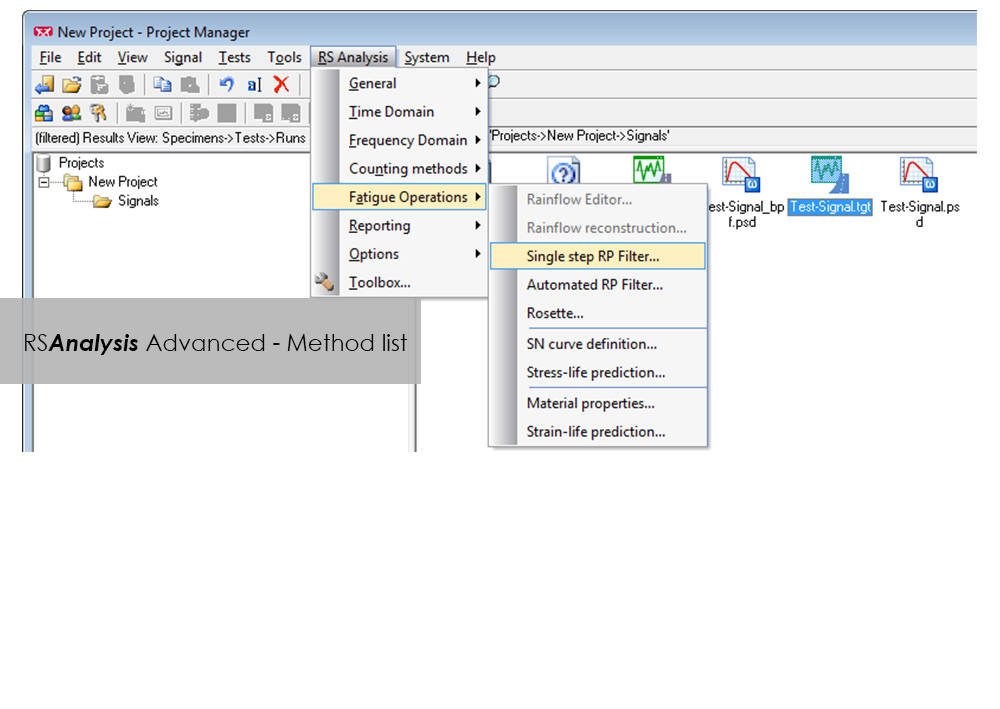
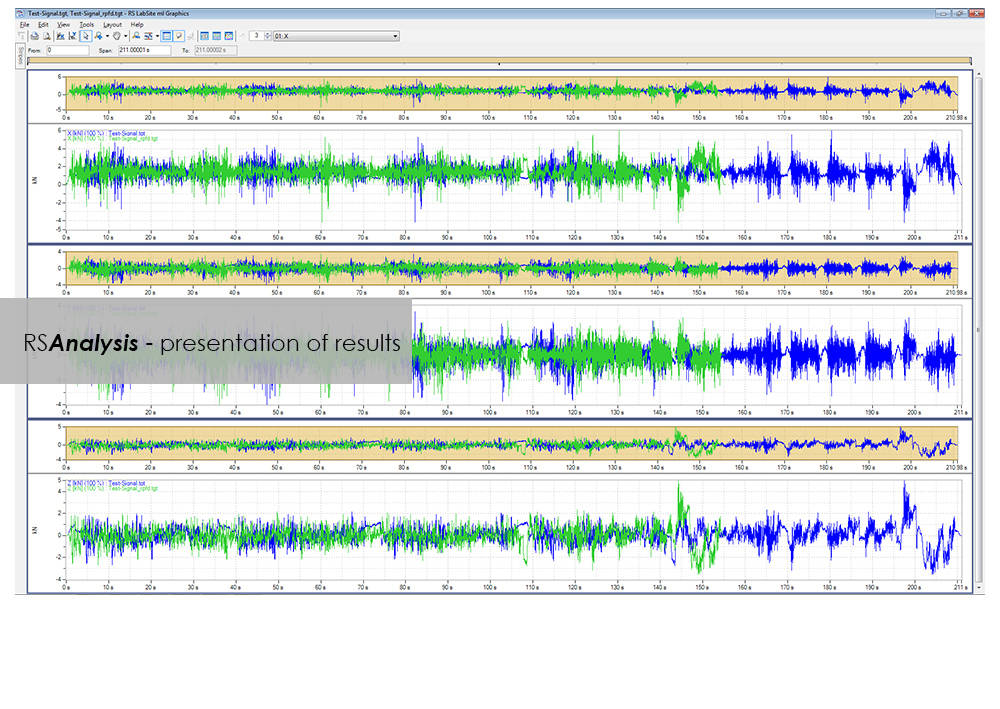
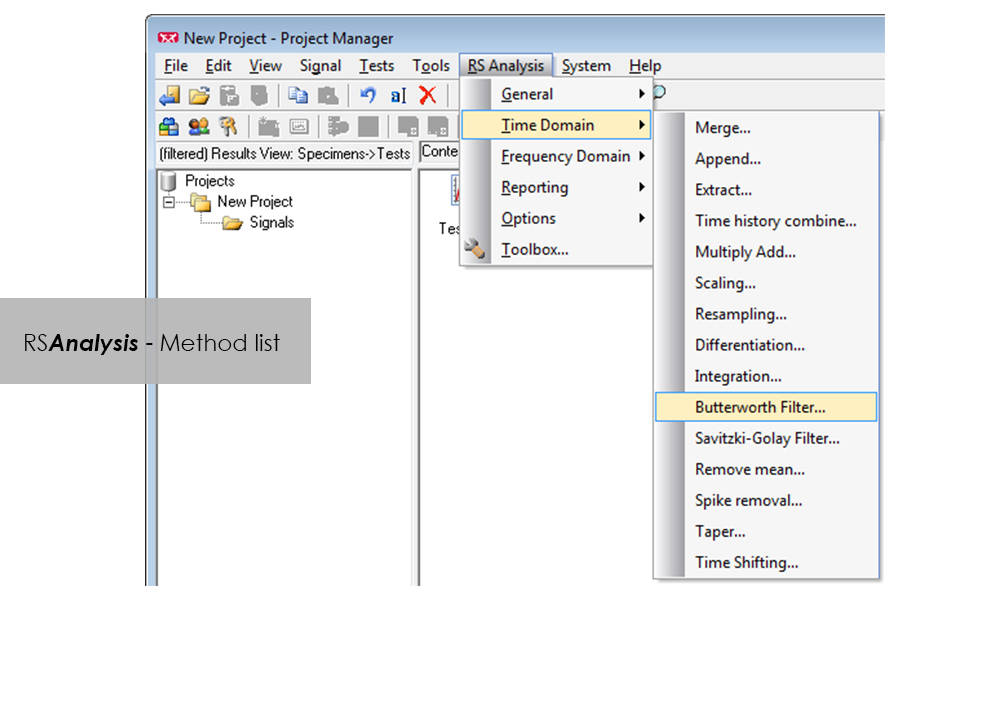
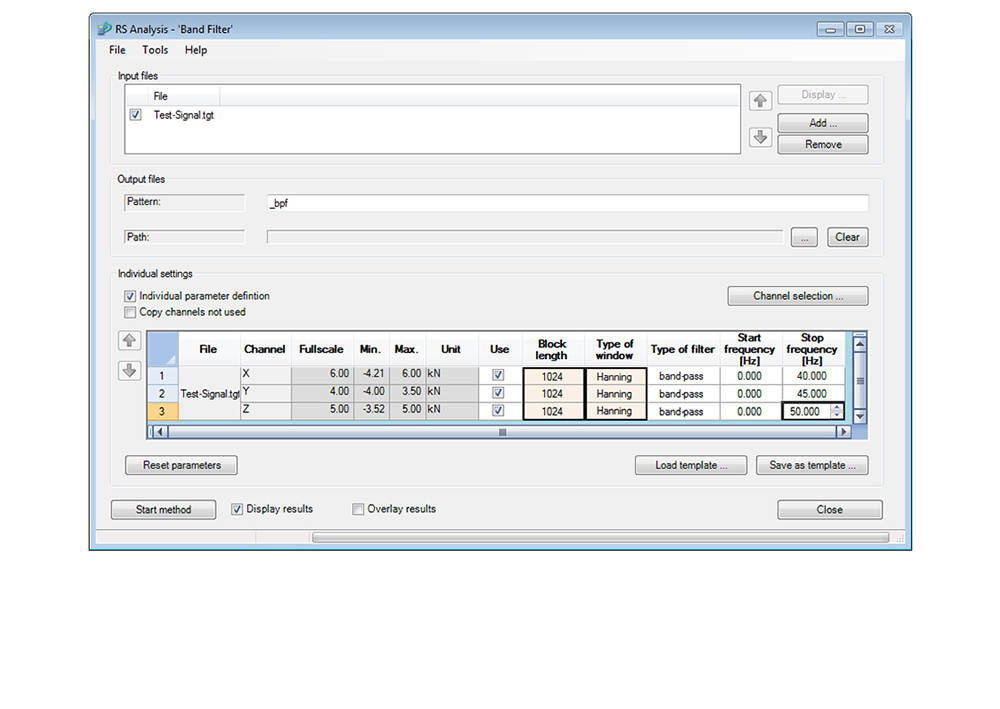
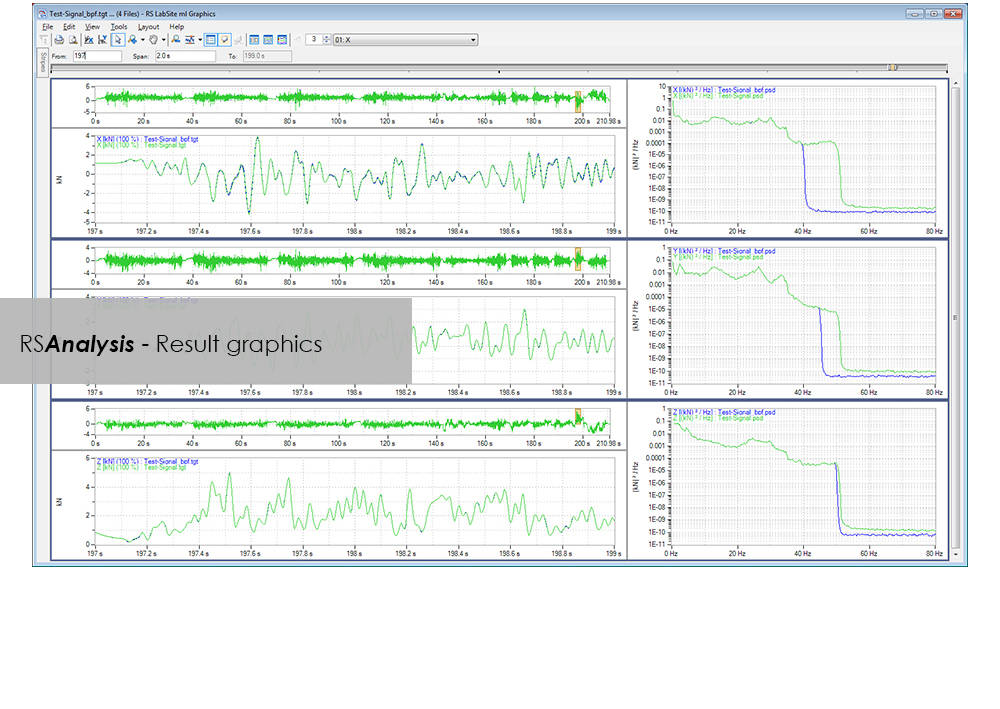
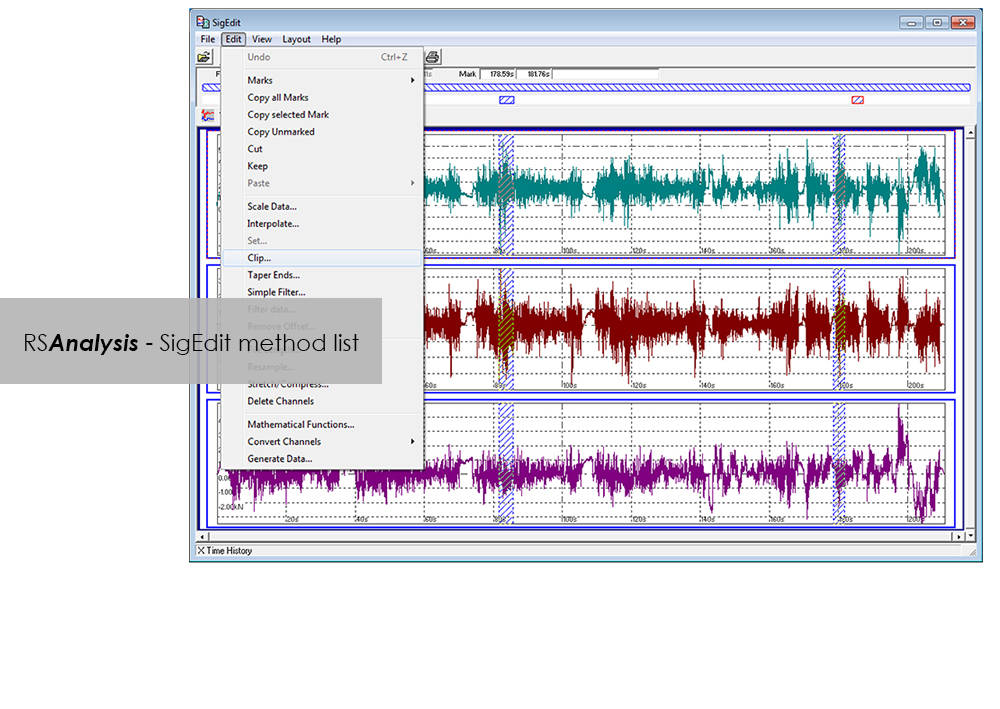
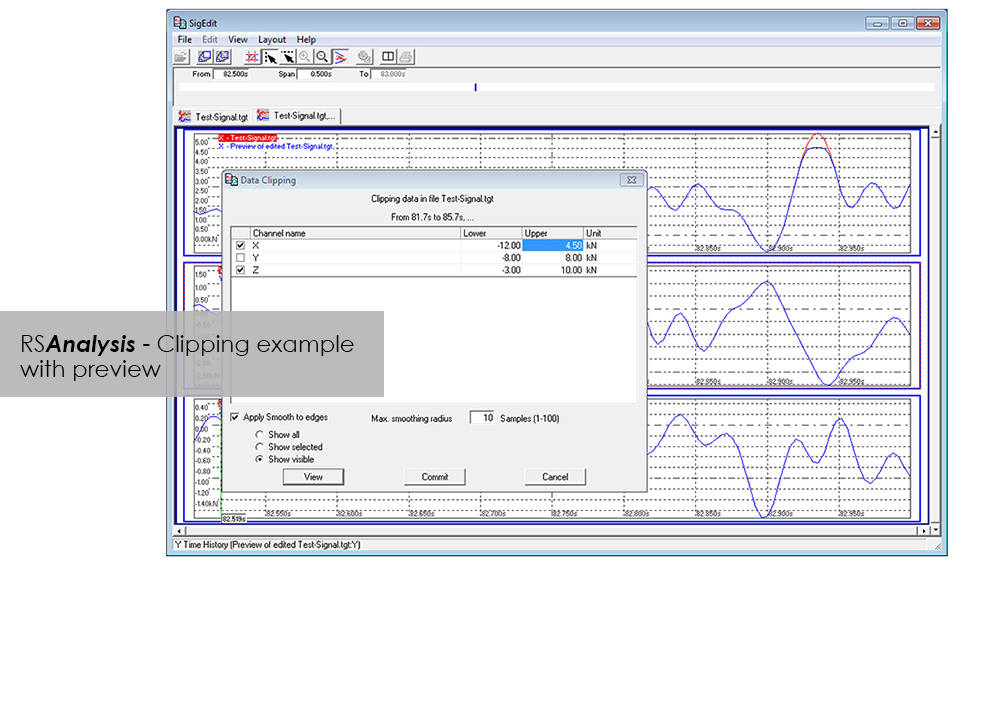
RSAnalysis is an important tool throughout the data acquisition and handling process. Dedicated algorithms condense and optimize your measurement data and turn them into loading data that simulates a complete product life circle. This module from the RS LabSite® modulogic SoftwareSuite provides for analysis and graphical presentation of test data, while allowing maximum freedom: Apart from the presentation of measured data, a wealth of other functions are available for performing typical data analysis procedures quickly and systematically.

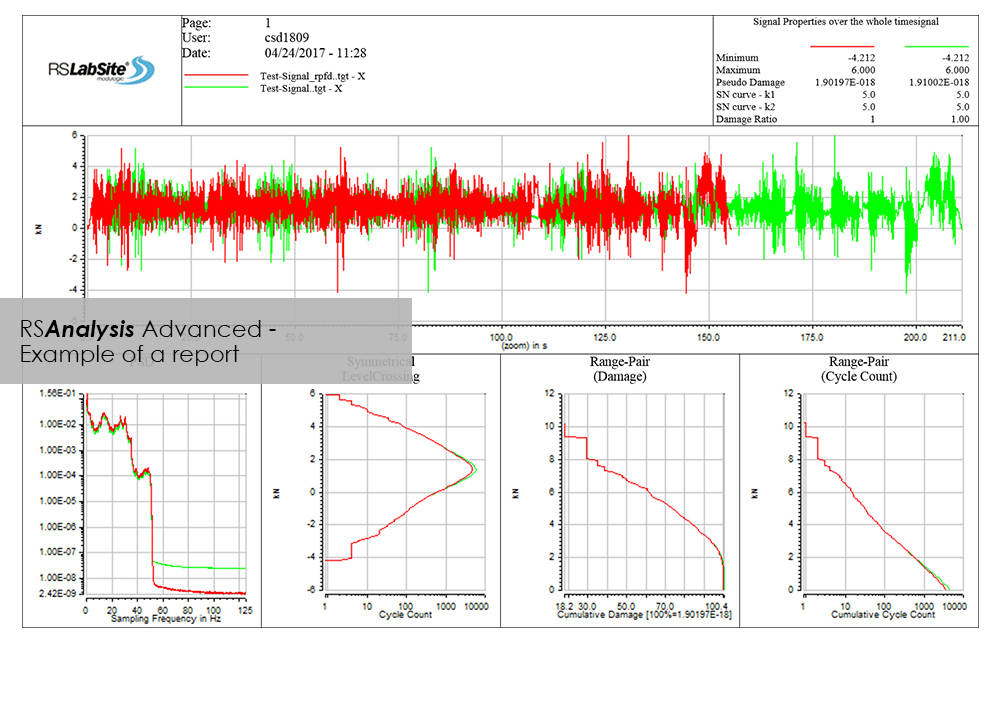
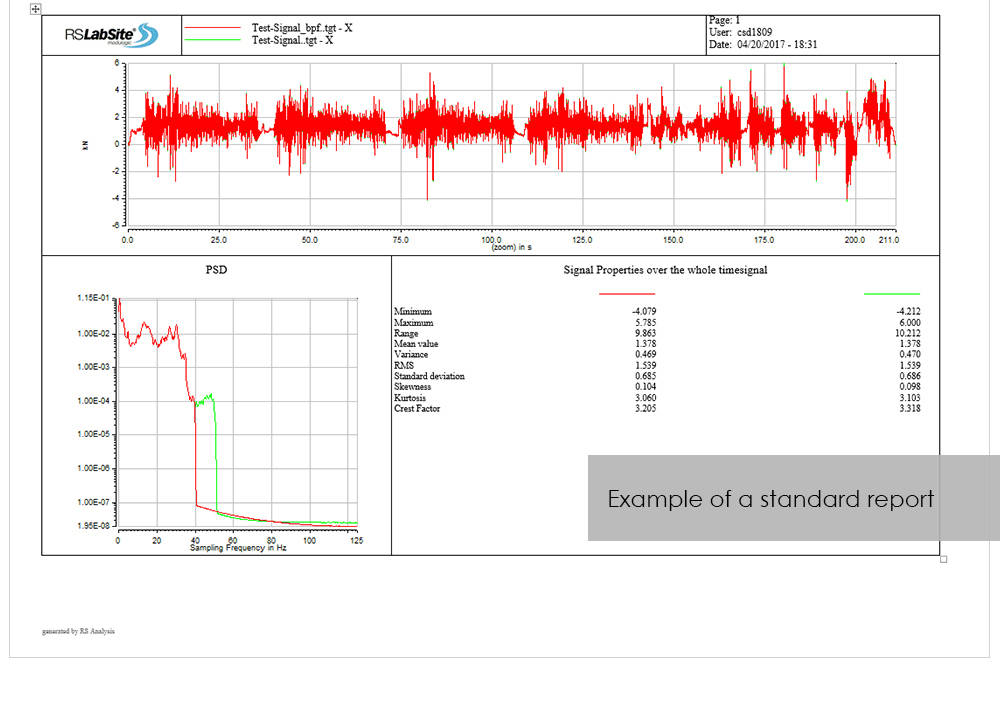
If the numerous standard reports integrated in the software do not meet your requirements, customized formats can be created as required. This makes sure that you are aware at all times how your tests are running and what results they are producing.

RS Analysis is available in two versions: Choose either the Basic- or the Advanced-versions in accordance with your specific needs. Whichever version you choose, the following benefits will be at your disposal:
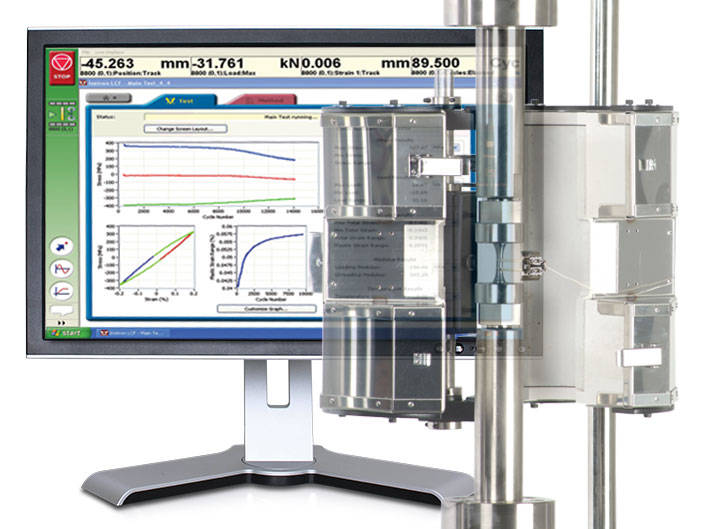
  • Minimum cost of training through integration in Project Manager
  • Traceable results (Test reports are stored in Project Manager along with the test data)
  • High productivity through automation


RS Analysis Benefits

  • Processing methods are started directly from RS BasTest Project Manager
  • Numerious methods
    • Importing and exporting of data
    • Statistical functions
    • Signal presentation and editing
    • Offset/spike correction
    • Frequency-based methods
    • Wide range of filter functions
    • Graphical, interactive signal editor
    • and many more...
  • Automation through linking of methods
  • Report generation


Advanced

  • Classification procedure
    • Rainflow, level crossing or tension pairing
    • length of stay
  • Fatigue-related editing and analysis procedures
    • Rosette processing
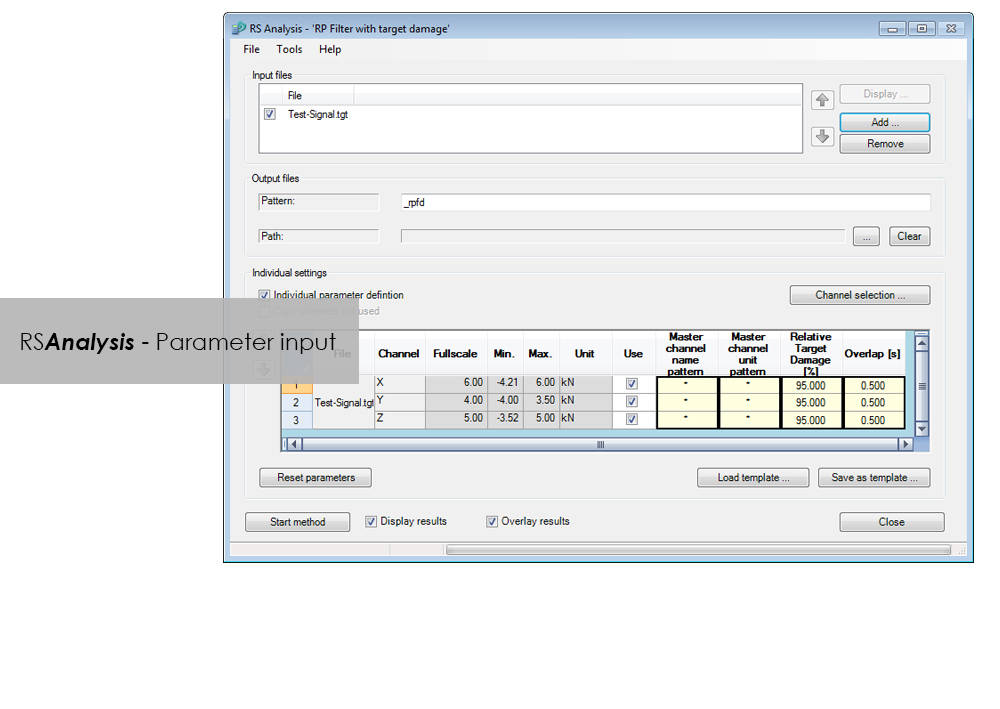
    • Automatic data reduction to remove non-harmful parts (Automatic Rainflow Projection Filter)
    • life expectancy based on stress or strain
  • Layout Builder to create your own templates for logs
  • Automation through graphical programming (Process Builder)

LCF 3 Low Cycle Fatigue Testing Software For Use With Instron 8800 Systems and Extend Upgrades

測試軟體

LCF 3 Low Cycle Fatigue Testing Software For Use With Instron 8800 Systems and Extend Upgrades

Catalog no. 2495-910

2495-910_P
2495-910_P

Low-Cycle Fatigue 3 Software offers a flexible workspace designed to run and analyze strain-controlled fatigue tests in accordance with ASTM, ISO, and BS Standards.

Live Test Workspace

A range of pre-configured graph and results fields allow real time views of how the test is progressing. Customize the screen to display up to three graphs of cycle and trend data. Pause and re-start the test at any time, checking modulus as desired.

Comprehensive Graphing Toolbox Brings Clarity

Whether you need a single or multiple graphs, the graphing toolbox allows users to clearly display X-Y and double-Y graphs, and peak and trend data charts. Choose to show titles, add legends or show actual data points on a grid. LCF3’s graphing capability is second to none.

Powerful Analysis

Analyze post-test data off-line, selecting from a range of single cycle and trend plots. Overlay individually selected hysteresis loops. Export individual graphics in JPEG format, and data as TXT files.

Test Controls Right Where You Need Them

Start, stop, and finish a test. The simple test control buttons are consistently at the right side of the screen. For added convenience, a test can be paused and continued when desired.

Simple Test Creation

Recall recently used test methods or simply browse the method folder to create or edit existing test methods. Test method creation is available off-line, maximizing testing machine availability. With a unique step-by-step data entry and test selection process, combined with a tabulated pre-test summary, your Low-Cycle Fatigue test will run successfully each time.

Automatic Calculation Avoids Errors

Select rectangular, cylindrical or tubular geometries, and automatically re-calculate the cross sectional area.

Online Check Ensures Accurate Modulus

Ensure your modulus data is accurate by utilizing the user-defined upper and lower calculation points, with clear graphical references.

Built-in Thermal Control

Control the test’s start temperature, soak period, and allowable thermal tolerances from within the application, and log temperature data directly into the test file.

Eliminate Unwanted Data

Configure the combined linear, logarithmic and peak internal data logging parameters to suit your test requirements.
適用於 3400 系統上的基礎材料測試軟體 Bluehill Elements

測試軟體

適用於 3400 系統上的基礎材料測試軟體 Bluehill Elements

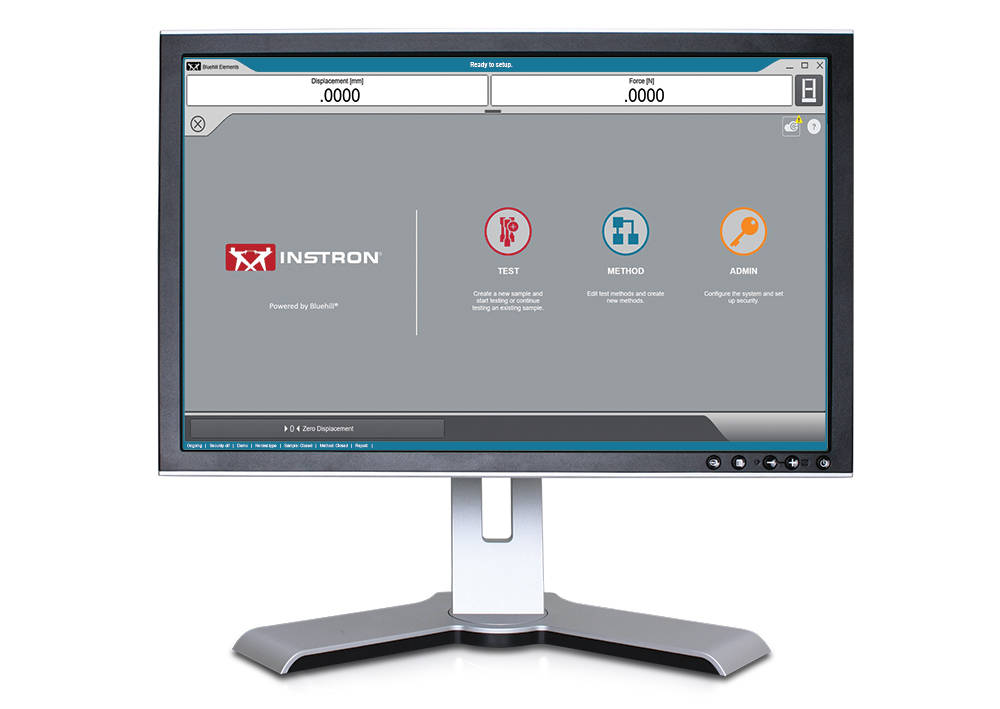
Bluehill Elements 軟體採用 Bluehill 平台為基礎,符合簡單的拉伸、壓縮、撓曲、剝離和撕裂測試需求。Bluehill Elements 具有諸如自動生成報告、提示測試工作流程、即時控制圖表等功能,以及善用 TrendTracker 資料庫的選項,特別適用於品質管制測試。


高效工作流程適用特點

自動資料匯出
使用者可將測試結果和原始資料匯出成 CSV 或自訂文字檔。匯出格式完全可自訂,讓使用者能夠輕鬆擷取資料或與實驗室管理系統交流互動。

原始資料檢視功能
直接從軟體檢查任意量測的每個數據點。

操作員無需以手動方式輸入數據
自動從量測裝置輸入試片尺寸、掃描條碼以便將編號和文字輸入到軟體中,或是利用選擇輸入為使用者提供簡單的下拉式選單,省去手動輸入資料的麻煩。

賞心悅目的顯示畫面
測試狀態、量測和主要測試結果都會顯示在方便讀取的即時顯示畫面上。


靈活又簡單

直覺式操作,使培訓需求降至最低
Instron 瞭解勞動力變化的事實,因此我們選擇以最低的培訓需求作為易用性的關鍵指標。Bluehill Elements 軟體具有簡單、使用方便的介面。

準確的報告給正確的對象
Bluehill Elements 整合幾種預先定義的報告範本,可輸出至印表機、電子郵件,或是直接將檔案儲存成可輕鬆分享的 PDF 檔。利用預填選項,即可輕鬆更改曲線圖的位置並設定表格。使用者可將特定報告範本連結到指定的方法,以針對不同測試自動產生報告。

基本安全性
在生產與品質管制測試中,一般測試人員不應有權存取方法及變更參數;針對這類測試,Bluehill Elements 備有三種可配置的安全性等級:系統管理員、管理者和操作員。

共同語言
在測試領域裡,Bluehill 是一套標準工具。Bluehill 提供 15 種語言版本並已在全球成千上萬的系統中使用,其測試方法、計算和資料格式已獲普遍認可及接受。不論您要與當地供應商核對資料,還是與跨國客戶比較測試方法,Bluehill Elements 都能讓您使用共同語言來溝通。


Bluehill Elements 的附加元件

TestCam
連接 USB 網路攝影機,以體驗逐點影片播放,如此即使在測試完成後,使用者仍可一面觀看影片,一面檢視測試資料。

通過/失敗部件
為多個測試結果設置接受標準。如果其中一項結果高於或低於可接受範圍,Bluehill Elements 將自動顯示代表「通過」綠色打勾圖示,或是代表「失敗」的紅色畫叉圖示。

TrendTracker 測試結果管理軟體
Bluehill Elements 的 TrendTracker 選配軟體可讓使用者直接將結果匯出到 TrendTracker 資料庫。TrendTracker Viewer 提供一個直覺式介面,用於搜尋、顯示及分析長期測試結果。


電腦需求

需要 Windows 10或 11,64 位元作業系統。Bluehill Elements 可搭配使用觸控螢幕。

文獻

Bluehill Elements

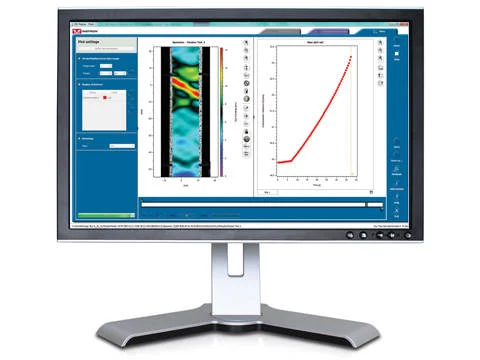
Bluehill Elements™ 以 Bluehill® 軟體平台為基礎,符合簡單的拉伸、壓縮、撓曲、剝離和撕裂測試需求。Bluehill Elements 具有諸如自動產生報告、提示測試工作流程、即時控制圖表等功能,以及善用 TrendTracker 資料庫的選項,特別適用於品質管制測試。
  • 产品
  • 02/03/2020
  • 854.41 KB

DIC Replay

測試軟體

DIC Replay

Digital Image Correlation (DIC) Software

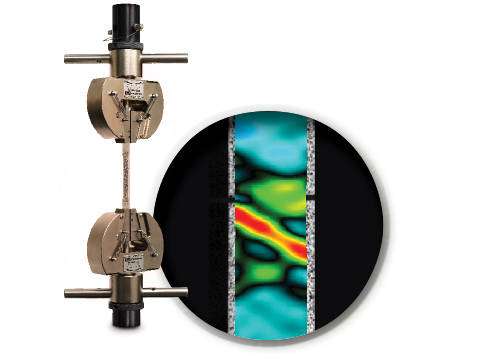
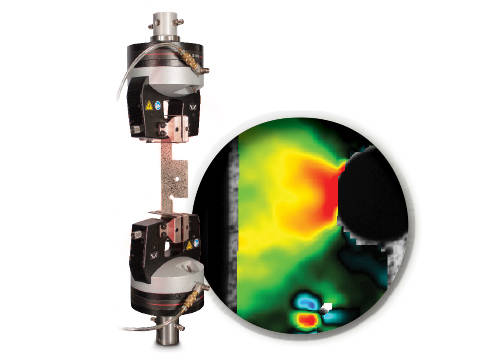
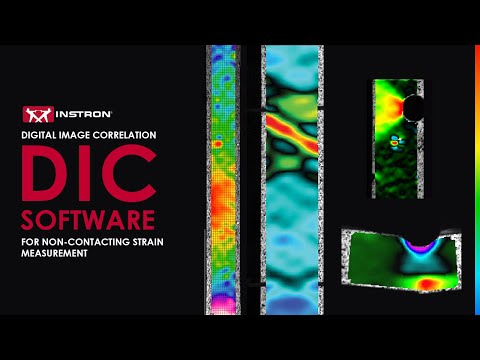
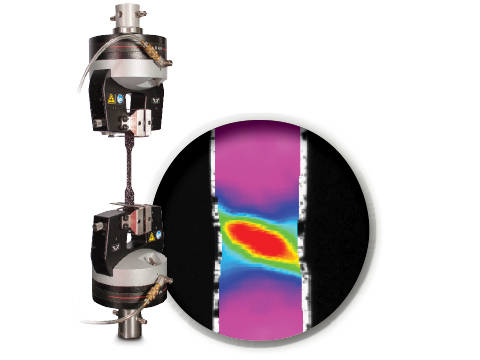
DIC is an optical technique that compares images of a tested specimen’s surface to generate full field strain and displacement maps. It creates pictures that can be used to visualize strain and displacement over the full two dimensional surface of the test specimen.

DIC Replay Software is a self-contained 2D DIC package. The software consumes images and calibration data saved by the Instron® Advanced Video Extensometer (AVE) and works in a post-processing mode. The user interface leverages the same tabbed style and graphical design of Bluehill®.

Standard features include:

  • Full field strain and displacement maps for axial strain (Eyy), axial displacement (Ey), transverse strain (Exx), transverse displacement (Ex), shear strain (Exy), maximum normal strain, and minimum normal strain
  • Virtual strain gauges
  • Virtual extensometers
  • Method saving
  • Plot generation
  • Synchronization with Bluehill test data (load, position, etc.)
  • User defined image collection rate up to 50Hz
  • Three modes of operation (post-processing DIC, real time strain through AVE, or both)

Benefits:

  • View materials testing phenomenon, such as discontinuous yielding, localized necking, and more
  • Analyze strain and displacement on the flat surface of a part or component where traditional extensometers are impractical
  • Visualize and detect cracks that are not visible by eye
  • Check specimen preparation techniques by comparing one specimen to the next
  • Check for standards compliance by identifying localized strain that falls outside of the standard gauge length
  • Visualize the side profile of a flat flexure or compression specimen to observe strain behavior

文獻

DIC Replay | 2D Digital Image Correlation Software Data Sheet

Instron DIC Replay Software is a 2D digital image correlation package that works seamlessly with the AVE 2 Advanced Video Extensometer. Use this package to visualize strain and displacement over the full surface of a two dimensional object or create simple line plots from virtual strain gauges and extensometers.
  • 产品
  • 04/12/2017
  • 2.38 MB

CrashSim

測試軟體

CrashSim

Crash Sim Startpage
Crash Sim Startpage

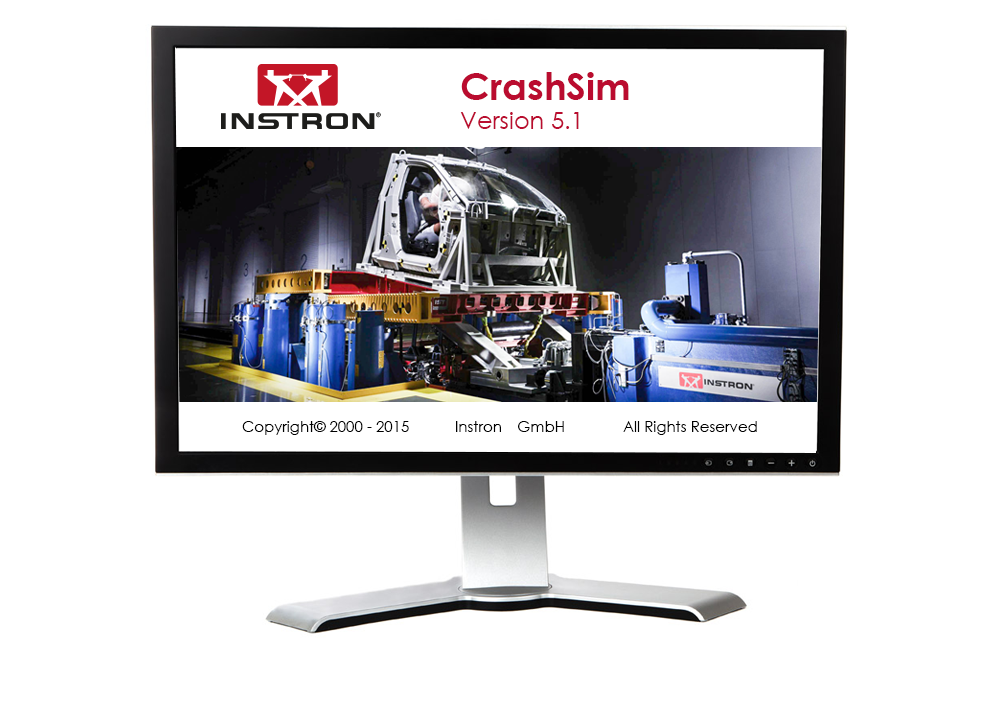
应用软件CrashSim用于在Instron台车系统上进行的碰撞试验的准备、执行、监控、分析和记录。通过与全球用户群体的合作,我们对这一聚焦于用户应用的软件进行了持续不断的升级。

使用CrashSim不需要具备专门的知识,软件操作直观,易于理解。用户界面符合Windows7标准。

以下应用所需的参数设置和阀门配置存储在控制系统中,并且在选择测试方法时由CrashSim自动设置:

  • 正碰和后碰模拟
  • 带主动控制俯仰的正碰模拟
  • 侧面柱碰模拟
  • 侧面碰撞模拟
  • 鞭打-低速后碰撞测试

得益于这一高度自动化,确保了测试操作的高产和高效。

基础版本的CrashSim 5.0具备以下功能:

  • 脉冲数据输入和过滤
  • 根据加速度/时间曲线计算驱动信号
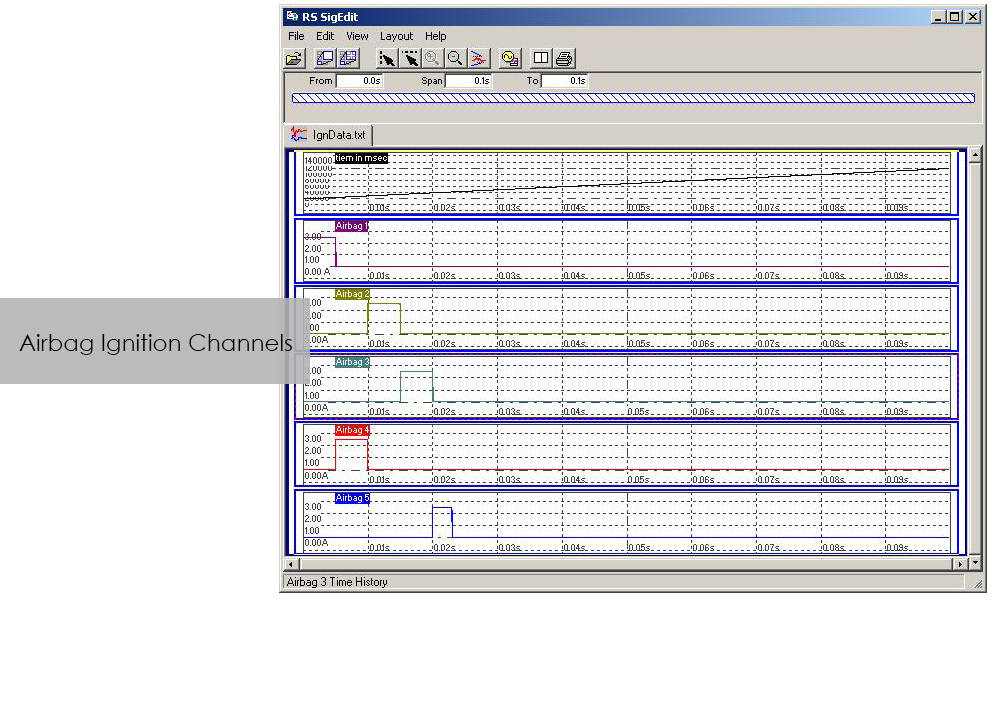
  • 控制所有外围系统(安全气囊点火器、数据采集、摄像系统、...)
  • 试验运行
  • 试验结果评估
  • 试验参数的数字存储和检索,用于将来的应用。
  • 通过进程显示实现系统状态可视化

高级版本的CrashSim 5.1包括了Instron开发的最新迭代模型,这大大减少了所需的迭代次数。该版本还包括CrashSim Office软件模块。该模块允许对测试脉冲进行外部处理,直到产生台车系统的驱动信号。 以前,波形预测只能通过在系统上试打来实现,而现在则可以通过CrashSim Office软件进行离线操作来实现。 。这减轻了此类任务的日常测试操作,提高了系统的工作效率。

了解有关碰撞模拟系统的更多信息.
RS BasTest RT

測試軟體

RS BasTest RT

Catalog no. RS BasTest RT

RSBasTest RT

RS BasTest provides a wide range of functions for editing, performing and conducting durability tests. Project Manager will guide you through all processes. It is used to create new projects, and its integrated data base collects and manages all measurement data. If you are envisaging a future extension of your testing environment, you will be ideally set up with RS BasTest: Other modules from the RS LabSite® modulogic family can be integrated into the system without any further intervention. The basic module will assist you with a high degree of flexibilty and provide the following benefits:

  • Basic software package with comprehensive functionality
  • Intuitive operation
  • Flexible adaption to your testing tasks

RS BasTest RT Benefits

  • Numerous test methods, which are processed in real time by the control electronics:
    • Constant amplitude programs
    • Cyclic block programs for single or multi-channel testing
    • Execution of single- or multi-axial durability tests
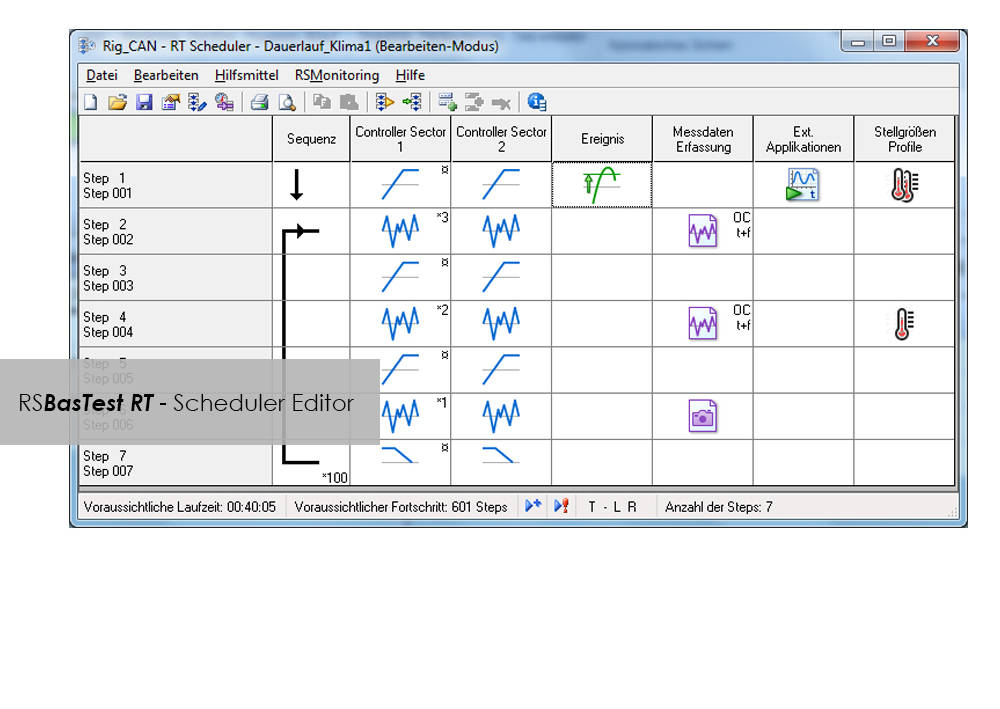
    • Event controlled test procedure
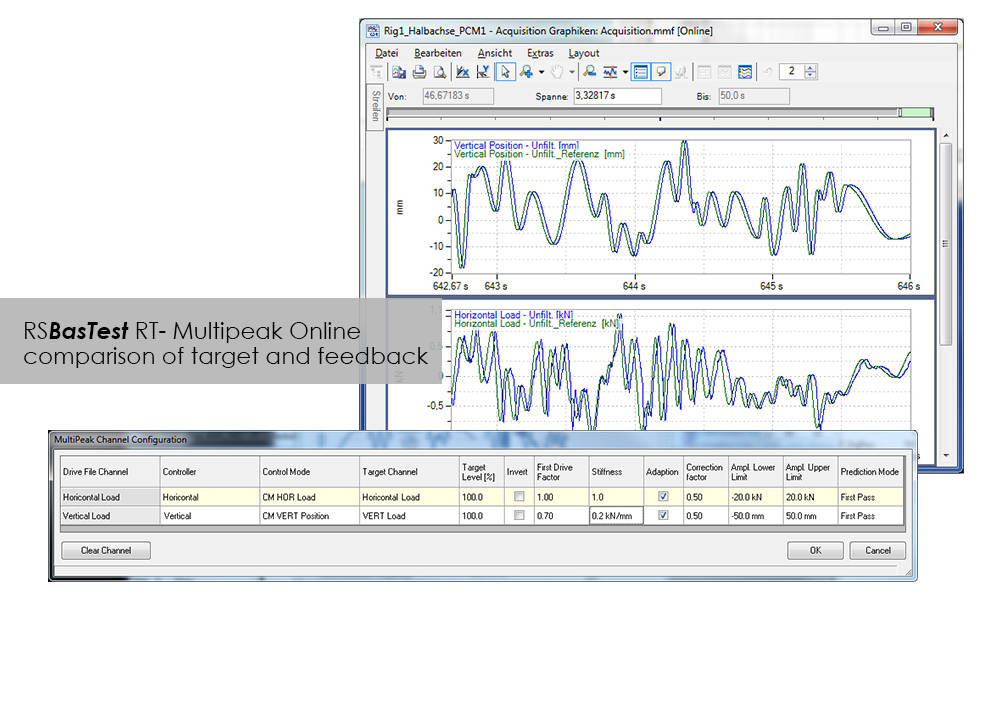
    • Replay of multi-channel service loads with adaptive control of peak values.(MultiPeak)
  • Multi-channel data acquisition
    • three different options optimized for the respective test metho
    • flight recorder (record / store measurement data even when the test stops or pauses)
  • Switchboard for the administration of test results with database for projects, tests and results. Optionally available as a laboratory version:
    • Central administration and backup
    • Local preparation and execution at the test stand
    • Evaluation at test stand or office
  • Licensing model to suit your laboratory requirements
  • Seamless integration with Labtronic 8800ml

Console Software For Use With Instron 8800 Systems, ElectroPuls and ExtendUpgrades

測試軟體

Console Software For Use With Instron 8800 Systems, ElectroPuls and ExtendUpgrades

Catalog no. 2495-901

Console Software For Use With Instron 8800 Systems, ElectroPuls, and Extend Upgrades 

Compatible with WaveMatrix, LCF3, Bluehill 2 and Fracture Mechanics (da/dN, K1C & J1C)  

Includes

  • All controller set up functions such as Specimen Protect, transducer calibration, limits, control loop settings (PID´s) and calculated ("Modal") control channels
  • System status displays indicating current control mode, limits, waveform generator, transducer calibration and hydraulics/power
  • Auto Tuning Wizard to perform automatic set up of control loop PID values
  • Loop tuning tool with fast-refresh digital scope to facilitate manual setting and adjustment of control loop PID values
  • Multiple digital Live Displays of transducer values and cycle/time counters that can be rearranged and resized, with setup save/recall from computer disk.
  • Waveform control (start/pause/stop at specified cycle count) to run simple fatigue tests
  • Scope software package for real time graph showing the output of up to four transducers and basic data capturing facilities
  • Comprehensive on-line help system
  • RS Save software for saving and restoring of test system parameters to and from disk
  • DAX data acquisition software for one axis and up to four transducers
  • Latest firmware update for 8800, ElectroPuls and Data Acquisition Boards
  • Set of Electronic Manuals in PDF Format
  • Available in English, French, German or Japanese 

Please contact Instron for the minimum PC requirements necessary to install and operate this software.
RS MePar ml

測試軟體

RS MePar ml

Catalog no. RS MePar ml

RSMePar ml

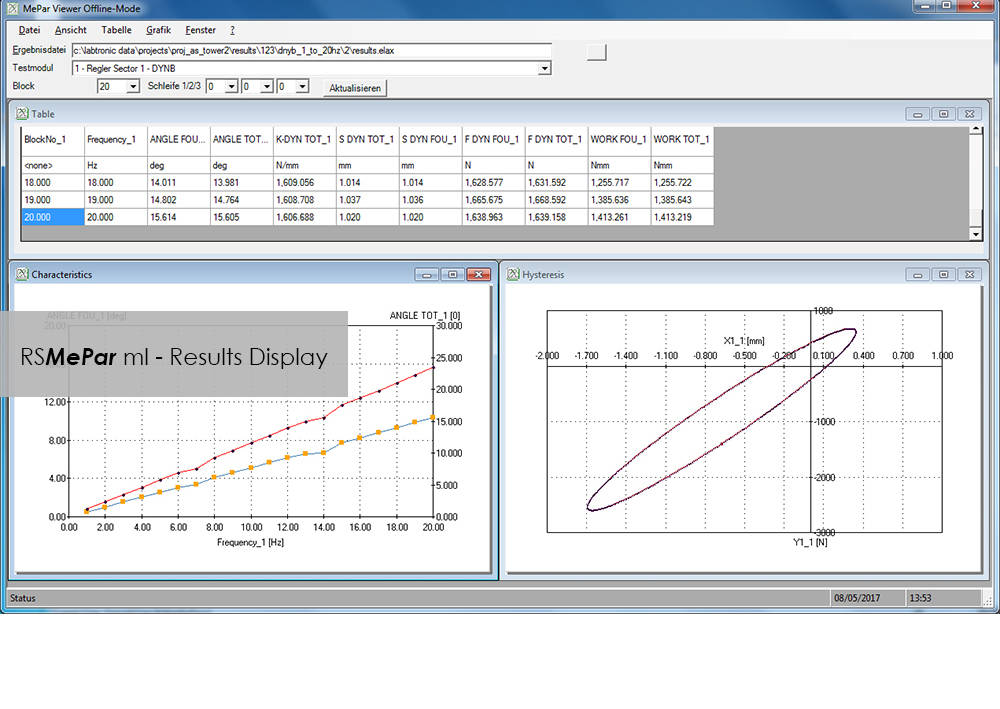
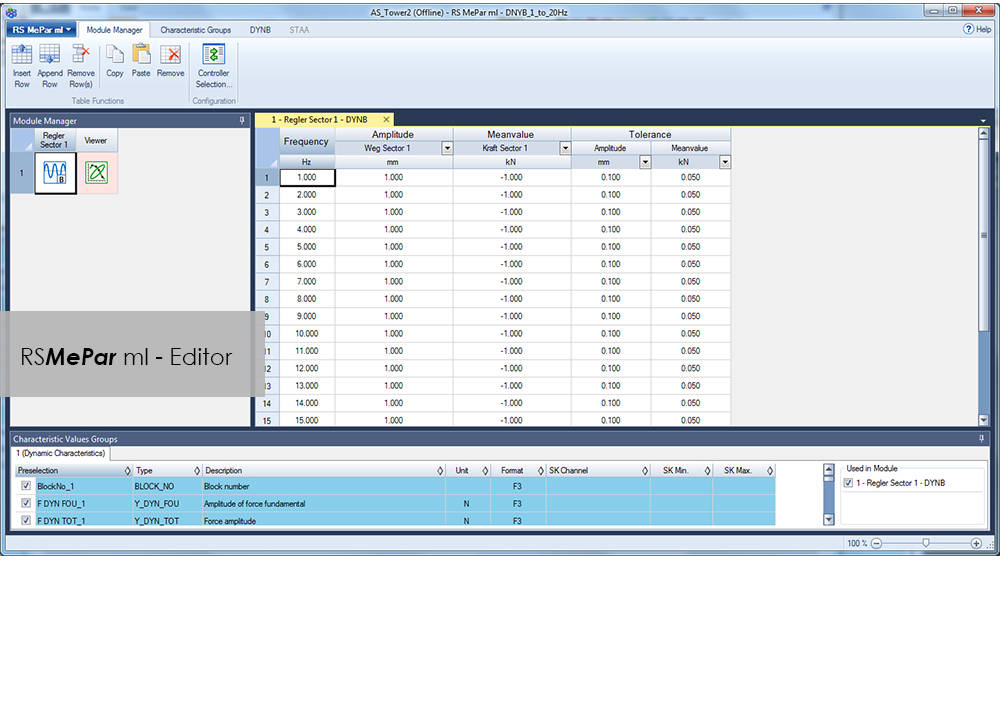
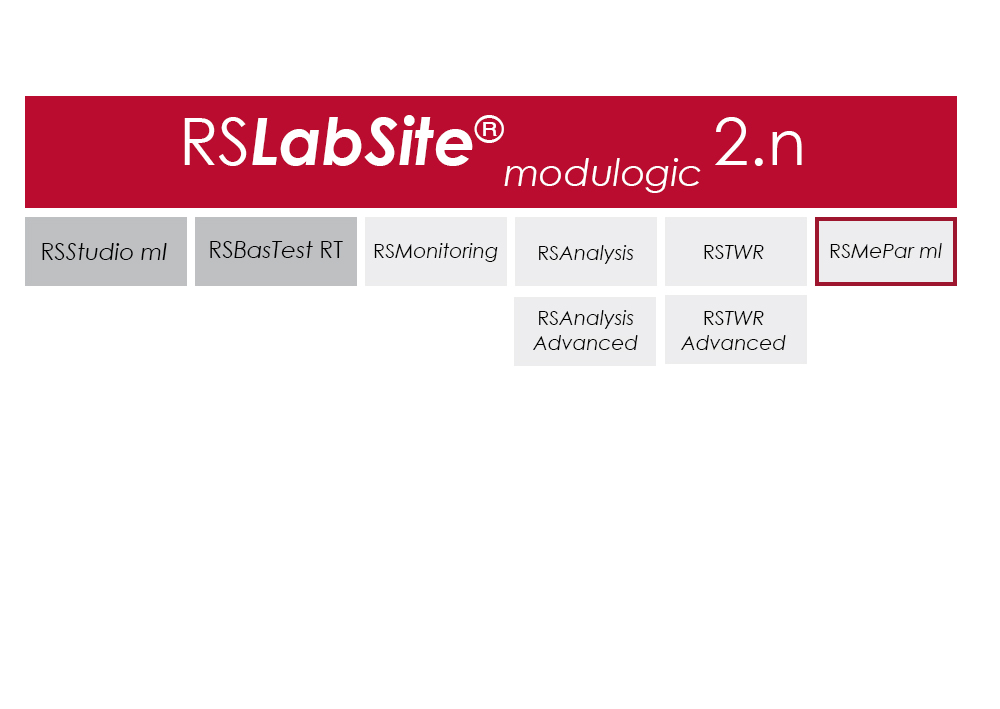
RS MePar ml 是 RS LabSite 模块化软件组的一个模块,与 RS Studio ml 和 RS BasTest RT(RS LabSite 模块化的基础模块)配套使用,可用于确定具有粘弹性部件的特性。RS MePar ml 可用于创建简单的单轴试验或复杂的多轴试验。

灵活的试验监控和数据采集功能可确保试验工程师拥有所需信息,从而精确指出进行试验的部件。此外,MePar Viewer 的整合数据不仅能使装置中产生的试验数据可视化,还能以多种图表进行展示。使用该工具,可直接在屏幕上观察到试验结果。
RS MePar ml 可用于完成以下任务:

  • 确定试样的静态特性
  • 确定试样的动态特性
  • 确定组件的谐振频率
  • 分析和记录试验结果和试验条件

适用对象:

  • 弹性体
  • 弹性体化合物元素
  • 水陆两用器
  • 振动阻尼器
  • 扭转振动阻尼器
  • 排气管线
  • 离合器
  • 曲轴


优点:

  • 该软件适用 Windows 系统,便于上手,易于操作 。
  • MePar-Viewer 功能能按要求绘制测量文件里的各系列数据,用户可以选择缩放比例,以便生成试验报告。
  • 所有试验数据均存储在一个数据库中,能导出到其他程序,如 MS-Excel,用于展示或进一步处理。

Bluehill Impact for Drop Towers

BLUEHILL® IMPACT SOFTWARE

The Drop Weight Impact Testing Machine Software

Bluehill Impact Software for Drop Towers


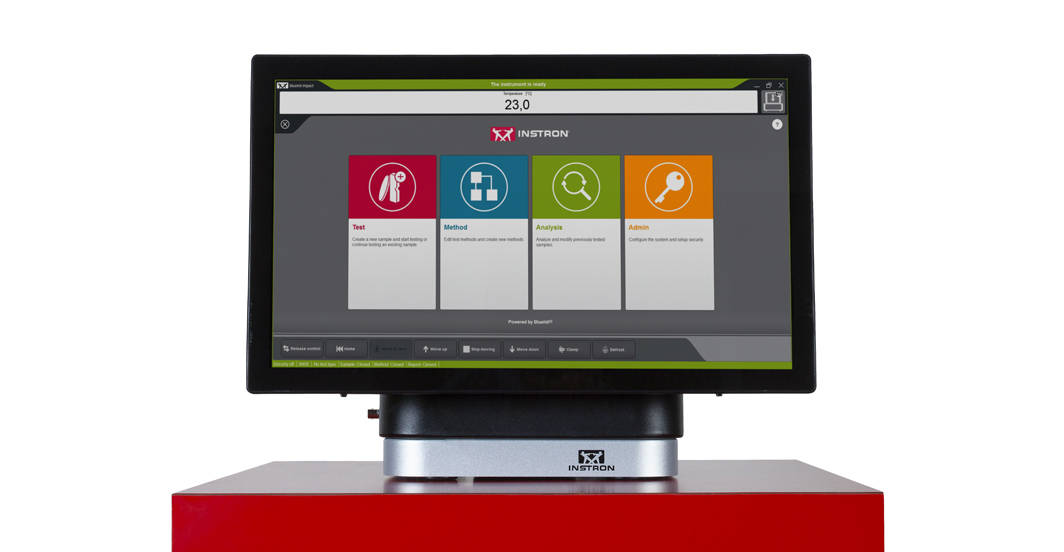
Bluehill Impact is built from the ground up for touch interaction. The Operator Dashboard features large touchpoints to make the user experience simpler and smarter. Easy-to-understand icons and workflows make it easy to train new or experienced users, simplify operator training, and allow you to start testing even faster than ever before.

REQUEST A QUOTE OR DEMO


SIMPLER
Effortless Drop Weight Impact Testing Workflows
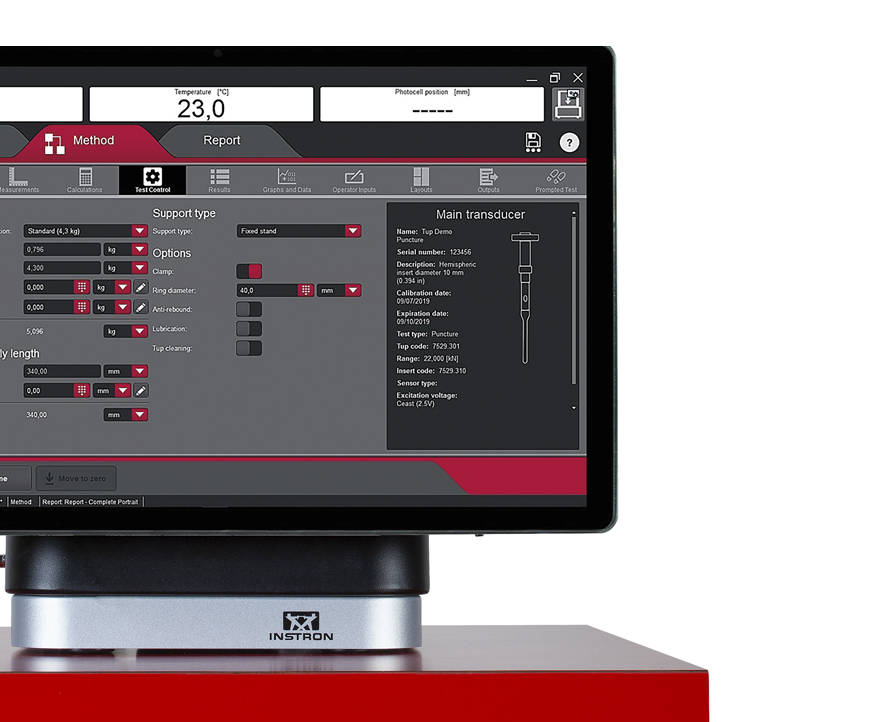
 

Bluehill Simpler Screenshot
Smart Defaults

Bluehill Impact provides a set of pre-configured defaults that cover the most common impact testing scenarios.

Flexible Data Analysis

Users can define unique data flow and procedures ensuring data processing flexibility. Bluehill Impact reports on anomalies and inconsistent results when they are outside set parameters.

Guided Workflow

Thanks to prompted tests and the touch panel, procedures set up takes just a few clicks. Users can be guided through the entire testing process with step-by-step instructions, ensuring that their tests remain repeatable, simple, and error-free. The prompts are customizable with your own text messages.

Fast Data Acquisition and Results

Increased productivity thanks to the combination of the new Dashboard with data acquisition system and Bluehill Impact.

Speed Up Collaboration

Move from task to task: easily share test method and results within your Company or your Customers with Bluehill Impact file management system.

SMARTER
Advanced Capabilities for Advanced Drop Weight Impact Testing

Bluehill Impact Specimen Multiselection

Specimen Multi Selection
Edit parameters for many specimens at the same time with one click.
Bluehill Impact Smarter Test Analysis

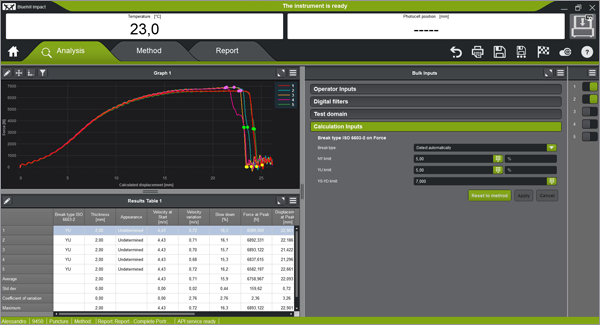
Break Type Recognition
Automatic recognition of the break type according to the shape of the curve (ISO 6603-2). This ensures associations to the break type remain the same operator-to-operator.
Automatic Testing

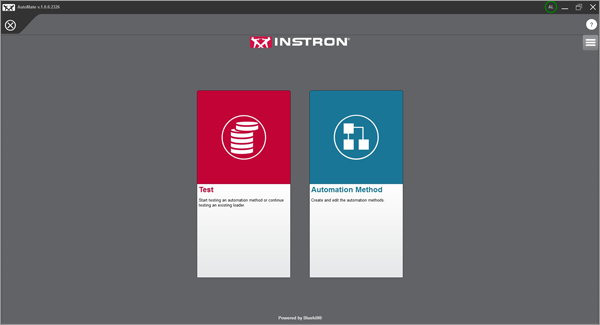
Automatic Testing
Once a test method has been created in Bluehill Impact, you can use AutoMate Software module to customize how the specimens in the automatic feeder are tested, assigning different test velocities and temperatures.
 

SAFER
Safety with High Throughput 


Secure Access

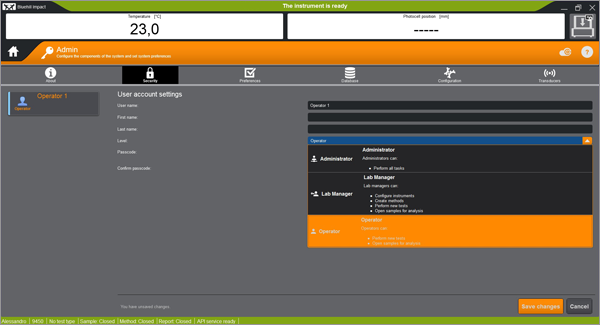
Secure Access
Bluehill Impact security allows the Lab manager to configure permissions granting full access to super users and limiting access where needed.
Calibration Alert

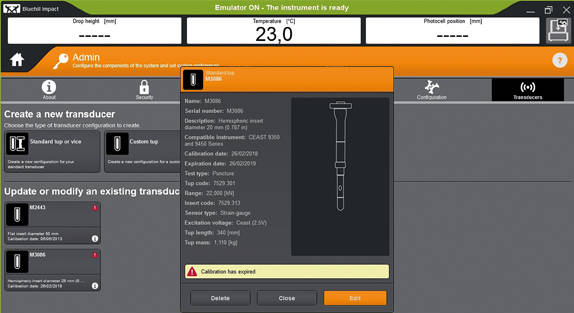
Tups Calibration Alert
Automatic alerts are generated when Tup calibration period is expiring. This feature helps to reduce the risk of invalid tests and protect your results against inaccuracies.
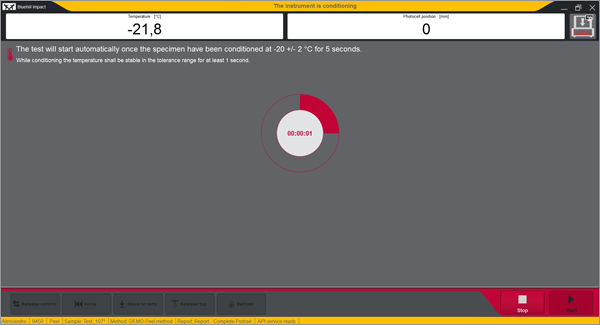
Built-In Safety Notifications

Built-In Safety Notifications
The Dashboard gives clear visual information on the instrument status, so users always know when a test is in progress.


REMOTE TECHNICAL SUPPORT (RTS)

Powered by Instron Connect
Instron Remote Technical Support (RTS), powered by Connect, allows our technical support team to connect directly to your Instron systems by either remote screen share or through integrated augmented reality (AR), providing fast and high-quality system diagnostics which should increase your Instron systems uptime.

LEARN MORE

HAVE AN OLDER SOFTWARE VERSION?
Learn About Upgrading your Drop Weight Impact Testing Software
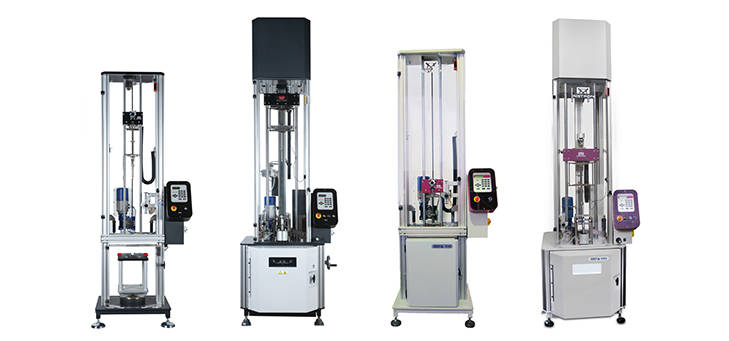
9400 and 9300 Drop Tower Systems

Bluehill Impact & Dashboard with Data Acquisition System

The state-of-the-art controller can be retrofitted on all the 9340 with Firmware version later than 1.00 and on all the 9350 Drop Weight Impact Testing Machines with FW version later than 3.00, including machines with automatic feeding option.

Bluehill Fracture

Bluehill® Fracture

Simplify your Fracture Testing, Analysis and Reporting

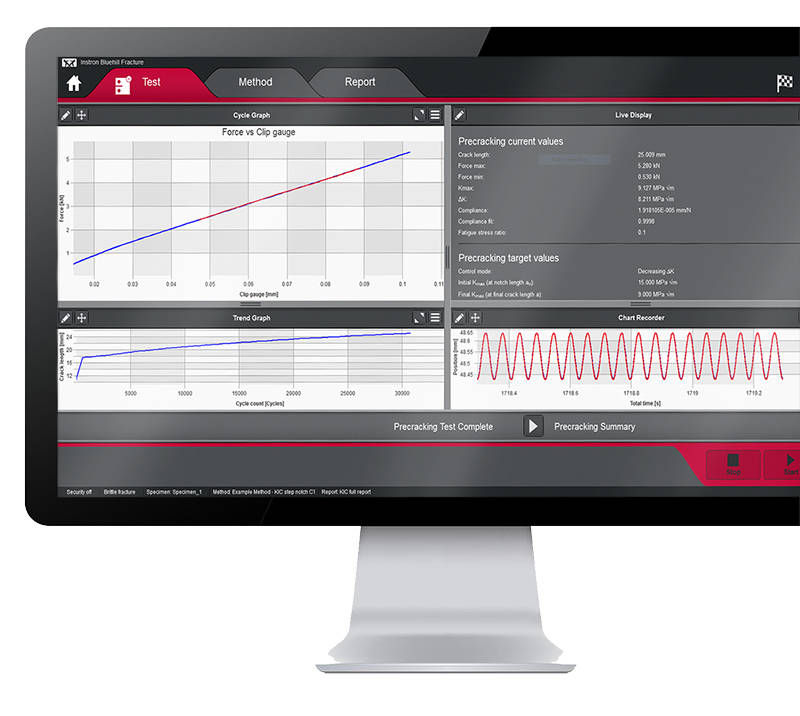
Bluehill Fracture is a dedicated fracture mechanics software from Instron. Machine control, data analysis and reporting are performed for metals fracture toughness measurement to key international standards.

As a leading supplier of testing equipment for crack propagation and fracture toughness, Instron are aware of the challenges users face in reducing both the complexity and time taken to produce accurate, repeatable results. The Bluehill Fracture software package addresses these challenges.

Customizable test flows guide the user through the steps needed to produce their final results, saving time by minimizing data entry at each step.

Comprehensive on-screen user guidance along with automatic post-test analysis and reporting tools also reduce the skills and training required. Additionally, the layout, terminology and test progression is common to other Instron software packages, such as Bluehill Universal.

For the latest technology now available with Bluehill Fracture DCPD software, click below to upgrade today.
UPGRADE NOW


Bluehill Fracture Screen
SIMPLER
Spend less time setting up testsWhether you are testing using a predefined method or customizing your own, Bluehill Fracture comes with the tools to create the method you need.


Method Definition
Bluehill Fracture's unique test workflow definition breaks the test into a logical series of steps, enabling the test designer to control the process of data entry before, during and after the test.


A reduction in entering the same data for each test saves time and minimizes data entry errors. Parameters for each stage can either be pre-populated prior to the test, imported automatically from a LIMS system or entered manually every time a test is run.
  • Customizable Work Flow
    Work flow can be clear and simple or fully detailed depending on your need. Guidance notes can be added to aid operators throughout the test.
  • Intuitive Interface
    The modern user interface is both intuitive and clear allowing for reduced training and simplified instructions.
  • Save Time
    Methods steps can be tailored to suit the test type and operator, saving time and reducing errors.
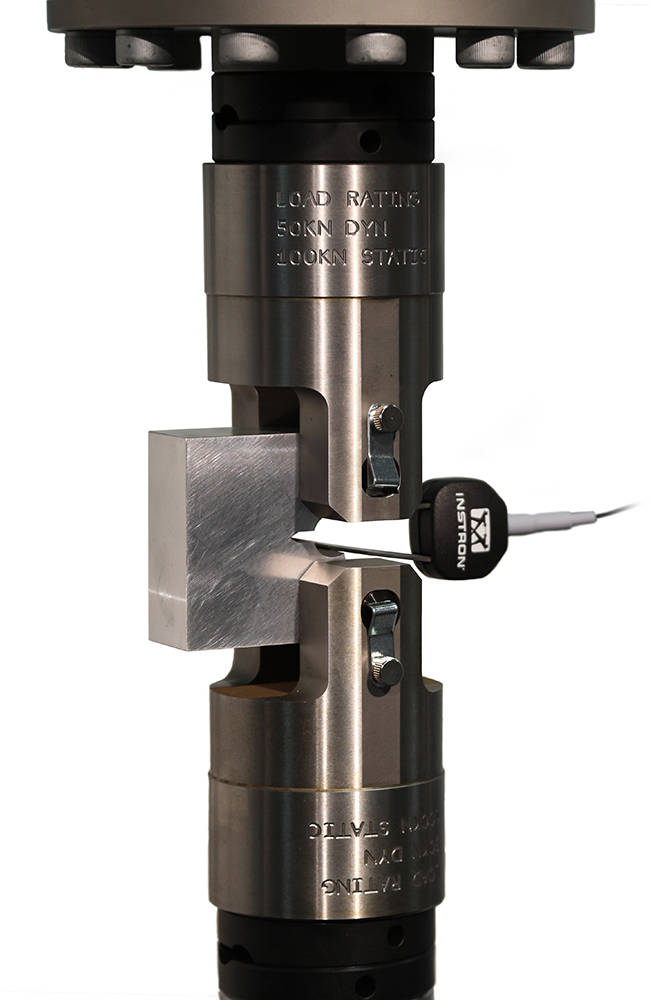
Bluehill Fracture CT Specimen in Grips

SMARTER
Produce results faster

Although Bluehill Fracture is simple to use, there are still many advanced features for analysis and report generation.


Run and Analyse Tests
Performing and analyzing Fracture Toughness tests has never been simpler than with Bluehill Fracture.

Select a test method to run, from a pre-defined list or your own customized method, and Bluehill Fracture will step you through the pre-test data entry you define, then when ready, the software will perform pre-cracking (if required) and finally onto the main fracture test.


Testing Icon Orange

Run a Test

Pre-configured material properties and pre-cracking targets reduce user input and increase throughput.

Analysis Icon Orange

Post-test Analysis

The software guides operators through data input, graph plotting and results calculation.

Report Icon Orange

Report Generation

The report and export function within Bluehill Fracture completely automates the process of generating a summary report.

SAFER
Control user access and check results

Validity checks confirm your tests are within predefined parameters whilst the security settings allow advanced users to protect areas of the method containing critical settings.


Analysis
The report and export function within Bluehill Fracture completely automates the process of generating a summary report. This reduces complexity, time and errors by avoiding additional data export and manipulation at the post test reporting stage.

Whether you need a summary in text output format or a fully customized PDF report in your organization’s format, Bluehill Fracture has the features to achieve this at the click of mouse button.
  • Automatic validity Checks
    Bluehill Fracture provides both a summary check and detailed breakdown of values and reference clauses for auditability. Validity checks are itemized and include achieved values and allowable limits.
  • User Access
    Account settings control who in the laboratory can change and update test methods.
  • Stay Up to Date
    By utilizing a separate standards library keeping abreast of the latest revisions is a simple upgrade.

Fracture CT Specimen

ADVANCED TOOLS
In addition to more common tests, measurement and analysis is provided for standardized methods using direct current potential drop (DCPD) for crack length measurement.

Bluehill Fracture Specimen DCPD

Test control and method set up are similar to mechanical compliance-based methods and raw data is stored in the same way. Signal noise depends greatly on the preamplification and conditioning of the DCPD system, so an additional averaging feature is available to stabilize readings during crack growth.

For fracture toughness determination, corrected displacement is calculated from user-specified frame compliance coefficients stored within the method, so that correct analyses can be used for different load strings. Manual and automated methods of V0 determination are provided, with a configurable interval for generation of J-da plot.

SUPPORTING DCPD MEASUREMENTS

  • Accepts X or X/Y from any conditioning system as scaled 0-10V transducer input
  • Live calculation of crack length for pre-cracking and fatigue crack growth experiments
  • Automatic setting of reference voltage during test
  • User-defined voltage - crack length relationships
  • Post-test analysis for JIc according to E1820 annex 18

LEARN MORE

Integration Icon Red

Integration

Various functions are available to support integration with laboratory data management systems (e.g. LIMS), such as the option to import automatically generated inputs of specimen geometry and material properties.

Features Icon Red

Supported Features

Bluehill Fracture modules support all common test standards (ASTM, ISO and BS) for crack propagation, ductile and brittle fracture, crack length measurements and specimen geometries. Users can test to predefined standards (e.g. ASTM E647, ASTM E399, ASTM E1820, ISO 12135).

For the latest Bluehill Fracture standard compatibility:

click here

Compatibility Icon Red

Compatibility

Bluehill Fracture is available with new ElectroPuls® and Servohydraulic systems, as well as any existing dynamic testing system with an 8800 or 8800MT controller running Windows 7 or 10.
Microelectronics Tensile Grips

Microelectronics Tensile Grips

測試軟體

Instron 提供各种夹具,适用于对各种微电子元件和组件进行拉伸测试,包括导线、电线和不规则形状的产品。

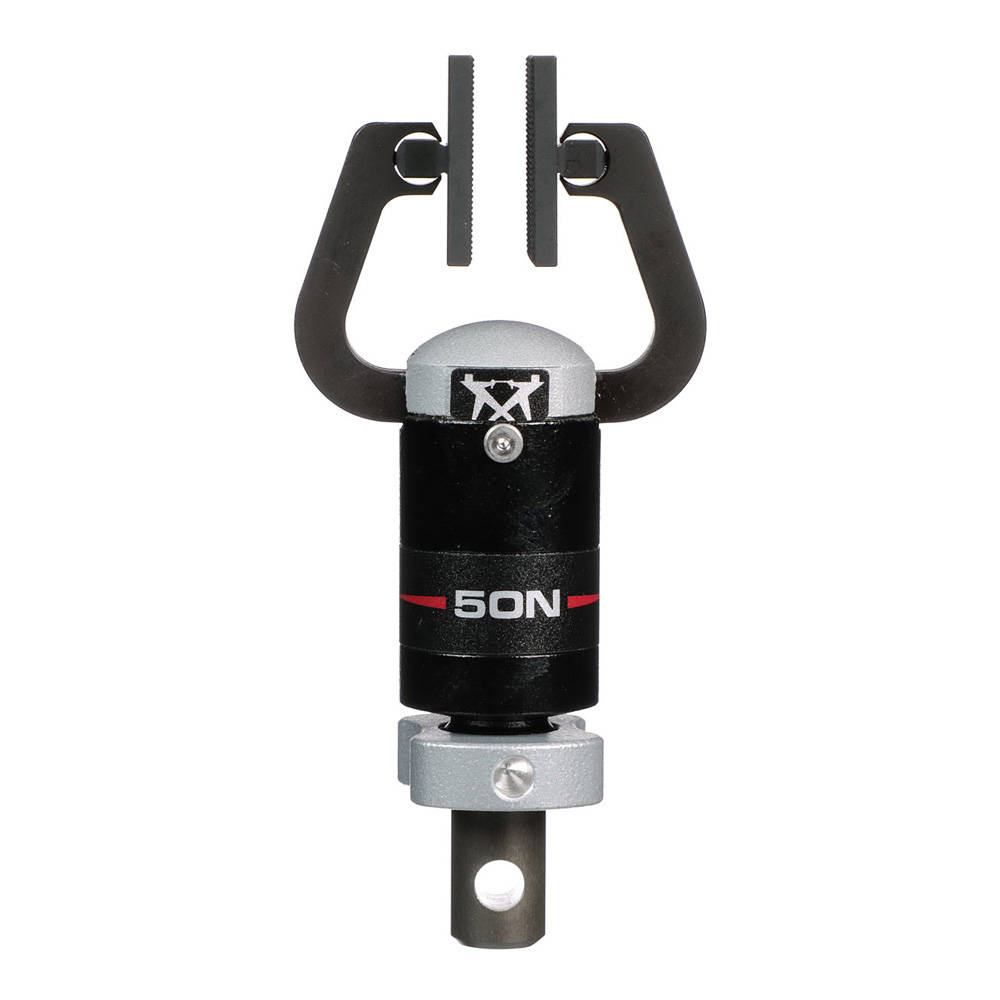
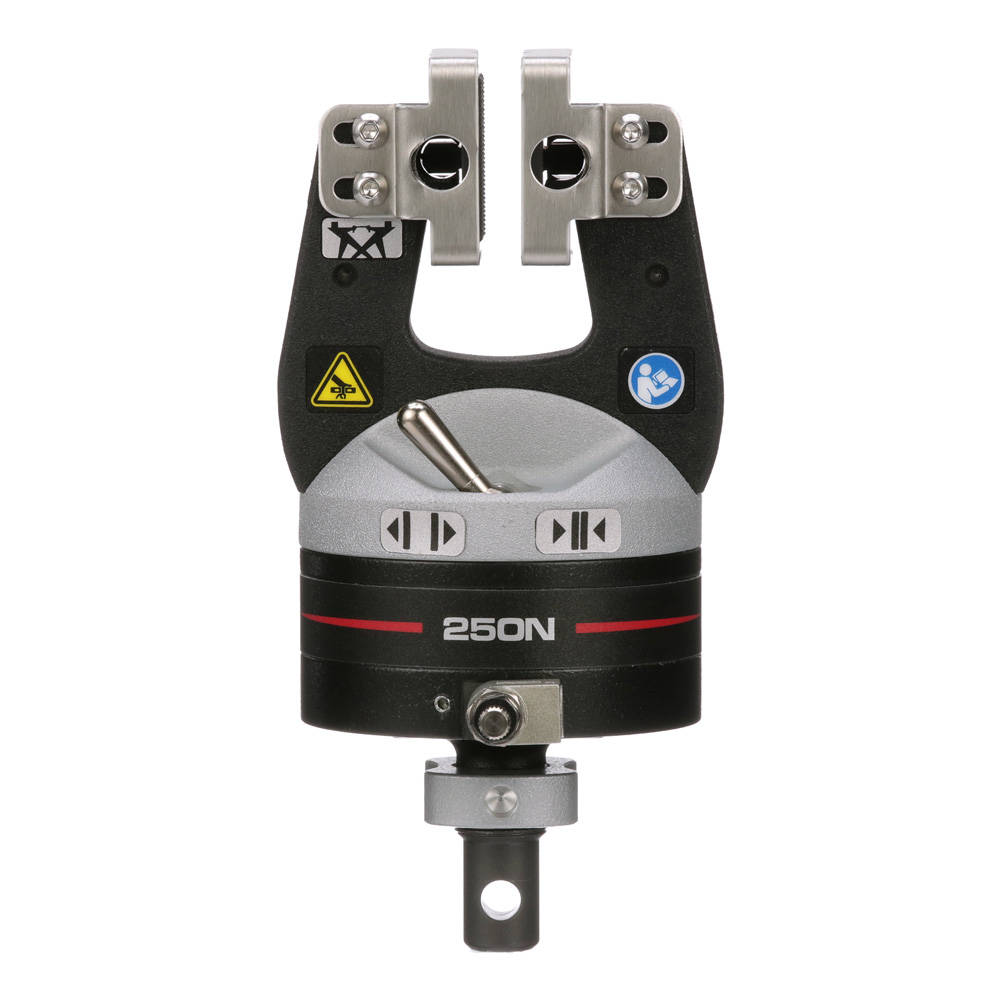
50 N Pneumatic Side Action Grips
50 N Pneumatic Side Action Grips 250 N Pneumatic Side Action Grips
气动平推拉伸夹具


气动平推拉伸夹具通过夹具内的气缸带动两侧杠杆臂夹持试样。通过调节输入气压可控制夹持力,即使试样在夹持过程中收缩变薄,夹持力也可以保持恒定,从而保证试样在试验过程中不会打滑。


供应型号
载荷容量选型 目录编号
50 N 2712-051
250 N 2712-052

更多信息


Screw Side Action Grips
手动平推拉伸夹具


2710-100系列双面平推设计可适用于最大46 mm(1.8 in)厚的试样,对不规则或非对称试样(例如搭接剪切和元件测试)进行补偿。


供应型号
载荷容量选型
最大钳面开口 
目录编号
100 N 35 mm 2710-111
500 N 35 mm 2710-112
1 kN 36 mm 2710-113
2 kN 36 mm 2710-114
5 kN 46 mm 2710-115
10 kN 46 mm 2710-116

更多信息


Micro Pneumatic Side Action Grips
微型气动平推拉伸夹具


微型气动平推拉伸夹具采用单面平推的方式,有一个固定面和一个移动面,可由脚踏开关操作,可以解放操作员的双手以便他们准确放置试样。该夹具有一个较大的操作空间,非常适合装载细线、薄膜或单丝等微型试样。


规格
载荷容量选型 最大试样厚度 目录编号
10 N 0.8 mm 2712-101

更多信息


Pneumatic Lead Pull Grip
气动导线拉力拉伸夹具


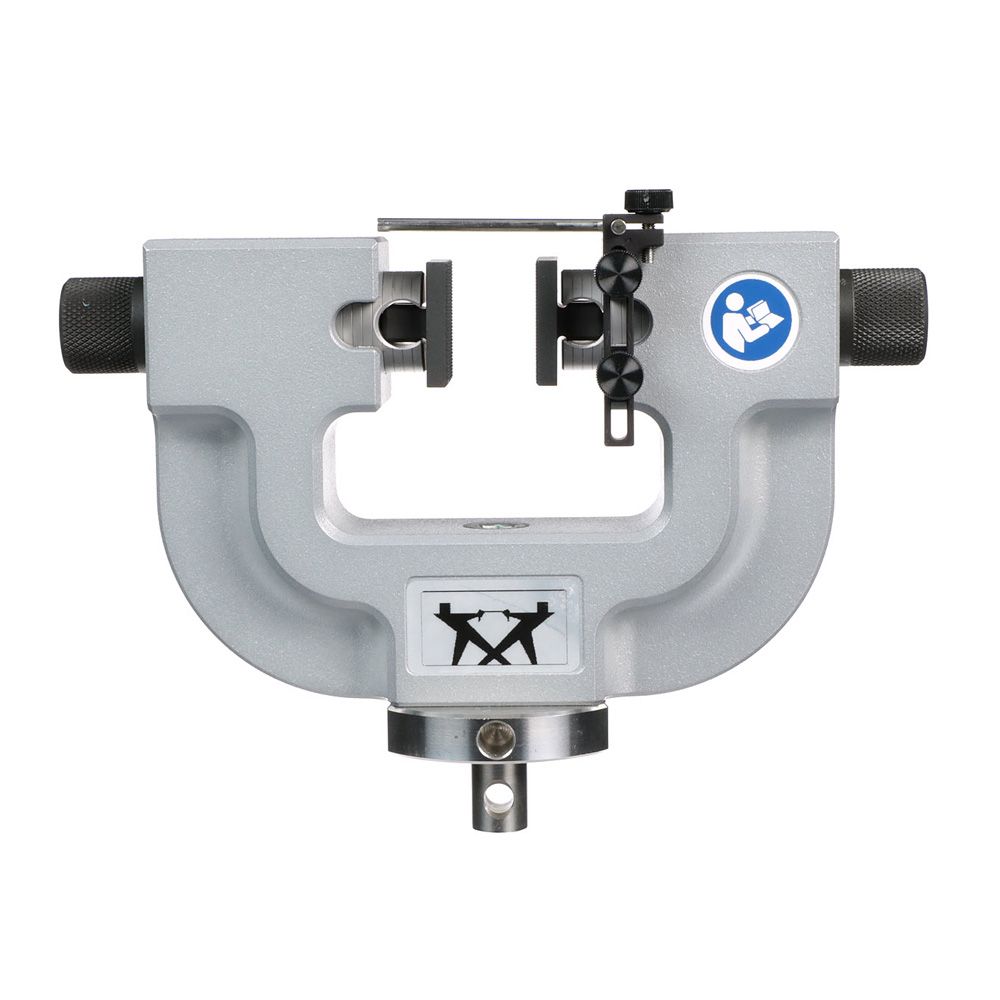
气动导线拉力拉伸夹具是一种平行运作的气动辅助动作夹具,配有针鼻钳面,用于导线拉力测试。


规格
载荷容量选型 目录编号
500 N 2712-212

更多信息


电线拉力钩形工装


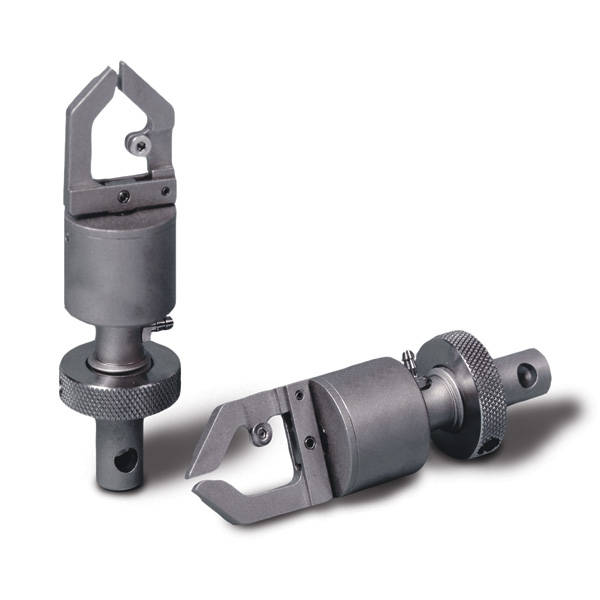
电线拉力钩形工装专门设计用于微电子元件的电线和引线键合拉力测试。该工装符合 MIL-STD-883 方法 2011.7(键合强度 - 破坏性键合拉力测试)和 2023.5(非破坏性键合拉力测试)的要求。


规格
载荷容量选型 目录编号
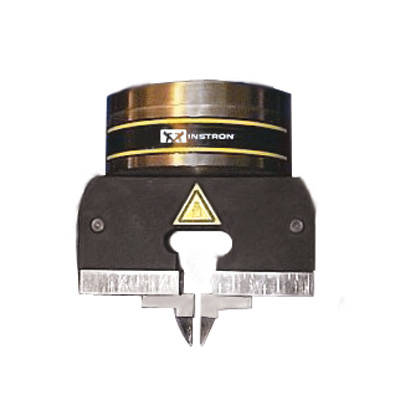
10 N 2860-001

更多信息