Instron

Bluehill® Central Quiz

소프트웨어

Bluehill® Central Quiz


Take a Tour of Bluehill Universal

소프트웨어

TOUR BLUEHILL® UNIVERSAL

Simpler, Smarter, Safer Materials Testing Software

Start a test, create a method … learn about the primary modules in the Home screen tour.​

Get a feel for the workspace users will interact with when running a test in the Testing tour.​

The Instron is controlled by parameters specified in a test method. Learn about method configuration in the Creating a Method tour.

Get a glimpse how report templates are configured in the Reporting tour.​

Bluehill Central

소프트웨어

BLUEHILL® CENTRAL

테스트 관리 간소화

Bluehill Central 소프트웨어는 여러 Instron 시험 프레임과 관련된 Bluehill Universal 소프트웨어 애플리케이션의 중앙 집중식 원격 관리를 가능하게 하는 실험실 관리 도구입니다. 이 소프트웨어를 통해 여러 Instron 시스템에서 모든 Bluehill Universal 사용자, 시험 템플릿, 결과, 파일 개정 승인 및 감사 추적 데이터를 원격으로 관리할 수 있습니다.

데모 요청하기 최신 기능 보기


190+
Bluehill Central 데이터베이스
출시 이후 구현 사례
425+
만능 시험기
Bluehill Central에 연결됨
Bluehill Central이 귀하의 실험실에 적합합니까?
간단한 퀴즈를 통해 알아보세요.

퀴즈 풀기

작동 방식
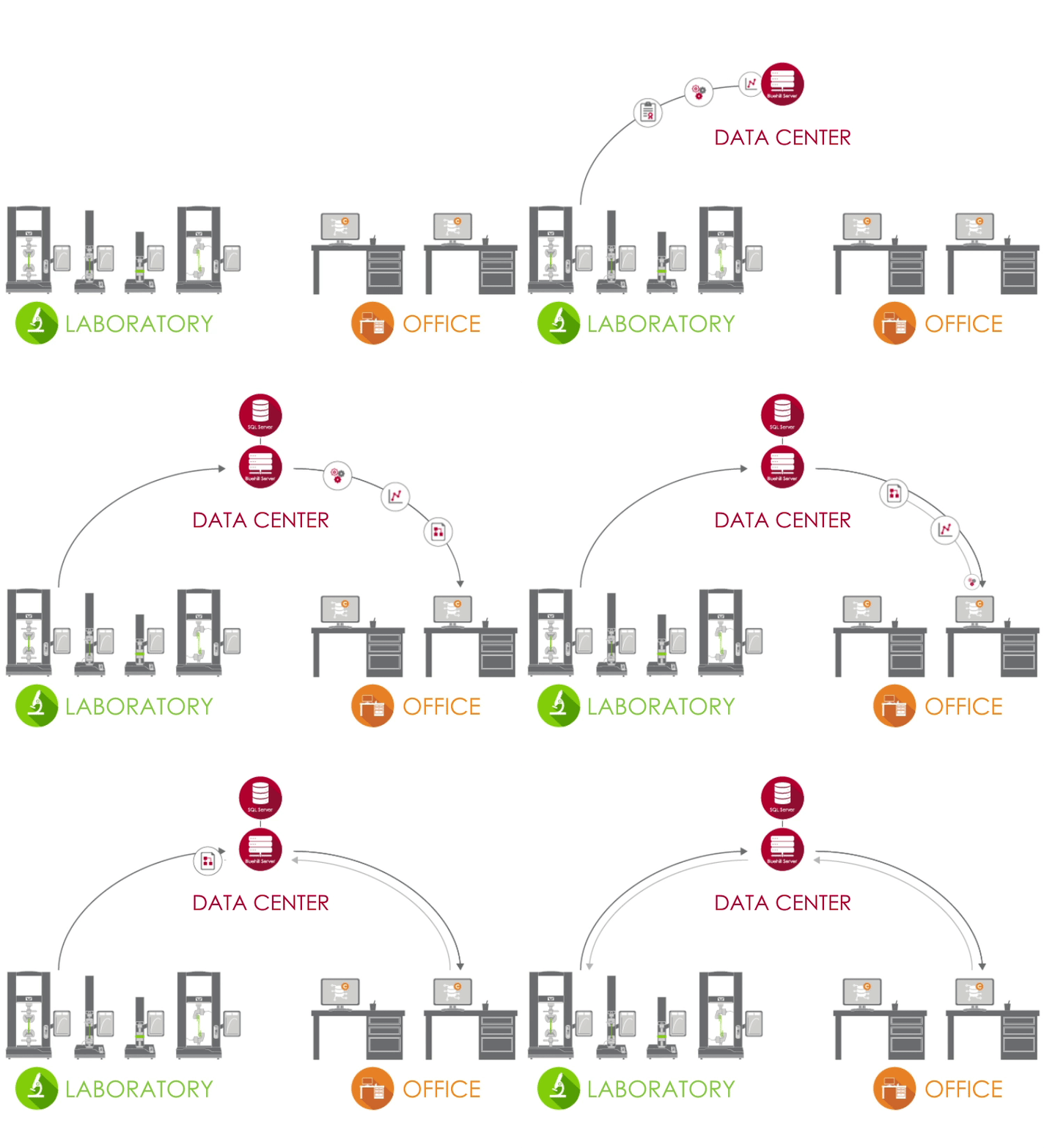
Bluehill Central 아키텍처


Bluehill Central 아키텍처

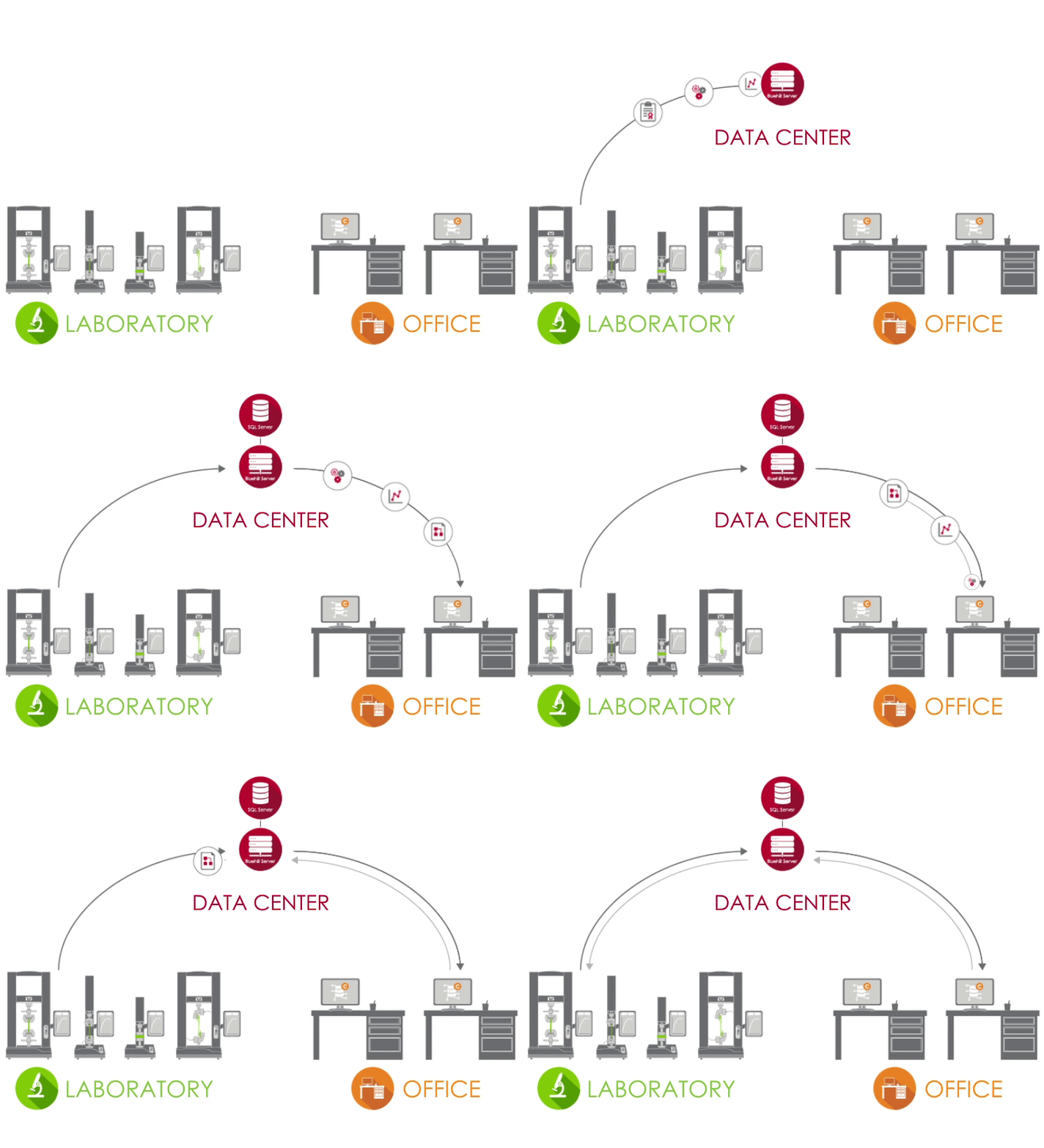
Bluehill Central은 클라이언트/서버 네트워크를 사용하여 모든 공유 데이터, 파일 및 설정을 Microsoft® SQL Server 데이터베이스에 저장합니다. Bluehill Universal 이 귀하의 실험실 Bluehill Central 서버에 연결되면, 각 시험 시스템은 중앙 집중식 데이터베이스에서 데이터를 송수신하여 변동 위험과 각 시스템을 로컬에서 관리하는 부담을 없앱니다.

테스트 랩 아이콘 실험실
실험실에서 Bluehill Universal을 실행하고 기업 네트워크에 연결된 PC는 Central 플러그인을 통해 Bluehill Central 데이터베이스에 액세스할 수 있습니다.
데이터 센터 아이콘 데이터 센터
IT 부서에서 관리하는 데이터 센터는 Instron 데이터를 중앙에서 저장하는 SQL Server 데이터베이스와 클라이언트와 데이터베이스 간의 모든 트랜잭션을 처리하는 Bluehill Server 애플리케이션을 호스팅할 수 있습니다. 모든 클라이언트와 서버는 회사 네트워크를 통해 연결됩니다.
Office 아이콘 사무실
실험실 외부에서 Bluehill Central 뷰어를 통해 파일 및 설정에 원격으로 액세스할 수 있습니다. 또한 오프라인 Bluehill Universal 라이선스를 사용하여 시험 방법 편집 및 샘플 데이터 보기가 가능합니다.

연구소 관리자 및 IT 관리자를 위한 가이드에서 자세히 알아보세요.


Bluehill Central은 공통 파일 및 설정을 공유하는 팀으로 사용자 그룹을 구성할 수 있도록 합니다. 작업자의 권한 및 파일 액세스는 해당 팀에 의해 정의됩니다. 이를 통해 귀하의 실험실은 시스템을 사용하는 그룹에 따라 다양한 워크플로우 및 설정을 지원할 수 있는 유연성을 확보합니다.

회원 | 개인화된 권한을 가진 개인 사용자

시험 시스템 | Bluehill Central에 연결된 실험실 내 Instron 프레임

파일 | Bluehill 방법, 보고서 템플릿, PDF 보고서 또는 기타 Instron 관련 파일

감사 추적 | 팀원이 수행한 작업의 기록

설정 > 보안 유형, 파일 승인 및 기타 팀 수준 설정


Bluehill Central의 보안 옵션에 대해 알아보십시오.

Central로 더 많은 작업 수행
실험실에 적합한 모듈은 무엇인가요?


실험실 관리


실험실 관리 모듈에는 Bluehill Central의 파일 저장소가 포함되어 있으며, 이는 데이터베이스 서버에 저장됩니다. 연결된 Instron 프레임은 데이터베이스에 액세스하여 제어된 시험 방법을 실행하거나 결과를 내보낼 수 있습니다.


 

수정 내역 아이콘

개정 기록 보기
각 Bluehill 파일에는 해당 기록이 포함되어 있으며, 파일의 각 개정과 관련된 모든 변경 사항을 상세히 보여줍니다.

업로드 다운로드 아이콘

파일 업로드 및 다운로드
업로드 및 다운로드 기능을 통해 데이터베이스에서 파일을 저장하고 검색하는 것이 간단합니다.

읽기 쓰기 아이콘

읽기 및 쓰기 액세스
파일 및 폴더에 대한 읽기 및 쓰기 액세스를 구성하여 어떤 사용자가 파일을 변경하거나 액세스할 수 있는지 제한합니다.

오프라인 동기화 아이콘

오프라인 모드와 동기화
데이터베이스 연결이 끊어져도 작업자는 Bluehill Universal에서 중요한 파일 또는 폴더를 오프라인으로 사용할 수 있도록 함으로써 시험을 계속할 수 있습니다.
추적 가능성


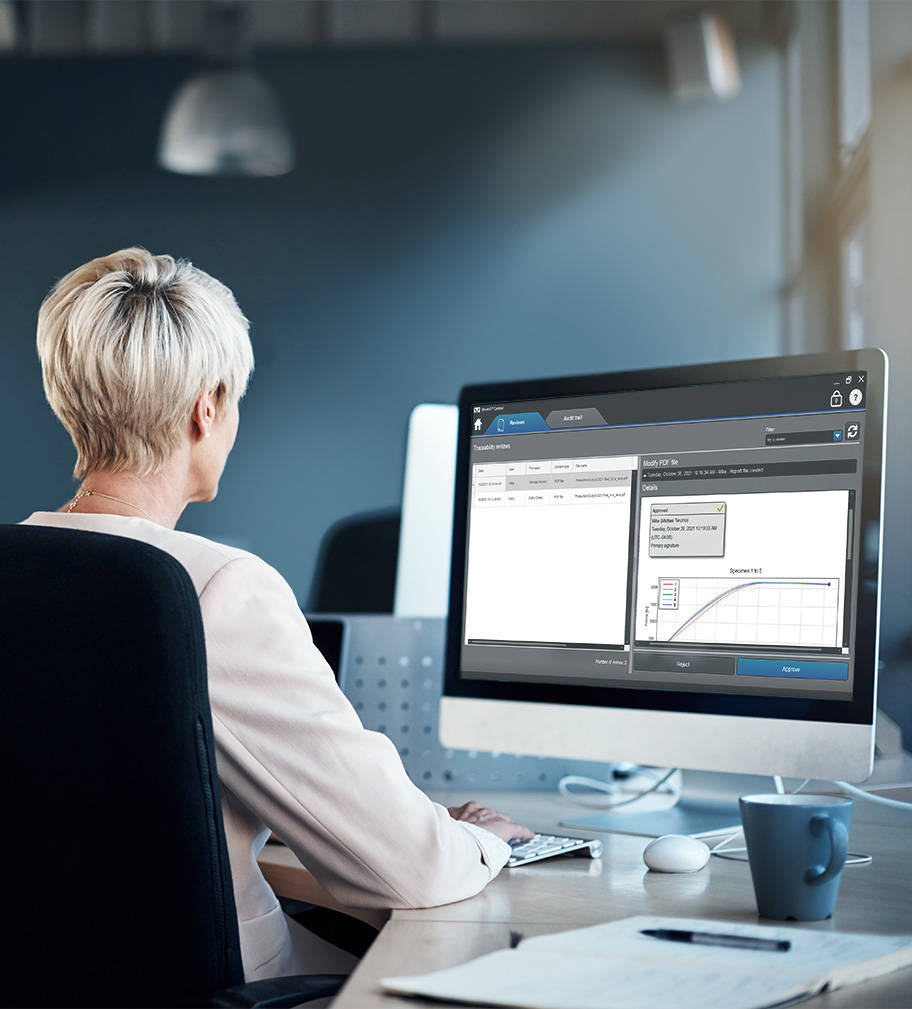
Bluehill Central의 추적성 모듈을 통해 Instron 시스템에서 발생하는 시험 방법 수정, 샘플 데이터 및 Bluehill 파일의 기타 변경 사항에 대해 원격으로 검토하고 전자적으로 승인할 수 있습니다. Bluehill Central 및 Bluehill Universal의 파일 승인 및 기타 여러 사용자 작업은 연결된 모든 Instron 시스템에서 누가, 무엇을, 언제, 왜 했는지 확인할 수 있도록 중앙 집중식 감사 추적에 자동으로 캡처됩니다. 참고: 추적성 모듈은 Bluehill Universal의 애드온인 추적성 + 실험실 관리(Central 플러그인)가 있는 Instron 시스템의 데이터를 표시합니다.


 

파일 변경 아이콘

원격으로 파일 변경 사항 검토
연결된 모든 테스트 시스템의 파일을 책상에서 편안하게 검토할 수 있습니다.

필터 아이콘

감사 추적 필터링 및 인쇄
연결된 모든 테스트 시스템의 감사 추적을 쿼리, 필터링 및 인쇄할 수 있습니다.

세부 정보 창 아이콘

감사 추적 항목의 세부 정보 보기
세부 정보 창에는 선택한 감사 추적 항목과 관련된 추가 정보가 제공됩니다.


추적성 모듈을 사용하는 실험실 관리자

Bluehill Central의 추적성이 Bluehill Universal의 표준 보안 및 로컬 추적성과 어떻게 비교되는지 확인하십시오.

기능 비교

Bluehill Central 내 추적성이 FDA 21 CFR Part 11의 기술 요구 사항을 충족하는 데 어떻게 도움이 되는지 알아보십시오.

백서 다운로드

TrendTracker Software

트렌드 트래커

Bluehill Central의 TrendTracker 모듈은 귀하의 실험실 데이터 분석 워크플로우를 가속화합니다. 직관적인 인터페이스를 통해 시간 경과에 따라 여러 샘플 및 시험 시스템에서 결과를 빠르게 검색, 표시 및 분석할 수 있습니다. 지루한 파일 검색과 데이터 복사-붙여넣기에 작별을 고하십시오.

데이터 분석 아이콘

다중 샘플 데이터 분석
여러 테스트 시스템에서 생성된 여러 샘플의 결과에 대한 데이터 분석을 수행합니다.

사용자 지정 가능한 쿼리 아이콘

사용자 지정 가능한 쿼리
트렌드 및 이상값에 대한 인사이트를 제공하는 테스트 매개변수 또는 결과로 정의된 쿼리를 생성하세요.

플로팅 아이콘

시각적 플로팅
다양한 차트 유형을 플로팅하여 데이터 집합을 시각화하세요.

데이터 내보내기 아이콘

데이터 내보내기
데이터를 CSV 파일로 내보내고 Minitab®과 같은 애플리케이션에서 열어 추가 분석을 수행할 수 있습니다.

트렌드트래커에서 제공되는 통계 및 차트에 대해 자세히 알아보세요.

트렌드트래커가 어떻게 데이터에 기반한 신속한 의사 결정을 내릴 수 있도록 지원하는지 알아보세요.

트렌드트래커를 간단히 둘러보고 얼마나 쉽게 설정하고, 트렌드를 모니터링하고, 인사이트를 발견할 수 있는지 알아보세요.

Frequently Asked Questions for Bluehill Central

소프트웨어

BLUEHILL® CENTRAL | FREQUENTLY ASKED QUESTIONS


Get answers to the most frequently asked questions (FAQ) about Bluehill Central, Instron's lab management software.

메서드 템플릿의 Bluehill Universal

소프트웨어

방법 템플릿 in Bluehill® Universal

방법 템플릿 in Bluehill® Universal

다음은 Bluehill Universal 재료 테스트 소프트웨어에서 사용할 수 있는 모든 사전 구성된 테스트 방법의 목록입니다.

Bluehill Universal

소프트웨어

BLUEHILL® UNIVERSAL

차세대 재료 시험 소프트웨어


Bluehill Universal은 초기 버전부터 터치 상호작용을 위해 구성되었습니다. 세심한 시각적 설계를 갖춘 새로운 세로 레이아웃은 통합 컨트롤러를 갖춘 대형 터치 모니터를 이용하여 작업자 대시보드에서 시험 작업 영역을 포괄적으로 확인할 수 있도록 합니다. 신규 사용자나 숙련된 사용자 모두 직관적인 워크플로우를 통해 쉽게 습득할 수 있습니다. 또한, 작업자 교육을 단순하게 하여 시험을 전보다 빠르게 시작할 수 있습니다.

Take A Tour데모 요청

Bluehill Universal Operator Dashboard

더 단순하게
간편한 워크플로우 및 간소화된 기능


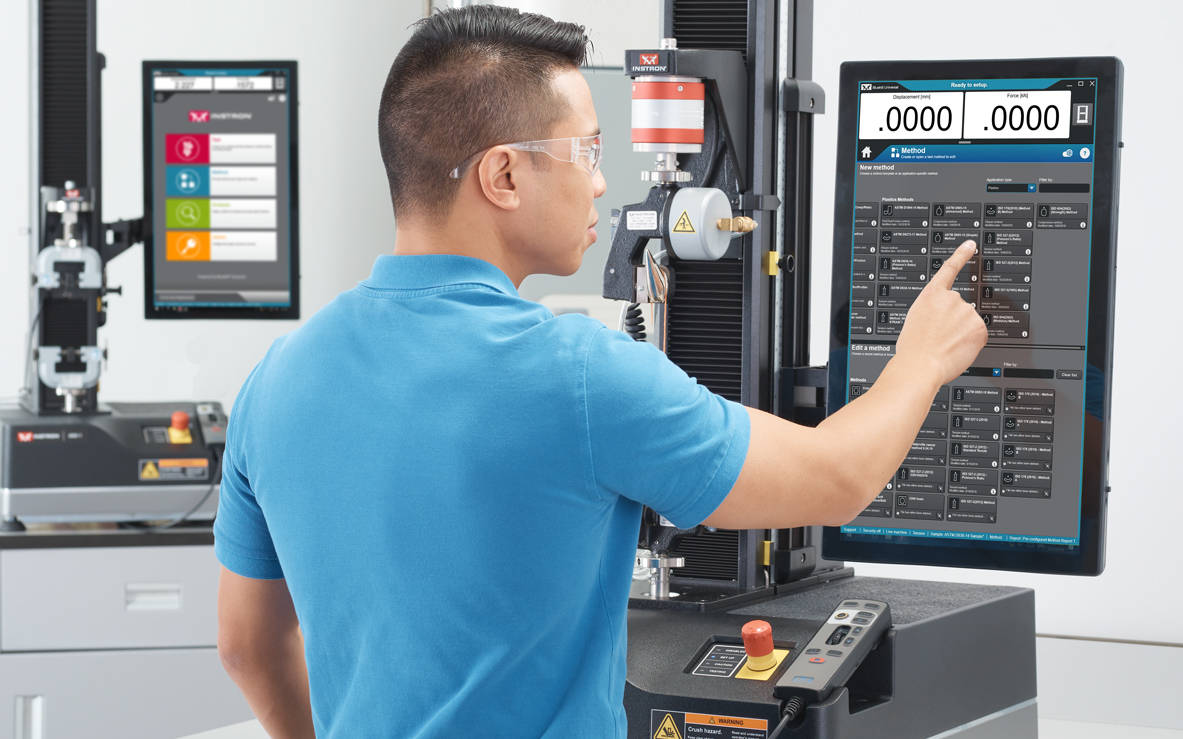
운용자 대시보드에는 큰 터치포인트와 이해하기 쉬운 아이콘이 있어 사용자 경험을 더 간단하고 스마트하게 만들 수 있습니다. 인체 공학을 염두에 두고 설계된 운용자 대시보드는 사용자의 Instron 시스템 측면에 장착하거나 받침대 베이스 마운트와 함께 사용할 수 있는 대형 올인원 컴퓨터 및 터치스크린입니다.


대시보드 사양 보기

QuickTest

사용자는 QuickTest를 통해 몇 가지 매개변수만 입력하고 몇 초 내에 시험을 통해 결과를 빨리 받아볼 수 있습니다.

시험법 템플릿

Bluehill Universal에는 ASTM, ISO, EN 등 일부 표준에 따라 사전 구성된 광범위한 라이브러리가 포함되어 있습니다.

시험 프롬프트

사용자는 단계별 안내에 따라 전체 절차를 진행할 수 있어 시험의 반복성과 단순성을 유지하고 오류를 방지합니다.

통합 시편 측정

시스템에 마이크로미터와 캘리퍼를 직접 연결하여 강도 측정을 위한 시편 치수를 쉽게 가져올 수 있습니다.

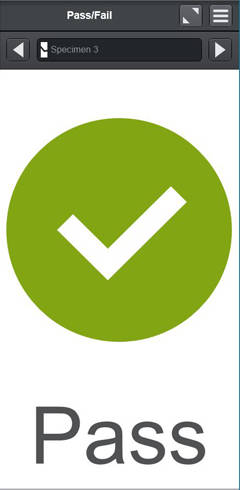
통과/실패

사용자가 작업 영역에 시험 구성 요소를 추가하여 시험법에서 설정된 허용 기준에 따라 시험이 통과했는지 또는 실패했는지를 빠르게 시각화할 수 있습니다.

바코드 스캐너

사용자는 USB 바코드 스캐너를 사용하여 Bluehill Universal에 정보를 원활하게 입력할 수 있습니다. 탭 기능을 포함한 바코드를 생성하면 모든 텍스트 또는 숫자 입력 필드에 정보를 추가할 수 있습니다.
 

Running a Test in Bluehill Universal

더 스마트하게
단순하지만 향상된 기능


Bluehill Universal의 모듈형 기능은 사용자에게 고도로 복잡한 시험을 실행할 수 있는 성능과 유연성을 제공합니다.

고급 기능


사용자 정의 가능한 내보내기

전문 보고서부터 실험실 정보 관리 시스템과 통합가능한 사용자 정의된 텍스트 파일 등을 시험 후에 전송 가능합니다.

자세히 알아보기

TestProfiler

램프와 홀드, 삼각파를 포함한 단순한 순환 시험을 구성하십시오. 조건문을 이용하여 루프 패턴을 만들어 시험의 실제 시나리오를 재생성하는 데 도움을 제공합니다.

(선택 가능한 옵션)

자세히 알아보기


Expression Builder

변수, 측정 및 초기 데이터 목록을 이용하여 사용자 정의 함수를 직접 만들어보세요. 예를 들어, 시편 폭과 두께의 함수로 시험 속도를 설정하거나 유체 용기에서 시험할 때 항력을 빼는 것과 같은 사용자 정의 데이터 표현식을 만들 수 있습니다.

선택 입력

선택 입력은 사용자에게 사전 구성된 옵션 목록을 제공하여, 데이터 입력 시간을 최소화하고 운용자 이름, 색상 또는 시편 유형 등의 일반적으로 사용되는 입력에서의 오류 위험을 줄여 줍니다. 또한 각 선택 항목은 테스트 속도 또는 치수와 같은 다른 매개변수와 연결할 수 있습니다.
자세히 알아보기


보안 및 이력추적성(TRACEABILITY)


Bluehill Universal Security

보안(Security)

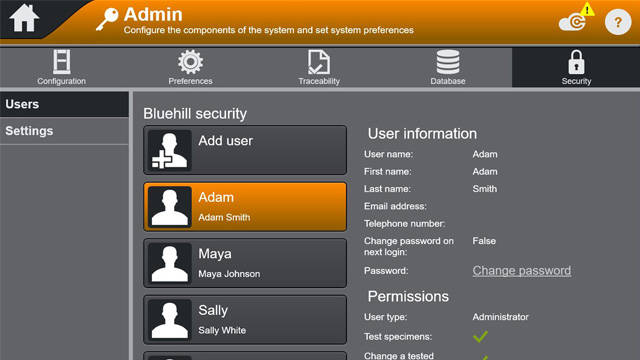
Bluehill Security는 실험실 관리자가 소프트웨어에서 권한을 구성하고, 슈퍼 사용자와 같은 숙련된 인력에게 액세스 권한을 부여하고, 필요한 경우 액세스를 제한할 수 있도록 합니다. Bluehill에서 로그인하여 Bluehill Security로 접근이 가능하며, Windows 로그인 또는 Windows Active Directory에 연결가능합니다.

Bluehill 소프트웨어 백서에서의 보안
웨비나: Bluehill Universal 보안을 통한 데이터 무결성 향상


이력추적성 모듈

Bluehill Universal의 이력추적성 모듈을 통해 FDA 21 CFR Part 11, ISO 17025, Nadcap 등과 관련된 감사 요구 사항을 충족할 수 있습니다. 이 강력한 부가적인(add-on) 모듈은 Bluehill의 기본 제공 보안 기능과 결합되어 전자 승인, 개정 이력 및 자동화된 감사 추적의 완벽한 통합을 통해 탁월한 데이터 추적성을 제공합니다.

(선택 가능한 옵션)

브로셔
기능 비교: 표준 보안, 추적성(로컬), 추적성의 비교(Bluehill Central)
FDA 21 CFR Part 11 이행 백서
데이터 무결성 및 Bluehill 추적 가능성 | 보다 효율적인 실험실 만들기
웨비나: Bluehill Universal의 추적성 모듈 소개

데이터베이스 유형

추적성의 감사 추적은 데이터 관리 기본 설정을 수용하기 위해 네트워크 및 로컬 데이터베이스를 모두 제공합니다. 네트워크로 연결된 중앙 집중식 데이터베이스는 로컬에서 관리되는 데이터와 비교할 때 실험실에 더 큰 효율성을 제공하고 위험을 줄입니다. 이러한 대안을 고려할 때 실험실의 IT 인프라 및 데이터 관리 기본 설정을 결정하는 것이 좋습니다.


local systems
로컬


Bluehill Universal의 로컬 추적성 모듈은 Instron 시스템에 연결된 Bluehill Universal을 실행하는 컴퓨터에서 호스팅되는 Microsoft SQL Express 데이터베이스에 감사 추적 데이터를 저장합니다. 로컬 데이터베이스 모델은 컴퓨터를 공유 네트워크에 연결할 수 없는 실험실에서도 사용할 수 있습니다. 감사 추적 보기와 전자적 파일 서명은 컴퓨터에서 로컬로 발생하며, 로컬 추적성 데이터베이스가 있는 각 Instron 시스템은 자체 SQL Express 데이터베이스를 저장합니다. 데이터베이스 백업 및 복원 기능은 Bluehill Universal에서 수동으로 수행할 수 있습니다.
 

Bluehill Central Architecture
네트워크


Instron의 추적성을 위한 네트워크 솔루션은 Bluehill Central에 의해 구동되며, Bluehill Central은 클라이언트/서버 프레임워크를 사용하여 모든 공유 감사 추적 데이터, 파일 및 설정을 Microsoft SQL Server 데이터베이스에 저장합니다. Bluehill Universal이 실험실의 Bluehill Central 서버에 연결되어 있을 때, 각 테스트 시스템은 중앙 데이터베이스와 데이터를 전송 및 수신하여 편차의 위험과 각 시스템을 현장에서 관리하는 부담을 제거합니다. 감사 추적 보기, 전자적 파일 서명 및 사용자 관리는 Bluehill Central에서 원격으로 또는 Bluehill Universal에서 로컬로 수행됩니다. 데이터베이스 백업 및 복원 기능은 Bluehill Central에서 수동으로 수행할 수 있습니다.


데이터 분석

분석

시험을 다시 실행할 필요 없이 이전에 시험한 시편을 재생이나 재분석, 수정할 수 있습니다.

(선택 가능한 옵션)

TestCam

USB 웹캠 연결로 요점별 동영상 재생이 가능하며, 시험종료 후에 확인할 수 있습니다.

(선택 가능한 옵션)


하위 샘플

하위 샘플을 사용하여 사용자는 작업자 이름, 시편 파단 위치 및 특정 시편 속성을 포함한 모든 변수의 결과치를 분류할 수 있습니다.

TrendTracker

Bluehill Universal의 TrendTracker Add-on은 결과 및 관련 샘플 정보를 Bluehill Central의 SQL 데이터베이스로 직접 내보냅니다. Bluehill Central의 TrendTracke 모듈로, 운영자는 시험 과정 제어 매트릭스를 분석하기 위한 관련 데이터 세트를 쉽게 쿼리할 수 있습니다.

(선택 가능한 옵션)
 

Operator Using an Offline License of Bluehill Universal

애플리케이션 프로그래밍 인터페이스

Bluehill Universal의API를 통해 시스템 관리자는 자체적인 사용자 정의 인터페이스를 프로그래밍하여 Bluehill 내에서 시험 전후 작업을 제어할 수 있습니다. 대다수의 경우, 사용자는 API를 이용하여 일부 시험 시퀀스 구성요소를 자동화하고 자체 인터페이스를 생성하여 시스템의 특정 부분을 실행할 수 있습니다(내보내기, 가져오기, 시작 등).

자세히 알아보기

오프라인 라이선스

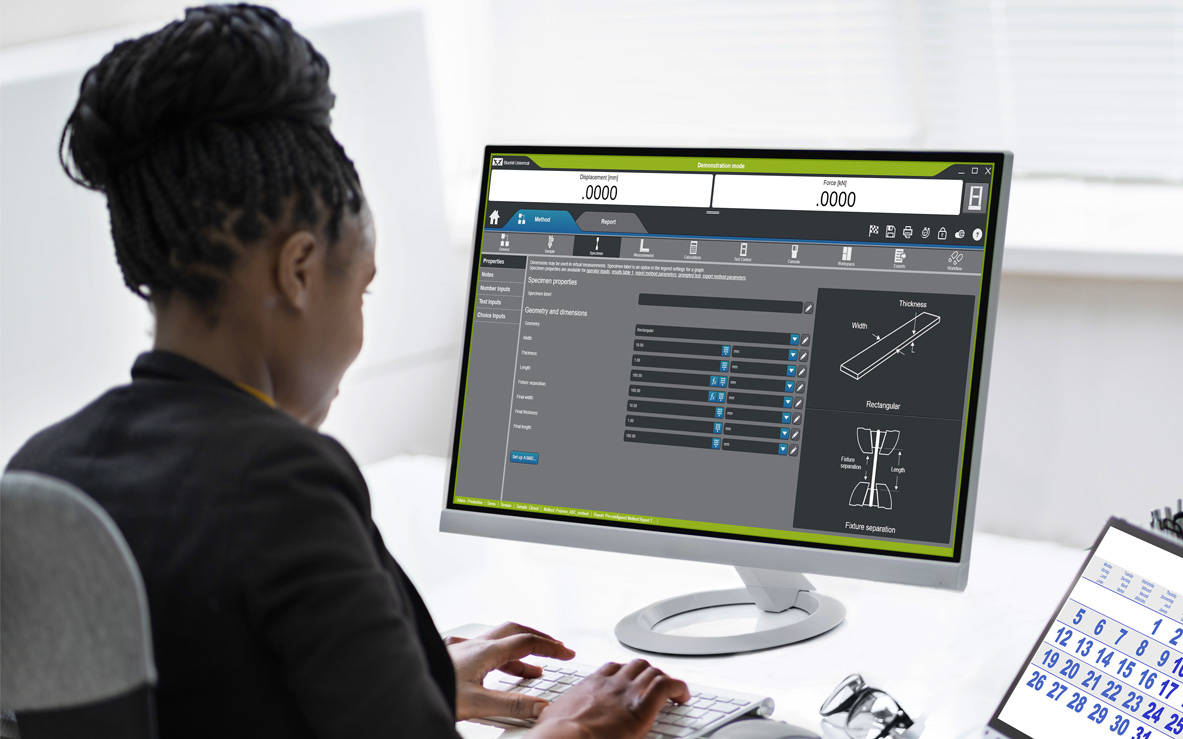
일부 사용자는 시험 장비보다는 책상 또는 노트북에서 원격으로 시험 후 데이터 분석을 하거나 방법을 구축하는 것을 선호합니다. 오프라인 프로그래밍 및 데이터 분석 옵션은 단일 또는 무제한 라이센스로 이용 가능합니다.

INSTRON CONNECT
차세대 기술 지원


Bluehill Universal에 내장된 Instron Connect는 사물 인터넷(IoT)을 활용하여 고객에게 더 빠르고 체계적인 기술 지원을 제공합니다. Instron은 고객 만족도를 최상의 수준으로 유지하기 위해 노력하고 있으며, Instron Connect를 통해 당사의 지원 엔지니어가 귀하의 조직에 더 가까이 다가갈 수 있습니다.


 

Instron Connect Icon

업계 최고의 기술 지원
Instron Connect를 통해 기술 지원 팀은 최상의 지원과 안내를 제공할 수 있습니다. 보안 연결에 대한 투자의 결과로 시스템 진단 정보를 직접 판독하고, 원격 화면 공유를 통해 귀하의 소프트웨어 관련 질문을 처리하며, 증강 현실 비디오 지원 플랫폼을 통해 당사는 하드웨어 문제를 귀하의 연구실에서 직접 조사할 수 있습니다.
Reduce Risk Icon

역량 강화
InSkill AI 문제해결 도구를 사용하여 Instron 시스템의 생산성을 개선하십시오. 이 도구는 풍부한 독점 기술 전문성을 활용하여 문제를 신속하게 진단하고 솔루션을 제공합니다.
Software Update Icon

신속한 정보 획득
Instron Connect Portal 또는 InSkill AI 모바일 앱을 통해 Instron 시스템 보정 인증서, 서비스 내역 및 서비스 계약 정보에 액세스하여 감사 및 실험실 평가에 대한 보안을 유지하십시오.


Instron Universal Testing Machines

호환성

Bluehill Universal은 새로운 6800 및 3400 장비에서 작업자 대시보드와 함께 사용할 수 있습니다. 5900 컨트롤러로 업그레이드된 장비 외에도, 기존의 6800, 3400, 5900, 3300, 5500, 59R 및 IS02 정적 시험 장비에 추가할 수 있습니다. 또한, 정적시험의 경우, ElectroPuls™ 및 8800 동적 시스템은 Bluehill Universal의 다양한 기능을 쉽게 이용할 수 있습니다.


Windows® 호환성


고객의 실험실에서 Windows 운영 체제 또는 Bluehill 소프트웨어 업그레이드를 고려하는 경우 호환성을 확인하는 것이 중요합니다.

Bluehill LE* Bluehill 3* Bluehill Universal Bluehill Elements
Windows 7 아니요 아니요
Windows 8 아니요 아니요
Windows 10 3.83 버전에만 해당 아니요
Windows 11 아니요 아니요 4.28 버전 이상 4.28 버전 이상

*생산중단 (생산 중단된 소프트웨어 보기)

자세한 정보를 위한 추가 자료

교육 | 컴퓨터 요구 사항 | Bluehill SQA 서신


CrashSim Office

소프트웨어

CrashSim Office

CrashSim Office

CrashSim Office is a stand-alone program for signal preparation and processing, as well as for predicting the pulse-making capability and the generation of the DriveSignal for the CrashSimulationSystem. CrashSimOffice is used offline from the crash simulation system and has essentially the following characteristics

Import Functions

  • Easy import from a wide range of data formats
  • Define sampling rate or time data (can be variable period)
  • Add/Clip time to pulse
  • CFC filtering with preview
  • Preview of imported pulse

Edit Functions

  • Scale/Stretch entire pulse
  • Individual peak editing
  • Insert/Delete data
  • Display of velocity and stroke based on edits
  • Graphical editing with zoom
  • Preview of edited pulse

Prediction Functions

  • Contains all rig parameters
  • Simulate different payloads
  • View predicted acceleration result, velocity, and stroke
  • Go direct to Edit function for further editing
  • Save final result as tgt file for use at the rig


CrashSim Office is an indispensable tool in the modern development process. Due to its variety of possibilities, it relieves the sled test operation of a multitude of necessary pre-shots to prove the feasibility of a pulse. As a result, CrashSim Office helps the sled system to function as efficiently and productively as possible.

Learn more about Crash Simulation Systems.

WaveMatrix3 FAQs

WAVEMATRIX3
FAQs

Test Review | Specimen & Test Inputs | Security

What are the new features of WaveMatrix3?
The new features of are; Test Review, Specimen & Test Inputs, Security and IT Compatibility.

What controller is WaveMatrix3 compatible with?
WaveMatrix3 is compatible with 8800T controllers running v8.15 or higher, or 8800MT controllers running MR24 firmware or higher. WM3 is compatible with Windows 10 and Windows 11 Professional (64 bit). WaveMatrix3 is not compatible with Windows 7 and XP, so if a customer has Windows 7 or older, then a new PC (2490-647) needs to be quoted. If they have a classic controller, add USB-GPIB adapter (2490-950).

What if I have already purchased modules for WaveMatrix1 or Wavematrix2?
If a version of WaveMatrix with existing modules is installed on your current machine and you wish to upgrade to WaveMatrix3, there is not an additional cost for the existing modules which will be automatically ported and work with the new software once it is installed.

Is (re)calibration needed after upgrading to WaveMatrix3 & why?
No. All versions of WaveMatrix simply receive data from the 8800 Classic or MT controller – it cannot affect calibration.

Do I need any specific training when upgrading to WaveMatrix3?
If ordering a new machine, training will be provided during installation. For machines with existing versions of WaveMatrix that are being upgraded, training is not required.

Do I need to update Console?
Possibly. All WaveMatrix3 software upgrades should use the latest version of Console.

Do I need to purchase a new PC?
If the PC is running Windows 10 or 11 then a new PC will not be required.

Can WaveMatrix2 and WaveMatrix1 methods and results files be used in WaveMatrix3?
Yes. Note that WaveMatrix3 has not been specifically developed to allow for methods and results files to be used on older versions of WaveMatrix (1 or 2) and this is not supported.


Test Review:
How do I use this feature?
Test review allows users to review their test results directly from the Test tab in WaveMatrix3. Features include editable layout of graphs and results tables, zoom tool, and the ability to overlay multiple cycles for quick review.

How is my data displayed?
The default graph layout will mirror the WM3 test workspace when users first open a test in test review. Users can edit the layout, number of graphs and graph types within test review. Any changes to the layout will be saved, but the original data and method files will remain untouched.

How do I edit the graph layout and graph types?
The graph layout can be changed using the edit layout function, and graph types can be changed using the properties function. Various display options are available such as showing or hiding the legend, adjusting the scale, etc.

How many graphs can I have for one test?
Test review allows up to 4 graphs to be displayed at one time.

What graph types are available?
The graph types available are X-Y, Double Y, Peaks & Trends, Multi-Channel and Stop File.

How do I copy a graph?
Graphs can be copied as an image to the clipboard by right clicking or using the task menu.

Can I review multiple tests?
Users can have multiple instances of test review open for reviewing each test. Users cannot include multiple tests in one review.

How does the Area of Interest pane help me focus my test review?
The Area of Interest pane is used to select the data you wish to include in your Test Review. Multiple cycles can be overlaid by enabling the multi-selection option. Focus the review on your chosen data by editing the Data Source, choosing the steps/loops of interest, and choosing cycles of interest.

Can I compare multiple cycles from the same test?
Yes. Multiple cycles can be selected and displayed in test review.

Can I compare trends from multiple steps from the same test?
Yes. Multiple steps can be selected and displayed in test review.


Specimen & Test Inputs:
When should I add a specimen and test input?
When you want to record dimensions or information about the specimen and/or test along with the test data and when you want to calculate or control axial stress during the test using a cross-section measurement.

Which types of specimens can I add?
The basic specimen geometries (for axial stress) are Flat, Round, or Custom – all of these have mandatory cross-section details and support user-defined inputs. “Other” specimen type allows users to add specimen and test inputs without a cross sectional area and corresponding stress channel. “None” specimen type is provided for backward compatibility for methods from WaveMatrix1 or WaveMatrix2 and collects no inputs at all.

How many specimens and test inputs can I add?
Users can add an unlimited number of specimens and test inputs.

Can I use a specimen and test inputs in user-defined calculations?
Yes. Basic guidance and an example is provided in the online help, or contact the Dynamic Applications team in High Wycombe for advice.

What can I add as a specimen and test input?
Specimen and test inputs are completely customizable. Any dimensions can be added in the ‘custom dimensions’ field with units of length, while any free form text can be added in the ‘custom properties’ field. For example, batch numbers, material, color, total length etc.

How do I view my specimen and test inputs in the test workspace?
These are shown on the test inputs panel, which is now a default part of layout in new methods. Screen layout and panel contents are configured in the method.

How do I prevent a specimen and test input from being edited in the test workspace?
Users can remove specimen and test inputs from the test inputs tab in the method, which will prevent the input from showing in the test workspace. If security is enabled, operators will not be able to access those inputs.

How do I update specimen and test inputs during the test?
Users can update specimen and test inputs in the test workspace. Cross-section inputs cannot be edited after test start, but all other fields can be updated while the test is running (for example users may wish to record visual observations during the test). The final value will be saved at the end of the test.

Can I add a specimen or test input after a test has ended?
No. All specimen and test inputs must be added to the method. They can only be entered or updated during setup or while the test is running.

Where are the specimen and test inputs saved?
There is a specimen and test inputs .txt file saved in the test folder. The specimen and test details are also saved in the method file.


Security:
What does the Security feature do?
The Security option allows you to create and manage different access levels and associated permissions for system operators. If Security is enabled each user must log in with their own account settings (username and passcode) and can only perform operations permitted by their access level.

What happens if Security is disabled?
If Security is disabled or never enabled initially, all users have unlimited access to all non-security operations. Only Administrators can enable or disable Security.

If Security was not activated at first use, can it be activated later?
Yes. An Administrator profile will be automatically created and asked to create their own PIN and when the feature is first enabled.

How many users can be set up?
You can set up as many users as required, and you can set up multiple users at each level to suit your lab needs.

How many user levels are there?
Three: Administrator, Lab Manager, Operator.

What can users do at each level?
Operators can only run tests using existing methods; they can review data and access tutorials. Lab Managers can create and edit methods and use all functions except Security settings. Administrators have full access to all features including enable/disable Security and create user profiles.

Can I customize my user account settings?
You can customize your own username, first and last name, and passcode. An Administrator can also modify the settings of other users, including their Access Level.

Can I modify the user account settings of another user?
Only an Administrator can change other users’ settings.

Can I remove a user?
An Administrator can remove/add a user and change their settings.

If I remove a user, what happens to their methods?
Saved methods remain visible and usable by other users.

I forgot my passcode, what should I do?
Ask an Administrator to modify your settings and assign a new passcode.

Can I disable Security if users are set up?
An Administrator can disable Security at any time. The list of users will be available again if/when the Administrator re-enables Security.

Can I manage Security for multiple systems centrally?
No. Security is enabled and user profiles are set up locally on each system.

Bluehill Universal 컴퓨터 요구 사항

소프트웨어

Bluehill Universal 컴퓨터 요구 사항

다음에 Bluehill® Universal 시험 소프트웨어를 시스템에 올바르게 설치하고 작동하는 데 필요한 최소 컴퓨터 요구 사항이 나와 있습니다. 추가 요구 사항은 비디오 신장계와 같은 추가 장치에 따라 달라집니다. 권장 구성에 대해서는 당사에 문의하십시오.

  • 2GHz 이상의 클럭 속도를 가진 Intel Pentium (듀얼 코어 또는 싱글 코어) 프로세서
  • 8GB RAM (비디오 신장계 사용 시 16GB)
  • Microsoft® Windows 10 또는 11 (64비트 전용)
  • USB 포트 (소프트웨어 설치용)
  • 2GB의 여유 공간이 있는 하드 드라이브
  • 최소 디스플레이 해상도: 1024 x 768 하이 컬러
  • 사용하지 않는 직렬 포트 1개 (ASMD 전용)
  • 사용하지 않는 이더넷 포트 1개 (Instron® 3300/5500/5900/3400/6800 전용 - 네트워크 연결이 필요한 경우 이더넷 포트 2개. USB 어댑터를 사용할 수 있습니다.)

Bluehill Universal은 터치 상호 작용을 위해 설계되었으므로, 최적의 사용자 경험을 위해 터치스크린 모니터를 사용하는 것이 권장됩니다.

요구 사항은 비디오 신장계와 같은 추가 모듈에 따라 달라집니다. 권장 구성에 대해서는 당사에 문의하십시오.


BHI Pendulum

BLUEHILL® IMPACT
Pendulum Impact Testing Software

Bluehill Impact for Pendulum has been designed to meet customer needs. The touchscreen interface features an outstanding visual design that improves user experience while also incorporating safety features. Intuitive workflows make it easy to train users, simplify operator training, and allow you to start testing faster than ever before.

 

SAVE TIME | FULL CUSTOMIZATION
ENHANCED SAFETY

Test Icon Grey

CLICK TO PLAY TESTING
Pre-configured methods are already provided. You can select a suitable method, and press start immediately.


Test Icon Grey
ENHANCED SAFETY
The color-coded framework informs you about the machine's status and provides clear, valuable information to the user. A simple glance lets you know what environment you are in, and whether it is safe to interact with the machine.

Test Icon Grey

ADVANCED CALCULATION
Automatic identification of break type from the shape of the curve in accordance with ISO 179-2.

Test Icon Grey

USER-DEFINED ACCESS RIGHTS
With three different pre-defined profiles to select from, it is possible to configure the workspace to suit the needs of different users and limit the functionality that is available to an individual.
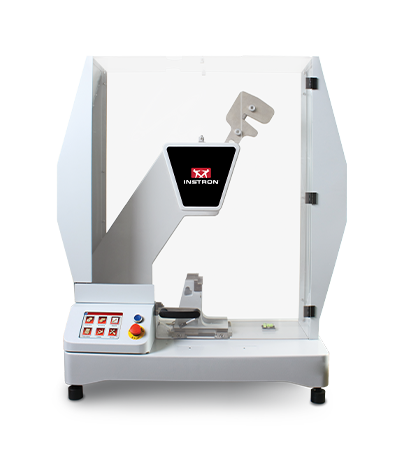
BLUEHILL IMPACT FOR PENDULUM WORKS WITH INSTRON IMPACT PENDULUM TESTING MACHINES
9050 Manual Pendulum
Instron 9050 Manual
9050 Motorized Pendulum
Instron 9050 Motorized

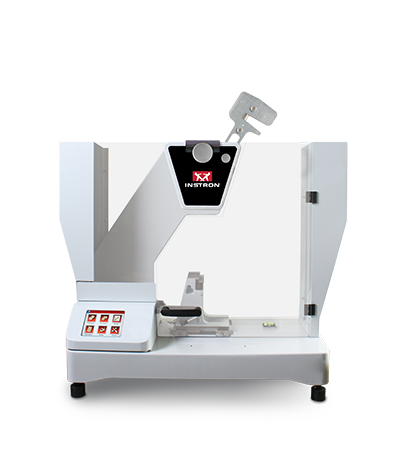
Pendulum Impact Testing Machine enables users to determine the impact resilience of plastics and composites, easily and safely.

EXTRAS

Red Print Icon

Bluehill Impact for Pendulum Brochure

Grey Document Icon

Bluehill Impact for Pendulum POD


Bluehill Fracture Standards Library

소프트웨어

Instron® Bluehill® Fracture Standards Library

SYNOPSIS

Bluehill Fracture Standards Library is a Microsoft Windows PC compatible software package, developed by Instron - Division of ITW Limited, that provides a library of analysis functionality used by the Instron Bluehill Fracture software.

Tests and Specimens by Standard
Analysis Result
Measurement
Specimen
KIc
KIsi
CTODc
Jc
JIc
Clip-Gauge
DCPD
C(T) Straight Notch
C(T) Load Line
SEN(B)
Disc Straight Notch
Disc Load Line
Arc Tension
Arc Bend
M(T)
ASTM E399-23
ASTM E1820-24
ISO 12135:2021
GB/T 21143-2014
BS 7448-1:1991*
ASTM E647-19
ISO 12108:2019
Standards and Specimens by Test Type
Brittle KIc
Brittle/Basic CTOD or J
Ductile JIc (single specimen)
Ductile JIc (DCPD)
Crack Growth
*Excludes post-test analysis
Standards →
ASTM E399-23
ISO 12135:2021
(GB/T 21143-2014)
ASTM E1820-24
ISO 12135:2021
(GB/T 21143-2014)
ASTM E1820-24
ISO 12135:2021
(GB/T 21143-2014)
ASTM E1820-24
ASTM E647-19
ISO 12108:2018
(GB/T 6398-2017)
Specimens ↓
C(T) Straight Notch
C(T) Load Line
SEN(B)
Disc Straight Notch
Disc Load Line
Arc Tension
Arc Bend
M(T)
*NOTE: Bluehill Fracture continues to support analysis of KIc, CTODc, and Jc, according to BS7448-1:1991, but this standard is now withdrawn and superseded by BS EN ISO 12135:2021.
For advanced testing needs on fatigue crack growth studies, please contact Instron to discuss advanced tools available in WaveMatrix3 software.
RELEASE NOTES

Version 2.4 Build 24093.01 (16/September/2024)

  • Support added for:
    • Update to latest revision ASTM E1820-24 for existing analyses (J and CTOD)
    • Addition of support for ASTM E399-23 Annex X1 “size independent” analysis of KIsi
  • Improved data collection for point of failure in extremely brittle tests
  • Requires Bluehill Fracture V2.4 or later


Version 2.3 Build 24093.01 (19/April/2024)

  • Support added for:
    • GB/T 21143-2014 analysis of KIC (Chinese National standard)
    • GB/T 21143-2014 analysis of single point CTOD and J0 (Chinese National standard)
    • GB/T 21143-2014 analysis of JIc from unloading compliance method (Chinese National standard)
  • Requires Bluehill Fracture V2.3 or later


Version 2.2 Build 23335.3 (16/January/2024)

  • Support added for:
    • ASTM E399-23 analysis of KIC
    • ASTM E1820-23b analysis of JIC and CTOD
    • ASTM E1820-23b analysis of Jc from brittle test
    • ISO 12135:2021 analysis of single point CTOD and J0
    • ISO 12135:2021 analysis of JIc from unloading compliance method
    • Conversion of ductile tests for brittle analysis
  • Requires Bluehill Fracture V2.2 or later


Version 2.0 Build 22018.01 (18/January/2022)

  • Support added for:
    • BS7448-1:1991 analysis of single point J Integral
    • ASTM E1820-20b (Annex 18 - DCPD Method) analysis of JIc using electrical crack length measurement
    • ISO 12135:2021 analysis of KIc
    • Test temperature recorded from Eurotherm and Instron Furnace Controller devices
  • Requires Bluehill Fracture V2.0 or later


Version 1.3 (20/May/2021)

  • Support added for:
    • ASTM E399-20a analysis of KIc
    • ASTM E1820-20b analysis of JIc and CTOD
    • BS-7448-1:1991 analysis of single point CTOD
  • Requires Bluehill Fracture V1.3 or later


Version 1.2 Build 20167 (23/Jun/2020)

  • Support added for:
    • ASTM E399-20 analysis of KIc
    • ASTM E1820-20ε1 analysis of JIc and CTOD
  • Requires Bluehill Fracture V1.2 or later


Version 1.2 Build 20063 (10/Mar/2020)

  • Support added for:
    • Crack Growth tests
    • Disk CT Load Line, Disk CT Front Face, and Arc Tension specimens
    • ASTM E1820-20 analysis of JIc and CTOD only
  • Requires Bluehill Fracture V1.2 or later


Version 1.1 (07/Nov/2019)

  • Support added for:
    • ASTM E399-19 analysis of KIc only
    • ASTM B645-10 analysis of KIc only
    • ASTM E1820-18a analysis of JIc and CTOD only
  • Requires Bluehill Fracture V1.1 or later


Version 1.0 (04/Feb/2019)

  • Initial release with support for:
    • ASTM E399-2017 analysis of KIc only
    • ASTM E399-2012 analysis of KIc only
    • BS 7448-1:1991 analysis of KIc only
    • ISO 12135:2016 analysis of KIc only
    • ISO 12135:2002 analysis of KIc only
  • Requires Bluehill Fracture V1.0 or later

Learn more about Bluehill Fracture

Learn More

Ask for support

Contact Us

Bluehill® Universal의 최신 기능

소프트웨어

블루힐® 유니버설의 최신 기능

참고: 아래 표시된 기능 목록은 각 소프트웨어 버전 릴리스에 포함된 주요 개선 사항을 강조하기 위한 것입니다. 버전별 개선 사항 및 수정 사항의 전체 목록은 Windows 시작 메뉴에서 접근 가능한 Instron 폴더에 저장된 Bluehill Universal 릴리스 노트를 참조하십시오. Bluehill Universal이 설치되지 않은 경우, 릴리스 노트를 요청하려면 당사에 문의하십시오.


Bluehill Universal v4.55

2025년 8월 출시

  • Bluehill Central 2 지원
  • Bluehill Central 데이터베이스 연결을 사용할 수 없을 때 테스트를 계속하기 위한 오프라인 서버

Bluehill Universal v4.52

2025년 6월 출시

  • AVE3/SVE3 비디오 익스텐소미터 지원
  • 3400 시리즈 시스템에서 스트레인 트랜스듀서에 사용할 수 있는 자동 루프 제어 게인 설정
  • 소형 유압 그립 펌프 지원(카탈로그 번호 2718-700)
  • 블루힐 엘리먼트는 세로형 모니터 방향을 지원합니다.
  • 컴퓨터 통신에 대한 고정 IP 주소 경고
  • 테스트 중 공급 압력을 사용하는 스마트 클로즈 에어 키트 옵션

Bluehill Universal v4.47

2024년 7월 출시

  • 자동 인젝터 테스트 시스템을 지원하는 새로운 자동 인젝터 메서드 유형(기본 및 TestProfiler)이 추가되었습니다. 하드웨어가 필요합니다.
  • 테스트 전에 매일 트랜스듀서를 확인해야 하는 새로운 시스템 적합성 기능. 현재 자동 인젝터 테스트 시스템에서만 사용할 수 있습니다.
  • 합격/불합격 작업 영역 구성 요소 및 보고서에 평균 및 중앙값 통계 실패 범위에 연결된 합격/불합격에 대한 새로운 샘플 옵션을 표시할 수 있습니다. 이전에는 개별 표본에만 사용할 수 있었습니다.
  • 디지털 I/O 출력 상태를 전환하는 새로운 소프트 키가 추가되었습니다.
  • 내보내기 1 / 2 파일에서 원시 데이터 포인트 수를 줄이는 새로운 내보내기 옵션이 추가되었습니다. 최대 3개의 도메인을 구성할 수 있으며 각 도메인에 유지되는 포인트 수를 지정할 수 있습니다.
  • 질량 측정에 메틀러 톨레도 저울이 지원됩니다. 하드웨어가 필요합니다.
  • 고급 성능 (K1 옵션)이 이제 기본 Bluehill Universal에 포함되어 5900 / 6800 시리즈 시스템에 대해 최대 5000Hz 데이터 캡처 속도를 지원합니다.
  • TestCam 동영상 파일의 기본 위치를 재정의하는 새로운 내보내기 옵션이 추가되었습니다.

Bluehill Universal v4.42

2023년 1월 출시

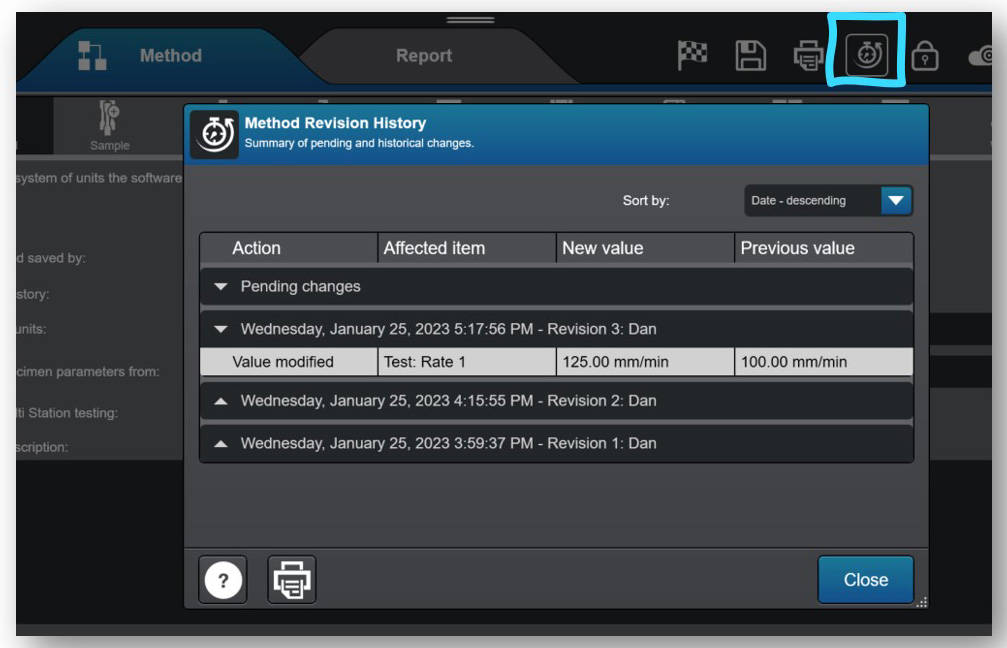
  • 개정 기록은 이제 모든 Bluehill Universal 사용자에게 제공되며, 메서드, 샘플 및 보고서 템플릿 변경 사항을 자동으로 기록합니다. 이전에는 추적성(Traceability) 애드온과 함께 선택적으로 구매할 수 있었던 Bluehill 파일 변경 사항의 주체, 내용, 시점을 기록하는 변경 로그가 이제 표준 제공 사항의 일부로 제공됩니다. 참고: 개정 기록 데이터는 파일 자체에만 저장됩니다. 추적성(Traceability) 애드온은 (1) 감사 추적 데이터베이스에 개정 기록을 저장하고 (2) 변경 승인을 위해 전자 서명을 사용하는 데 필요합니다. Bluehill Elements에서는 개정 기록에 접근할 수 없습니다.
Calculation Status
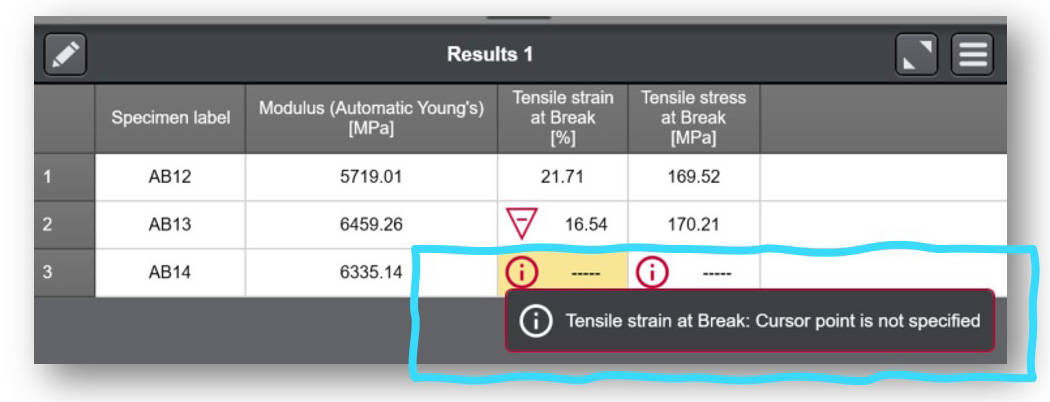
  • 이제 사용자가 결과 표에서 계산 상태 세부 정보를 쉽게 확인할 수 있습니다. 결과가 계산에 실패하거나 경고가 트리거되는 경우 결과 테이블의 관련 셀에 정보 아이콘이 표시되며, 사용자는 셀을 선택하여 이유를 확인할 수 있습니다.


Bluehill Universal v4.37

2022년 8월 출시

  • 유로썸 EPC 3016 퍼니스 컨트롤러에 대한 지원이 추가되었습니다.
  • 블루힐이 프레임의 컨트롤러와 통신하는 데 사용하는 기본 IP 주소를 변경할 수 있는 기능이 추가되었습니다. 참고: 기본 IP 주소를 재정의하는 것은 드문 경우에만 필요합니다. 필요한 경우 서비스 도구 유니버설에서 변경을 시작해야 하므로 Instron 서비스에 문의하세요.

Bluehill Universal v4.34

2022년 4월 출시

  • Bluehill Central의 TrendTracker 모듈용 새 플러그인으로, 모든 Instron 테스트 결과에 대해 통계적 공정 관리(SPC)를 수행합니다. 재료의 추세와 이상치는 통계 및 다양한 시각적 차트를 통해 식별할 수 있습니다.
  • 인장, 압축 및 굴곡 변형에 대한 새로운 자동 밸런스 옵션이 이제 TestProfiler 테스트 방법에 제공됩니다.
  • 금속 응용 프로그램 모듈에 사전 구성된 새로운 테스트 방법이 추가되었습니다: ASTM F606-21, ISO 898-1:2013, ASTM C39-21, ASTM C78-21 및 Instron 스프링 테스터용 템플릿.

Bluehill Universal v4.28

2021년 12월 출시

  • Bluehill Central의 추적성(Traceability) 및 연구실 관리 모듈용 새 플러그인으로, 여러 Instron 시스템에서 모든 Bluehill Universal 사용자, 테스트 템플릿, 파일 개정 승인 및 감사 추적 데이터를 원격으로 관리합니다. 2021년 12월에 출시된 Bluehill Central은 자체 뷰어 애플리케이션을 가지고 있으며, 기업 도메인을 사용하여 연결된 모든 Bluehill Universal 또는 Bluehill Central 클라이언트와 데이터 및 파일을 공유합니다.
  • 새로운 크로스헤드 '반환 대상' - 이제 블루힐 테스트 방법에서 크로스헤드가 0이 아닌 값으로 반환되도록 구성할 수 있습니다.
  • 5500 컨트롤러를 위한 새로운 '변위' 데이터 필터링 옵션(현재 다른 프레임 컨트롤러 유형에 사용할 수 있으며 관리자 > 프레임 > 프레임 옵션 > 기본 데이터 필터 설정 재정의에서 확인할 수 있습니다).
  • 새로운 충돌 완화 '전환 시간' - 이제 충돌 완화(6800/3400 프레임 모두에서 활성화)가 활성화되기 전에 시간 지연을 설정하는 옵션을 제공합니다(Instron 담당자의 지시가 없는 한 권장하지 않음).
  • Windows® 11 운영 체제에서 인증*되었습니다. 참고: Bluehill Universal 소프트웨어(애플리케이션)는 인증되었습니다. Bluehill Universal을 실행하는 컴퓨터도 Windows 11 요구 사항을 충족하는지 확인해야 합니다.
*적격 인증은 제품이 테스트를 거쳐 완벽하게 지원된다는 의미입니다.

Bluehill Universal v4.25

2021년 5월 출시

  • 테스트 작업 공간에서 현재 테스트의 현재 영역을 시각적으로 표시하는 새로운 라이브 디스플레이인 '활성 영역'을 사용할 수 있습니다.
  • 공압 그립과 스마트 클로즈 에어 키트를 사용하는 사용자를 위한 새로운 기능. 모든 사용자가 관리자 권한 없이도 공압 그립 제어 모드를 변경할 수 있도록 작업자 보호 설정을 구성할 수 있습니다.
  • 새로운 내보내기 옵션 - 결과 테이블에 메서드 매개변수 추가
  • 날짜/시간 값 관리가 개선되었습니다. 이제 날짜/시간 값을 선택하면 협정 세계시(UTC)를 사용하여 시간대 정보가 저장됩니다. 날짜/시간 값이 현지 시간으로 사용자에게 계속 표시됩니다.
  • 5900 프레임 컨트롤러용 토션 애드온 3.0 지원 추가
  • 6800 프레임 컨트롤러에서 AT2 자동 XY 스테이지 지원 추가

Bluehill Universal v4.23

2020년 12월 출시

  • 관리자 수준에서 새 메소드의 기본 단위를 사용자 지정할 수 있는 기능이 추가되었습니다. 기본 단위를 원하는 단위 기본 설정으로 구성하면 새 메소드를 만들 때 사용자가 지정할 필요가 없습니다.
  • 테스트 프로파일러 주기 단계의 Cycles 매개변수를 표현식으로 지정할 수 있는 새로운 기능이 추가되었습니다. 이제 사용자는 표현식을 숫자 입력, 선택 입력에 연결하거나 자체 함수를 개발하여 사이클 수를 정의할 수도 있습니다.
  • 절대 회전 각도로 테스트프로파일러 홀드 단계를 종료하는 새로운 기능(토션 애드온 사용자로 제한). 이제 사용자는 절대 회전 회전 제어를 선택하고 회전 각도 끝을 정의하여 현재 홀드 단계를 완료할 수 있습니다.
  • 정의된 실패 범위에 가까운 유효한 결과를 식별하는 결과에 대한 경고 범위를 정의하는 새로운 기능이 추가되었습니다. 경고 및 실패 범위는 메서드의 결과 섹션에서 확인할 수 있습니다.
  • 파생상품인 가상 측정값을 생성하는 새로운 기능이 추가되었습니다.
  • 평균값 계산을 사용할 때 평균으로 삼을 측정값을 지정하는 추가 기능입니다. 이전에는 평균값 계산이 힘(Y축) 및 변위(X축)로만 제한되었습니다.
  • 개별 결과와 독립적으로 평균/중앙값에 합격(불합격) 범위를 설정하는 추가 기능. 이전에는 개별 표본과 표본의 평균/중앙값 간에 불합격 범위가 공유되었습니다.
  • 새로운 Instron RTS, Powered by Connect 플랫폼(이전에는 Instron Connect라고 함)에 대한 지원이 추가되었습니다.

Bluehill Universal v4.19

2020년 6월 출시

  • 온디맨드 또는 일정 시간 동안 사용하지 않으면 블루힐을 잠그는 새로운 화면 잠금 기능. 사용자는 이 기능을 블루힐 보안을 사용하거나 사용하지 않고 작동하도록 구성할 수 있습니다. 블루힐 보안이 활성화된 경우, 소프트웨어 잠금을 해제하려면 사용자 이름과 비밀번호를 다시 입력해야 합니다. 소프트웨어가 잠기면 사용자는 부재 중 메시지를 사용자 지정하여 다른 실험실 직원에게 기기 및 테스트 상태를 알릴 수 있습니다.

Bluehill Universal v4.18

2020년 2월 출시

  • 충돌 완화, 스마트 클로즈 에어킷, 소프트웨어 안전 코칭, 6800 시스템에서의 자동 위치 지정 등 3400 및 6800 시리즈 시스템에 대한 새로운 컨트롤러 지원이 추가되었습니다.
  • 새로운 추적성(Traceability) 모듈. 이 선택적 모듈은 사용자에게 메서드, 샘플 및 보고서 템플릿 개정 기록, 전자 서명, 그리고 Bluehill Universal에 내장된 안전하고 검색 가능한 감사 추적 기능을 제공합니다.
  • Bluehill Universal 압축 및 압축 테스트 프로파일러 메서드의 XY 스테이지 테스트 제어. XY 스테이지 하드웨어를 가진 사용자가 TestMaster™ 없이 Bluehill Universal에서 직접 그리드, 다이아몬드 또는 사용자 지정 테스트 제어 시퀀스를 생성할 수 있도록 합니다.
  • 필요에 따라 상대적인 이동을 할 수 있는 새로운 소프트키. 시스템을 수동으로 조그하지 않고 플로어 모델이나 높이가 더 높은 시스템에서 시스템 크로스헤드를 이동하려는 사용자에게 이상적입니다.
  • 보안을 사용하고 사용자가 로그인/로그아웃할 때 자동 프레임 활성화/비활성화.
  • 그립 압력 입력을 위한 새로운 조작자 입력. 스마트 클로즈 에어키트를 사용하는 사용자에게 적합합니다.

Bluehill Universal v4.11

2019년 6월 출시

  • RS232 내보내기 기능. 이 기능을 사용하면 파일 형식으로 내보내는 것 외에도 직렬 포트로 직접 내보낼 수 있습니다.
  • 안전 한계를 설정하라는 알림. 새 메서드나 샘플 파일을 열 때 사용자는 크로스헤드 제한이 설정되어 있음을 인지해야 합니다.
  • 전자제품 및 부품 테스트를 위한 새로운 버튼 및 스위치 계산. 이 새로운 계산 기능은 사용자가 제품의 사용 가능성을 정량화할 수 있도록 도와줍니다.
  • 샘플 데이터 입력. 사용자가 달력 아이콘을 사용하여 테스트에서 날짜를 쉽게 선택할 수 있습니다.

Bluehill Universal v4.08

2018년 12월 출시

  • 장력/토션 TestProfiler 및 압축/토션 TestProfiler 메서드 유형. 양축 테스트를 위해 토션 애드온 2.0과 함께 사용됩니다(하드웨어 필요).
  • 확장된 권한과 Windows® 로그인 및 Active Directory 지원으로 향상된 Bluehill 보안. 이 온디맨드 웨비나를 시청하여 자세히 알아보세요.
  • 2 차에서 6 차 다항식 맞춤까지 커브를 정의할 수 있는 이차 맞춤 계산.
  • 라이브 디스플레이에서 직접 트랜스듀서의 밸런스를 조정할 수 있습니다.

Bluehill Universal v4.06

2018년 6월 출시

  • 일반화된 테스트 종료 기준을 통해 사용자는 더 많은 물리적 및 가상 측정으로 테스트의 끝을 지정할 수 있습니다.
  • 이제 샘플 수준에서 선택 입력(사용자 지정 드롭다운 메뉴)을 사용할 수 있습니다.
  • 내보내기 파일 및 테스트 종료 시 파일 이름 지정 및 실행 파일 실행과 같은 테스트 후 작업을 사용자 지정할 수 있는 더 많은 옵션이 제공됩니다.
  • 이제 4-바 가중 평균을 샘플 통계로 사용할 수 있습니다.
  • 이제 멀티스테이션 시스템에서 프롬프트 테스트 및 신장계 제거가 지원됩니다.

Bluehill Universal v4.04

2017년 11월 출시

  • 새로운 하위 샘플을 사용하면 날실/위사, 작업자 이름, 머신/크로스 등과 같은 유사한 매개변수를 기준으로 결과 테이블을 빠르게 정렬할 수 있습니다. 이를 통해 개별 하위 그룹에 대한 통계를 표시할 수 있으므로 테스트 샘플 내에서 추세와 차이를 빠르게 파악할 수 있습니다.
  • 이제 빠른 테스트 결과가 그래프에 표시기와 함께 표시됩니다.
  • 수동 제어 시스템의 59-R5 및 59-R6 데이터 수집 전용 레트로핏을 지원합니다.

Bluehill Universal v4.03

2017년 8월 출시

  • 테스트 작업 공간의 새로운 시각적 합격/불합격 표시기를 사용하면 메서드에서 설정한 허용 범위 기준에 따라 테스트의 합격 또는 불합격 여부를 빠르게 확인할 수 있습니다.
  • 이제 계산을 수정하거나 테스트 후 입력을 수정할 때 테스트 작업 영역에서 결과 표를 다시 계산할 필요가 없습니다.
  • 이제 개별 테스트 프로파일러 블록 내에서 게인을 수정할 수 있습니다.
  • 표현식 빌더를 사용하여 입력 및 결과에 대한 허용 기준을 정의할 수 있습니다.

Bluehill Universal v4.01

2017년 2월 출시

  • 빠른 테스트: 몇 가지 기본 매개변수를 입력하여 QuickTest 메서드를 생성하고 몇 초 만에 간단한 단일 램프 테스트를 실행할 수 있습니다.
  • 향상된 내보내기 기능: 사용자 지정 결과 및 원시 데이터 출력 파일을 보다 유연하게 생성할 수 있어 테스트 정보를 데이터 관리 시스템으로 더 쉽게 전송할 수 있습니다.
  • Instron Connect: Instron 기술 지원팀에 연락할 수 있는 혁신적인 방법입니다. 블루힐 소프트웨어에서 직접 문의를 보내세요.

Bluehill® Central의 최신 기능

소프트웨어

Bluehill® Central의 최신 기능

참고: 아래에 표시된 기능 목록은 각 소프트웨어 버전 릴리스에 포함된 주요 개선 사항을 강조하기 위한 것입니다. 버전별 개선 사항 및 수정 사항의 전체 목록은 Windows 시작 메뉴에서 접근 가능한 Instron 폴더에 저장된 Bluehill Central 릴리스 노트를 참조하십시오. Bluehill Central이 설치되지 않은 경우, 릴리스 노트를 요청하려면 당사에 문의하십시오.

Bluehill Central v2.12

2025년 8월 출시

  • 이제 추적성 없이 실험실 관리를 구매할 수 있습니다.
  • 오프라인 모드: 서버 연결이 끊어지면 오프라인 모드에서 테스트를 계속할 수 있습니다. 오프라인에서 사용할 수 있도록 구성된 파일과 폴더는 각 장치에서 동기화됩니다. 참고: Active Directory(AD) 사용자 인증을 사용하는 경우, 오프라인 상태에서는 AD 도메인 컨트롤러에 대한 접근이 필요합니다.
  • 읽기/쓰기 접근: 읽기 및 쓰기 접근 설정을 통해 파일을 열거나 편집할 수 있는 사람을 제한하여 파일을 보호하십시오.
  • 수정 상태: 파일의 각 수정본에는 활성, 사용 중지, 초안 또는 검토 대기 중 상태가 있습니다. 권한이 있는 사용자는 파일의 상태를 변경할 수 있습니다.
  • 검토를 위해 파일 제출: 사용자는 Bluehill Central에서 검토를 위해 파일을 제출할 수 있습니다. 이는 추적성 및 검토 요구 사항이 있는 팀에 적용됩니다.
  • 사용자 인증 없음 옵션: 사용자 인증 및 개별 권한이 필요 없는 실험실의 경우 사용자가 없는 팀으로 구성할 수 있습니다. 참고: Instron은 모든 실험실에 사용자 인증을 권장합니다.

Bluehill Central v1.27

2024년 11월 출시

실험실 관리
  • 수정 날짜별 파일 검색
  • 이름, 사용자, 파일 유형, 수정 날짜별 파일 필터링
보안
  • 팀에 사용자 그룹 추가 (Active Directory 보안 사용 시)
  • “파일 및 폴더 관리” 에서 업로드 및 다운로드 권한 분리
추적성
  • 실험실 관리 파일 작업(예: 이동, 업로드, 삭제)에 대해 서명 및 주석 설정을 구성할 수 있습니다.

Bluehill Central v1.24

2024년 7월 출시

실험실 관리 파일 시스템의 모든 새로운 기능:
  • 파일 검색
  • PDF 및 기타 파일을 위한 미리 보기 창
  • PDF 인쇄 기능
  • 파일 및 폴더 대량 다운로드, 이동, 삭제 및 업로드
  • 각 파일 유형과 연결된 파일 아이콘
  • 파일 경로의 하이퍼링크를 통해 폴더 탐색

Bluehill Central v1.18

2022년 12월 출시

  • TrendTracker 쿼리 성능이 개선되었습니다.

Bluehill Central v1.15

2022년 4월 출시

  • TrendTracker 모듈 출시! TrendTracker를 통해 사용자는 모든 Instron 테스트 결과에 대해 원격으로 통계적 공정 관리(SPC)를 수행할 수 있습니다. 귀하에게 가장 중요한 데이터, 통계 및 시각적 차트를 포함하는 맞춤형 검색 템플릿을 생성하여 재료의 추세와 이상치를 찾아내십시오. Bluehill Universal용 TrendTracker 플러그인이 설치된 모든 Instron 시스템은 Bluehill Central에서 관리하는 TrendTracker 데이터베이스로 데이터를 자동으로 전송할 수 있습니다.

Bluehill Central v1.12

2021년 12월 출시

  • Bluehill Central의 첫 번째 정식 출시 버전입니다. 여러 Instron 시스템의 Bluehill Universal 사용자, 테스트 템플릿, 파일 개정 승인 및 감사 추적 데이터를 중앙 집중식으로 원격 관리하기 위한 추적성 및 연구실 관리 모듈을 사용할 수 있습니다. Bluehill Universal용 추적성 및 연구실 관리 플러그인이 설치된 모든 Instron 시스템은 Bluehill Central에서 관리하는 파일 및 설정을 자동으로 송수신합니다.

WaveMatrix3 Dynamic Software

소프트웨어


WAVEMATRIX3

문의하기


WaveMatrix3 Screen

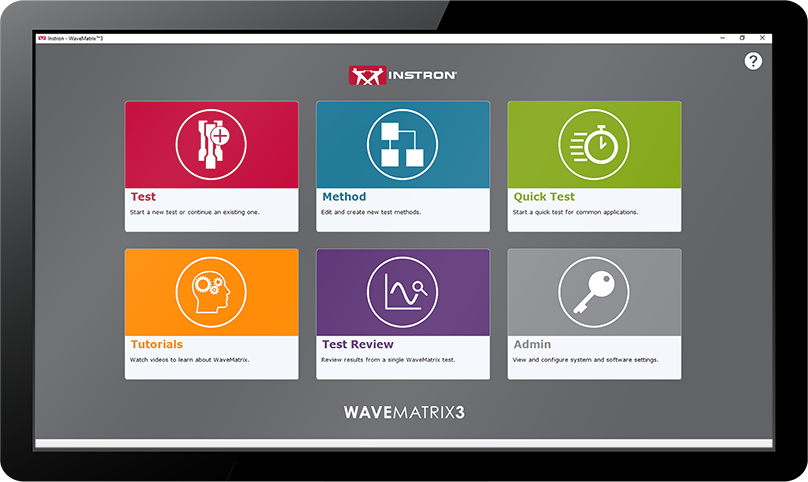
WaveMatrix3은 Instron®의 동적 피로시험 시스템을 사용하는 기업을 위한 완벽한 솔루션입니다. 전문가인 고객과 함께 개발되었습니다. ElectroPuls® 전동식 피로시험기 및 서보 유압식 피로시험기와 함께 사용하도록 개발된 이 혁신적인 소프트웨어는 시간을 절약하고 생산성을 향상시키며, 신뢰도를 높이고 미래지향적 시설로써 미래를 대비할 수 있도록 보장합니다.
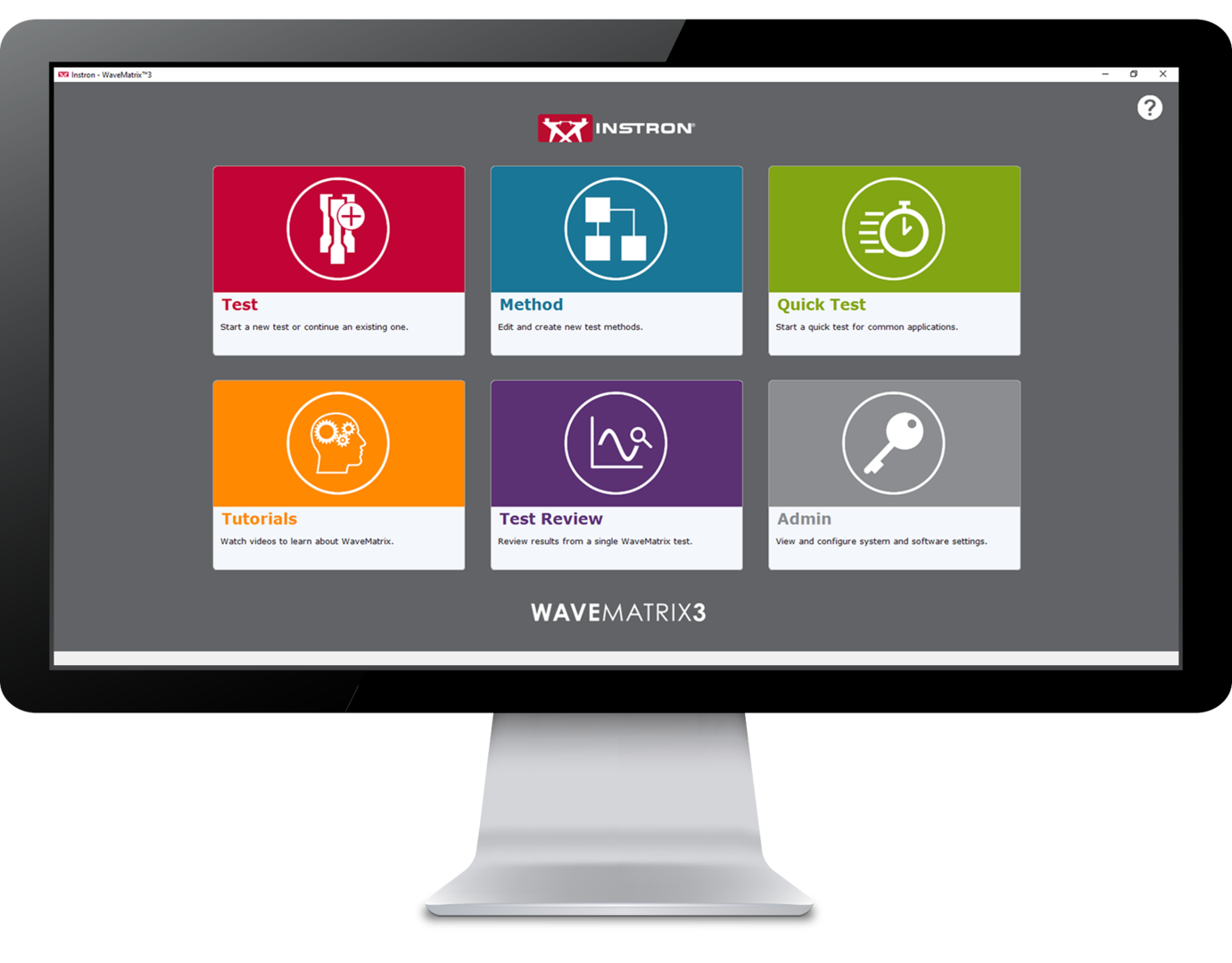
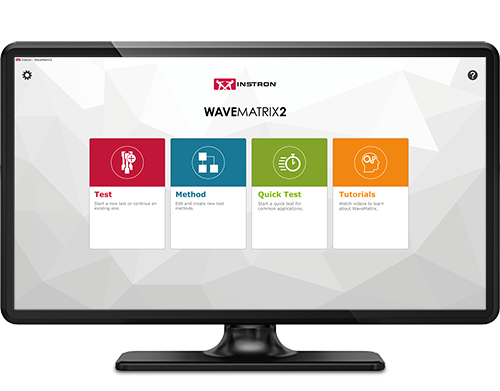
WaveMatrix3 WaveMatrix2 WaveMatrix1
특징
WAVEMATRIX3
WAVEMATRIX2
WAVEMATRIX
직관적인 사용자 인터페이스
소급하는 시험 검토
자동 교정
강성 기반 튜닝
빠른 시험법 설정
고객별 맞춤형 시편 및 시험 세부 정보
통합된 가상(virtual) 시험 정보
시편 보호
예제 시험법
비디오 사용 지침서
PIN-코드 다단계 접근
사용자 정의가 가능한 접근 권한
시각적 시험 공간
직관적인 시험 설정
시각적인 시퀀스 빌더
Microsoft Windows 11 호환성
WaveMatrix 이전 버전과의 호환성
디스플레이 상단에 표시
자동 로깅
견고한 파일 구조

시간 절약 | 생산성 향상
신뢰성 향상 | 미래지향적 시설

시험 검토 | 시간 절약

시험을 정확하게 수행하는 데 걸리는 시간을 줄이는 것은 제품 개발의 지속적인 목표였으며, WaveMatrix3도 이 부분이 개발의 핵심 목표였습니다. 전문가 고객의 피드백을 바탕으로 설계된 다음과 같은 기능은 시험 검토 프로세스를 가속화하기 위하여 제작되었습니다.

시편 및 시험값 입력 | 생산성 향상

생산성 향상은 모든 조직의 지속적인 개선 노력에서 중요한 부분을 차지할 수 있으며, 지속 가능한 성장과 직원 잠재력 발휘의 핵심 구성 요소입니다. WaveMatrix3는 처리량을 향상시키고 일상적인 시험의 비효율성을 최소화하도록 설계되었습니다.

보안 | 신뢰성 향상

시험 검증에 필요한 리소스는 시험 데이터의 품질을 보장하는 데 필요하면서도 중요합니다. WaveMatrix3 기능은 적합성 프로세스를 단순화하여 시험실의 효율성을 높이고 인적 오류 가능성을 줄이며, 결과에 대한 신뢰도를 높이는 데 도움을 줍니다.

IT COMPATIBILITY | FUTUREPROOF FACILITIES

As the world advances into the 4th industrial revolution, the demands for automation and data exchange in the materials testing industry has increased. Software has often been used to solve this challenge and WaveMatrix3 has been designed to meet these challenges and ensure testing facilities are as futureproofed as possible.

WAVEMATRIX3 추가 모듈을 사용하시면 향상된 기능을 사용할 수 있습니다

계산 모듈

Grey Calculator Icon

Data Sheet

다운로드

고급 제어 모듈

Grey Strain Icon

Data Sheet

다운로드

시편 자체 가열제어 모듈

Grey Thermometer Icon

Data Sheet

다운로드


INSTRON 동적 피로시험 시험기와 함께 작동하는 WAVEMATRIX3
ElectroPuls Systems

ElectroPuls® 전동식 피로시험 시스템

피로 및 파괴 역학 시험을 위한 선형 전기 모터 구동 방식의 동적 시험 시스템
자세한 정보

Servohydraulic Fatigue Testing Systems

범용 유압 피로

고주기 및 저주기 피로, 파괴 역학 및 준정적(quasi-static) 시험에 이상적인
범용 서보 유압 시스템
자세한 정보


추가 자료

Red Print Icon

브로셔

다운로드

Grey Document Icon

Data Sheet

다운로드


WAVEMATRIX3

문의하기


LCF3 Software

소프트웨어

LCF3 Software

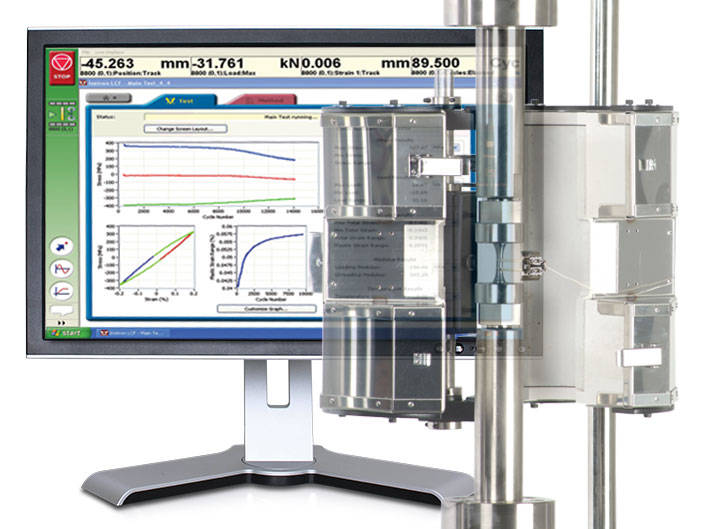
Provides system control, data acquisition, real-time graphs, calculation of results, storage of data to disk, and post test graphs and reports in accordance with the relevant sections of ASTM E606-04, BS 7270 (2006), and ISO 12106 (2003).

작동 원리

  • Tests can be run in axial strain, plastic strain or stress control
  • Ability to select from a range of SI and US Customary units
  • Test method editor allowing for simple test method creation and recall
  • Support of rectangular, cylindrical and tubular specimens
  • Automatic calculation of Modulus within user specified limits
  • Temperature control and/or monitoring are available for Eurotherm 900, 2000
    and 3000 series instruments
  • Automatic adjustment of gauge length when at test temperature
  • Support of Sine, Triangular and Trapezoidal waveforms
  • Ability to perform stress controlled run-out tests at up to 50Hz
  • Selectable specimen break criteria to accurately pinpoint specimen failure
  • Combined linear, logarithmic and peak interval data logging
  • Review of summary data
  • User configurable run-time screen capable of displaying results fields and up to
    3 graphs
  • Ability to stop and re-start test at any point, with modulus checking as required
  • Off-line analysis with user configurable trend and hysteresis plots
  • Export of graphs and test data
  • Comprehensive on-line help system
  • Set of Electronic Manuals in PDF Format

Please contact Instron for the minimum PC requirements necessary to install and operate this software.

적용 범위

  • Low Cycle Fatigue tests to ASTM E606-04 and ISO12106 (2003) 
  • Compatible with 8800 Series systems only

소프트웨어

RS LabSite® modulogic

소프트웨어

RS LabSite® modulogic

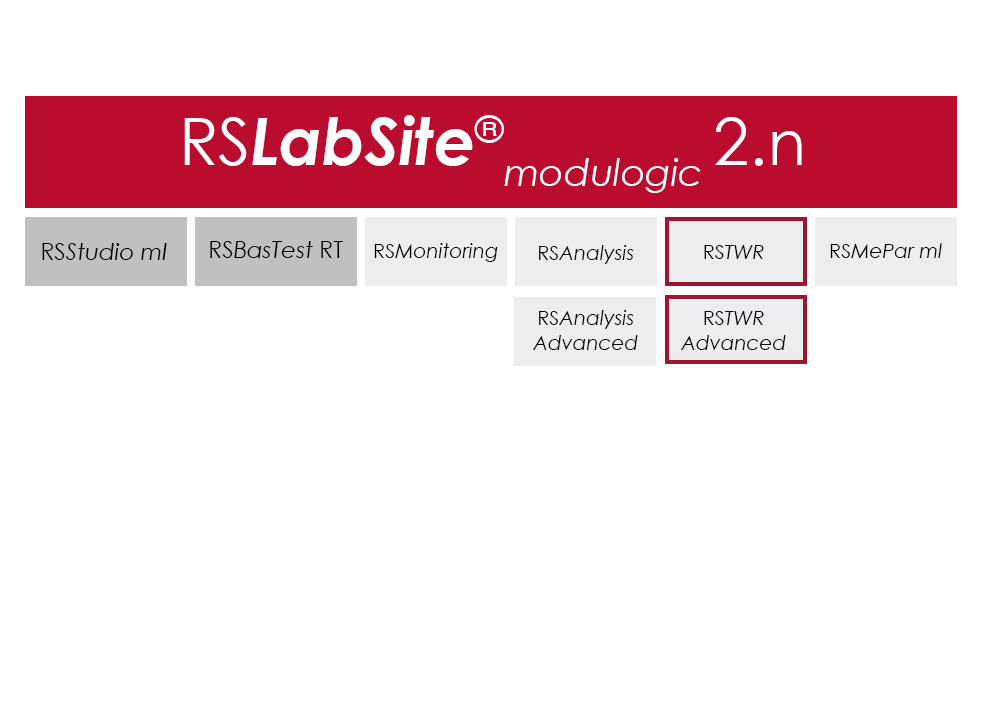
RS LabSite® modulogic is a comprehensive and adaptable software suite conceived for introducing service loads into individual components or complete vehicles, or performing calculations within the framework of Virtual Prototyping (standardized loadsequences, virtual generation of load data). This enables you to stay in full control of all tasks that follow the acquisition of measurement data in the proving ground.

In addition RS LabSite® modulogic provides open and closed loop control functions for your durability tests, collects data and monitors the entire process. Extensive reporting functions with graphical presentation of results – programmable to suit your requirements – round off the package.

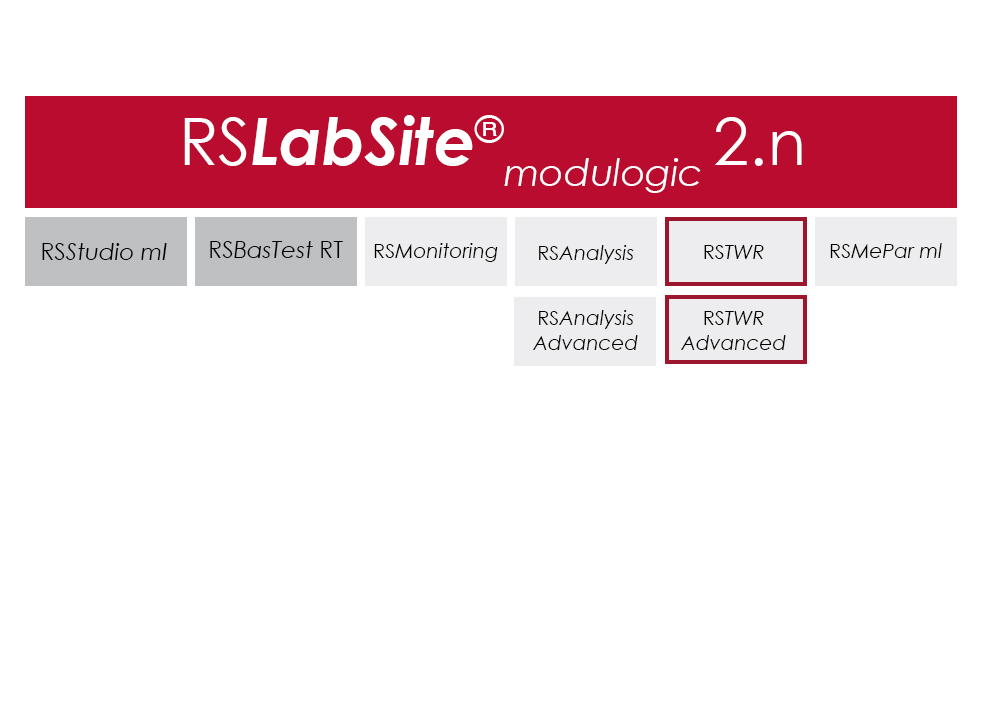
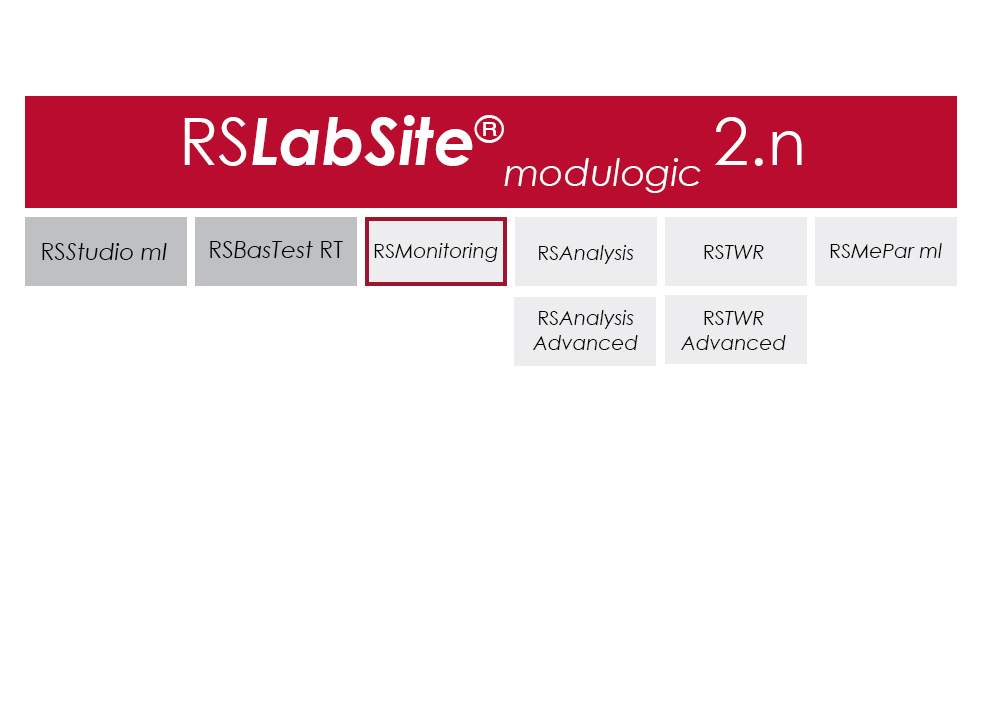
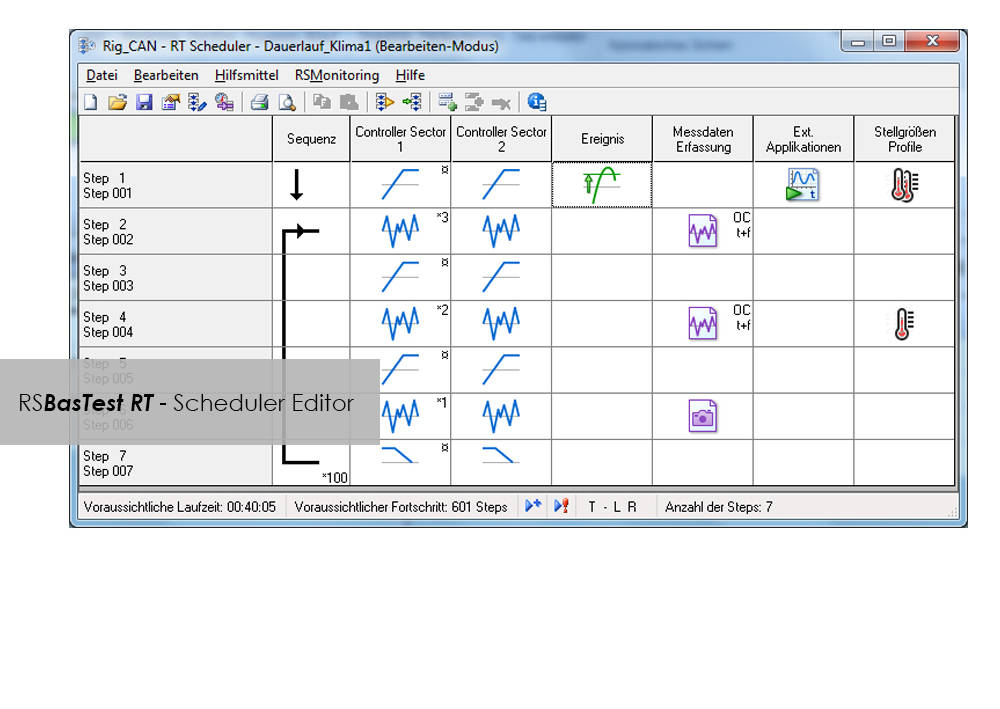
The software is modular and consists of four components. The basic module, RS BasTest RT, provides all necessary tools for digital pre-processing of durability tests. Depending on requirements, the extension modules RS Analysis, RS TWR and RS Monitoring, can be used for single- and multi-axial service load simulations, specific analysis procedures or multistage reporting functions. The software runs under the Windows© operating system.

RS LabSite® modulogic is an integrated and modular solution for analysis of test rig data and test execution:

  • More efficient testing process owing to a user friendly and process-oriented workflow
  • Reduced cost of testing as a result of shorter testing times
  • Reduction of the risk of product recall by representative test results

소프트웨어

Item Name Cat#
RS MePar ml RS MePar ml
RS BasTest RT RS BasTest RT
RS Monitoring RS Monitoring
RS TWR RS TWR
RS Analysis RS Analysis

RS TWR

소프트웨어

RS TWR

Catalog no. RS TWR

RSTWR

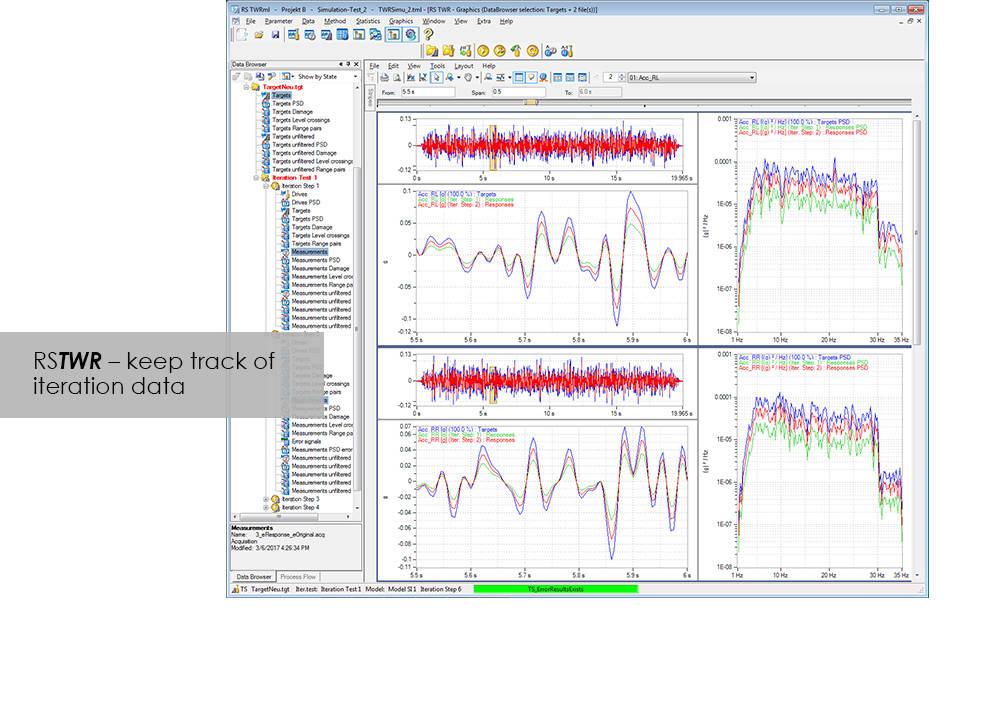
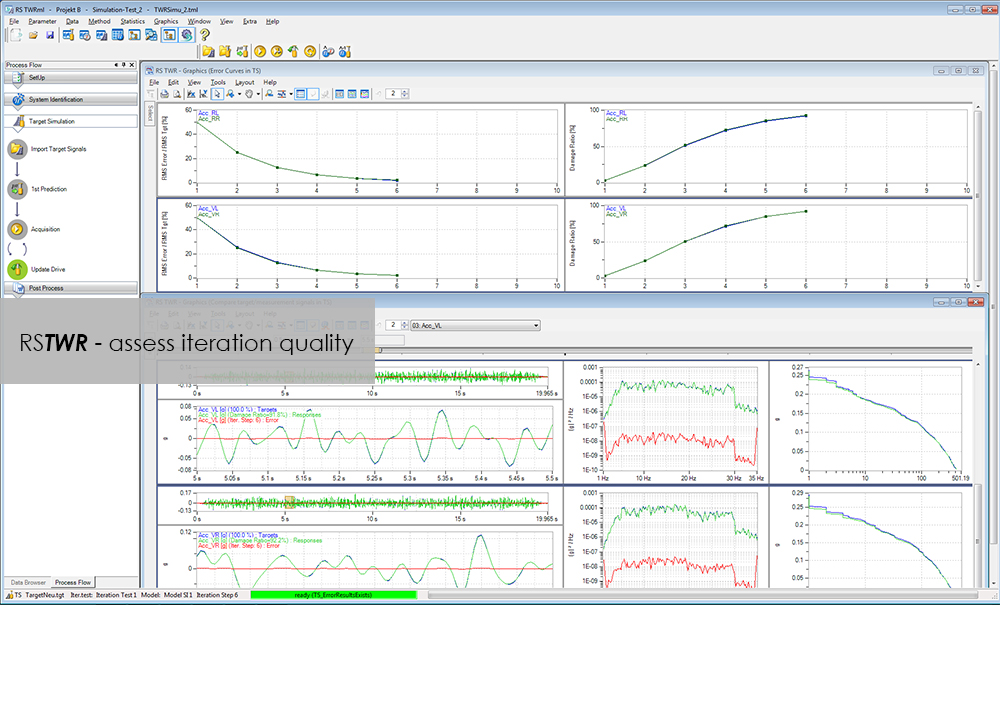
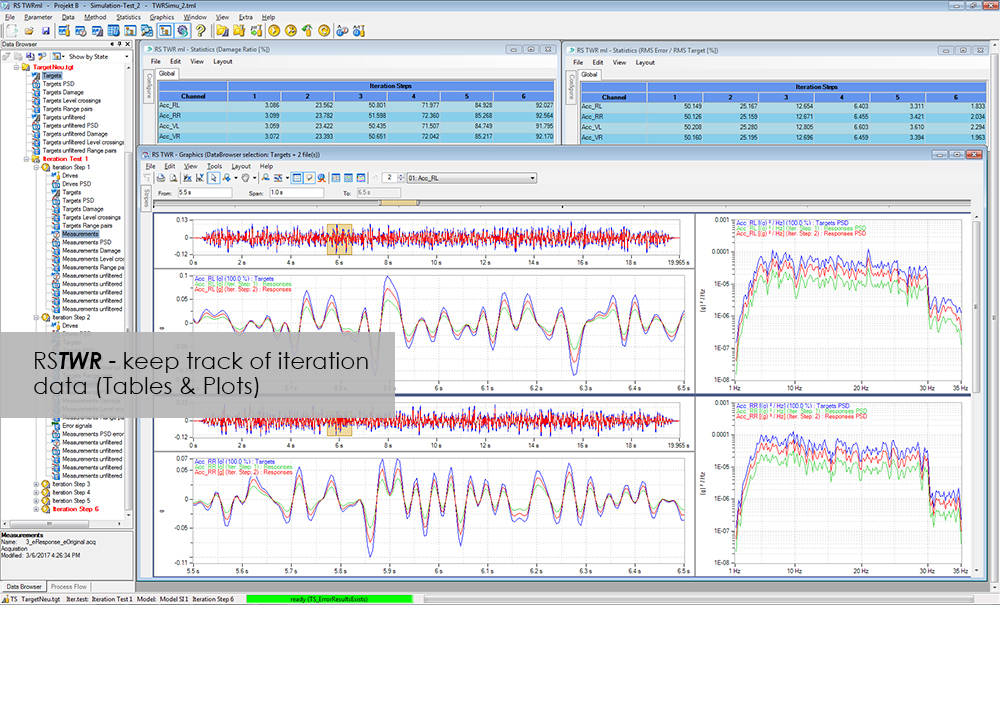
To enable the different loading signals measured under actual service conditions on vehicles, sub-assemblies or components to be replayed on the test rig, these loading signals first need to be "translated". RS TWR (Time Waveform Replication) produces a mathematical model of the test specimen and the test rig, and uses this model to calculate actuator drive signals from measured load histories, e.g. loads or strains. The system employs an iterative procedure and ensures maximum accuracy in the reproduction of measured load data.

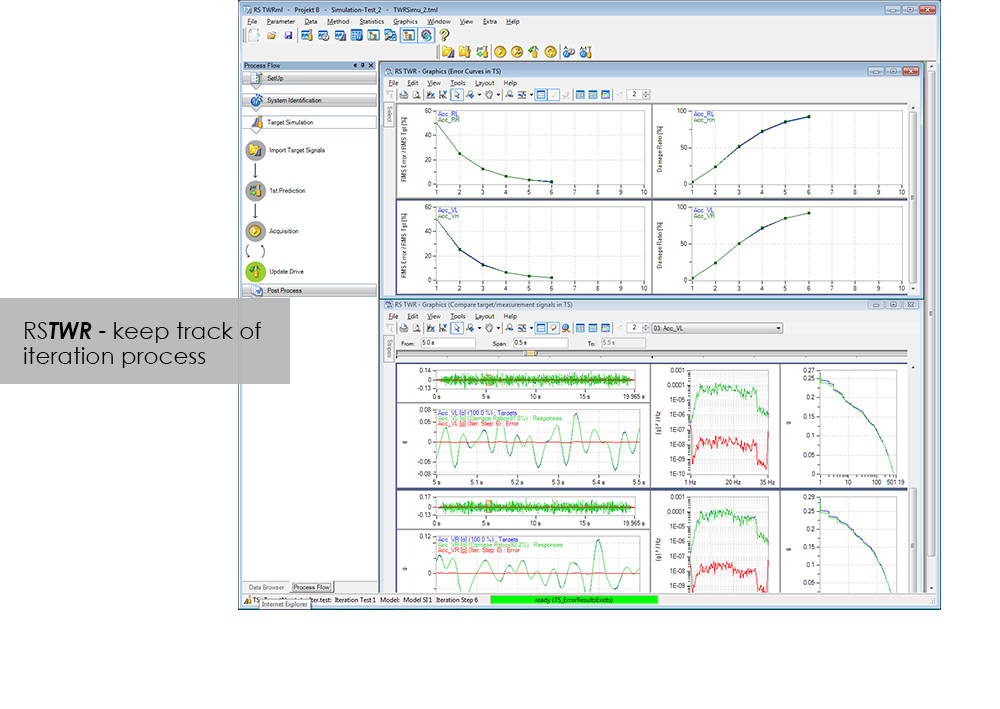
The module excels through user-friendly operation. Assisted by the new integrated process flow tool, less experienced operators will be able after a very short period of familiarization to conduct a typical simulation procedure. The Windows environment will be familiar to most users, and an intelligent selection of parameters minimizes necessary user inputs.

Benefit from the following advantages of RS TWR:

  • Easy to operate through new, integrated process flow tool
  • Fully automatic
    • Automatic management of all setup, model and result files
    • Fully automatic drive file iteration
  • Precise
    • RS TWR enables you to replay loading histories measured on the test track with maximum accuracy on your test rig

RS TWR Features

  • Efficient and transparent data organisation
  • Use of intelligent technologies for model identification
  • Integrated report generation
  • Convergence judgment by forward and backward prediction

Advanced

  • Adaptive model optimization in the iteration phase
  • Time and frequency-dependent correction of the drive signals. e.g. Non-linear stop for a wheel suspension
  • Automatic handling of different models for individual sections in the target signal
  • Interface to virtual test systems

RS Monitoring

소프트웨어

RS Monitoring

Catalog no. RS Monitoring

RSMonitoring

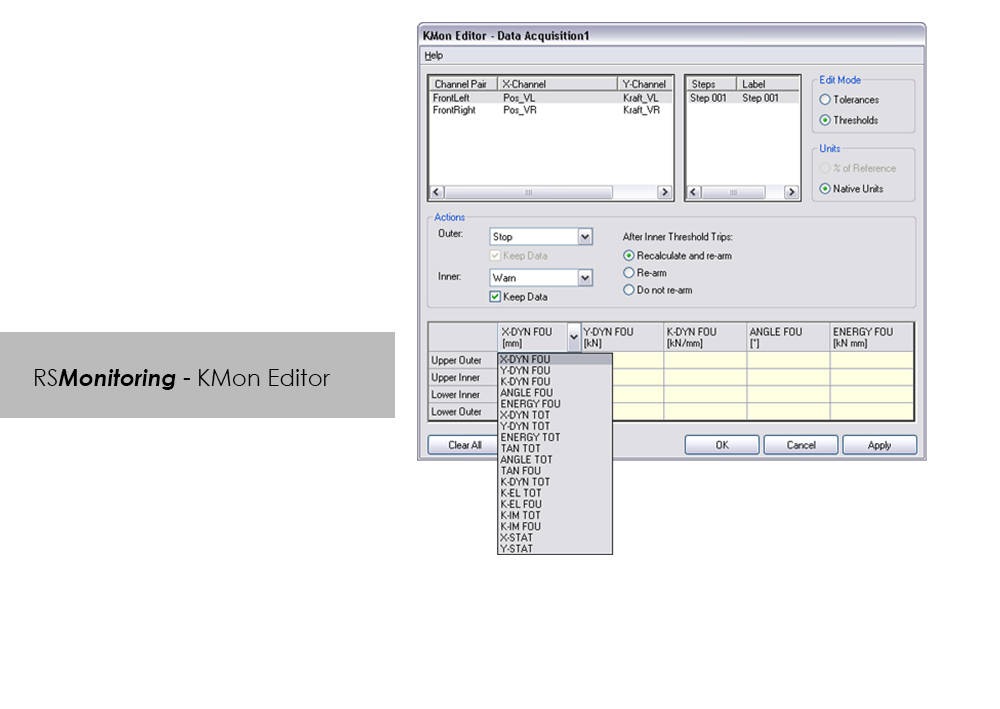
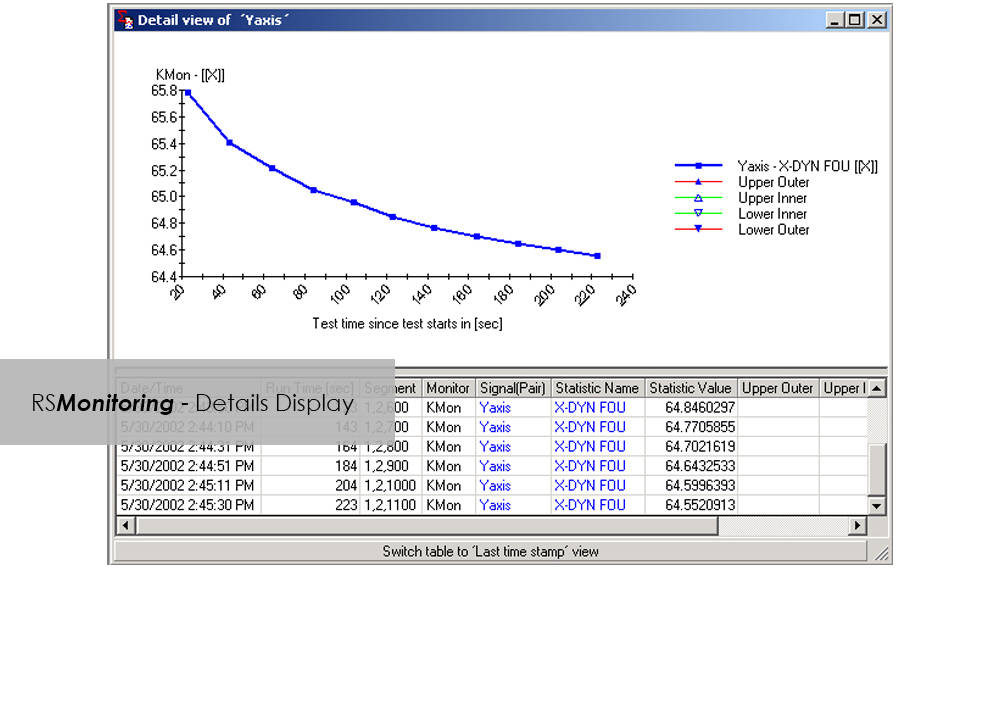
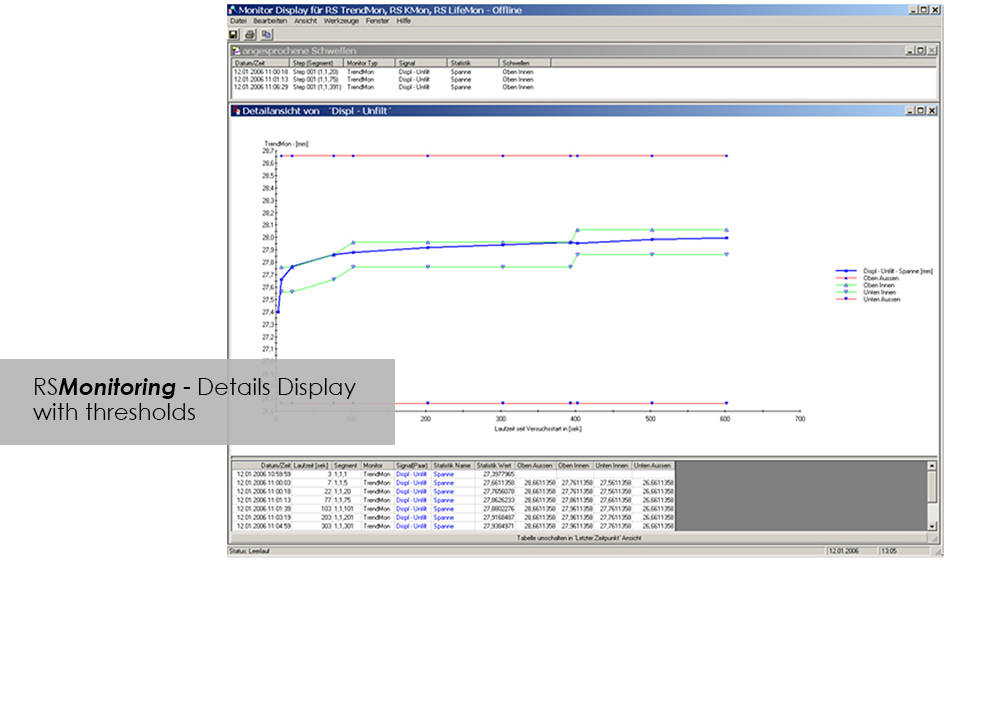
Online monitoring of specimen testing, or quick and easy analysis of measurement values are nowadays no longer convenience features: Fierce competition and the necessity to reduce "Time-to-Market" are entailing a need for ever increasing efficiency. RS Monitoring is a powerful tool that will bring you a significant step closer to this objective. For example, the module enables calculation and monitoring of statistical and physical variables even while the test is in progress, and logs overall damage through rainflow counting. This will enable you to detect changes in the behavior of your test specimen at an early stage, and respond appropriately. This module from the RS LabSite® modulogic Software Suite combines a wealth of extremely useful calculation functions. Make use of the following advantages:
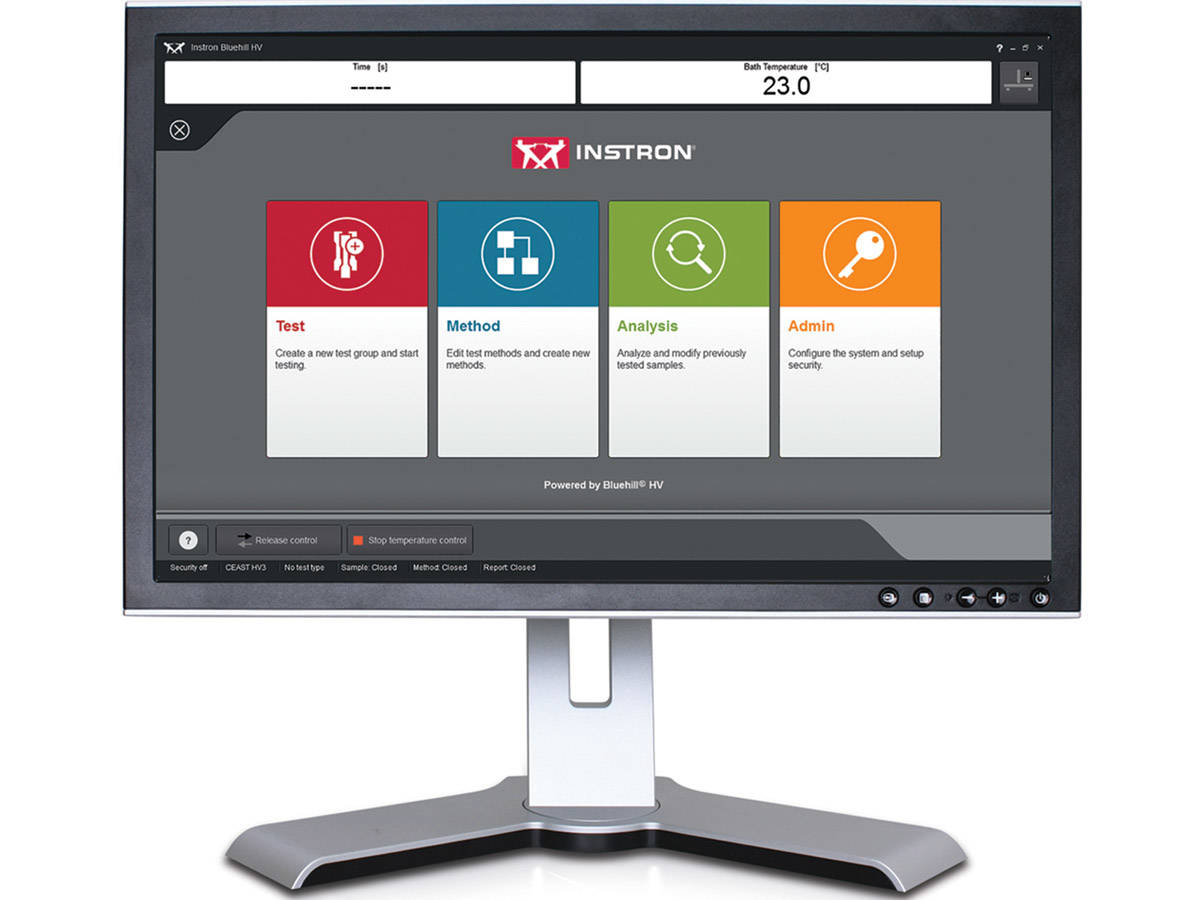
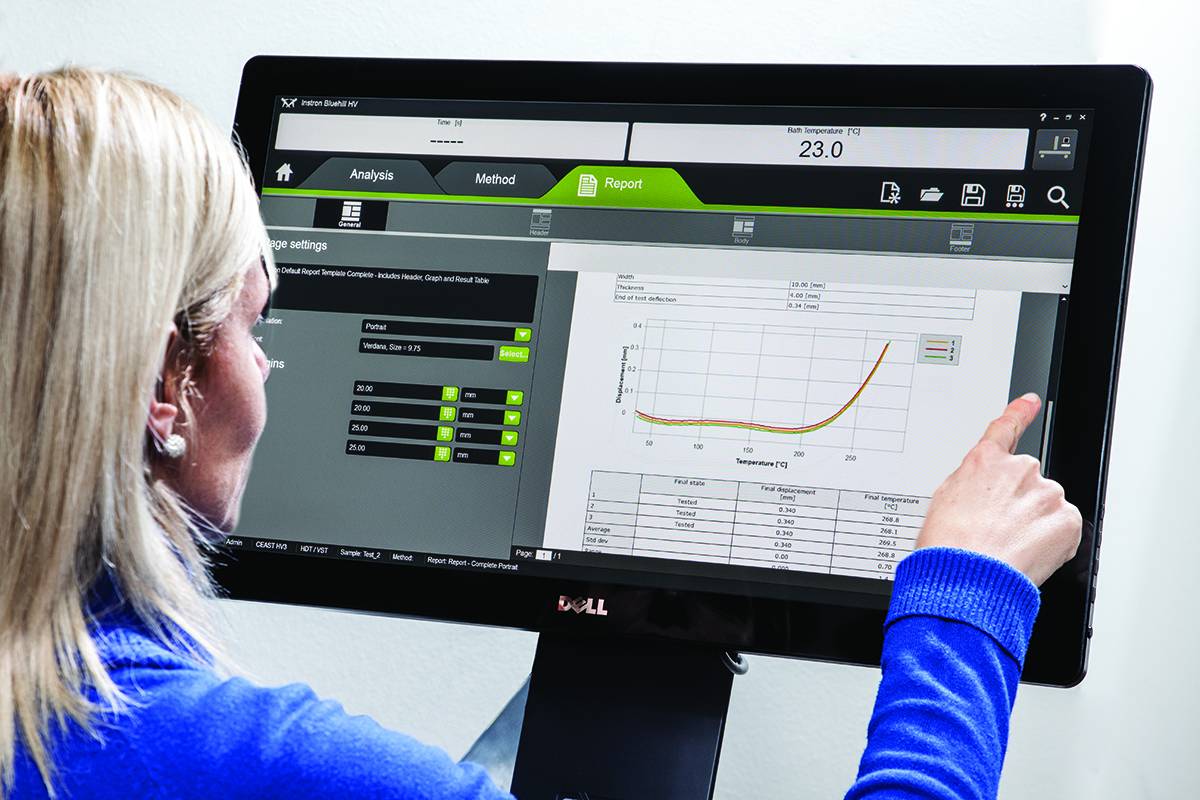
Advantages:

  • High performance on line test monitoring
  • Maximum flexibility for a variety of different evaluation tasks
  • Licensing model to suit your laboratory requirements


RS Monitoring Benefits

  • Calculation of statistical data such as maximum, minimum, amplitude or standard deviation
  • Calculation of online rainflow matrices from measured values, presentation as a 2- or 3-dimensional histogram
  • Conversion of matrices into range pair, peak counting or level crossing distributions for better comparison
  • Calculation of physical parameters such as amplitudes, spring rates, energy loss or phase shift from measured hysteresis loops
  • Monitoring and display of partial damage for individual steps
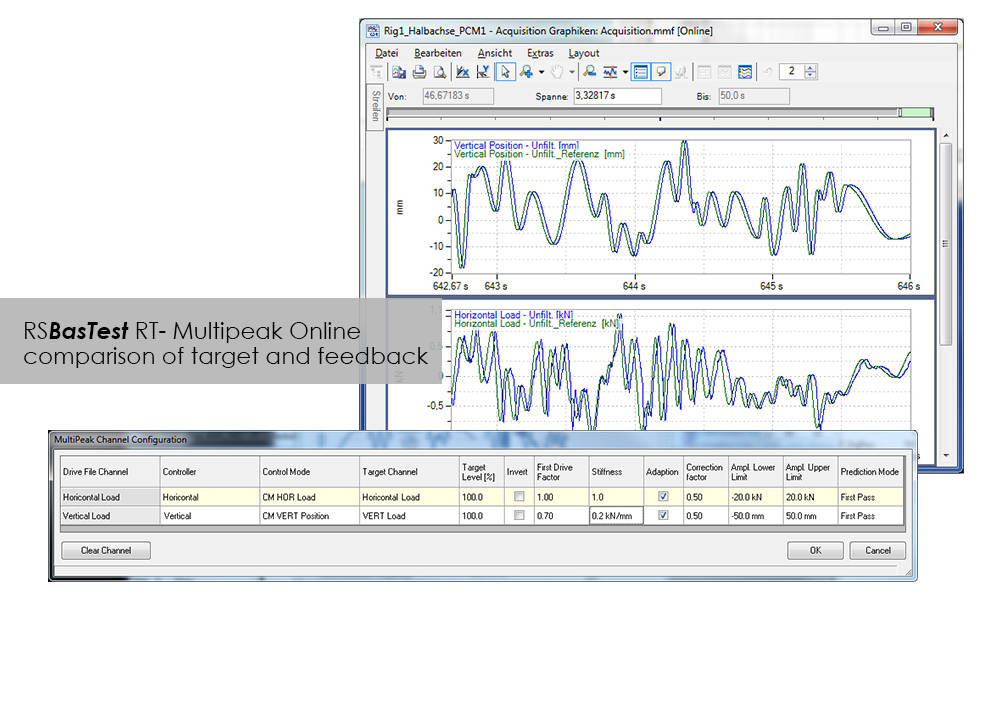
  • Online comparison of command/feedback values of signals in the time and frequency domains

CEAST VisualTHERM 소프트웨어

소프트웨어

CEAST VisualTHERM 소프트웨어

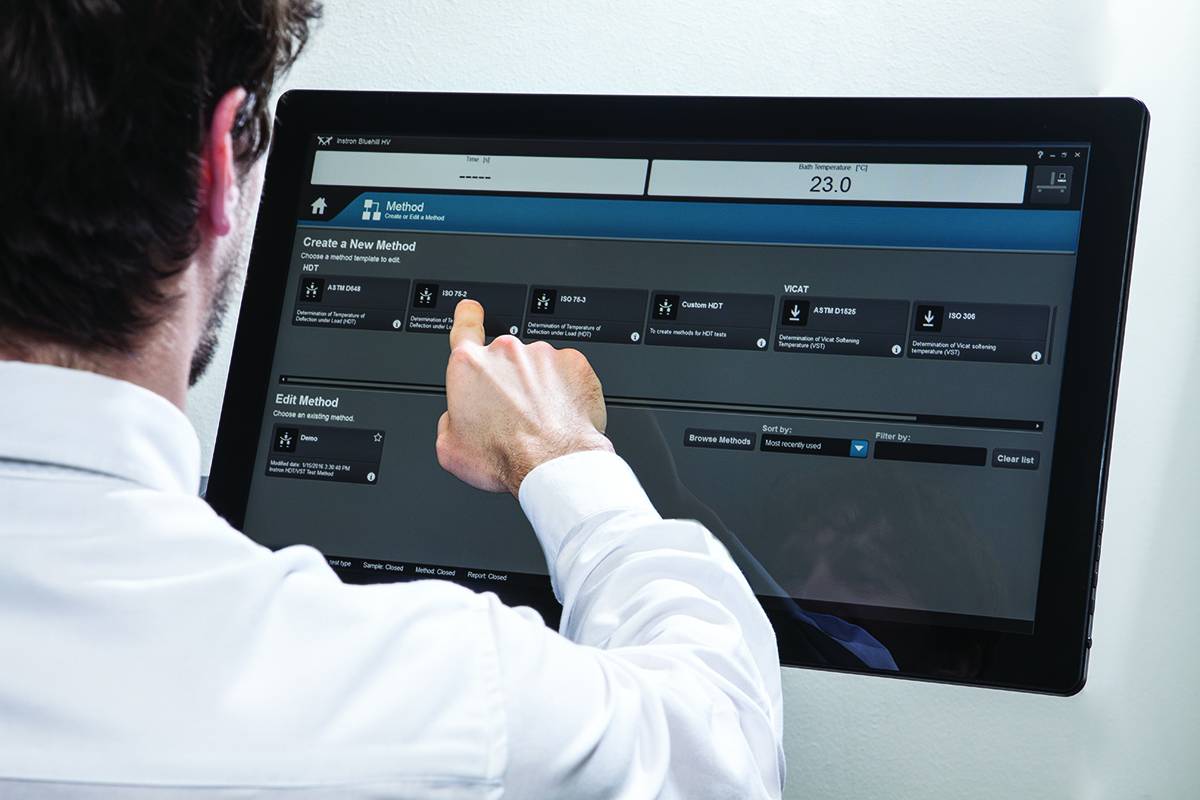
VisualTHERM 소프트웨어는 Instron® 의 CEAST HDT 및 Vicat 시스템을 위해 특별히 개발되었습니다. 이 소프트웨어는 편리한 장비 제어와 시험의 실행 및 데이터 취득과 저장을 해 줍니다.
 
이 소프트웨어는 완벽한 고온 시험 과정을 관리해 줍니다:
  • 파라미터 세트의 편집
  • 시험의 실행을 지원해주는 실시간 그래프 
  • 데이터의 취득 및 저장
  • 시험 결과의 상세 분석
  • 리포트 관리
  • 데이터 내보내기

이러한 작동들은 여러 장비에서 동시에 수행이 가능 합니다.

이 소프트웨어는 열역학적 HDT와 Vicat 시험을 위한 국제 표준에서 요구하는 모든 결과들을 수치 및 그래프 형태로 모두 제공해 드립니다. VisualTHERM는 변형, 온도, 시간 또는 이들의 조합으로 이뤄지는 여러 타입의 시험을 제어해 줍니다.

문헌

Instron HV Series for HDT and Vicat Testing

The effect of temperature on the mechanical properties of plastic materials has a fundamental role in the design of components, especially in the selection of materials. Unlike metals and ceramics, plastics are extremely sensitive to the slightest changes in temperature. The selection of plastics for applications under different temperatures is a complex task. The material must be able to support a stress under operating conditions without losing its strength and without critical distortion. The effect of temperature on geometrical stability and mechanical properties in general can be studied following different procedures and methods like at constant temperature or with a temperature ramp.

  • 제품소개
  • 06/21/2018
  • 1.15 MB

Bluehill HV

Bluehill HV is the generation software for HDT and Vicat tests
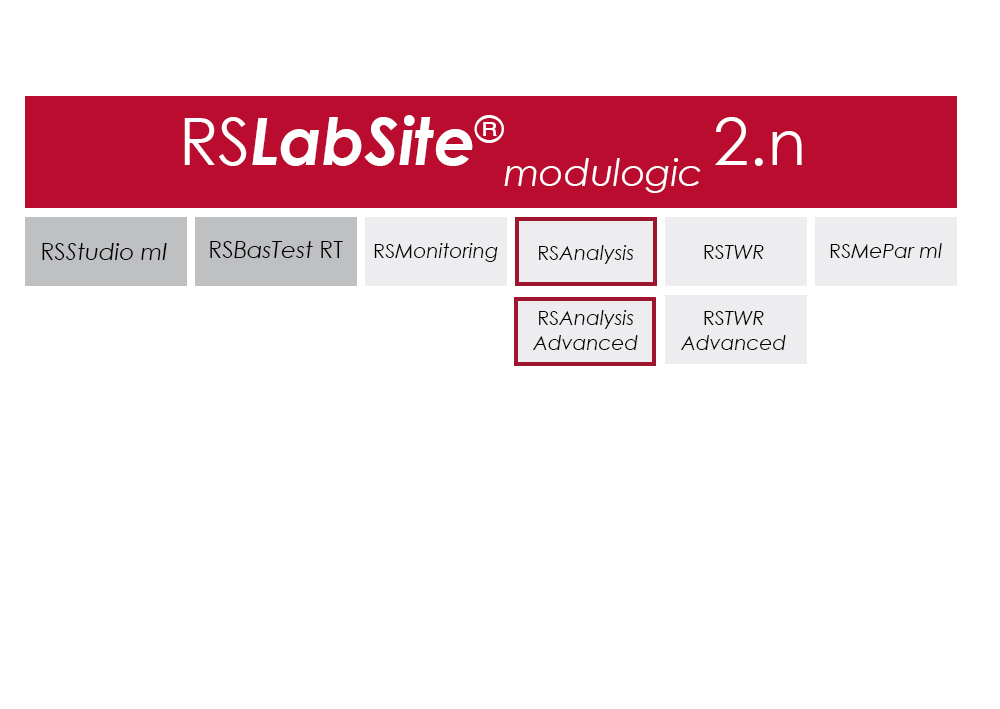
  • 제품소개
  • 01/12/2018
  • 366.94 KB

RS Analysis

소프트웨어

RS Analysis

Catalog no. RS Analysis

RSAnalysis

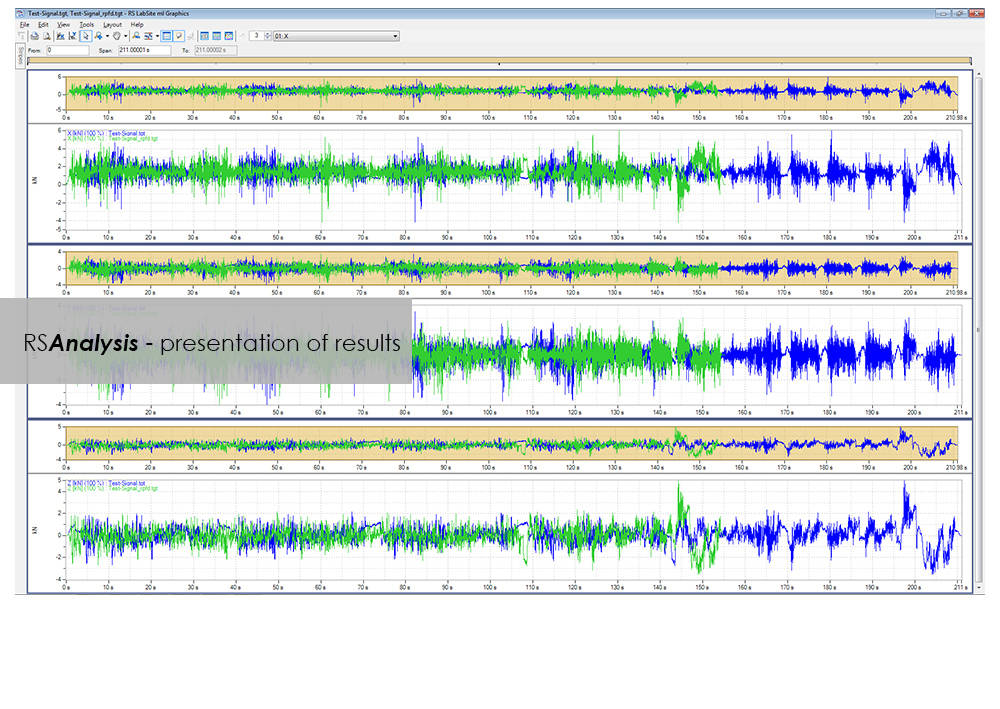
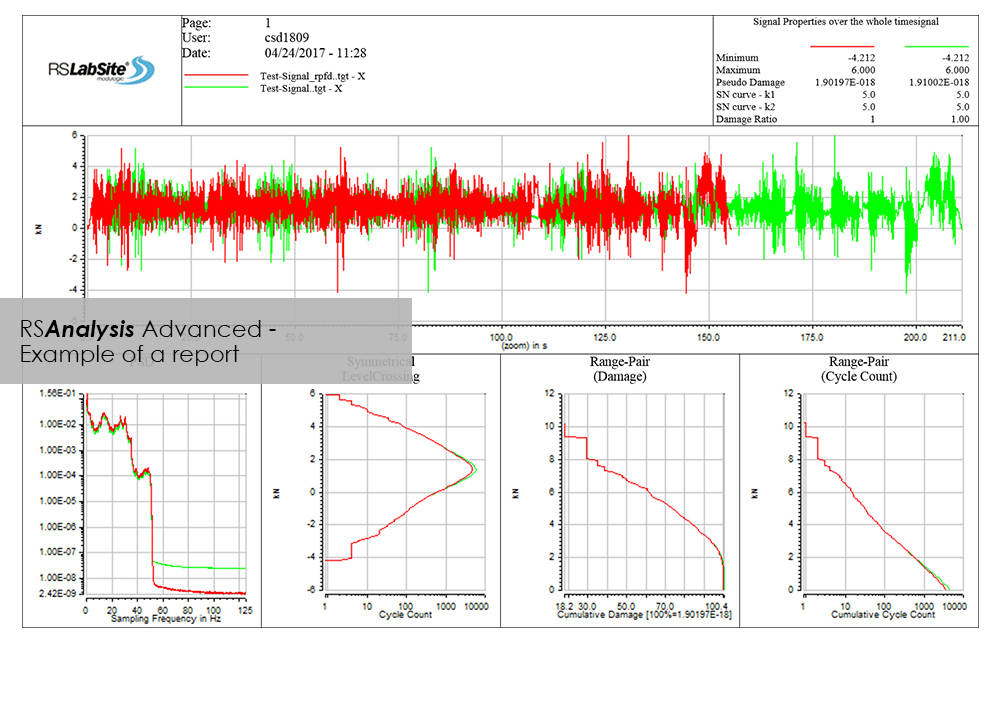
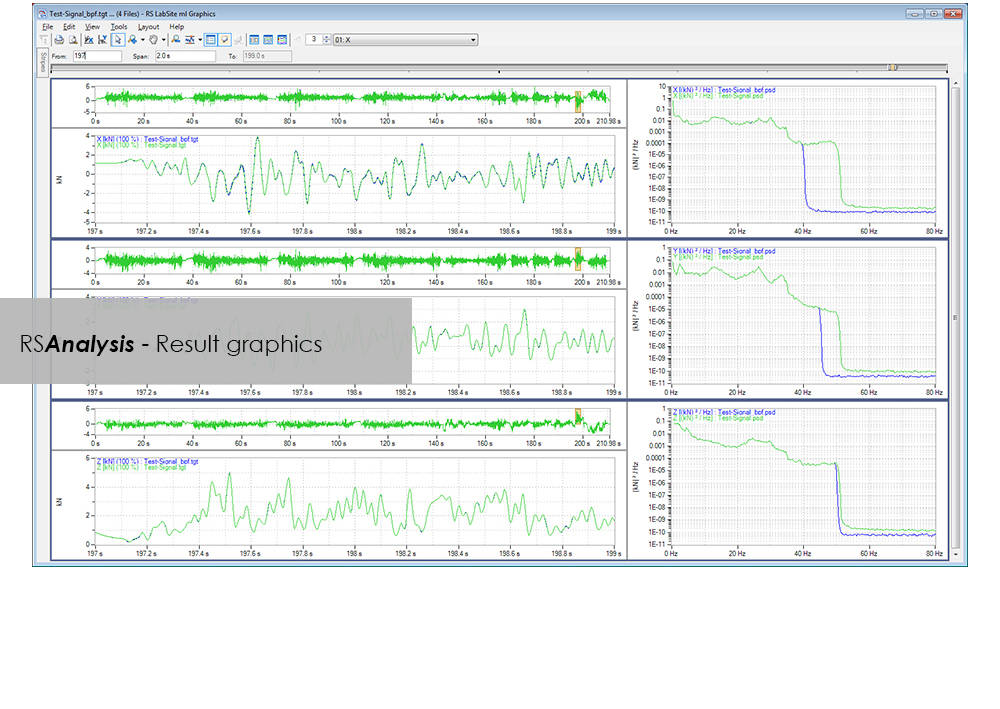
RSAnalysis is an important tool throughout the data acquisition and handling process. Dedicated algorithms condense and optimize your measurement data and turn them into loading data that simulates a complete product life circle. This module from the RS LabSite® modulogic SoftwareSuite provides for analysis and graphical presentation of test data, while allowing maximum freedom: Apart from the presentation of measured data, a wealth of other functions are available for performing typical data analysis procedures quickly and systematically.

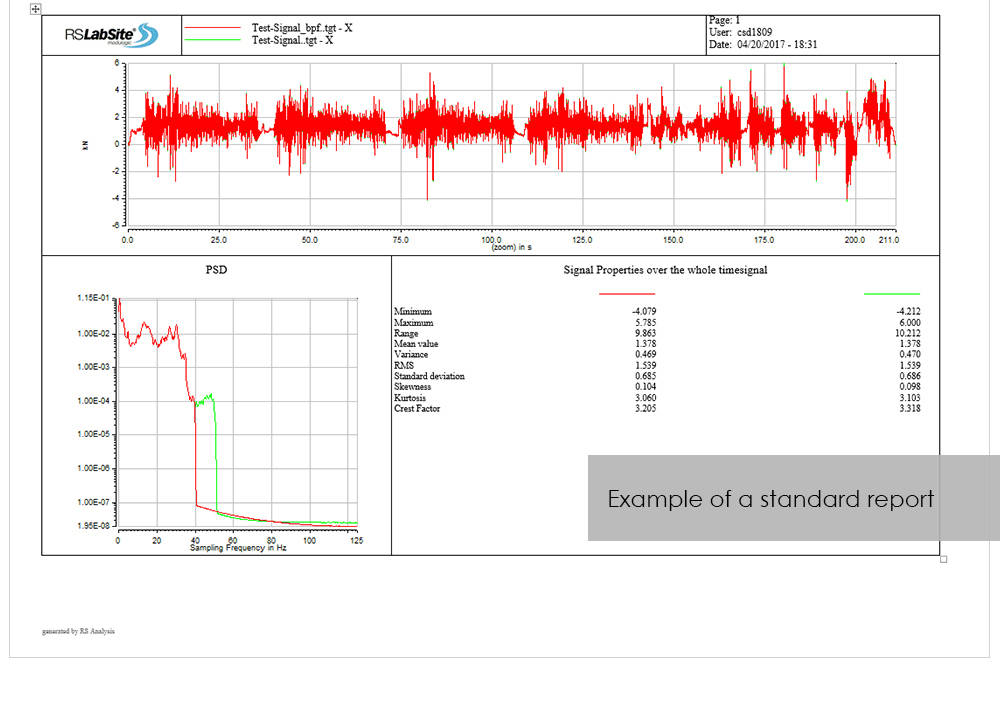
If the numerous standard reports integrated in the software do not meet your requirements, customized formats can be created as required. This makes sure that you are aware at all times how your tests are running and what results they are producing.

RS Analysis is available in two versions: Choose either the Basic- or the Advanced-versions in accordance with your specific needs. Whichever version you choose, the following benefits will be at your disposal:
  • Minimum cost of training through integration in Project Manager
  • Traceable results (Test reports are stored in Project Manager along with the test data)
  • High productivity through automation


RS Analysis Benefits

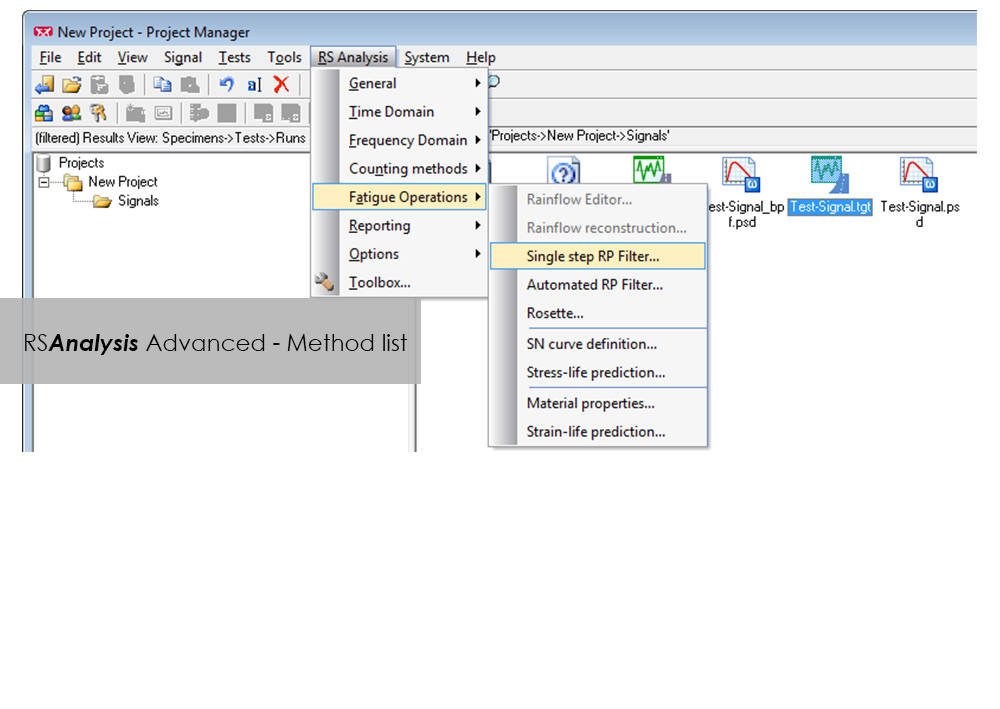
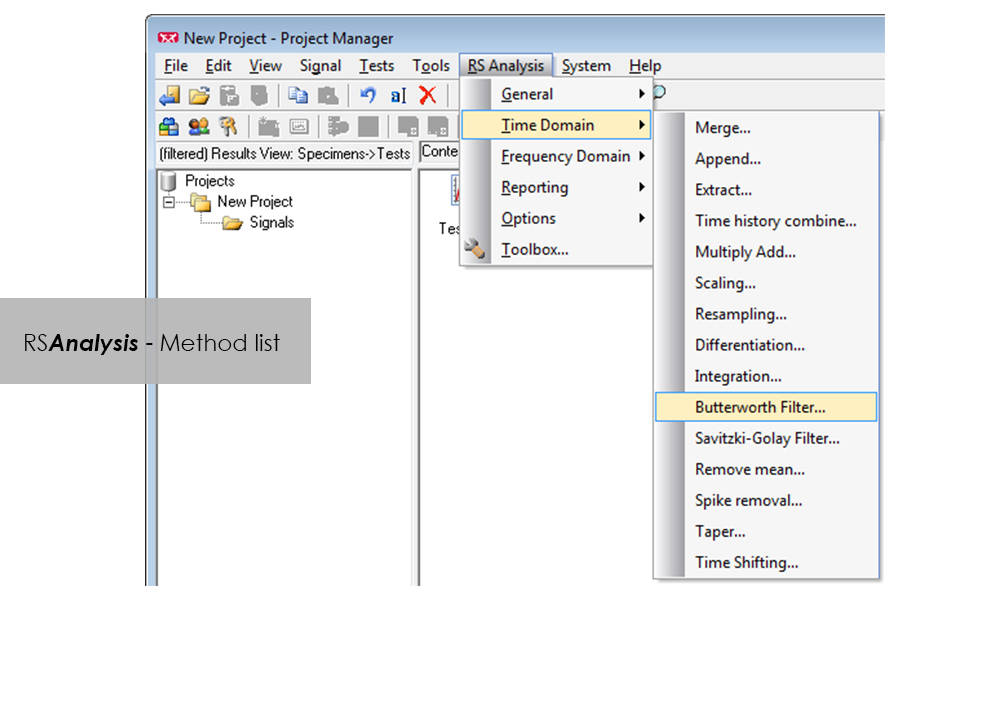
  • Processing methods are started directly from RS BasTest Project Manager
  • Numerious methods
    • Importing and exporting of data
    • Statistical functions
    • Signal presentation and editing
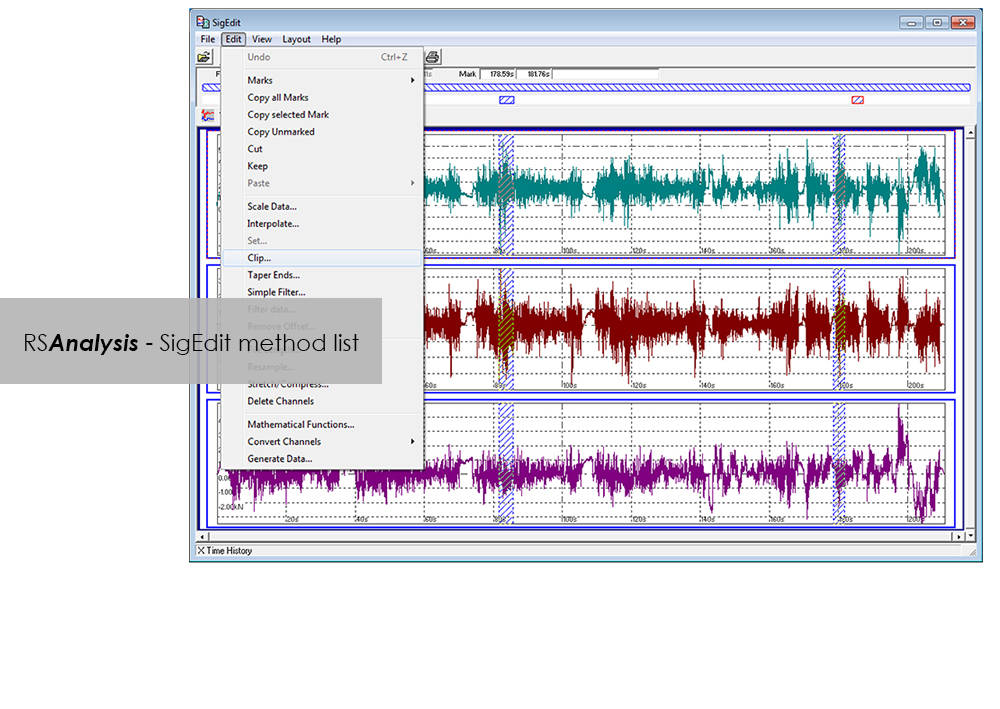
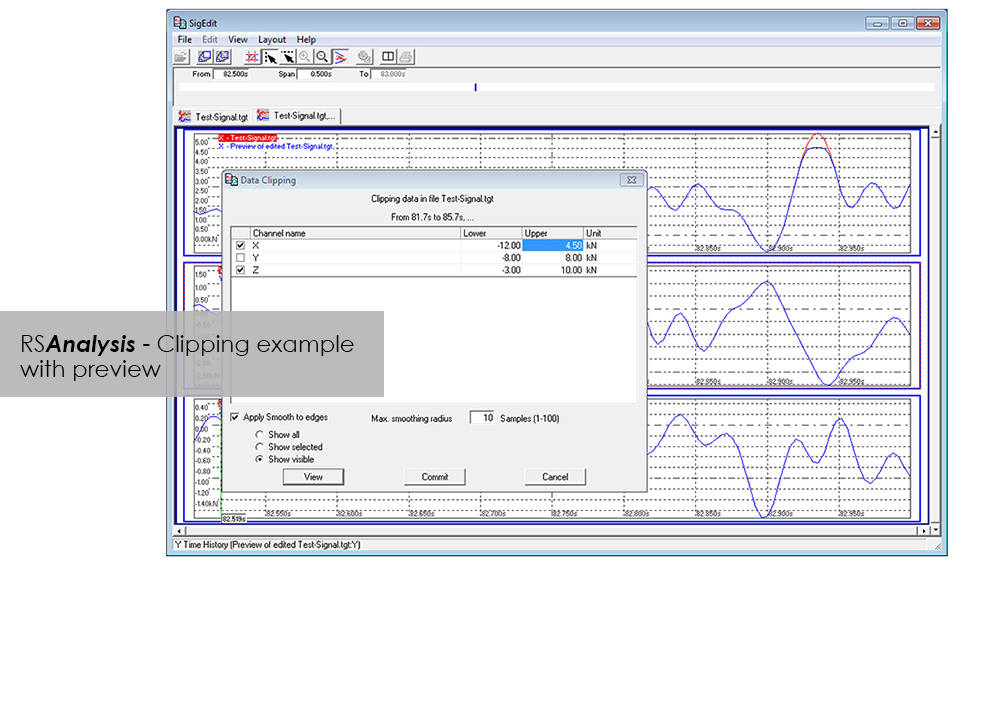
    • Offset/spike correction
    • Frequency-based methods
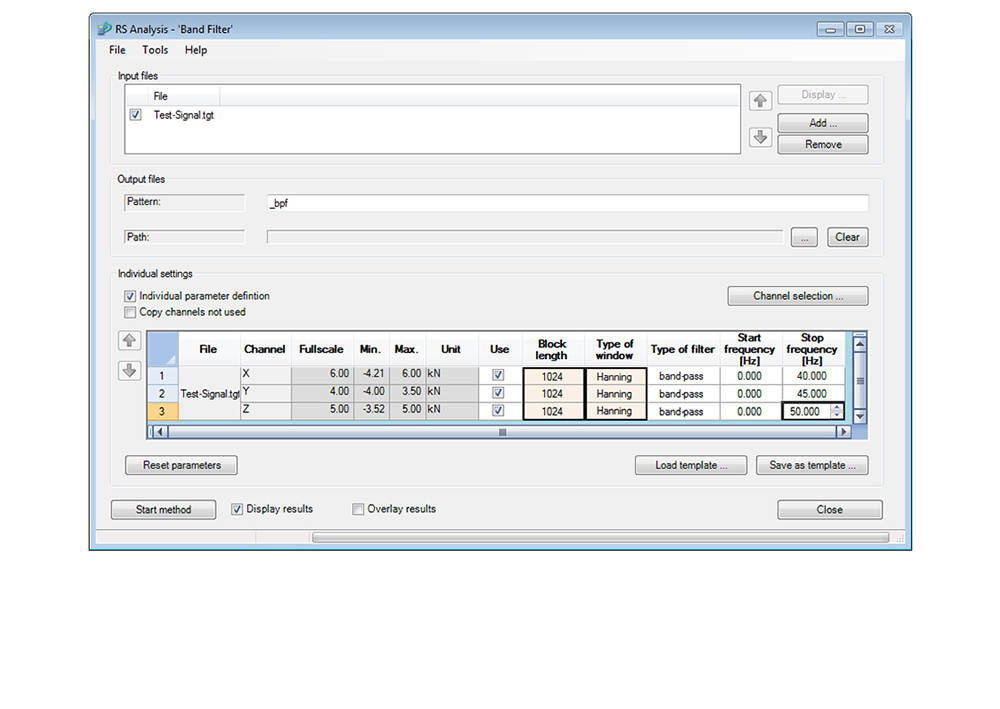
    • Wide range of filter functions
    • Graphical, interactive signal editor
    • and many more...
  • Automation through linking of methods
  • Report generation


Advanced

  • Classification procedure
    • Rainflow, level crossing or tension pairing
    • length of stay
  • Fatigue-related editing and analysis procedures
    • Rosette processing
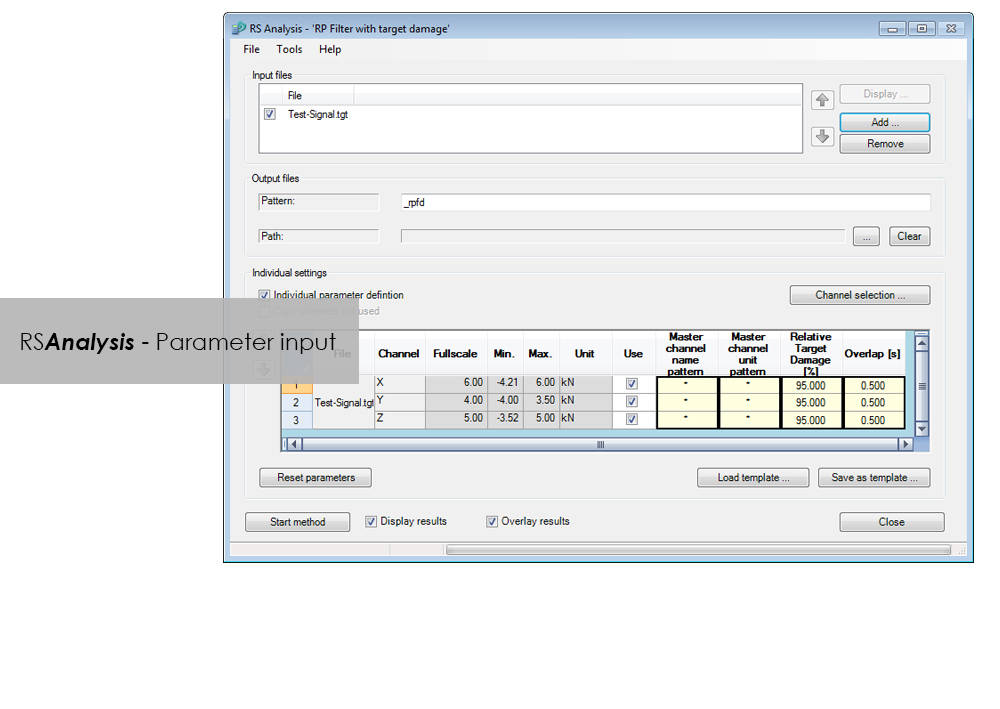
    • Automatic data reduction to remove non-harmful parts (Automatic Rainflow Projection Filter)
    • life expectancy based on stress or strain
  • Layout Builder to create your own templates for logs
  • Automation through graphical programming (Process Builder)

LCF 3 Low Cycle Fatigue Testing Software For Use With Instron 8800 Systems and Extend Upgrades

소프트웨어

LCF 3 Low Cycle Fatigue Testing Software For Use With Instron 8800 Systems and Extend Upgrades

Catalog no. 2495-910

2495-910_P
2495-910_P

Low-Cycle Fatigue 3 Software offers a flexible workspace designed to run and analyze strain-controlled fatigue tests in accordance with ASTM, ISO, and BS Standards.

Live Test Workspace

A range of pre-configured graph and results fields allow real time views of how the test is progressing. Customize the screen to display up to three graphs of cycle and trend data. Pause and re-start the test at any time, checking modulus as desired.

Comprehensive Graphing Toolbox Brings Clarity

Whether you need a single or multiple graphs, the graphing toolbox allows users to clearly display X-Y and double-Y graphs, and peak and trend data charts. Choose to show titles, add legends or show actual data points on a grid. LCF3’s graphing capability is second to none.

Powerful Analysis

Analyze post-test data off-line, selecting from a range of single cycle and trend plots. Overlay individually selected hysteresis loops. Export individual graphics in JPEG format, and data as TXT files.

Test Controls Right Where You Need Them

Start, stop, and finish a test. The simple test control buttons are consistently at the right side of the screen. For added convenience, a test can be paused and continued when desired.

Simple Test Creation

Recall recently used test methods or simply browse the method folder to create or edit existing test methods. Test method creation is available off-line, maximizing testing machine availability. With a unique step-by-step data entry and test selection process, combined with a tabulated pre-test summary, your Low-Cycle Fatigue test will run successfully each time.

Automatic Calculation Avoids Errors

Select rectangular, cylindrical or tubular geometries, and automatically re-calculate the cross sectional area.

Online Check Ensures Accurate Modulus

Ensure your modulus data is accurate by utilizing the user-defined upper and lower calculation points, with clear graphical references.

Built-in Thermal Control

Control the test’s start temperature, soak period, and allowable thermal tolerances from within the application, and log temperature data directly into the test file.

Eliminate Unwanted Data

Configure the combined linear, logarithmic and peak internal data logging parameters to suit your test requirements.
3400 시스템의 기본 재료 시험을 위한 Bluehill Elements

소프트웨어

3400 시스템의 기본 재료 시험을 위한 Bluehill Elements

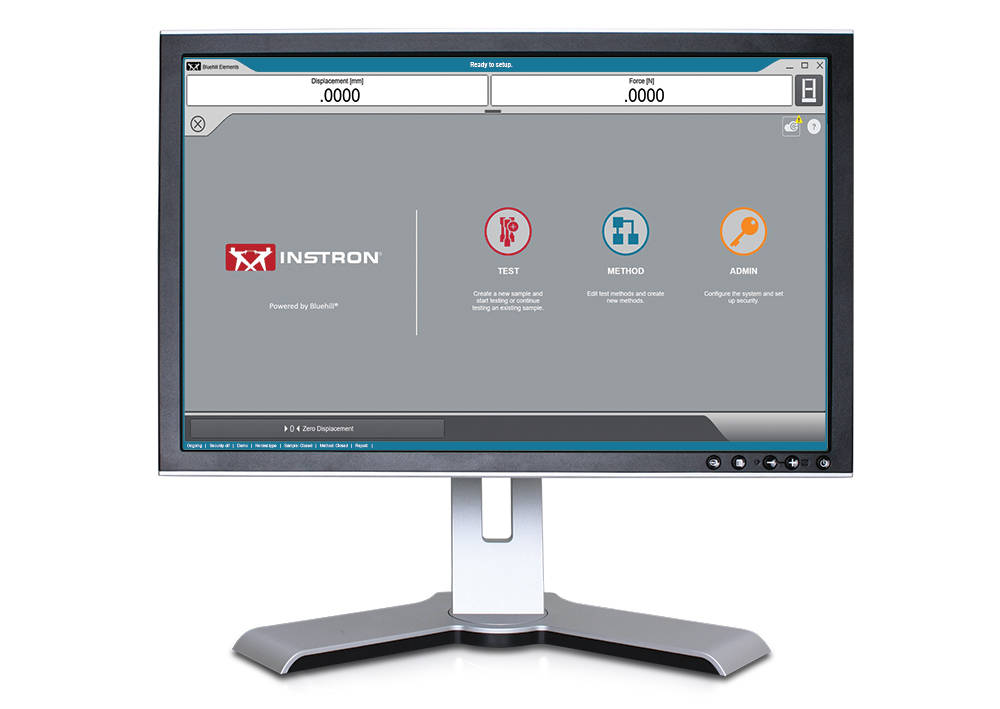
Bluehill® 플랫폼에 구축된 Bluehill Elements 소프트웨어는 간단한 인장, 압축, 굽힘, 박리 및 인열 시험 요구 사항을 충족합니다. Bluehill Elements는 자동 보고서 생성, 신속한 시험 작업 흐름, 실시간 관리도 및 TrendTracker 데이터베이스 활용 옵션과 같은 품질 관리 시험에 이상적인 기능을 제공합니다.


효율적인 워크플로우를 위한 기능

자동 데이터 내보내기
사용자들은 시험 결과 및 원시 데이터를 CSV 또는 사용자 정의 텍스트 파일로 내보낼 수 있습니다. 내보내기 형식을 원하는 대로 지정할 수 있어 사용자들이 데이터를 간편하게 검색하거나 실험실 정보 관리 시스템과 소통할 수 있습니다.

실시간 디스플레이
소프트웨어에서 직접 측정하도록 모든 데이터 포인트를 점검할 수 있습니다.

수동 데이터 입력이 불필요한 작업자 입력 기능
측정 장치에서 시편 치수를 자동으로 입력하고, 바코드를 스캔하여 소프트웨어에 숫자 및 텍스트를 입력하거나, 선택 입력 기능을 사용하여 사용자에게 간단한 드롭다운 메뉴를 제공하는 등의 방법이 사용되므로 수동 데이터 입력이 불필요합니다.

알기 쉬운 디스플레이
시험 상태, 측정 및 주요 결과가 준비하기 쉬운 실시간 디스플레이에 표시됩니다.


유연하면서 단순

직관적인 조작, 최소한의 교육
인스트론은 인력 구조가 변화하고 있는 지금의 현실을 잘 알고 있습니다. 따라서 사용성을 가늠하는 주요 척도로 최소한의 교육을 선택했습니다. Bluehill Elements 소프트웨어는 단순하고 사용자 친화적인 인터페이스를 제공합니다.

올바른 고객을 위한 올바른 보고서
Bluehill Elements에는 프린터, 이메일로 출력하거나 파일을 PDF로 직접 저장하여 쉽게 공유할 수 있도록 사전 정의 된 여러 보고서 템플릿이 통합되어 있습니다. 사전에 입력된 선택 항목으로 차트 및 테이블의 위치를 쉽게 변경할 수 있습니다. 사용자들은 특정 보고서 템플릿을 원하는 방법에 연결하는 방식으로 테스트별 보고서 생성을 자동화할 수 있습니다.

기본적인 보안
일반 시험자가 분석법의 매개변수에 접근할 수 없어야 하는 생산 또는 품질 관리 시험을 위해 Bluehill Elements는 구성 가능한 3가지 보안 관리자, 관리자 및 운영자 레벨을 제공합니다.

공통 언어
시험 분야에서 Bluehill은 표준 도구로 자리잡았습니다. 15개 언어로 제공되며 전 세계 수천 개 시스템과 함께 사용되는 Bluehill의 시험 방법, 계산 및 데이터 형식은 이미 널리 인정받고 있습니다. 현지 공급업체와 데이터를 일치시키거나 다국적 고객과 테스트 방법을 비교할 때 Bluehill Elements는 공통의 언어로 기능합니다.


Bluehill Elements의 애드온

TestCam
포인트 단위 비디오 재생 기능을 사용할 수 있는 USB 웹캠을 연결하면 시험이 끝난 후 비디오를 보면서 시험 데이터를 검토할 수 있습니다.

합격/불합격 구성 요소
여러 시험 결과에 대한 승인 기준을 설정할 수 있습니다. 이러한 결과 중 하나가 허용 범위보다 높거나 낮을 경우, Bluehill Elements에서 자동으로 대형 아이콘에 합격 시에는 녹색 체크 표시를, 불합격 시에는 빨간색 X 표시를 표시합니다.

TrendTracker
Bluehill Elements용 TrendTracker 플러그인을 사용하면 결과를 TrendTracker 데이터베이스로 직접 내보낼 수 있습니다. TrendTracker 뷰어는 시간이 지남에 따라 시험 결과를 검색, 표시 및 분석할 수 있는 직관적인 인터페이스를 제공합니다.


컴퓨터 요구 사항

Windows 10 또는 11 64비트 운영 체제가 필요합니다. Bluehill Elements는 터치 모니터와 함께 사용할 수 있습니다.

문헌

Bluehill Elements

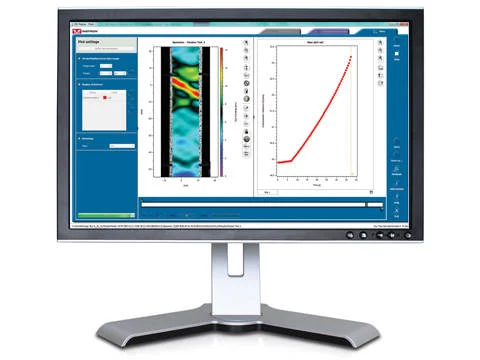
Bluehill® 소프트웨어 플랫폼을 바탕으로 만들어진 Bluehill Elements™는 간단한 인장, 압축, 굴곡, 박리, 인열 시험 조건을충족합니다. 자동 보고서 생성, 빠른 시험 워크플로우, 실시간 제어 차트, TrendTracker 데이터베이스 이용 옵션 등의 기능을갖춘 Bluehill Elements는 품질 관리 시험에 이상적입니다.
  • 제품소개
  • 02/03/2020
  • 914.78 KB

DIC Replay

소프트웨어

DIC Replay

Digital Image Correlation (DIC) Software

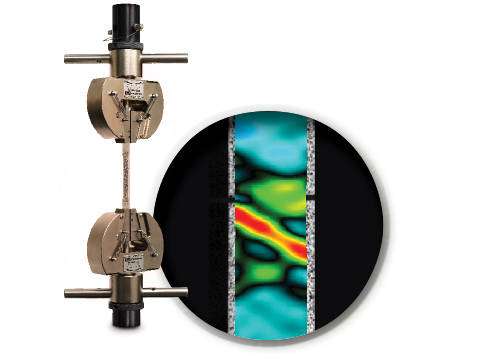
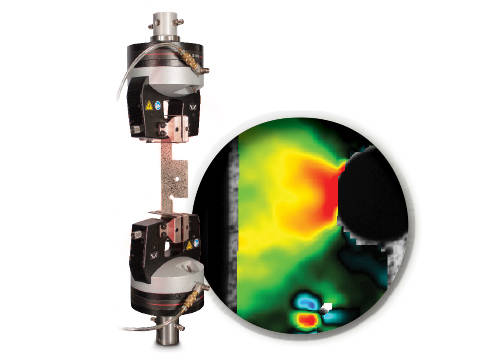
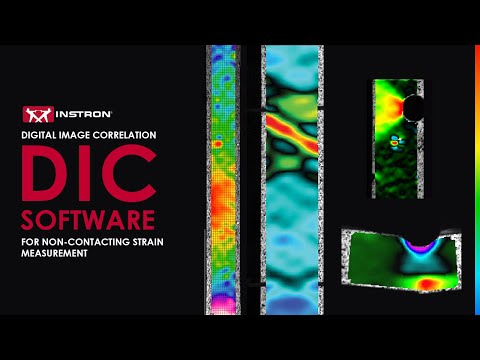
DIC is an optical technique that compares images of a tested specimen’s surface to generate full field strain and displacement maps. It creates pictures that can be used to visualize strain and displacement over the full two dimensional surface of the test specimen.

DIC Replay Software is a self-contained 2D DIC package. The software consumes images and calibration data saved by the Instron® Advanced Video Extensometer (AVE) and works in a post-processing mode. The user interface leverages the same tabbed style and graphical design of Bluehill®.

Standard features include:

  • Full field strain and displacement maps for axial strain (Eyy), axial displacement (Ey), transverse strain (Exx), transverse displacement (Ex), shear strain (Exy), maximum normal strain, and minimum normal strain
  • Virtual strain gauges
  • Virtual extensometers
  • Method saving
  • Plot generation
  • Synchronization with Bluehill test data (load, position, etc.)
  • User defined image collection rate up to 50Hz
  • Three modes of operation (post-processing DIC, real time strain through AVE, or both)

Benefits:

  • View materials testing phenomenon, such as discontinuous yielding, localized necking, and more
  • Analyze strain and displacement on the flat surface of a part or component where traditional extensometers are impractical
  • Visualize and detect cracks that are not visible by eye
  • Check specimen preparation techniques by comparing one specimen to the next
  • Check for standards compliance by identifying localized strain that falls outside of the standard gauge length
  • Visualize the side profile of a flat flexure or compression specimen to observe strain behavior

문헌

DIC Replay | 2D Digital Image Correlation Software Data Sheet

Instron DIC Replay Software is a 2D digital image correlation package that works seamlessly with the AVE 2 Advanced Video Extensometer. Use this package to visualize strain and displacement over the full surface of a two dimensional object or create simple line plots from virtual strain gauges and extensometers.
  • 제품소개
  • 04/12/2017
  • 2.38 MB

CrashSim

소프트웨어

CrashSim

Crash Sim Startpage
Crash Sim Startpage

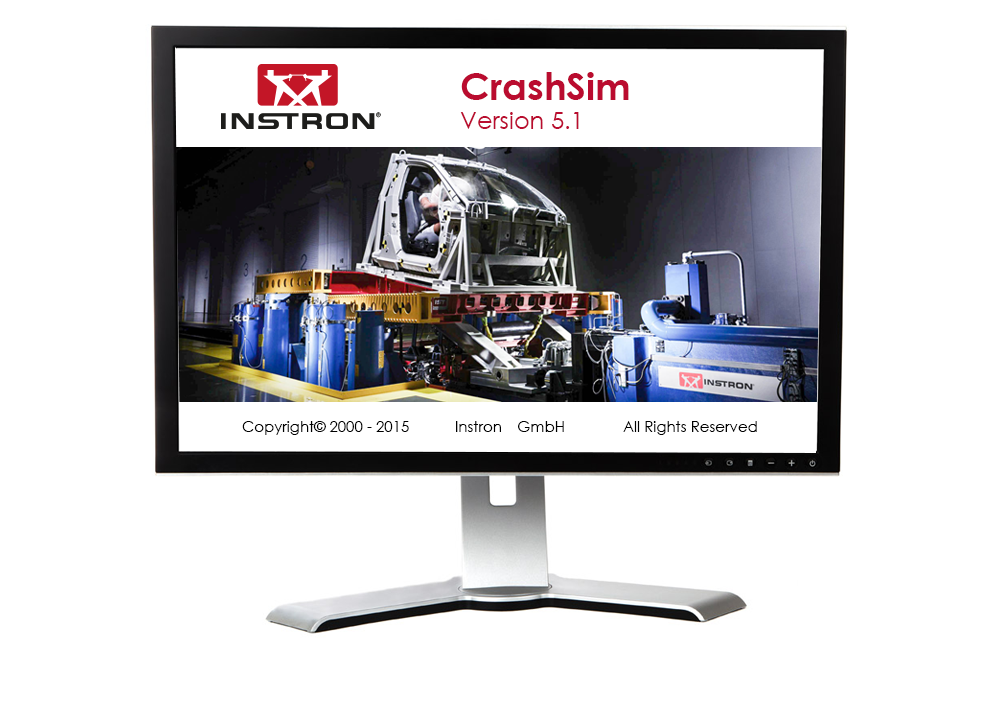
The application software CrashSim is used for the preparation, execution, monitoring, analysis and documentation of crash tests carried out on the Instron sled system. The user application focused software has been continuously improved in cooperation with our worldwide user groups.

There is no special knowledge required for the operation of CrashSim because it is intuitive and largely self-explanatory. The user interface complies with the Windows 7 standard.

The parameter settings and valve configurations required for the applications listed below are stored in the control system and are set automatically by CrashSim when selecting the test method:

  • Frontal and rear impact simulation
  • Frontal Impact with active controlled pitch simulation
  • Side and Pole Impact simulation
  • Side Impact simulation
  • Whiplash - Low Speed Rear Impact Test


Thanks to this high degree of automation, efficient and productive test operation is ensured.

The basic version CrashSim 5.0 offers the following functions:

  • Pulse data input and filtering
  • Calculation of drive signals from acceleration / time traces
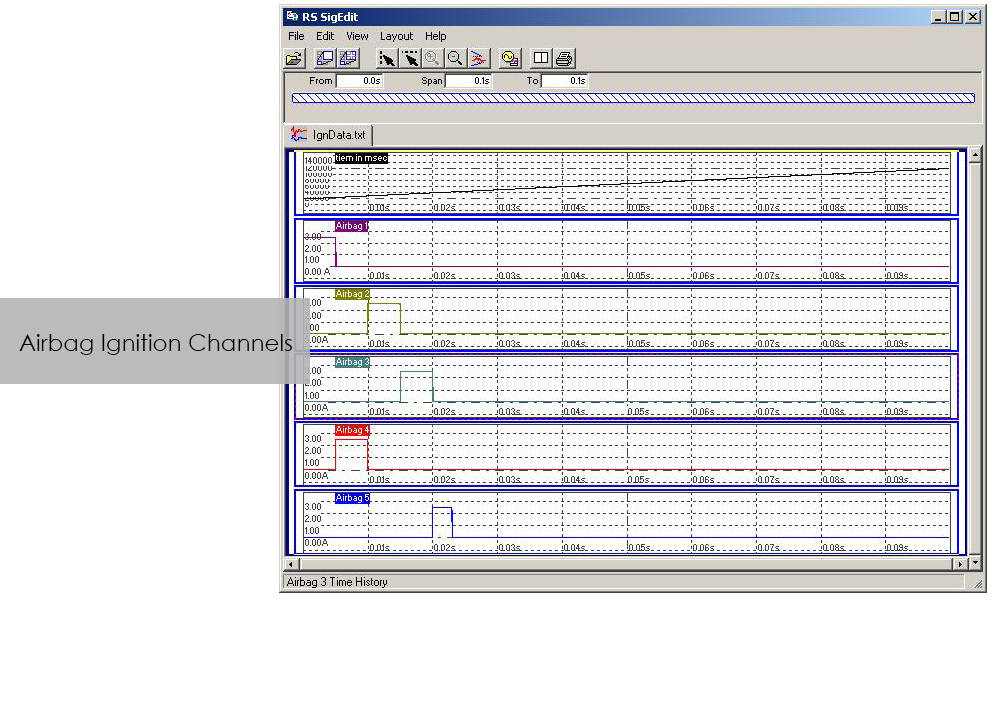
  • Control of all peripheral systems (airbag igniter, data acquisition, camera systems,...)
  • Test execution
  • Evaluation of the test results
  • Digital storage and retrieval of test parameters for future applications.
  • Visualization of the system status via process display


The advanced version of CrashSim 5.1 includes the new iteration model developed by Instron, which dramatically reduces the number of iterations required. This version also includes the CrashSim Office software module. The module allows external processing of test pulses up to the generation of the drive signals for the catapult system. Pulse predictions previously performed only through trial shots with the system can now be carried out offline with CrashSim Office. This relieves the daily test operation of such tasks and increases the productivity of the system.

Learn more about Crash Simulation Systems.
 

RS BasTest RT

소프트웨어

RS BasTest RT

Catalog no. RS BasTest RT

RSBasTest RT

RS BasTest provides a wide range of functions for editing, performing and conducting durability tests. Project Manager will guide you through all processes. It is used to create new projects, and its integrated data base collects and manages all measurement data. If you are envisaging a future extension of your testing environment, you will be ideally set up with RS BasTest: Other modules from the RS LabSite® modulogic family can be integrated into the system without any further intervention. The basic module will assist you with a high degree of flexibilty and provide the following benefits:

  • Basic software package with comprehensive functionality
  • Intuitive operation
  • Flexible adaption to your testing tasks

RS BasTest RT Benefits

  • Numerous test methods, which are processed in real time by the control electronics:
    • Constant amplitude programs
    • Cyclic block programs for single or multi-channel testing
    • Execution of single- or multi-axial durability tests
    • Event controlled test procedure
    • Replay of multi-channel service loads with adaptive control of peak values.(MultiPeak)
  • Multi-channel data acquisition
    • three different options optimized for the respective test metho
    • flight recorder (record / store measurement data even when the test stops or pauses)
  • Switchboard for the administration of test results with database for projects, tests and results. Optionally available as a laboratory version:
    • Central administration and backup
    • Local preparation and execution at the test stand
    • Evaluation at test stand or office
  • Licensing model to suit your laboratory requirements
  • Seamless integration with Labtronic 8800ml

Console Software For Use With Instron 8800 Systems, ElectroPuls and ExtendUpgrades

소프트웨어

Console Software For Use With Instron 8800 Systems, ElectroPuls and ExtendUpgrades

Catalog no. 2495-901

Console Software For Use With Instron 8800 Systems, ElectroPuls, and Extend Upgrades 

Compatible with WaveMatrix, LCF3, Bluehill 2 and Fracture Mechanics (da/dN, K1C & J1C)  

Includes

  • All controller set up functions such as Specimen Protect, transducer calibration, limits, control loop settings (PID´s) and calculated ("Modal") control channels
  • System status displays indicating current control mode, limits, waveform generator, transducer calibration and hydraulics/power
  • Auto Tuning Wizard to perform automatic set up of control loop PID values
  • Loop tuning tool with fast-refresh digital scope to facilitate manual setting and adjustment of control loop PID values
  • Multiple digital Live Displays of transducer values and cycle/time counters that can be rearranged and resized, with setup save/recall from computer disk.
  • Waveform control (start/pause/stop at specified cycle count) to run simple fatigue tests
  • Scope software package for real time graph showing the output of up to four transducers and basic data capturing facilities
  • Comprehensive on-line help system
  • RS Save software for saving and restoring of test system parameters to and from disk
  • DAX data acquisition software for one axis and up to four transducers
  • Latest firmware update for 8800, ElectroPuls and Data Acquisition Boards
  • Set of Electronic Manuals in PDF Format
  • Available in English, French, German or Japanese 

Please contact Instron for the minimum PC requirements necessary to install and operate this software.
RS MePar ml

소프트웨어

RS MePar ml

Catalog no. RS MePar ml

RSMePar ml

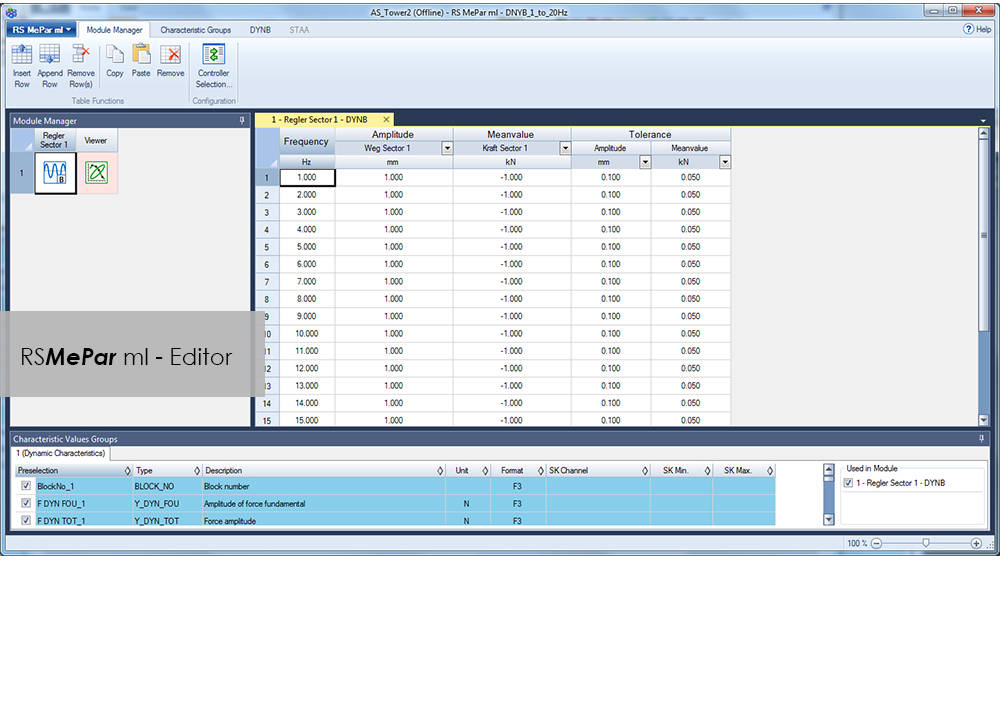
RS MePar ml, a module from the RS LabSite® modulogic, software suite, working in conjunction with RS Studio ml and RS BasTest RT, the RS LabSite® modulogic basic module, provides all functions for determining the characteristics of components with viscoelastic properties. RS MePar ml is used to create simple single- axis or complex multi-axis tests.

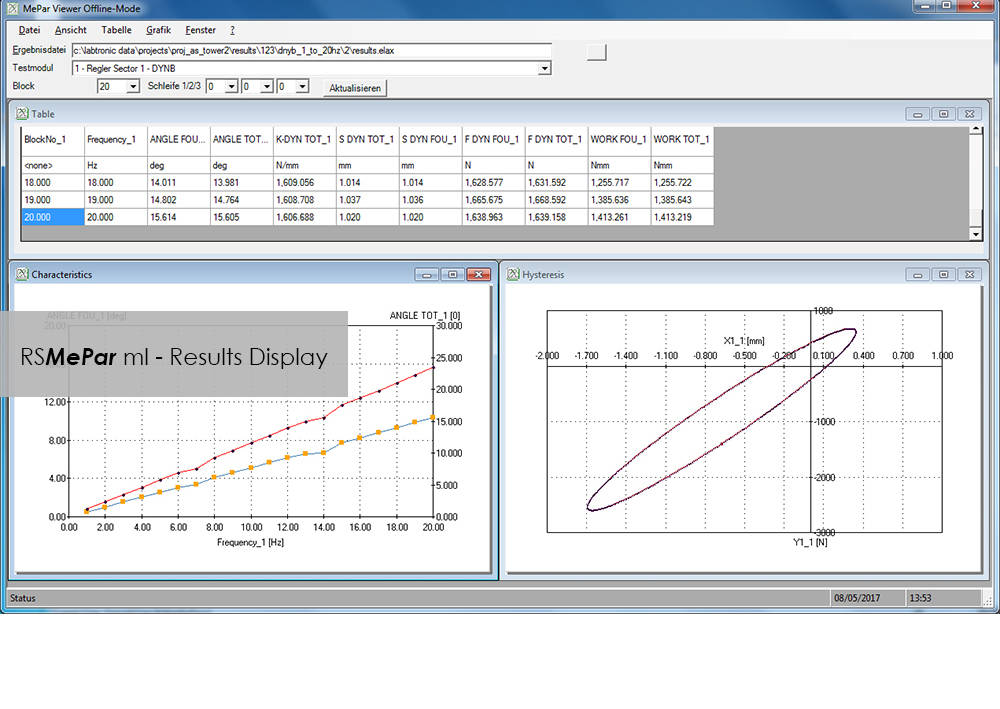
Flexible test monitoring and data acquisition functions ensure that the test engineer has all the information he needs to precisely specify the components undergoing test. In addition, the integration of MePar Viewer enables the visualisation of test data as they occur on the rig, along with various graphical displays. This tool enables test results to be observed directly on the screen.
RS MePar ml can be used to fullfil the following tasks:

  • Determine static properties of test specimen
  • Determine dynamic properties of test specimen
  • Determine component resonant frequencies
  • Analyze and document test results and test conditions

Suitable for:

  • Elastomers
  • Elastomer compound elements
  • Hydromounts
  • Vibration dampers
  • Torsional vibration dampers
  • Exhaust Lines
  • Clutches
  • Crankshaft

Benefits:

  • The Windows© compliant software is familiar and easy to use
  • The MePar-Viewer functionality enables individual series of data from the measurement file to be plotted as required, with user-selectable scaling for easy test report generation
  • All test data is stored in a data base, enabling data to be exported to other programs such as MS-Excel for presentation or further processing.

낙하 충격 시험기용 Bluehill Impact

Bluehill® Impact 소프트웨어

낙하 충격 시험기 소프트웨어

낙하 충격 시험기용 Bluehill Impact 소프트웨어


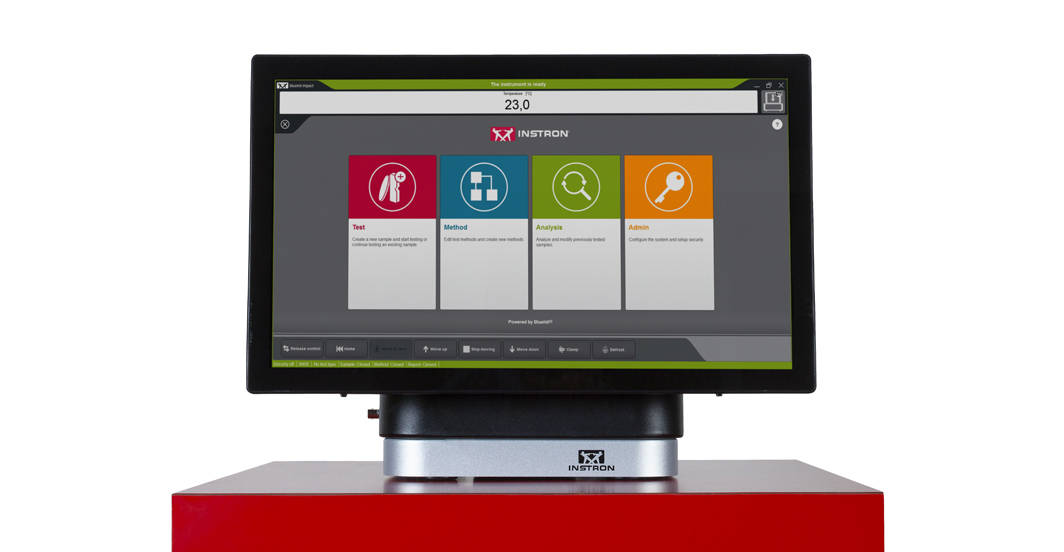
Bluehill Impact는 터치를 통해 쉽게 사용하실 수 있도록 설계되었습니다. 운영자 대시보드는 사용자 경험을 더 간단하고 스마트하게 만들 수 있습니다. 이 대시보드는 이해하기 쉬운 아이콘과 워크플로우를 통해 신규 또는 숙련된 사용자를 쉽게 교육할 수 있으므로, 이전보다 훨씬 빠르게 시험을 시작할 수 있습니다.

견적 또는 데모 요청


SIMPLER
간편한 낙하 충격 시험 워크플로우


Bluehill의 더 간단한 스크린샷
스마트한 기본 시험 방법

Bluehill Impact에는 일반적인 충격 시험 시나리오를 처리하는 일련의 사전 구성된 기본 시험방법이 설정되어 있습니다.

유연한 데이터 분석

사용자는 데이터 처리 유연성을 보장하는 고유한 데이터 흐름 및 절차를 정의할 수 있습니다. Bluehill Impact는 설정된 매개변수를 벗어나는 이상치 및 일관되지 않은 결과에 대해 보고합니다.

안내 워크플로우

프롬프트가 있는 시험과 터치 패널 덕분에 몇 번의 클릭만으로 절차를 설정할 수 있습니다. 사용자는 단계별 지침에 따라 전체 시험 프로세스에 대한 안내를 받을 수 있으므로 반복 가능하고 간단하며 오류가 없는 시험을 진행할 수 있습니다. 안내 프롬프트는 사용자 자신의 문자 메시지로 사용자 정의할 수 있습니다.

빠른 데이터 획득 및 결과

새로운 대시보드와 데이터 획득 시스템 및 Bluehill Impact의 결합으로 생산성이 증가합니다.

협업 속도 높이기

Bluehill Impact 파일 관리 시스템으로 사내에서, 또는 고객에게 직접 시험 방법과 결과를 쉽게 공유하여 빠르게 다른 작업으로 전환할 수 있습니다.

Smarter
고급 낙하 충격 시험을 위한 고급 기능

Bluehill Impact 시편 다중 선택

시편 다중 선택
한 번의 클릭으로 동시에 많은 시편의 매개변수를 편집합니다.
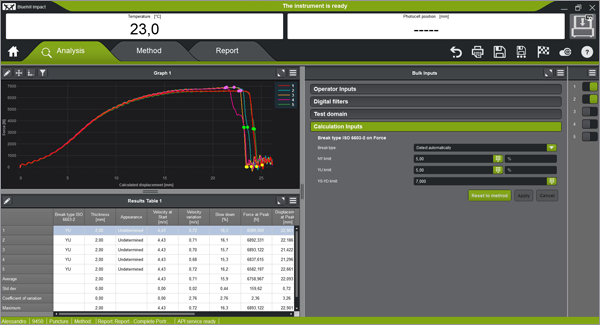
Bluehill Impact 더 스마트한 시험 분석

파손 유형 인식
곡면 형상에 따라 파손 유형을 자동 인식(ISO 6603-2). 이에 따라 운영자가 바뀌어도 파손 유형은 동일하게 유지됩니다.
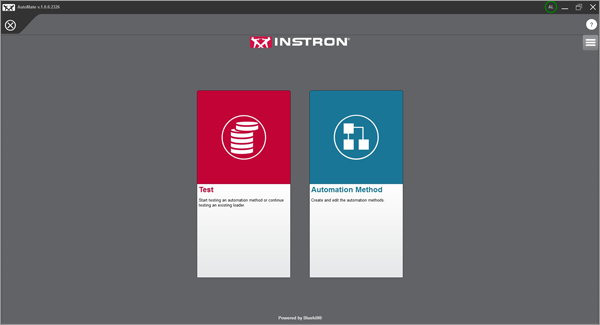
자동 시험

자동 시험
Bluehill Impact에서 시험 방법을 생성한 후 AutoMate 소프트웨어 모듈로 자동 시편 장착장치의 시험 방법을 사용자 지정하여 다른 시험 속도와 온도를 지정할 수 있습니다.
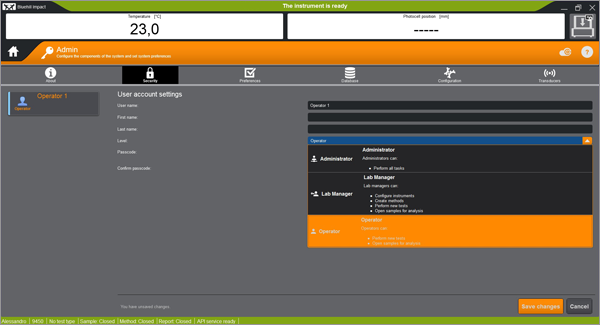
 

SAFER
높은 처리량에서의 안전성 


보안 액세스

보안 액세스
실험실 관리자는 Bluehill Impact 보안 기능으로 사용 권한을 구성하여 슈퍼 사용자에게 전체 접근 권한을 부여하고 필요한 경우 접근을 제한할 수 있습니다.
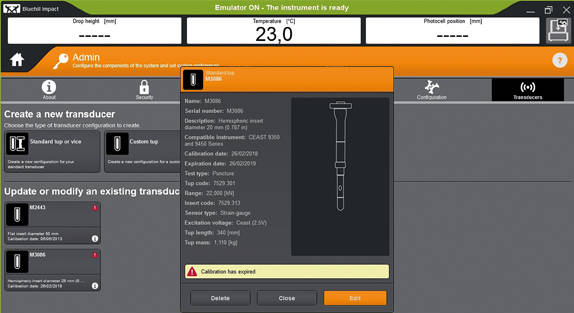
캘리브레이션 경고

텁(Tup) 캘리브레이션 경고
텁 캘리브레이션 기간이 만료되면 자동으로 경고 알림이 생성됩니다. 이 기능은 유효하지 않은 시험의 위험을 줄이고 결과의 부정확성을 방지합니다.
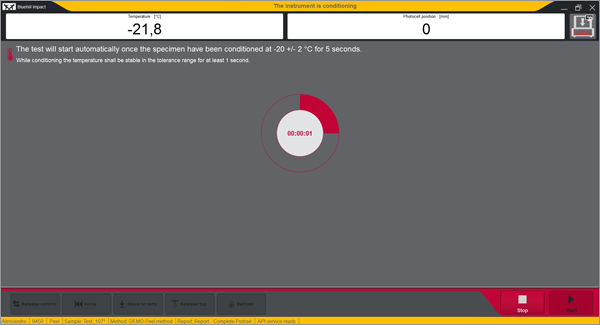
내장형 안전 알림

내장형 안전 알림
대시보드는 기기 상태에 대한 명확한 시각적 정보를 제공하므로 사용자는 시험이 진행 중인 시점을 항상 알 수 있습니다.


원격 기술 지원(RTS)

Instron Connect로 제공
Connect를 통해 제공되는 Instron 원격 기술 지원(RTS) 기능을 사용하면 당사 기술 지원 팀이 원격 화면 공유 또는 통합 증강 현실(AR)을 통해 Instron 시스템에 직접 연결할 수 있어 빠르고 고품질의 시스템 진단을 제공합니다.

자세히 알아보기

이전 소프트웨어 버전을 사용 중이십니까?
낙하 충격 시험기 소프트웨어 업그레이드에 대해 알아보기
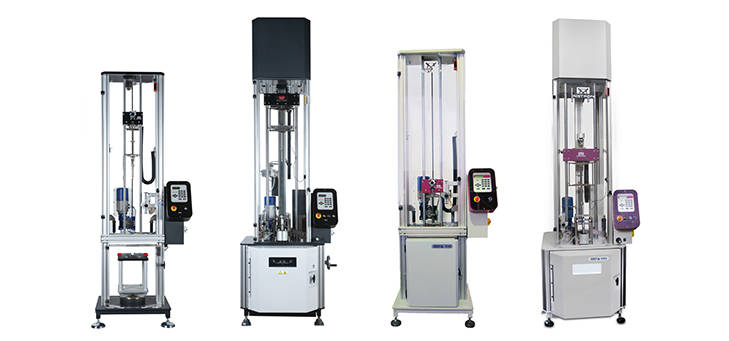
9400 및 9300 시리즈 낙하 충격 시험기

Bluehill Impact & 데이터 획득 시스템과 대시보드

최신 컨트롤러는 펌웨어 버전이 1.00 이상인 모든 9340과 펌웨어 버전이 3.00 이상인 모든 9350 낙하 충격 시험기(자동 공급 옵션이 있는 기계 포함)에 새로 장착할 수 있습니다.

Bluehill Fracture

Bluehill® Fracture

Simplify your Fracture Testing, Analysis and Reporting

Bluehill Fracture is a dedicated fracture mechanics software from Instron. Machine control, data analysis and reporting are performed for metals fracture toughness measurement to key international standards.

As a leading supplier of testing equipment for crack propagation and fracture toughness, Instron are aware of the challenges users face in reducing both the complexity and time taken to produce accurate, repeatable results. The Bluehill Fracture software package addresses these challenges.

Customizable test flows guide the user through the steps needed to produce their final results, saving time by minimizing data entry at each step.

Comprehensive on-screen user guidance along with automatic post-test analysis and reporting tools also reduce the skills and training required. Additionally, the layout, terminology and test progression is common to other Instron software packages, such as Bluehill Universal.

For the latest technology now available with Bluehill Fracture DCPD software, click below to upgrade today.
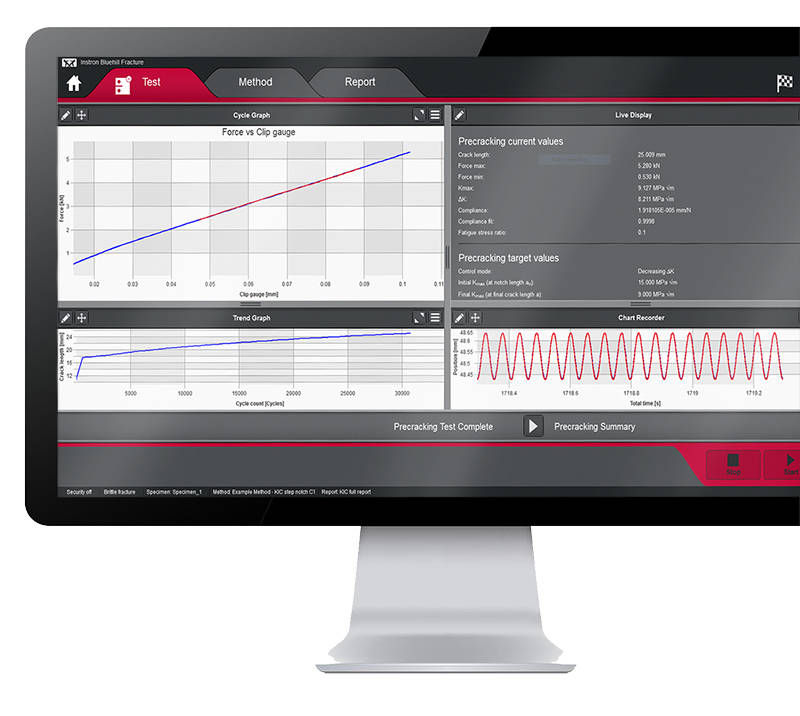
UPGRADE NOW


Bluehill Fracture Screen
SIMPLER
Spend less time setting up testsWhether you are testing using a predefined method or customizing your own, Bluehill Fracture comes with the tools to create the method you need. 

Method Definition
Bluehill Fracture's unique test workflow definition breaks the test into a logical series of steps, enabling the test designer to control the process of data entry before, during and after the test.


A reduction in entering the same data for each test saves time and minimizes data entry errors. Parameters for each stage can either be pre-populated prior to the test, imported automatically from a LIMS system or entered manually every time a test is run.
  • Customizable Work Flow
    Work flow can be clear and simple or fully detailed depending on your need. Guidance notes can be added to aid operators throughout the test.
  • Intuitive Interface
    The modern user interface is both intuitive and clear allowing for reduced training and simplified instructions.
  • Save Time
    Methods steps can be tailored to suit the test type and operator, saving time and reducing errors.
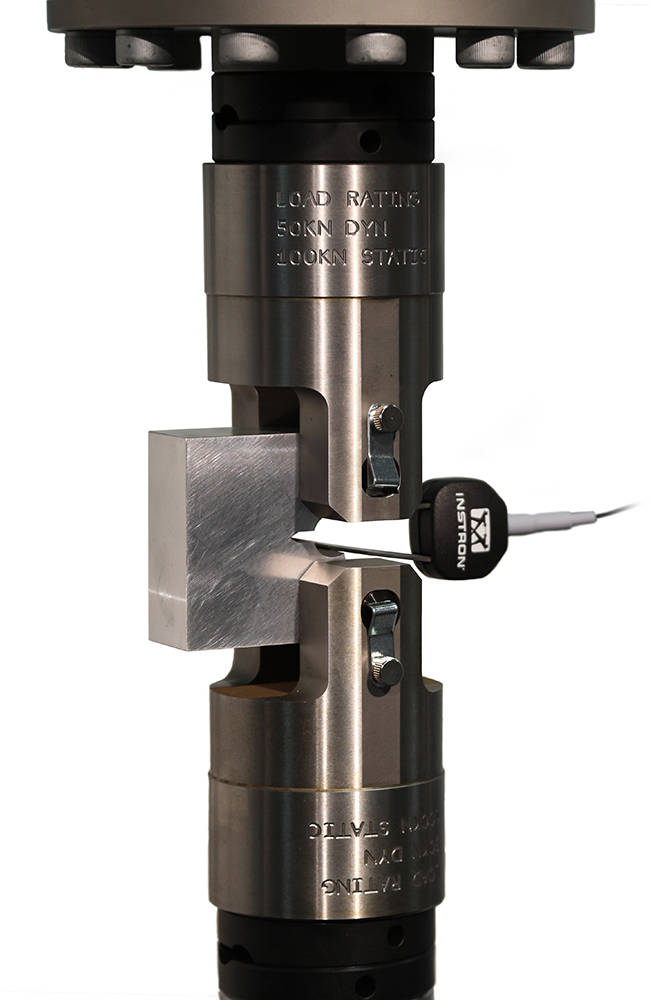
Bluehill Fracture CT Specimen in Grips

SMARTER
Produce results faster

Although Bluehill Fracture is simple to use, there are still many advanced features for analysis and report generation.


Run and Analyse Tests
Performing and analyzing Fracture Toughness tests has never been simpler than with Bluehill Fracture.

Select a test method to run, from a pre-defined list or your own customized method, and Bluehill Fracture will step you through the pre-test data entry you define, then when ready, the software will perform pre-cracking (if required) and finally onto the main fracture test.


Testing Icon Orange

Run a Test

Pre-configured material properties and pre-cracking targets reduce user input and increase throughput.

Analysis Icon Orange

Post-test Analysis

The software guides operators through data input, graph plotting and results calculation.

Report Icon Orange

Report Generation

The report and export function within Bluehill Fracture completely automates the process of generating a summary report.

SAFER
Control user access and check results

Validity checks confirm your tests are within predefined parameters whilst the security settings allow advanced users to protect areas of the method containing critical settings.


Analysis
The report and export function within Bluehill Fracture completely automates the process of generating a summary report. This reduces complexity, time and errors by avoiding additional data export and manipulation at the post test reporting stage.

Whether you need a summary in text output format or a fully customized PDF report in your organization’s format, Bluehill Fracture has the features to achieve this at the click of mouse button.
  • Automatic validity Checks
    Bluehill Fracture provides both a summary check and detailed breakdown of values and reference clauses for auditability. Validity checks are itemized and include achieved values and allowable limits.
  • User Access
    Account settings control who in the laboratory can change and update test methods.
  • Stay Up to Date
    By utilizing a separate standards library keeping abreast of the latest revisions is a simple upgrade.

Fracture CT Specimen

ADVANCED TOOLS
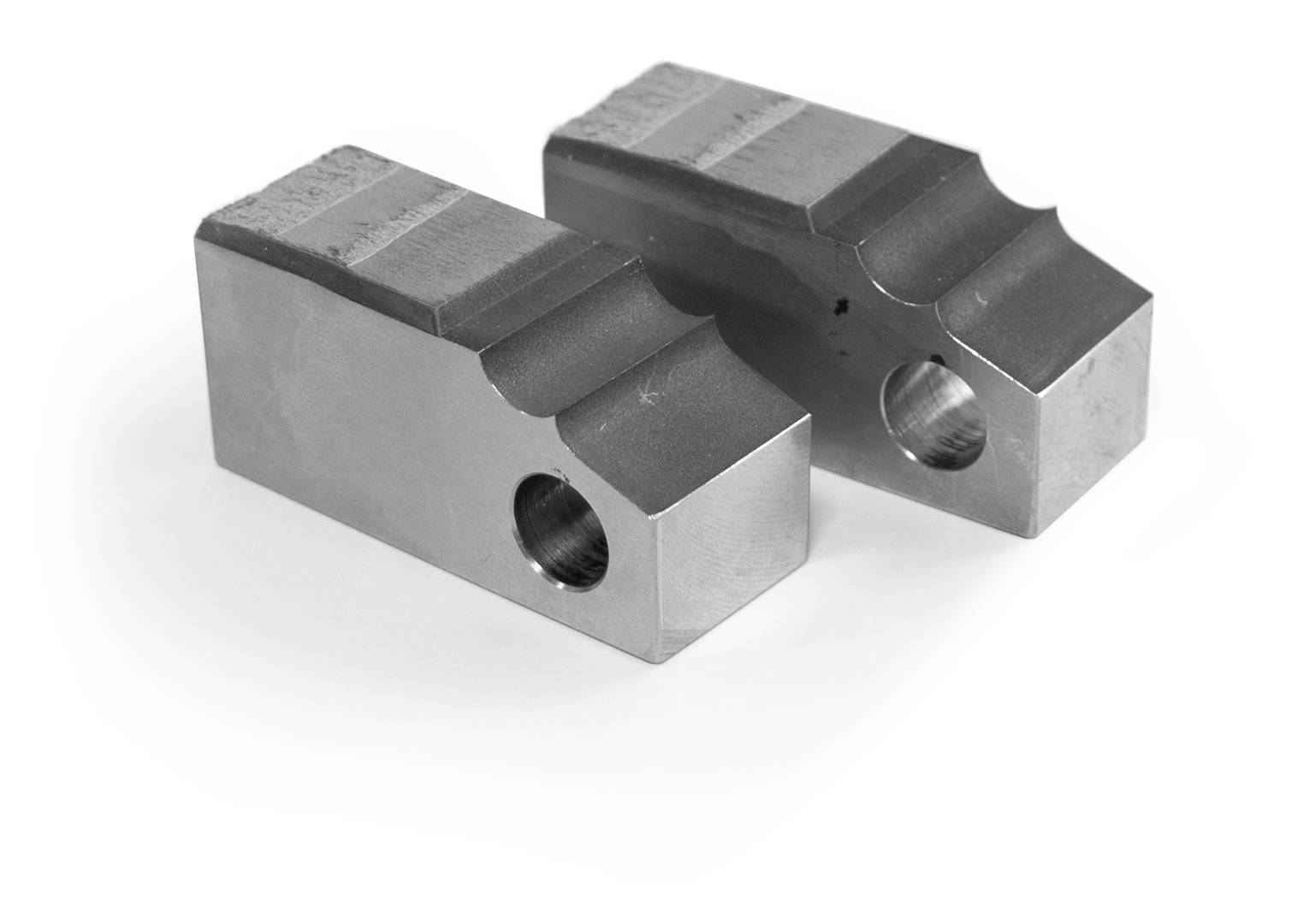
In addition to more common tests, measurement and analysis is provided for standardized methods using direct current potential drop (DCPD) for crack length measurement.

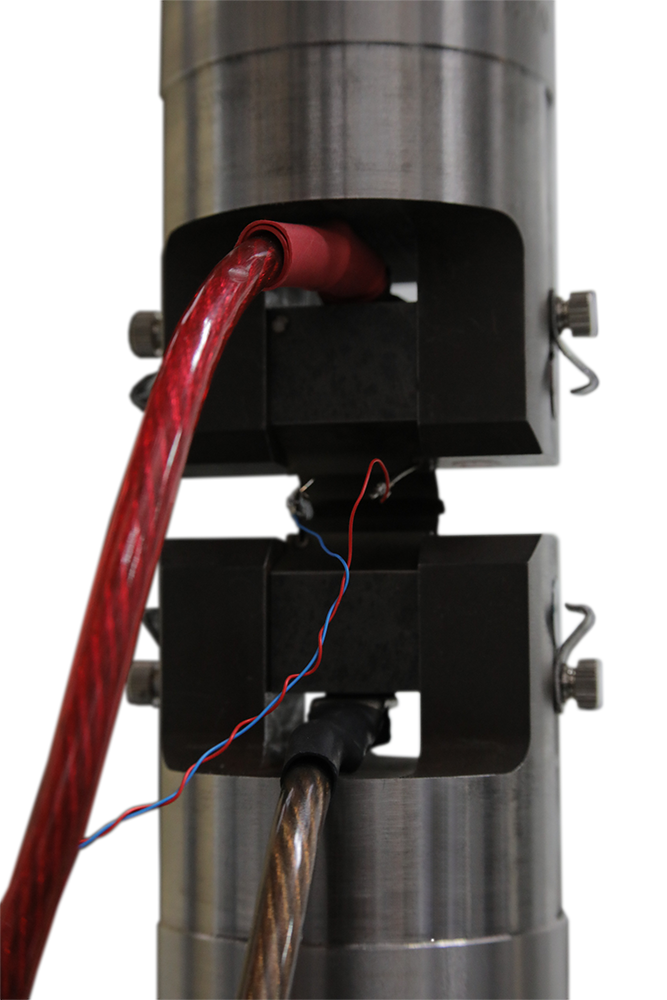
Bluehill Fracture Specimen DCPD

Test control and method set up are similar to mechanical compliance-based methods and raw data is stored in the same way. Signal noise depends greatly on the preamplification and conditioning of the DCPD system, so an additional averaging feature is available to stabilize readings during crack growth.

For fracture toughness determination, corrected displacement is calculated from user-specified frame compliance coefficients stored within the method, so that correct analyses can be used for different load strings. Manual and automated methods of V0 determination are provided, with a configurable interval for generation of J-da plot.

SUPPORTING DCPD MEASUREMENTS

  • Accepts X or X/Y from any conditioning system as scaled 0-10V transducer input
  • Live calculation of crack length for pre-cracking and fatigue crack growth experiments
  • Automatic setting of reference voltage during test
  • User-defined voltage - crack length relationships
  • Post-test analysis for JIc according to E1820 annex 18

LEARN MORE

Integration Icon Red

Integration

Various functions are available to support integration with laboratory data management systems (e.g. LIMS), such as the option to import automatically generated inputs of specimen geometry and material properties.

Features Icon Red

Supported Features

Bluehill Fracture modules support all common test standards (ASTM, ISO and BS) for crack propagation, ductile and brittle fracture, crack length measurements and specimen geometries. Users can test to predefined standards (e.g. ASTM E647, ASTM E399, ASTM E1820, ISO 12135).

For the latest Bluehill Fracture standard compatibility:

click here

Compatibility Icon Red

Compatibility

Bluehill Fracture is available with new ElectroPuls® and Servohydraulic systems, as well as any existing dynamic testing system with an 8800 or 8800MT controller running Windows 7 or 10.