Bluehill® Central Quiz













O software Bluehill Central é uma ferramenta de gerenciamento laboratorial que permite o gerenciamento centralizado e remoto dos aplicativos do software Bluehill Universal associados a múltiplas estruturas de teste Instron. O software permite gerenciar remotamente todos os usuários do Bluehill Universal, modelos de teste, resultados, aprovações de revisão de arquivos e dados de trilha de auditoria de múltiplos sistemas Instron.
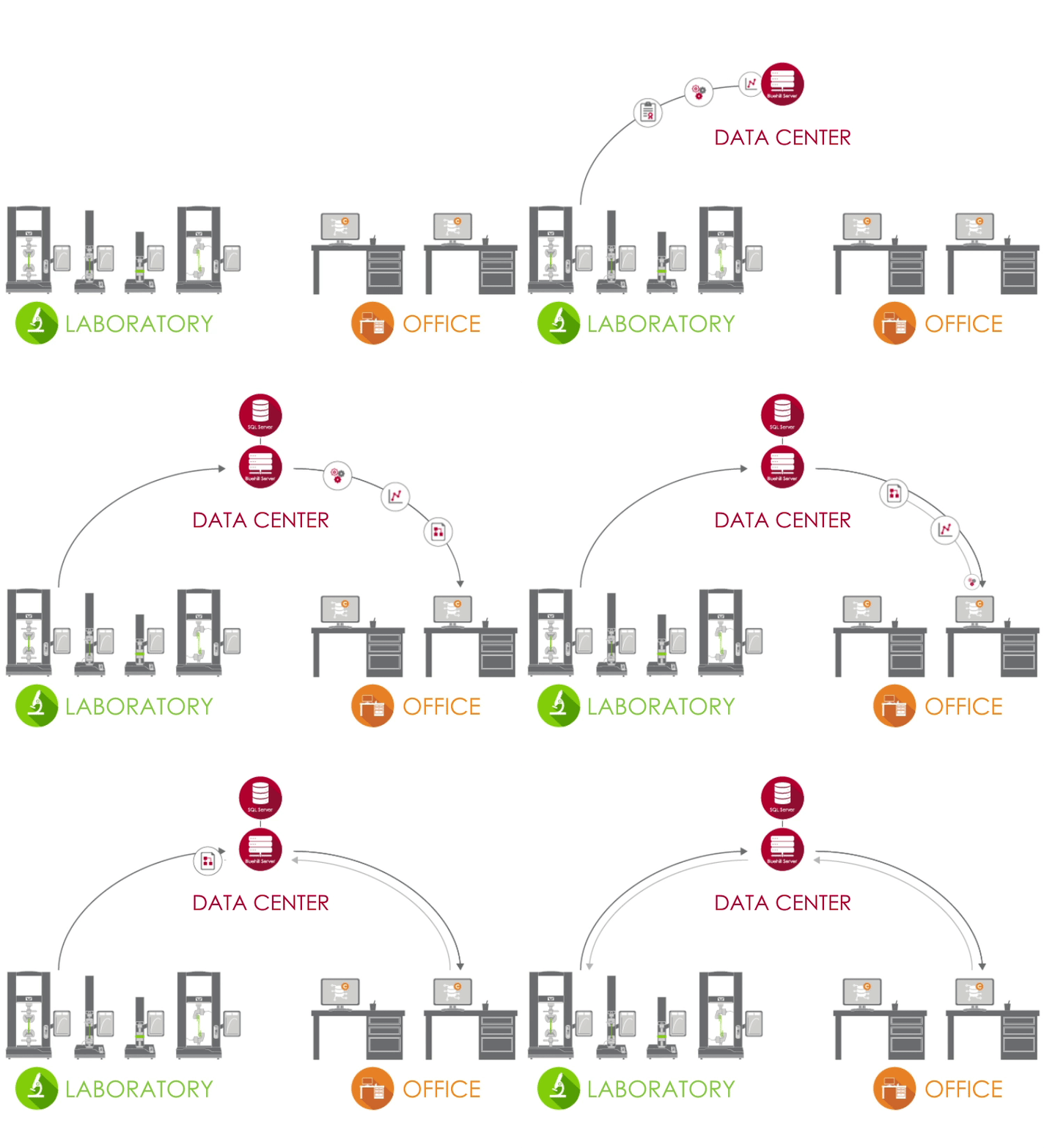
O Bluehill Central utiliza uma rede cliente/servidor para armazenar todos os dados, arquivos e configurações compartilhados em um banco de dados Microsoft® SQL Server. Quando o Bluehill Universal está conectado ao servidor Bluehill Central do seu laboratório, cada sistema de ensaio envia e recebe dados do banco de dados centralizado, eliminando o risco de variação e o ônus de gerenciar localmente cada sistema.
 |
LABORATÓRIO No laboratório, os PCs que executam o Bluehill Universal e estão conectados à sua rede corporativa podem acessar o banco de dados do Bluehill Central através do plug-in Central. |
 |
CENTRO DE DADOS Um centro de dados gerenciado pelo seu grupo de TI pode hospedar o banco de dados SQL Server que armazena centralmente os dados da Instron e o aplicativo Bluehill Server que lida com todas as transações entre os clientes e o banco de dados. Todos os clientes e servidores estão conectados através da sua rede corporativa. |
 |
ESCRITÓRIO Fora do laboratório, você pode acessar remotamente arquivos e configurações pelo visualizador do Bluehill Central. Você também pode usar licenças offline do Bluehill Universal para editar métodos de teste e visualizar dados de amostras. |
Saiba mais em nosso Guia para gerentes de laboratório e administradores de TI.
O Bluehill Central permite que grupos de usuários sejam organizados em equipes que compartilham arquivos e configurações comuns. As permissões e o acesso aos arquivos de um operador são definidos por sua equipe. Isso oferece ao seu laboratório a flexibilidade de suportar diferentes fluxos de trabalho e configurações dependendo do grupo que utiliza o sistema.
MEMBROS | Usuários individuais com permissions personalizadas
SISTEMAS DE ENSAIO | Estruturas Instron em seu laboratório conectadas ao Bluehill Central
ARQUIVOS | Métodos Bluehill, modelos de relatório, relatórios PDF ou outros arquivos relacionados à Instron
TRILHA DE AUDITORIA | Um registro das ações realizadas pelos membros da equipe
SETTINGS | Tipo de segurança, aprovações de arquivos e outras configurações no nível da equipe
Saiba mais sobre as opções de segurança no Bluehill Central.
O módulo de Gerenciamento de Laboratório contém o repositório de arquivos do Bluehill Central, que é armazenado no servidor de banco de dados. As estruturas Instron conectadas podem acessar o banco de dados para executar métodos de ensaio controlados ou exportar resultados.




O módulo de Rastreabilidade no Bluehill Central permite revisar remotamente e assinar eletronicamente modificações de método de teste, dados de amostras e outras alterações em arquivos Bluehill que ocorrem nos sistemas Instron. Aprovações de arquivos e muitas outras ações do usuário no Bluehill Central e Bluehill Universal são automaticamente capturadas em uma trilha de auditoria centralizada para verificar quem fez o quê, quando e por que em qualquer sistema Instron conectado. Nota: O módulo de Rastreabilidade exibe dados de sistemas Instron com o Rastreabilidade + Gerenciamento de Laboratório (plug-in Central), um complemento
para o Bluehill Universal.



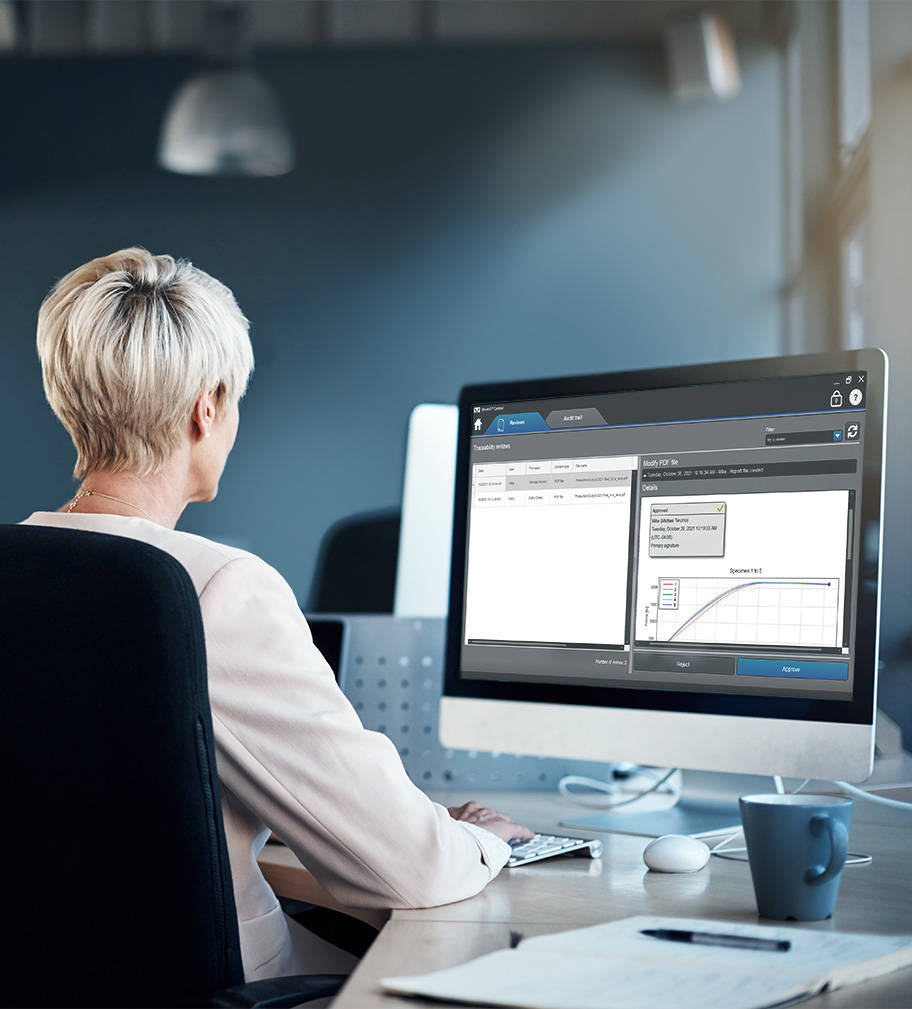
Veja como a Rastreabilidade no Bluehill Central se compara à Segurança padrão no Bluehill Universal e à Rastreabilidade local.
Saiba como a Rastreabilidade dentro do Bluehill Central pode ajudá-lo a atender aos requisitos técnicos do FDA 21 CFR Part 11.

O módulo TrendTracker no Bluehill Central acelera o fluxo de trabalho de análise de dados do seu laboratório. Uma interface intuitiva permite que você pesquise, exiba e analise rapidamente os resultados ao longo do tempo e em várias amostras e sistemas de ensaio. Diga adeus à tediosa pesquisa de arquivos e à cópia e colagem de dados.

Análise de dados de múltiplos samples
Realize a análise de dados em resultados de multiple samples produzidos por multiple test systems.

Consultas personalizáveis
Crie consultas definidas por parâmetros de teste ou resultados que forneçam insights sobre tendências e outliers.

Plotagem visual
Trace uma variedade de tipos de gráficos para visualizar conjuntos de dados.

Export Data
Export os dados para um arquivo CSV e abra-o em um aplicativo, como o Minitab®, para análise posterior.
Saiba mais sobre as estatísticas e os gráficos disponíveis no TrendTracker.
Descubra como o TrendTracker permite que o senhor tome decisões mais rápidas e baseadas em dados.
Faça um rápido tour pelo TrendTracker e veja como é fácil configurar, monitorar tendências e descobrir insights.
A seguir, há uma lista de todos os métodos de teste pré-configurados disponíveis no Bluehill Universal software de teste de materiais.
A Nova Geração de Software de Ensaios de Materiais
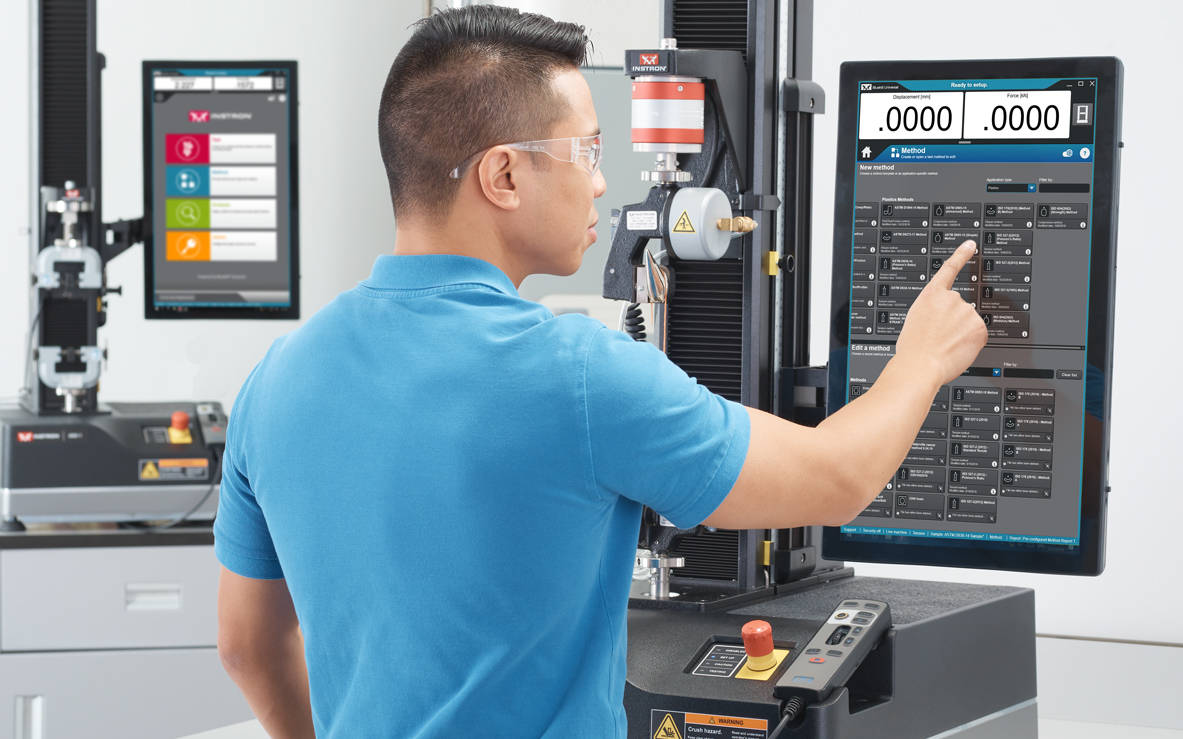
O Bluehill Universal foi construído desde o início para interação por toque. O novo layout em forma de retrato, com seu design visual meticulosamente elaborado, oferece a visão mais abrangente do espaço de trabalho de ensaio no Painel do Operador: um impressionante monitor “touch-screen” de grande formato com um sistema integrado. Os fluxos de trabalho intuitivos facilitam o treinamento de usuários novos ou experientes, simplificam a aprendizagem dos operadores e permitem que eles comecem a realizar seus ensaios mais rápido do que imaginam.
A equipe de desenvolvedores do Bluehill da Instron nunca para de inovar para tornar sua experiência de ensaios mais simples, inteligente e segura.


O Painel do Operação apresenta grandes pontos de contato e ícones fáceis de entender, tornando a experiência do usuário mais simples e inteligente. Projetado com a ergonomia em mente, o Painel de Operação é um computador All-in-One de grande formato e tela tipo “touch screen”, que pode ser montado na lateral dos sistemas Instron ou usado em uma base de suporte tipo pedestal.
QuickTest
Quando você precisar de resultados rápidos, o QuickTest permite aos usuários inserir alguns parâmetros simples e executar o ensaio em segundos.
Modelos
de Métodos
O Bluehill Universal tem uma extensa biblioteca de métodos pré-configurados para algumas das normas ASTM, ISO e EN mais comumente usadas.
Ensaios Guiados /
Fluxos de Trabalho
Os usuários podem ser orientados por todo o processo de ensaio com instruções passo a passo (incluindo imagens), garantindo que os ensaios permaneçam repetíveis, simples e sem erros.
Medição de
Amostras Integrada
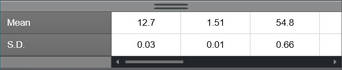
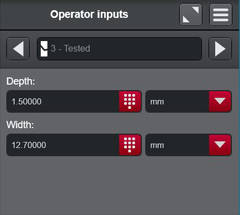
Conecte micrômetros e paquímetros diretamente no sistema para importar sem esforço as dimensões da amostra para medições de tensão (força/área).
Aprovado /
Reprovado
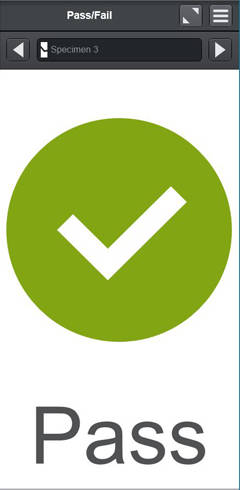
Permite que os usuários adicionem um componente informativo ao espaço de trabalho para visualizar rapidamente se uma amostra foi aprovada ou reprovada com base nos critérios de aceitação definidos no método de ensaio.
Leitor de Código
de Barras Scanner
Os usuários podem inserir informações perfeitamente no Bluehill Universal com qualquer leitor de código de barras USB. Basta criar um código de barras, incluindo a função guia, e as informações podem ser adicionadas em qualquer campo de entrada de textos ou números.
Simplicidade não significa que você tenha que desistir de recursos avançados. Os recursos modulares do Bluehill Universal oferecem potência e flexibilidade para executar os ensaios mais complexos.
Exportação personalizável
Exporte qualquer coisa pós-ensaio, desde um relatório profissional com gráficos e tabelas, até arquivos de texto personalizados para integrar com seu Sistema de Gerenciamento de Informações de Laboratório.
TestProfiler
Construa ensaios cíclicos simples que incluem rampas, retenções e ondas triangulares. A lógica condicional permite criar padrões de loop que ajudam a recriar cenários de vida real nos ensaios.
(Capacidade opcional)
Expression Builder
Crie suas próprias funções personalizadas usando uma lista de variáveis, medidas e dados brutos. Por exemplo, os usuários podem definir a velocidade do ensaio como uma função da largura e espessura da amostra ou criar uma expressão de dados brutos personalizados, como subtrair a força de arrasto ao testar em um banho de fluido.
Inserções de escolhas
As inserções de escolhas fornecem aos usuários uma lista pré-configurada de opções que reduzem o tempo necessário para a inserção de dados e o risco de erros em inserções utilizadas habitualmente, como nome de operador, cor ou tipo de amostra. Além disso, cada escolha pode ser vinculada a outros parâmetros, como taxa de teste ou dimensões.
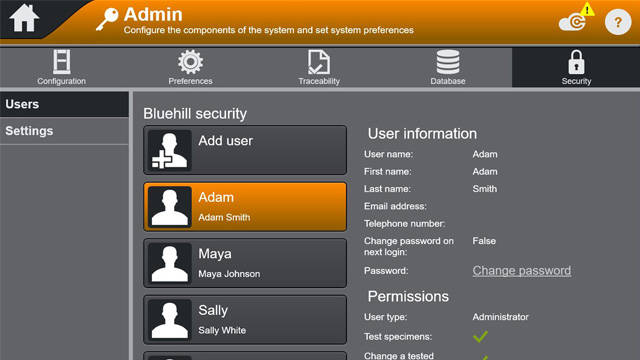
Segurança
O Bluehill Security permite que um gerente de laboratório configure a permissão no software, concedendo acesso a pessoal treinado, como superusuários, e limitando o acesso quando necessário. O Bluehill Security permite que as permissões de login sejam configuradas diretamente no Bluehill ou vinculadas ao login local do Windows ou ao Windows Active Directory.
Artigo técnico sobre a segurança no software Bluehill
Webinar: Melhore a integridade de dados com o Bluehill Universal Security
Módulo Traceability
Módulo Traceability do Bluehill Universal permite que os usuários atendam aos requisitos de auditoria associados ao FDA 21 CFR Part 11, ISO 17025, Nadcap e outros. Através da integração perfeita de aprovações eletrônicas, histórico de revisão e uma trilha de auditoria automatizada; este poderoso complemento se combina com a segurança integrada do Bluehill para fornecer rastreabilidade de dados incomparável.
(Capacidade opcional)
Prospecto
Comparativo de recursos: Segurança padrão vs. Traceability (local) vs. Traceability (Bluehill Central)
Artigo técnico sobre implementação da CFR 21 Parte 11 da FDA
Integridade de Dados e Rastreabilidade Bluehill | Criando um laboratório mais eficiente
Webinar: Apresentação do módulo Traceability do Bluehill Universal
Tipos de banco de dados
A trilha de auditoria do Traceability oferece uma rede e um banco de dados local para se acomodar a suas preferências de gerenciamento de dados. Um banco de dados centralizado em rede oferece a seu laboratório mais eficiência e menos riscos em comparação com dados gerenciados localmente. Recomenda-se determinar as preferências de infraestrutura de TI e gerenciamento de dados de seu laboratório ao considerar essas alternativas.

O módulo Traceability local do Bluehill Universal armazena dados da trilha de auditoria em um banco de dados Microsoft SQL Express hospedado no computador que executa o Bluehill Universal conectado ao sistema Instron. O modelo de banco de dados local é uma solução interessante para laboratórios que não podem conectar computadores a uma rede compartilhada. A visualização da trilha de auditoria e dos arquivos de assinatura eletrônica ocorre localmente no computador, e cada sistema Instron com um banco de dados local do Traceability armazena seu próprio banco de dados SQL Express. As funcionalidades de backup e restauração do banco de dados podem ser executadas manualmente no Bluehill Universal.
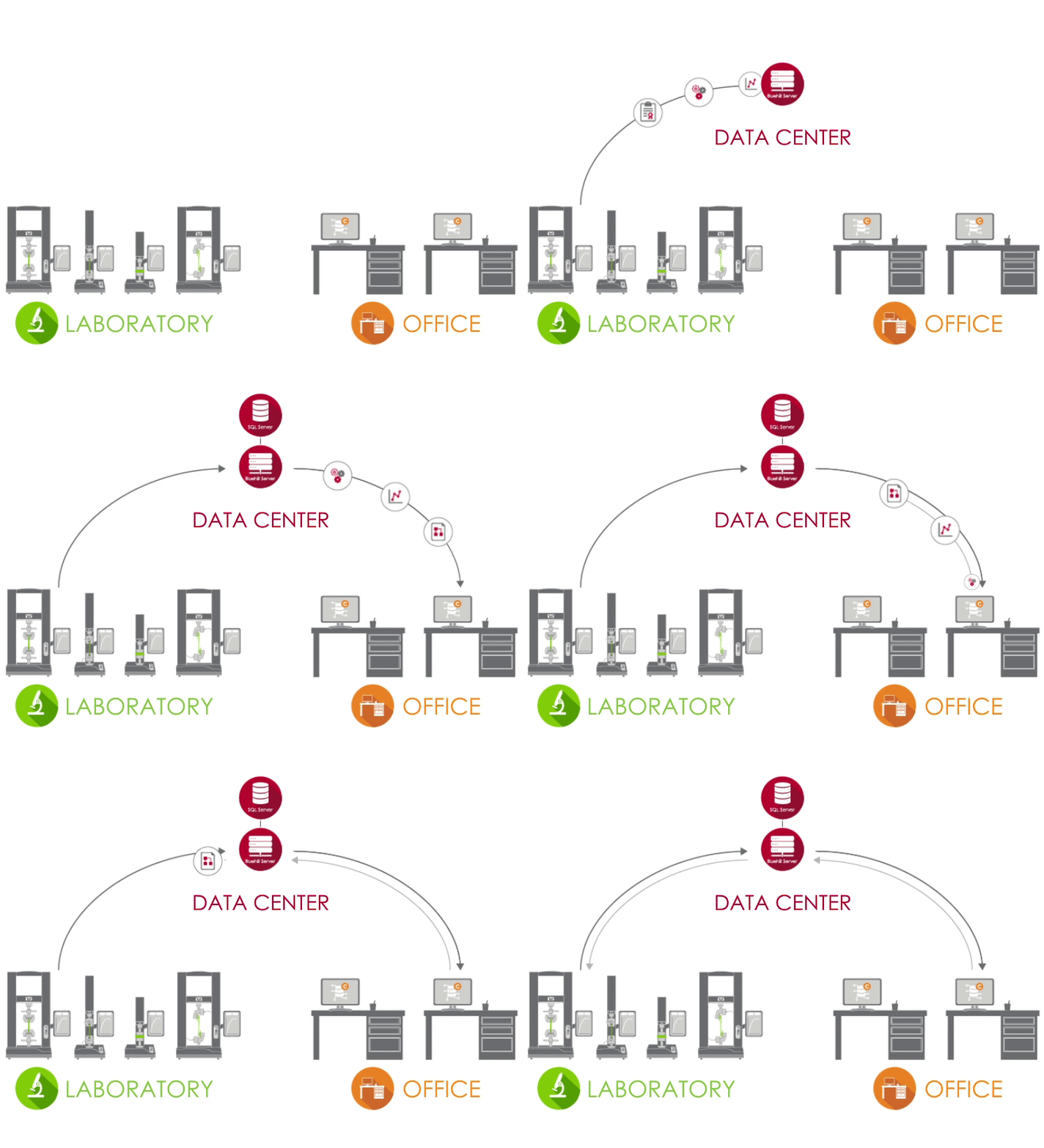
A solução do Traceability em rede da Instron é alimentada pelo Bluehill Central, que emprega uma estrutura cliente/servidor para armazenar todos os dados, arquivos e configurações de trilha de auditoria compartilhados em um banco de dados Microsoft SQL Server. Quando o Bluehill Universal está conectado ao servidor Bluehill Central de seu laboratório, cada sistema de teste envia e recebe dados do banco de dados centralizado, eliminando o risco de variação e o trabalho extra de gerenciar localmente cada sistema. A visualização da trilha de auditoria, dos arquivos de assinatura eletrônica e do gerenciamento de usuários ocorre remotamente no Bluehill Central ou localmente no Bluehill Universal. As funcionalidades de backup e restauração do banco de dados podem ser executadas manualmente no Bluehill Central.
Módulo Analysis
Repita, reanalise ou faça modificações em amostras testadas anteriormente sem ter que repetir os ensaios.
(Capacidade opcional)
Módulo TestCam
Conecte uma webcam USB para experimentar a reprodução de vídeo ponto a ponto, permitindo que você visualize o ensaio mesmo após sua conclusão.
(Capacidade opcional)
Subamostras
Usando subamostras, os usuários têm a capacidade de classificar os resultados por todos os parâmetros, incluindo nome do operador, localização de quebra de amostra e propriedades específicas da amostra.
TrendTracker
Exporte os resultados diretamente para um banco de dados TrendTracker. Os usuários podem estabelecer várias conexões de banco de dados no Bluehill Universal e selecionar o banco de dados TrendTracker no método apropriado.
(Capacidade opcional)
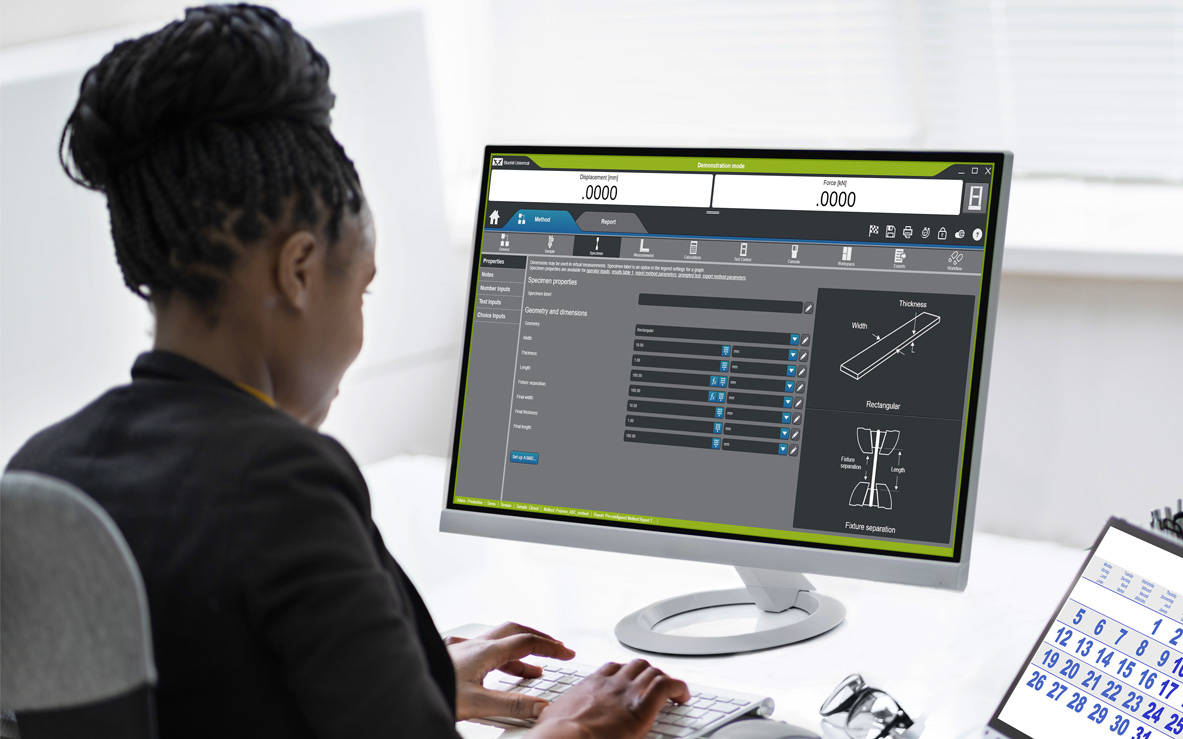
Interface para programação de aplicativo (API)
A Interface de Programação de Aplicativo (API) do Bluehill Universal permite que os administradores de sistema programem suas próprias interfaces personalizadas para controlar ações pré e pós-ensaio no Bluehill. Em muitos casos, a API pode permitir que você automatize alguns componentes da sequência de ensaio, bem como crie sua própria interface para executar certas partes do sistema, como importar, iniciar ou exportar.
Licenças Off-Line
Alguns usuários preferem construir métodos ou realizar análises de dados pós-ensaio em suas próprias mesas ou remotamente em seus laptops, em vez de usar o computador ligado a máquina de ensaios. A opção de Programação Off-line e Análise de Dados está disponível em uma licença única ou ilimitada.
Integrado ao Bluehill Universal, o Instron Connect emprega a Internet das Coisas (IoT) para oferecer aos clientes suporte técnico ainda mais rápido e simples. A Instron se empenha para liderar em satisfação do cliente, e o Instron Connect ajuda a aproximar ainda mais nossos engenheiros de suporte de sua organização.




COMPATIBILIDADE
O Bluehill Universal está disponível com o painel de operação nos novos sistemas 6800 e 3400. Ele também pode ser adicionado aos sistemas de ensaio estático 6800, 3400, 5900, 3300, 2300, 5500, 59R e IS02 existentes, além de sistemas atualizados com eletrônica 5900. Os sistemas dinâmicos ElectroPuls ™ e 8800 também podem tirar proveito da versatilidade e facilidade de uso do Bluehill Universal para executar ensaios estáticos.
Treinamento | Configuração do computador | Carta de garantia de qualidade de software (SQA) do Bluehill


CrashSim Office is a stand-alone program for signal preparation and processing, as well as for predicting the pulse-making capability and the generation of the DriveSignal for the CrashSimulationSystem. CrashSimOffice is used offline from the crash simulation system and has essentially the following characteristics
Import Functions
Edit Functions
Prediction Functions
CrashSim Office is an indispensable tool in the modern development process. Due to its variety of possibilities, it relieves the sled test operation of a multitude of necessary pre-shots to prove the feasibility of a pulse. As a result, CrashSim Office helps the sled system to function as efficiently and productively as possible.
Learn more about Crash Simulation Systems.
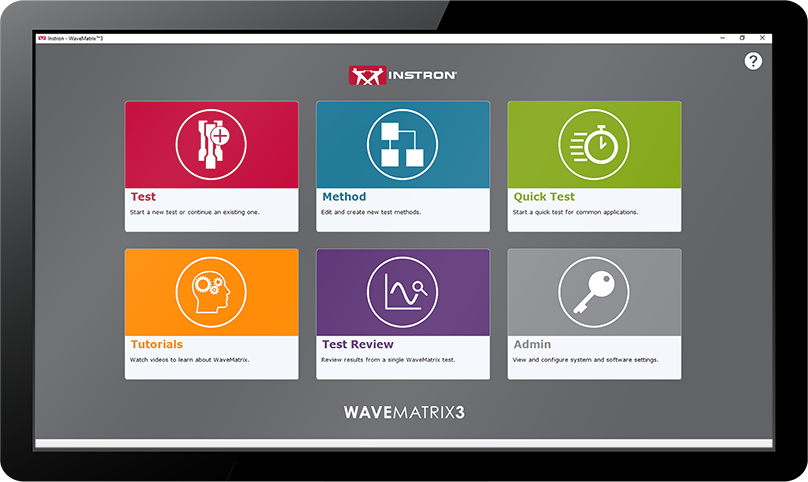
WAVEMATRIX™3
FAQs
Test review allows users to review their test results directly from the Test tab in WaveMatrix3. Features include editable layout of graphs and results tables, zoom tool, and the ability to overlay multiple cycles for quick review.
The default graph layout will mirror the WM3 test workspace when users first open a test in test review. Users can edit the layout, number of graphs and graph types within test review. Any changes to the layout will be saved, but the original data and method files will remain untouched.
The graph layout can be changed using the edit layout function, and graph types can be changed using the properties function. Various display options are available such as showing or hiding the legend, adjusting the scale, etc.
Test review allows up to 4 graphs to be displayed at one time.
The graph types available are X-Y, Double Y, Peaks & Trends, Multi-Channel and Stop File.
Graphs can be copied as an image to the clipboard by right clicking or using the task menu.
Users can have multiple instances of test review open for reviewing each test. Users cannot include multiple tests in one review.
The Area of Interest pane is used to select the data you wish to include in your Test Review. Multiple cycles can be overlaid by enabling the multi-selection option. Focus the review on your chosen data by editing the Data Source, choosing the steps/loops of interest, and choosing cycles of interest.
Yes. Multiple cycles can be selected and displayed in test review.
Yes. Multiple steps can be selected and displayed in test review.
When you want to record dimensions or information about the specimen and/or test along with the test data and when you want to calculate or control axial stress during the test using a cross-section measurement.
The basic specimen geometries (for axial stress) are Flat, Round, or Custom – all of these have mandatory cross-section details and support user-defined inputs. “Other” specimen type allows users to add specimen and test inputs without a cross sectional area and corresponding stress channel. “None” specimen type is provided for backward compatibility for methods from WaveMatrix1 or WaveMatrix2 and collects no inputs at all.
Users can add an unlimited number of specimens and test inputs.
Yes. Basic guidance and an example is provided in the online help, or contact the Dynamic Applications team in High Wycombe for advice.
Specimen and test inputs are completely customizable. Any dimensions can be added in the ‘custom dimensions’ field with units of length, while any free form text can be added in the ‘custom properties’ field. For example, batch numbers, material, color, total length etc.
These are shown on the test inputs panel, which is now a default part of layout in new methods. Screen layout and panel contents are configured in the method.
Users can remove specimen and test inputs from the test inputs tab in the method, which will prevent the input from showing in the test workspace. If security is enabled, operators will not be able to access those inputs.
Users can update specimen and test inputs in the test workspace. Cross-section inputs cannot be edited after test start, but all other fields can be updated while the test is running (for example users may wish to record visual observations during the test). The final value will be saved at the end of the test.
No. All specimen and test inputs must be added to the method. They can only be entered or updated during setup or while the test is running.
There is a specimen and test inputs .txt file saved in the test folder. The specimen and test details are also saved in the method file.
The Security option allows you to create and manage different access levels and associated permissions for system operators. If Security is enabled each user must log in with their own account settings (username and passcode) and can only perform operations permitted by their access level.
If Security is disabled or never enabled initially, all users have unlimited access to all non-security operations. Only Administrators can enable or disable Security.
Yes. An Administrator profile will be automatically created and asked to create their own PIN and when the feature is first enabled.
You can set up as many users as required, and you can set up multiple users at each level to suit your lab needs.
Three: Administrator, Lab Manager, Operator.
Operators can only run tests using existing methods; they can review data and access tutorials. Lab Managers can create and edit methods and use all functions except Security settings. Administrators have full access to all features including enable/disable Security and create user profiles.
You can customize your own username, first and last name, and passcode. An Administrator can also modify the settings of other users, including their Access Level.
Only an Administrator can change other users’ settings.
An Administrator can remove/add a user and change their settings.
Saved methods remain visible and usable by other users.
Ask an Administrator to modify your settings and assign a new passcode.
An Administrator can disable Security at any time. The list of users will be available again if/when the Administrator re-enables Security.
No. Security is enabled and user profiles are set up locally on each system.
A seguir, estão os requisitos mínimos de computador necessários para instalar e operar o software de teste Bluehill® Universal corretamente em seu sistema. Outros requisitos dependem de dispositivos complementares, como um extensômetro de vídeo. Entre em contato conosco para obter a configuração recomendada.
O Bluehill Universal foi projetado para interação por toque, portanto, recomenda-se que um monitor touchscreen seja usado para uma experiência de usuário ideal.
Os requisitos dependem ainda de módulos adicionais, como extensômetros de vídeo. Contacte-nos para a configuração recomendada.
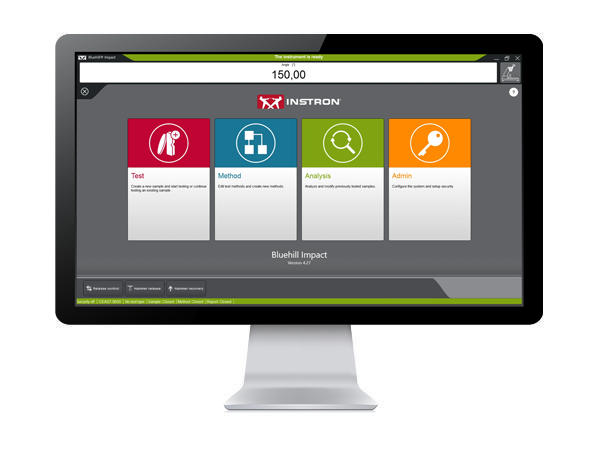
Bluehill Impact for Pendulum has been designed to meet customer needs. The touchscreen interface features an outstanding visual design that improves user experience while also incorporating safety features. Intuitive workflows make it easy to train users, simplify operator training, and allow you to start testing faster than ever before.

CLICK TO PLAY TESTING
Pre-configured methods are already provided. You can select a suitable method, and press start immediately.

ENHANCED SAFETY
The color-coded framework informs you about the machine's status and provides clear, valuable information to the user. A simple glance lets you know what environment you are in, and whether it is safe to interact with the machine.

ADVANCED CALCULATION
Automatic identification of break type from the shape of the curve in accordance with ISO 179-2.

USER-DEFINED ACCESS RIGHTS
With three different pre-defined profiles to select from, it is possible to configure the workspace to suit the needs of different users and limit the functionality that is available to an individual.
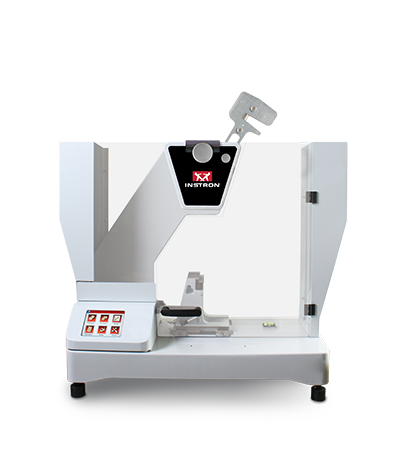
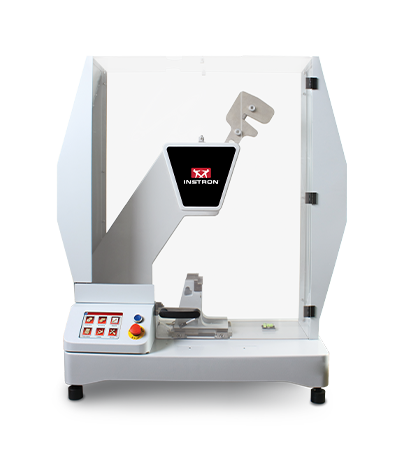
Pendulum Impact Testing Machine enables users to determine the impact resilience of plastics and composites, easily and safely.
Bluehill Fracture Standards Library is a Microsoft Windows PC compatible software package, developed by Instron - Division of ITW Limited, that provides a library of analysis functionality used by the Instron Bluehill Fracture software.
|
Analysis Result
|
Measurement
|
Specimen
|
|||||||||||||
|
KIc
|
KIsi
|
CTODc
|
Jc
|
JIc
|
Clip-Gauge
|
DCPD
|
C(T) Straight Notch
|
C(T) Load Line
|
SEN(B)
|
Disc Straight Notch
|
Disc Load Line
|
Arc Tension
|
Arc Bend
|
M(T)
|
|
|
ASTM E399-23
|
✔ | ✔ | ✘ | ✘ | ✘ | ✔ | ✘ | ✔ | ✔ | ✔ | ✔ | ✘ | ✔ | ✔ | ✘ |
|
ASTM E1820-24
|
✘ | ✘ | ✔ | ✔ | ✔ | ✔ | ✔ | ✘ | ✔ | ✔ | ✘ | ✔ | ✘ | ✘ | ✘ |
|
ISO 12135:2021
|
✔ | ✘ | ✔ | ✔ | ✔ | ✔ | ✘ | ✔ | ✔ | ✔ | ✘ | ✘ | ✘ | ✘ | ✘ |
|
GB/T 21143-2014
|
✔ | ✘ | ✔ | ✔ | ✔ | ✔ | ✘ | ✔ | ✔ | ✔ | ✘ | ✘ | ✘ | ✘ | ✘ |
|
BS 7448-1:1991*
|
✔ | ✘ | ✔ | ✔ | ✘ | ✔ | ✘ | ✔ | ✔ | ✔ | ✘ | ✘ | ✘ | ✘ | ✘ |
|
ASTM E647-19
|
✘ | ✘ | ✘ | ✘ | ✘ | ✔ | ✔ | ✔ | ✔ | ✔ | ✔ | ✔ | ✔ | ✔ | ✔ |
|
ISO 12108:2019
|
✘ | ✘ | ✘ | ✘ | ✘ | ✔ | ✔ | ✔ | ✔ | ✔ | ✔ | ✔ | ✔ | ✔ | ✔ |
|
Brittle KIc
|
Brittle/Basic CTOD or J
|
Ductile JIc (single specimen)
|
Ductile JIc (DCPD)
|
Crack Growth
*Excludes post-test analysis
|
||||
|
Standards →
|
ASTM E399-23
|
ISO 12135:2021
(GB/T 21143-2014)
|
ASTM E1820-24
|
ISO 12135:2021
(GB/T 21143-2014)
|
ASTM E1820-24
|
ISO 12135:2021
(GB/T 21143-2014)
|
ASTM E1820-24
|
ASTM E647-19
ISO 12108:2018 (GB/T 6398-2017)
|
|
Specimens ↓
|
||||||||
|
C(T) Straight Notch
|
✔ | ✔ | ✘ | ✘ | ✘ | ✘ | ✘ | ✔ |
|
C(T) Load Line
|
✘ | ✔ | ✔ | ✔ | ✔ | ✔ | ✔ | ✔ |
|
SEN(B)
|
✔ | ✔ | ✔ | ✔ | ✔ | ✔ | ✔ | ✔ |
|
Disc Straight Notch
|
✔ | ✘ | ✘ | ✘ | ✘ | ✘ | ✘ | ✔ |
|
Disc Load Line
|
✘ | ✘ | ✔ | ✘ | ✔ | ✘ | ✘ | ✔ |
|
Arc Tension
|
✔ | ✘ | ✘ | ✘ | ✘ | ✘ | ✘ | ✔ |
|
Arc Bend
|
✔ | ✘ | ✘ | ✘ | ✘ | ✘ | ✘ | ✔ |
|
M(T)
|
✘ | ✘ | ✘ | ✘ | ✘ | ✘ | ✘ | ✔ |
Nota: A lista de recursos mostrada abaixo destina-se a destacar as melhorias significativas incluídas em cada versão do software. Para uma lista completa de melhorias e modificações por versão, consulte as Notas de Lançamento do Bluehill Universal, que está armazenada na pasta Instron acessível pelo Menu Iniciar do Windows. Se o Bluehill Universal não estiver instalado, por favor entre em contato conosco para solicitar as Notas de Lançamento.
Lançado em agosto de 2025
Lançado em junho de 2025
Lançado em julho de 2024
Lançado em janeiro de 2023
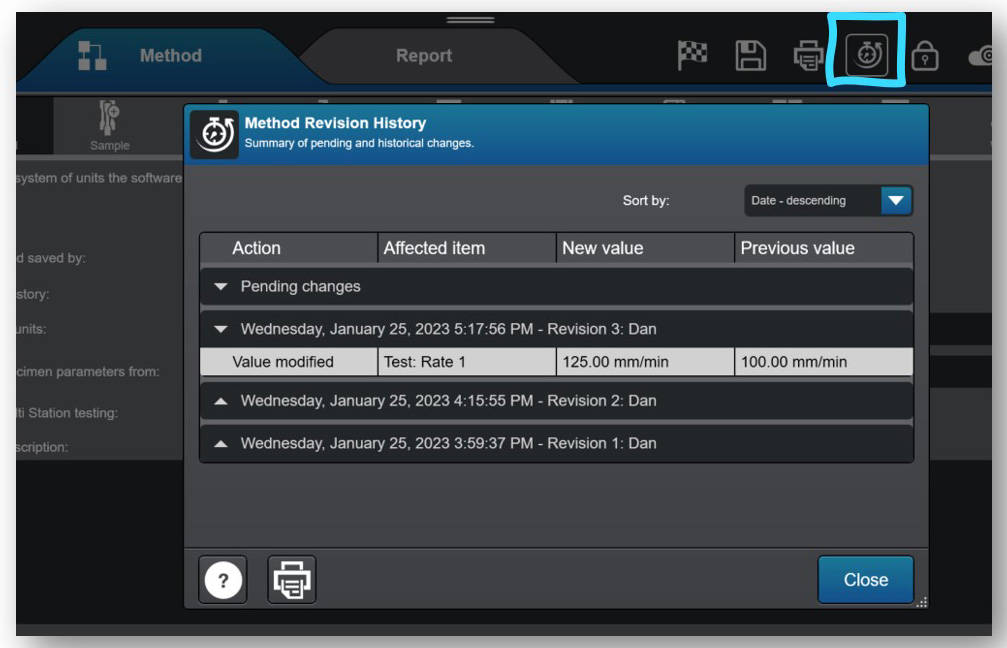
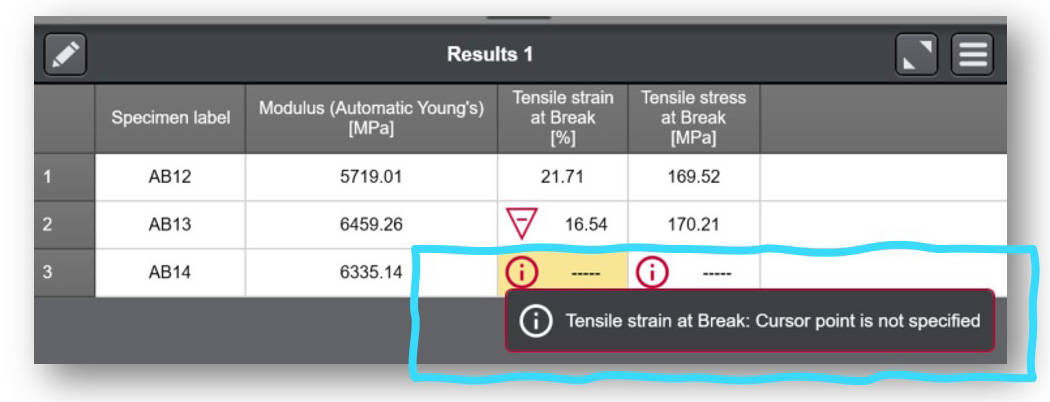
Lançado em agosto de 2022
Lançado em abril de 2022
Lançado em dezembro de 2021
Lançado em maio de 2021
Lançado em dezembro de 2020
Lançado em junho de 2020
Lançado em fevereiro de 2020
Lançado em junho de 2019
Lançado em dezembro de 2018
Lançado em junho de 2018
Lançado em novembro de 2017
Lançado em agosto de 2017
Lançado em fevereiro de 2017
Observação: a lista de recursos mostrada abaixo tem como objetivo destacar as melhorias significativas incluídas em cada versão do software. Para obter uma lista completa de melhorias e modificações por versão, consulte as Notas de versão do Bluehill Central, que estão armazenadas na pasta Instron acessível no menu Iniciar do Windows. Se o Bluehill Central não foi instalado, entre em contato conosco para solicitar as Notas de versão.
Lançado em agosto de 2025
Lançado em novembro de 2024
Lançado em julho de 2024
Lançado em dezembro de 2022
Lançado em abril de 2022
Lançado em dezembro de 2021
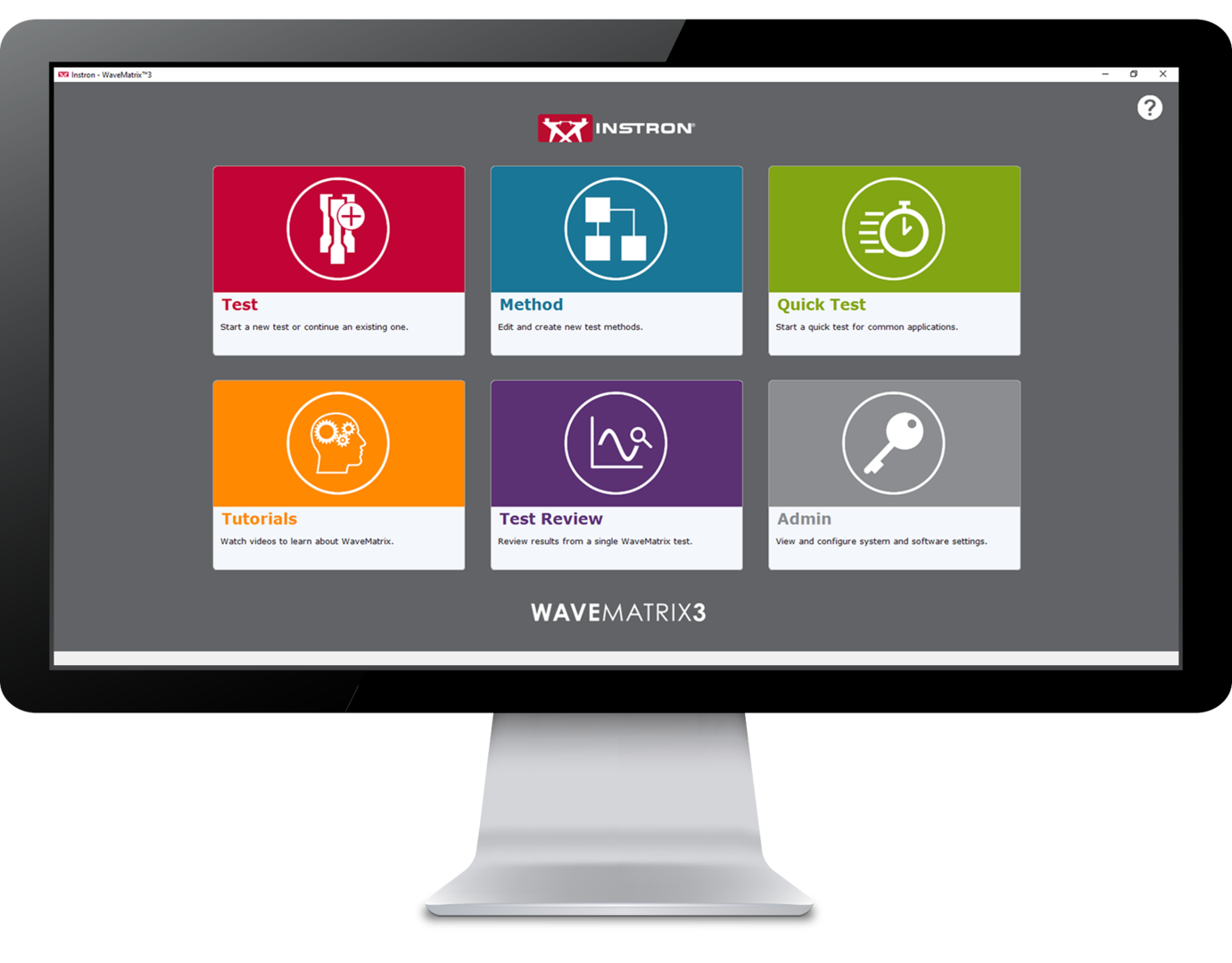 |
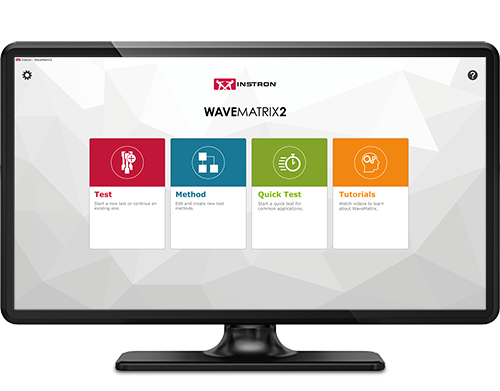 |
 |
|
|
FEATURE
|
WAVEMATRIX3
|
WAVEMATRIX2
|
WAVEMATRIX
|
| Intuitive User Interface | ✓ | ||
| Retrospective Test Review | ✓ | ||
| Auto-Calibration | ✓ | ✓ | ✓ |
| Stiffness Based Tuning | ✓ | ✓ | ✓ |
| Quick Test Setup | ✓ | ✓ | |
| Customizable Specimen & Test Details | ✓ | ||
| Integrated Virtual Test Information | ✓ | ||
| Specimen Protect | ✓ | ✓ | ✓ |
| Example Methods | ✓ | ✓ | |
| Video Tutorials | ✓ | ✓ | |
| PIN-Coded Accessibility | ✓ | ||
| User Defined Access Rights | ✓ | ||
| Visual Test Space | ✓ | ✓ | ✓ |
| Intuitive Test Setup | ✓ | ✓ | |
| Visual Sequence Builder | ✓ | ✓ | ✓ |
| Microsoft Windows 11 Compatibility | ✓ | ✓ | |
| WaveMatrix Backwards Compatibility | ✓ | ||
| Always-On-Top Display | ✓ | ✓ | ✓ |
| Automatic Logging | ✓ | ✓ | ✓ |
| Robust File Structure | ✓ | ✓ | ✓ |
Reducing the time taken to accurately perform tests has been a continuous focus for product innovation and with WaveMatrix3, this concept was central to development. Designed using expert customer feedback, the following features have been produced to accelerate the process of reviewing a test.
Improving productivity can occupy a significant part of any organizations continuous improvement efforts and is a key component of sustainable growth and unlocking employee potential. WaveMatrix3 has been designed to improve throughput and minimize the inefficiency of routine testing.
Resources required for test validation are necessary and critical to ensuring the quality of test data. WaveMatrix3 features help to simplify the conformity process so that laboratories are more effective, the potential for human error is reduced and confidence in the result is improved.
As the world advances into the 4th industrial revolution, the demands for automation and data exchange in the materials testing industry has increased. Software has often been used to solve this challenge and WaveMatrix3 has been designed to meet these challenges and ensure testing facilities are as futureproofed as possible.
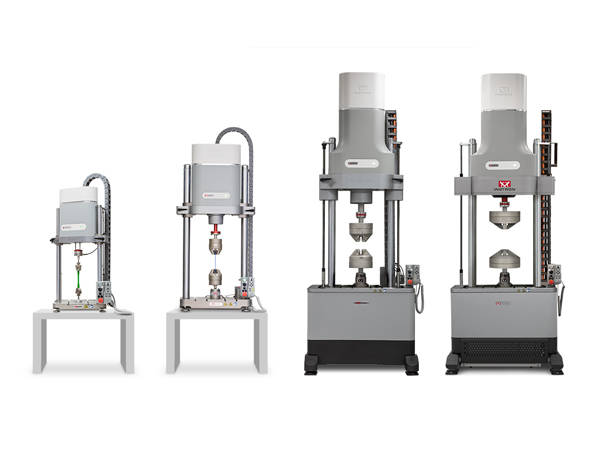
Linear electric motor driven dynamic test machines for fatigue and fracture mechanics testing.
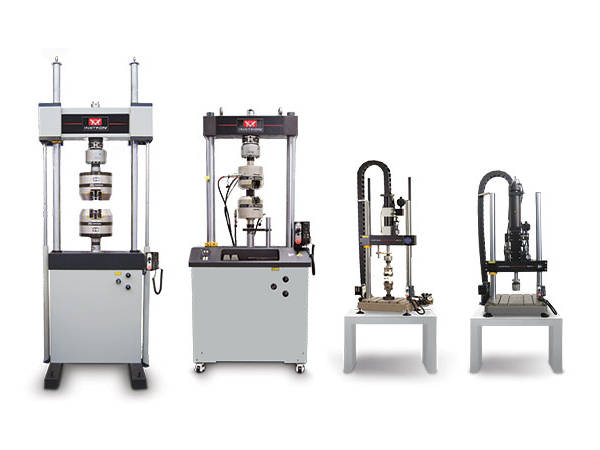
General purpose servohydraulic systems ideal for high-cycle and low-cycle fatigue, fracture mechanics and quasi-static testing.
Provides system control, data acquisition, real-time graphs, calculation of results, storage of data to disk, and post test graphs and reports in accordance with the relevant sections of ASTM E606-04, BS 7270 (2006), and ISO 12106 (2003).
Please contact Instron for the minimum PC requirements necessary to install and operate this software.
RS LabSite® modulogic is a comprehensive and adaptable software suite conceived for introducing service loads into individual components or complete vehicles, or performing calculations within the framework of Virtual Prototyping (standardized loadsequences, virtual generation of load data). This enables you to stay in full control of all tasks that follow the acquisition of measurement data in the proving ground.
In addition RS LabSite® modulogic provides open and closed loop control functions for your durability tests, collects data and monitors the entire process. Extensive reporting functions with graphical presentation of results – programmable to suit your requirements – round off the package.
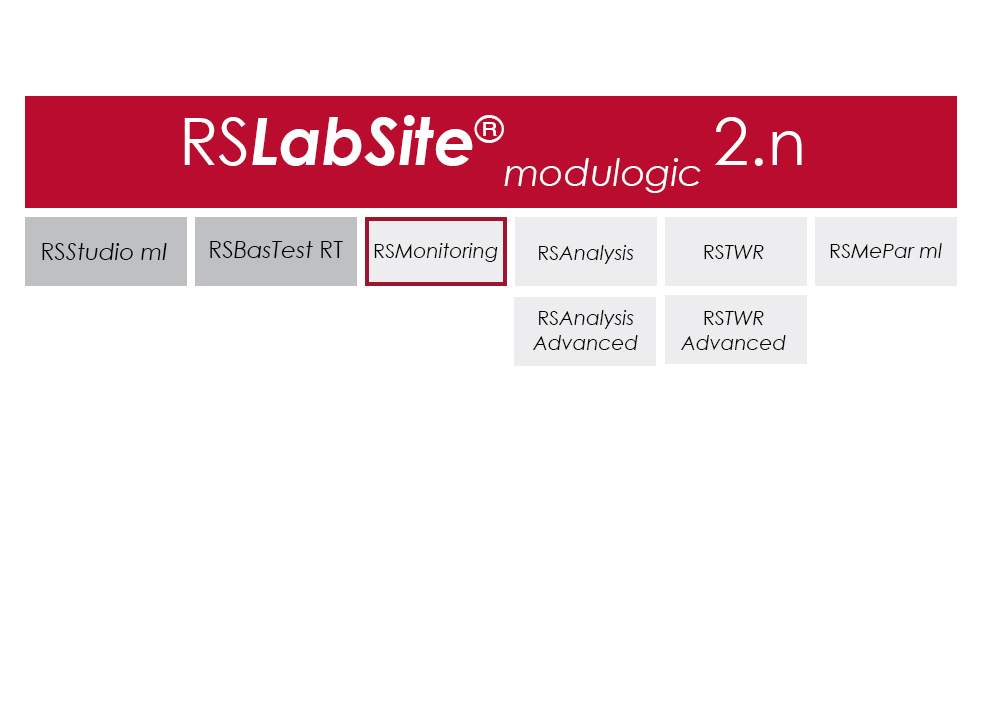
The software is modular and consists of four components. The basic module, RS BasTest RT, provides all necessary tools for digital pre-processing of durability tests. Depending on requirements, the extension modules RS Analysis, RS TWR and RS Monitoring, can be used for single- and multi-axial service load simulations, specific analysis procedures or multistage reporting functions. The software runs under the Windows© operating system.
RS LabSite® modulogic is an integrated and modular solution for analysis of test rig data and test execution:
| Item Name | Cat# |
|---|---|
| RS MePar ml | RS MePar ml |
| RS BasTest RT | RS BasTest RT |
| RS Monitoring | RS Monitoring |
| RS TWR | RS TWR |
| RS Analysis | RS Analysis |
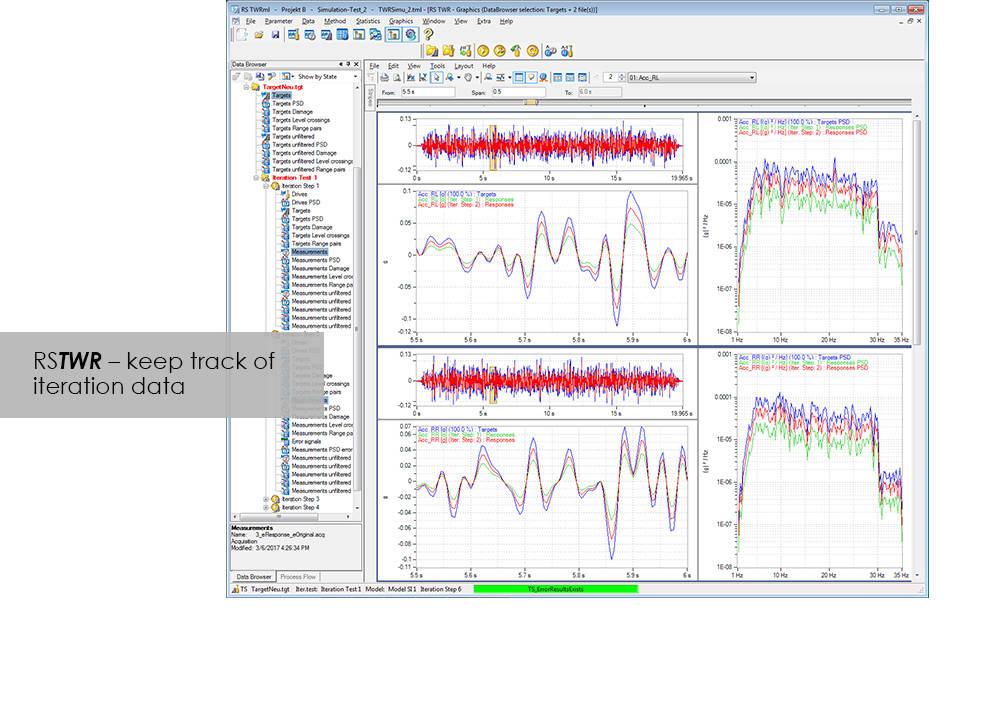
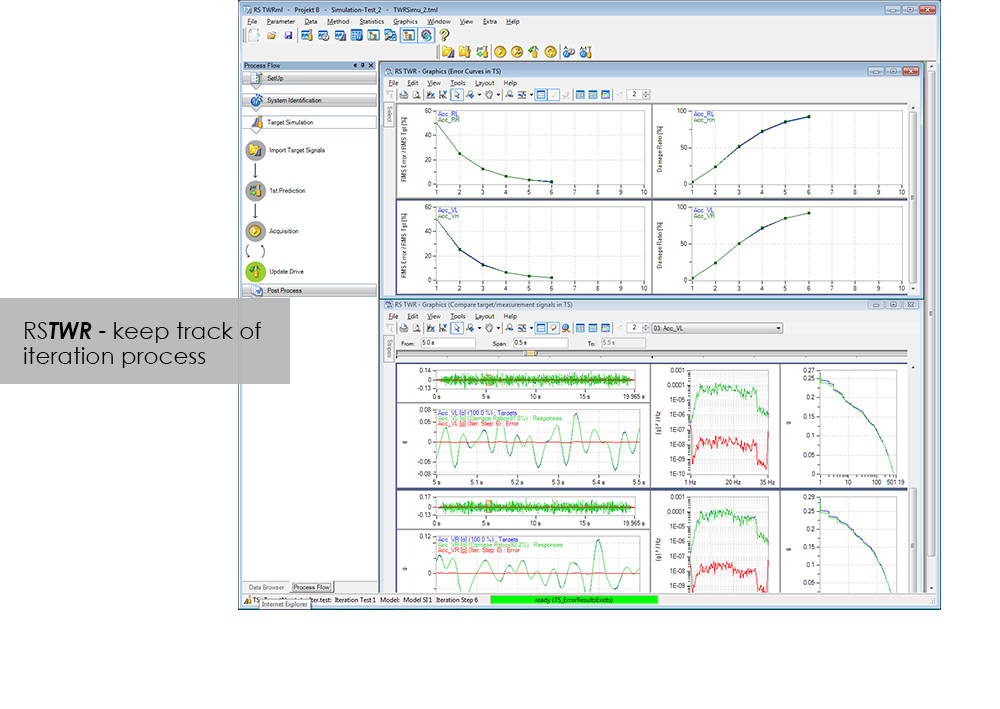
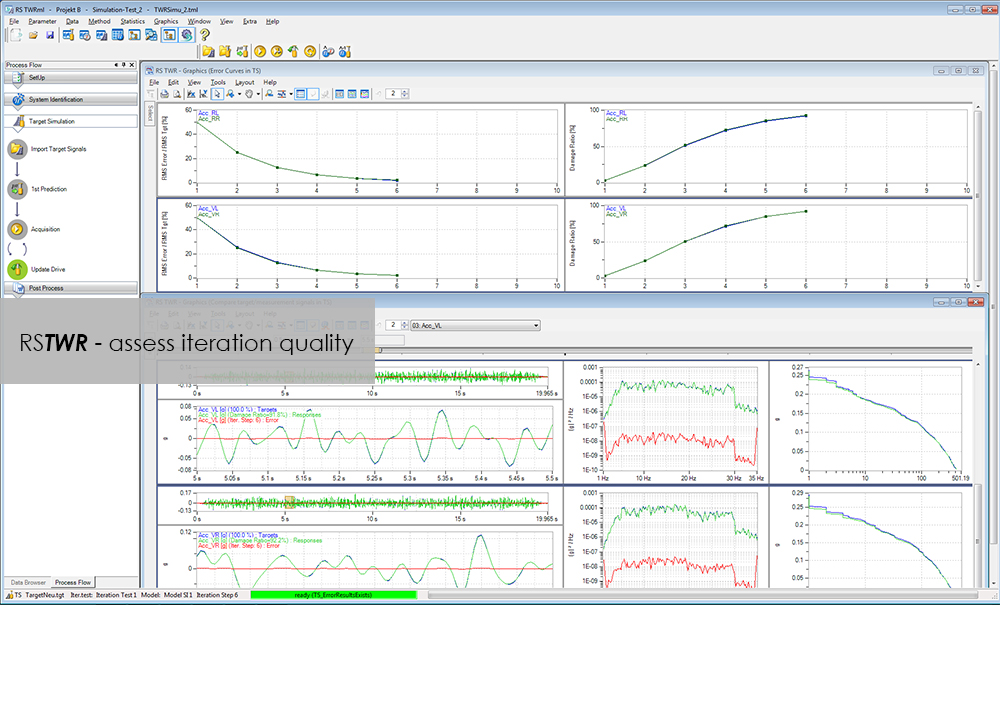
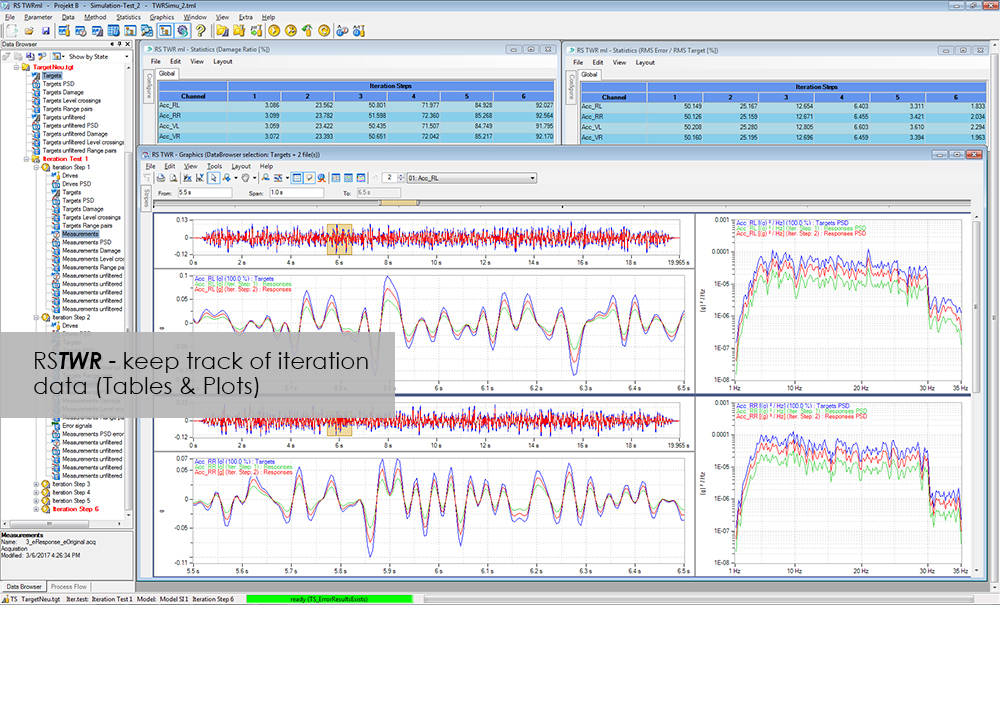
To enable the different loading signals measured under actual service conditions on vehicles, sub-assemblies or components to be replayed on the test rig, these loading signals first need to be "translated". RS TWR (Time Waveform Replication) produces a mathematical model of the test specimen and the test rig, and uses this model to calculate actuator drive signals from measured load histories, e.g. loads or strains. The system employs an iterative procedure and ensures maximum accuracy in the reproduction of measured load data.
The module excels through user-friendly operation. Assisted by the new integrated process flow tool, less experienced operators will be able after a very short period of familiarization to conduct a typical simulation procedure. The Windows environment will be familiar to most users, and an intelligent selection of parameters minimizes necessary user inputs.
| Notes |
- |
|---|

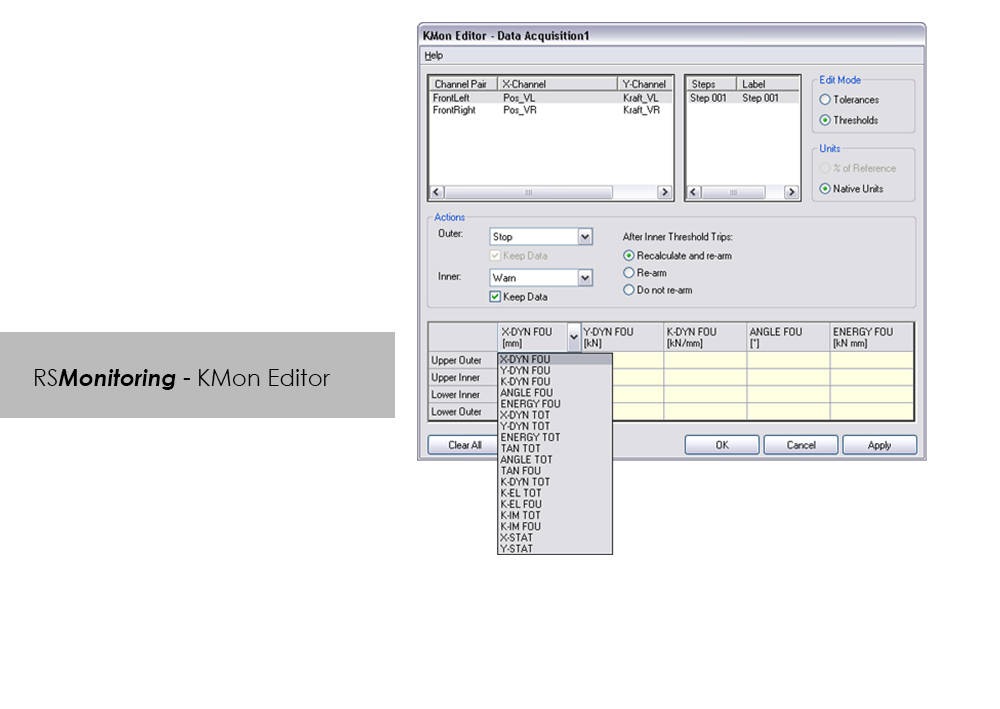
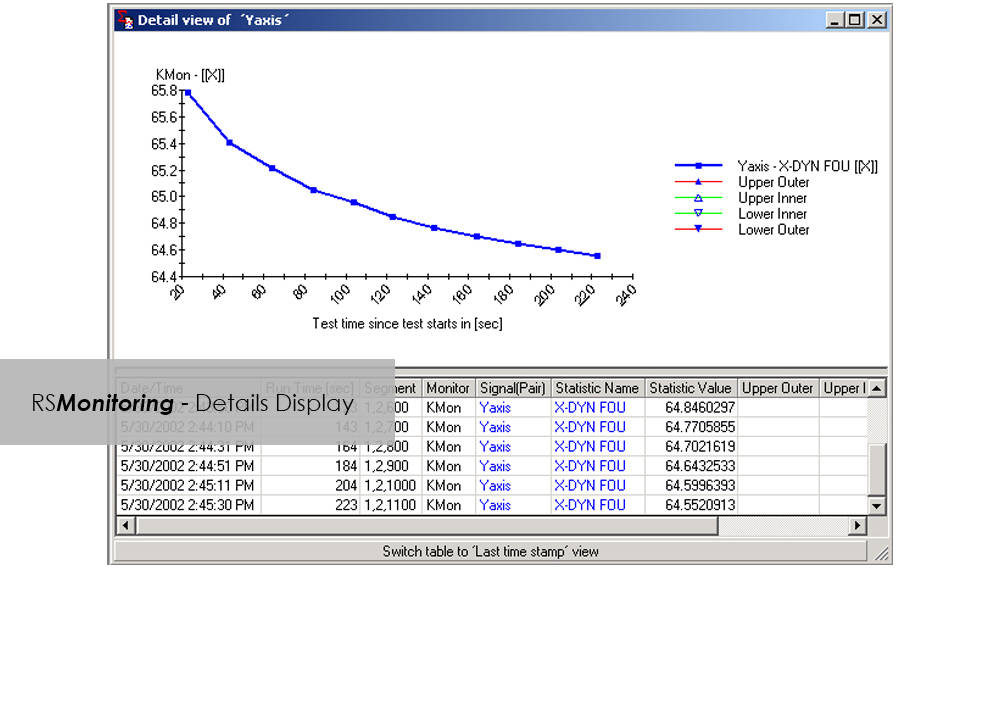
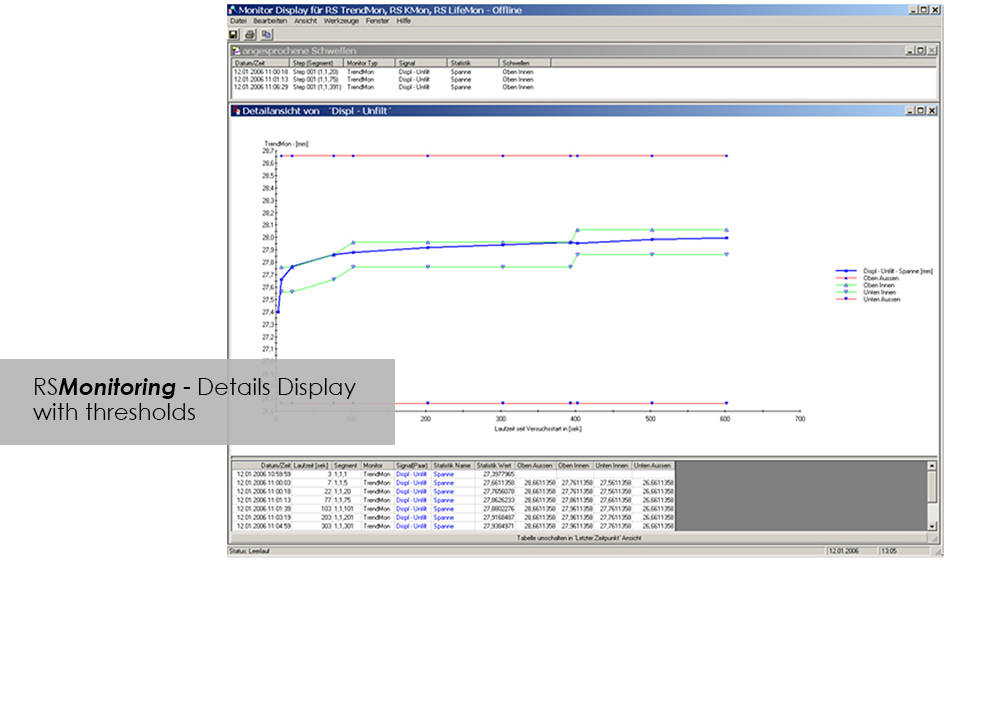


Online monitoring of specimen testing, or quick and easy analysis of measurement values are nowadays no longer convenience features: Fierce competition and the necessity to reduce "Time-to-Market" are entailing a need for ever increasing efficiency. RS Monitoring is a powerful tool that will bring you a significant step closer to this objective. For example, the module enables calculation and monitoring of statistical and physical variables even while the test is in progress, and logs overall damage through rainflow counting. This will enable you to detect changes in the behavior of your test specimen at an early stage, and respond appropriately. This module from the RS LabSite® modulogic Software Suite combines a wealth of extremely useful calculation functions. Make use of the following advantages:
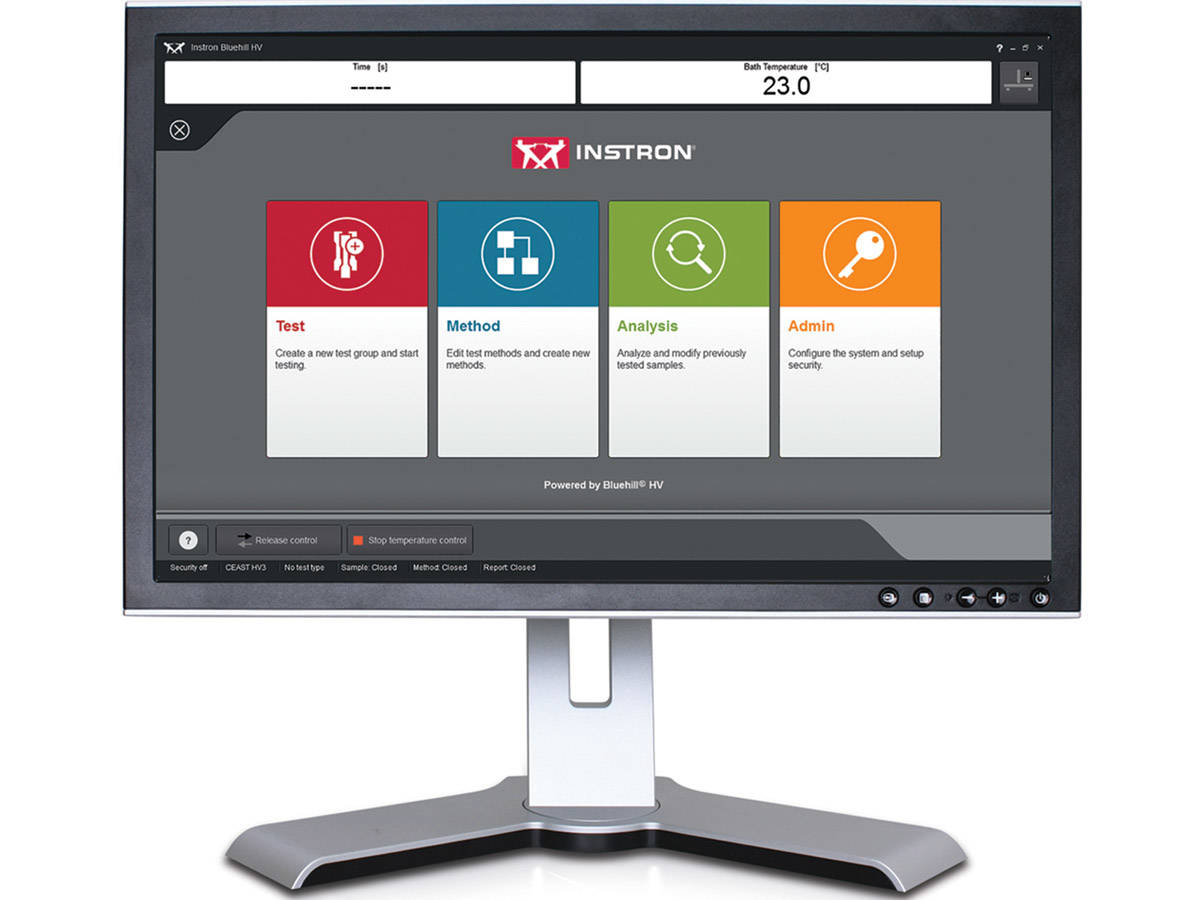
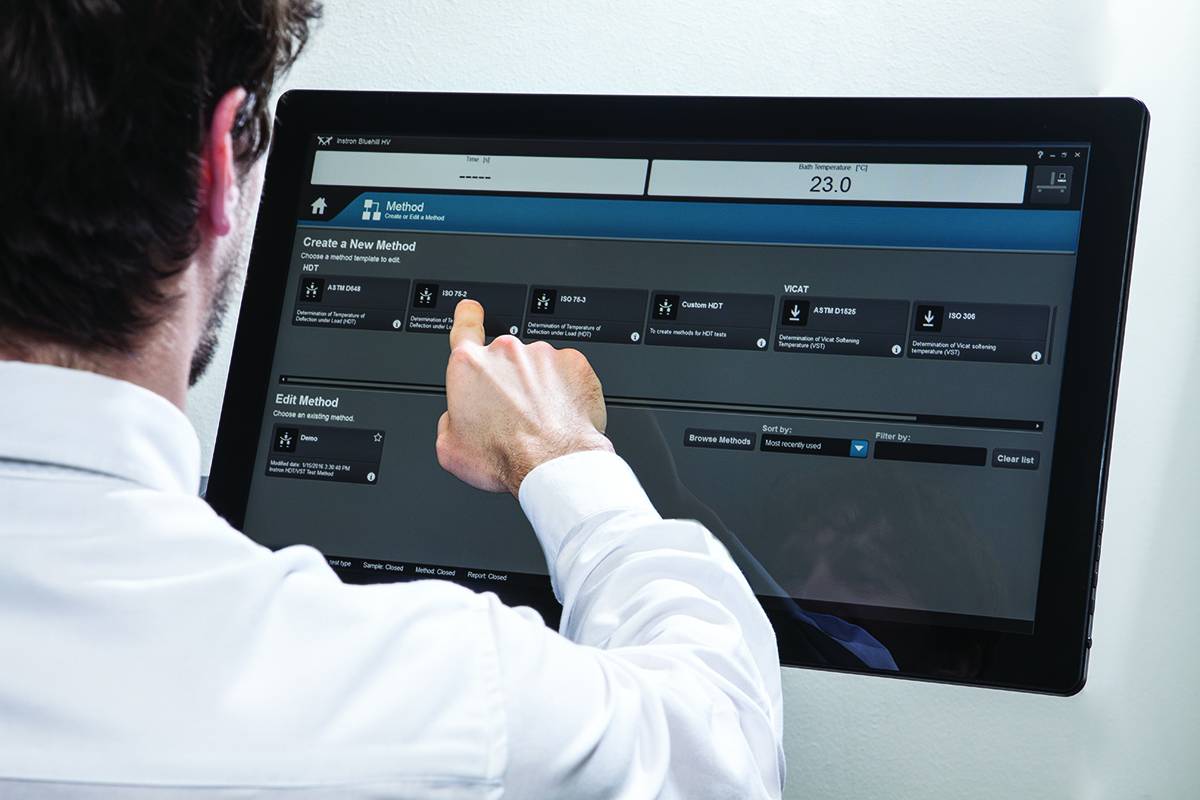
Bluehill® HV Software is specifically designed for the Instron® HDT and Vicat testers, both of the previous and current generations.
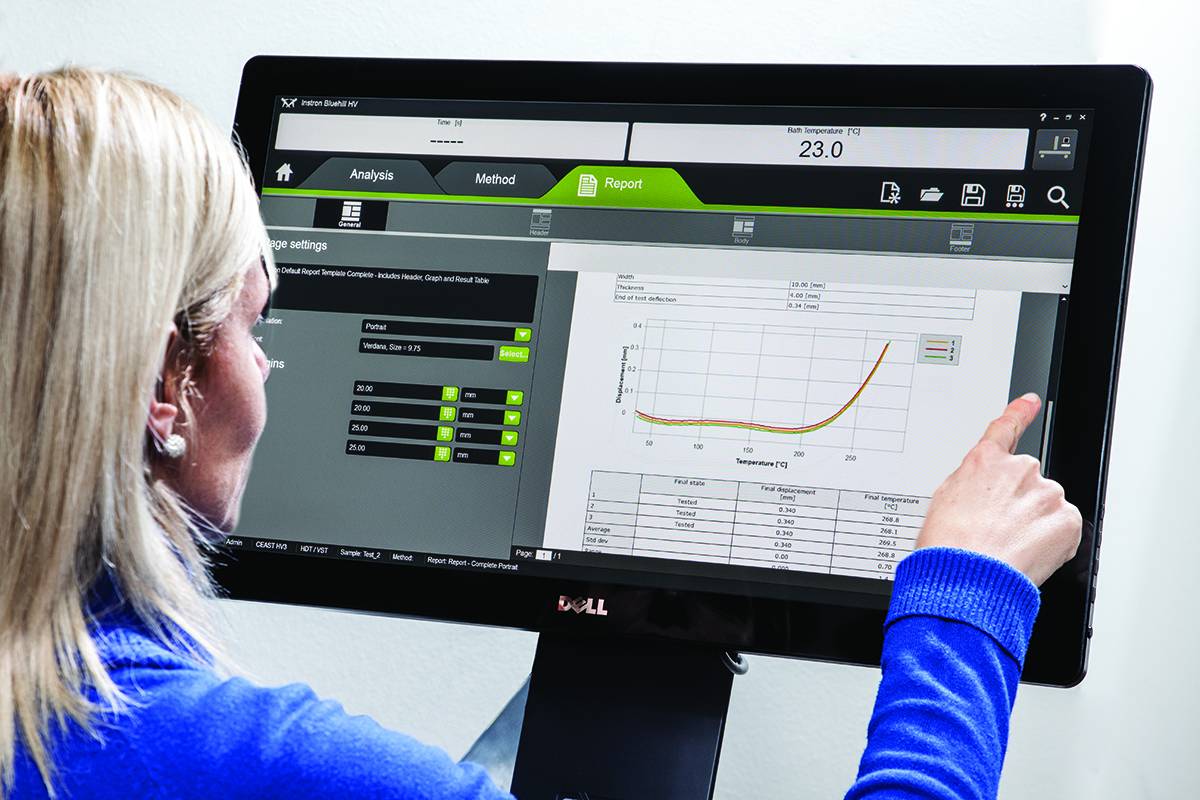
Bluehill® HV enhances the ease of use of the testing system. The user can run tests, edit methods, analyze results or configure the system with a few clicks. The simplicity of the software allows the user to run tests with minimal effort increasing the laboratory efficiency and throughput.
Create ISO and ASTM test templates with smart default values so the user is ready to test with minimal setup time, increasing laboratory efficiency. Bluehill HV Software provides the ability to test samples to different methods simultaneously, helping to optimize throughput.
Test data, graphs and inputs are shown in a single screen allowing the user to analyze results at a glance. Set acceptance criteria to automatically reject out of tolerance samples. Create report templates with minimal effort. Export and print test reports or send test data to LIMS or TrendTracker.
The effect of temperature on the mechanical properties of plastic materials has a fundamental role in the design of components, especially in the selection of materials. Unlike metals and ceramics, plastics are extremely sensitive to the slightest changes in temperature. The selection of plastics for applications under different temperatures is a complex task. The material must be able to support a stress under operating conditions without losing its strength and without critical distortion. The effect of temperature on geometrical stability and mechanical properties in general can be studied following different procedures and methods like at constant temperature or with a temperature ramp.
Bluehill HV is the generation software for HDT and Vicat tests
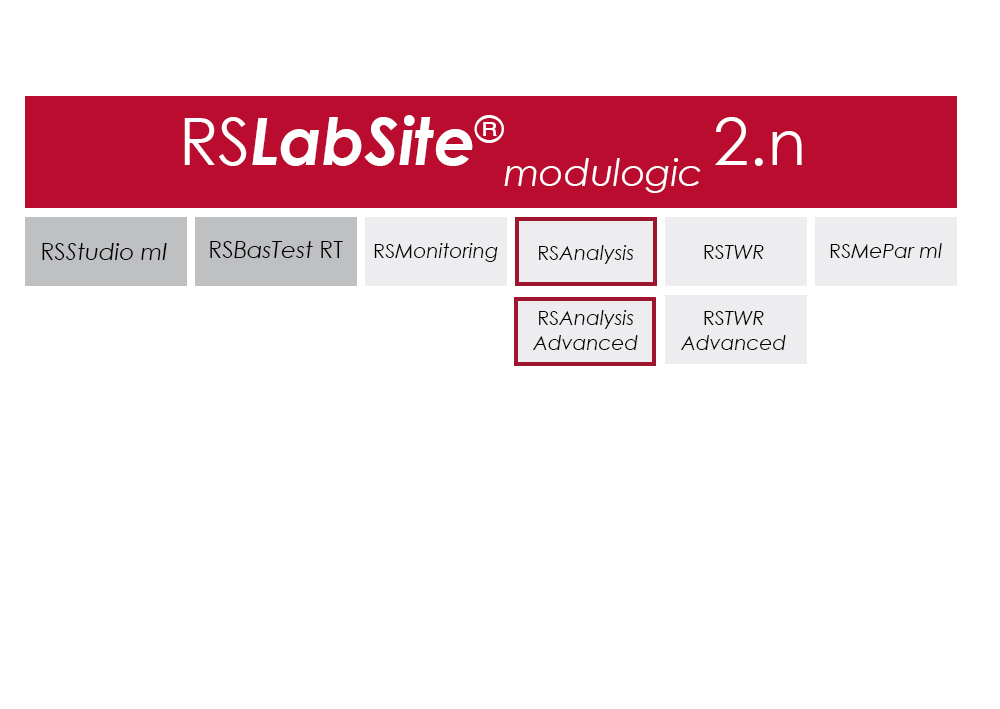
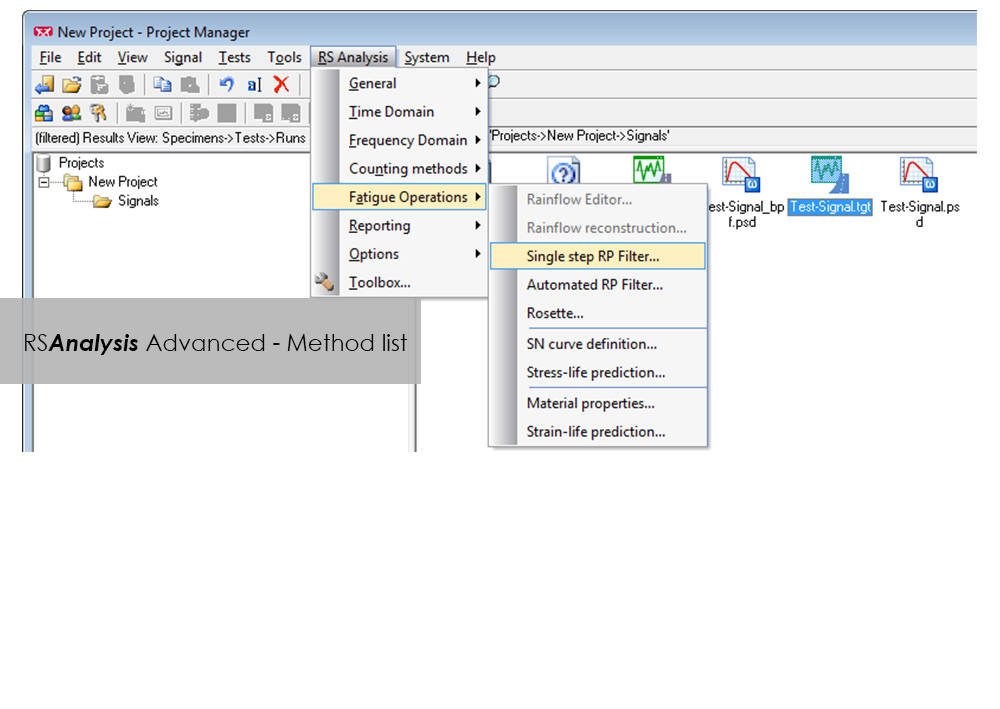
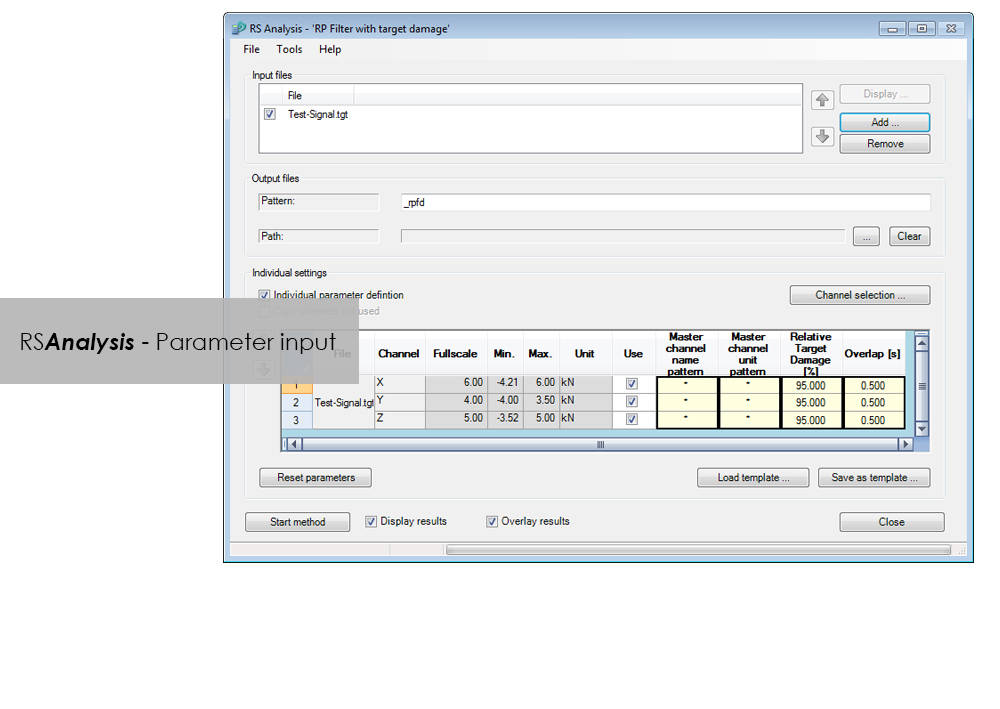
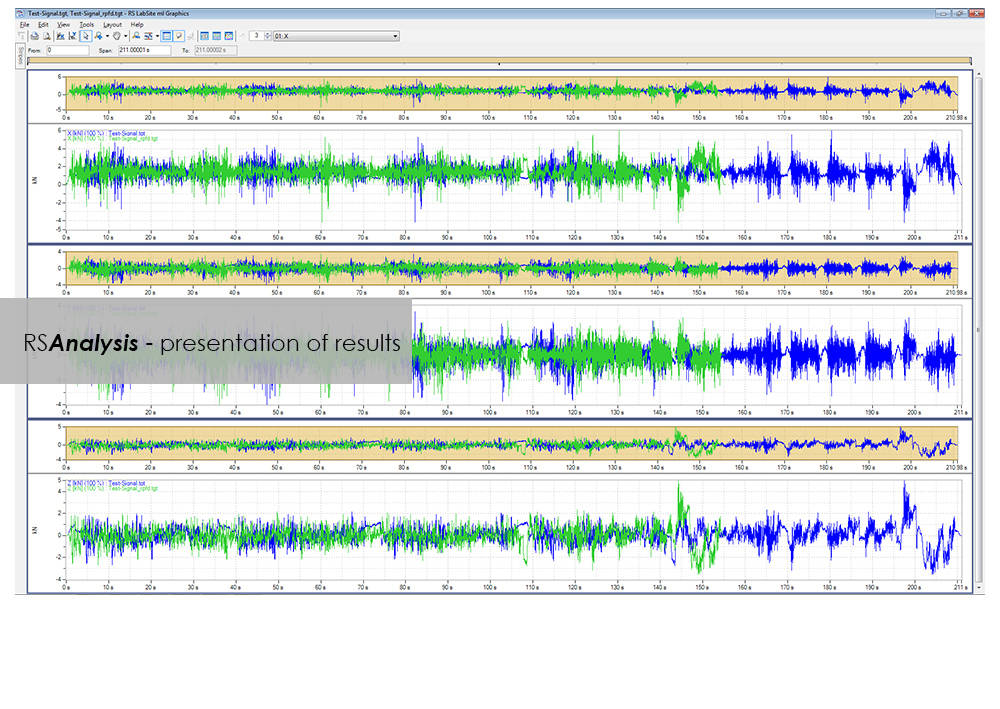
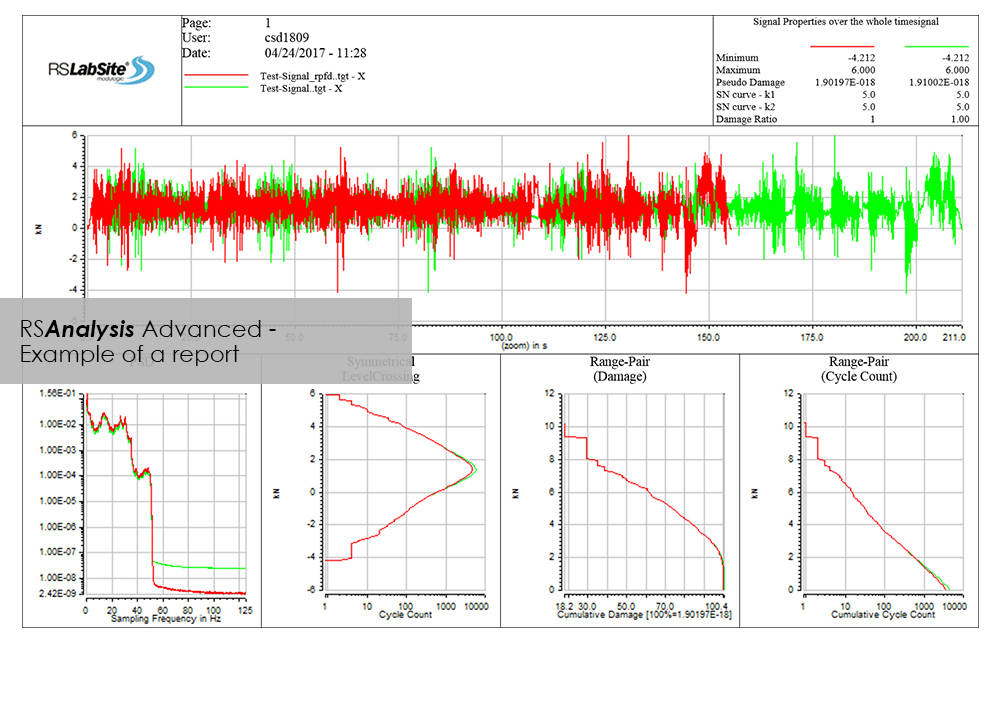
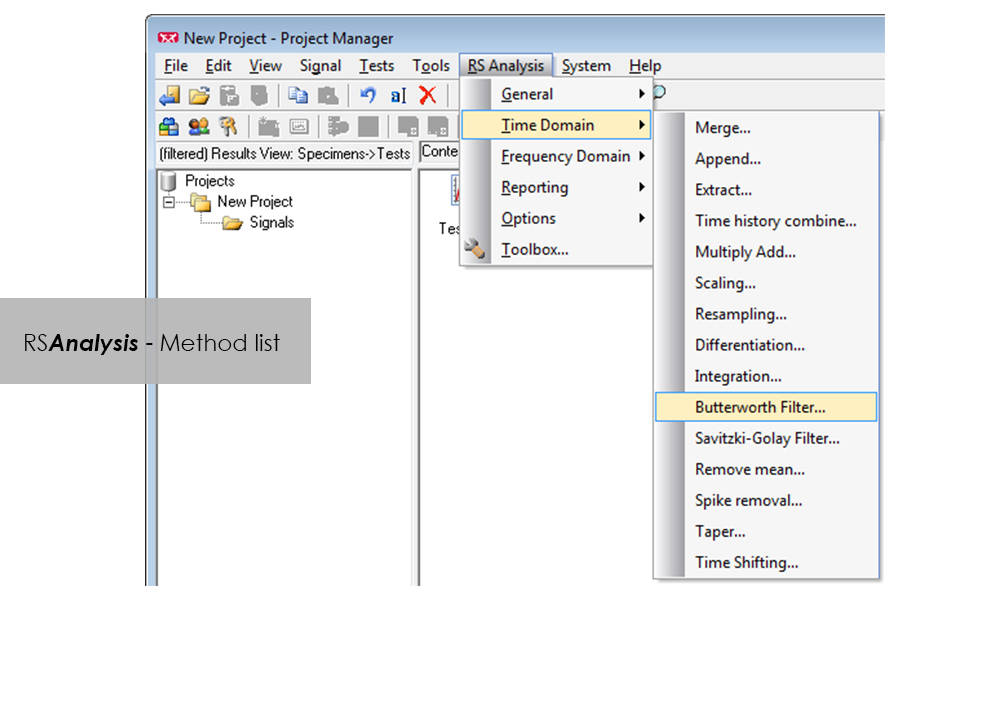
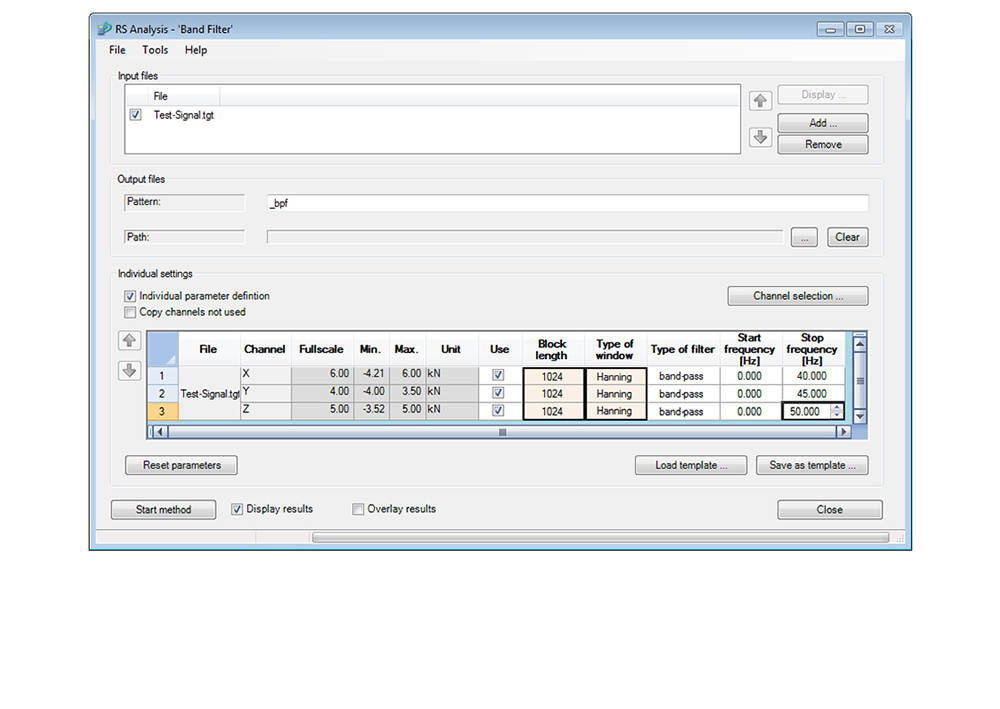
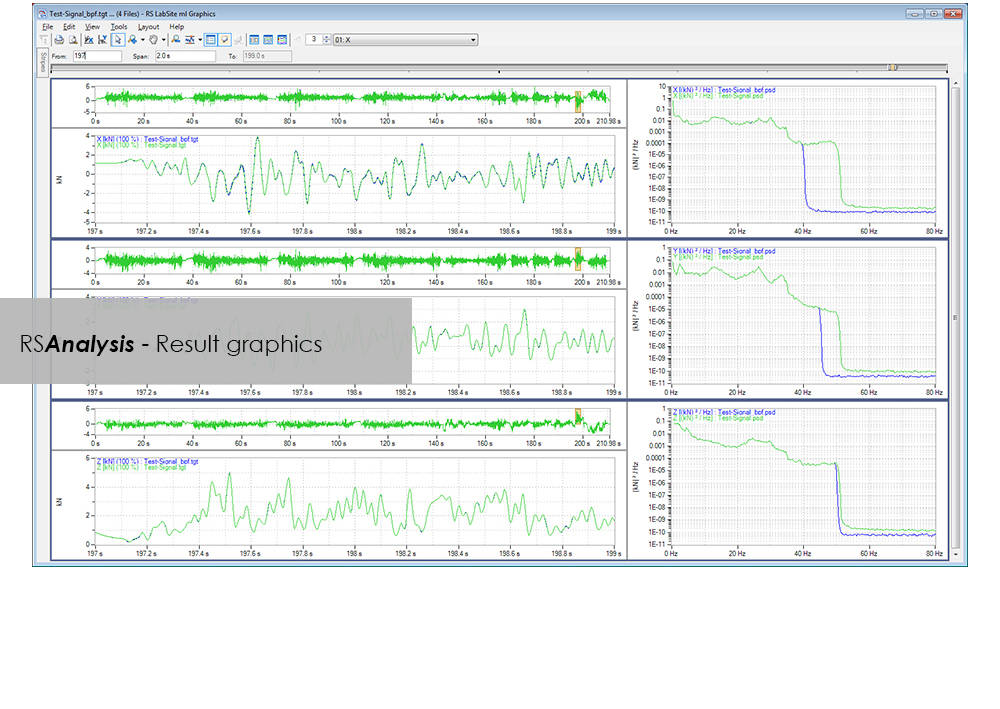
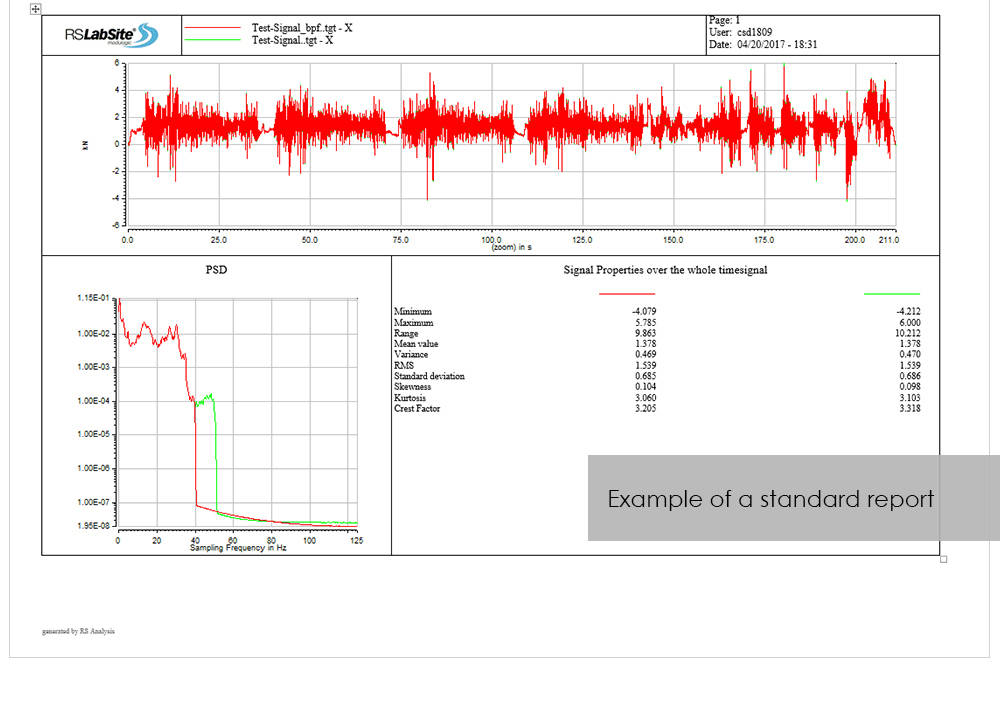
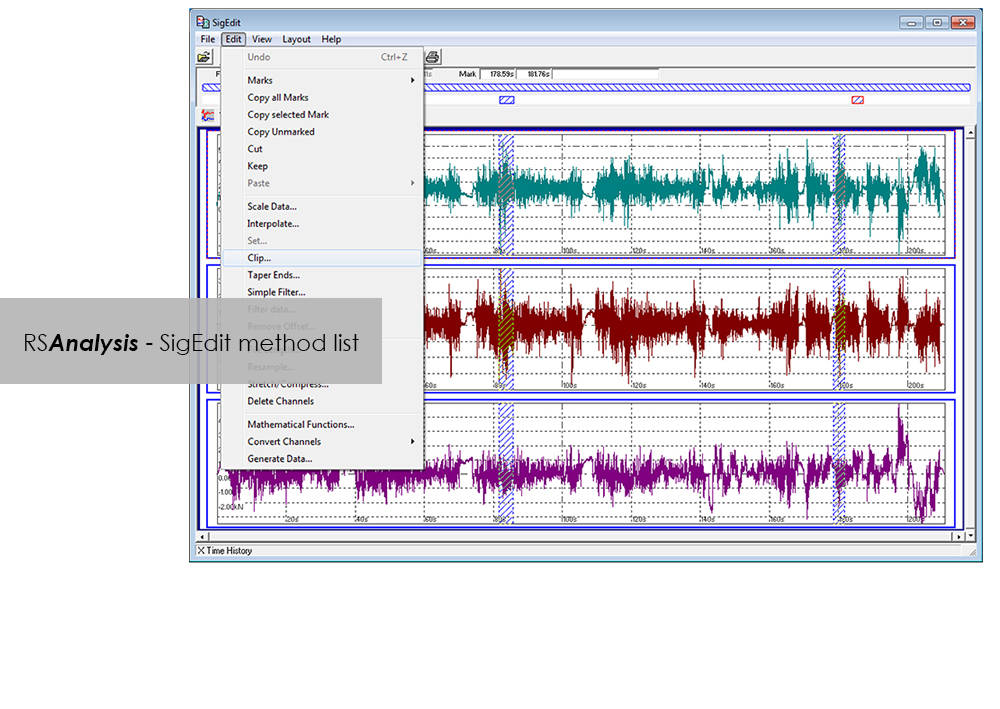
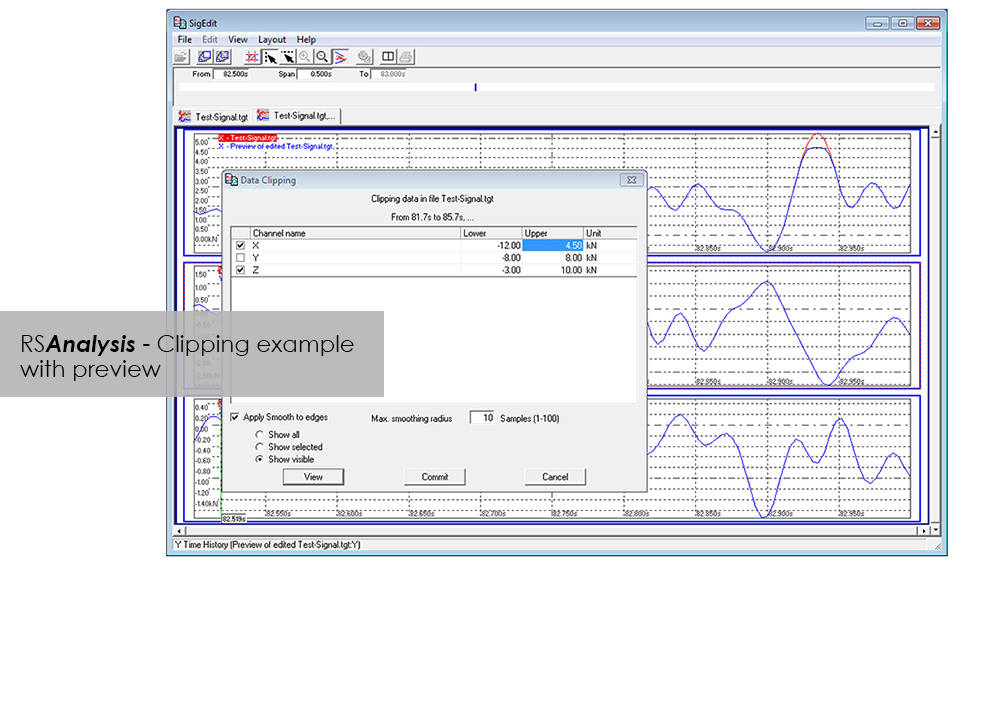
RSAnalysis is an important tool throughout the data acquisition and handling process. Dedicated algorithms condense and optimize your measurement data and turn them into loading data that simulates a complete product life circle. This module from the RS LabSite® modulogic SoftwareSuite provides for analysis and graphical presentation of test data, while allowing maximum freedom: Apart from the presentation of measured data, a wealth of other functions are available for performing typical data analysis procedures quickly and systematically.
If the numerous standard reports integrated in the software do not meet your requirements, customized formats can be created as required. This makes sure that you are aware at all times how your tests are running and what results they are producing.
RS Analysis is available in two versions: Choose either the Basic- or the Advanced-versions in accordance with your specific needs. Whichever version you choose, the following benefits will be at your disposal:
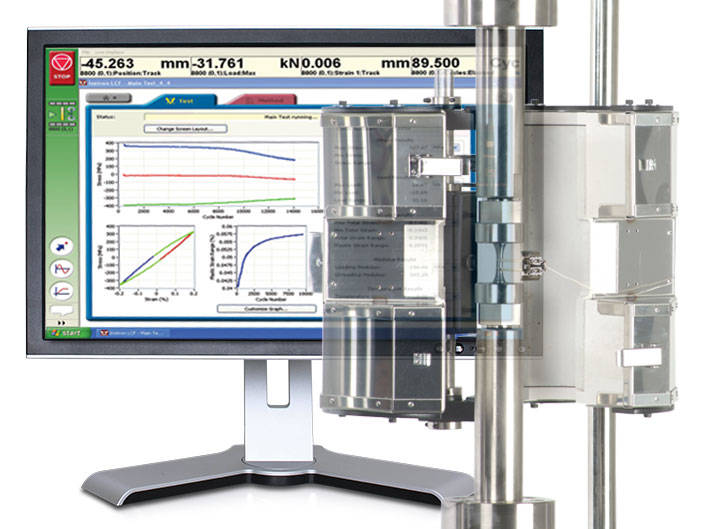
Low-Cycle Fatigue 3 Software offers a flexible workspace designed to run and analyze strain-controlled fatigue tests in accordance with ASTM, ISO, and BS Standards.
A range of pre-configured graph and results fields allow real time views of how the test is progressing. Customize the screen to display up to three graphs of cycle and trend data. Pause and re-start the test at any time, checking modulus as desired.
Whether you need a single or multiple graphs, the graphing toolbox allows users to clearly display X-Y and double-Y graphs, and peak and trend data charts. Choose to show titles, add legends or show actual data points on a grid. LCF3’s graphing capability is second to none.
Analyze post-test data off-line, selecting from a range of single cycle and trend plots. Overlay individually selected hysteresis loops. Export individual graphics in JPEG format, and data as TXT files.
Start, stop, and finish a test. The simple test control buttons are consistently at the right side of the screen. For added convenience, a test can be paused and continued when desired.
Recall recently used test methods or simply browse the method folder to create or edit existing test methods. Test method creation is available off-line, maximizing testing machine availability. With a unique step-by-step data entry and test selection process, combined with a tabulated pre-test summary, your Low-Cycle Fatigue test will run successfully each time.
Select rectangular, cylindrical or tubular geometries, and automatically re-calculate the cross sectional area.
Ensure your modulus data is accurate by utilizing the user-defined upper and lower calculation points, with clear graphical references.
Control the test’s start temperature, soak period, and allowable thermal tolerances from within the application, and log temperature data directly into the test file.
Configure the combined linear, logarithmic and peak internal data logging parameters to suit your test requirements.
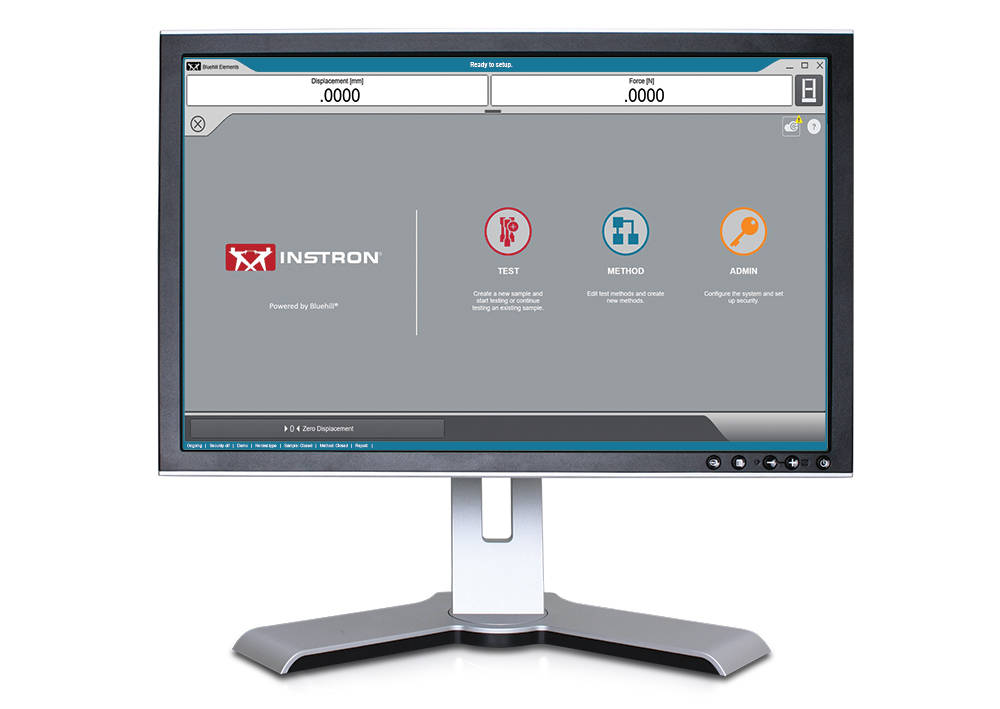
Bluehill Elements Software, built on the Bluehill platform meets the requirements of simple tension, compression, flexure, peel, and tear testing. With functionality such as automatic report generation, prompted test work flows, live control charts, and the option to utilize the TrendTracker database, Bluehill Elements is ideal for Quality Control testing.
Automatic Data Export
Users can export test results and raw data in CSV or custom text files. Formatting of exports are completely customizable, allowing users to easily retrieve data or interface with a lab information management system.
Raw Data Viewer
Examine every data point for any measurement directly from the software.
Operator Inputs without Manual Data Entry
Automatically input specimen dimensions from measurement devices, scan a barcode to enter numbers and text inputs into the software, or utilize choice inputs to provide users with simple dropdown menus to eliminate manual data entry.
Displays that Meet the Eye
Testing status, measurements, and key results are displayed on easy to ready, live displays.
Intuitive Operation, Minimal Training
Instron understands the reality of workforce changes. Therefore, we have chosen minimal training as a key measure for usability. Bluehill Elements Software has a simple, user-friendly interface.
Right Report for the Right Audience
Bluehill Elements incorporates several pre-defined report templates for output to a printer, email, or save the file directly as a PDF for easy sharing. Changing the placement of charts and tables can easily be setup with pre-populated choices. Users can tie a specific report template to a given method, automating the report generation for different tests.
Basic Security
For production or quality control testing, where general testers should not have access to change parameters in the method, Bluehill Elements has three configurable levels of security Administrators, Managers, and Operators.
A Common Language
In the testing world, Bluehill is a standard tool. Available in fifteen languages and used with thousands of systems worldwide, Bluehill's test methods, calculations, and data formats are universally recognized and accepted. Whether you are matching data with a local supplier or comparing test methods with a multi-national customer, Bluehill Elements allows you to speak a common language.
TestCam
Connect a USB webcam to experience point-by-point video playback, allowing users to view test data alongside with video after the test has finished.
Pass/Fail Component
Set up acceptance criteria for multiple test results. If one of those results are above or below the acceptance range, Bluehill Elements will automatically display a large icon in green check for Pass or red X for Fail.
TrendTracker
The TrendTracker plug-in for Bluehill Elements, allows users to export results directly to the TrendTracker database. The TrendTracker Viewer provides an intuitive interface to search, display, and analyze test results over time.
Requires Windows 10 or 11, 64-bit Operating System. Bluehill Elements can be used with a touch monitor.
O software Bluehill Elements™, desenvolvido na plataforma do Bluehill®, atende aos requisitos de ensaios mais simples de tração, compressão, flexão, adesão (peel) e rasgo.
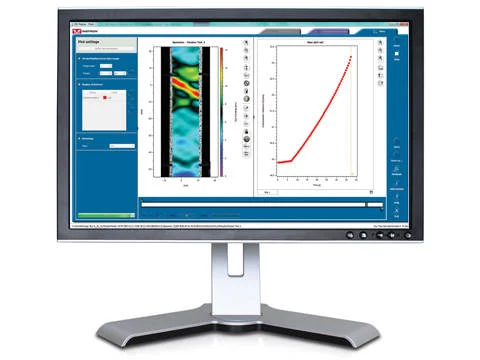
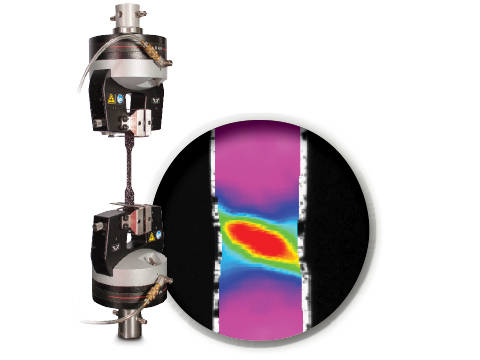
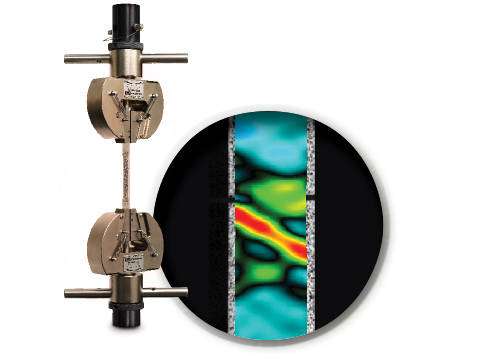
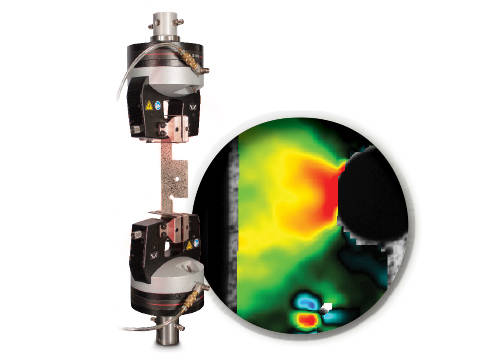
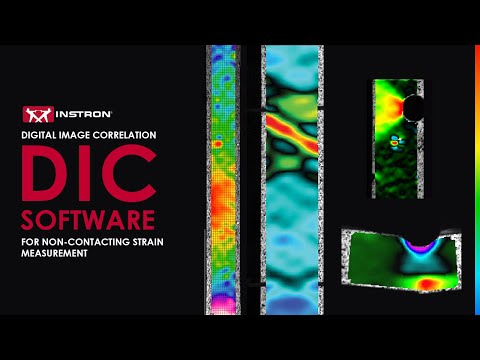
DIC is an optical technique that compares images of a tested specimen’s surface to generate full field strain and displacement maps. It creates pictures that can be used to visualize strain and displacement over the full two dimensional surface of the test specimen.
DIC Replay Software is a self-contained 2D DIC package. The software consumes images and calibration data saved by the Instron® Advanced Video Extensometer (AVE) and works in a post-processing mode. The user interface leverages the same tabbed style and graphical design of Bluehill®.
Standard features include:
Benefits:
Instron DIC Replay Software is a 2D digital image correlation package that works seamlessly with the AVE 2 Advanced Video Extensometer. Use this package to visualize strain and displacement over the full surface of a two dimensional object or create simple line plots from virtual strain gauges and extensometers.


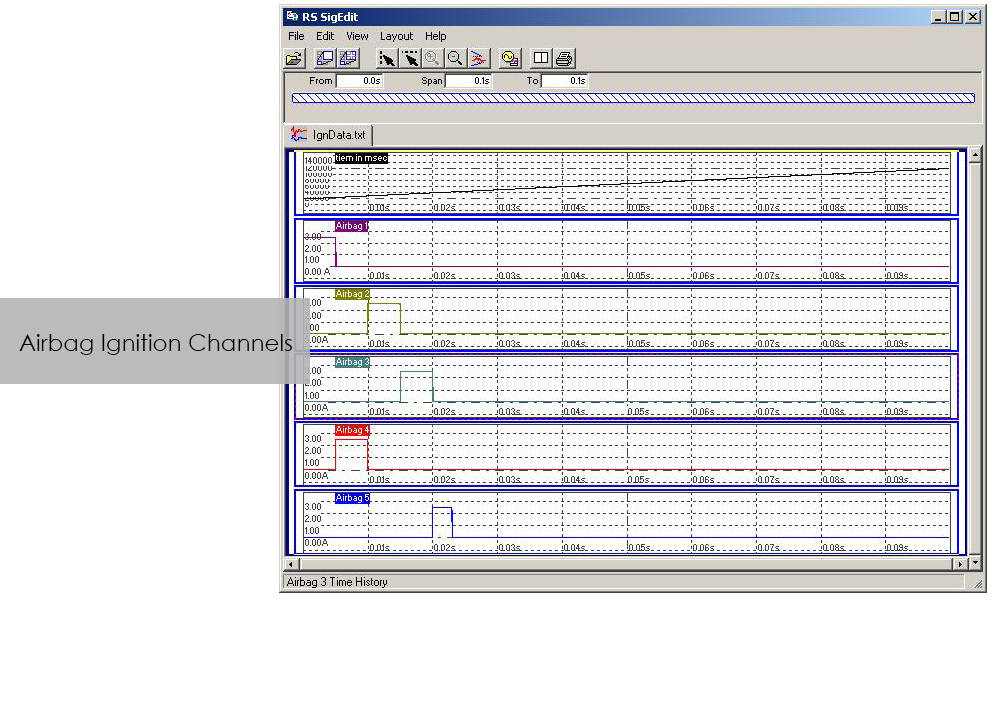
The application software CrashSim is used for the preparation, execution, monitoring, analysis and documentation of crash tests carried out on the Instron sled system. The user application focused software has been continuously improved in cooperation with our worldwide user groups.
There is no special knowledge required for the operation of CrashSim because it is intuitive and largely self-explanatory. The user interface complies with the Windows 7 standard.
The parameter settings and valve configurations required for the applications listed below are stored in the control system and are set automatically by CrashSim when selecting the test method:
Thanks to this high degree of automation, efficient and productive test operation is ensured.
The basic version CrashSim 5.0 offers the following functions:
The advanced version of CrashSim 5.1 includes the new iteration model developed by Instron, which dramatically reduces the number of iterations required. This version also includes the CrashSim Office software module. The module allows external processing of test pulses up to the generation of the drive signals for the catapult system. Pulse predictions previously performed only through trial shots with the system can now be carried out offline with CrashSim Office. This relieves the daily test operation of such tasks and increases the productivity of the system.
Learn more about Crash Simulation Systems.
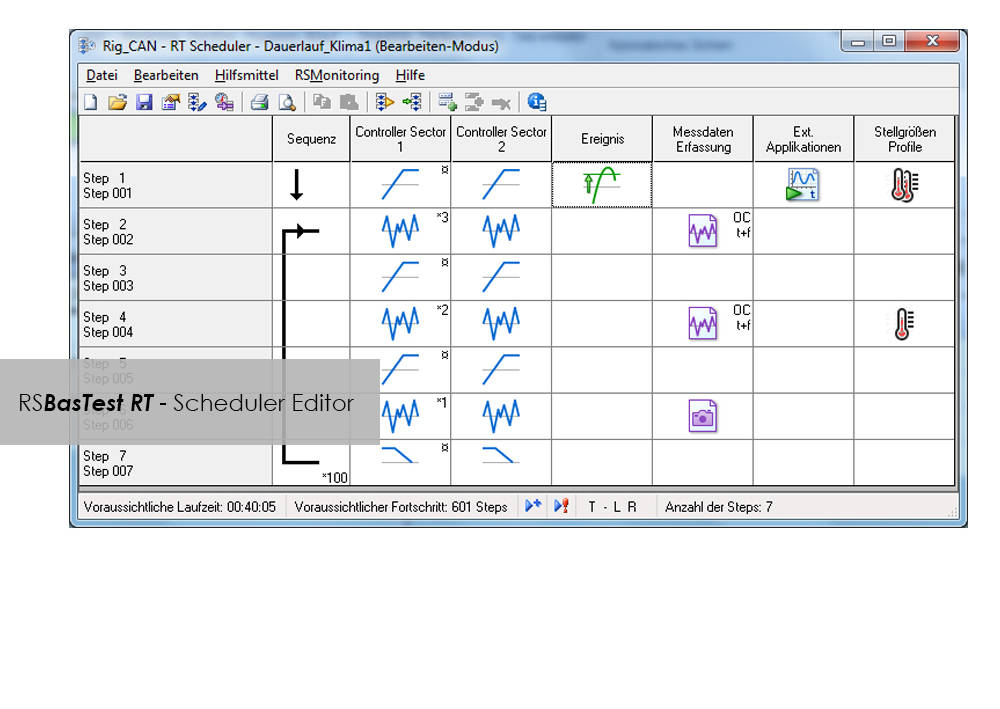
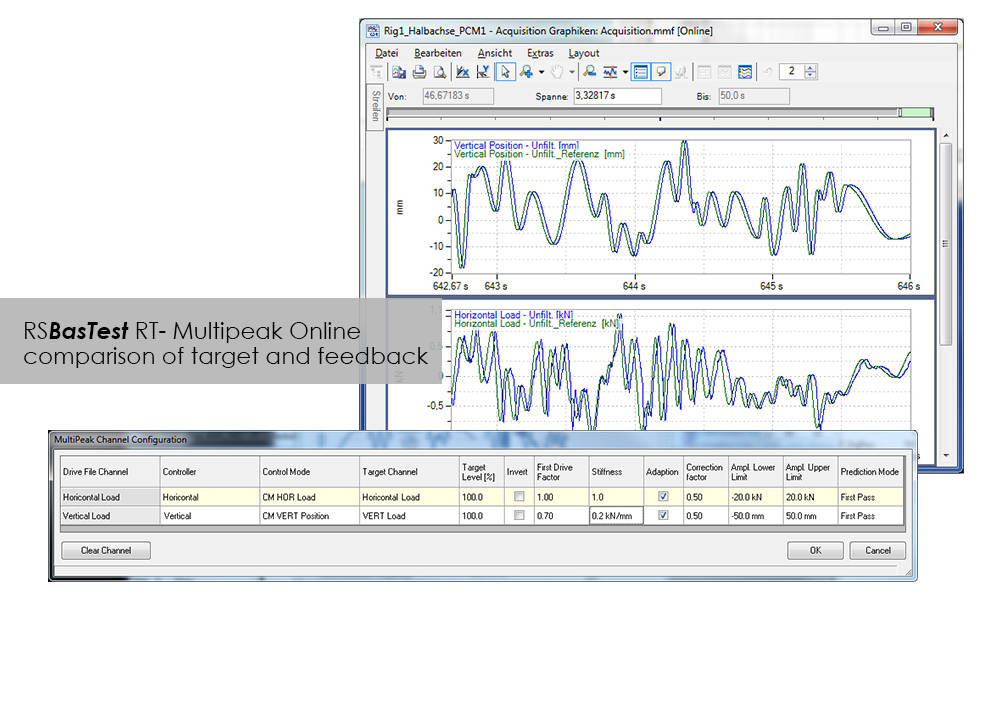
RS BasTest provides a wide range of functions for editing, performing and conducting durability tests. Project Manager will guide you through all processes. It is used to create new projects, and its integrated data base collects and manages all measurement data. If you are envisaging a future extension of your testing environment, you will be ideally set up with RS BasTest: Other modules from the RS LabSite® modulogic family can be integrated into the system without any further intervention. The basic module will assist you with a high degree of flexibilty and provide the following benefits:

Compatible with WaveMatrix, LCF3, Bluehill 2 and Fracture Mechanics (da/dN, K1C & J1C)
Please contact Instron for the minimum PC requirements necessary to install and operate this software.
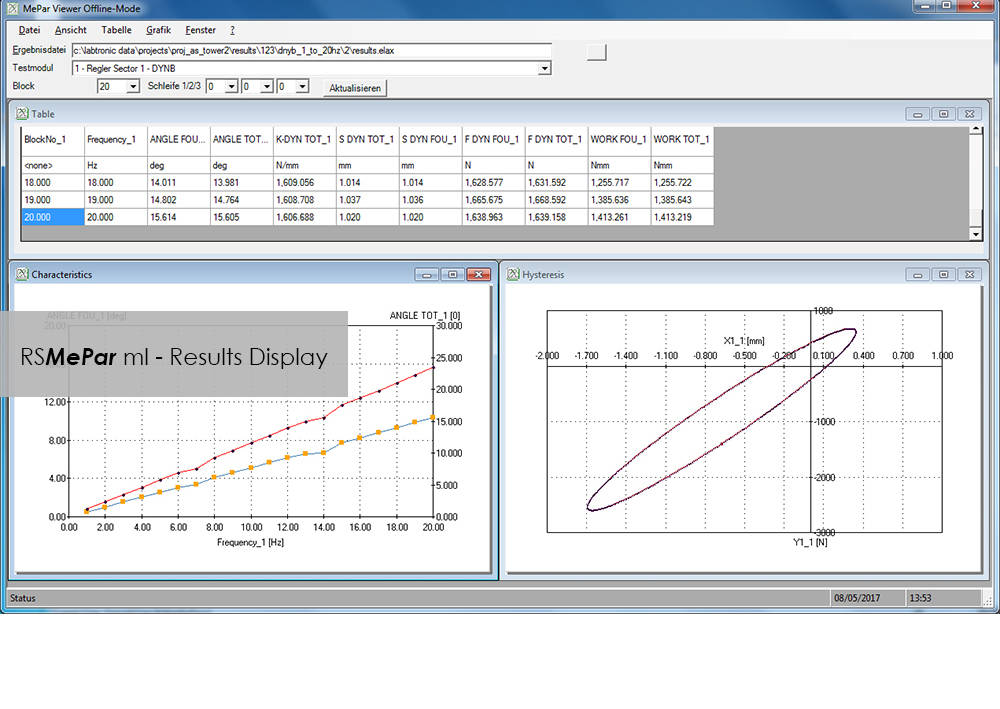
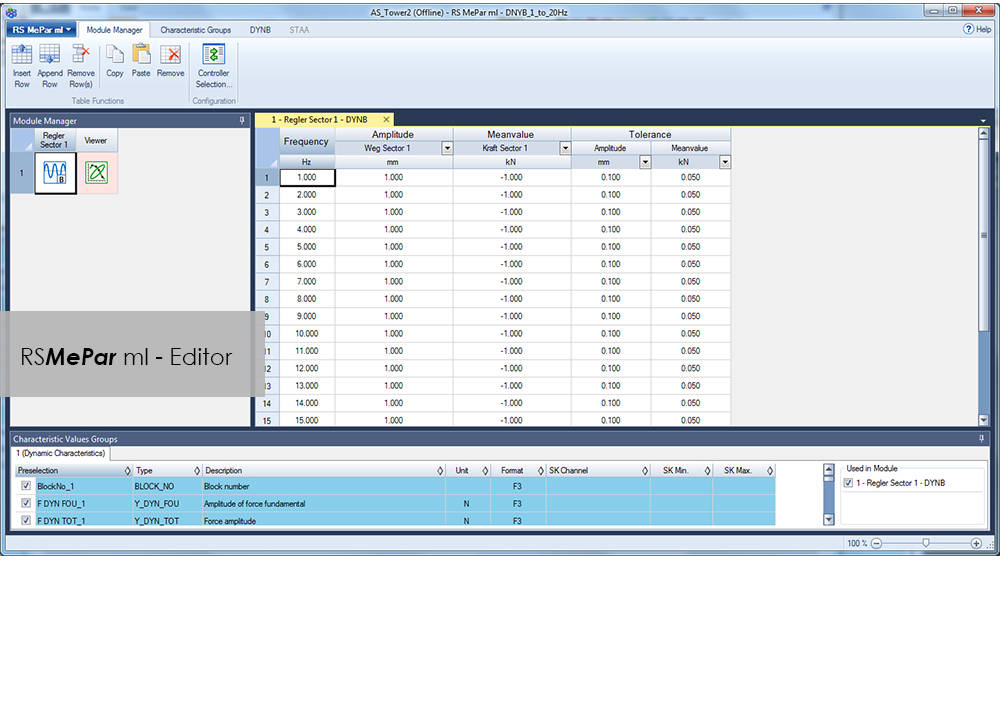
RS MePar ml, a module from the RS LabSite® modulogic, software suite, working in conjunction with RS Studio ml and RS BasTest RT, the RS LabSite® modulogic basic module, provides all functions for determining the characteristics of components with viscoelastic properties. RS MePar ml is used to create simple single- axis or complex multi-axis tests.
Flexible test monitoring and data acquisition functions ensure that the test engineer has all the information he needs to precisely specify the components undergoing test. In addition, the integration of MePar Viewer enables the visualisation of test data as they occur on the rig, along with various graphical displays. This tool enables test results to be observed directly on the screen.
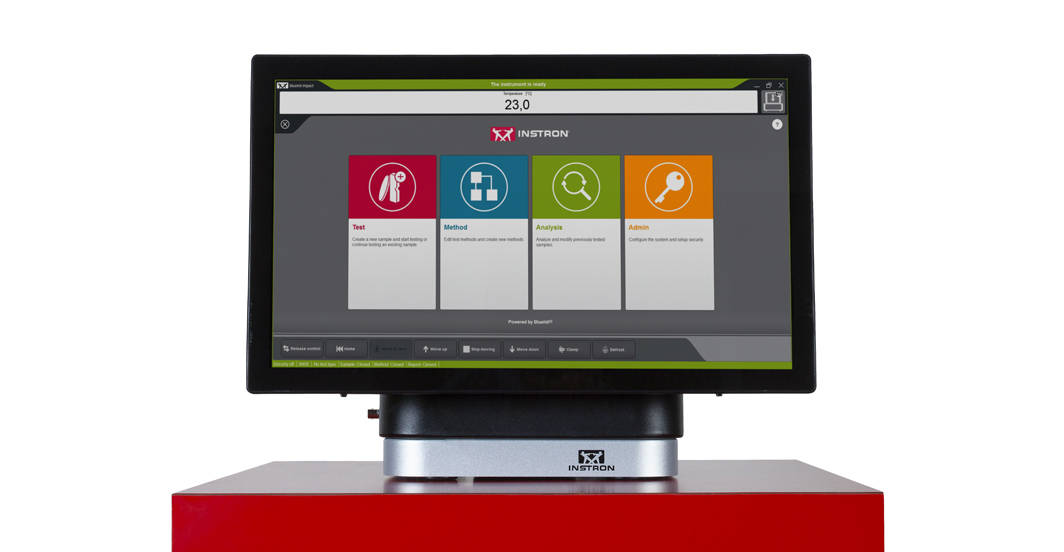
O Bluehill Impact foi desenvolvido para interação pelo toque. O Painel do operador apresenta grandes pontos de contato para tornar a experiência do usuário mais simples e inteligente. Ícones e fluxos de trabalho fáceis de entender facilitam o treinamento de usuários novos ou experientes, simplificam o treinamento do operador e permitem que você comece a testar mais rápido do que nunca.
MAIS SIMPLES
Fluxos de trabalho para ensaio de impacto com Drop Tower sem esforço
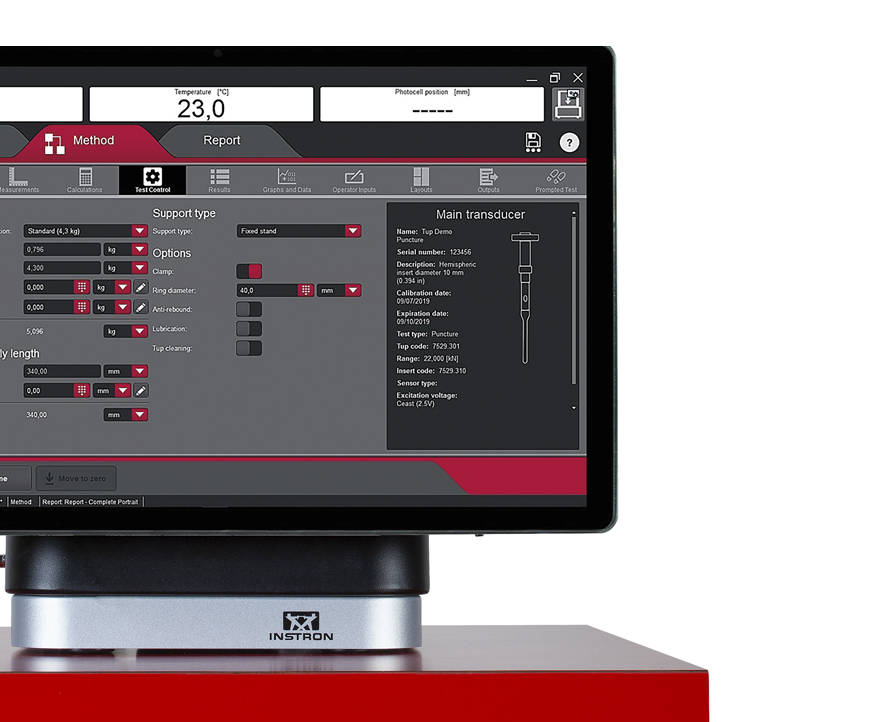
O Bluehill Impact fornece um conjunto de métodos pré-configurados que abrangem os cenários de ensaios de impacto mais comuns.
Os usuários podem definir fluxo de dados e procedimentos exclusivos, garantindo flexibilidade no processamento de dados. O Bluehill Impact relata anomalias e resultados inconsistentes quando estão fora dos parâmetros definidos.
Graças aos ensaios solicitados e ao painel de toque, a configuração dos procedimentos leva apenas alguns cliques. Os usuários podem ser guiados por todo o processo do ensaio com instruções passo a passo, garantindo que seus ensaios permaneçam repetíveis, simples e livres de erros. Os comandos são personalizáveis com suas próprias mensagens de texto.
Maior produtividade graças à combinação do novo painel com o sistema de aquisição de dados e o Bluehill Impact.
Mude de tarefa para tarefa: compartilhe facilmente o método de ensaio e os resultados dentro da sua empresa ou de seus clientes com o sistema de gerenciamento de arquivos Bluehill Impact.

Seleção múltipla de amostras
Edite parâmetros para muitas amostras ao mesmo tempo com um clique.
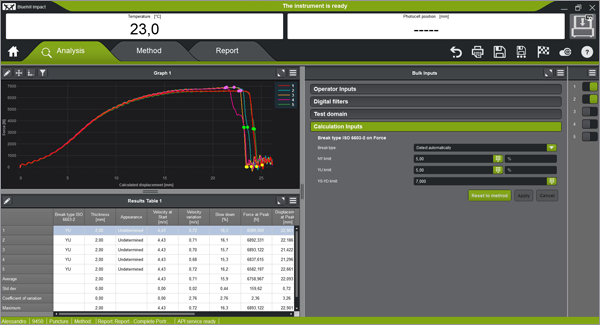
Reconhecimento do tipo de ruptura
Reconhecimento automático do tipo de ruptura de acordo com a forma da curva (ISO 6603-2). Isso garante que as associações ao tipo de ruptura permaneçam iguais de operador para operador.
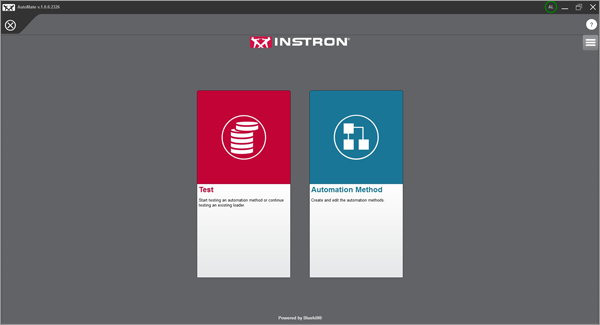
Ensaios automáticos
Uma vez que um método de ensaio tenha sido criado no Bluehill Impact, você pode usar o módulo AutoMate Software para personalizar como as amostras no alimentador automático são testadas, atribuindo diferentes velocidades e temperaturas de ensaio.
MAIS SEGURO
Segurança com alto rendimento
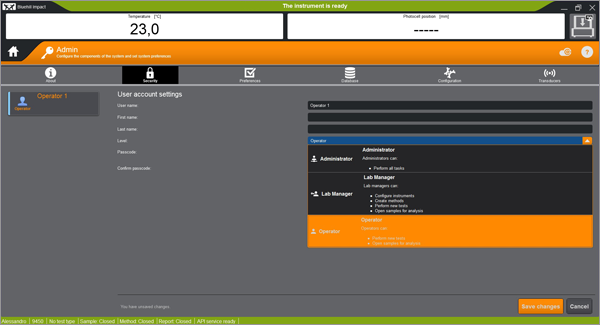
Acesso seguro
A segurança do Bluehill Impact permite que o gerente do laboratório configure permissões que concedam acesso total a superusuários e limitem o acesso quando necessário.
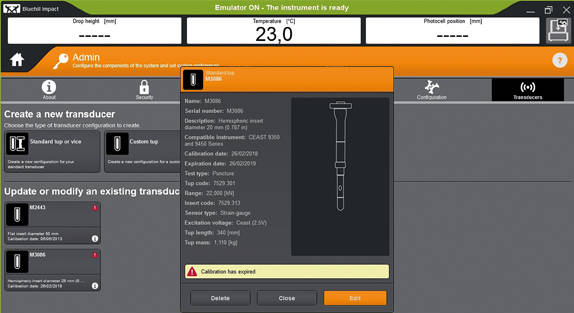
Configurações do alerta de calibração
Alertas automáticos são gerados quando o período de calibração do TUP está expirando. Esse recurso ajuda a reduzir o risco de ensaios inválidos e proteger seus resultados contra imprecisões.
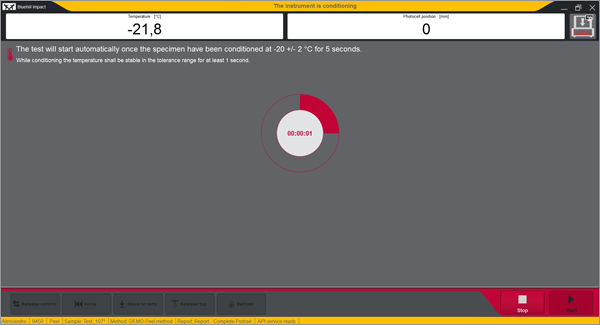
Notificações de segurança integradas
O painel fornece informações visuais claras sobre o status do instrumento, para que os usuários sempre saibam quando um ensaio está em andamento.
SUPORTE TÉCNICO REMOTO (RTS)
O Suporte Técnico Remoto (RTS) da Instron, desenvolvido pela Connect, permite que nossa equipe de suporte técnico se conecte diretamente aos sistemas Instron por compartilhamento remoto de tela ou por meio de realidade aumentada (RA) integrada, fornecendo diagnósticos rápidos e de alta qualidade que devem aumentar o tempo de atividade dos seus sistemas Instron.
TEM UMA VERSÃO DE SOFTWARE MAIS ANTIGA?
Saiba mais sobre como atualizar seu software de ensaio de impacto
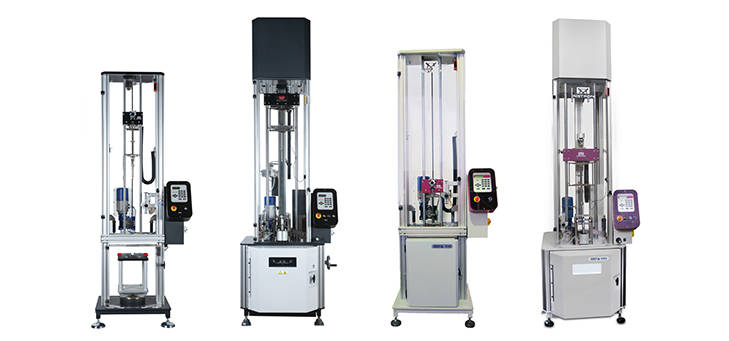
Bluehill Impact e Painel com sistema de aquisição de dados
O controlador de última geração pode ser adaptado em todos os 9340 com versão de firmware posterior a 1.00 e em todas as máquinas de impacto de torre de queda 9350 com versão de FW posterior a 3.00, incluindo máquinas com opção de alimentação automática.
Simplify your Fracture Testing, Analysis and Reporting
Bluehill Fracture is a dedicated fracture mechanics software from Instron. Machine control, data analysis and reporting are performed for metals fracture toughness measurement to key international standards.
As a leading supplier of testing equipment for crack propagation and fracture toughness, Instron are aware of the challenges users face in reducing both the complexity and time taken to produce accurate, repeatable results. The Bluehill Fracture software package addresses these challenges.
Customizable test flows guide the user through the steps needed to produce their final results, saving time by minimizing data entry at each step.
Comprehensive on-screen user guidance along with automatic post-test analysis and reporting tools also reduce the skills and training required. Additionally, the layout, terminology and test progression is common to other Instron software packages, such as Bluehill Universal.
For the latest technology now available with Bluehill Fracture DCPD software, click below to upgrade today.
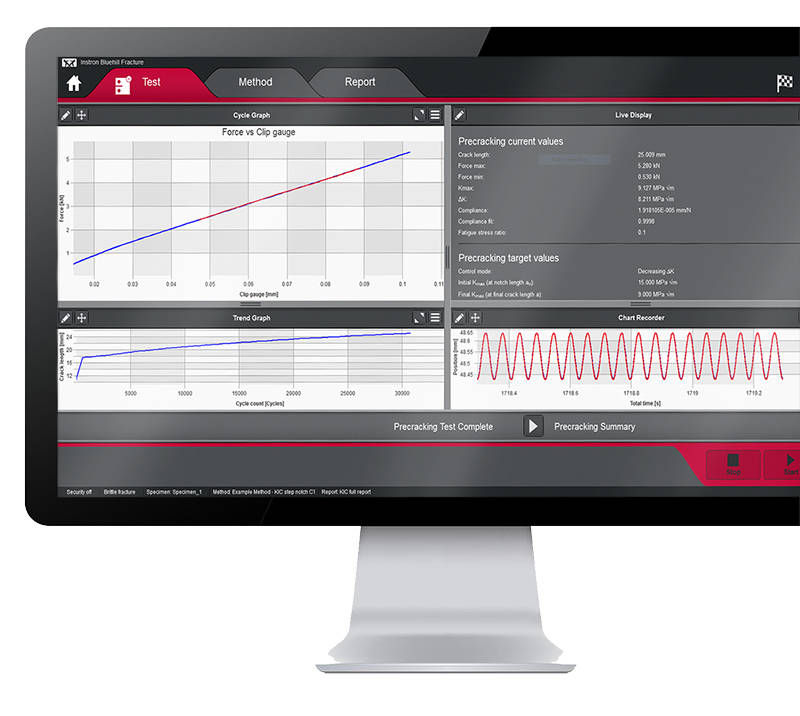
A reduction in entering the same data for each test saves time and minimizes data entry errors. Parameters for each stage can either be pre-populated prior to the test, imported automatically from a LIMS system or entered manually every time a test is run.
Although Bluehill Fracture is simple to use, there are still many advanced features for analysis and report generation.
Run and Analyse Tests
Performing and analyzing Fracture Toughness tests has never been simpler than with Bluehill Fracture.
Select a test method to run, from a pre-defined list or your own customized method, and Bluehill Fracture will step you through the pre-test data entry you define, then when ready, the software will perform pre-cracking (if required) and finally onto the main fracture test.

Run a Test
Pre-configured material properties and pre-cracking targets reduce user input and increase throughput.

Post-test Analysis
The software guides operators through data input, graph plotting and results calculation.

Report Generation
The report and export function within Bluehill Fracture completely automates the process of generating a summary report.
SAFER
Control user access and check results
Validity checks confirm your tests are within predefined parameters whilst the security settings allow advanced users to protect areas of the method containing critical settings.
Analysis
The report and export function within Bluehill Fracture completely automates the process of generating a summary report. This reduces complexity, time and errors by avoiding additional data export and manipulation at the post test reporting stage.
Whether you need a summary in text output format or a fully customized PDF report in your organization’s format, Bluehill Fracture has the features to achieve this at the click of mouse button.
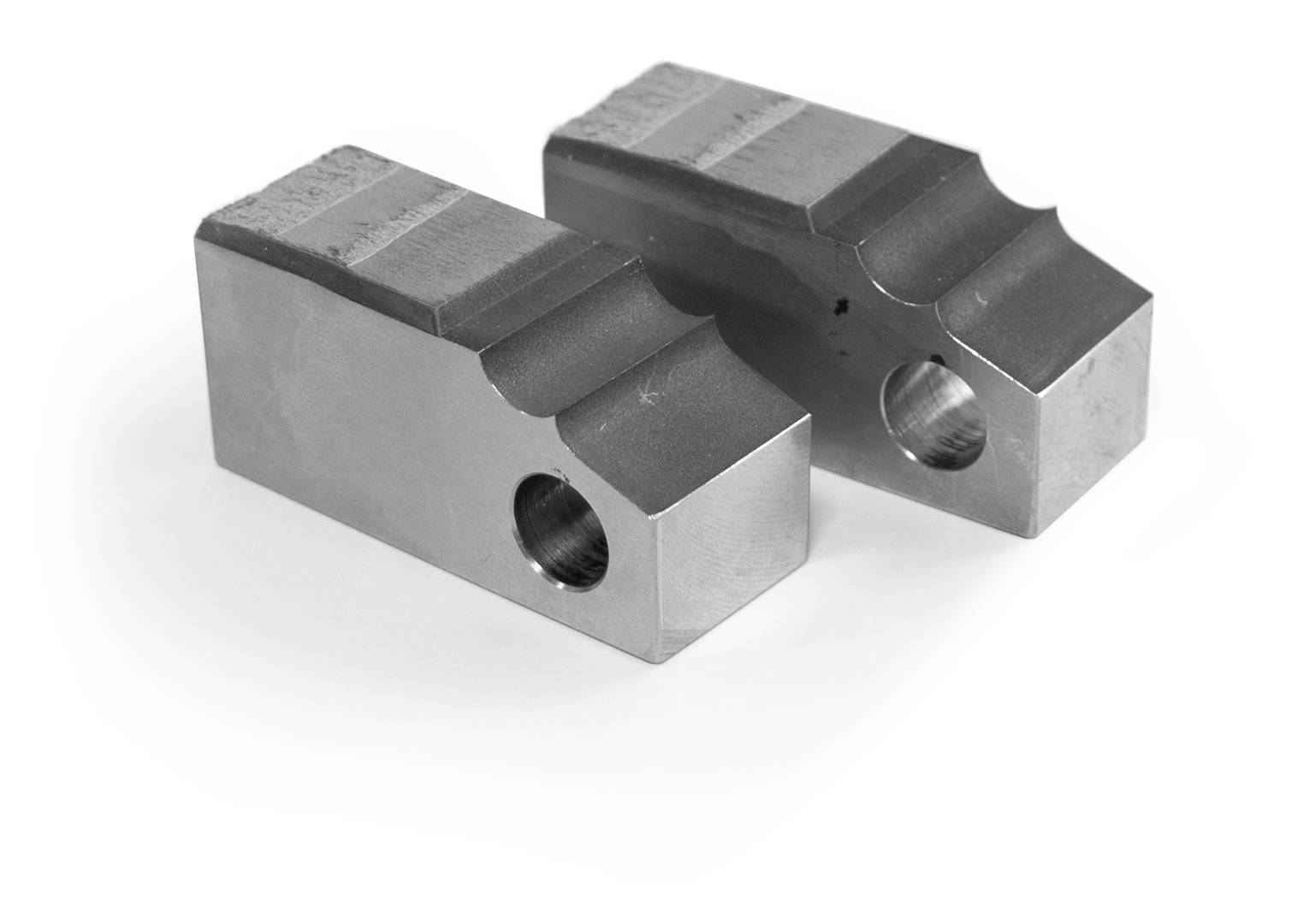
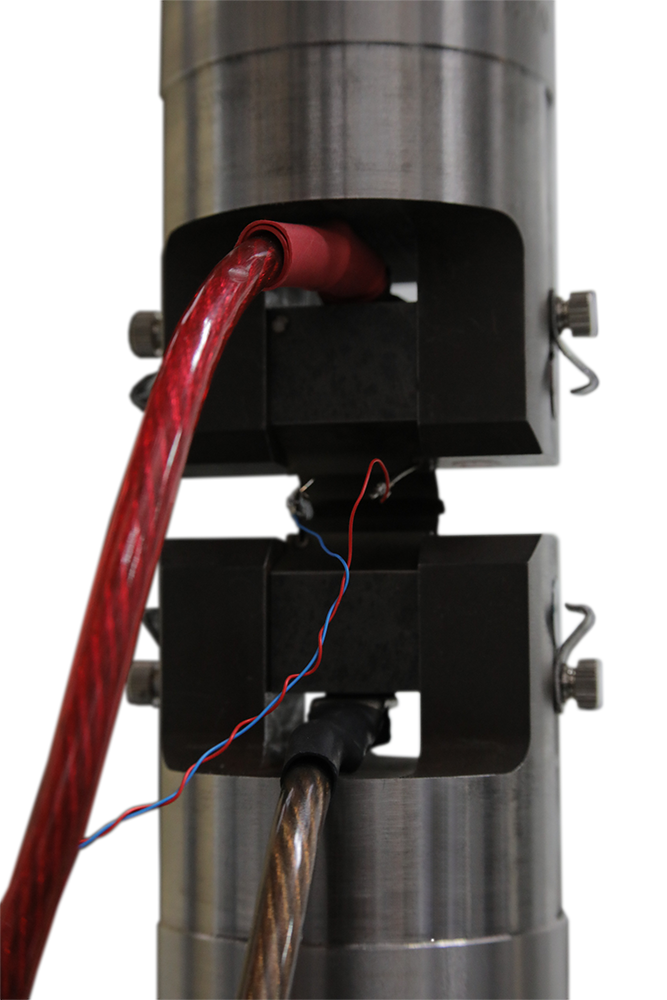
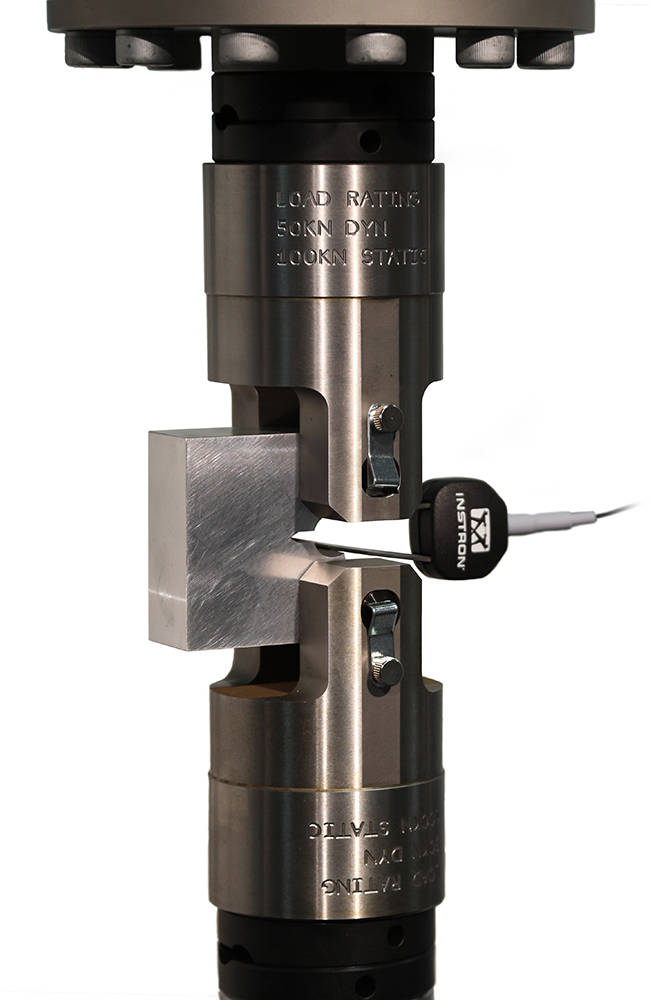
Test control and method set up are similar to mechanical compliance-based methods and raw data is stored in the same way. Signal noise depends greatly on the preamplification and conditioning of the DCPD system, so an additional averaging feature is available to stabilize readings during crack growth.
For fracture toughness determination, corrected displacement is calculated from user-specified frame compliance coefficients stored within the method, so that correct analyses can be used for different load strings. Manual and automated methods of V0 determination are provided, with a configurable interval for generation of J-da plot.
SUPPORTING DCPD MEASUREMENTS

Integration
Various functions are available to support integration with laboratory data management systems (e.g. LIMS), such as the option to import automatically generated inputs of specimen geometry and material properties.

Supported Features
Bluehill Fracture modules support all common test standards (ASTM, ISO and BS) for crack propagation, ductile and brittle fracture, crack length measurements and specimen geometries. Users can test to predefined standards (e.g. ASTM E647, ASTM E399, ASTM E1820, ISO 12135).
For the latest Bluehill Fracture standard compatibility:

Compatibility
Bluehill Fracture is available with new ElectroPuls® and Servohydraulic systems, as well as any existing dynamic testing system with an 8800 or 8800MT controller running Windows 7 or 10.
Instron offers a variety of grips suitable for performing tensile tests on a wide range of microelectronic components and assemblies including leads, wires, and irregularly shaped products.
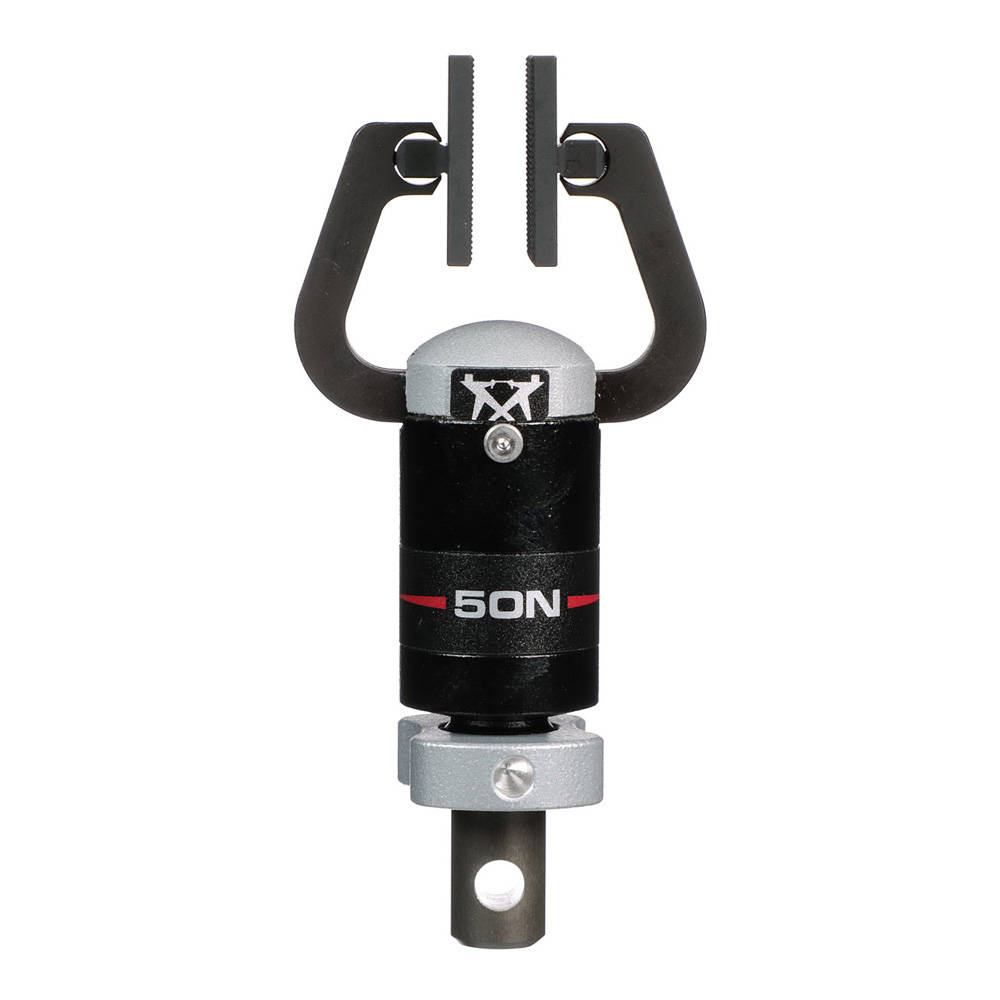
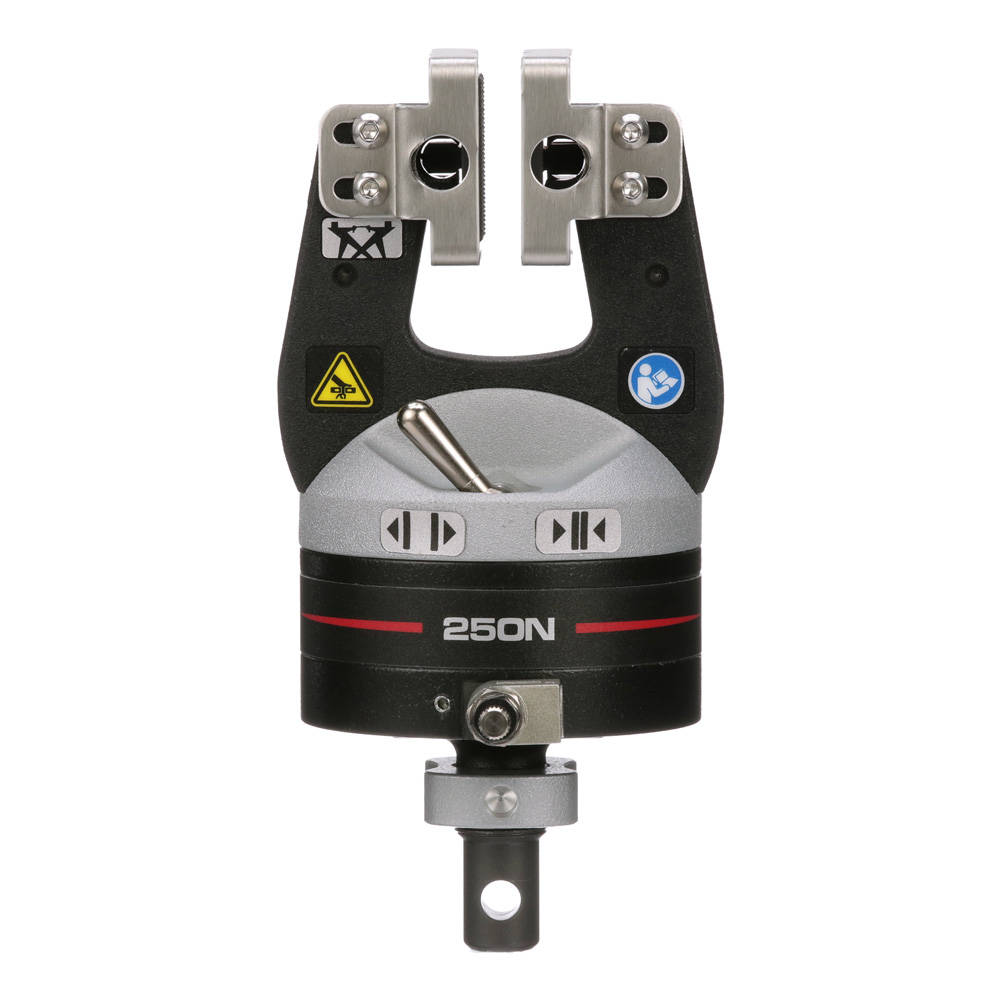
| Available Models | |
| Force Capacity | Catalog No. |
| 50 N | 2712-051 |
| 250 N | 2712-052 |
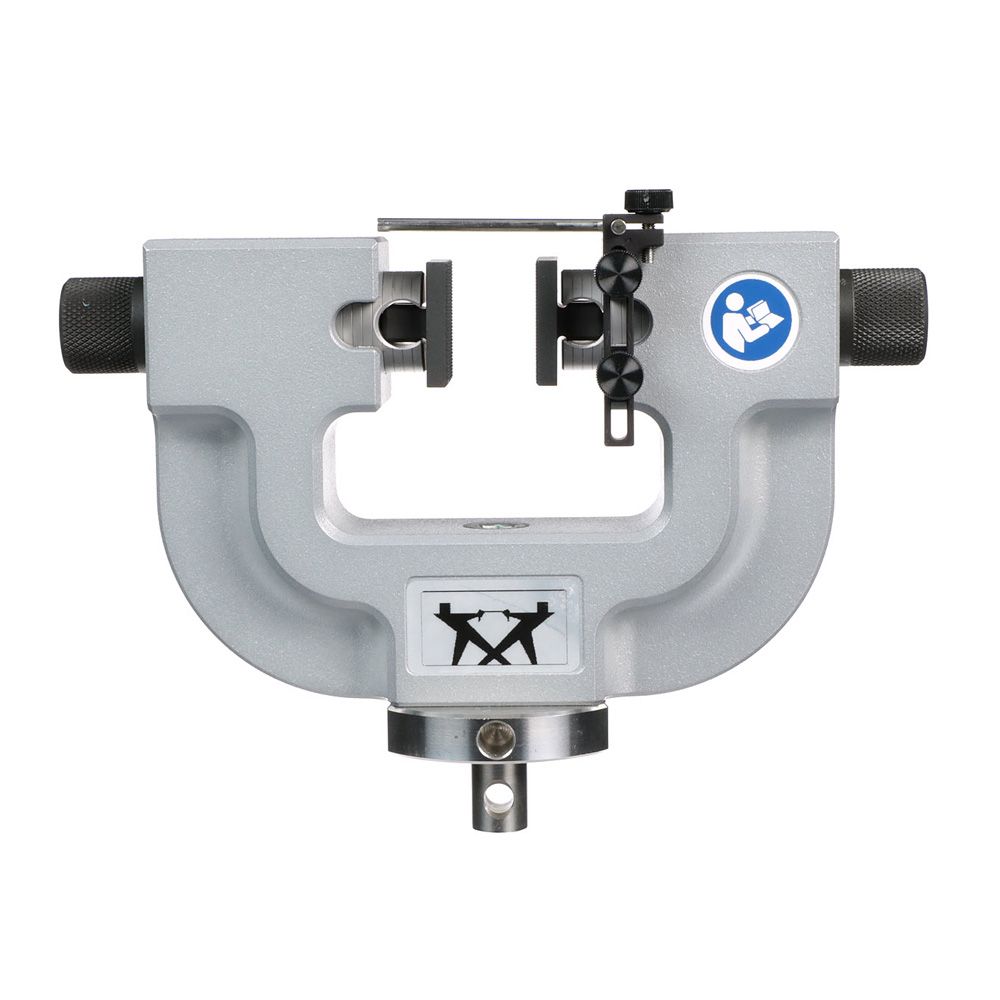
| Available Models | ||
| Force Capacity | Maximum Jaw Face Opening With Serrated Jaw Faces | Catalog No. |
| 100 N | 35 mm | 2710-111 |
| 500 N | 35 mm | 2710-112 |
| 1 kN | 36 mm | 2710-113 |
| 2 kN | 36 mm | 2710-114 |
| 5 kN | 46 mm | 2710-115 |
| 10 kN | 46 mm | 2710-116 |
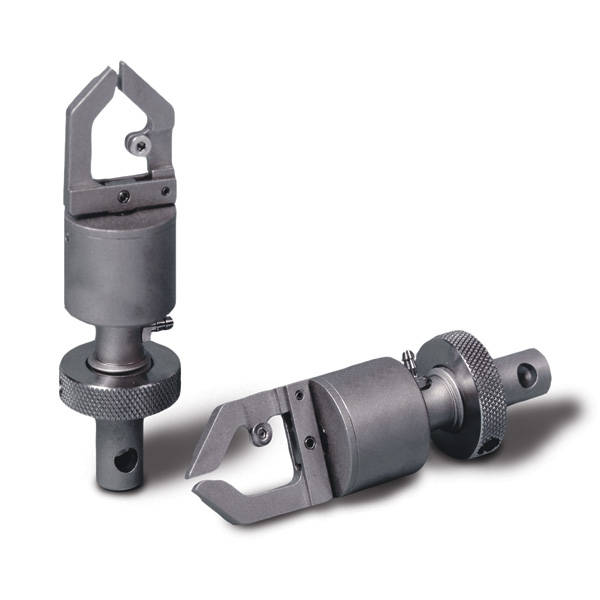
| Specifications | ||
| Force Capacity | Maximum Specimen Thickness | Catalog No. |
| 10 N | 0.8 mm | 2712-101 |
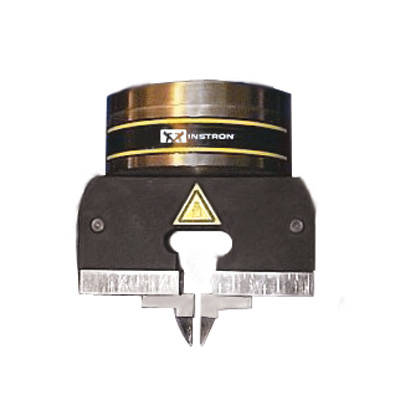
| Specifications | ||
| Force Capacity | Catalog No. | |
| 500 N | 2712-212 | |

| Specifications | ||
| Force Capacity | Catalog No. | |
| 10 N | 2860-001 | |