Bluehill® Central Quiz





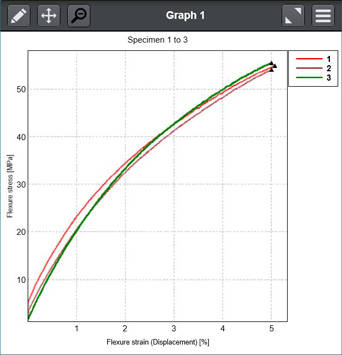
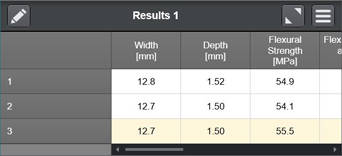








Il software Bluehill Central è uno strumento di gestione del laboratorio che consente la gestione centralizzata e remota delle applicazioni software Bluehill Universal associate a più telai di prova Instron. Il software permette di gestire in remoto tutti gli utenti Bluehill Universal, i modelli di prova, i risultati, le approvazioni delle revisioni dei file e i dati del registro di controllo da più sistemi Instron.
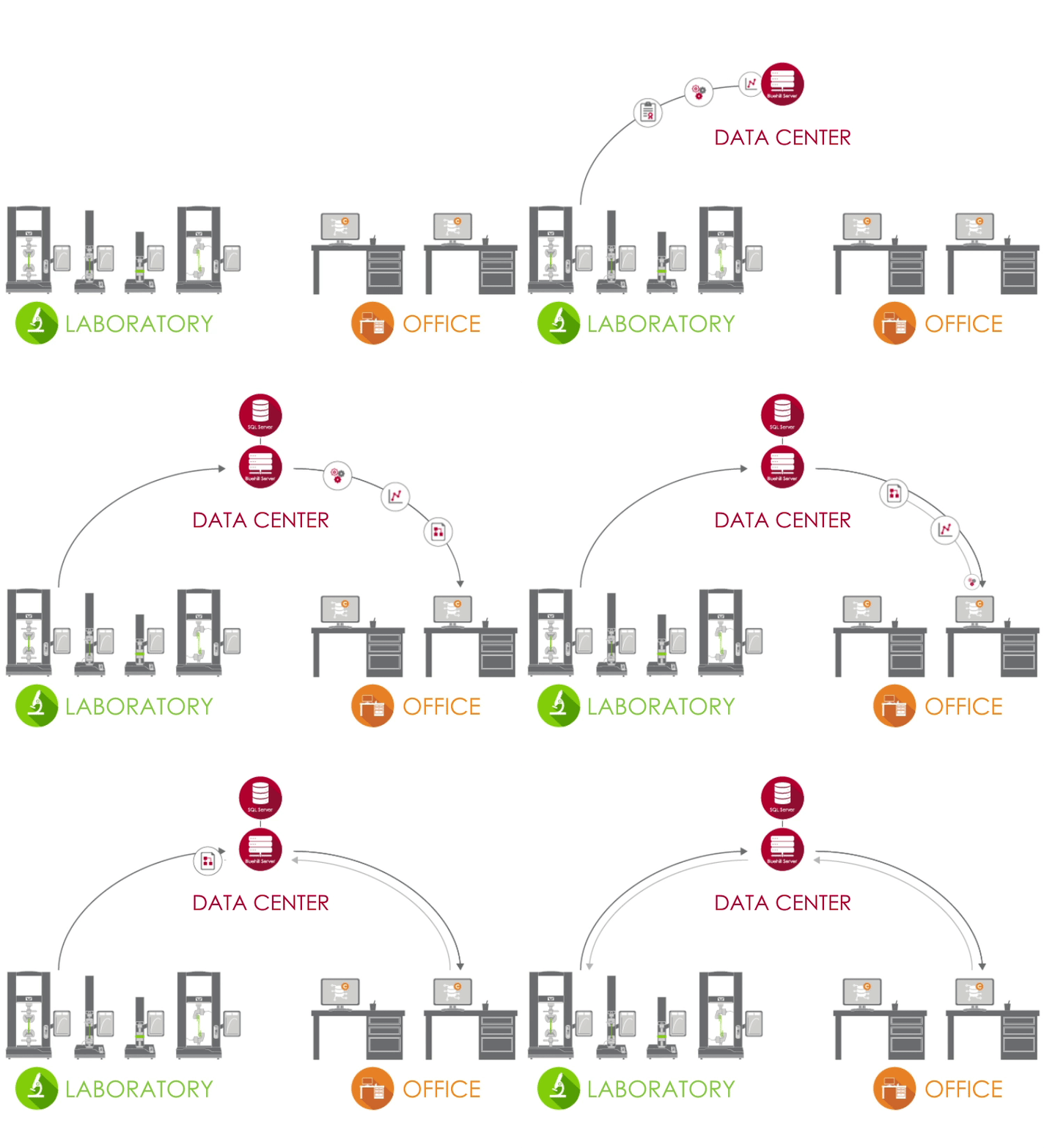
Bluehill Central utilizza una rete client/server per archiviare tutti i dati, i file e le impostazioni condivisi su un database Microsoft® SQL Server. Quando Bluehill Universal è connesso al server Bluehill Central del tuo laboratorio, ogni sistema di prova invia e riceve dati dal database centralizzato, eliminando il rischio di variazioni e l'onere di gestire localmente ogni sistema.
 |
LABORATORIO In laboratorio, i PC che eseguono Bluehill Universal e sono connessi alla rete aziendale possono accedere al database Bluehill Central tramite il plug-in Central. |
 |
DATA CENTER Un data center gestito dal tuo gruppo IT può ospitare il database SQL Server che archivia centralmente i dati Instron e l'applicazione Bluehill Server che gestisce tutte le transazioni tra client e database. Tutti i client e i server sono connessi tramite la rete aziendale. |
 |
UFFICIO Fuori dal laboratorio, è possibile accedere in remoto a file e impostazioni dal visualizzatore Bluehill Central. È inoltre possibile utilizzare licenze Bluehill Universal offline per modificare i metodi di prova e visualizzare i dati dei campioni. |
Per saperne di più, consulti la nostra Guida per i responsabili di laboratorio e gli amministratori IT.
Bluehill Central consente di organizzare gruppi di utenti in team che condividono file e impostazioni comuni. Le autorizzazioni di un operatore e l'accesso ai file sono definiti dal suo team. Ciò offre al tuo laboratorio la flessibilità di supportare diversi flussi di lavoro e impostazioni a seconda del gruppo che utilizza il sistema.
MEMBRI | Utenti individuali con autorizzazioni personalizzate
SISTEMI DI PROVA | Telai Instron nel tuo laboratorio connessi a Bluehill Central
FILE | Metodi Bluehill, modelli di report, report PDF o altri file correlati a Instron
AUDIT TRAIL | Un registro delle azioni eseguite dai membri del team.
IMPOSTAZIONI | Tipo di sicurezza, approvazioni dei file e altre impostazioni a livello di team
Scopri le opzioni di sicurezza in Bluehill Central.
Il modulo Gestione laboratorio contiene il repository di file di Bluehill Central, che è archiviato sul server del database. I telai Instron connessi possono accedere al database per eseguire metodi di prova controllati o esportare i risultati.




Il modulo Tracciabilità in Bluehill Central consente di revisionare in remoto e approvare elettronicamente le modifiche ai metodi di prova, i dati dei campioni e altre modifiche ai file Bluehill che si verificano sui sistemi Instron. Le approvazioni dei file e molte altre azioni degli utenti in Bluehill Central e Bluehill Universal vengono acquisite automaticamente in un registro di controllo centralizzato per verificare chi, cosa, quando e perché su qualsiasi sistema Instron connesso. Nota: il modulo Tracciabilità visualizza i dati dai sistemi Instron con il plug-in Tracciabilità + Gestione laboratorio (Central), un add-on
per Bluehill Universal.



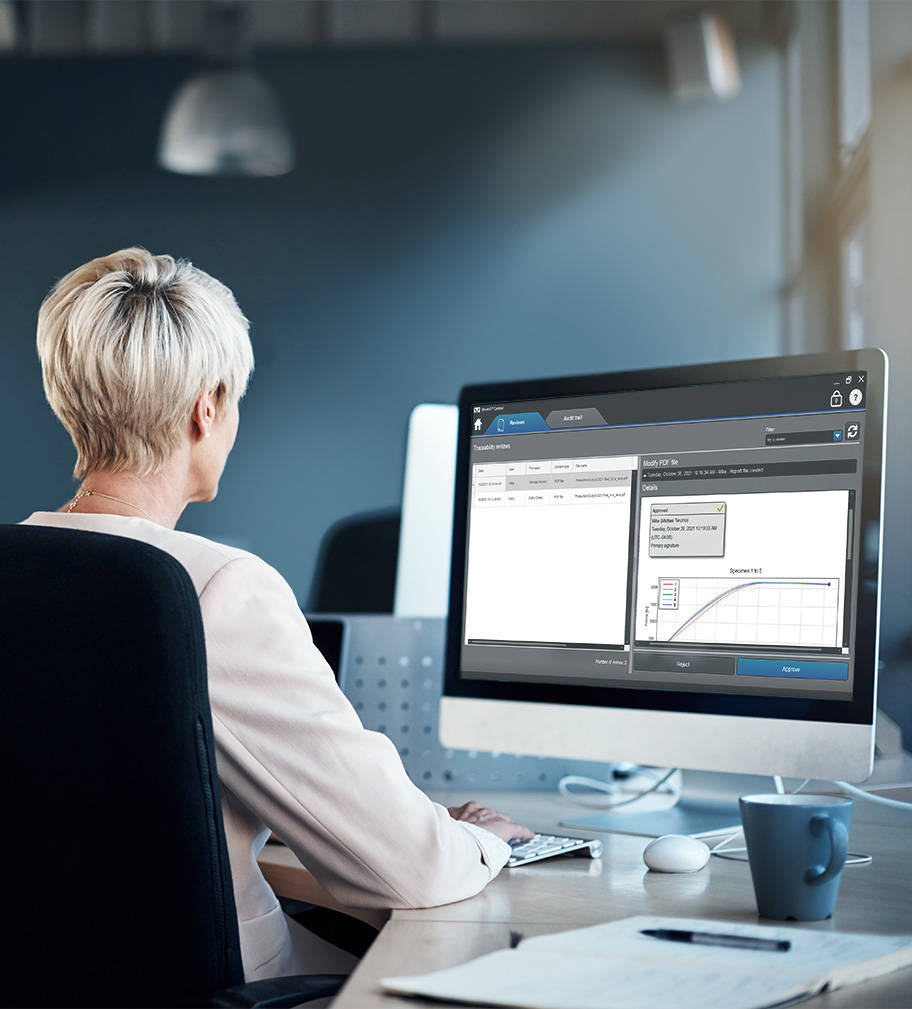
Scopri come la Tracciabilità in Bluehill Central si confronta con la Sicurezza standard in Bluehill Universal e la Tracciabilità locale.
Scopri come la Tracciabilità all'interno di Bluehill Central può aiutarti a soddisfare i requisiti tecnici di FDA 21 CFR Part 11.

Il modulo TrendTracker in Bluehill Central accelera il flusso di lavoro di analisi dei dati del tuo laboratorio. Un'interfaccia intuitiva ti consente di cercare, visualizzare e analizzare rapidamente i risultati nel tempo e su più campioni e sistemi di prova. Dì addio a noiose ricerche di file e al copia-incolla dei dati.

Analisi dei dati multi-campione
Esegue l'analisi dei dati sui risultati di più campioni prodotti da più sistemi di analisi.

Query personalizzabili
Crea query definite da parametri o risultati di test che forniscono approfondimenti su tendenze e anomalie.

Tracciare visivamente
Traccia una varietà di tipi di grafici per visualizzare i set di dati.

Esportare i dati
Esporta i dati in un file CSV e li apre in un'applicazione, come Minitab®, per ulteriori analisi.
Scopra di più sulle statistiche e sui grafici disponibili in TrendTracker.
Scopra come TrendTracker le consente di prendere decisioni più rapide e basate sui dati.
Faccia un rapido tour di TrendTracker e veda quanto è facile da configurare, monitorare le tendenze e scoprire le intuizioni.
Di seguito è riportato un elenco di tutti i metodi di prova preconfigurati disponibili nel software di prova dei materiali Bluehill Universal.
Il software per prove sui materiali di nuova generazione
Bluehill Universal è stato progettato fin dall’inizio per l’interazione di tipo touch. Il nuovo layout verticale, con il suo design visivo creato meticolosamente, offre la visualizzazione più completa dell’area di lavoro sulla Dashboard operatore, uno straordinario monitor touch di grandi dimensioni dotato di un controller integrato. I flussi di lavoro intuitivi agevolano la formazione di utenti alle prime armi o esperti, semplificano la formazione degli operatori e consentono agli utenti di cominciare a eseguire le prove ancor più rapidamente rispetto al passato.
Il team di sviluppatori Bluehill di Instron non smette mai di innovare per rendere la tua esperienza di test più semplice, intelligente e sicura.


La Dashboard operatore è dotata di ampi punti di tocco e di icone facilmente comprensibili per rendere più semplice ed efficace l’esperienza dell’utente. Il pannelo di controllo touch screen è un computer all-in-one di grande formato che può essere montato sui sistemi di prova Instron oppure utilizzato con un supporto da tavolo.
QuickTest
Quando sono necessari risultati rapidi, QuickTest consente agli utenti di immettere alcuni parametri semplici e di eseguire la prova in pochi secondi.
Modelli di metodo
Bluehill Universal dispone di una ricca libreria di metodi preconfigurati per alcuni degli standard ASTM, ISO ed EN più comuni.
Prove guidate
Gli utenti possono essere supportati lungo l’intero processo di test, con istruzioni dettagliate, con la certezza che le prove siano ripetibili, semplici e prive di errori.
Misurazione dei provini integrata
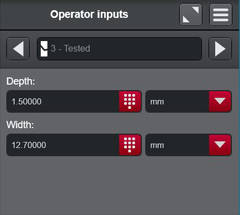
È possibile collegare micrometri e calibri direttamente nel sistema, per importare senza alcuno sforzo le dimensioni dei provini per l’esecuzione di misurazioni dello sforzo.
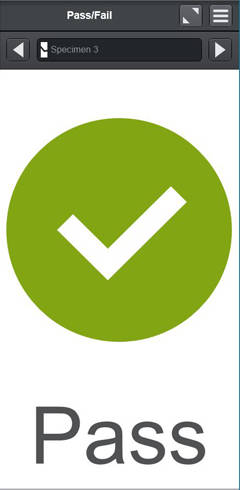
Superato/Non superato
Consente agli utenti di aggiungere un componente di prova all’area di lavoro per visualizzare rapidamente se una prova è stata superata o meno in base ai criteri di accettazione impostati nel metodo di prova.
Scanner di codici a barre
Gli utenti possono immettere agevolmente le informazioni all’interno di Bluehill Universal con qualsiasi scanner di codici a barre USB. È sufficiente creare un codice a barre, che comprenda la funzione Tab, e sarà possibile aggiungere le informazioni in qualsiasi campo di input di testo o numerico.
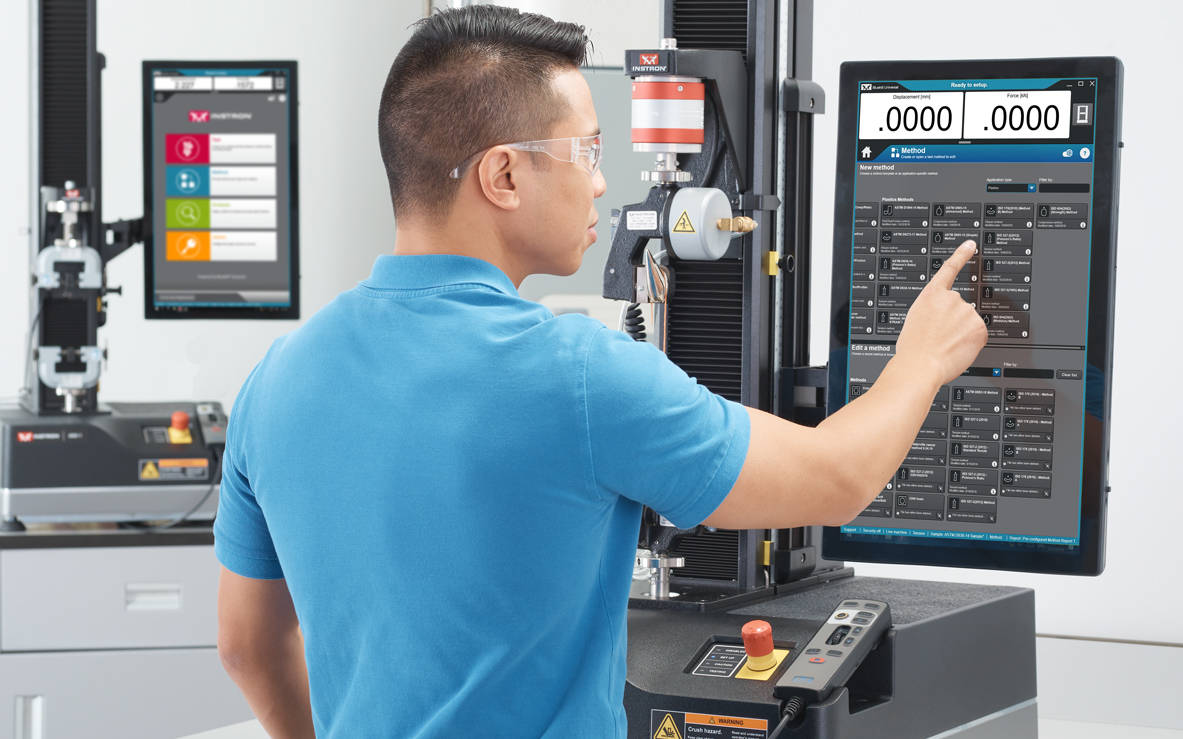
Semplicità non significa dover rinunciare a funzionalità avanzate. Le funzionalità modulari di Bluehill Universal assicurano la potenza e la flessibilità necessarie per eseguire anche le prove più complesse.
Esportazione personalizzabile
Esportare tutte le informazioni successive alle prove, da un rapporto professionale con grafici e tabelle, in file di testo personalizzati da integrare con il proprio sistema di gestione delle informazioni di laboratorio.
Creatore di test
È possibile creare prove cicliche semplici che comprendano rampe, tratti costanti e onde triangolari. La logica condizionale consente di creare modelli ciclici in grado di aiutare a ricreare scenari reali per le prove.
(Capacità opzionale)
Creatore di espressioni matematiche
Creare le proprie funzioni personalizzate, utilizzando un elenco di variabili, misurazioni e dati grezzi. Ad esempio, gli utenti possono impostare la velocità di prova come funzione della larghezza e dello spessore del provino oppure creare un’espressione personalizzata dei dati grezzi, come la sottrazione della forza di resistenza durante il test in un bagno di fluido.
Ingressi a scelta
Gli ingressi a scelta forniscono agli utenti un elenco preconfigurato di opzioni che riducono al minimo il tempo di immissione dei dati e il rischio di errore per gli ingressi comunemente utilizzati, come il nome dell’operatore, il colore o il tipo di campione. Inoltre, ogni scelta può essere collegata ad altri parametri, come la velocità di prova o le dimensioni.
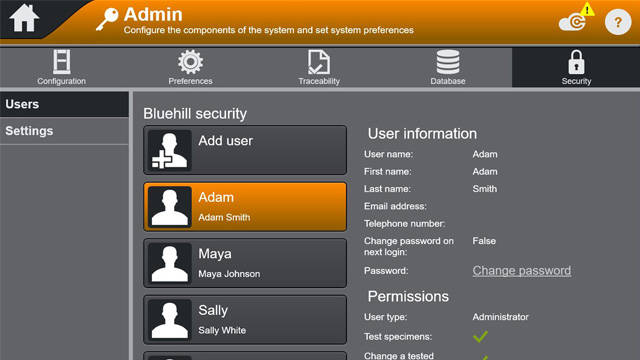
Sicurezza
Bluehill Security consente a un responsabile di laboratorio di configurare l’autorizzazione nel software, concedendo l’accesso al personale qualificato, come gli utenti con privilegi avanzati, e limitando l’accesso in caso di necessità. Bluehill Security consente di configurare le autorizzazioni di accesso direttamente all’interno di Bluehill, oppure di collegarle all’accesso locale di Windows o a Windows Active Directory.
White paper sulla sicurezza del software Bluehill
Webinar: Migliora l’integrità dei dati con Bluehill Universal Security
Modulo di tracciabilità
Il modulo di tracciabilità di Bluehill Universal consente agli utenti di soddisfare i requisiti di audit associati a FDA 21 CFR Part 11, ISO 17025, Nadcap e altri. Grazie a una perfetta integrazione di approvazioni elettroniche, cronologia delle revisioni e audit trail automatizzati, questo pacchetto aggiuntivo garantisce la sicurezza ed integrità richiesta dagli standard nonchè una rapida e semplice tracciabilità dei dati.
(Capacità opzionale)
Opuscolo
Caratteristiche a confronto: Sicurezza standard vs. tracciabilità (locale) vs. tracciabilità (Bluehill Central)
White paper sull’implementazione della FDA 21 CFR Parte 11
Integrità dei dati e tracciabilità Bluehill | Creazione di un laboratorio più efficiente
Webinar: Presentazione del modulo di tracciabilità di Bluehill Universal
Tipi di database
L’audit trail di tracciabilità offre sia una rete che un database locale per soddisfare le preferenze di gestione dei dati. Un database centralizzato e collegato in rete offre al laboratorio maggiore efficienza e minori rischi rispetto ai dati gestiti localmente. Nel valutare queste alternative, si raccomanda di determinare le preferenze di gestione dei dati e dell’infrastruttura IT del proprio laboratorio.

Il modulo di tracciabilità locale di Bluehill Universal memorizza i dati dell’audit trail su un database Microsoft SQL Express ospitato sul computer che esegue Bluehill Universal collegato al sistema Instron. Il modello di database locale è adatto ai laboratori che non possono collegare i computer a una rete condivisa. La visualizzazione dell’audit trail e la firma elettronica dei file avvengono localmente sul computer e ogni sistema Instron con un database locale di tracciabilità memorizza il proprio database SQL Express. Le funzioni di backup e ripristino del database possono essere eseguite manualmente in Bluehill Universal.
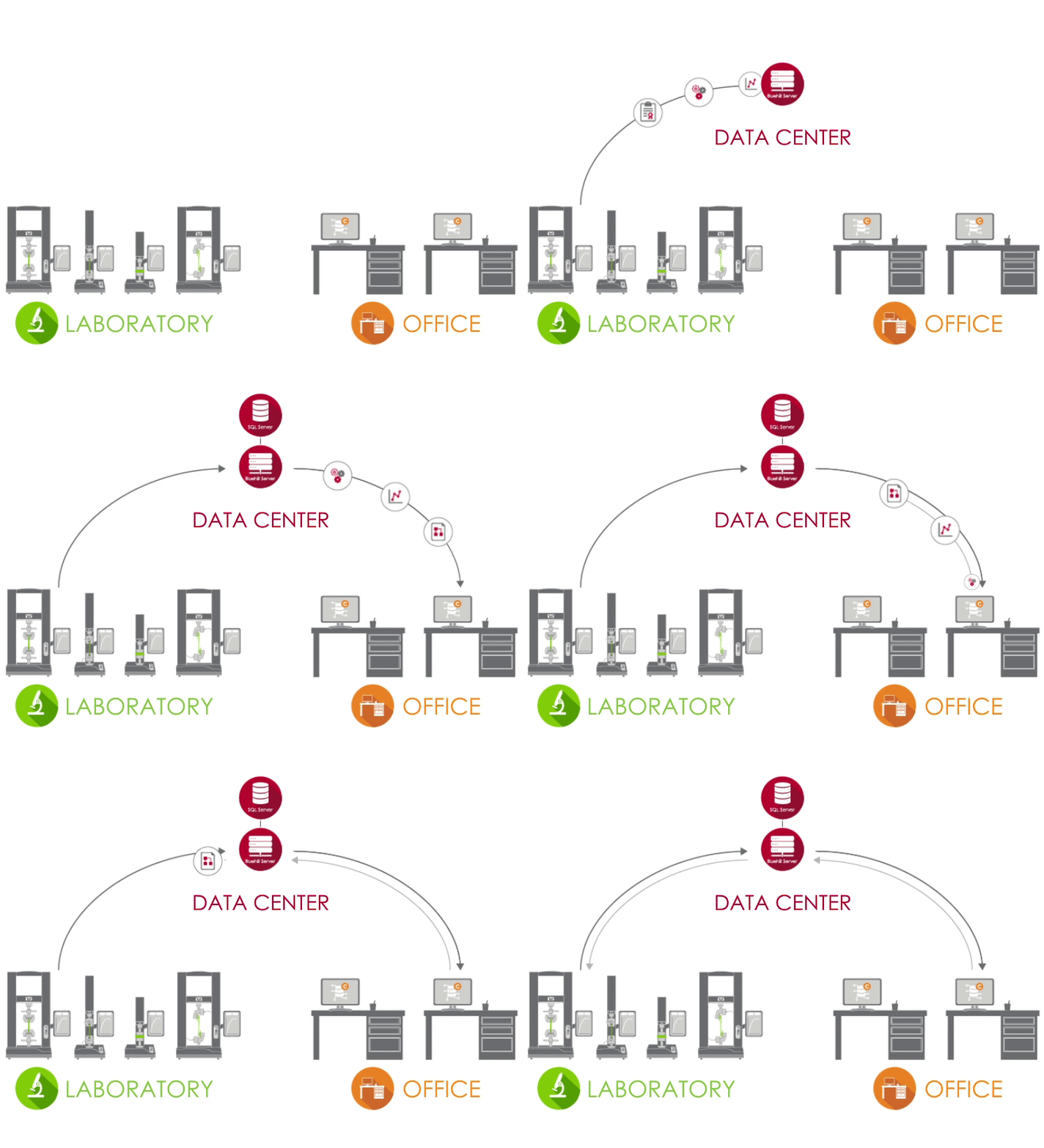
La soluzione di rete per la tracciabilità di Instron è basata su Bluehill Central, che utilizza un framework client/server per archiviare tutti i dati, i file e le impostazioni dell’audit trail condivisi su un database Microsoft SQL Server. Quando Bluehill Universal è connesso al server Bluehill Central del laboratorio, ogni sistema di test invia e riceve dati dal database centralizzato, eliminando il rischio di variazione e l'onere di gestire localmente ciascun sistema. La visualizzazione dell’audit trail, la firma elettronica dei file e la gestione degli utenti vengono eseguite in remoto in Bluehill Central o localmente in Bluehill Universal. Le funzioni di backup e ripristino del database possono essere eseguite manualmente in Bluehill Central.
Analisi
È possibile rieseguire, rianalizzare o apportare modifiche ai provini testati in precedenza senza dover eseguire nuovamente le prove.
(Modulo opzionale)
TestCam
Collegando una webcam USB, è possibile utilizzare la riproduzione video punto per punto, potendo visualizzare la prova anche se è terminata.
(Modulo opzionale)
Sottocampioni
Utilizzando il sottocampione, gli utenti hanno la possibilità di ordinare i risultati in base a tutti i parametri, compresi il nome dell’operatore, la posizione di rottura del provino e le sue proprietà specifiche.
TrendTracker
Il modulo opzionale di Bluehill Universal, TrendTracker, permette di esportare i risultati e le informazioni associate direttamente al database SQL di Bluehill Central. Grazie al pacchetto software TrendTracker di Bluehill Central, gli utenti possono facilmente esaminare set di dati rilevanti ed analizzare le metriche di controllo dei processi dei test.
(Modulo opzionale)
Interfaccia di programmazione dell’applicazione
L’interfaccia di programmazione dell’applicazione (API) di Bluehill Universal consente agli amministratori di sistema di programmare le proprie interfacce personalizzate per controllare le azioni preliminari e successive alle prove all’interno di Bluehill. In molti casi, l’API può consentire di automatizzare alcuni componenti della sequenza di prova e creare un’interfaccia personalizzata per l’esecuzione di determinate parti del sistema, come l’importazione, l’avvio o l’esportazione.
Licenze off-line
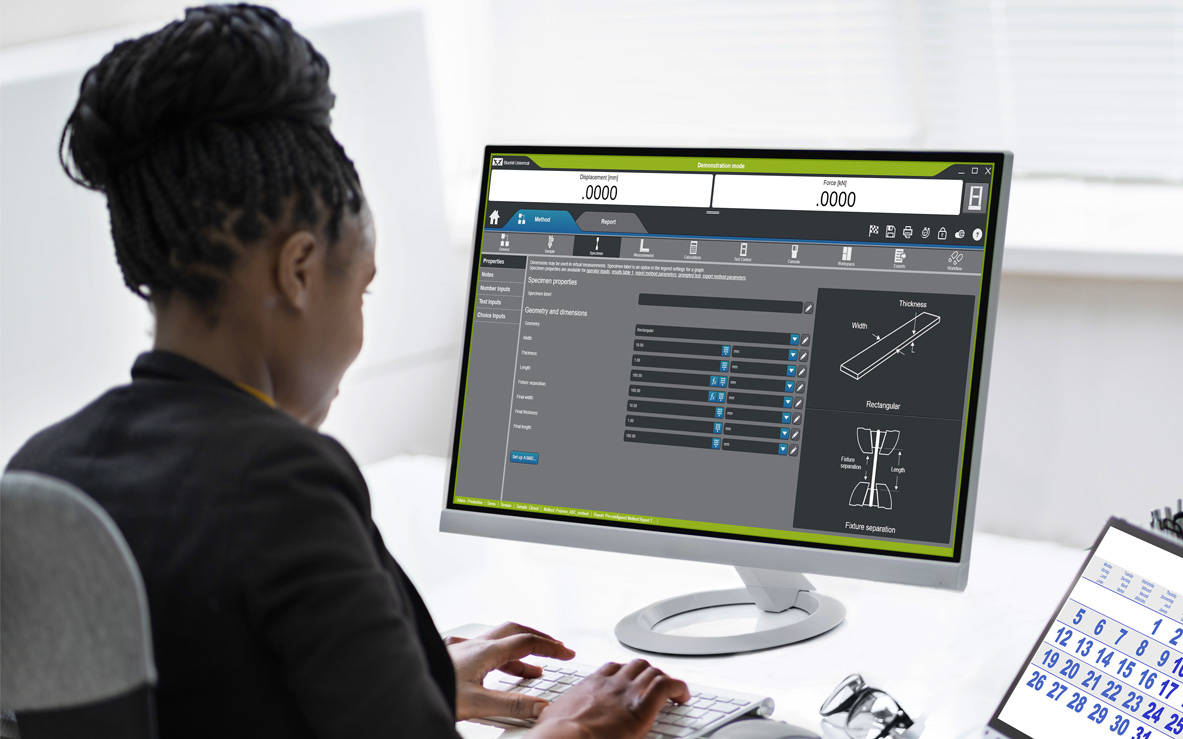
Alcuni utenti preferiscono costruire metodi o eseguire analisi dei dati successivi alle prove dalla propria scrivania o da remoto, dal proprio portatile, piuttosto che presso lo strumento di prova. L’opzione di programmazione e analisi dei dati offline è disponibile come licenza singola o illimitata.
Instron Connect, integrata in Bluehill Universal, sfrutta l’Internet delle cose (IoT) per offrire ai clienti un’assistenza tecnica ancora più veloce e semplificata. Instron si sforza di essere il leader nella soddisfazione dei clienti e Instron Connect aiuta i nostri tecnici dell’assistenza a essere ancora più vicini alla tua organizzazione.

Assistenza tecnica leader del settore
Instron Connect consente al nostro team di assistenza tecnica di fornire supporto e guida senza precedenti. I nostri investimenti nella connettività sicura ci consentono di leggere direttamente le informazioni di diagnostica del sistema, assisterti nelle domande sul software attraverso la condivisione dello schermo da remoto e di mettere i nostri occhi nel tuo laboratorio per i problemi hardware attraverso la nostra piattaforma di assistenza video in realtà aumentata.


COMPATIBILITÀ
Bluehill Universal è disponibile con una Dashboard operatore sui nuovi sistemi 6800 e 3400. Inoltre, può essere aggiunto ai sistemi di prova statici 6800, 3400, 5900, 3300, 5500, 59R e IS02 esistenti, oltre ai sistemi aggiornati con elettronica 5900. I sistemi dinamici ElectroPuls™ e 8800 possono anche trarre vantaggio dalla versatilità e dalla facilità di utilizzo di Bluehill Universal durante l’esecuzione di prove statiche.
Formazione | Requisiti del computer | Lettera dal SQA di Bluehill

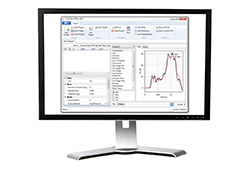

CrashSim Office is a stand-alone program for signal preparation and processing, as well as for predicting the pulse-making capability and the generation of the DriveSignal for the CrashSimulationSystem. CrashSimOffice is used offline from the crash simulation system and has essentially the following characteristics
Import Functions
Edit Functions
Prediction Functions
CrashSim Office is an indispensable tool in the modern development process. Due to its variety of possibilities, it relieves the sled test operation of a multitude of necessary pre-shots to prove the feasibility of a pulse. As a result, CrashSim Office helps the sled system to function as efficiently and productively as possible.
Learn more about Crash Simulation Systems.
Di seguito sono riportati i requisiti minimi del computer necessari per installare e utilizzare correttamente il software di prova Bluehill® Universal sul sistema. Ulteriori requisiti dipendono da dispositivi aggiuntivi, come gli estensimetri video. Contattaci per la configurazione consigliata.
Bluehill Universal è progettato per l'interazione touch, pertanto si consiglia di utilizzare un monitor touchscreen per un'esperienza utente ottimale.
I requisiti dipendono ulteriormente da moduli aggiuntivi, come gli estensimetri video. Contattaci per la configurazione consigliata.
Bluehill Impact for Pendulum has been designed to meet customer needs. The touchscreen interface features an outstanding visual design that improves user experience while also incorporating safety features. Intuitive workflows make it easy to train users, simplify operator training, and allow you to start testing faster than ever before.


ENHANCED SAFETY
The color-coded framework informs you about the machine's status and provides clear, valuable information to the user. A simple glance lets you know what environment you are in, and whether it is safe to interact with the machine.

ADVANCED CALCULATION
Automatic identification of break type from the shape of the curve in accordance with ISO 179-2.

USER-DEFINED ACCESS RIGHTS
With three different pre-defined profiles to select from, it is possible to configure the workspace to suit the needs of different users and limit the functionality that is available to an individual.
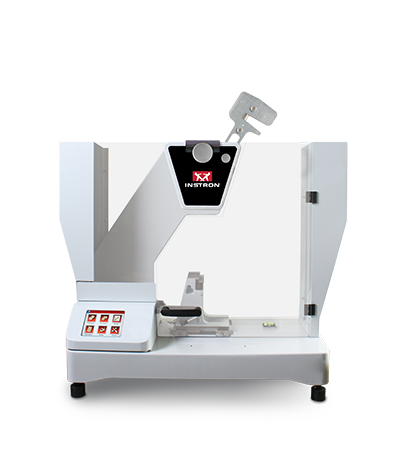
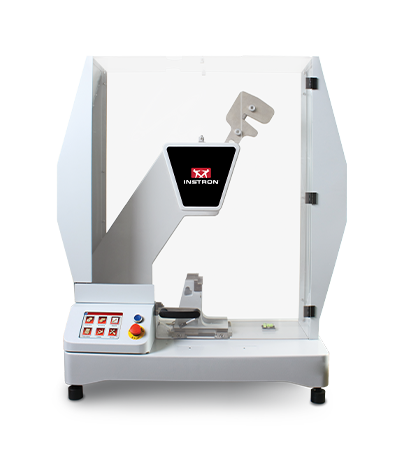
Pendulum Impact Testing Machine enables users to determine the impact resilience of plastics and composites, easily and safely.
Bluehill Fracture Standards Library is a Microsoft Windows PC compatible software package, developed by Instron - Division of ITW Limited, that provides a library of analysis functionality used by the Instron Bluehill Fracture software.
|
Analysis Result
|
Measurement
|
Specimen
|
|||||||||||||
|
KIc
|
KIsi
|
CTODc
|
Jc
|
JIc
|
Clip-Gauge
|
DCPD
|
C(T) Straight Notch
|
C(T) Load Line
|
SEN(B)
|
Disc Straight Notch
|
Disc Load Line
|
Arc Tension
|
Arc Bend
|
M(T)
|
|
|
ASTM E399-23
|
✔ | ✔ | ✘ | ✘ | ✘ | ✔ | ✘ | ✔ | ✔ | ✔ | ✔ | ✘ | ✔ | ✔ | ✘ |
|
ASTM E1820-24
|
✘ | ✘ | ✔ | ✔ | ✔ | ✔ | ✔ | ✘ | ✔ | ✔ | ✘ | ✔ | ✘ | ✘ | ✘ |
|
ISO 12135:2021
|
✔ | ✘ | ✔ | ✔ | ✔ | ✔ | ✘ | ✔ | ✔ | ✔ | ✘ | ✘ | ✘ | ✘ | ✘ |
|
GB/T 21143-2014
|
✔ | ✘ | ✔ | ✔ | ✔ | ✔ | ✘ | ✔ | ✔ | ✔ | ✘ | ✘ | ✘ | ✘ | ✘ |
|
BS 7448-1:1991*
|
✔ | ✘ | ✔ | ✔ | ✘ | ✔ | ✘ | ✔ | ✔ | ✔ | ✘ | ✘ | ✘ | ✘ | ✘ |
|
ASTM E647-19
|
✘ | ✘ | ✘ | ✘ | ✘ | ✔ | ✔ | ✔ | ✔ | ✔ | ✔ | ✔ | ✔ | ✔ | ✔ |
|
ISO 12108:2019
|
✘ | ✘ | ✘ | ✘ | ✘ | ✔ | ✔ | ✔ | ✔ | ✔ | ✔ | ✔ | ✔ | ✔ | ✔ |
|
Brittle KIc
|
Brittle/Basic CTOD or J
|
Ductile JIc (single specimen)
|
Ductile JIc (DCPD)
|
Crack Growth
*Excludes post-test analysis
|
||||
|
Standards →
|
ASTM E399-23
|
ISO 12135:2021
(GB/T 21143-2014)
|
ASTM E1820-24
|
ISO 12135:2021
(GB/T 21143-2014)
|
ASTM E1820-24
|
ISO 12135:2021
(GB/T 21143-2014)
|
ASTM E1820-24
|
ASTM E647-19
ISO 12108:2018 (GB/T 6398-2017)
|
|
Specimens ↓
|
||||||||
|
C(T) Straight Notch
|
✔ | ✔ | ✘ | ✘ | ✘ | ✘ | ✘ | ✔ |
|
C(T) Load Line
|
✘ | ✔ | ✔ | ✔ | ✔ | ✔ | ✔ | ✔ |
|
SEN(B)
|
✔ | ✔ | ✔ | ✔ | ✔ | ✔ | ✔ | ✔ |
|
Disc Straight Notch
|
✔ | ✘ | ✘ | ✘ | ✘ | ✘ | ✘ | ✔ |
|
Disc Load Line
|
✘ | ✘ | ✔ | ✘ | ✔ | ✘ | ✘ | ✔ |
|
Arc Tension
|
✔ | ✘ | ✘ | ✘ | ✘ | ✘ | ✘ | ✔ |
|
Arc Bend
|
✔ | ✘ | ✘ | ✘ | ✘ | ✘ | ✘ | ✔ |
|
M(T)
|
✘ | ✘ | ✘ | ✘ | ✘ | ✘ | ✘ | ✔ |
Version 2.4 Build 24093.01 (16/September/2024)
Version 2.3 Build 24093.01 (19/April/2024)
Version 2.2 Build 23335.3 (16/January/2024)
Version 2.0 Build 22018.01 (18/January/2022)
Version 1.3 (20/May/2021)
Version 1.2 Build 20167 (23/Jun/2020)
Version 1.2 Build 20063 (10/Mar/2020)
Version 1.1 (07/Nov/2019)
Version 1.0 (04/Feb/2019)
Nota: l'elenco delle funzionalità mostrate di seguito ha lo scopo di evidenziare i miglioramenti significativi inclusi in ogni rilascio di versione del software. Per un elenco completo dei miglioramenti e delle modifiche per versione, fare riferimento alle Note di rilascio di Bluehill Universal, che sono memorizzate nella cartella Instron accessibile da Start di Windows. Se Bluehill Universal non è stato installato, si prega di contattarci per richiedere le Note di rilascio.
Rilasciato agosto 2025
Rilasciato nel giugno 2025
Rilasciato nel luglio 2024
Uscita gennaio 2023
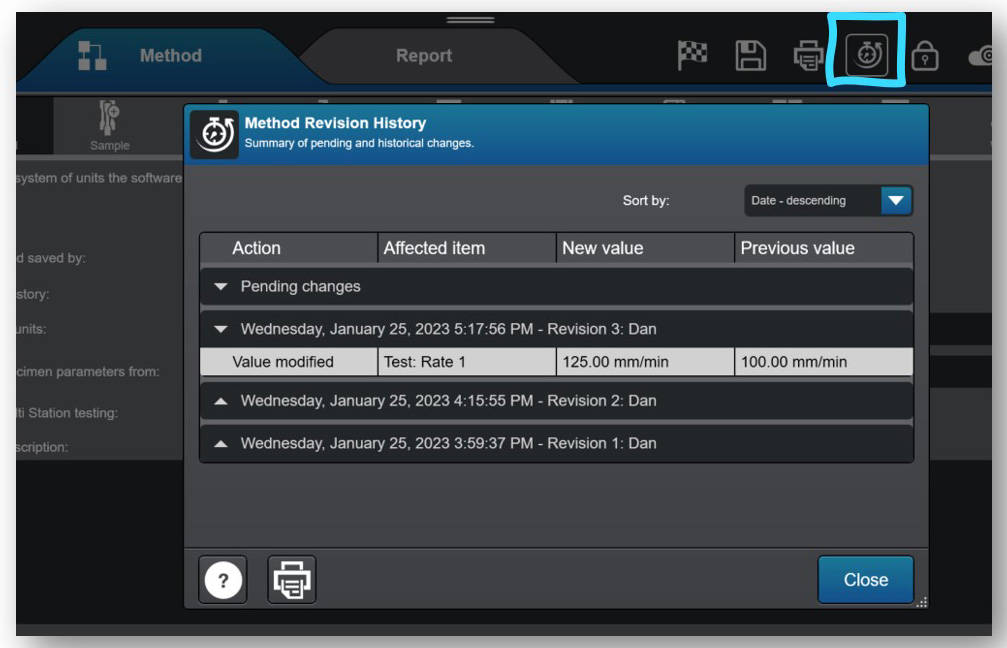
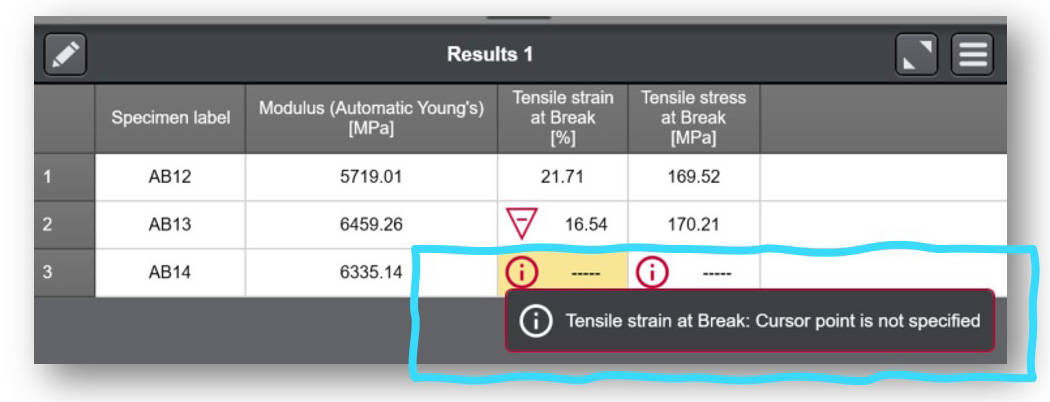
Uscita agosto 2022
Uscita aprile 2022
Rilasciato nel dicembre 2021
Uscita maggio 2021
Rilasciato a dicembre 2020
Rilasciato a giugno 2020
Uscita a febbraio 2020
In uscita a giugno 2019
Rilasciato a dicembre 2018
Pubblicato a giugno 2018
Pubblicato a novembre 2017
Rilasciato ad agosto 2017
Rilasciato a febbraio 2017
Nota: l'elenco delle funzionalità mostrato di seguito ha lo scopo di evidenziare i miglioramenti significativi inclusi in ogni versione del software. Per un elenco completo dei miglioramenti e delle modifiche per versione, fare riferimento alle Note di rilascio di Bluehill Central, archiviate nella cartella Instron accessibile da Start di Windows. Se Bluehill Central non è stato installato, contattaci per richiedere le Note di rilascio.
Rilasciato agosto 2025
Rilasciato a novembre 2024
Rilasciato nel luglio 2024
Rilasciato a dicembre 2022
Uscita aprile 2022
Rilasciato nel dicembre 2021
 |
 |
 |
|
|
FEATURE
|
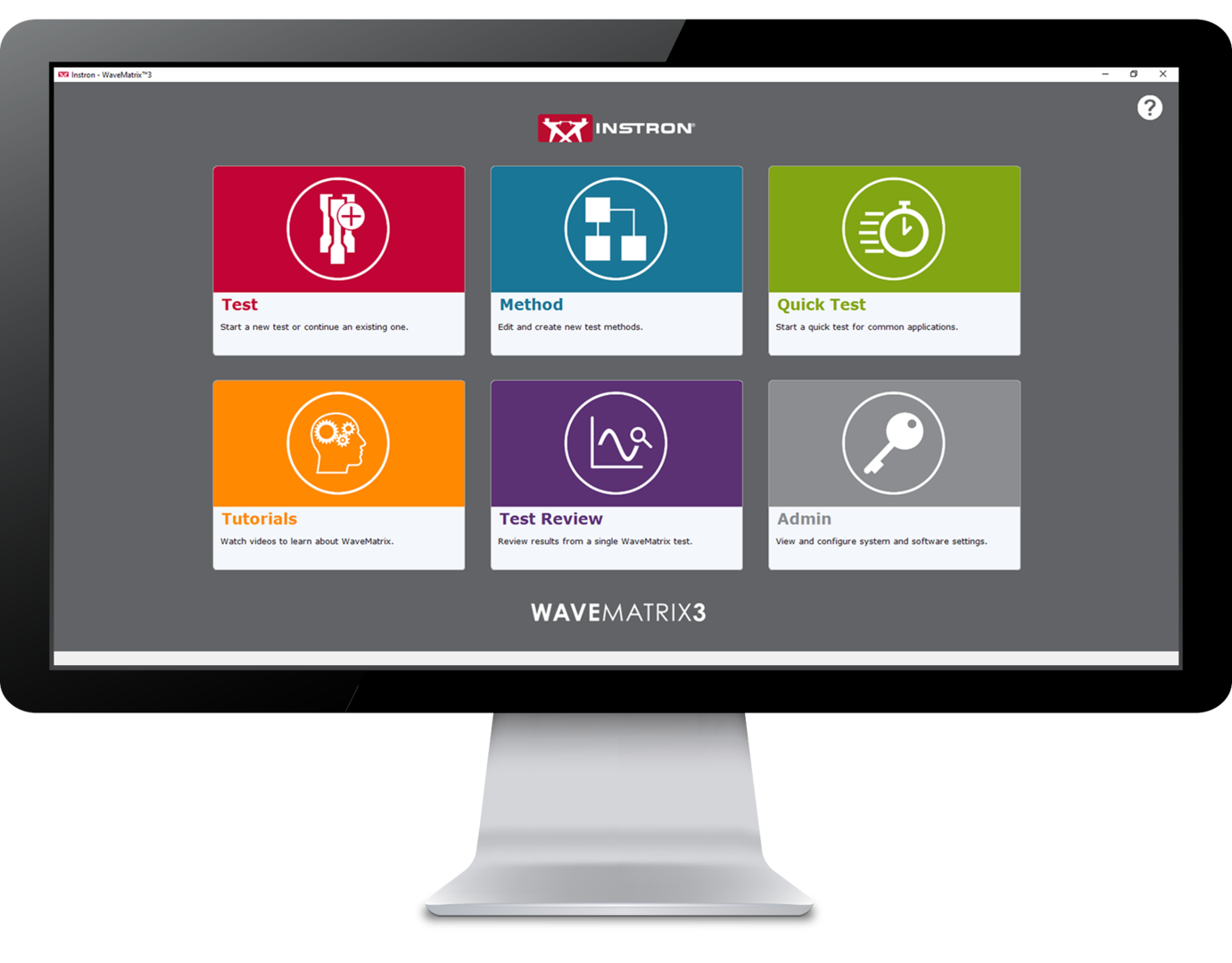
WAVEMATRIX3
|
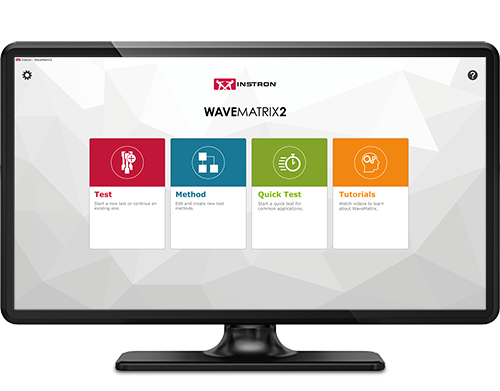
WAVEMATRIX2
|
WAVEMATRIX
|
| Intuitive User Interface | ✓ | ||
| Retrospective Test Review | ✓ | ||
| Auto-Calibration | ✓ | ✓ | ✓ |
| Stiffness Based Tuning | ✓ | ✓ | ✓ |
| Quick Test Setup | ✓ | ✓ | |
| Customizable Specimen & Test Details | ✓ | ||
| Integrated Virtual Test Information | ✓ | ||
| Specimen Protect | ✓ | ✓ | ✓ |
| Example Methods | ✓ | ✓ | |
| Video Tutorials | ✓ | ✓ | |
| PIN-Coded Accessibility | ✓ | ||
| User Defined Access Rights | ✓ | ||
| Visual Test Space | ✓ | ✓ | ✓ |
| Intuitive Test Setup | ✓ | ✓ | |
| Visual Sequence Builder | ✓ | ✓ | ✓ |
| Microsoft Windows 11 Compatibility | ✓ | ✓ | |
| WaveMatrix Backwards Compatibility | ✓ | ||
| Always-On-Top Display | ✓ | ✓ | ✓ |
| Automatic Logging | ✓ | ✓ | ✓ |
| Robust File Structure | ✓ | ✓ | ✓ |
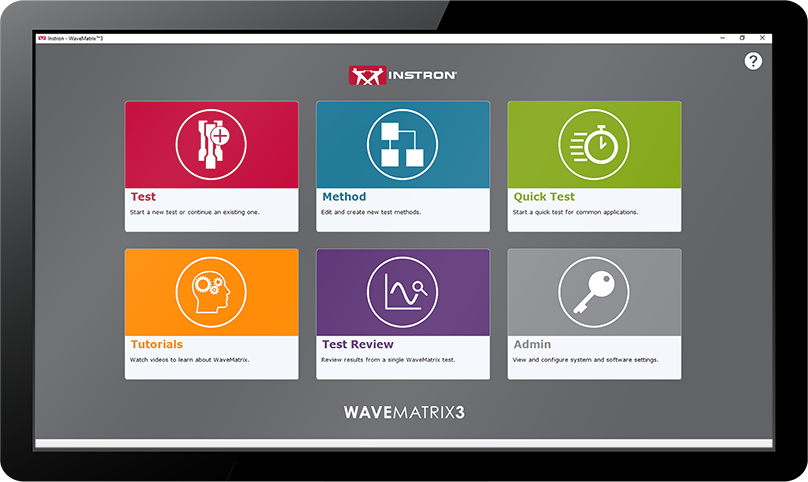
Reducing the time taken to accurately perform tests has been a continuous focus for product innovation and with WaveMatrix3, this concept was central to development. Designed using expert customer feedback, the following features have been produced to accelerate the process of reviewing a test.
Improving productivity can occupy a significant part of any organizations continuous improvement efforts and is a key component of sustainable growth and unlocking employee potential. WaveMatrix3 has been designed to improve throughput and minimize the inefficiency of routine testing.
Resources required for test validation are necessary and critical to ensuring the quality of test data. WaveMatrix3 features help to simplify the conformity process so that laboratories are more effective, the potential for human error is reduced and confidence in the result is improved.
As the world advances into the 4th industrial revolution, the demands for automation and data exchange in the materials testing industry has increased. Software has often been used to solve this challenge and WaveMatrix3 has been designed to meet these challenges and ensure testing facilities are as futureproofed as possible.
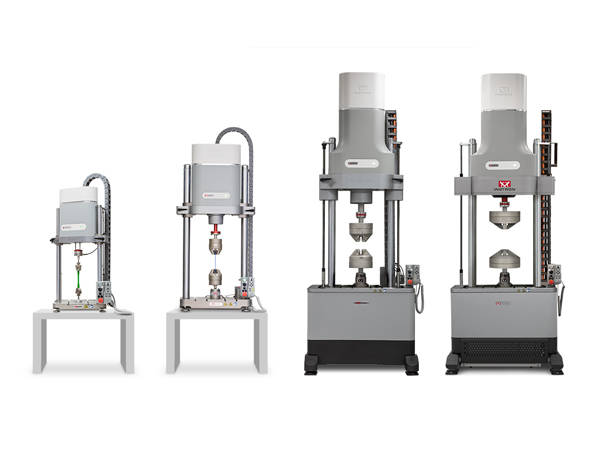
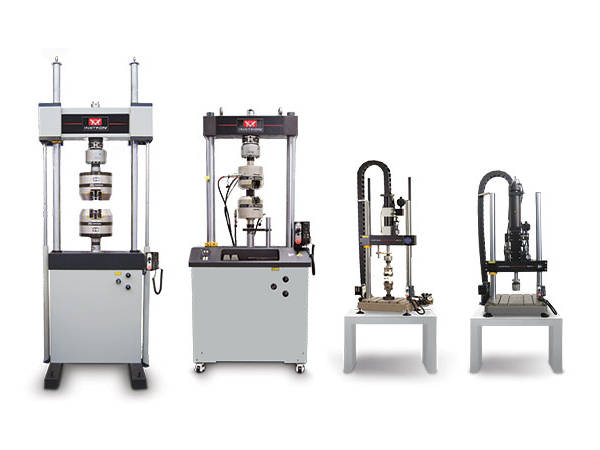
Provides system control, data acquisition, real-time graphs, calculation of results, storage of data to disk, and post test graphs and reports in accordance with the relevant sections of ASTM E606-04, BS 7270 (2006), and ISO 12106 (2003).
Please contact Instron for the minimum PC requirements necessary to install and operate this software.
RS LabSite® modulogic is a comprehensive and adaptable software suite conceived for introducing service loads into individual components or complete vehicles, or performing calculations within the framework of Virtual Prototyping (standardized loadsequences, virtual generation of load data). This enables you to stay in full control of all tasks that follow the acquisition of measurement data in the proving ground.
In addition RS LabSite® modulogic provides open and closed loop control functions for your durability tests, collects data and monitors the entire process. Extensive reporting functions with graphical presentation of results – programmable to suit your requirements – round off the package.
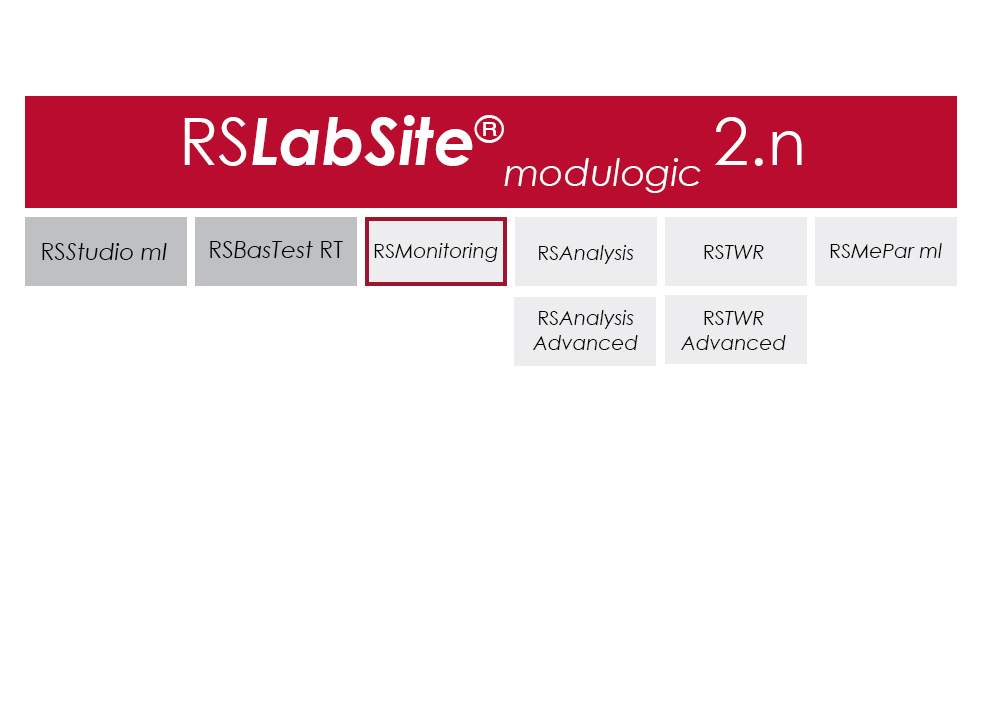
The software is modular and consists of four components. The basic module, RS BasTest RT, provides all necessary tools for digital pre-processing of durability tests. Depending on requirements, the extension modules RS Analysis, RS TWR and RS Monitoring, can be used for single- and multi-axial service load simulations, specific analysis procedures or multistage reporting functions. The software runs under the Windows© operating system.
RS LabSite® modulogic is an integrated and modular solution for analysis of test rig data and test execution:
| Item Name | Cat# |
|---|---|
| RS MePar ml | RS MePar ml |
| RS BasTest RT | RS BasTest RT |
| RS Monitoring | RS Monitoring |
| RS TWR | RS TWR |
| RS Analysis | RS Analysis |
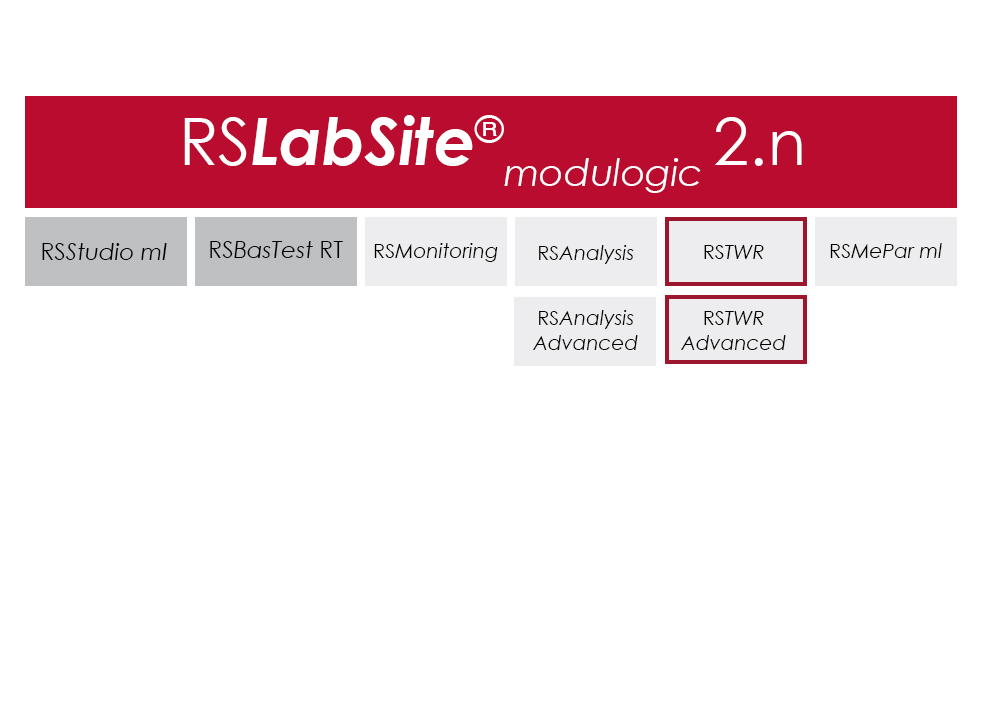
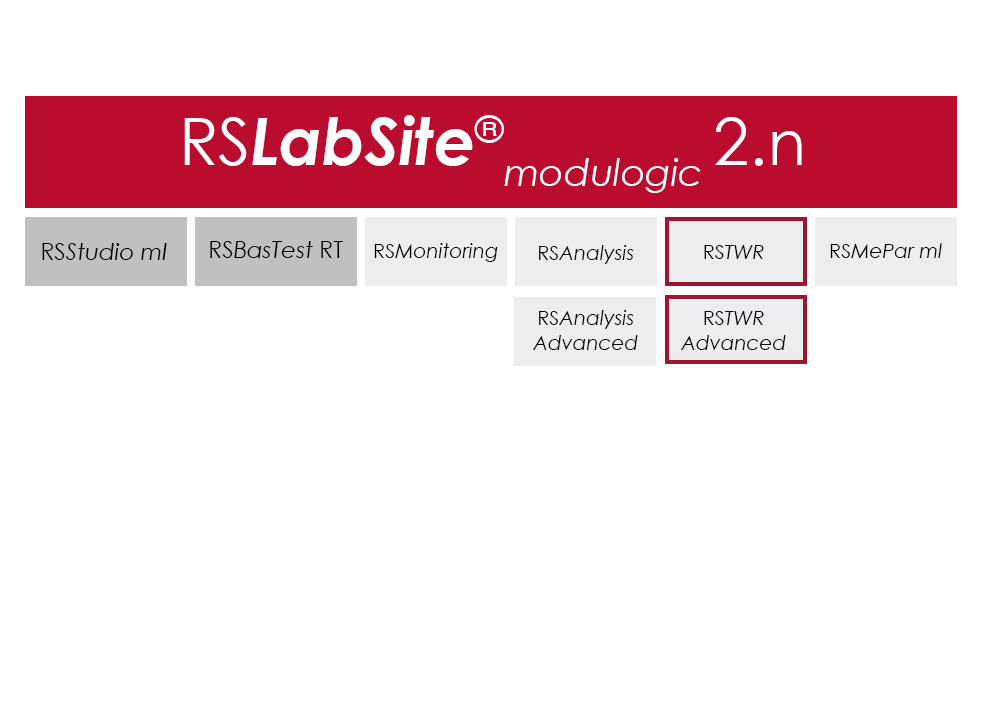
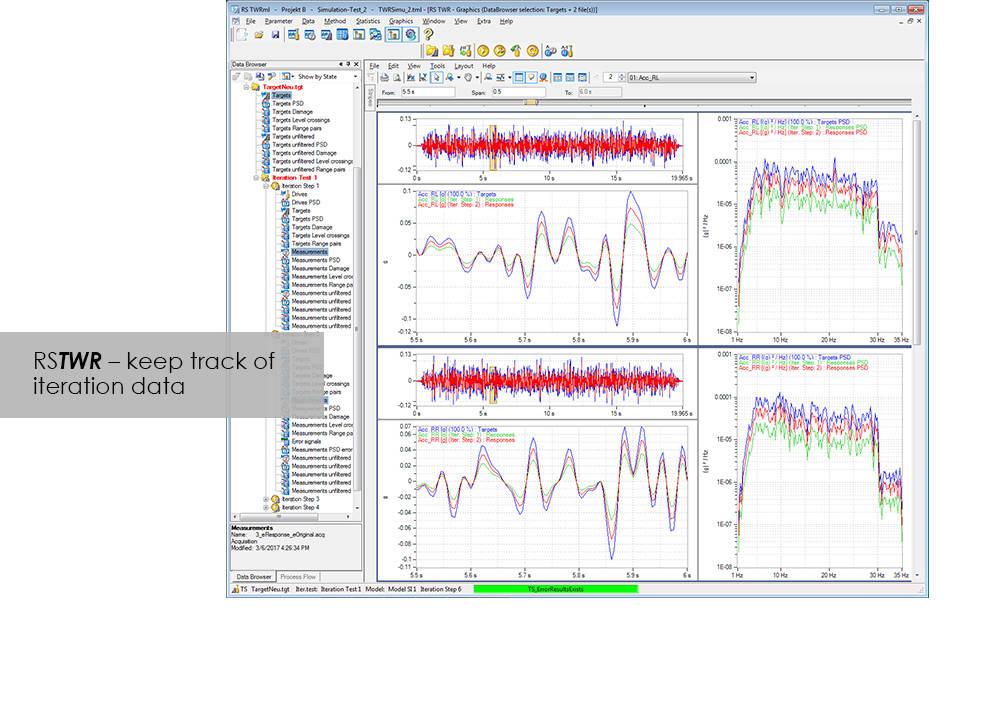
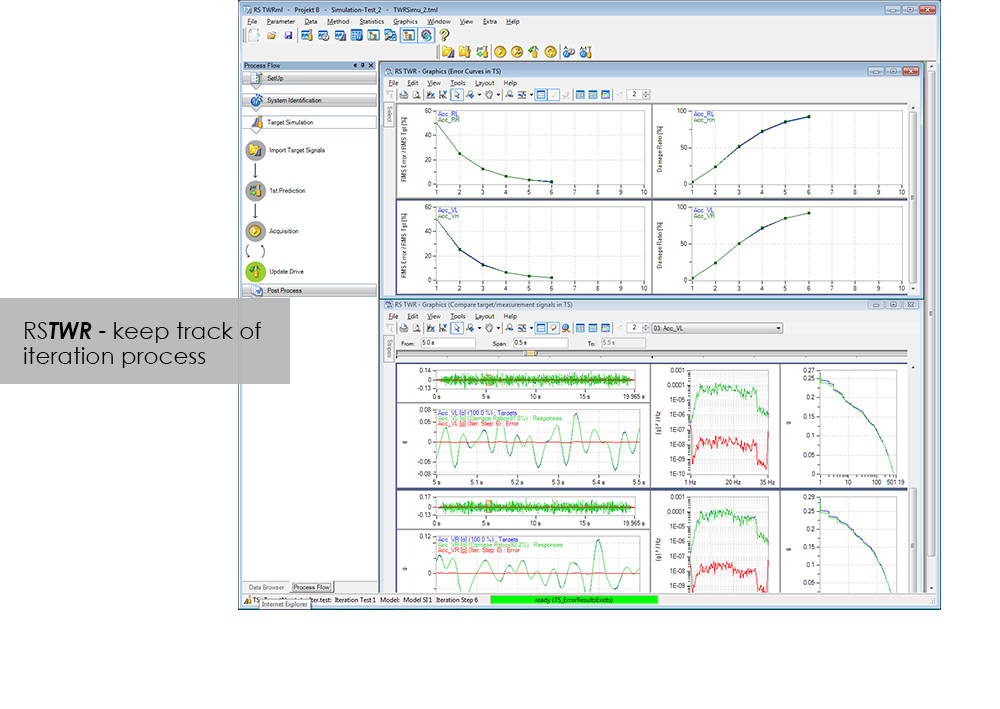
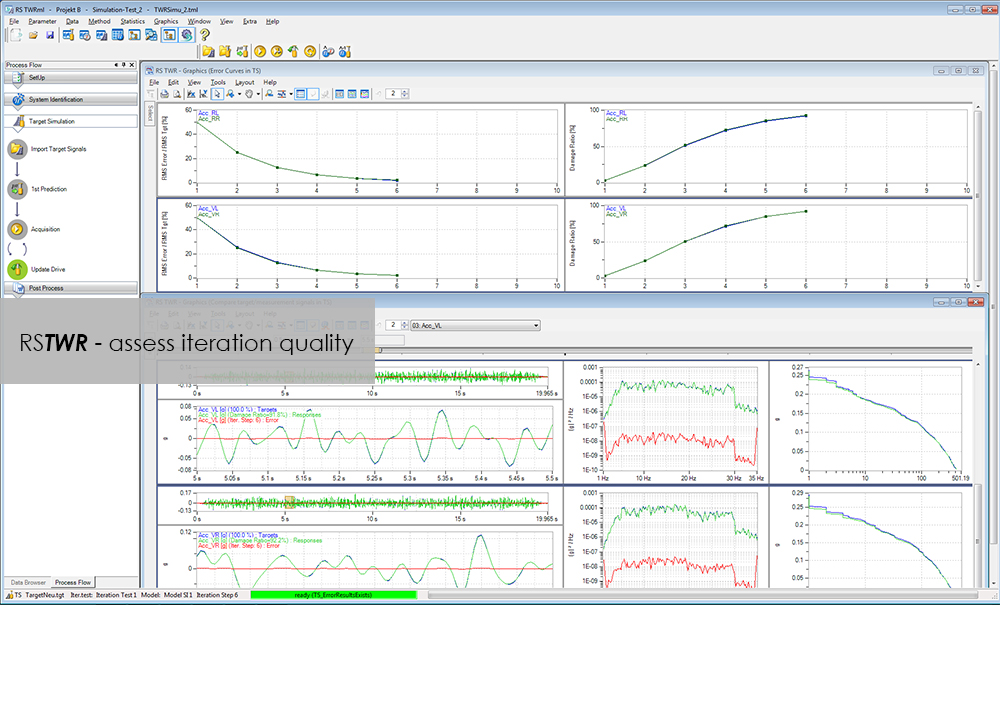
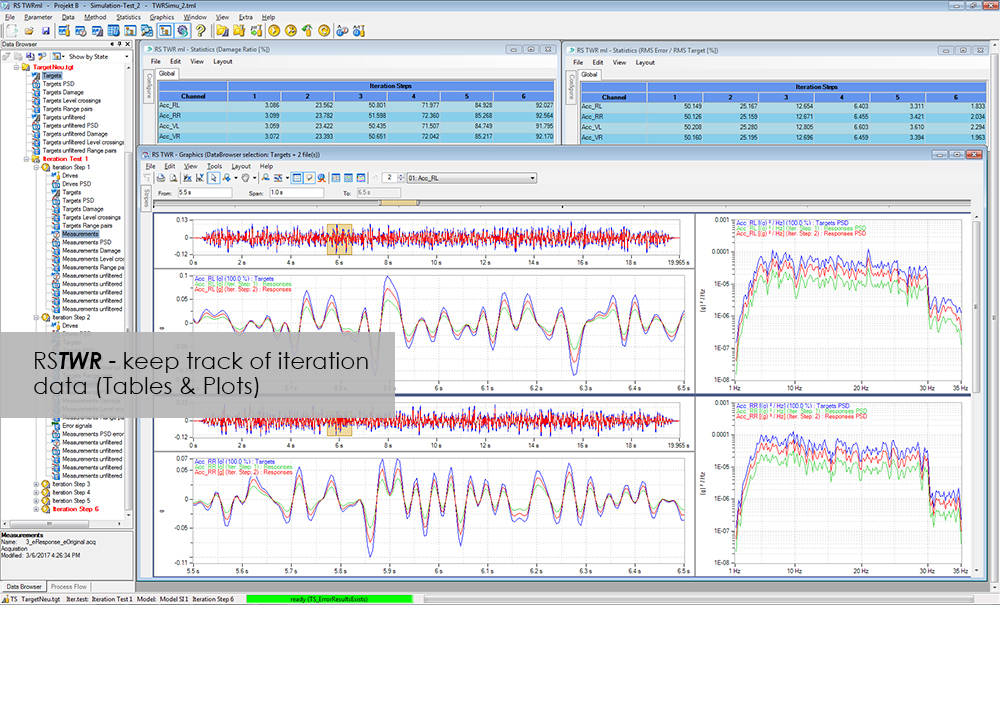
To enable the different loading signals measured under actual service conditions on vehicles, sub-assemblies or components to be replayed on the test rig, these loading signals first need to be "translated". RS TWR (Time Waveform Replication) produces a mathematical model of the test specimen and the test rig, and uses this model to calculate actuator drive signals from measured load histories, e.g. loads or strains. The system employs an iterative procedure and ensures maximum accuracy in the reproduction of measured load data.
The module excels through user-friendly operation. Assisted by the new integrated process flow tool, less experienced operators will be able after a very short period of familiarization to conduct a typical simulation procedure. The Windows environment will be familiar to most users, and an intelligent selection of parameters minimizes necessary user inputs.
| Notes |
- |
|---|

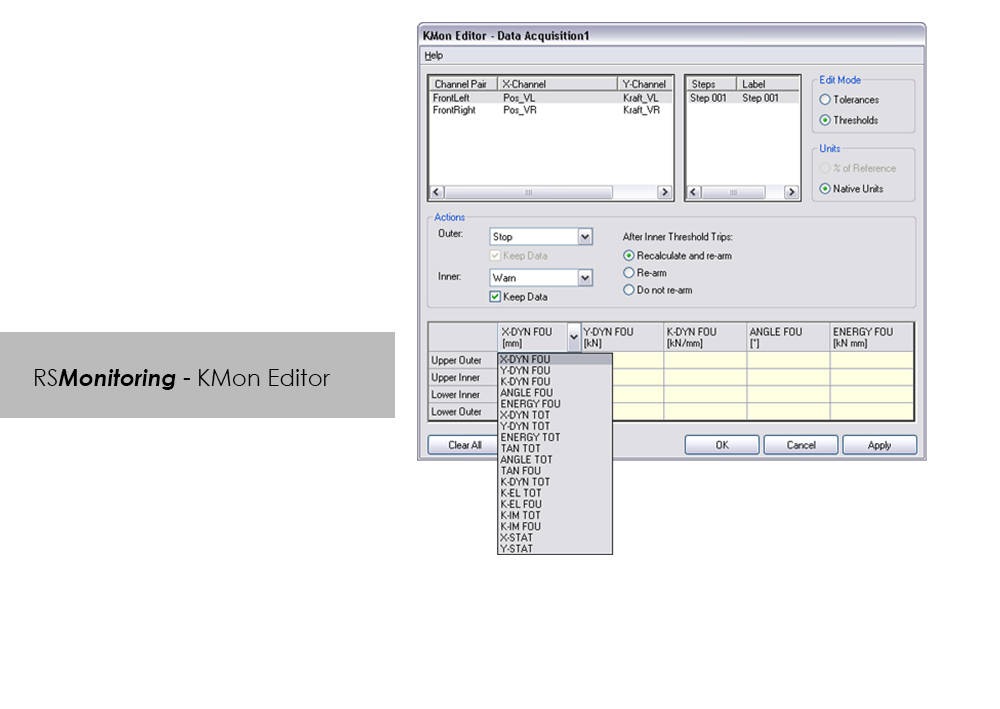
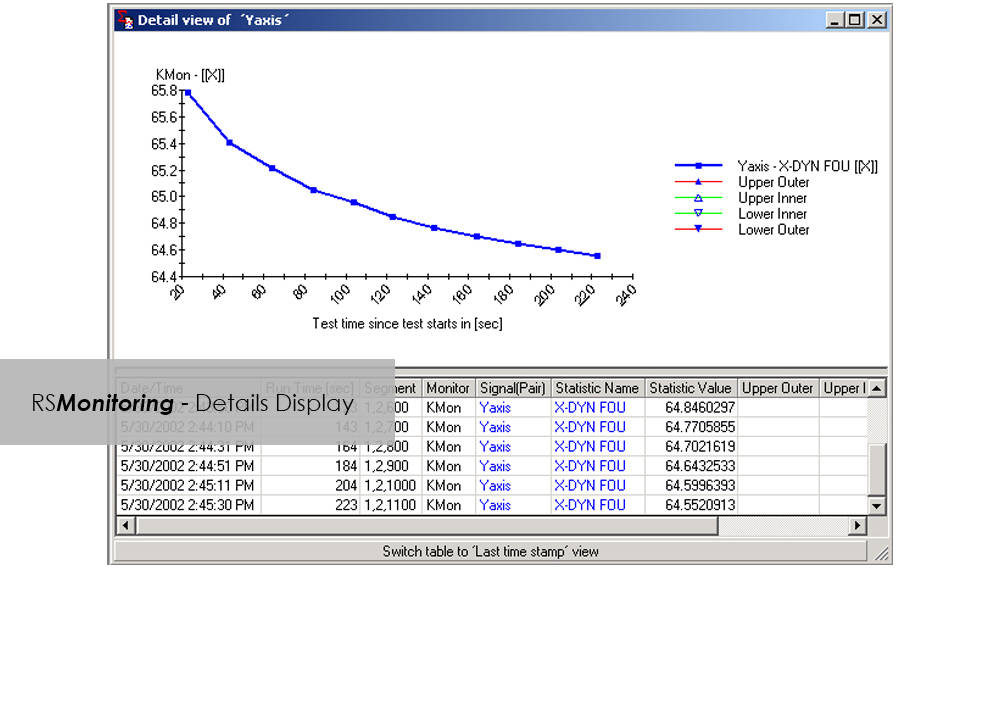
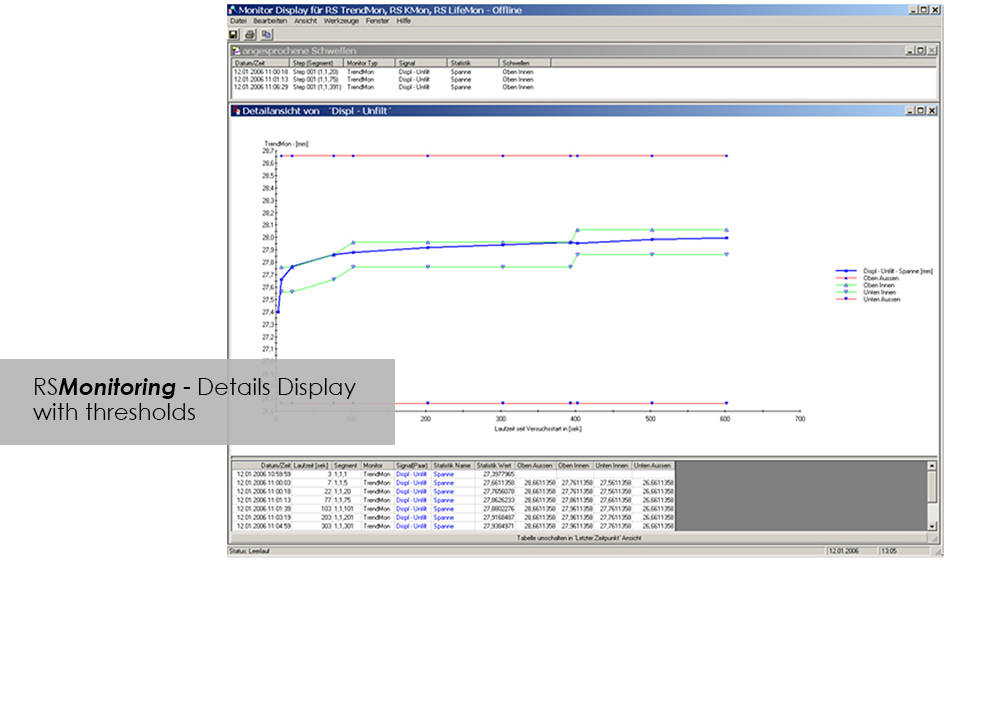


Online monitoring of specimen testing, or quick and easy analysis of measurement values are nowadays no longer convenience features: Fierce competition and the necessity to reduce "Time-to-Market" are entailing a need for ever increasing efficiency. RS Monitoring is a powerful tool that will bring you a significant step closer to this objective. For example, the module enables calculation and monitoring of statistical and physical variables even while the test is in progress, and logs overall damage through rainflow counting. This will enable you to detect changes in the behavior of your test specimen at an early stage, and respond appropriately. This module from the RS LabSite® modulogic Software Suite combines a wealth of extremely useful calculation functions. Make use of the following advantages:
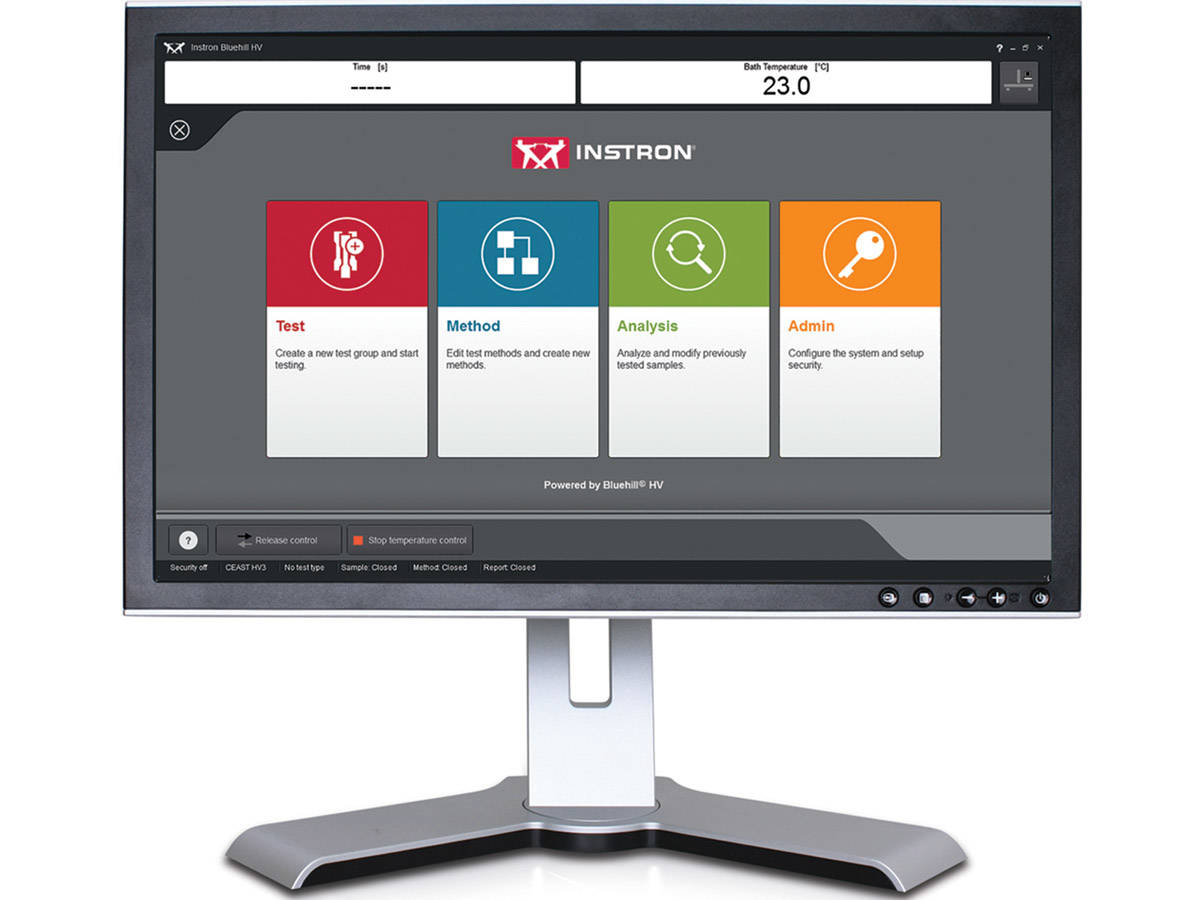
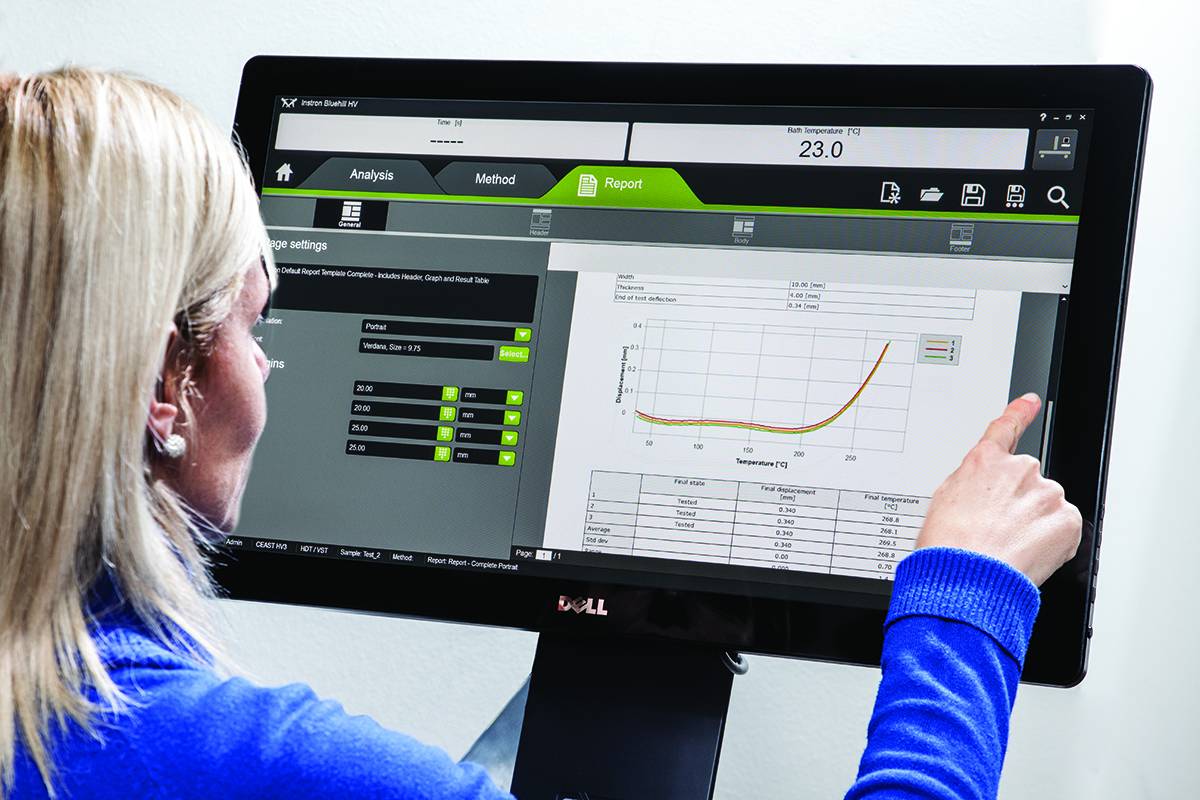
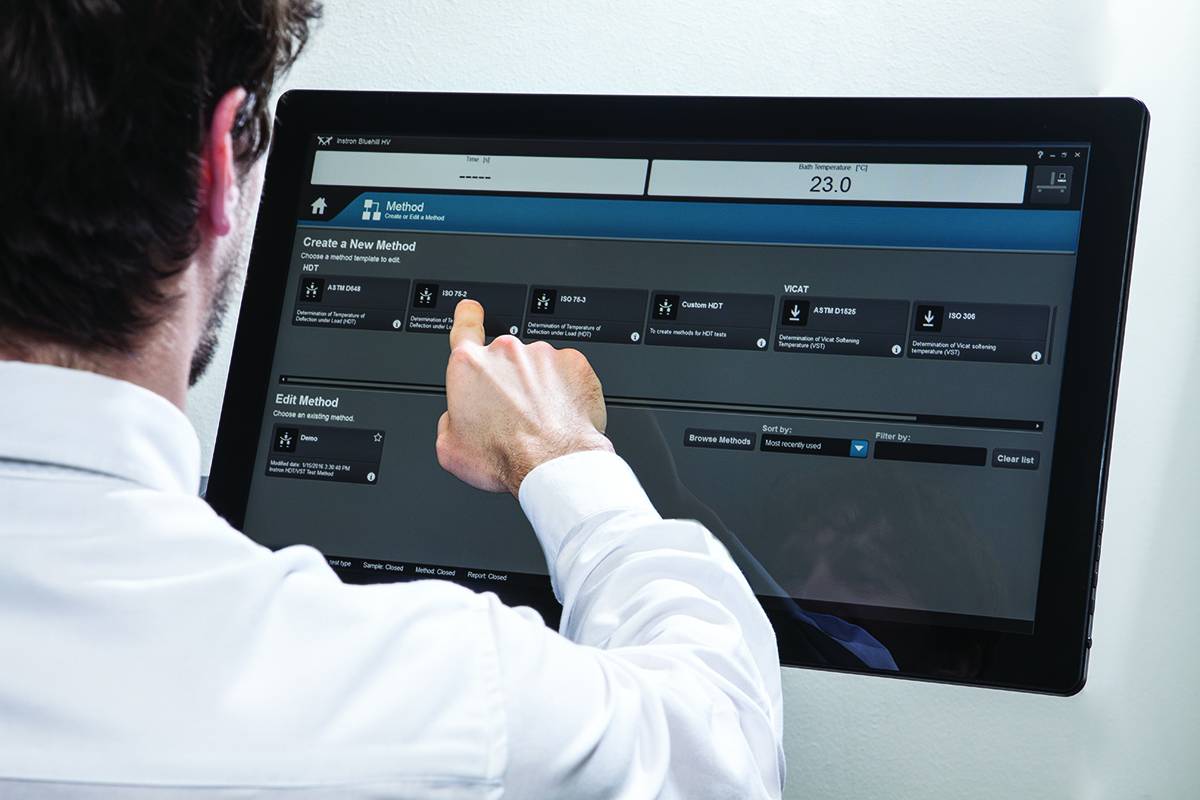
Il software VisualTHERM è specificamente sviluppato per la linea di sistemi Instron® CEAST HDT e Vicat. Il software fornisce una facile gestione del sistema, l'esecuzione dei test, l’acquisizione e l’archiviazione dei dati.
Il software gestisce la procedura completa di una prova termica:
Queste operazioni possono essere eseguite su più sistemi contemporaneamente.
Il software fornisce tutti i risultati richiesti dalle norme internazionali per le prove termo-meccaniche HDT e Vicat, sia da un punto di vista numerico che grafico. VisualTHERM gestisce diversi tipi di prove basate su deflessione, temperatura, tempo o una combinazione di questi.
The effect of temperature on the mechanical properties of plastic materials has a fundamental role in the design of components, especially in the selection of materials. Unlike metals and ceramics, plastics are extremely sensitive to the slightest changes in temperature. The selection of plastics for applications under different temperatures is a complex task. The material must be able to support a stress under operating conditions without losing its strength and without critical distortion. The effect of temperature on geometrical stability and mechanical properties in general can be studied following different procedures and methods like at constant temperature or with a temperature ramp.
Bluehill HV is the generation software for HDT and Vicat tests
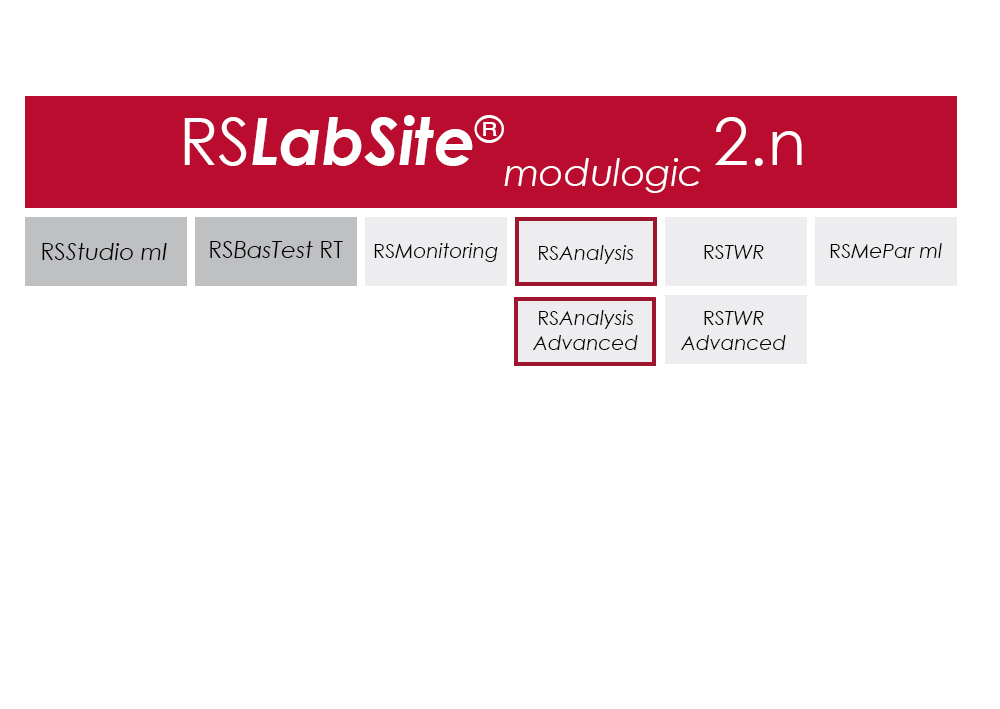
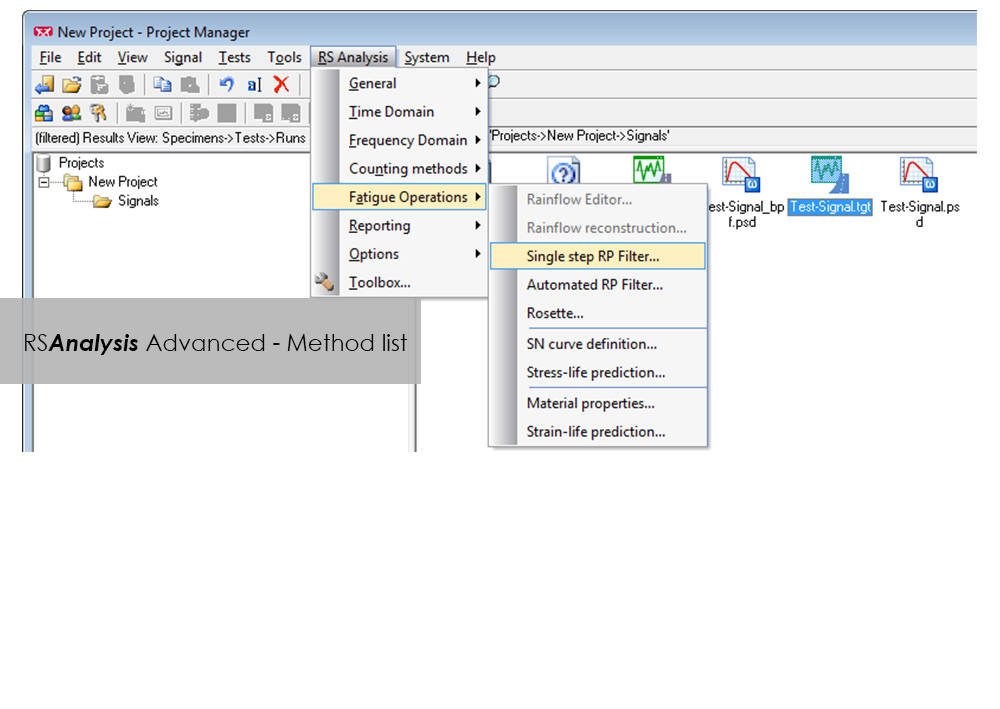
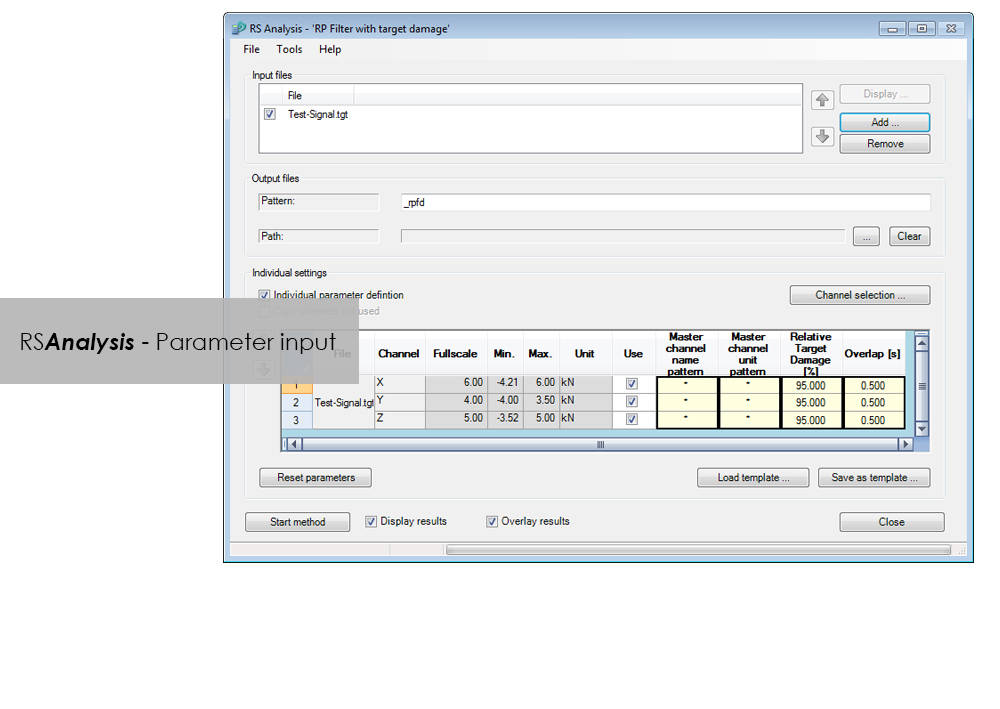
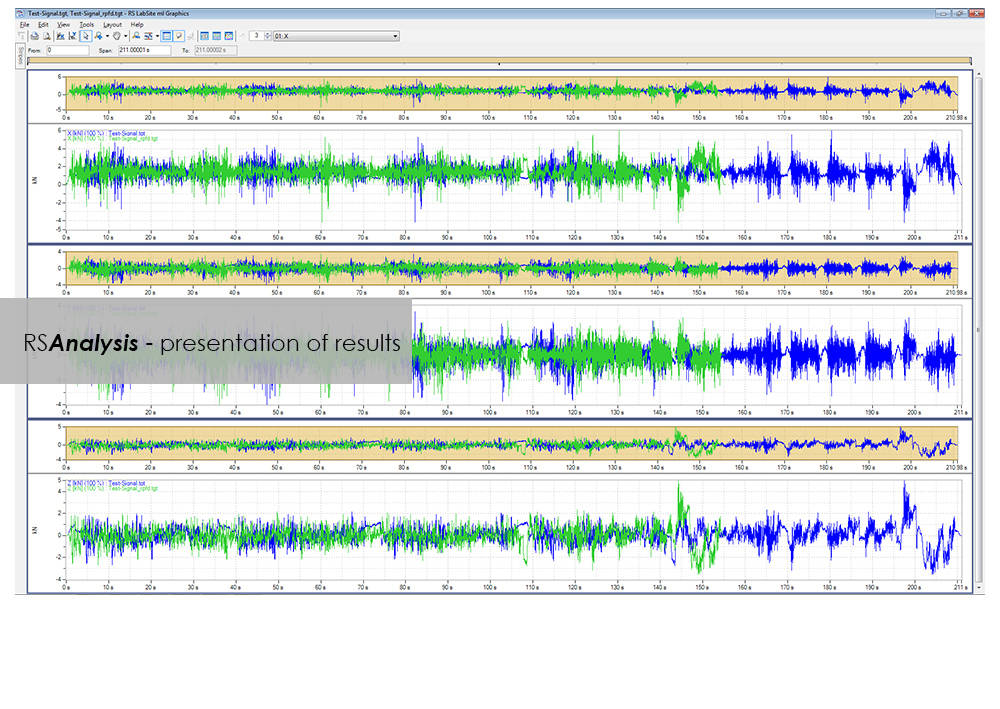
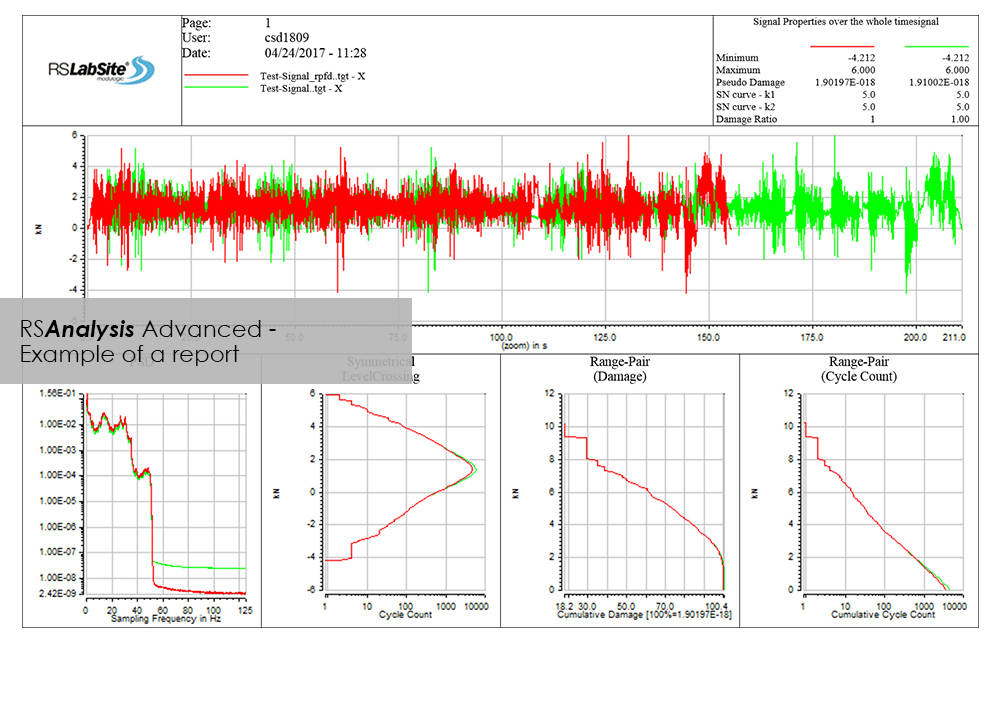
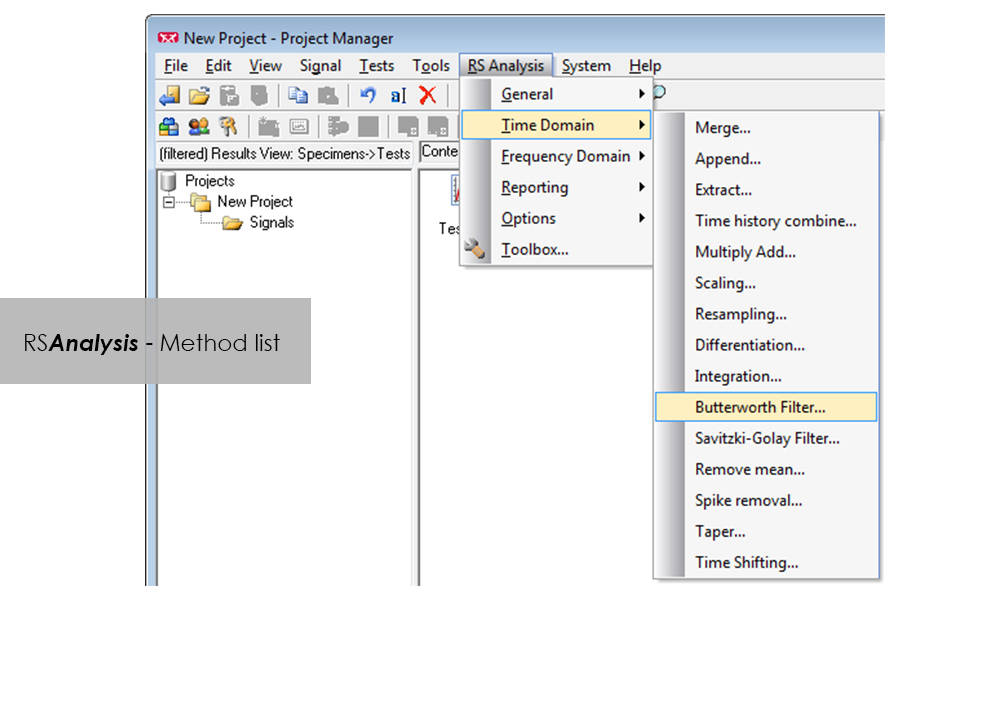
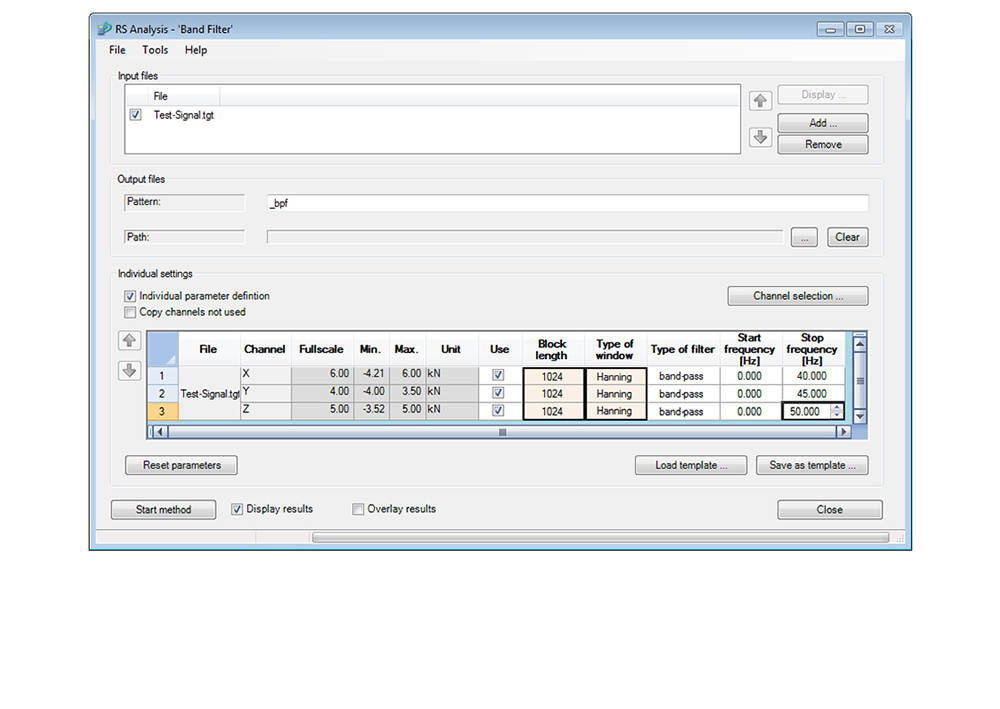
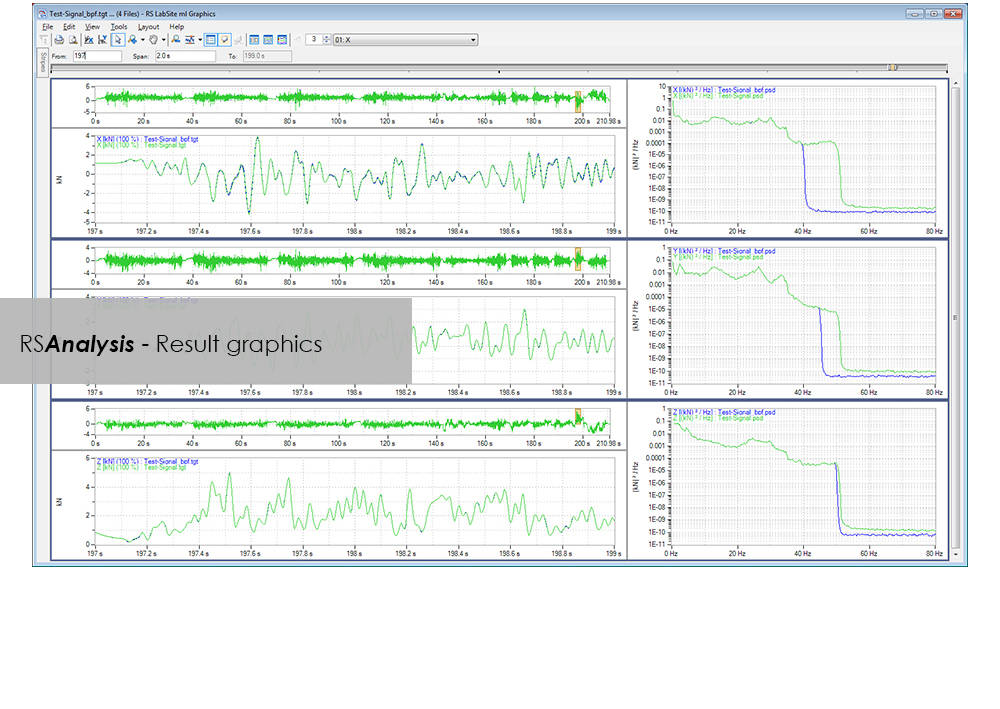
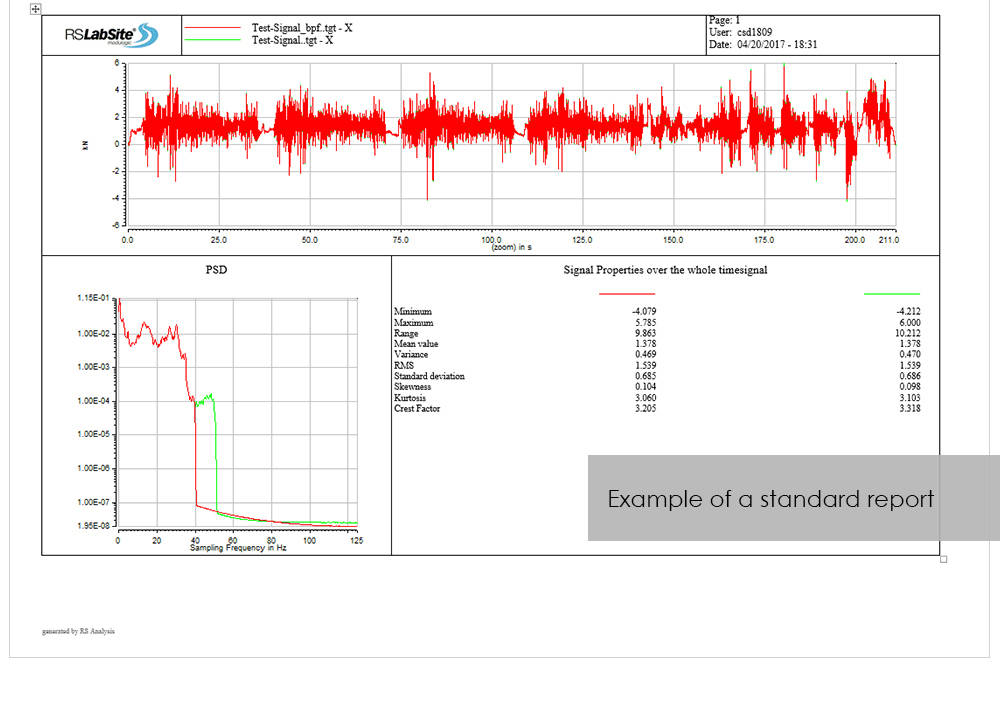
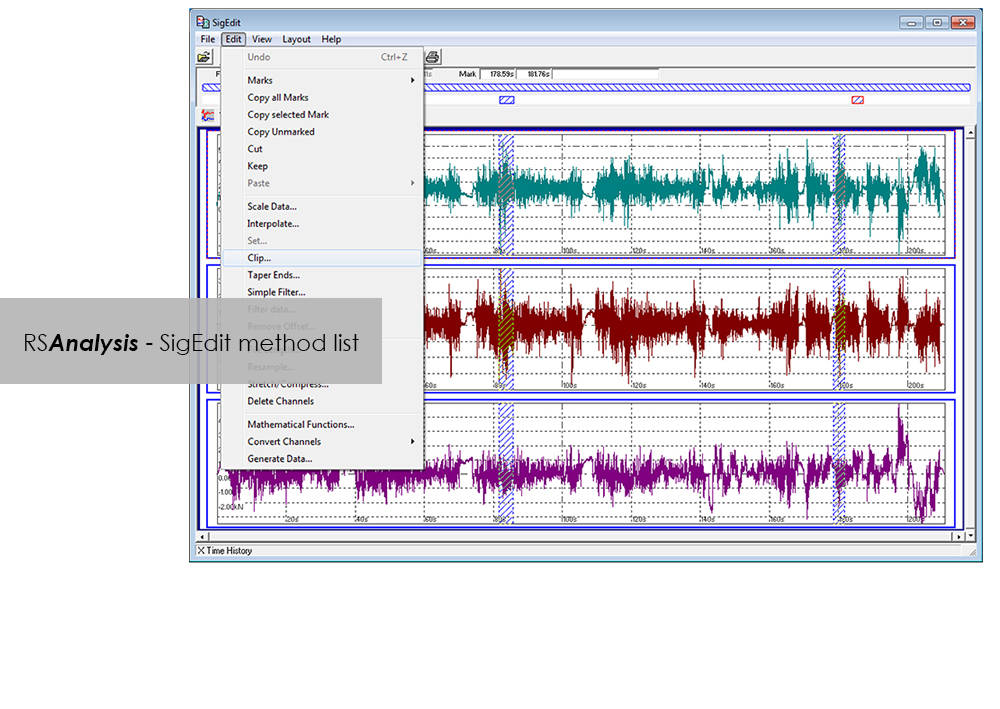
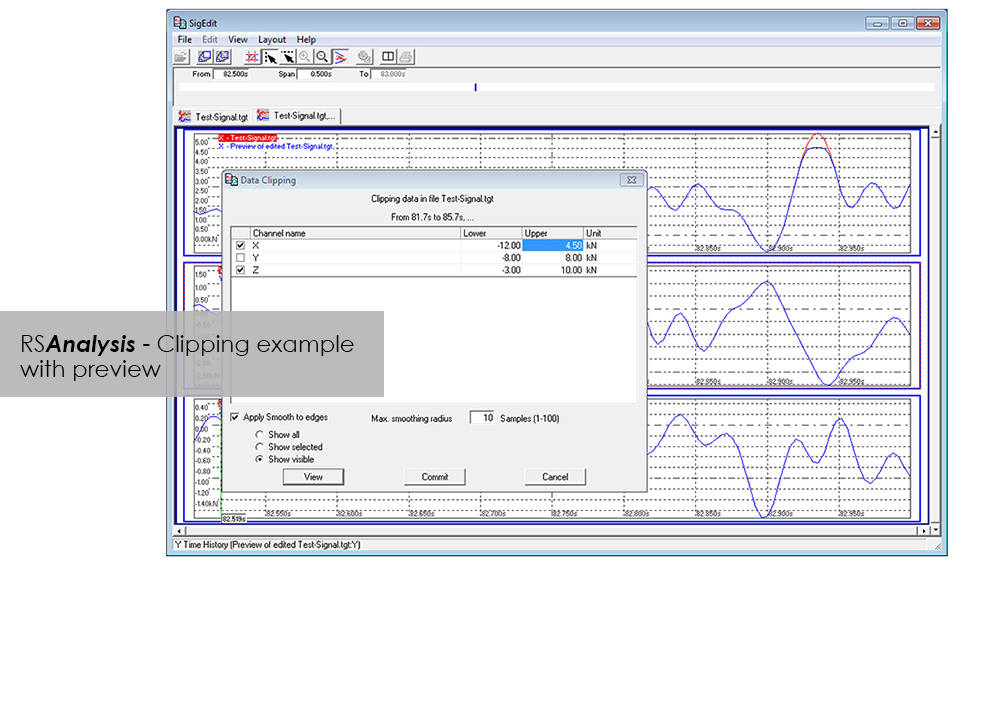
RSAnalysis is an important tool throughout the data acquisition and handling process. Dedicated algorithms condense and optimize your measurement data and turn them into loading data that simulates a complete product life circle. This module from the RS LabSite® modulogic SoftwareSuite provides for analysis and graphical presentation of test data, while allowing maximum freedom: Apart from the presentation of measured data, a wealth of other functions are available for performing typical data analysis procedures quickly and systematically.
If the numerous standard reports integrated in the software do not meet your requirements, customized formats can be created as required. This makes sure that you are aware at all times how your tests are running and what results they are producing.
RS Analysis is available in two versions: Choose either the Basic- or the Advanced-versions in accordance with your specific needs. Whichever version you choose, the following benefits will be at your disposal:
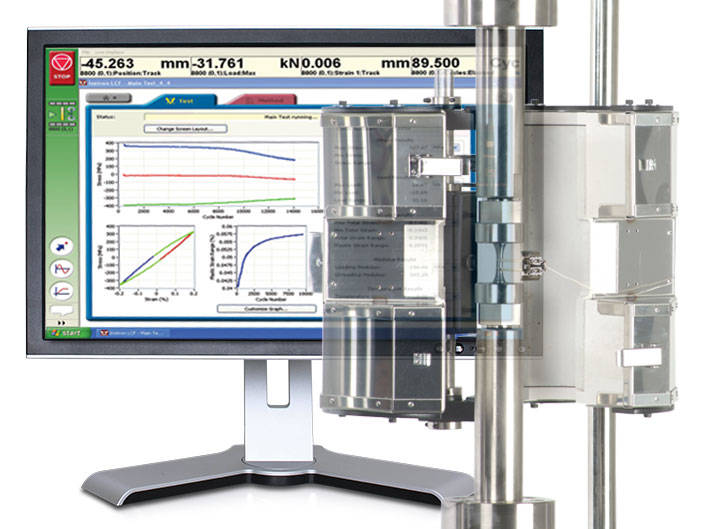
Low-Cycle Fatigue 3 Software offers a flexible workspace designed to run and analyze strain-controlled fatigue tests in accordance with ASTM, ISO, and BS Standards.
A range of pre-configured graph and results fields allow real time views of how the test is progressing. Customize the screen to display up to three graphs of cycle and trend data. Pause and re-start the test at any time, checking modulus as desired.
Whether you need a single or multiple graphs, the graphing toolbox allows users to clearly display X-Y and double-Y graphs, and peak and trend data charts. Choose to show titles, add legends or show actual data points on a grid. LCF3’s graphing capability is second to none.
Analyze post-test data off-line, selecting from a range of single cycle and trend plots. Overlay individually selected hysteresis loops. Export individual graphics in JPEG format, and data as TXT files.
Start, stop, and finish a test. The simple test control buttons are consistently at the right side of the screen. For added convenience, a test can be paused and continued when desired.
Recall recently used test methods or simply browse the method folder to create or edit existing test methods. Test method creation is available off-line, maximizing testing machine availability. With a unique step-by-step data entry and test selection process, combined with a tabulated pre-test summary, your Low-Cycle Fatigue test will run successfully each time.
Select rectangular, cylindrical or tubular geometries, and automatically re-calculate the cross sectional area.
Ensure your modulus data is accurate by utilizing the user-defined upper and lower calculation points, with clear graphical references.
Control the test’s start temperature, soak period, and allowable thermal tolerances from within the application, and log temperature data directly into the test file.
Configure the combined linear, logarithmic and peak internal data logging parameters to suit your test requirements.
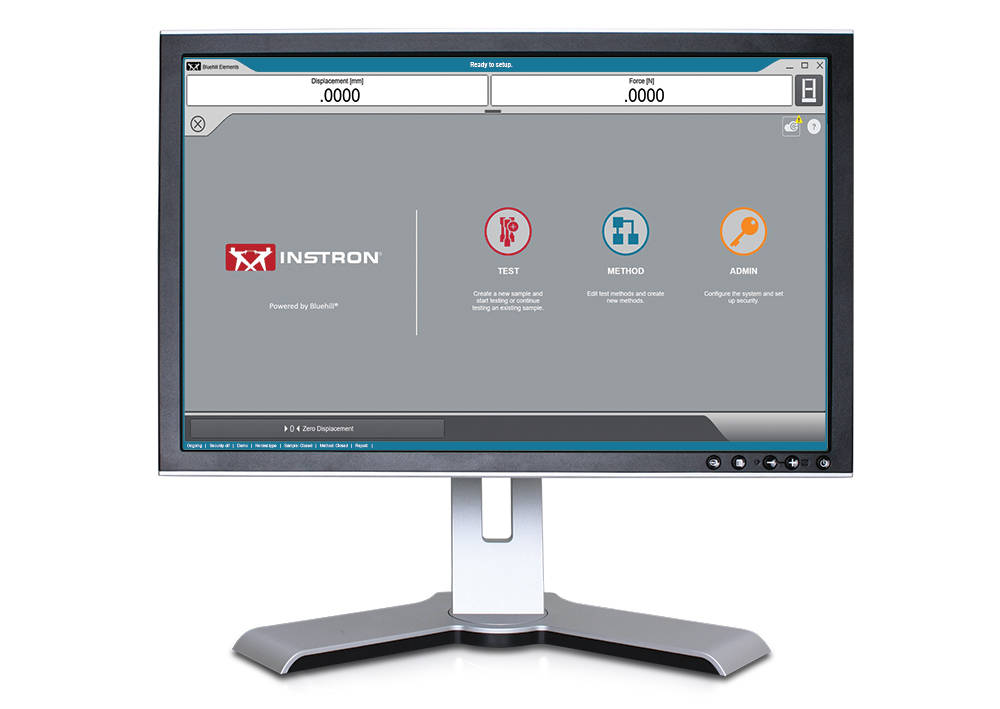
Il software Bluehill Elements, basato sulla piattaforma Bluehill, soddisfa i requisiti di semplici collaudi relativi a tensione, compressione, flessione, delaminazione (peel) e lacerazione. Grazie a funzionalità quali la generazione automatica di rapporti, i flussi di lavoro di prove guidate, i grafici di controllo in tempo reale e la possibilità di utilizzare il database TrendTracker, Bluehill Elements è la soluzione ideale per le prove relative al controllo qualità.
Esportazione dei dati automatica
Gli utenti possono esportare i risultati dei test e i dati originali in file CSV o in file di testo personalizzati. La formattazione dell’esportazione è completamente personalizzabile e consente agli utenti di recuperare facilmente dati o di interfacciarsi con un sistema di gestione delle informazioni di laboratorio.
Visualizzatore dati originali
È possibile esaminare ogni punto dati per qualsiasi misurazione direttamente dal software.
Input dell’operatore senza immissione manuale dei dati
Consente di immettere automaticamente le dimensioni del provino dai dispositivi di misurazione, di eseguire la scansione di un codice a barre per immettere numeri e input di testo nel software oppure di utilizzare gli input di scelta per fornire agli utenti semplici menu a tendina per eliminare l’inserimento manuale dei dati.
Display di facile lettura
Stato della prova, misurazioni e risultati principali vengono visualizzati su display attivi di facile lettura.
Funzionamento intuitivo, formazione minima
Instron comprende i reali cambiamenti della forza lavoro. Pertanto, abbiamo scelto una formazione minima come misura chiave per l’utilizzo. Il software Bluehill Elements è dotato di un’interfaccia semplice e intuitiva.
Rapporti appropriati per i giusti destinatari
Bluehill Elements incorpora diversi modelli di rapporto predefiniti da inviare a una stampante o tramite e-mail o consente di salvare il file direttamente in PDF per un’agevole condivisione. La modifica del posizionamento di grafici e tabelle può essere facilmente impostata con scelte pre-compilate. Gli utenti possono associare un modello di rapporto specifico a un determinato metodo, automatizzando la generazione di rapporti per prove diverse.
Sicurezza di base
Per prove relative alla produzione o al controllo qualità in cui gli operatori generici non devono accedere per modificare i parametri all’interno del metodo, Bluehill Elements ha a disposizione tre livelli di sicurezza configurabili: amministratori, responsabili e operatori.
Un linguaggio comune
Nel mondo delle prove sui materiali, Bluehill è uno strumento standard. Disponibile in quindici lingue e utilizzato con migliaia di sistemi in tutto il mondo, i metodi di prova, i calcoli e i formati di dati di Bluehill sono universalmente riconosciuti e accettati. Sia che si stiano confrontando i dati con un fornitore locale o i metodi di prova con un cliente multinazionale, Bluehill Elements consente di parlare un linguaggio comune.
TestCam
Consente di collegare una webcam USB per utilizzare la riproduzione video punto per punto e permette agli utenti di visualizzare i dati di prova insieme al video, al termine della prova.
Funzione prova Superata/Non superata
Consente di impostare i criteri di accettazione per risultati di più prove. Se uno di questi risultati si colloca al di sopra o al di sotto dell’intervallo di accettazione, Bluehill Elements visualizzerà automaticamente un’icona di grandi dimensioni di colore verde per Superato o X di colore rosso per Non superato.
TrendTracker
Il plug-in TrendTracker per Bluehill Elements consente agli utenti di esportare i risultati direttamente nel database TrendTracker. TrendTracker Viewer fornisce un’interfaccia intuitiva per cercare, visualizzare e analizzare i risultati delle prove nel tempo.
Richiede sistema operativo Windows 10 o 11 a 64 bit. Bluehill Elements può essere utilizzato con un monitor a schermo tattile.
Basato sulla piattaforma del software Bluehill®, Bluehill Elements™ soddisfa i requisiti necessari per eseguire prove semplici quali trazione compressione, flessione, delaminazione (peel) e lacerazione. Questo è possibile grazie a funzionalità come la generazione automatica di report di prova, prove interattive, grafici di controllo in tempo reale e la possibilità di utilizzare il database TrendTracker. Bluehill Elements è la soluzione ideale per le prove relative al controllo qualità.
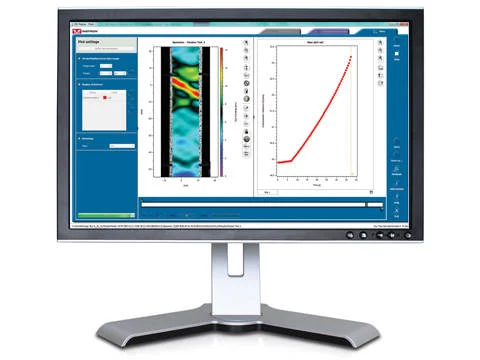
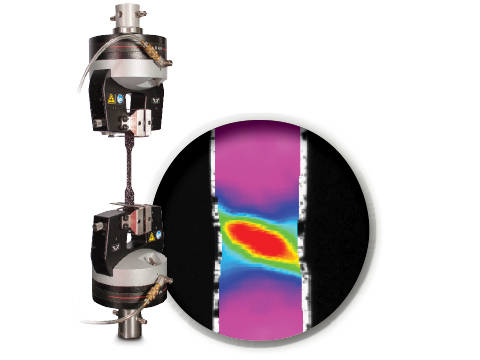
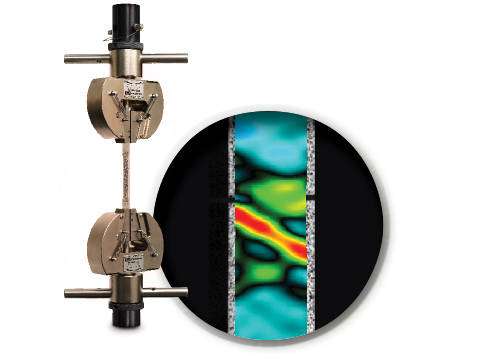
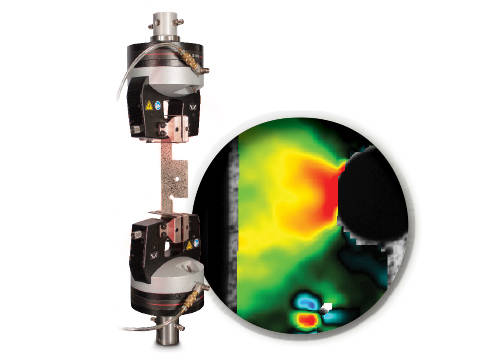
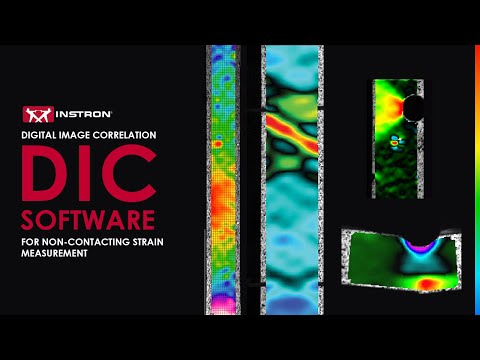
IC is an optical technique that compares images of a tested specimen’s surface to generate full field strain and displacement maps. It creates pictures that can be used to visualize strain and displacement over the full two dimensional surface of the test specimen.
DIC Replay Software is a self-contained 2D DIC package. The software consumes images and calibration data saved by the Instron® Advanced Video Extensometer (AVE) and works in a post-processing mode. The user interface leverages the same tabbed style and graphical design of Bluehill®.
Standard features include:
Benefits:
Instron DIC Replay Software is a 2D digital image correlation package that works seamlessly with the AVE 2 Advanced Video Extensometer. Use this package to visualize strain and displacement over the full surface of a two dimensional object or create simple line plots from virtual strain gauges and extensometers.


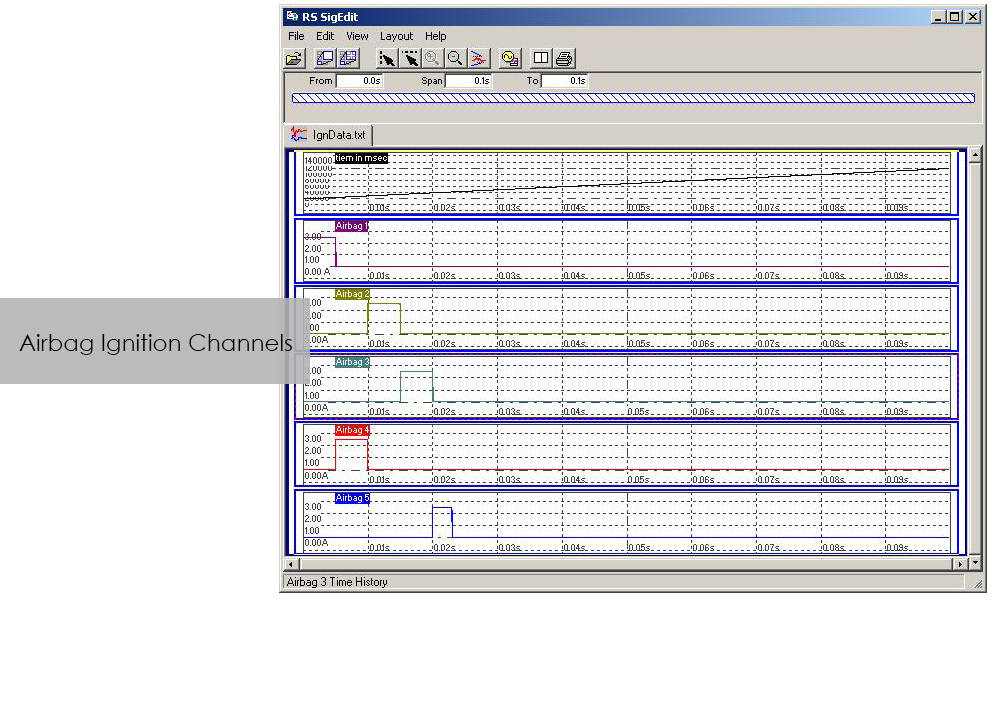
The application software CrashSim is used for the preparation, execution, monitoring, analysis and documentation of crash tests carried out on the Instron sled system. The user application focused software has been continuously improved in cooperation with our worldwide user groups.
There is no special knowledge required for the operation of CrashSim because it is intuitive and largely self-explanatory. The user interface complies with the Windows 7 standard.
The parameter settings and valve configurations required for the applications listed below are stored in the control system and are set automatically by CrashSim when selecting the test method:
Thanks to this high degree of automation, efficient and productive test operation is ensured.
The basic version CrashSim 5.0 offers the following functions:
The advanced version of CrashSim 5.1 includes the new iteration model developed by Instron, which dramatically reduces the number of iterations required. This version also includes the CrashSim Office software module. The module allows external processing of test pulses up to the generation of the drive signals for the catapult system. Pulse predictions previously performed only through trial shots with the system can now be carried out offline with CrashSim Office. This relieves the daily test operation of such tasks and increases the productivity of the system.
Learn more about Crash Simulation Systems.
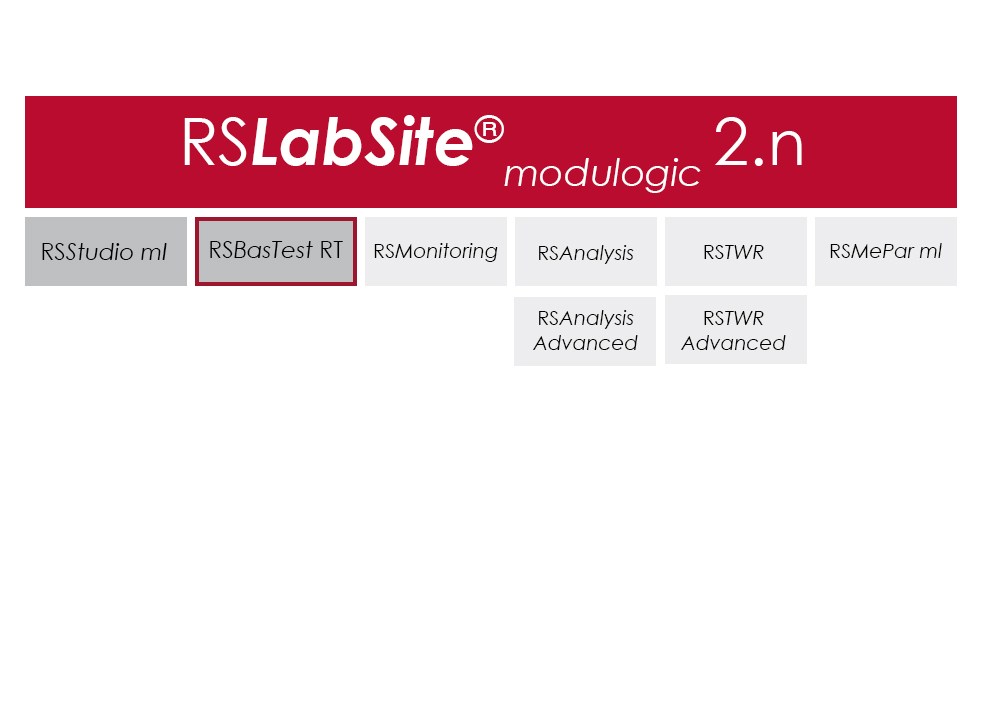
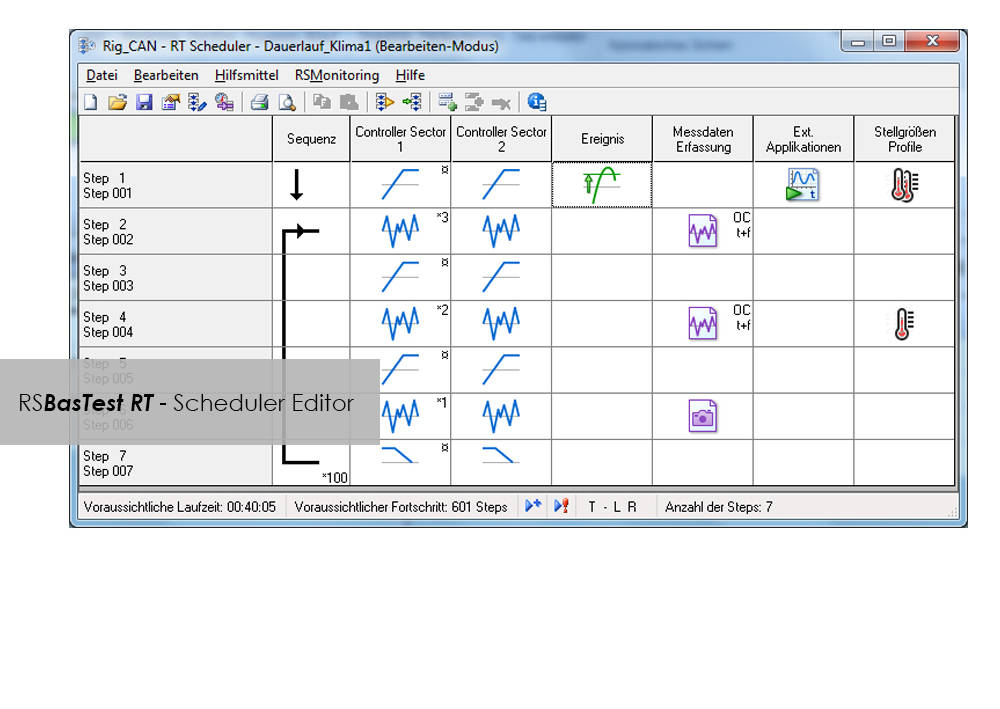
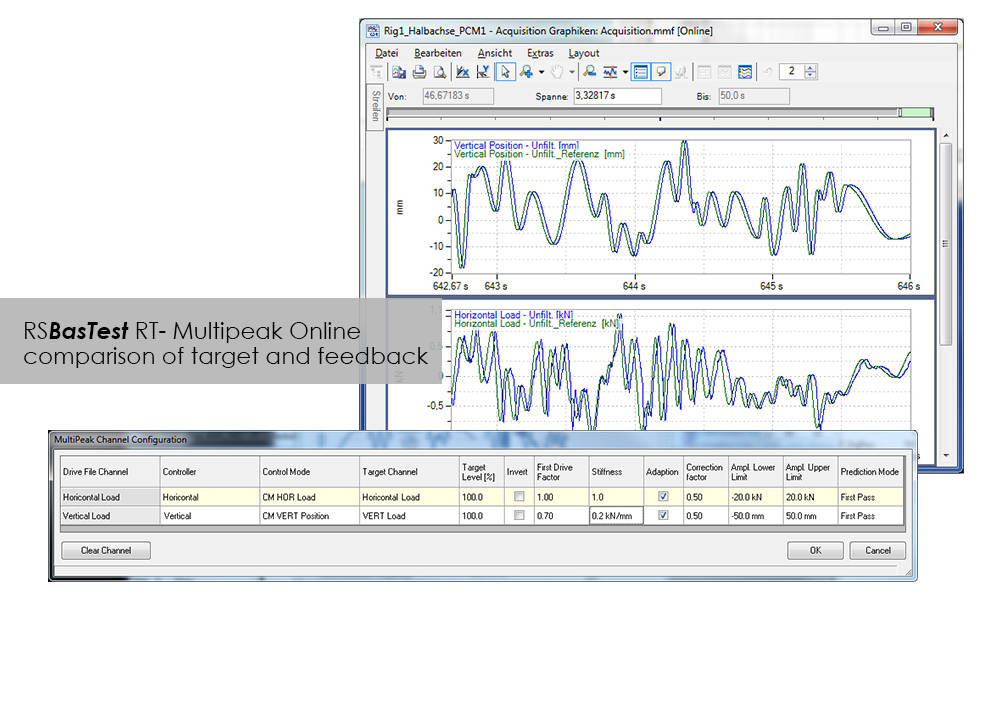
RS BasTest provides a wide range of functions for editing, performing and conducting durability tests. Project Manager will guide you through all processes. It is used to create new projects, and its integrated data base collects and manages all measurement data. If you are envisaging a future extension of your testing environment, you will be ideally set up with RS BasTest: Other modules from the RS LabSite® modulogic family can be integrated into the system without any further intervention. The basic module will assist you with a high degree of flexibilty and provide the following benefits:

Compatible with WaveMatrix, LCF3, Bluehill 2 and Fracture Mechanics (da/dN, K1C & J1C)
Please contact Instron for the minimum PC requirements necessary to install and operate this software.
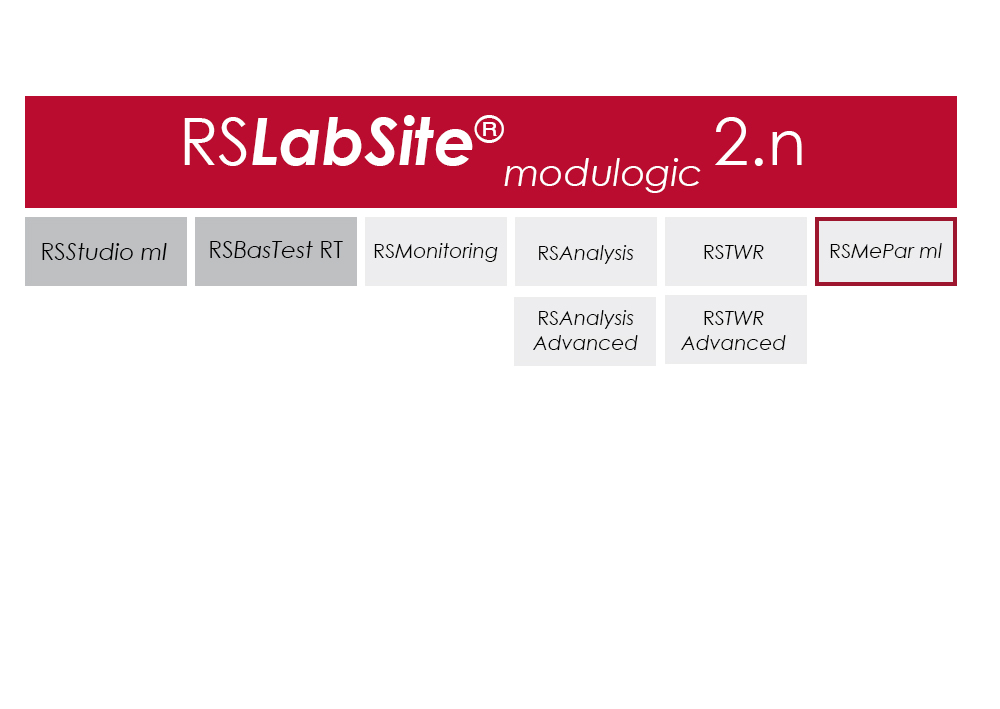
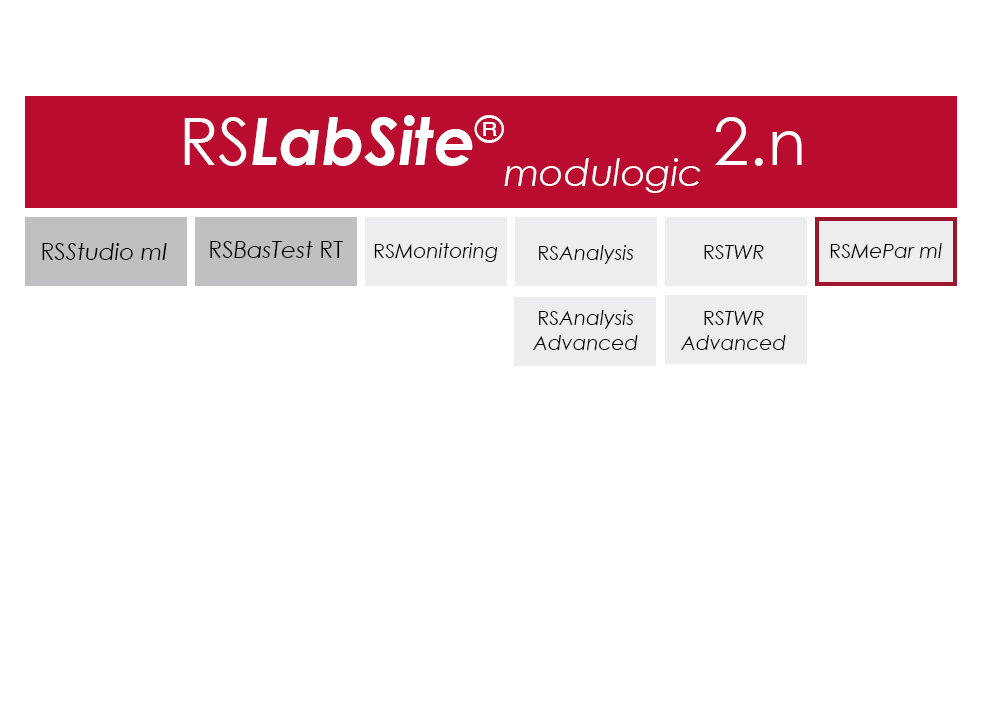
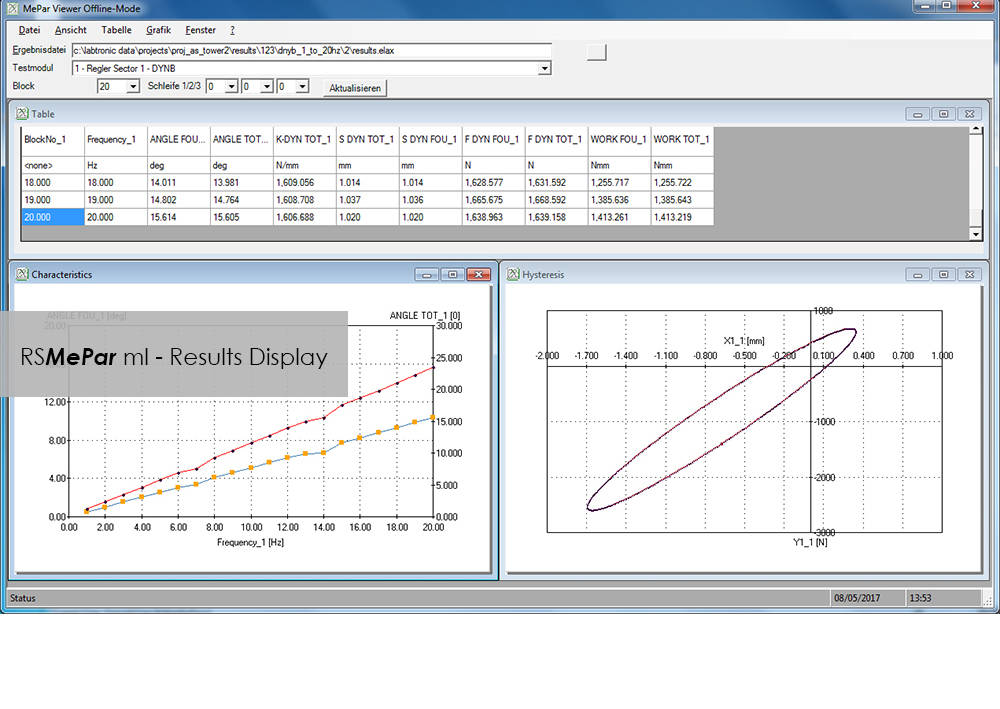
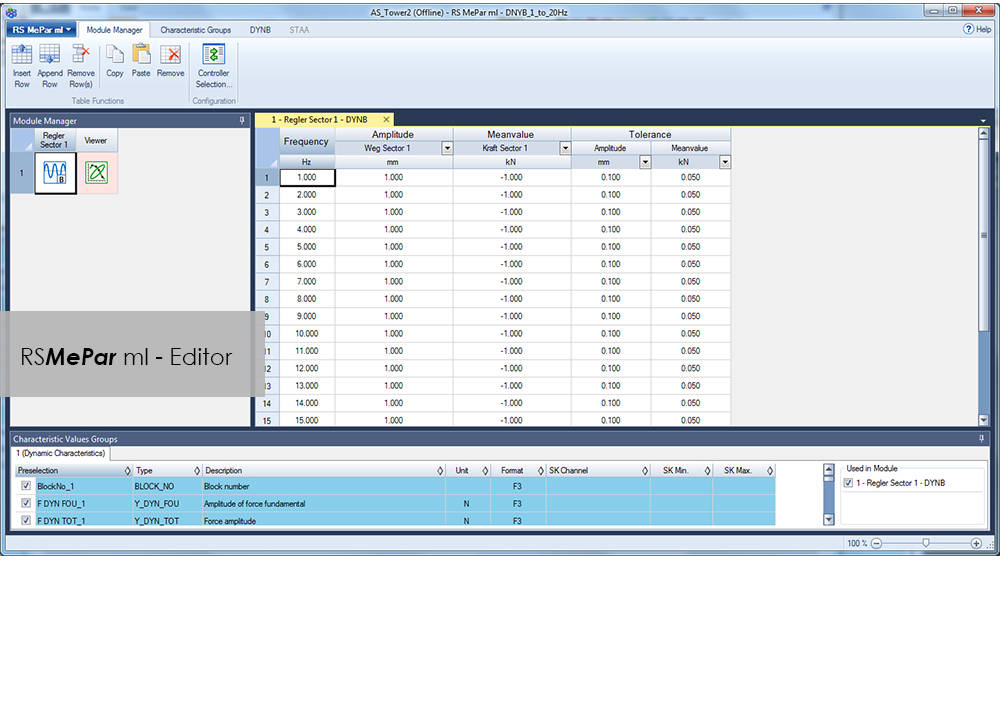
RS MePar ml, a module from the RS LabSite® modulogic, software suite, working in conjunction with RS Studio ml and RS BasTest RT, the RS LabSite® modulogic basic module, provides all functions for determining the characteristics of components with viscoelastic properties. RS MePar ml is used to create simple single- axis or complex multi-axis tests.
Flexible test monitoring and data acquisition functions ensure that the test engineer has all the information he needs to precisely specify the components undergoing test. In addition, the integration of MePar Viewer enables the visualisation of test data as they occur on the rig, along with various graphical displays. This tool enables test results to be observed directly on the screen.
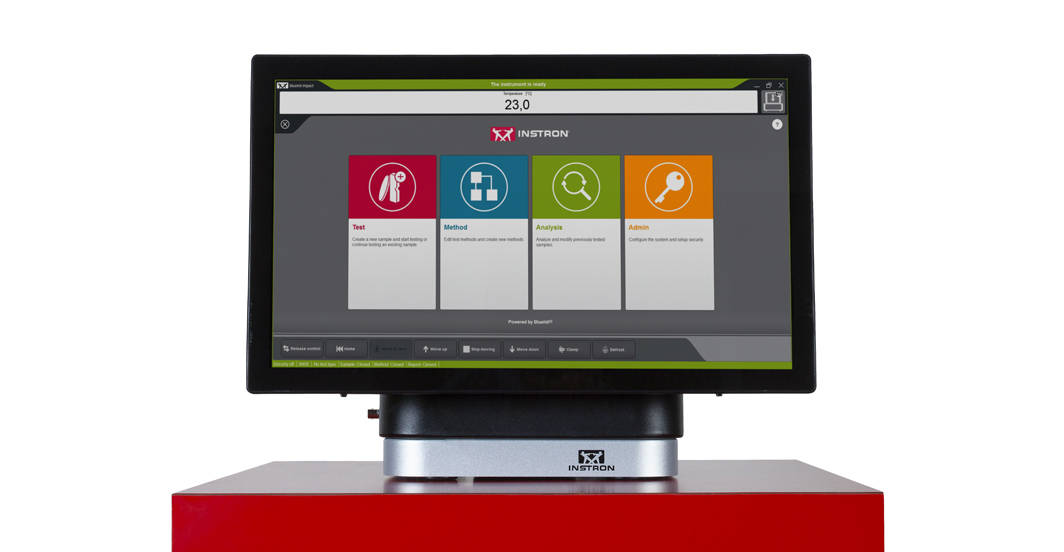
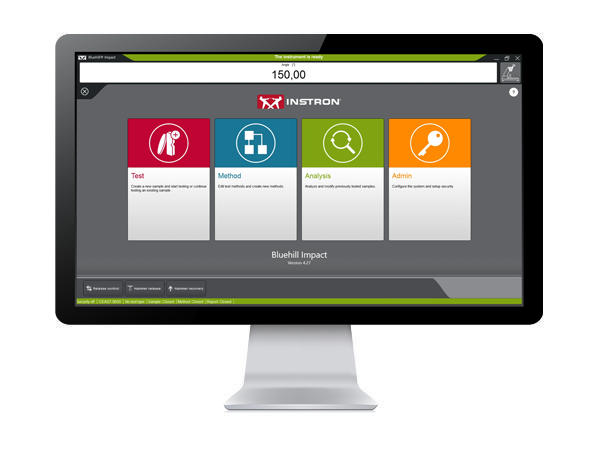
Bluehill Impact is built from the ground up for touch interaction. The Operator Dashboard features large touchpoints to make the user experience simpler and smarter. Easy-to-understand icons and workflows make it easy to train new or experienced users, simplify operator training, and allow you to start testing even faster than ever before.
SIMPLER
Effortless Drop Weight Impact Testing Workflows
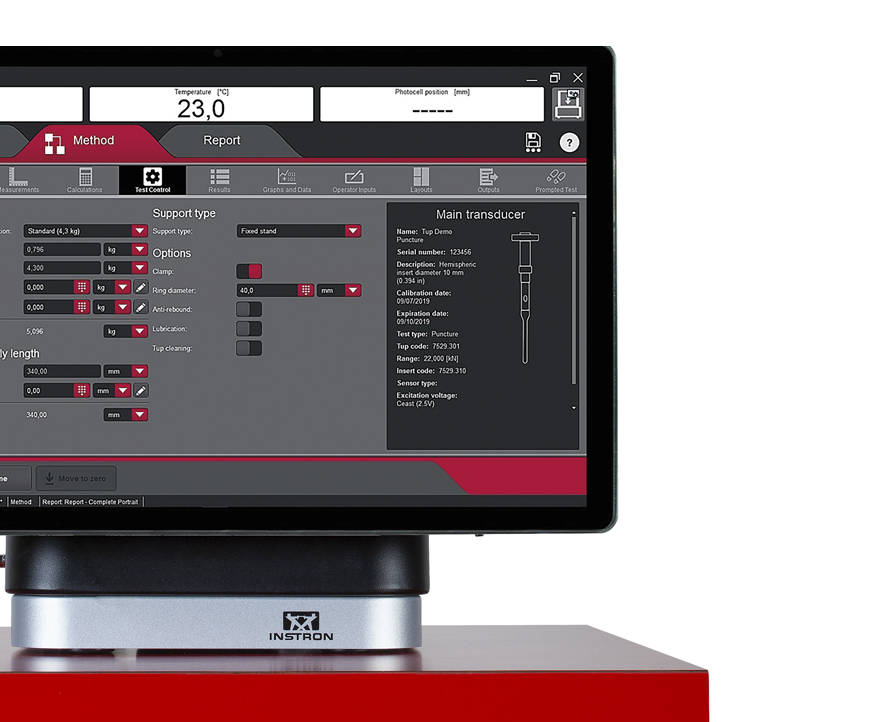
Bluehill Impact provides a set of pre-configured defaults that cover the most common impact testing scenarios.
Users can define unique data flow and procedures ensuring data processing flexibility. Bluehill Impact reports on anomalies and inconsistent results when they are outside set parameters.
Thanks to prompted tests and the touch panel, procedures set up takes just a few clicks. Users can be guided through the entire testing process with step-by-step instructions, ensuring that their tests remain repeatable, simple, and error-free. The prompts are customizable with your own text messages.
Increased productivity thanks to the combination of the new Dashboard with data acquisition system and Bluehill Impact.
Move from task to task: easily share test method and results within your Company or your Customers with Bluehill Impact file management system.

Specimen Multi Selection
Edit parameters for many specimens at the same time with one click.
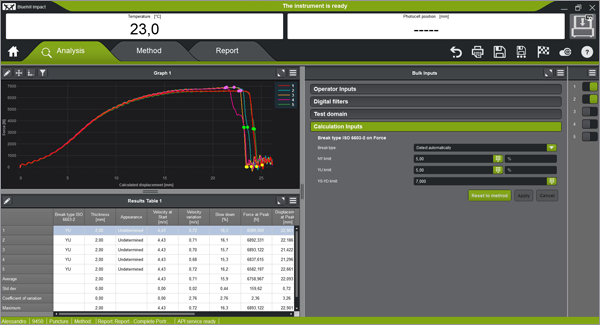
Break Type Recognition
Automatic recognition of the break type according to the shape of the curve (ISO 6603-2). This ensures associations to the break type remain the same operator-to-operator.
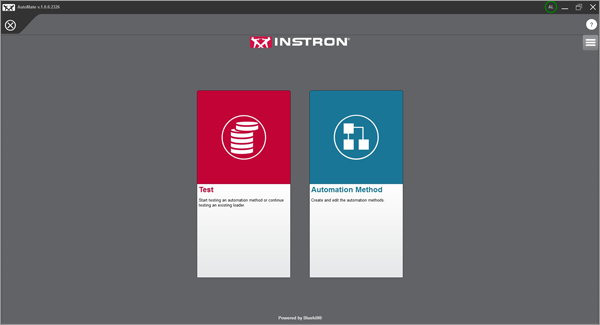
Automatic Testing
Once a test method has been created in Bluehill Impact, you can use AutoMate Software module to customize how the specimens in the automatic feeder are tested, assigning different test velocities and temperatures.
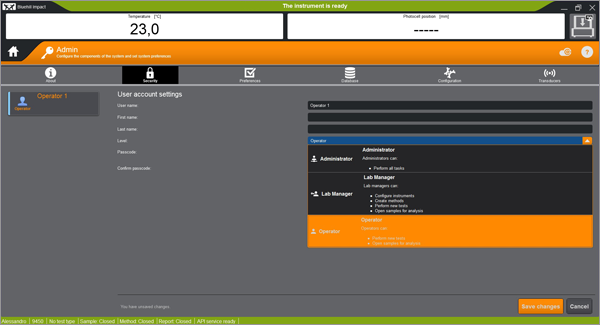
Secure Access
Bluehill Impact security allows the Lab manager to configure permissions granting full access to super users and limiting access where needed.
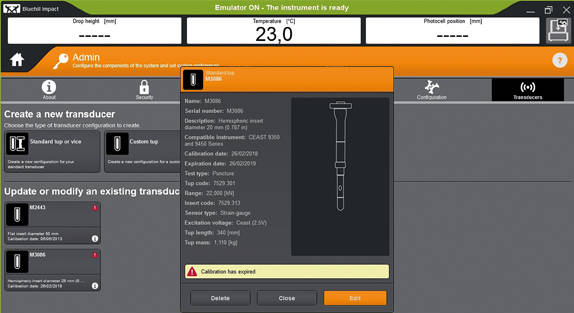
Tups Calibration Alert
Automatic alerts are generated when Tup calibration period is expiring. This feature helps to reduce the risk of invalid tests and protect your results against inaccuracies.
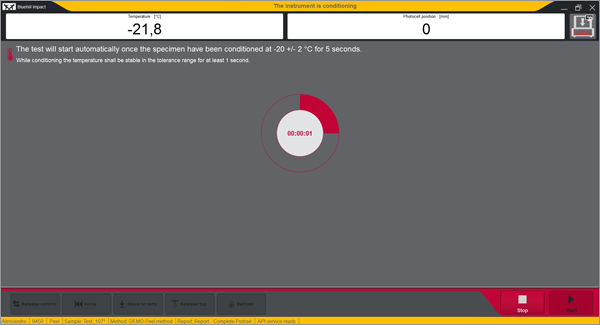
Built-In Safety Notifications
The Dashboard gives clear visual information on the instrument status, so users always know when a test is in progress.
REMOTE TECHNICAL SUPPORT (RTS)
HAVE AN OLDER SOFTWARE VERSION?
Learn About Upgrading your Drop Weight Impact Testing Software
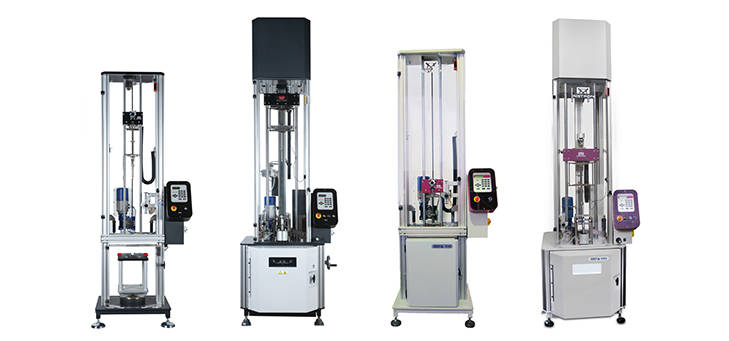
Bluehill Impact & Dashboard with Data Acquisition System
The state-of-the-art controller can be retrofitted on all the 9340 with Firmware version later than 1.00 and on all the 9350 Drop Weight Impact Testing Machines with FW version later than 3.00, including machines with automatic feeding option.
Simplify your Fracture Testing, Analysis and Reporting
Bluehill Fracture is a dedicated fracture mechanics software from Instron. Machine control, data analysis and reporting are performed for metals fracture toughness measurement to key international standards.
As a leading supplier of testing equipment for crack propagation and fracture toughness, Instron are aware of the challenges users face in reducing both the complexity and time taken to produce accurate, repeatable results. The Bluehill Fracture software package addresses these challenges.
Customizable test flows guide the user through the steps needed to produce their final results, saving time by minimizing data entry at each step.
Comprehensive on-screen user guidance along with automatic post-test analysis and reporting tools also reduce the skills and training required. Additionally, the layout, terminology and test progression is common to other Instron software packages, such as Bluehill Universal.
For the latest technology now available with Bluehill Fracture DCPD software, click below to upgrade today.
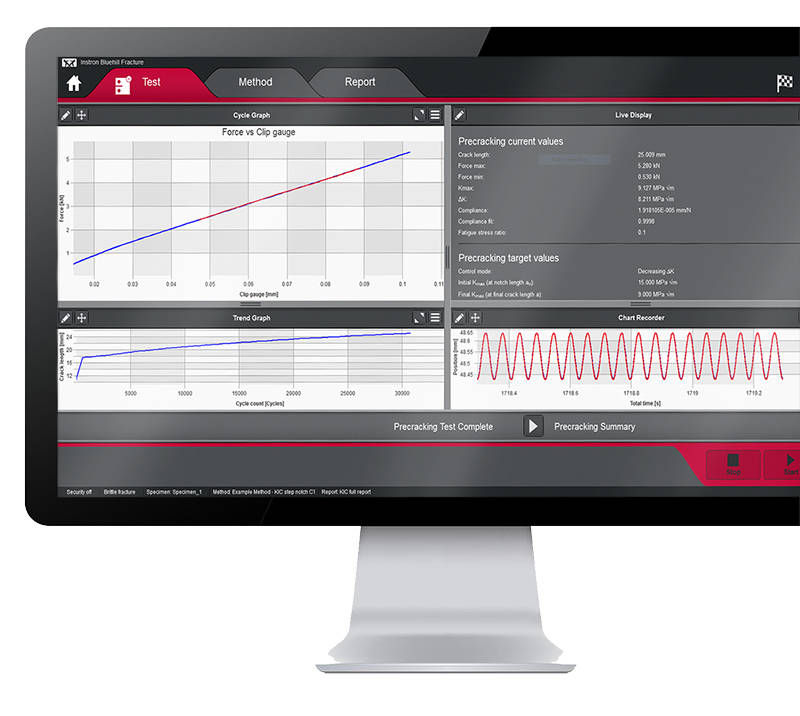
Method Definition
Bluehill Fracture's unique test workflow definition breaks the test into a logical series of steps, enabling the test designer to control the process of data entry before, during and after the test.
A reduction in entering the same data for each test saves time and minimizes data entry errors. Parameters for each stage can either be pre-populated prior to the test, imported automatically from a LIMS system or entered manually every time a test is run.
SMARTER
Produce results faster
Although Bluehill Fracture is simple to use, there are still many advanced features for analysis and report generation.
Run and Analyse Tests
Performing and analyzing Fracture Toughness tests has never been simpler than with Bluehill Fracture.
Select a test method to run, from a pre-defined list or your own customized method, and Bluehill Fracture will step you through the pre-test data entry you define, then when ready, the software will perform pre-cracking (if required) and finally onto the main fracture test.

Run a Test
Pre-configured material properties and pre-cracking targets reduce user input and increase throughput.

Post-test Analysis
The software guides operators through data input, graph plotting and results calculation.

Report Generation
The report and export function within Bluehill Fracture completely automates the process of generating a summary report.
SAFER
Control user access and check results
Validity checks confirm your tests are within predefined parameters whilst the security settings allow advanced users to protect areas of the method containing critical settings.
Analysis
The report and export function within Bluehill Fracture completely automates the process of generating a summary report. This reduces complexity, time and errors by avoiding additional data export and manipulation at the post test reporting stage.
Whether you need a summary in text output format or a fully customized PDF report in your organization’s format, Bluehill Fracture has the features to achieve this at the click of mouse button.
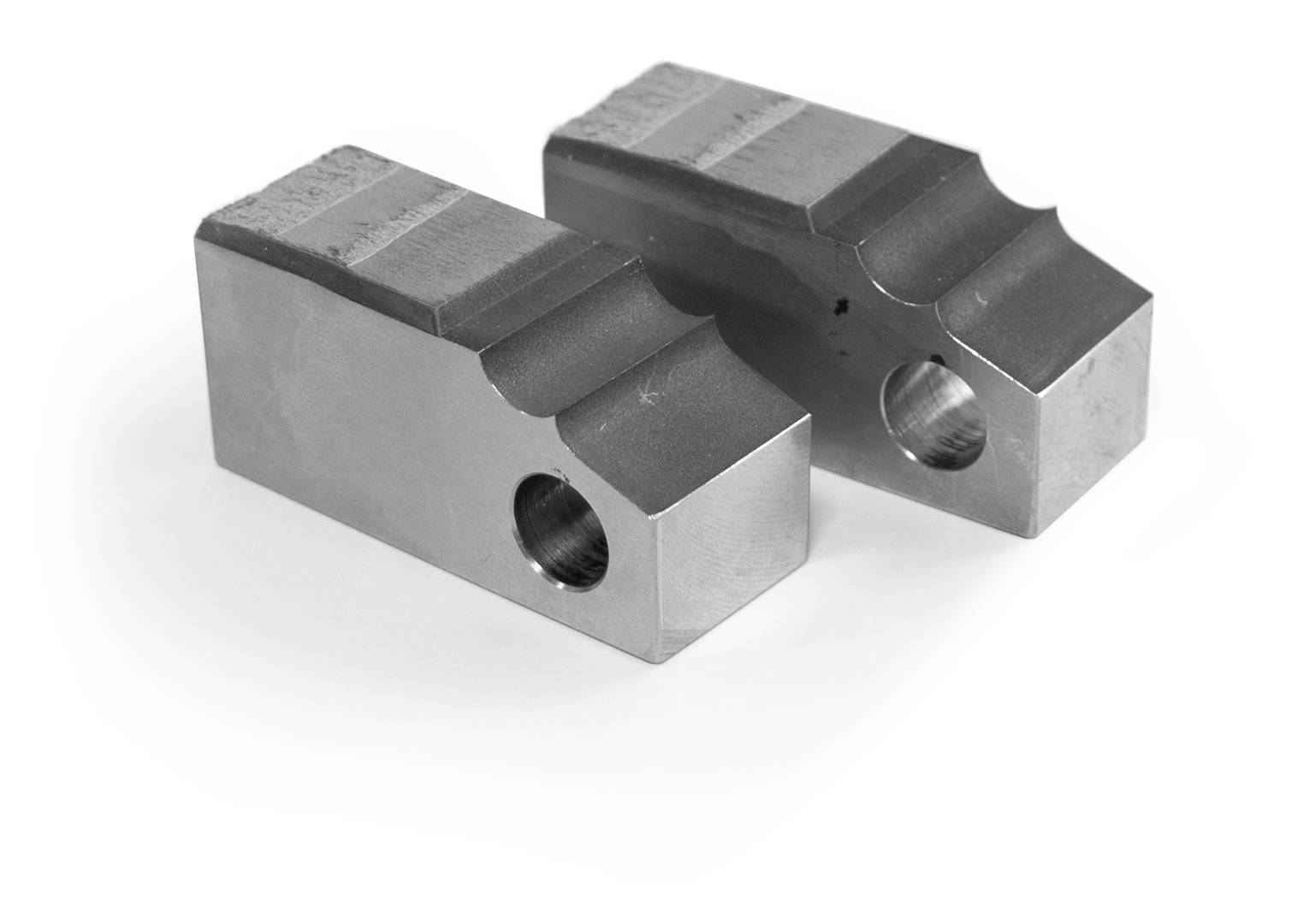
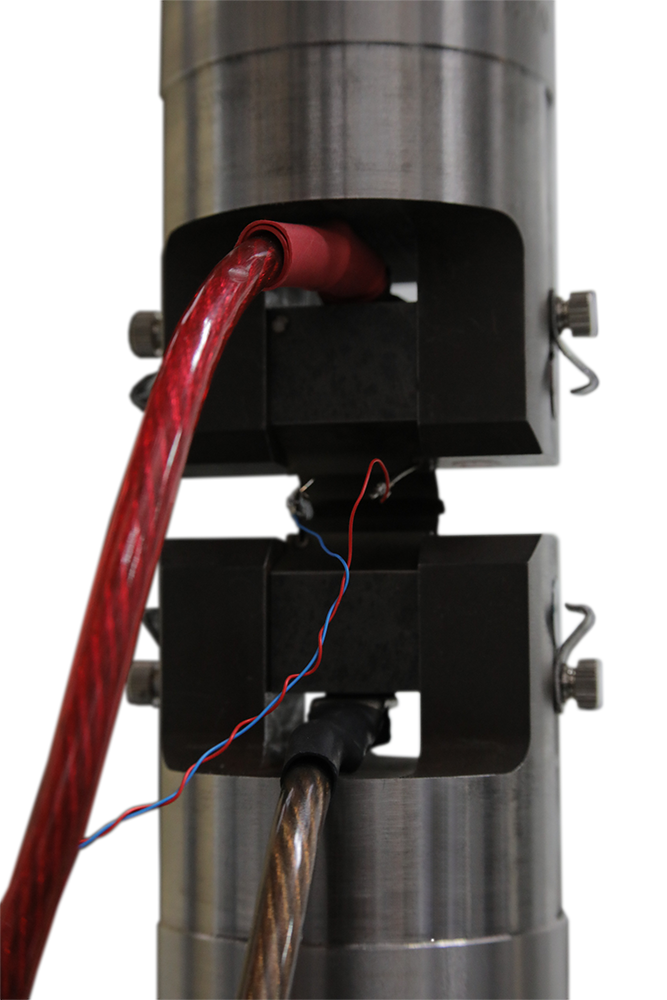
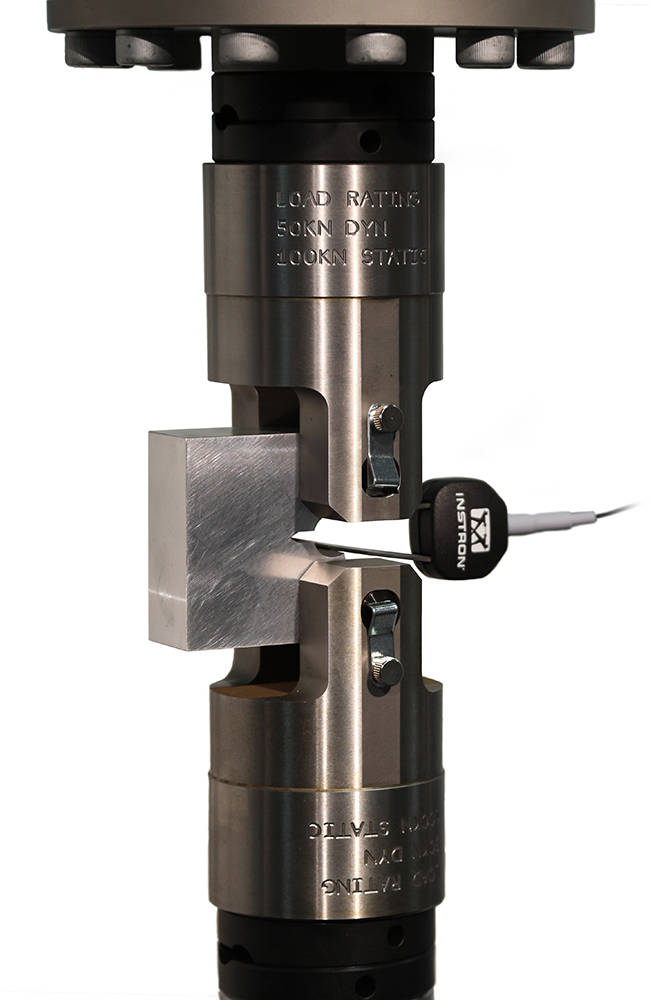
Test control and method set up are similar to mechanical compliance-based methods and raw data is stored in the same way. Signal noise depends greatly on the preamplification and conditioning of the DCPD system, so an additional averaging feature is available to stabilize readings during crack growth.
For fracture toughness determination, corrected displacement is calculated from user-specified frame compliance coefficients stored within the method, so that correct analyses can be used for different load strings. Manual and automated methods of V0 determination are provided, with a configurable interval for generation of J-da plot.
SUPPORTING DCPD MEASUREMENTS

Integration
Various functions are available to support integration with laboratory data management systems (e.g. LIMS), such as the option to import automatically generated inputs of specimen geometry and material properties.

Supported Features
Bluehill Fracture modules support all common test standards (ASTM, ISO and BS) for crack propagation, ductile and brittle fracture, crack length measurements and specimen geometries. Users can test to predefined standards (e.g. ASTM E647, ASTM E399, ASTM E1820, ISO 12135).
For the latest Bluehill Fracture standard compatibility:

Compatibility
Bluehill Fracture is available with new ElectroPuls® and Servohydraulic systems, as well as any existing dynamic testing system with an 8800 or 8800MT controller running Windows 7 or 10.