Instron

แบบทดสอบ Bluehill® Central

ปรแกรมทดสอบวัสดุ

แบบทดสอบ Bluehill® Central


Take a Tour of Bluehill Universal

ปรแกรมทดสอบวัสดุ

TOUR BLUEHILL® UNIVERSAL

Simpler, Smarter, Safer Materials Testing Software

Start a test, create a method … learn about the primary modules in the Home screen tour.​

Get a feel for the workspace users will interact with when running a test in the Testing tour.​

The Instron is controlled by parameters specified in a test method. Learn about method configuration in the Creating a Method tour.

Get a glimpse how report templates are configured in the Reporting tour.​

Bluehill Central

ปรแกรมทดสอบวัสดุ

BLUEHILL® CENTRAL

ลดความยุ่งยากในการจัดการการทดสอบของคุณ

ซอฟต์แวร์ Bluehill Central เป็นเครื่องมือจัดการห้องปฏิบัติการที่ช่วยให้สามารถจัดการแอปพลิเคชันซอฟต์แวร์ Bluehill Universal ที่เชื่อมโยงกับเฟรมทดสอบ Instron หลายเครื่องได้จากศูนย์กลางและระยะไกล ซอฟต์แวร์นี้ช่วยให้คุณสามารถจัดการผู้ใช้ Bluehill Universal ทั้งหมด เทมเพลตการทดสอบ ผลลัพธ์ การอนุมัติการแก้ไขไฟล์ และข้อมูลการตรวจสอบจากระบบ Instron หลายระบบได้จากระยะไกล

ขอสาธิต ดูคุณสมบัติล่าสุด


190+
ฐานข้อมูล Bluehill Central
ที่นำไปใช้งานตั้งแต่เปิดตัว
425+
ระบบทดสอบสากล
ที่เชื่อมต่อกับ Bluehill Central
Bluehill Central เหมาะกับห้องปฏิบัติการของคุณหรือไม่?
ทำแบบทดสอบสั้น ๆ เพื่อหาคำตอบ

ทำแบบทดสอบ

วิธีการทำงาน
สถาปัตยกรรม Bluehill Central


สถาปัตยกรรม Bluehill Central

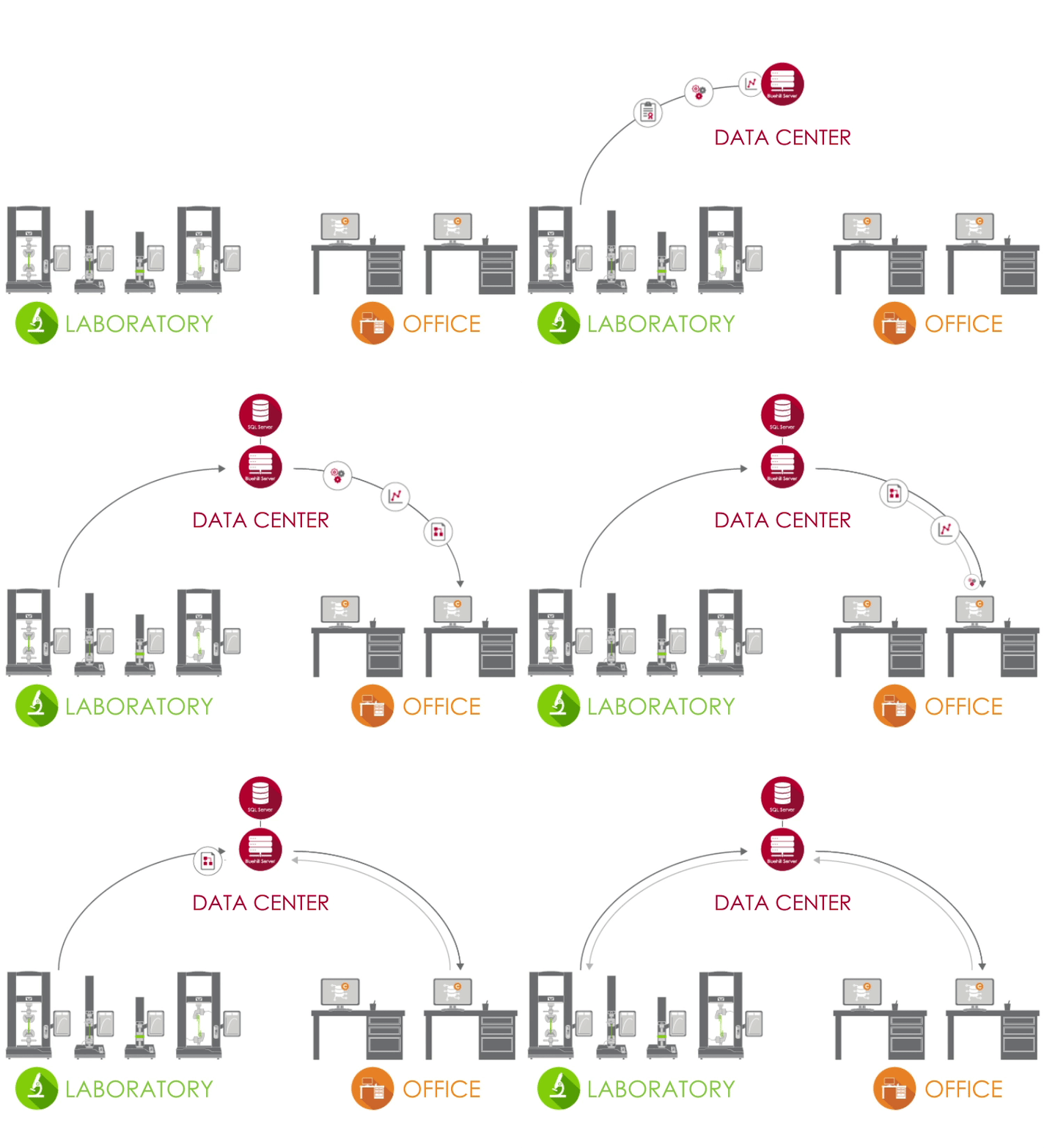
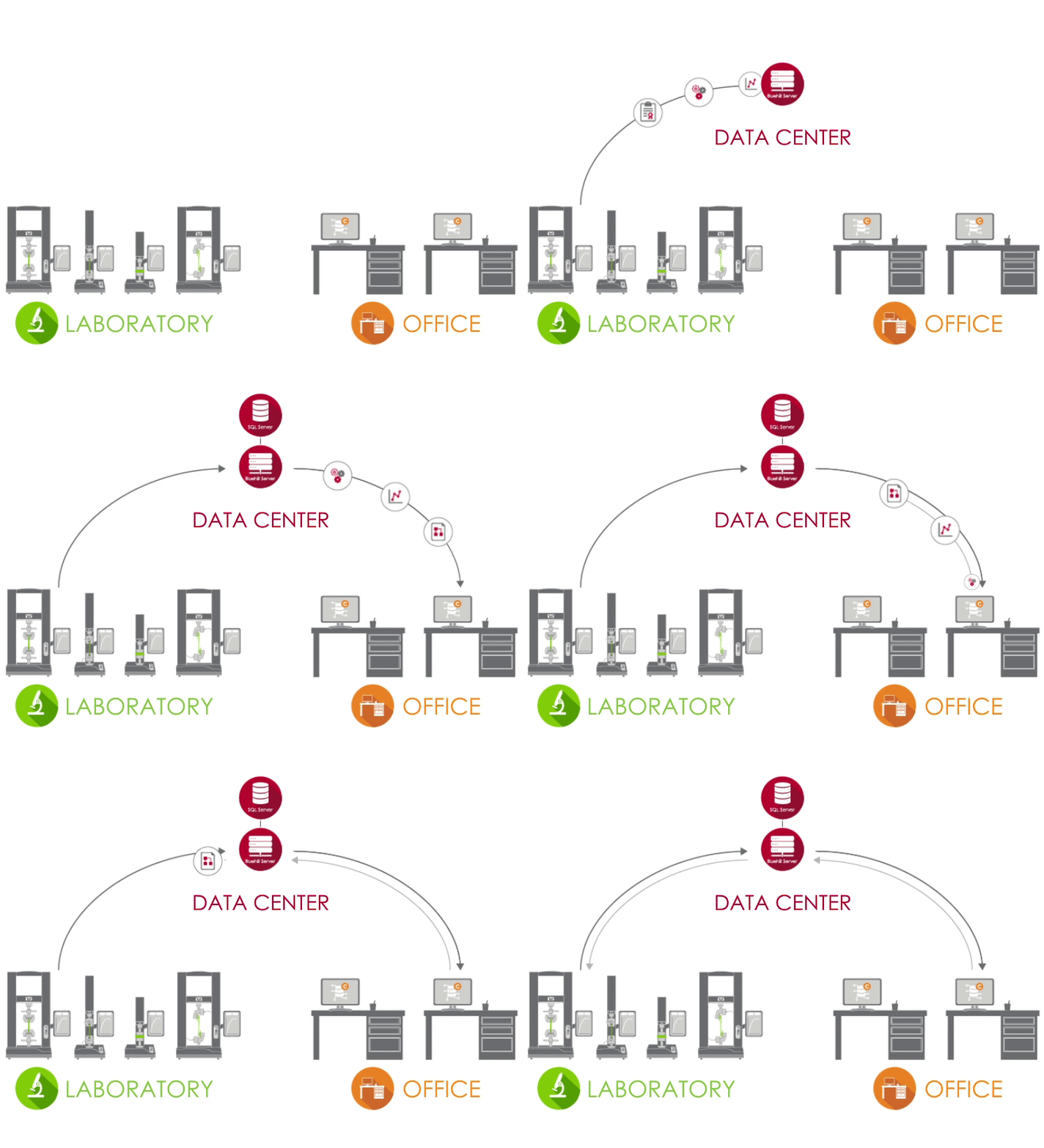
Bluehill Central ใช้เครือข่ายแบบไคลเอนต์/เซิร์ฟเวอร์เพื่อจัดเก็บข้อมูล ไฟล์ และการตั้งค่าที่ใช้ร่วมกันทั้งหมดบนฐานข้อมูล Microsoft® SQL Server เมื่อ Bluehill Universal เชื่อมต่อกับเซิร์ฟเวอร์ Bluehill Central ของห้องปฏิบัติการของคุณ ระบบทดสอบแต่ละระบบจะส่งและรับข้อมูลจากฐานข้อมูลส่วนกลาง ซึ่งช่วยขจัดความเสี่ยงของความแปรปรวนและภาระในการจัดการแต่ละระบบในพื้นที่

ไอคอนห้องทดลอง ห้องปฏิบัติการ
ในห้องปฏิบัติการ คอมพิวเตอร์ที่ใช้งาน Bluehill Universal และเชื่อมต่อกับเครือข่ายองค์กรของคุณสามารถเข้าถึงฐานข้อมูล Bluehill Central ผ่านปลั๊กอิน Central
ไอคอนศูนย์ข้อมูล ศูนย์ข้อมูล
ศูนย์ข้อมูลที่จัดการโดยกลุ่ม IT ของคุณสามารถโฮสต์ฐานข้อมูล SQL Server ที่จัดเก็บข้อมูล Instron และแอปพลิเคชัน Bluehill Server ที่จัดการธุรกรรมทั้งหมดระหว่างไคลเอนต์และฐานข้อมูลแบบรวมศูนย์ ไคลเอนต์และเซิร์ฟเวอร์ทั้งหมดเชื่อมต่อผ่านเครือข่ายองค์กรของคุณ
ไอคอนสำนักงาน สำนักงาน
นอกห้องปฏิบัติการ คุณสามารถเข้าถึงไฟล์และการตั้งค่าจากระยะไกลผ่านตัวแสดงผล Bluehill Central นอกจากนี้คุณยังสามารถใช้ใบอนุญาต Bluehill Universal แบบออฟไลน์เพื่อแก้ไขวิธีการทดสอบและดูข้อมูลตัวอย่างได้

เรียนรู้เพิ่มเติมใน คู่มือสำหรับผู้จัดการห้องปฏิบัติการและผู้ดูแลระบบไอที ของเรา

ทีมงาน


Bluehill Central ช่วยให้สามารถจัดกลุ่มผู้ใช้เป็นทีมที่ใช้ไฟล์และการตั้งค่าร่วมกันได้ สิทธิ์และการเข้าถึงไฟล์ของผู้ปฏิบัติงานถูกกำหนดโดยทีมของพวกเขา ซึ่งให้ความยืดหยุ่นแก่ห้องปฏิบัติการของคุณในการรองรับขั้นตอนการทำงานและการตั้งค่าที่แตกต่างกันตามกลุ่มที่ใช้ระบบ

สมาชิก | ผู้ใช้รายบุคคลพร้อมสิทธิ์การใช้งานส่วนบุคคล

ระบบทดสอบ | เฟรม Instron ในห้องปฏิบัติการของคุณที่เชื่อมต่อกับ Bluehill Central

ไฟล์ | วิธีการ Bluehill เทมเพลตรายงาน รายงาน PDF หรือไฟล์ที่เกี่ยวข้องกับ Instron อื่นๆ

บันทึกการตรวจสอบ | บันทึกการดำเนินการที่ดำเนินการโดยสมาชิกในทีม

การตั้งค่า | ประเภทความปลอดภัย การอนุมัติไฟล์ และการตั้งค่าระดับทีมอื่น ๆ


เรียนรู้เกี่ยวกับ ตัวเลือกความปลอดภัยใน Bluehill Central

ทำสิ่งต่างๆ ได้มากขึ้นด้วย CENTRAL
โมดูลใดที่เหมาะกับห้องปฏิบัติการของคุณ?


การจัดการห้องปฏิบัติการ


โมดูลการจัดการห้องปฏิบัติการมีที่เก็บไฟล์ของ Bluehill Central ซึ่งจัดเก็บไว้บนเซิร์ฟเวอร์ฐานข้อมูล เฟรม Instron ที่เชื่อมต่อสามารถเข้าถึงฐานข้อมูลเพื่อใช้วิธีการทดสอบที่ควบคุมหรือส่งออกผลลัพธ์ได้


ไอคอนประวัติการแก้ไข

ดูประวัติการแก้ไข
ไฟล์ Bluehill แต่ละไฟล์มีประวัติที่แสดงรายละเอียดการเปลี่ยนแปลงทั้งหมดที่เกี่ยวข้องกับการแก้ไขแต่ละครั้งของไฟล์

ไอคอนอัปโหลดดาวน์โหลด

อัปโหลดและดาวน์โหลดไฟล์
การจัดเก็บและเรียกไฟล์จากฐานข้อมูลทำได้ง่ายด้วยฟังก์ชันอัปโหลดและดาวน์โหลด

ไอคอนการอ่านเขียน

สิทธิ์การอ่านและเขียน
จำกัดผู้ใช้ที่สามารถทำการเปลี่ยนแปลงหรือเข้าถึงไฟล์ได้โดยการกำหนดค่าสิทธิ์การอ่านและเขียนสำหรับไฟล์และโฟลเดอร์

ไอคอนซิงค์ออฟไลน์

ซิงค์กับโหมดออฟไลน์
ผู้ปฏิบัติงานสามารถทำการทดสอบต่อได้หากการเชื่อมต่อกับฐานข้อมูลขาดหายไป โดยทำให้ไฟล์หรือโฟลเดอร์ที่สำคัญพร้อมใช้งานแบบออฟไลน์ใน Bluehill Universal
การตรวจสอบย้อนกลับ


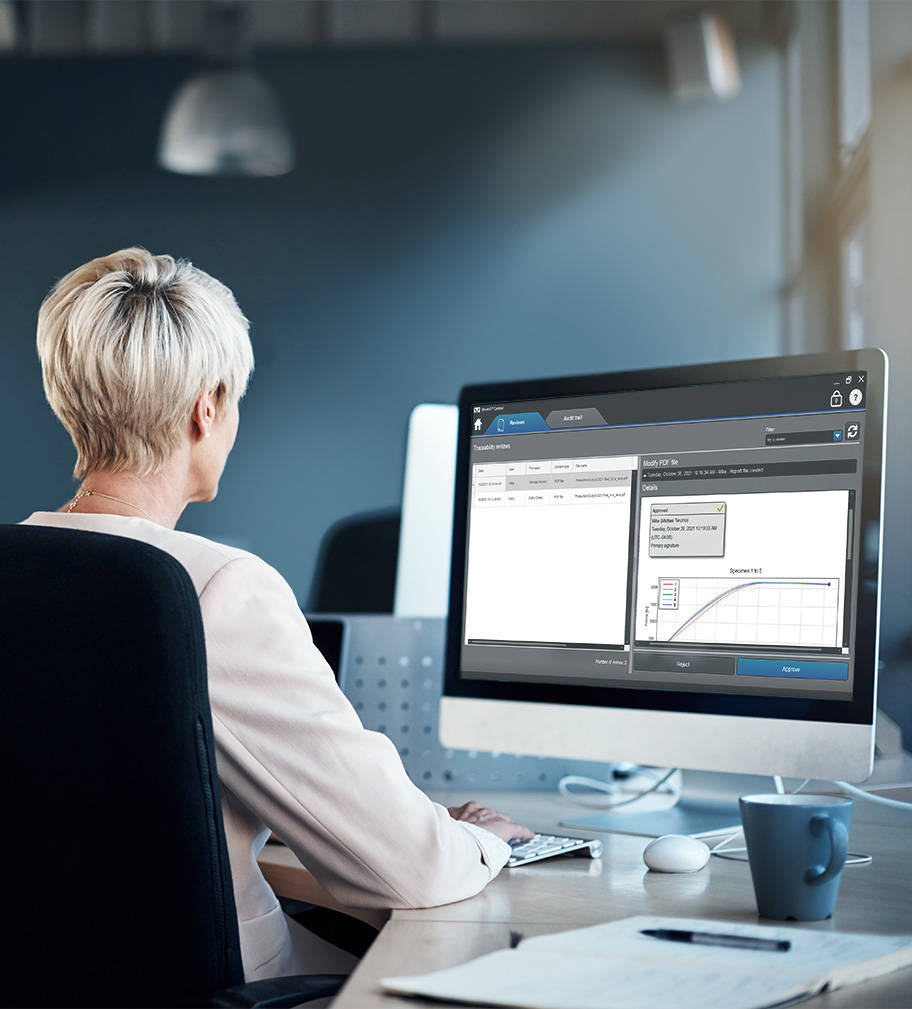
โมดูลการตรวจสอบย้อนกลับใน Bluehill Central ช่วยให้คุณสามารถตรวจสอบและลงนามทางอิเล็กทรอนิกส์จากระยะไกลสำหรับการแก้ไขวิธีการทดสอบ ข้อมูลตัวอย่าง และการเปลี่ยนแปลงอื่นๆ ในไฟล์ Bluehill ที่เกิดขึ้นบนระบบ Instron การอนุมัติไฟล์และการดำเนินการของผู้ใช้อื่นๆ หลายอย่างใน Bluehill Central และ Bluehill Universal จะถูกบันทึกโดยอัตโนมัติในการตรวจสอบส่วนกลางเพื่อยืนยันว่าใครทำอะไร เมื่อไหร่ และทำไมบนระบบ Instron ที่เชื่อมต่อใดๆ หมายเหตุ: โมดูลการตรวจสอบย้อนกลับแสดงข้อมูลจากระบบ Instron ที่มีการตรวจสอบย้อนกลับ + การจัดการห้องปฏิบัติการ (ปลั๊กอิน Central) ซึ่งเป็นส่วนเสริม
สำหรับ Bluehill Universal


ไอคอนการเปลี่ยนแปลงไฟล์

ตรวจสอบการเปลี่ยนแปลงไฟล์จากระยะไกล
ดำเนินการตรวจสอบไฟล์จากระบบทดสอบที่เชื่อมต่อทั้งหมดจากความสะดวกสบายบนโต๊ะทำงานของคุณ

ไอคอนตัวกรอง

กรองและพิมพ์เส้นทางการตรวจสอบ
สอบถาม กรอง และพิมพ์บันทึกการตรวจสอบของระบบทดสอบที่เชื่อมต่อทั้งหมด

ไอคอนบานหน้าต่างรายละเอียด

ดูรายละเอียดรายการเส้นทางการตรวจสอบ
บานหน้าต่างรายละเอียดให้ข้อมูลเพิ่มเติมที่เกี่ยวข้องกับรายการบันทึกการตรวจสอบที่เลือก


ผู้จัดการห้องปฏิบัติการใช้โมดูลการตรวจสอบย้อนกลับ

ดูว่าการตรวจสอบย้อนกลับใน Bluehill Central เปรียบเทียบกับความปลอดภัยมาตรฐานใน Bluehill Universal และการตรวจสอบย้อนกลับในพื้นที่อย่างไร

เปรียบเทียบคุณสมบัติ

เรียนรู้วิธีที่การตรวจสอบย้อนกลับภายใน Bluehill Central สามารถช่วยคุณปฏิบัติตามข้อกำหนดทางเทคนิคของ FDA 21 CFR Part 11

ดาวน์โหลดเอกสารทางเทคนิค

ซอฟต์แวร์ TrendTracker

เครื่องมือติดตามแนวโน้ม

โมดูล TrendTracker ใน Bluehill Central ช่วยเร่งขั้นตอนการวิเคราะห์ข้อมูลของห้องปฏิบัติการของคุณ อินเทอร์เฟซที่ใช้งานง่ายช่วยให้คุณสามารถค้นหา แสดงผล และวิเคราะห์ผลลัพธ์ตามช่วงเวลาและข้ามตัวอย่างและระบบทดสอบหลายระบบได้อย่างรวดเร็ว ลาก่อนกับการค้นหาไฟล์ที่น่าเบื่อและการคัดลอกวางข้อมูล

ไอคอนการวิเคราะห์ข้อมูล

การวิเคราะห์ข้อมูลหลายตัวอย่าง
ดำเนินการวิเคราะห์ข้อมูลผลลัพธ์จากตัวอย่างหลายตัวอย่างที่ผลิตโดยระบบทดสอบหลายระบบ

ไอคอนแบบสอบถามที่ปรับแต่งได้

แบบสอบถามที่ปรับแต่งได้
สร้างแบบสอบถามที่กำหนดโดยพารามิเตอร์การทดสอบหรือผลลัพธ์ที่ให้ข้อมูลเชิงลึกเกี่ยวกับแนวโน้มและค่าที่ผิดปกติ

ไอคอนการวางแผน

การวางแผนภาพ
วาดแผนภูมิประเภทต่างๆ เพื่อแสดงชุดข้อมูล

ไอคอนการส่งออกข้อมูล

การส่งออกข้อมูล
ส่งออกข้อมูลไปยังไฟล์ CSV และเปิดในแอพพลิเคชั่น เช่น Minitab ® เพื่อวิเคราะห์เพิ่มเติม

เรียนรู้เพิ่มเติมเกี่ยวกับ สถิติและแผนภูมิที่มีอยู่ใน TrendTracker

ค้นพบว่า TrendTracker ช่วยให้คุณตัดสินใจได้เร็วขึ้นโดยอิงตามข้อมูลอย่างไร

เข้าชม TrendTracker อย่างรวดเร็วและดูว่าการตั้งค่า ตรวจสอบแนวโน้ม และค้นพบข้อมูลเชิงลึกนั้นง่ายแค่ไหน

Frequently Asked Questions for Bluehill Central

ปรแกรมทดสอบวัสดุ

BLUEHILL® CENTRAL | FREQUENTLY ASKED QUESTIONS


Get answers to the most frequently asked questions (FAQ) about Bluehill Central, Instron's lab management software.

เทมเพลตวิธีการใน Bluehill Universal


ปรแกรมทดสอบวัสดุ


เทมเพลตวิธีการใน BLUEHILL® UNIVERSAL

เทมเพลตวิธีการใน BlueHILL ® UNIVERSAL

ต่อไปนี้เป็นรายการวิธีการทดสอบที่กำหนดค่าไว้ล่วงหน้าทั้งหมดที่มีอยู่ในซอฟต์แวร์ทดสอบวัสดุ Bluehill Universal

Bluehill Universal

ปรแกรมทดสอบวัสดุ

BLUEHILL® UNIVERSAL

ซอฟต์แวร์ทดสอบวัสดุยุคใหม่


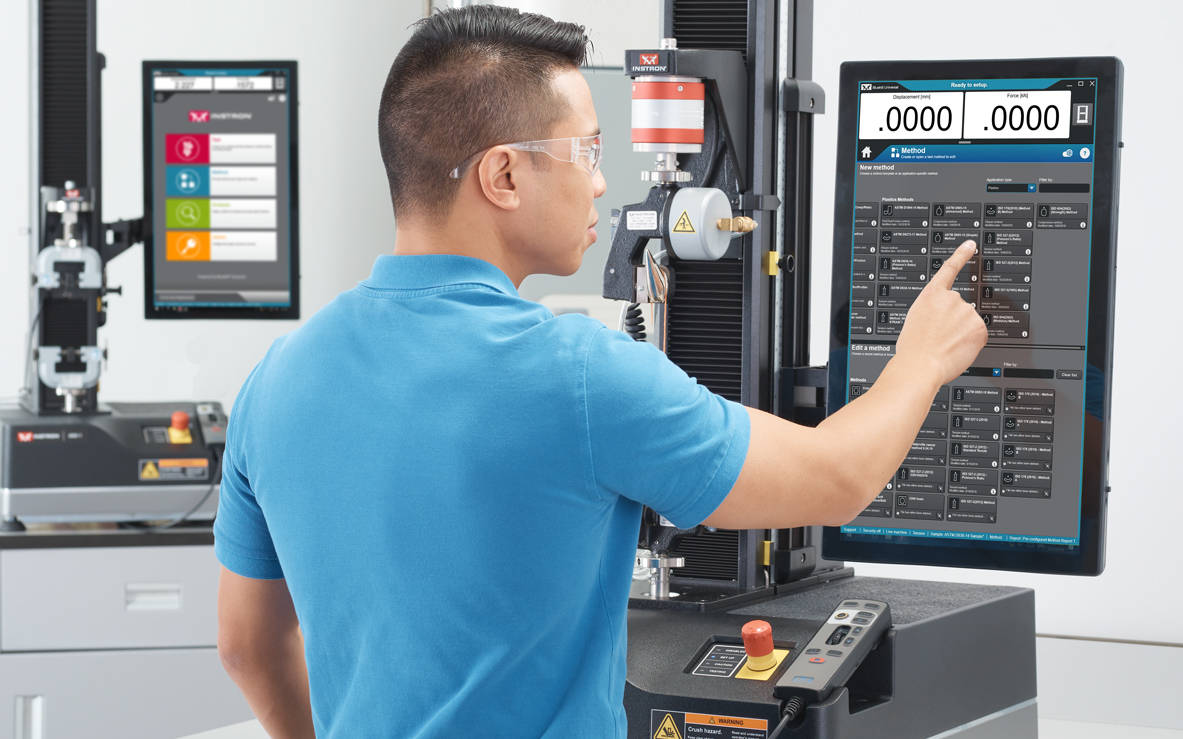
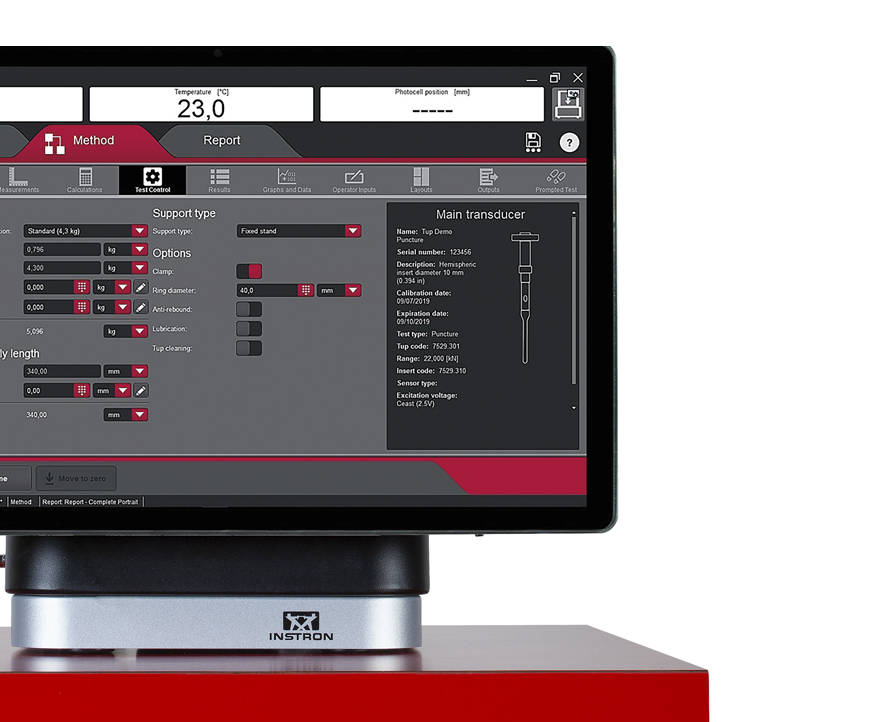
Bluehill Universal ถูกสร้างขึ้นมาใหม่ทั้งหมดสำหรับการใช้แบบนิ้วสัมผัส รูปแบบแนวตั้งแบบใหม่ พร้อมการออกแบบภาพที่พิถีพิถันให้มุมมองที่ครอบคลุมที่สุดของพื้นที่ทดสอบบนหน้าจอสัมผัสของผู้ใช้งาน ซึ่งเป็นหน้าจอสัมผัสรูปแบบขนาดใหญ่ที่น่าทึ่งมาพร้อมกับชุดคอนโทรลเลอร์ในตัว ขั้นตอนการทำงานที่ใช้งานง่ายทำให้ง่ายต่อการฝึกอบรมผู้ใช้ใหม่หรือผู้ที่มีประสบการณ์ ทำให้การฝึกอบรมผู้ปฏิบัติงานง่ายขึ้น และช่วยให้คุณสามารถเริ่มการทดสอบได้เร็วขึ้นกว่าที่เคยเป็นมา

Take A Tourขอตัวอย่าง

ความเคลื่อนไหวล่าสุด

ทีมนักพัฒนา Bluehill ของ Instron ไม่เคยหยุดสร้างสรรค์สิ่งใหม่ๆ เพื่อให้ประสบการณ์การทดสอบของคุณง่ายขึ้น เป็นระบบอัจฉริยะมากขึ้น และปลอดภัยยิ่งขึ้น

ดูคุณสมบัติล่าสุด

หากคุณมีซอฟต์แวร์เวอร์ชันเก่า
เรียนรู้เกี่ยวกับการอัปเกรด - เลือกเวอร์ชันซอฟต์แวร์ของคุณในปัจจุบัน

Bluehill Universal Operator Dashboard

ง่ายยิ่งขึ้น
ขั้นตอนการทำงานอย่างง่าย และฟังก์ชันที่ทันสมัย


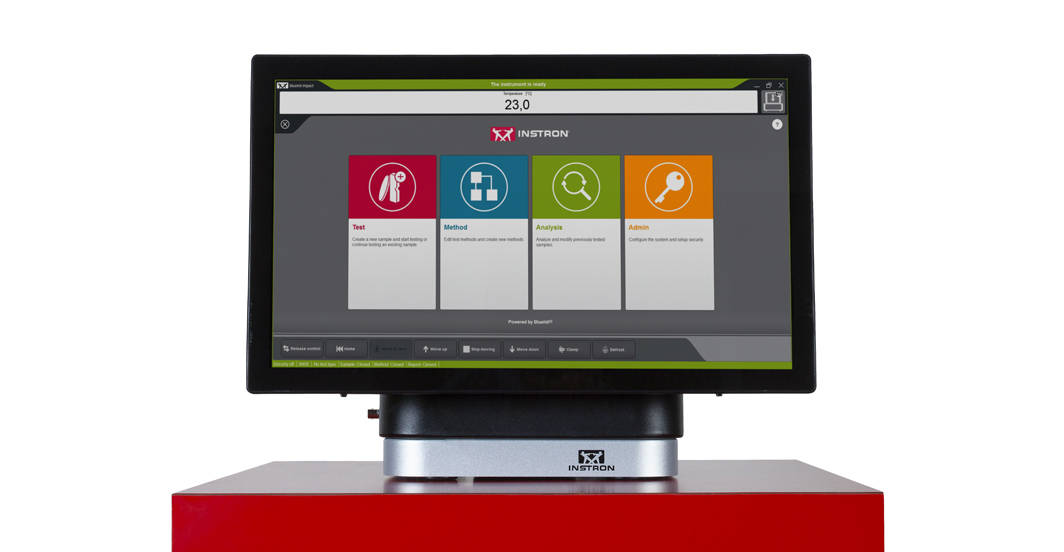
Operator Dashboard มีจุดสัมผัสขนาดใหญ่และไอคอนที่เข้าใจง่าย ทำให้ผู้ใช้ได้รับประสบการณ์ที่ง่ายขึ้นและเป็นระบบอัจฉริยะมากขึ้น Operator Dashboard ออกแบบโดยคำนึงถึงหลักสรีรศาสตร์ เป็นรูปแบบคอมพิวเตอร์ All-in-One ขนาดใหญ่และหน้าจอสัมผัสที่สามารถติดตั้งได้ทั้งที่ด้านข้างของระบบ Instron ของผู้ใช้หรือใช้กับฐานตั้ง


ฟังก์ชัน QuickTest

เมื่อคุณต้องการผลการทดสอบที่รวดเร็ว ฟังก์ชัน QuickTest ช่วยให้ผู้ใช้งานกรอกข้อมูลการทดสอบเพียงเล็กน้อย และเริ่มการทดสอบได้ในไม่กี่วินาที

แผ่นแบบวิธีการทดสอบ

Bluehill Universal ประกอบไปด้วยคลังของวิธีการทดสอบที่ถูกตั้งค่าไว้แล้ว สำหรับการทดสอบส่วนใหญ่ตามมาตรฐาน ASTM, ISO และ EN

การทดสอบแบบเตือนความจำ

ผู้ใช้สามารถได้รับคำแนะนำผ่านกระบวนการทดสอบทั้งหมดพร้อมคำแนะนำทีละขั้นตอนเพื่อให้มั่นใจว่าการทดสอบยังคงทำซ้ำได้ ง่าย และปราศจากข้อผิดพลาด

การวัดชิ้นงานแบบบูรณาการ

เชื่อมต่อไมโครมิเตอร์และคาลิเปอร์เข้ากับระบบโดยตรงเพื่อนำเข้าชิ้นงานทดสอบเพื่อวัดค่าความเครียด

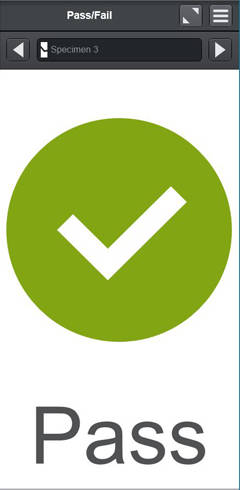
ผล Pass/Fail
อนุญาตให้ผู้ใช้เพิ่มส่วนประกอบการทดสอบลงในหน้าต่างทำการทดสอบ เพื่อให้มองเห็นได้อย่างรวดเร็วหากการทดสอบผ่านหรือล้มเหลวตามเกณฑ์การยอมรับที่กำหนดในวิธีการทดสอบ

เครื่องสแกนบาร์โค้ด

ผู้ใช้สามารถป้อนข้อมูลลงใน Bluehill Universal ได้อย่างราบรื่นด้วยเครื่องสแกนบาร์โค้ดที่เชื่อมต่อด้วย USB เพียงสร้างบาร์โค้ด ครอบคลุมถึงฟังก์ชั่นแท็บ และสามารถเพิ่มข้อมูลลงในช่องป้อนข้อความหรือตัวเลข


Running a Test in Bluehill Universal
เฉียบคมมากขึ้น
ความสามารถขั้นสูงที่ไม่มีความซับซ้อน


ความเรียบง่ายไม่ได้หมายความว่าคุณต้องยกเลิกคุณสมบัติขั้นสูง คุณสมบัติแบบแยกส่วนของ Bluehill Universal ให้พลังและความยืดหยุ่นในการทดสอบที่ซับซ้อนที่สุด

ความสามารถขั้นสูง

การส่งออกที่ปรับแต่งได้

ส่งออกค่าใดๆ หลังการทดสอบ จากรายงานมืออาชีพที่มีกราฟและตาราง ไปยังไฟล์ข้อความที่กำหนดเอง เพื่อรวมเข้ากับระบบจัดการข้อมูลในห้องทดลองของคุณ

เรียนรู้เพิ่มเติม

ฟังก์ชัน TestProfiler

สร้างการทดสอบแบบวงจรที่เรียบง่ายซึ่งรูปแบบของการเคลื่อนที่จะประกอบไปด้วย การเคลื่อนที่แบบทางลาด การค้างตำแหน่งหรือแรงกระทำ และการเคลื่อนแบบคลื่นสามเหลี่ยม ซึ่งตรรกะเชิงเงื่อนไขช่วยให้คุณสามารถสร้างรูปแบบวนลูปที่ช่วยให้คุณสร้างสถานการณ์จำลองในชีวิตจริงด้วยการทดสอบของคุณ

ความสามารถเสริม

เรียนรู้เพิ่มเติม


ฟังก์ชัน Expression Builder

สร้างฟังก์ชันที่กำหนดเองของคุณโดยใช้รายการตัวแปร การวัดค่า และข้อมูลดิบ ตัวอย่างเช่นผู้ใช้สามารถตั้งค่าความเร็วในการทดสอบเป็นฟังก์ชั่นความกว้างและความหนาของชิ้นงานทดสอบหรือสร้างการแสดงออกของข้อมูลดิบที่กำหนดเองเช่นการลบแรงลากเมื่อทำการทดสอบในอ่างของเหลว

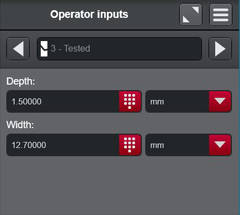
อินพุตตัวเลือก

อินพุตตัวเลือกให้รายการตัวเลือกที่กำหนดค่าไว้ล่วงหน้าแก่ผู้ใช้ ซึ่งช่วยลดเวลาในการป้อนข้อมูลและลดความเสี่ยงของข้อผิดพลาดสำหรับอินพุตที่ใช้ทั่วไป เช่น ชื่อผู้ปฏิบัติงาน สี หรือประเภทชิ้นงานทดสอบ นอกจากนี้ แต่ละตัวเลือกยังสามารถเชื่อมโยงกับพารามิเตอร์อื่นๆ เช่น อัตราการทดสอบหรือขนาดได้

เรียนรู้เพิ่มเติม


ความปลอดภัยและการตรวจสอบย้อนกลับ


Bluehill Universal Security

ความปลอดภัยขั้นสูง

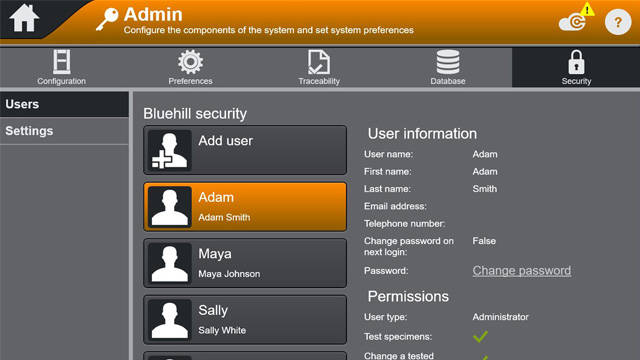
Bluehill Security อนุญาตให้ผู้จัดการห้องทดลอง กำหนดค่าการอนุญาตในซอฟต์แวร์อนุญาตการเข้าถึงบุคลากรที่ผ่านการฝึกอบรมเช่นผู้ใช้ขั้นสูงและ จำกัดการเข้าถึงหากจำเป็น การรักษาความปลอดภัย Bluehill อนุญาตให้กำหนดค่าการเข้าสู่ระบบโดยตรงใน Bluehill หรือเชื่อมโยงกับการเข้าสู่ระบบ Windows ท้องถิ่นหรือ Windows Active Directory.

รายงานสมุดปกขาวเกี่ยวกับความปลอดภัยของซอฟต์แวร์ Bluehill
การสัมมนาผ่านเว็บ: ปรับปรุงความสมบูรณ์ของข้อมูลด้วย Bluehill Universal Security


โมดูล Traceability

โมดูล Traceability ของ Bluehill Universal ช่วยให้ผู้ใช้ปฏิบัติตามข้อกำหนดในการตรวจสอบที่เกี่ยวข้องกับข้อ 11 ของ FDA 21 CFR, ISO 17025, Nadcap และอื่นๆ ด้วยการรวมการอนุมัติทางอิเล็กทรอนิกส์ ประวัติการแก้ไข และเส้นทางการตรวจสอบระบบอัตโนมัติเข้าด้วยกันอย่างราบรื่น ส่วนเสริมอันทรงพลังนี้จะผนวกรวมเข้ากับการรักษาความปลอดภัยในตัวของ Bluehill เพื่อให้สามารถตรวจสอบข้อมูลแบบย้อนกลับได้อย่างไม่มีใครเทียบ

(ความสามารถเสริม)

โบรชัวร์
การเปรียบเทียบคุณสมบัติ: ความปลอดภัยมาตรฐาน เทียบกับ Traceability (ภายในเครื่อง) เทียบกับ Traceability (Bluehill Central)
รายงานสมุดปกขาวเกี่ยวกับการปฏิบัติตามข้อ 11 ของ FDA 21 CFR
ความสมบูรณ์ของข้อมูลและการตรวจสอบย้อนกลับของ Bluehill | สร้างห้องปฏิบัติการที่มีประสิทธิภาพมากขึ้น
การสัมมนาผ่านเว็บ: แนะนำโมดูล Traceability ของ Bluehill Universal

ประเภทฐานข้อมูล

เส้นทางการตรวจสอบของ Traceability นำเสนอทั้งฐานข้อมูลเครือข่ายและภายในเครื่องเพื่ออำนวยความสะดวกในการตั้งค่าการจัดการข้อมูลของคุณ ฐานข้อมูลแบบเครือข่ายและรวมศูนย์ช่วยให้ห้องปฏิบัติการของคุณมีประสิทธิภาพมากยิ่งขึ้นและมีความเสี่ยงลดลงเมื่อเทียบกับข้อมูลที่จัดการภายในเครื่อง ควรมีการกำหนดโครงสร้างพื้นฐานด้านไอทีและการจัดการข้อมูลของห้องปฏิบัติการของคุณเมื่อพิจารณาทางเลือกเหล่านี้


local systems
ภายในเครื่อง


โมดูล Traceability ภายในเครื่องของ Bluehill Universal จะเก็บข้อมูลเส้นทางการตรวจสอบบนฐานข้อมูล Microsoft SQL Express ที่โฮสต์บนคอมพิวเตอร์ที่ติดตั้ง Bluehill Universal ซึ่งเชื่อมต่อกับระบบ Instron โมเดลฐานข้อมูลภายในเครื่องจะรองรับห้องแล็บที่ไม่สามารถเชื่อมต่อคอมพิวเตอร์เข้ากับเครือข่ายที่ใช้ร่วมกันได้ การดูเส้นทางการตรวจสอบและการลงนามในไฟล์แบบอิเล็กทรอนิกส์จะสามารถทำได้บนภายในเครื่องคอมพิวเตอร์ และ Instron แต่ละระบบที่มีฐานข้อมูล Traceability ภายในเครื่องจะจัดเก็บฐานข้อมูล SQL Express ของตนเอง ฟังก์ชันการสำรองและกู้คืนฐานข้อมูลสามารถทำได้ในแบบแมนนวลใน Bluehill Universal


Bluehill Central Architecture
เครือข่าย


โซลูชันเครือข่ายสำหรับ Traceability ของ Instron ใช้ Bluehill Central ซึ่งใช้เฟรมเวิร์กไคลเอ็นต์/เซิร์ฟเวอร์เพื่อจัดเก็บข้อมูลเส้นทางการตรวจสอบ ไฟล์ และการตั้งค่าที่ใช้ร่วมกันทั้งหมดบนฐานข้อมูล Microsoft SQL Server เมื่อ Bluehill Universal เชื่อมต่อกับเซิร์ฟเวอร์ Bluehill Central ของห้องปฏิบัติการของคุณ แต่ละระบบทดสอบจะส่งและรับข้อมูลจากฐานข้อมูลส่วนกลาง ซึ่งช่วยลดความเสี่ยงในเรื่องความแตกต่างและภาระในการจัดการภายในเครื่องของแต่ละระบบ การดูเส้นทางการตรวจสอบ การลงนามในไฟล์แบบอิเล็กทรอนิกส์ และการจัดการผู้ใช้จะดำเนินการได้จากทางไกลใน Bluehill Central หรือภายในเครื่องใน Bluehill Universal ฟังก์ชันการสำรองและกู้คืนฐานข้อมูลสามารถทำได้ด้วยตนเองใน Bluehill Central


การวิเคราะห์ข้อมูล

การวิเคราะห์

เล่นซ้ำ, วิเคราะห์อีกครั้ง, หรือแก้ไขตัวอย่างที่ทดสอบก่อนหน้านี้โดยไม่ต้องเรียกใช้การทดสอบอีกครั้ง

(ความสามารถเสริม)

กล้อง TestCam

เชื่อมต่อเว็บแคม USB เพื่อรับประสบการณ์การเล่นวิดีโอแบบจุดต่อจุดช่วยให้คุณสามารถดูการทดสอบได้แม้จะเสร็จสิ้นแล้ว

(ความสามารถเสริม)


กลุ่มชิ้นงานย่อย

ในการใช้กลุ่มชิ้นงานย่อยนั้น ผู้ใช้จะมึความสามารถที่จะแยกประเภทของผลการทดสอบด้วยพารามิเตอร์เหล่านี้ ประกอบด้วย ชื่อผู้ทดสอบ, ตำแหน่งที่ชิ้นงานทดสอบแตกหัก, และคุณสมบัติของชิ้นงานเฉพาะ

ซอฟต์แวร์ TrendTracker

ส่งออกผลลัพธ์ไปยังฐานข้อมูล TrendTracker โดยตรง ผู้ใช้สามารถสร้างการเชื่อมต่อฐานข้อมูลหลายรายการใน Bluehill Universal จากนั้นเลือกฐานข้อมูล TrendTracker ในวิธีการทดสอบที่เหมาะสม

(ความสามารถเสริม)


Operator Using an Offline License of Bluehill Universal

ส่วนต่อประสานโปรแกรมประยุกต์

ส่วนต่อประสานโปรแกรมประยุกต์ (API) ของ Bluehill Universal อนุญาตให้ผู้ดูแลระบบสร้างโปรแกรมประสานของตนเอง สำหรับควบคุมการกระทำก่อนและหลังการทดสอบภายใน Bluehill ในหลายกรณี API สามารถอนุญาตให้คุณสร้างส่วนประกอบบางส่วนของลำดับการทดสอบโดยอัตโนมัติรวมทั้งสร้างโปรแกรมประสานของคุณเองสำหรับการเรียกใช้บางส่วนของระบบเช่นการนำเข้าเริ่มหรือส่งออก.

เรียนรู้เพิ่มเติม

ลิขสิทธิ์แบบออฟไลน์

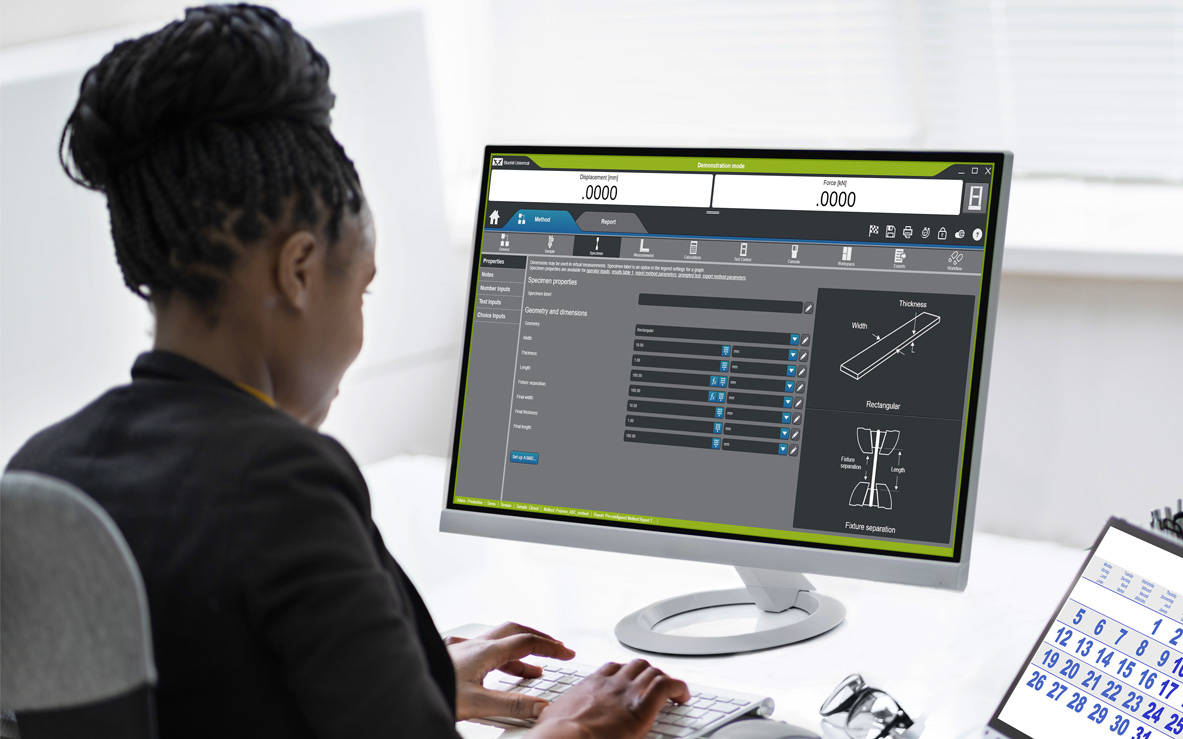
ผู้ใช้บางคนชอบที่จะสร้างวิธีการหรือทำการวิเคราะห์ข้อมูลหลังการทดสอบที่โต๊ะทำงานของตัวเองหรือจากระยะไกลบนแล็ปท็อปแทนที่จะใช้ที่เครื่องทดสอบ ตัวเลือกการเขียนโปรแกรม และวิเคราะห์ข้อมูลแบบออฟไลน์มีให้เลือกทั้งแบบลิขสิทธิ์เดียว หรือไม่จำกัด

INSTRON CONNECT
การสนับสนุนทางเทคนิคยุคถัดไป


Instron Connect ซึ่งมีอยู่ใน Bluehill Universal ใช้ประโยชน์จาก Internet of Things (IoT) เพื่อให้ลูกค้าได้รับการสนับสนุนด้านเทคนิคที่รวดเร็วและมีประสิทธิภาพมากขึ้น Instron มุ่งมั่นที่จะเป็นผู้นำในการสร้างความพึงพอใจให้กับลูกค้า และ Instron Connect จะช่วยให้วิศวกรสนับสนุนของเราใกล้ชิดกับองค์กรของคุณมากยิ่งขึ้น


Instron Connect Icon

การสนับสนุนด้านเทคนิคระดับแนวหน้าของอุตสาหกรรม

Instron Connect ช่วยให้ทีมสนับสนุนด้านเทคนิคของเราสามารถให้การสนับสนุนและคำแนะนำที่ไม่มีใครเทียบได้ การลงทุนของเราในการเชื่อมต่อที่ปลอดภัยช่วยให้เราสามารถอ่านข้อมูลการวิเคราะห์ระบบได้โดยตรง รวมทั้งให้ความช่วยเหลือคุณสำหรับคำถามเกี่ยวกับซอฟต์แวร์ผ่านการแชร์หน้าจอจากทางไกล และจับตาดูปัญหาฮาร์ดแวร์ในห้องปฏิบัติการของคุณผ่านทางแพลตฟอร์มที่รองรับวิดีโอความเป็นจริงเสมือนของเรา

Reduce Risk Icon

เพิ่มศักยภาพของคุณ

เพิ่มประสิทธิภาพการทำงานของระบบ Instron ของคุณด้วยเครื่องมือแก้ไขปัญหา InSkill AI ซึ่งใช้ความเชี่ยวชาญด้านเทคนิคที่เป็นกรรมสิทธิ์ที่หลากหลายเพื่อวิเคราะห์ปัญหาอย่างรวดเร็วและนำเสนอแนวทางแก้ไข

Software Update Icon

ทราบข้อมูลอย่างรวดเร็ว

เข้าถึงใบรับรองการปรับเทียบมาตรฐานของระบบ Instron ของคุณ ประวัติการให้บริการ และข้อมูลข้อตกลงการให้บริการผ่านทาง Instron Connect Portal หรือแอป InSkill AI สำหรับอุปกรณ์เคลื่อนที่ เพื่อมอบการรักษาความปลอดภัยสำหรับการตรวจสอบและการประเมินในห้องปฏิบัติการ


Instron Universal Testing Machines

ความเข้ากันได้

Bluehill Universal สามารถใช้งานได้กับหน้าจอสัมผัสของผู้ใช้งานในระบบ 6800 แบบใหม่ และระบบ 3400 นอกจากนี้ยังสามารถเพิ่มไปยังระบบทดสอบที่มีอยู่แล้วเช่น 6800, 3400, 5900, 3300, 5500, 59R และ IS02 นอกเหนือไปจากระบบที่อัพเกรดเป็นอุปกรณ์อิเล็กทรอนิกส์ 5900 ElectroPuls ™และระบบไดนามิก 8800 ยังสามารถใช้ประโยชน์จากความอเนกประสงค์และใช้งานง่ายของ Bluehill Universal เมื่อใช้การทดสอบแบบ Static


แหล่งข้อมูลเพิ่มเติมสำหรับข้อมูลเพิ่มเติม

การอบรม | ข้อกำหนดคอมพิวเตอร์ | ใบรับรอง Bluehill SQA

CrashSim Office

ปรแกรมทดสอบวัสดุ

CrashSim Office

CrashSim Office

CrashSim Office is a stand-alone program for signal preparation and processing, as well as for predicting the pulse-making capability and the generation of the DriveSignal for the CrashSimulationSystem. CrashSimOffice is used offline from the crash simulation system and has essentially the following characteristics

Import Functions

  • Easy import from a wide range of data formats
  • Define sampling rate or time data (can be variable period)
  • Add/Clip time to pulse
  • CFC filtering with preview
  • Preview of imported pulse

Edit Functions

  • Scale/Stretch entire pulse
  • Individual peak editing
  • Insert/Delete data
  • Display of velocity and stroke based on edits
  • Graphical editing with zoom
  • Preview of edited pulse

Prediction Functions

  • Contains all rig parameters
  • Simulate different payloads
  • View predicted acceleration result, velocity, and stroke
  • Go direct to Edit function for further editing
  • Save final result as tgt file for use at the rig


CrashSim Office is an indispensable tool in the modern development process. Due to its variety of possibilities, it relieves the sled test operation of a multitude of necessary pre-shots to prove the feasibility of a pulse. As a result, CrashSim Office helps the sled system to function as efficiently and productively as possible.

Learn more about Crash Simulation Systems.

WaveMatrix3 FAQs

WAVEMATRIX3
FAQs

Test Review | Specimen & Test Inputs | Security

What are the new features of WaveMatrix3?
The new features of are; Test Review, Specimen & Test Inputs, Security and IT Compatibility.

What controller is WaveMatrix3 compatible with?
WaveMatrix3 is compatible with 8800T controllers running v8.15 or higher, or 8800MT controllers running MR24 firmware or higher. WM3 is compatible with Windows 10 and Windows 11 Professional (64 bit). WaveMatrix3 is not compatible with Windows 7 and XP, so if a customer has Windows 7 or older, then a new PC (2490-647) needs to be quoted. If they have a classic controller, add USB-GPIB adapter (2490-950).

What if I have already purchased modules for WaveMatrix1 or Wavematrix2?
If a version of WaveMatrix with existing modules is installed on your current machine and you wish to upgrade to WaveMatrix3, there is not an additional cost for the existing modules which will be automatically ported and work with the new software once it is installed.

Is (re)calibration needed after upgrading to WaveMatrix3 & why?
No. All versions of WaveMatrix simply receive data from the 8800 Classic or MT controller – it cannot affect calibration.

Do I need any specific training when upgrading to WaveMatrix3?
If ordering a new machine, training will be provided during installation. For machines with existing versions of WaveMatrix that are being upgraded, training is not required.

Do I need to update Console?
Possibly. All WaveMatrix3 software upgrades should use the latest version of Console.

Do I need to purchase a new PC?
If the PC is running Windows 10 or 11 then a new PC will not be required.

Can WaveMatrix2 and WaveMatrix1 methods and results files be used in WaveMatrix3?
Yes. Note that WaveMatrix3 has not been specifically developed to allow for methods and results files to be used on older versions of WaveMatrix (1 or 2) and this is not supported.


Test Review:
How do I use this feature?
Test review allows users to review their test results directly from the Test tab in WaveMatrix3. Features include editable layout of graphs and results tables, zoom tool, and the ability to overlay multiple cycles for quick review.

How is my data displayed?
The default graph layout will mirror the WM3 test workspace when users first open a test in test review. Users can edit the layout, number of graphs and graph types within test review. Any changes to the layout will be saved, but the original data and method files will remain untouched.

How do I edit the graph layout and graph types?
The graph layout can be changed using the edit layout function, and graph types can be changed using the properties function. Various display options are available such as showing or hiding the legend, adjusting the scale, etc.

How many graphs can I have for one test?
Test review allows up to 4 graphs to be displayed at one time.

What graph types are available?
The graph types available are X-Y, Double Y, Peaks & Trends, Multi-Channel and Stop File.

How do I copy a graph?
Graphs can be copied as an image to the clipboard by right clicking or using the task menu.

Can I review multiple tests?
Users can have multiple instances of test review open for reviewing each test. Users cannot include multiple tests in one review.

How does the Area of Interest pane help me focus my test review?
The Area of Interest pane is used to select the data you wish to include in your Test Review. Multiple cycles can be overlaid by enabling the multi-selection option. Focus the review on your chosen data by editing the Data Source, choosing the steps/loops of interest, and choosing cycles of interest.

Can I compare multiple cycles from the same test?
Yes. Multiple cycles can be selected and displayed in test review.

Can I compare trends from multiple steps from the same test?
Yes. Multiple steps can be selected and displayed in test review.


Specimen & Test Inputs:
When should I add a specimen and test input?
When you want to record dimensions or information about the specimen and/or test along with the test data and when you want to calculate or control axial stress during the test using a cross-section measurement.

Which types of specimens can I add?
The basic specimen geometries (for axial stress) are Flat, Round, or Custom – all of these have mandatory cross-section details and support user-defined inputs. “Other” specimen type allows users to add specimen and test inputs without a cross sectional area and corresponding stress channel. “None” specimen type is provided for backward compatibility for methods from WaveMatrix1 or WaveMatrix2 and collects no inputs at all.

How many specimens and test inputs can I add?
Users can add an unlimited number of specimens and test inputs.

Can I use a specimen and test inputs in user-defined calculations?
Yes. Basic guidance and an example is provided in the online help, or contact the Dynamic Applications team in High Wycombe for advice.

What can I add as a specimen and test input?
Specimen and test inputs are completely customizable. Any dimensions can be added in the ‘custom dimensions’ field with units of length, while any free form text can be added in the ‘custom properties’ field. For example, batch numbers, material, color, total length etc.

How do I view my specimen and test inputs in the test workspace?
These are shown on the test inputs panel, which is now a default part of layout in new methods. Screen layout and panel contents are configured in the method.

How do I prevent a specimen and test input from being edited in the test workspace?
Users can remove specimen and test inputs from the test inputs tab in the method, which will prevent the input from showing in the test workspace. If security is enabled, operators will not be able to access those inputs.

How do I update specimen and test inputs during the test?
Users can update specimen and test inputs in the test workspace. Cross-section inputs cannot be edited after test start, but all other fields can be updated while the test is running (for example users may wish to record visual observations during the test). The final value will be saved at the end of the test.

Can I add a specimen or test input after a test has ended?
No. All specimen and test inputs must be added to the method. They can only be entered or updated during setup or while the test is running.

Where are the specimen and test inputs saved?
There is a specimen and test inputs .txt file saved in the test folder. The specimen and test details are also saved in the method file.


Security:
What does the Security feature do?
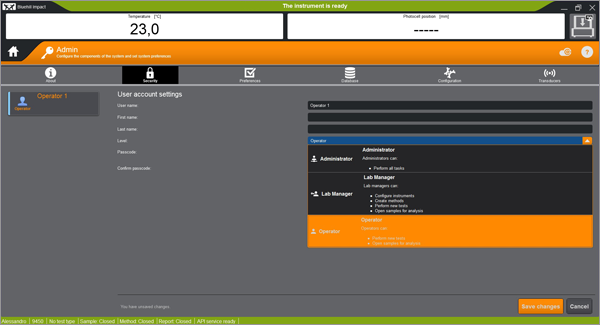
The Security option allows you to create and manage different access levels and associated permissions for system operators. If Security is enabled each user must log in with their own account settings (username and passcode) and can only perform operations permitted by their access level.

What happens if Security is disabled?
If Security is disabled or never enabled initially, all users have unlimited access to all non-security operations. Only Administrators can enable or disable Security.

If Security was not activated at first use, can it be activated later?
Yes. An Administrator profile will be automatically created and asked to create their own PIN and when the feature is first enabled.

How many users can be set up?
You can set up as many users as required, and you can set up multiple users at each level to suit your lab needs.

How many user levels are there?
Three: Administrator, Lab Manager, Operator.

What can users do at each level?
Operators can only run tests using existing methods; they can review data and access tutorials. Lab Managers can create and edit methods and use all functions except Security settings. Administrators have full access to all features including enable/disable Security and create user profiles.

Can I customize my user account settings?
You can customize your own username, first and last name, and passcode. An Administrator can also modify the settings of other users, including their Access Level.

Can I modify the user account settings of another user?
Only an Administrator can change other users’ settings.

Can I remove a user?
An Administrator can remove/add a user and change their settings.

If I remove a user, what happens to their methods?
Saved methods remain visible and usable by other users.

I forgot my passcode, what should I do?
Ask an Administrator to modify your settings and assign a new passcode.

Can I disable Security if users are set up?
An Administrator can disable Security at any time. The list of users will be available again if/when the Administrator re-enables Security.

Can I manage Security for multiple systems centrally?
No. Security is enabled and user profiles are set up locally on each system.

ข้อกำหนดคอมพิวเตอร์สำหรับ Bluehill Universal

ปรแกรมทดสอบวัสดุ

ข้อกำหนดคอมพิวเตอร์สำหรับ Bluehill Universal

ต่อไปนี้เป็นข้อกำหนดขั้นต่ำของคอมพิวเตอร์ที่จำเป็นสำหรับการติดตั้งและใช้งานซอฟต์แวร์ทดสอบ Bluehill® Universal อย่างถูกต้องในระบบของคุณ ข้อกำหนดเพิ่มเติมขึ้นอยู่กับอุปกรณ์เสริม เช่น วิดีโอเอ็กซ์เทนโซมิเตอร์ ติดต่อเราเพื่อขอคำแนะนำการกำหนดค่าที่แนะนำ

  • โปรเซสเซอร์ Intel Pentium (Dual Core หรือ Single Core) ที่มีความเร็วสัญญาณนาฬิกา 2 GHz หรือเร็วกว่า
  • RAM 8 GB (16 GB หากใช้วิดีโอเอ็กซ์เทนโซมิเตอร์)
  • Microsoft® Windows 10 หรือ 11 (เฉพาะ 64 บิตเท่านั้น)
  • พอร์ต USB (สำหรับการติดตั้งซอฟต์แวร์)
  • ฮาร์ดไดรฟ์ที่มีพื้นที่ว่าง 2 GB
  • ความละเอียดหน้าจอขั้นต่ำ: 1024 x 768 สีสูง
  • พอร์ตอนุกรม 1 พอร์ตที่ไม่ได้ใช้งาน (สำหรับ ASMD เท่านั้น)
  • พอร์ต Ethernet 1 พอร์ตที่ไม่ได้ใช้งาน (Instron® 3300/5500/5900/3400/6800 เท่านั้น - 2 พอร์ต Ethernet หากต้องการการเข้าถึงเครือข่าย สามารถใช้อะแดปเตอร์ USB ได้)

Bluehill Universal ได้รับการออกแบบมาสำหรับการโต้ตอบแบบสัมผัส ดังนั้นจึงแนะนำให้ใช้จอภาพแบบสัมผัสเพื่อประสบการณ์การใช้งานที่ดีที่สุด

ข้อกำหนดเพิ่มเติมขึ้นอยู่กับโมดูลเสริม เช่น วิดีโอเอ็กซ์เทนโซมิเตอร์ ติดต่อเราเพื่อขอคำแนะนำการกำหนดค่าที่แนะนำ


BHI Pendulum

BLUEHILL® IMPACT
Pendulum Impact Testing Software

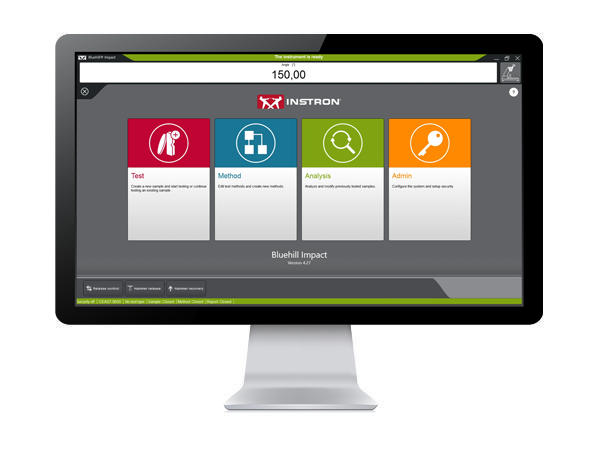
Bluehill Impact for Pendulum has been designed to meet customer needs. The touchscreen interface features an outstanding visual design that improves user experience while also incorporating safety features. Intuitive workflows make it easy to train users, simplify operator training, and allow you to start testing faster than ever before.


SAVE TIME | FULL CUSTOMIZATION
ENHANCED SAFETY

Test Icon Grey

CLICK TO PLAY TESTING
Pre-configured methods are already provided. You can select a suitable method, and press start immediately.

Test Icon Grey

ENHANCED SAFETY
The color-coded framework informs you about the machine's status and provides clear, valuable information to the user. A simple glance lets you know what environment you are in, and whether it is safe to interact with the machine.

Test Icon Grey

ADVANCED CALCULATION
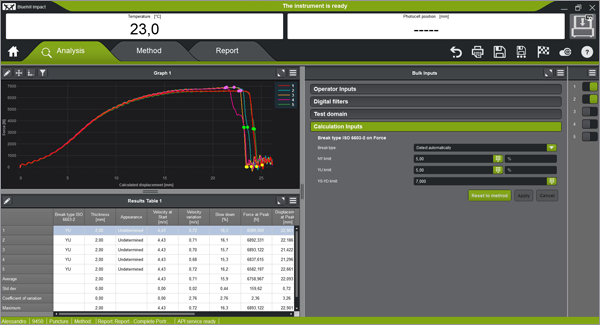
Automatic identification of break type from the shape of the curve in accordance with ISO 179-2.

Test Icon Grey

USER-DEFINED ACCESS RIGHTS
With three different pre-defined profiles to select from, it is possible to configure the workspace to suit the needs of different users and limit the functionality that is available to an individual.

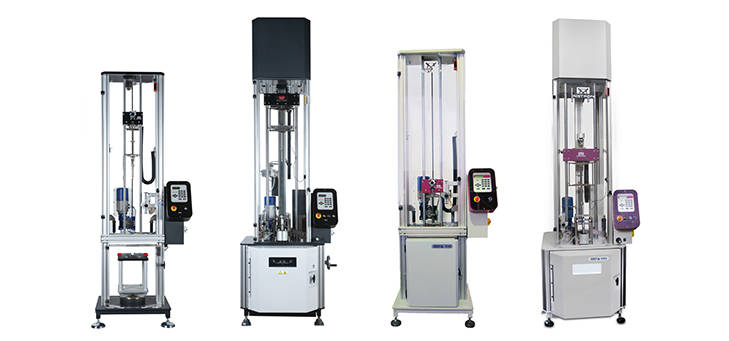
BLUEHILL IMPACT FOR PENDULUM WORKS WITH INSTRON IMPACT PENDULUM TESTING MACHINES
9050 Manual Pendulum
Instron 9050 Manual
9050 Motorized Pendulum
Instron 9050 Motorized

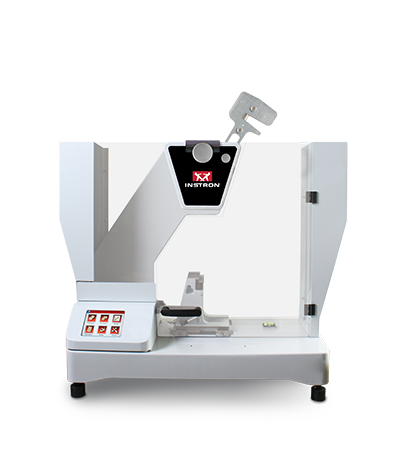
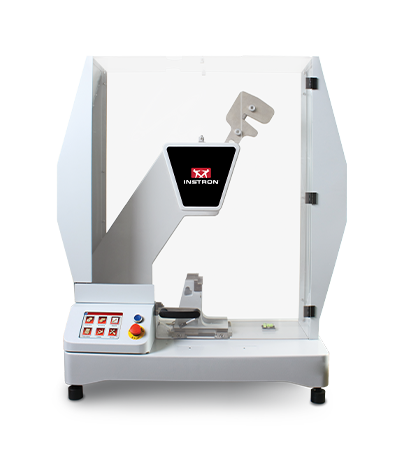
Pendulum Impact Testing Machine enables users to determine the impact resilience of plastics and composites, easily and safely.

EXTRAS

Red Print Icon

Bluehill Impact for Pendulum Brochure

Grey Document Icon

Bluehill Impact for Pendulum POD


Bluehill Fracture Standards Library

ปรแกรมทดสอบวัสดุ

Instron® Bluehill® Fracture Standards Library

SYNOPSIS

Bluehill Fracture Standards Library is a Microsoft Windows PC compatible software package, developed by Instron - Division of ITW Limited, that provides a library of analysis functionality used by the Instron Bluehill Fracture software.

Tests and Specimens by Standard
Analysis Result
Measurement
Specimen
KIc
KIsi
CTODc
Jc
JIc
Clip-Gauge
DCPD
C(T) Straight Notch
C(T) Load Line
SEN(B)
Disc Straight Notch
Disc Load Line
Arc Tension
Arc Bend
M(T)
ASTM E399-23
ASTM E1820-24
ISO 12135:2021
GB/T 21143-2014
BS 7448-1:1991*
ASTM E647-19
ISO 12108:2019
Standards and Specimens by Test Type
Brittle KIc
Brittle/Basic CTOD or J
Ductile JIc (single specimen)
Ductile JIc (DCPD)
Crack Growth
*Excludes post-test analysis
Standards →
ASTM E399-23
ISO 12135:2021
(GB/T 21143-2014)
ASTM E1820-24
ISO 12135:2021
(GB/T 21143-2014)
ASTM E1820-24
ISO 12135:2021
(GB/T 21143-2014)
ASTM E1820-24
ASTM E647-19
ISO 12108:2018
(GB/T 6398-2017)
Specimens ↓
C(T) Straight Notch
C(T) Load Line
SEN(B)
Disc Straight Notch
Disc Load Line
Arc Tension
Arc Bend
M(T)
*NOTE: Bluehill Fracture continues to support analysis of KIc, CTODc, and Jc, according to BS7448-1:1991, but this standard is now withdrawn and superseded by BS EN ISO 12135:2021
For advanced testing needs on fatigue crack growth studies, please contact Instron to discuss advanced tools available in WaveMatrix3 software.
RELEASE NOTES

Version 2.4 Build 24093.01 (16/September/2024)

  • Support added for:
    • Update to latest revision ASTM E1820-24 for existing analyses (J and CTOD)
    • Addition of support for ASTM E399-23 Annex X1 “size independent” analysis of KIsi
  • Improved data collection for point of failure in extremely brittle tests
  • Requires Bluehill Fracture V2.4 or later


Version 2.3 Build 24093.01 (19/April/2024)

  • Support added for:
    • GB/T 21143-2014 analysis of KIC (Chinese National standard)
    • GB/T 21143-2014 analysis of single point CTOD and J0 (Chinese National standard)
    • GB/T 21143-2014 analysis of JIc from unloading compliance method (Chinese National standard)
  • Requires Bluehill Fracture V2.3 or later


Version 2.2 Build 23335.3 (16/January/2024)

  • Support added for:
    • ASTM E399-23 analysis of KIC
    • ASTM E1820-23b analysis of JIC and CTOD
    • ASTM E1820-23b analysis of Jc from brittle test
    • ISO 12135:2021 analysis of single point CTOD and J0
    • ISO 12135:2021 analysis of JIc from unloading compliance method
    • Conversion of ductile tests for brittle analysis
  • Requires Bluehill Fracture V2.2 or later


Version 2.0 Build 22018.01 (18/January/2022)

  • Support added for:
    • BS7448-1:1991 analysis of single point J Integral
    • ASTM E1820-20b (Annex 18 - DCPD Method) analysis of JIc using electrical crack length measurement
    • ISO 12135:2021 analysis of KIc
    • Test temperature recorded from Eurotherm and Instron Furnace Controller devices
  • Requires Bluehill Fracture V2.0 or later


Version 1.3 (20/May/2021)

  • Support added for:
    • ASTM E399-20a analysis of KIc
    • ASTM E1820-20b analysis of JIc and CTOD
    • BS-7448-1:1991 analysis of single point CTOD
  • Requires Bluehill Fracture V1.3 or later


Version 1.2 Build 20167 (23/Jun/2020)

  • Support added for:
    • ASTM E399-20 analysis of KIc
    • ASTM E1820-20ε1 analysis of JIc and CTOD
  • Requires Bluehill Fracture V1.2 or later


Version 1.2 Build 20063 (10/Mar/2020)

  • Support added for:
    • Crack Growth tests
    • Disk CT Load Line, Disk CT Front Face, and Arc Tension specimens
    • ASTM E1820-20 analysis of JIc and CTOD only
  • Requires Bluehill Fracture V1.2 or later


Version 1.1 (07/Nov/2019)

  • Support added for:
    • ASTM E399-19 analysis of KIc only
    • ASTM B645-10 analysis of KIc only
    • ASTM E1820-18a analysis of JIc and CTOD only
  • Requires Bluehill Fracture V1.1 or later


Version 1.0 (04/Feb/2019)

  • Initial release with support for:
    • ASTM E399-2017 analysis of KIc only
    • ASTM E399-2012 analysis of KIc only
    • BS 7448-1:1991 analysis of KIc only
    • ISO 12135:2016 analysis of KIc only
    • ISO 12135:2002 analysis of KIc only
  • Requires Bluehill Fracture V1.0 or later
Learn more about Bluehill Fracture

Learn More

Ask for support

Contact Us

คุณสมบัติล่าสุดใน bluehill® universal

ปรแกรมทดสอบวัสดุ

คุณสมบัติล่าสุดใน BLUEHILL ® UNIVERSAL

หมายเหตุ: รายการคุณสมบัติที่แสดงด้านล่างมีวัตถุประสงค์เพื่อเน้นการปรับปรุงที่สำคัญที่รวมอยู่ในแต่ละเวอร์ชันของซอฟต์แวร์ สำหรับรายการการปรับปรุงและการแก้ไขทั้งหมดตามเวอร์ชัน โปรดอ้างอิง Bluehill Universal Release Notes ซึ่งเก็บไว้ในโฟลเดอร์ Instron ที่เข้าถึงได้จาก Windows Start หาก Bluehill Universal ยังไม่ได้ติดตั้ง โปรดติดต่อเราเพื่อขอ Release Notes


Bluehill universal v4.55

เปิดตัวเดือนสิงหาคม 2025

  • รองรับbluehill Central 2
  • เซิร์ฟเวอร์ออฟไลน์เพื่อทำการทดสอบต่อไปในขณะที่การเชื่อมต่อกับฐานข้อมูล Bluehill Central ไม่พร้อมใช้งาน

Bluehill universal v4.52

ออกจำหน่ายเดือนมิถุนายน 2025

  • รองรับเครื่องวัดระยะวิดีโอ AVE3 / SVE3
  • การตั้งค่าเกนควบคุมลูปอัตโนมัติสำหรับตัวแปลงสัญญาณความเครียดในระบบ ซีรีส์ 3400
  • รองรับ ปั๊มไฮดรอลิกแบบกะทัดรัด (หมายเลขแคตตาล็อก 2718-700)
  • Bluehill Elements รองรับการวางแนวจอภาพแบบแนวตั้ง
  • คำเตือนที่อยู่ IP คงที่สำหรับการสื่อสารคอมพิวเตอร์
  • ตัวเลือกชุดอากาศปิดอัจฉริยะเพื่อใช้แรงดันจ่ายระหว่างการทดสอบ

Bluehill universal v4.47

ออกฉายกรกฎาคม 2024

  • ประเภทวิธีการฉีดอัตโนมัติแบบใหม่ (พื้นฐานและ TestProfiler) เพื่อรองรับ ระบบทดสอบการฉีดอัตโนมัติ ต้องใช้ฮาร์ดแวร์
  • คุณสมบัติความเหมาะสมของระบบใหม่กำหนดให้ต้องตรวจสอบตัวแปลงสัญญาณทุกวันก่อนทำการทดสอบ ปัจจุบันมีให้ใช้งานเฉพาะระบบทดสอบหัวฉีดอัตโนมัติเท่านั้น
  • ตัวเลือกตัวอย่างใหม่สำหรับ Pass/Fail ที่เชื่อมโยงกับขอบเขตความล้มเหลวทางสถิติค่าเฉลี่ยและมัธยฐานสามารถแสดงได้ในส่วนประกอบพื้นที่ทำงาน Pass/Fail และรายงาน ก่อนหน้านี้มีให้ใช้งานสำหรับตัวอย่างแต่ละชิ้นเท่านั้น
  • ซอฟต์คีย์ใหม่สำหรับการสลับสถานะเอาต์พุต I/O ดิจิทัล
  • ตัวเลือกการส่งออกใหม่เพื่อลดจำนวนจุดข้อมูลดิบในไฟล์ส่งออก 1/2 สามารถกำหนดค่าโดเมนได้สูงสุดสามโดเมนโดยมีจำนวนจุดเฉพาะที่คงไว้ในแต่ละโดเมน
  • รองรับมาตราส่วน Mettler Toledo สำหรับการวัดมวล ต้องใช้ฮาร์ดแวร์
  • Advanced Performance (ตัวเลือก K1) ตอนนี้รวมอยู่ใน Bluehill Universal พื้นฐาน รองรับอัตราการจับข้อมูลสูงสุด 5000 Hz สำหรับระบบ 5900 / 6800 Series
  • ตัวเลือกการส่งออกใหม่เพื่อแทนที่ตำแหน่งเริ่มต้นของไฟล์วิดีโอ TestCam

Bluehill universal v4.42

ออกจำหน่ายเดือนมกราคม 2023

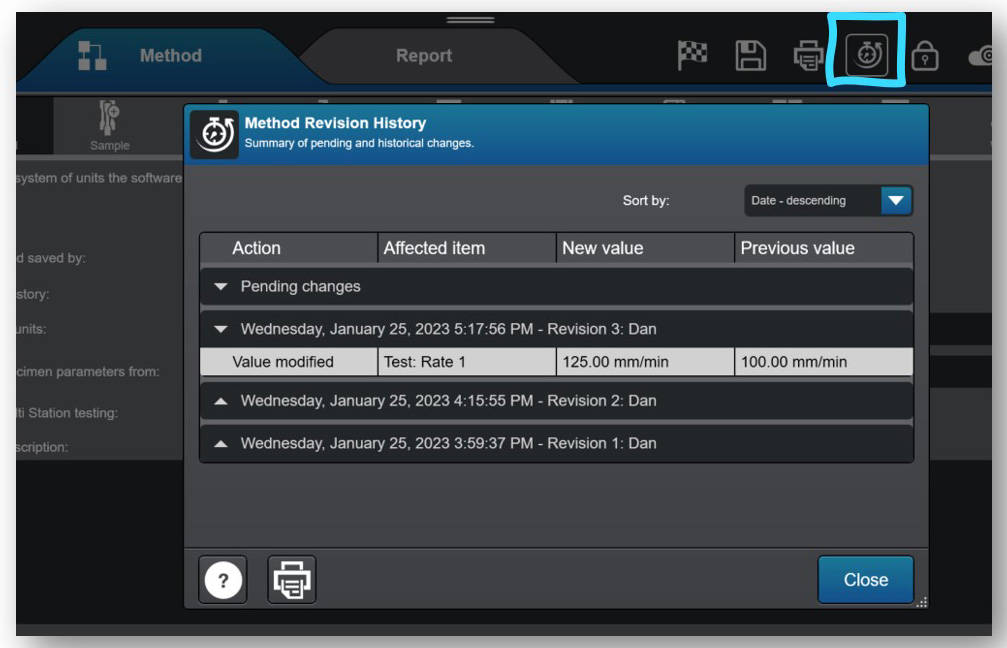
  • ประวัติการแก้ไขตอนนี้พร้อมใช้งานสำหรับผู้ใช้ Bluehill Universal ทุกคน โดยบันทึกการเปลี่ยนแปลงวิธีการ ตัวอย่าง และเทมเพลตรายงานโดยอัตโนมัติ ก่อนหน้านี้เป็นการซื้อเพิ่มเติมกับ Traceability add-on บันทึกการเปลี่ยนแปลงที่จับภาพใคร อะไร และเมื่อไหร่ของการเปลี่ยนแปลงไฟล์ Bluehill ตอนนี้พร้อมใช้งานเป็นส่วนหนึ่งของข้อเสนอมาตรฐาน โปรดทราบ: ข้อมูลประวัติการแก้ไขจะถูกเก็บไว้ในไฟล์เท่านั้น Traceability add-on จำเป็นสำหรับ (1) เก็บประวัติการแก้ไขในฐานข้อมูล audit trail และ (2) ใช้ลายเซ็นอิเล็กทรอนิกส์สำหรับการอนุมัติการเปลี่ยนแปลง ประวัติการแก้ไขไม่สามารถเข้าถึงได้ใน Bluehill Elements
Calculation Status
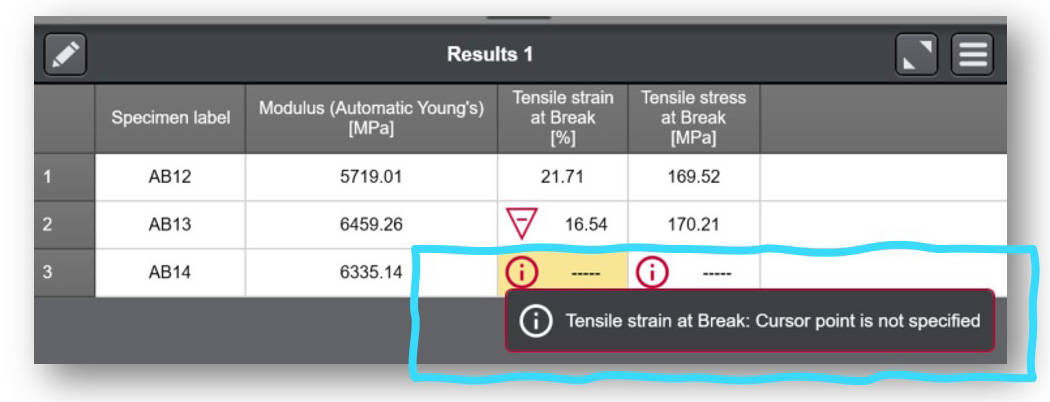
  • ตอนนี้ผู้ใช้สามารถเข้าถึงรายละเอียด สถานะการคำนวณ ได้อย่างง่ายดายในตารางผลลัพธ์ หากผลลัพธ์คำนวณไม่สำเร็จหรือมีการแจ้งเตือน ไอคอนข้อมูลจะปรากฏในเซลล์ที่เกี่ยวข้องของตารางผลลัพธ์ และผู้ใช้สามารถเลือกเซลล์เพื่อค้นหาสาเหตุได้


Bluehill universal v4.37

ออกจำหน่ายเดือนสิงหาคม 2022

  • เพิ่มการรองรับสำหรับตัวควบคุมเตาเผา Eurotherm EPC 3016
  • ความสามารถใหม่ในการเปลี่ยนที่อยู่ IP เริ่มต้นที่ใช้โดย Bluehill เพื่อสื่อสารกับตัวควบคุมเฟรม หมายเหตุ: จำเป็นต้องเปลี่ยนที่อยู่ IP เริ่มต้นในบางกรณีเท่านั้น หากจำเป็น โปรดติดต่อฝ่ายบริการของ Instron เนื่องจากการเปลี่ยนแปลงจะต้องเริ่มต้นจาก Service Tool Universal

Bluehill universal v4.34

ออกจำหน่ายเดือนเมษายน 2022

  • ปลั๊กอินใหม่สำหรับโมดูล TrendTracker ของBluehill Centralเพื่อทำการควบคุมกระบวนการทางสถิติ (SPC) ในผลการทดสอบ Instron ทั้งหมดของคุณ แนวโน้มและค่าผิดปกติในวัสดุของคุณสามารถระบุได้ด้วยสถิติและแผนภูมิภาพหลากหลาย
  • ตัวเลือกการปรับสมดุลอัตโนมัติใหม่สำหรับความเครียดดึง ความเครียดอัด และความเครียดดัด พร้อมใช้งานแล้ว วิธีทดสอบ TestProfiler
  • เพิ่มวิธีการทดสอบที่กำหนดค่าไว้ล่วงหน้าใหม่ให้กับโมดูลแอปพลิเคชันโลหะ: ASTM F606-21, ISO 898-1:2013, ASTM C39-21, ASTM C78-21 และเทมเพลตสำหรับเครื่องทดสอบ Instron Spring

Bluehill universal v4.28

ออกจำหน่ายเดือนธันวาคม 2021

  • ปลั๊กอินใหม่สำหรับโมดูล Traceability และ Lab Management ของBluehill Centralเพื่อจัดการผู้ใช้ Bluehill Universal ทั้งหมด เทมเพลตการทดสอบ การอนุมัติการแก้ไขไฟล์ และข้อมูล audit trail จากระบบ Instron หลายระบบจากระยะไกล Bluehill Central ซึ่งเปิดตัวในเดือนธันวาคม 2021 มีแอปพลิเคชันผู้ดูของตัวเองและใช้โดเมนองค์กรของคุณเพื่อแชร์ข้อมูลและไฟล์กับไคลเอนต์ Bluehill Universal หรือ Bluehill Central ที่เชื่อมต่อทั้งหมด
  • 'จุดหมายปลายทางในการส่งกลับ' ครอสเฮดแบบใหม่ – ในวิธีการทดสอบ Bluehill คุณสามารถกำหนดค่าครอสเฮดให้ส่งกลับเป็นค่าที่ไม่เป็นศูนย์ได้แล้ว
  • ตัวเลือกการกรองข้อมูล 'Displacement' ใหม่สำหรับตัวควบคุม 5500 (ปัจจุบันมีให้ใช้งานสำหรับตัวควบคุมเฟรมประเภทอื่นและพบได้ใน Admin> กรอบรูป> ตัวเลือกกรอบ> การแทนที่การตั้งค่าตัวกรองข้อมูลเริ่มต้น)
  • 'เวลาเปลี่ยนผ่าน' ของการลดการชนแบบใหม่ – การลดการชน (ใช้งานได้กับเฟรม 6800/3400 ทั้งหมด) ช่วยให้คุณมีตัวเลือกในการตั้งค่าระยะเวลาหน่วงก่อนที่จะใช้งานได้ (ไม่แนะนำ เว้นแต่จะได้รับคำแนะนำจากตัวแทนของ Instron)
  • ผ่านการรับรอง* บนระบบปฏิบัติการ Windows® 11 โปรดทราบ: ซอฟต์แวร์ Bluehill Universal (แอปพลิเคชัน) ผ่านการรับรอง คุณต้องตรวจสอบให้แน่ใจว่าคอมพิวเตอร์ที่ใช้งาน Bluehill Universal ตรงตามข้อกำหนดของ Windows 11 ด้วย
*คุณสมบัติหมายถึงผลิตภัณฑ์ได้รับการทดสอบแล้วและรองรับอย่างเต็มที่

Bluehill universal v4.25

ออกจำหน่ายเดือนพฤษภาคม 2021

  • มีการแสดงผลแบบสดใหม่ – “โซนที่ใช้งานอยู่” – เพื่อระบุโซนปัจจุบันของการทดสอบในพื้นที่ทำงานการทดสอบของคุณอย่างชัดเจน
  • ความสามารถใหม่สำหรับผู้ใช้ที่มีด้ามจับลมและ ชุด Smart-Close Air Kit สามารถกำหนดค่าการตั้งค่าการป้องกันตัวดำเนินการเพื่อให้ผู้ใช้ทุกคนสามารถเปลี่ยนโหมดการควบคุมด้ามจับลมได้โดยไม่ต้องได้รับสิทธิ์ผู้ดูแลระบบ
  • ตัวเลือกการส่งออกใหม่ - เพิ่มพารามิเตอร์วิธีการลงในตารางผลลัพธ์
  • ปรับปรุงการจัดการค่าวันที่/เวลา เลือกค่าวันที่/เวลาเพื่อจัดเก็บข้อมูลโซนเวลาโดยใช้เวลาสากลเชิงพิกัด (UTC) ค่าวันที่/เวลาที่จะแสดงให้ผู้ใช้เห็นในเวลาท้องถิ่น
  • เพิ่มการสนับสนุนสำหรับ Torsion Add-on 3.0 สำหรับตัวควบคุมเฟรม 5900
  • เพิ่มการสนับสนุนสำหรับ AT2 Automated XY Stage บนตัวควบคุมเฟรม 6800

Bluehill universal v4.23

ออกจำหน่ายเดือนธันวาคม 2020

  • ความสามารถใหม่ในการปรับแต่งหน่วยเริ่มต้นสำหรับวิธีการใหม่ในระดับผู้ดูแลระบบ เมื่อกำหนดค่าหน่วยเริ่มต้นให้เป็นไปตามค่ากำหนดหน่วยที่ต้องการแล้ว ผู้ใช้จะไม่จำเป็นต้องระบุเมื่อสร้างวิธีการใหม่
  • ความสามารถใหม่ในการระบุพารามิเตอร์ Cycles สำหรับขั้นตอนแบบวนรอบของ TestProfiler ในรูปแบบนิพจน์ ตอนนี้ผู้ใช้สามารถเชื่อมโยงนิพจน์กับอินพุตตัวเลข อินพุตตัวเลือก หรือแม้แต่พัฒนาฟังก์ชันของตนเองเพื่อกำหนดจำนวนรอบ
  • ความสามารถใหม่ในการสิ้นสุดขั้นตอน TestProfiler Hold ด้วยมุมการหมุนสัมบูรณ์ (จำกัดเฉพาะผู้ใช้ Torsion Add-on) ขณะนี้ผู้ใช้สามารถเลือกการควบคุมการหมุนสัมบูรณ์และกำหนดมุมสิ้นสุดการหมุนเพื่อสิ้นสุดขั้นตอน Hold ปัจจุบัน
  • ความสามารถใหม่ในการกำหนดช่วงคำเตือนสำหรับผลลัพธ์ที่ระบุผลลัพธ์ที่ถูกต้องซึ่งใกล้เคียงกับช่วงความล้มเหลวที่กำหนดไว้ ขอบเขตคำเตือนและความล้มเหลวสามารถพบได้ในส่วนผลลัพธ์ของวิธีการ
  • ความสามารถใหม่ในการสร้างการวัดเสมือนที่เป็นอนุพันธ์
  • ฟังก์ชันเพิ่มเติมสำหรับระบุการวัดค่าเฉลี่ยเมื่อใช้การคำนวณค่าเฉลี่ย ก่อนหน้านี้ การคำนวณค่าเฉลี่ยจำกัดอยู่ที่แรง (แกน Y) และการกระจัด (แกน X)
  • ฟังก์ชันเพิ่มเติมในการกำหนดช่วงการยอมรับ (ความล้มเหลว) บนค่าเฉลี่ย/ค่ามัธยฐานโดยไม่ขึ้นกับผลลัพธ์แต่ละรายการ ก่อนหน้านี้ ขอบเขตความล้มเหลวจะถูกแบ่งปันระหว่างตัวอย่างแต่ละรายการและค่าเฉลี่ย/ค่ามัธยฐานของตัวอย่าง
  • เพิ่มการรองรับสำหรับ Instron RTS ใหม่ ขับเคลื่อนโดยแพลตฟอร์ม Connect (เดิมเรียกว่า Instron Connect)

Bluehill universal v4.19

ออกจำหน่ายเดือนมิถุนายน 2020

  • ฟังก์ชันการล็อกหน้าจอใหม่เพื่อล็อก Bluehill ได้ตามต้องการหรือหลังจากไม่มีการใช้งานเป็นระยะเวลาหนึ่ง ผู้ใช้สามารถกำหนดค่าฟังก์ชันนี้ให้ทำงานโดยใช้หรือไม่ใช้ระบบรักษาความปลอดภัยของ Bluehill ก็ได้ หากเปิดใช้งานระบบรักษาความปลอดภัยของ Bluehill ผู้ใช้จะต้องป้อนชื่อผู้ใช้และรหัสผ่านอีกครั้งเพื่อปลดล็อกซอฟต์แวร์ เมื่อล็อกซอฟต์แวร์แล้ว ผู้ใช้สามารถปรับแต่งข้อความไม่อยู่เพื่อแจ้งให้บุคลากรห้องปฏิบัติการคนอื่นๆ ทราบถึงสถานะของเครื่องจักรและการทดสอบ

Bluehill universal v4.18

ออกจำหน่ายเดือนกุมภาพันธ์ 2020

  • การสนับสนุนตัวควบคุมใหม่สำหรับระบบซีรีส์ 3400 และ 6800 รวมถึงการสนับสนุนสำหรับการลดการชน ชุดอากาศปิดอัจฉริยะ การฝึกสอนด้านความปลอดภัยของซอฟต์แวร์ และการกำหนดตำแหน่งอัตโนมัติบนระบบ 6800
  • โมดูล Traceabilityใหม่ โมดูลเสริมนี้ให้ผู้ใช้มีประวัติการแก้ไขวิธีการ ตัวอย่าง และเทมเพลตรายงาน ลายเซ็นอิเล็กทรอนิกส์ และ audit trail ที่ปลอดภัยและค้นหาได้ที่ติดตั้งใน Bluehill Universal
  • การควบคุมการทดสอบ XY Stage ในวิธีการ Bluehill Universal Compression และ Compression Test Profiler ช่วยให้ผู้ใช้ที่มีฮาร์ดแวร์XY stageสร้างลำดับการควบคุมการทดสอบแบบตาราง เพชร หรือกำหนดเองได้โดยตรงใน Bluehill Universal โดยไม่จำเป็นต้องใช้ TestMaster™
  • ปุ่มซอฟต์คีย์ใหม่ช่วยให้เคลื่อนไหวได้ตามต้องการ เหมาะสำหรับผู้ใช้ที่ต้องการเคลื่อนย้ายครอสเฮดของระบบบนรุ่นตั้งพื้นหรือระบบความสูงพิเศษโดยไม่ต้องขยับระบบด้วยตนเอง
  • เปิดใช้งาน/ปิดใช้งานเฟรมอัตโนมัติเมื่อใช้การรักษาความปลอดภัยและผู้ใช้ล็อกอิน/ออกจากระบบ
  • อินพุตของผู้ปฏิบัติงานใหม่สำหรับการป้อนแรงกดของด้ามจับ เหมาะสำหรับผู้ใช้ที่มีชุดอากาศปิดอัจฉริยะ

Bluehill universal v4.11

ออกจำหน่ายเดือนมิถุนายน 2019

  • ความสามารถในการส่งออก RS232 นอกจากการส่งออกไปยังประเภทไฟล์แล้ว คุณลักษณะนี้ยังช่วยให้ผู้ใช้สามารถส่งออกโดยตรงไปยังพอร์ตซีเรียลได้อีกด้วย
  • คำเตือนในการกำหนดขีดจำกัดความปลอดภัย เมื่อเปิดวิธีการใหม่หรือไฟล์ตัวอย่าง ผู้ใช้จะต้องรับทราบว่ามีการกำหนดขีดจำกัดของครอสเฮดแล้ว
  • การคำนวณปุ่มและสวิตช์ใหม่สำหรับการทดสอบอุปกรณ์อิเล็กทรอนิกส์และส่วนประกอบ การคำนวณใหม่เหล่านี้ช่วยให้ผู้ใช้สามารถระบุปริมาณการใช้งานผลิตภัณฑ์ของตนได้
  • ตัวอย่างข้อมูลอินพุต ช่วยให้ผู้ใช้เลือกวันที่ในการทดสอบได้อย่างง่ายดายโดยใช้ไอคอนปฏิทิน

Bluehill universal v4.08

ออกจำหน่ายเดือนธันวาคม 2561

  • ประเภทวิธีโปรไฟล์การทดสอบแรงดึง/แรงบิดและโปรไฟล์การทดสอบแรงอัด/แรงบิด ใช้ร่วมกับ Torsion Add-On 2.0 สำหรับการทดสอบแบบแกนคู่ (ต้องมีฮาร์ดแวร์)
  • Bluehill Security ที่ได้รับการปรับปรุงพร้อมสิทธิ์การใช้งานที่ขยายเพิ่มขึ้น และการรองรับการเข้าสู่ระบบ Windows ® และ Active Directory รับชมเว็บสัมมนาตามต้องการนี้เพื่อเรียนรู้เพิ่มเติม
  • การคำนวณความพอดีแบบกำลังสองช่วยให้ผู้ใช้สามารถกำหนดเส้นโค้งตั้งแต่ความพอดีแบบพหุนามลำดับที่ 2 ถึง 6
  • ความสามารถในการปรับสมดุลตัวแปลงสัญญาณโดยตรงจาก Live Display

Bluehill universal v4.06

ออกจำหน่ายเดือนมิถุนายน 2561

  • เกณฑ์การสิ้นสุดการทดสอบแบบทั่วไปช่วยให้ผู้ใช้สามารถระบุการสิ้นสุดการทดสอบด้วยการวัดทางกายภาพและเสมือนจริงมากขึ้น
  • ตัวเลือกอินพุต (เมนูแบบดรอปดาวน์ที่ปรับแต่งได้) สามารถใช้งานได้ในระดับตัวอย่างแล้ว
  • ตัวเลือกเพิ่มเติมสำหรับการปรับแต่งไฟล์ส่งออกและการดำเนินการหลังการทดสอบ เช่น การตั้งชื่อไฟล์และการเปิดใช้ไฟล์ปฏิบัติการเมื่อสิ้นสุดการทดสอบ
  • ขณะนี้ค่าเฉลี่ยถ่วงน้ำหนักแบบ 4 บาร์พร้อมใช้งานเป็นสถิติตัวอย่างแล้ว
  • ขณะนี้ ระบบ Multistation รองรับการทดสอบตามคำแนะนำและการถอด extensometer แล้ว

Bluehill universal v4.04

ออกจำหน่ายเดือนพฤศจิกายน 2560

  • ตัวอย่างย่อยใหม่ช่วยให้คุณเรียงลำดับตารางผลลัพธ์ตามพารามิเตอร์ที่คล้ายกันได้อย่างรวดเร็ว เช่น เส้นยืน/เส้นพุ่ง ชื่อผู้ปฏิบัติงาน เครื่องจักร/เส้นขวาง ฯลฯ ซึ่งสามารถใช้แสดงสถิติสำหรับกลุ่มย่อยแต่ละกลุ่มได้ ทำให้คุณสามารถรับรู้ถึงแนวโน้มและความแตกต่างได้อย่างรวดเร็วภายในตัวอย่างทดสอบ
  • ตอนนี้ผลการทดสอบด่วนจะแสดงด้วยตัวบ่งชี้บนกราฟ
  • รองรับการปรับปรุงระบบควบคุมด้วยตนเองเฉพาะการรวบรวมข้อมูลรุ่น 59-R5 และ 59-R6 เท่านั้น

Bluehill universal v4.03

ออกจำหน่ายเดือนสิงหาคม 2560

  • ตัวระบุผ่าน/ไม่ผ่านด้วยภาพใหม่สำหรับพื้นที่ทำงานการทดสอบ ช่วยให้คุณเห็นได้อย่างรวดเร็วจากทั่วทั้งห้องว่าการทดสอบนั้นผ่านหรือล้มเหลว โดยอ้างอิงจากเกณฑ์ช่วงการยอมรับที่กำหนดไว้ในวิธีการ
  • เมื่อปรับเปลี่ยนการคำนวณหรือการทดสอบหลังการป้อนข้อมูล ตอนนี้ไม่จำเป็นต้องคำนวณตารางผลลัพธ์ใหม่จากพื้นที่ทำงานการทดสอบอีกต่อไป
  • ตอนนี้สามารถปรับเปลี่ยนกำไรได้ภายในบล็อค TestProfiler แต่ละรายการแล้ว
  • Expression Builder อาจใช้ในการกำหนดเกณฑ์การยอมรับสำหรับอินพุตและผลลัพธ์

Bluehill universal v4.01

ออกจำหน่ายเดือนกุมภาพันธ์ 2560

  • QuickTest : สร้างวิธีการ QuickTest ด้วยการป้อนพารามิเตอร์พื้นฐานเพียงไม่กี่รายการ และเริ่มรันการทดสอบแบบทางลาดเดียวง่ายๆ ภายในไม่กี่วินาที
  • ความสามารถในการส่งออกที่ได้รับการปรับปรุง : มีความยืดหยุ่นมากขึ้นในการสร้างผลลัพธ์ที่กำหนดเองและไฟล์เอาท์พุตข้อมูลดิบ ช่วยให้ส่งข้อมูลการทดสอบไปยังระบบการจัดการข้อมูลของคุณได้ง่ายยิ่งขึ้น
  • Instron Connect : ช่องทางใหม่ในการติดต่อฝ่ายสนับสนุนด้านเทคนิคของ Instron ส่งคำถามได้โดยตรงจาก Bluehill Software

คุณสมบัติล่าสุดใน Bluehill® Central

ปรแกรมทดสอบวัสดุ

คุณสมบัติล่าสุดใน BLUEHILL® CENTRAL

หมายเหตุ: รายการคุณสมบัติที่แสดงด้านล่างมีวัตถุประสงค์เพื่อเน้นการปรับปรุงที่สำคัญที่รวมอยู่ในแต่ละเวอร์ชันของซอฟต์แวร์ สำหรับรายการการปรับปรุงและการแก้ไขทั้งหมดตามเวอร์ชัน กรุณาอ้างอิงจาก Bluehill Central Release Notes ซึ่งเก็บไว้ในโฟลเดอร์ Instron ที่เข้าถึงได้จาก Windows Start หาก Bluehill Central ยังไม่ได้ติดตั้ง กรุณาติดต่อเราเพื่อขอ Release Notes

Bluehill Central v2.12

เปิดตัวเดือนสิงหาคม 2025

  • Lab Management สามารถซื้อได้โดยไม่ต้องมี Traceability
  • โหมดออฟไลน์: หากการเชื่อมต่อเซิร์ฟเวอร์ขาดหาย โหมดออฟไลน์จะช่วยให้การทดสอบดำเนินต่อไปได้ ไฟล์และโฟลเดอร์ที่กำหนดค่าให้ใช้งานออฟไลน์ได้จะถูกซิงค์ในแต่ละเครื่อง หมายเหตุ: หากใช้การตรวจสอบผู้ใช้ active directory (AD) จำเป็นต้องเข้าถึง AD domain controller ขณะออฟไลน์
  • สิทธิ์อ่าน / เขียน: ปกป้องไฟล์ของคุณโดยการจำกัดผู้ที่สามารถเปิดหรือแก้ไขไฟล์ด้วยการตั้งค่าสิทธิ์อ่านและเขียน
  • สถานะการแก้ไข: การแก้ไขแต่ละครั้งของไฟล์จะมีสถานะ — Active, Obsolete, Draft หรือ Pending Review ผู้ใช้ที่มีสิทธิ์สามารถเปลี่ยนสถานะของไฟล์ได้
  • ส่งไฟล์เพื่อตรวจสอบ: ผู้ใช้สามารถส่งไฟล์เพื่อตรวจสอบจาก Bluehill Central ซึ่งใช้กับทีมที่มีข้อกำหนดด้านการติดตามและการตรวจสอบ
  • ตัวเลือกไม่มีการตรวจสอบผู้ใช้: ทีมสามารถกำหนดค่าโดยไม่มีผู้ใช้สำหรับห้องปฏิบัติการที่ไม่ต้องการการตรวจสอบผู้ใช้และสิทธิ์เฉพาะบุคคล หมายเหตุ: Instron แนะนำให้ใช้การตรวจสอบผู้ใช้สำหรับห้องปฏิบัติการทั้งหมด

Bluehill Central v1.27

เปิดตัวเดือนพฤศจิกายน 2024

การจัดการห้องปฏิบัติการ
  • ค้นหาไฟล์ตามวันที่แก้ไข
  • กรองไฟล์ตามชื่อ ผู้ใช้ ประเภทไฟล์ วันที่แก้ไข
ความปลอดภัย
  • เพิ่มกลุ่มผู้ใช้ในทีม (เมื่อใช้ความปลอดภัย Active Directory)
  • สิทธิ์อัปโหลดและดาวน์โหลดแยกออกจาก “"จัดการไฟล์และโฟลเดอร์"”
การติดตาม
  • การตั้งค่าลายเซ็นและความคิดเห็นสามารถกำหนดค่าสำหรับการดำเนินการไฟล์ Lab Management (เช่น ย้าย อัปโหลด ลบ)

Bluehill Central v1.24

ออกฉายกรกฎาคม 2024

คุณสมบัติใหม่ทั้งหมดสำหรับระบบไฟล์ของ Lab Management:
  • การค้นหาไฟล์
  • หน้าต่างแสดงตัวอย่างสำหรับ PDF และไฟล์อื่นๆ
  • ฟังก์ชันพิมพ์สำหรับ PDF
  • ดาวน์โหลด ย้าย ลบ และอัปโหลดไฟล์และโฟลเดอร์แบบกลุ่ม
  • ไอคอนไฟล์ที่เชื่อมโยงกับแต่ละประเภทไฟล์
  • นำทางผ่านโฟลเดอร์ด้วยไฮเปอร์ลิงก์ในเส้นทางไฟล์

Bluehill Central v1.18

เปิดตัวเดือนธันวาคม 2022

  • ปรับปรุงประสิทธิภาพการสืบค้น TrendTracker

Bluehill Central v1.15

ออกจำหน่ายเดือนเมษายน 2022

  • เปิดตัวโมดูล TrendTracker! TrendTracker ช่วยให้ผู้ใช้สามารถดำเนินการควบคุมกระบวนการทางสถิติ (SPC) จากระยะไกลบนผลการทดสอบ Instron ทั้งหมดของคุณ ค้นหาแนวโน้มและค่าผิดปกติในวัสดุของคุณโดยการสร้างเทมเพลตการค้นหาที่กำหนดเองด้วยข้อมูล สถิติ และแผนภูมิที่สำคัญที่สุดสำหรับคุณ ระบบ Instron ทั้งหมดที่มีปลั๊กอิน TrendTracker สำหรับ Bluehill Universal สามารถส่งข้อมูลไปยังฐานข้อมูลของ TrendTracker ที่จัดการโดย Bluehill Central โดยอัตโนมัติ

Bluehill Central v1.12

ออกจำหน่ายเดือนธันวาคม 2021

  • เวอร์ชันการผลิตครั้งแรกของ Bluehill Central โมดูลการติดตามและการจัดการห้องปฏิบัติการพร้อมใช้งานสำหรับการจัดการแบบรวมศูนย์และระยะไกลของผู้ใช้ Bluehill Universal เทมเพลตการทดสอบ การอนุมัติการแก้ไขไฟล์ และข้อมูลการตรวจสอบจากระบบ Instron หลายระบบ ระบบ Instron ทั้งหมดที่มีปลั๊กอินการติดตามและการจัดการห้องปฏิบัติการสำหรับ Bluehill Universal จะส่งและรับไฟล์และการตั้งค่าที่จัดการโดย Bluehill Central โดยอัตโนมัติ

WaveMatrix3 Dynamic Software


WAVEMATRIX3

CONTACT US


WaveMatrix3 Screen

WaveMatrix3 is the perfect solution for companies using Instron® Dynamic and Fatigue Testing Systems. Developed together with our expert customers and for use with ElectroPuls® and Servohydraulic material testing machines, this innovative software will save time, enhance productivity, improve confidence and ensure your test facilities are futureproofed.
WaveMatrix3 WaveMatrix2 WaveMatrix1
FEATURE
WAVEMATRIX3
WAVEMATRIX2
WAVEMATRIX
Intuitive User Interface
Retrospective Test Review
Auto-Calibration
Stiffness Based Tuning
Quick Test Setup
Customizable Specimen & Test Details
Integrated Virtual Test Information
Specimen Protect
Example Methods
Video Tutorials
PIN-Coded Accessibility
User Defined Access Rights
Visual Test Space
Intuitive Test Setup
Visual Sequence Builder
Microsoft Windows 11 Compatibility
WaveMatrix Backwards Compatibility
Always-On-Top Display
Automatic Logging
Robust File Structure


Save Time | Enhanced Productivity
Improve Confidence | Futureproof Facilities

TEST REVIEW | SAVE TIME

Reducing the time taken to accurately perform tests has been a continuous focus for product innovation and with WaveMatrix3, this concept was central to development. Designed using expert customer feedback, the following features have been produced to accelerate the process of reviewing a test.

SPECIMEN & TEST INPUTS | ENHANCE PRODUCTIVITY
Improving productivity can occupy a significant part of any organizations continuous improvement efforts and is a key component of sustainable growth and unlocking employee potential. WaveMatrix3 has been designed to improve throughput and minimize the inefficiency of routine testing.

SECURITY | IMPROVE CONFIDENCE

Resources required for test validation are necessary and critical to ensuring the quality of test data. WaveMatrix3 features help to simplify the conformity process so that laboratories are more effective, the potential for human error is reduced and confidence in the result is improved.

IT COMPATIBILITY | FUTUREPROOF FACILITIES

As the world advances into the 4th industrial revolution, the demands for automation and data exchange in the materials testing industry has increased. Software has often been used to solve this challenge and WaveMatrix3 has been designed to meet these challenges and ensure testing facilities are as futureproofed as possible.

WAVEMATRIX3 SUPPORTS ADDITIONAL MODULES THAT WILL ENHANCE THE CAPABILITIES OF THE ORIGINAL SOFTWARE

CALCULATIONS
MODULE

Grey Calculator Icon

Data Sheet

Download

ADVANCED CONTROL
MODULE

Grey Strain Icon

Data Sheet

Download

SPECIMEN SELF-HEATING
CONTROL
MODULE

Grey Thermometer Icon

Data Sheet

Download


WAVEMATRIX3 WORKS WITH INSTRON DYNAMIC AND FATIGUE TESTING SYSTEMS
ElectroPuls Systems

ElectroPuls® All-Electric Dynamic
and Fatigue Test Systems

Linear electric motor driven dynamic test machines for fatigue and fracture mechanics testing.

More Info

Servohydraulic Fatigue Testing Systems

General Purpose
Hydraulic Fatigue

General purpose servohydraulic systems ideal for high-cycle and low-cycle fatigue, fracture mechanics and quasi-static testing.

More Info


EXTRAS

Red Print Icon

Brochure

Download

Grey Document Icon

Data Sheet

Download

Dark Grey Curiosity Icon

FAQs

Learn More


WAVEMATRIX3
CONTACT US


LCF3 Software

ปรแกรมทดสอบวัสดุ

LCF3 Software

Provides system control, data acquisition, real-time graphs, calculation of results, storage of data to disk, and post test graphs and reports in accordance with the relevant sections of ASTM E606-04, BS 7270 (2006), and ISO 12106 (2003).

หลักการทำงาน

  • Tests can be run in axial strain, plastic strain or stress control
  • Ability to select from a range of SI and US Customary units
  • Test method editor allowing for simple test method creation and recall
  • Support of rectangular, cylindrical and tubular specimens
  • Automatic calculation of Modulus within user specified limits
  • Temperature control and/or monitoring are available for Eurotherm 900, 2000
    and 3000 series instruments
  • Automatic adjustment of gauge length when at test temperature
  • Support of Sine, Triangular and Trapezoidal waveforms
  • Ability to perform stress controlled run-out tests at up to 50Hz
  • Selectable specimen break criteria to accurately pinpoint specimen failure
  • Combined linear, logarithmic and peak interval data logging
  • Review of summary data
  • User configurable run-time screen capable of displaying results fields and up to
    3 graphs
  • Ability to stop and re-start test at any point, with modulus checking as required
  • Off-line analysis with user configurable trend and hysteresis plots
  • Export of graphs and test data
  • Comprehensive on-line help system
  • Set of Electronic Manuals in PDF Format

Please contact Instron for the minimum PC requirements necessary to install and operate this software.

ช่วงการสมัคร

  • Low Cycle Fatigue tests to ASTM E606-04 and ISO12106 (2003) 
  • Compatible with 8800 Series systems only

ซอฟต์แวร์

RS LabSite® modulogic

ปรแกรมทดสอบวัสดุ

RS LabSite® modulogic

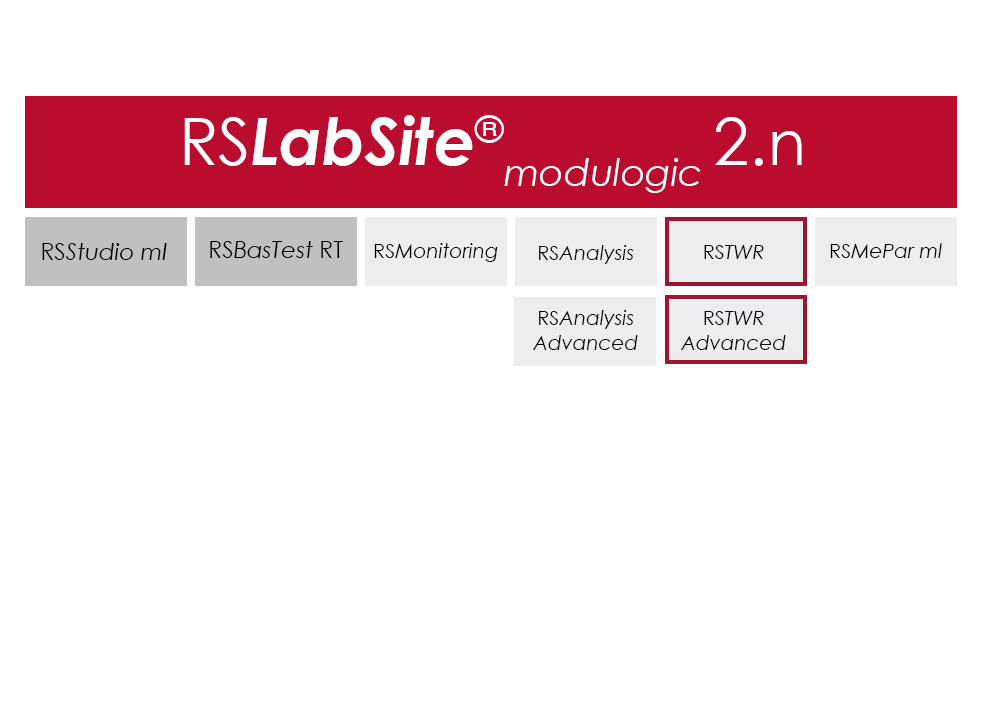
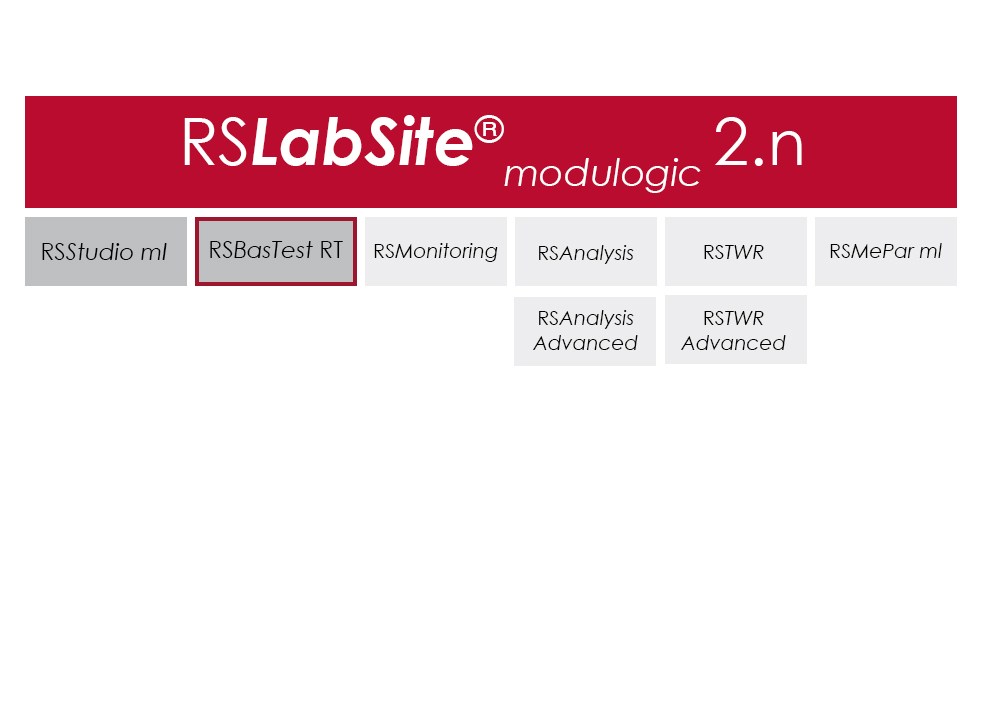
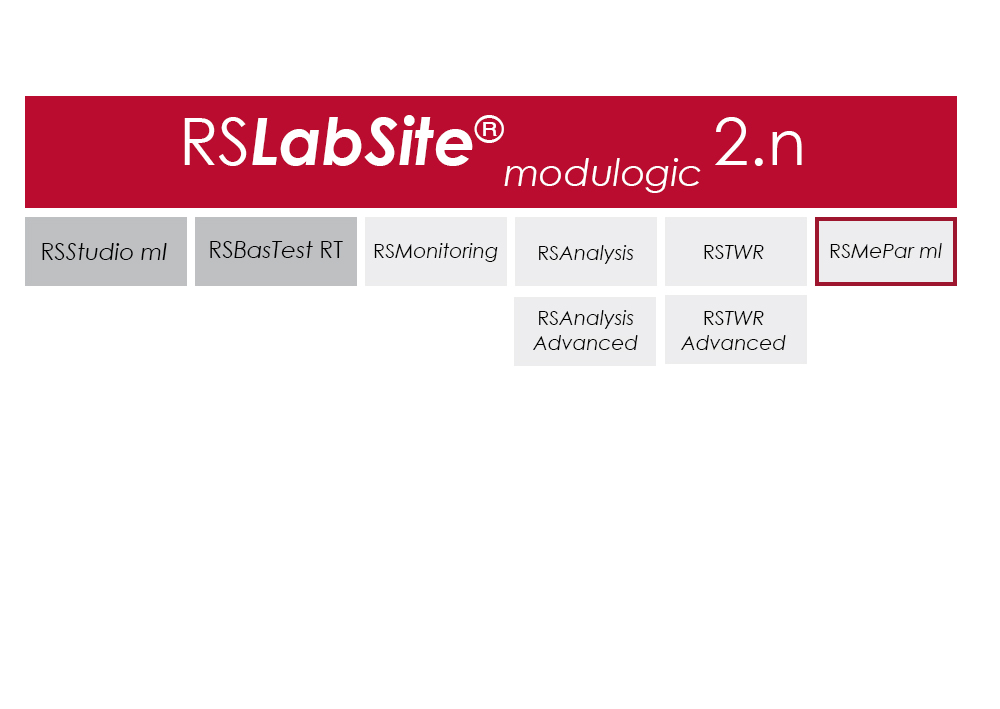
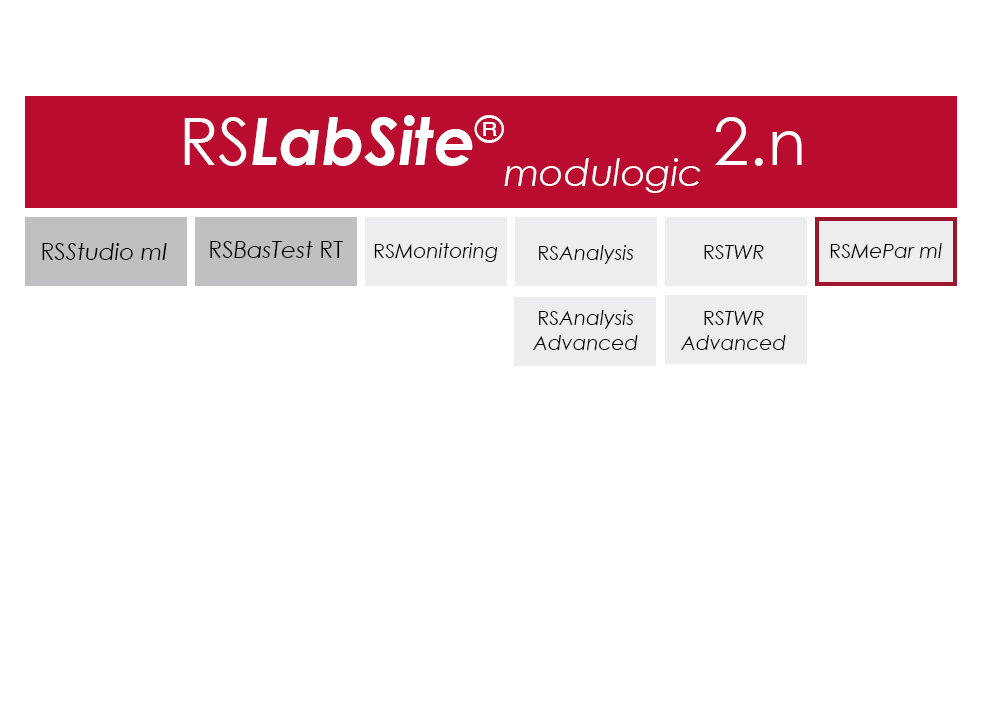
RS LabSite® modulogic is a comprehensive and adaptable software suite conceived for introducing service loads into individual components or complete vehicles, or performing calculations within the framework of Virtual Prototyping (standardized loadsequences, virtual generation of load data). This enables you to stay in full control of all tasks that follow the acquisition of measurement data in the proving ground.

In addition RS LabSite® modulogic provides open and closed loop control functions for your durability tests, collects data and monitors the entire process. Extensive reporting functions with graphical presentation of results – programmable to suit your requirements – round off the package.

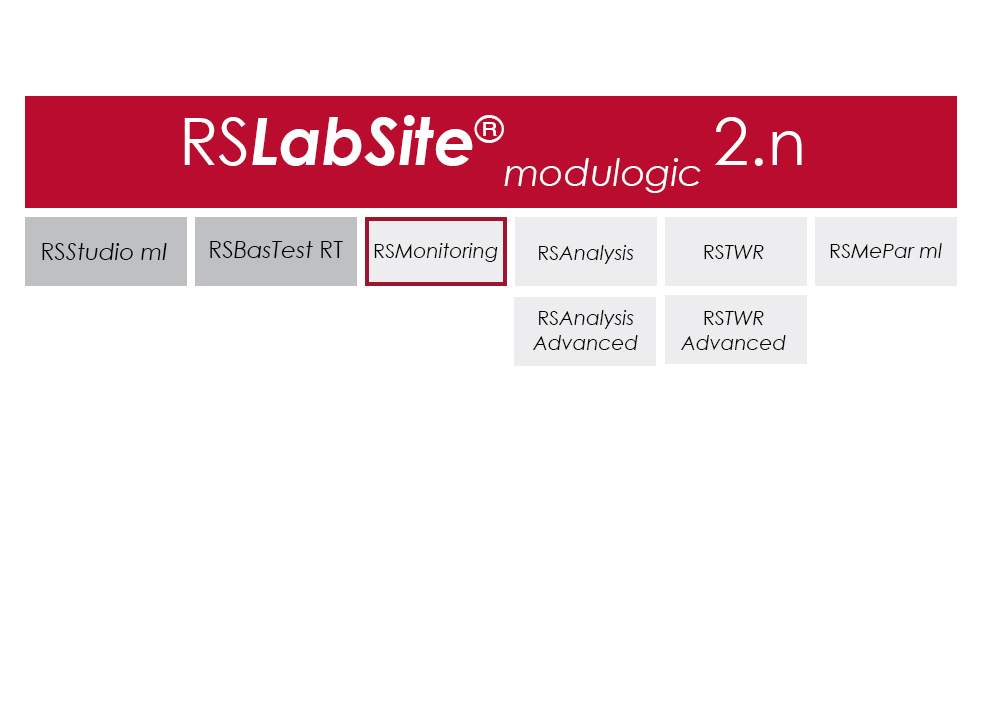
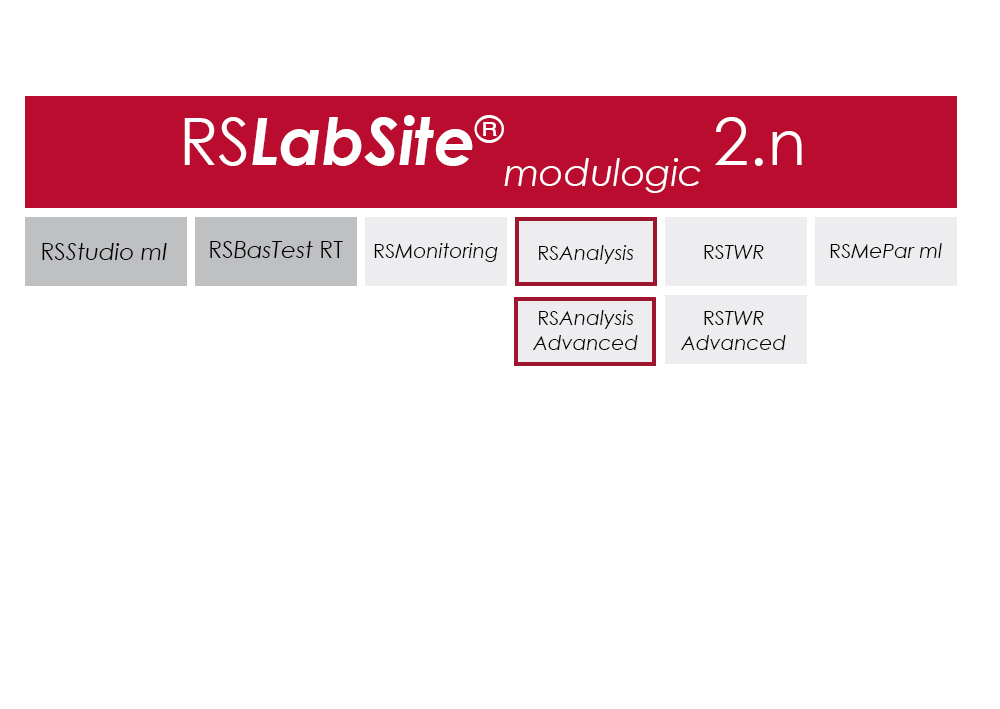
The software is modular and consists of four components. The basic module, RS BasTest RT, provides all necessary tools for digital pre-processing of durability tests. Depending on requirements, the extension modules RS Analysis, RS TWR and RS Monitoring, can be used for single- and multi-axial service load simulations, specific analysis procedures or multistage reporting functions. The software runs under the Windows© operating system.

RS LabSite® modulogic is an integrated and modular solution for analysis of test rig data and test execution:

  • More efficient testing process owing to a user friendly and process-oriented workflow
  • Reduced cost of testing as a result of shorter testing times
  • Reduction of the risk of product recall by representative test results

ซอฟต์แวร์

Item Name Cat#
RS MePar ml RS MePar ml
RS BasTest RT RS BasTest RT
RS Monitoring RS Monitoring
RS TWR RS TWR
RS Analysis RS Analysis

RS TWR

ปรแกรมทดสอบวัสดุ

RS TWR

Catalog no. RS TWR

RSTWR

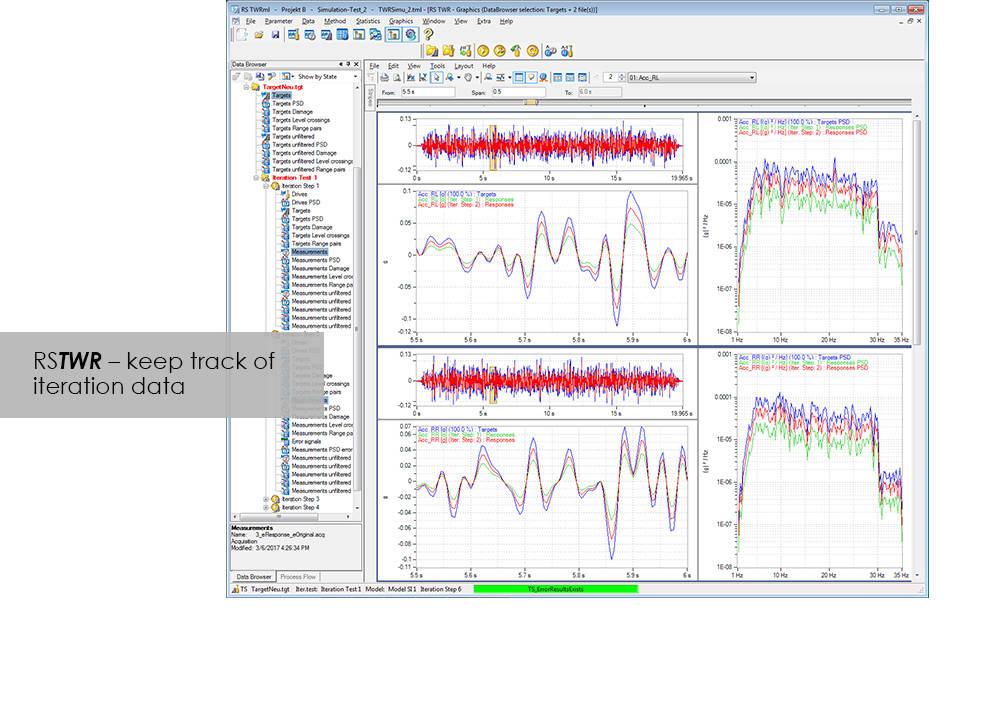
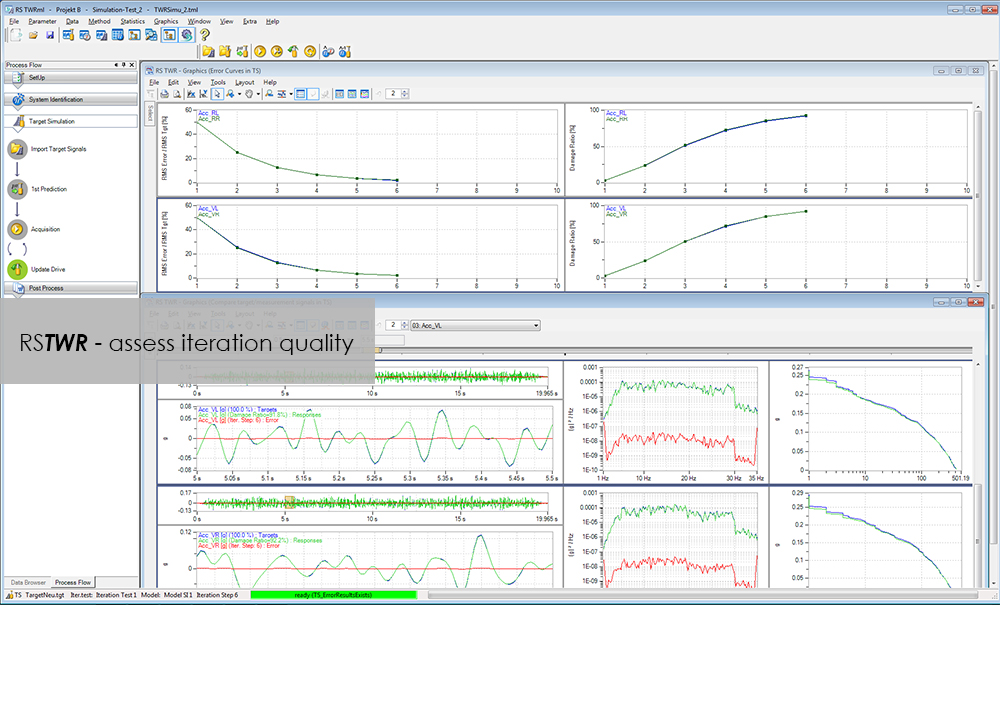
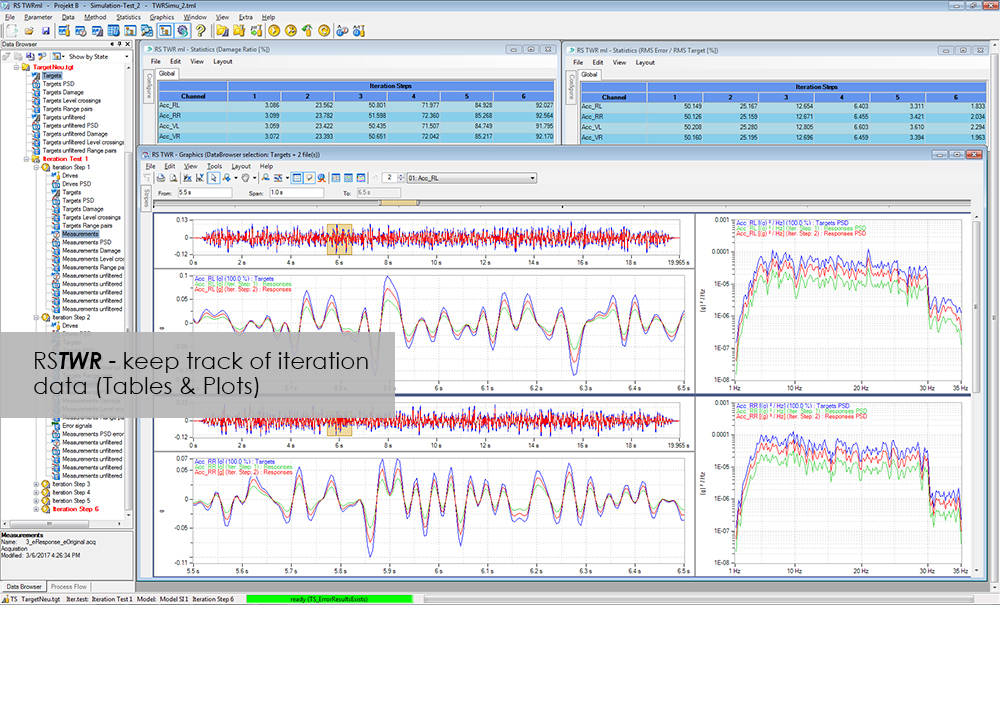
To enable the different loading signals measured under actual service conditions on vehicles, sub-assemblies or components to be replayed on the test rig, these loading signals first need to be "translated". RS TWR (Time Waveform Replication) produces a mathematical model of the test specimen and the test rig, and uses this model to calculate actuator drive signals from measured load histories, e.g. loads or strains. The system employs an iterative procedure and ensures maximum accuracy in the reproduction of measured load data.

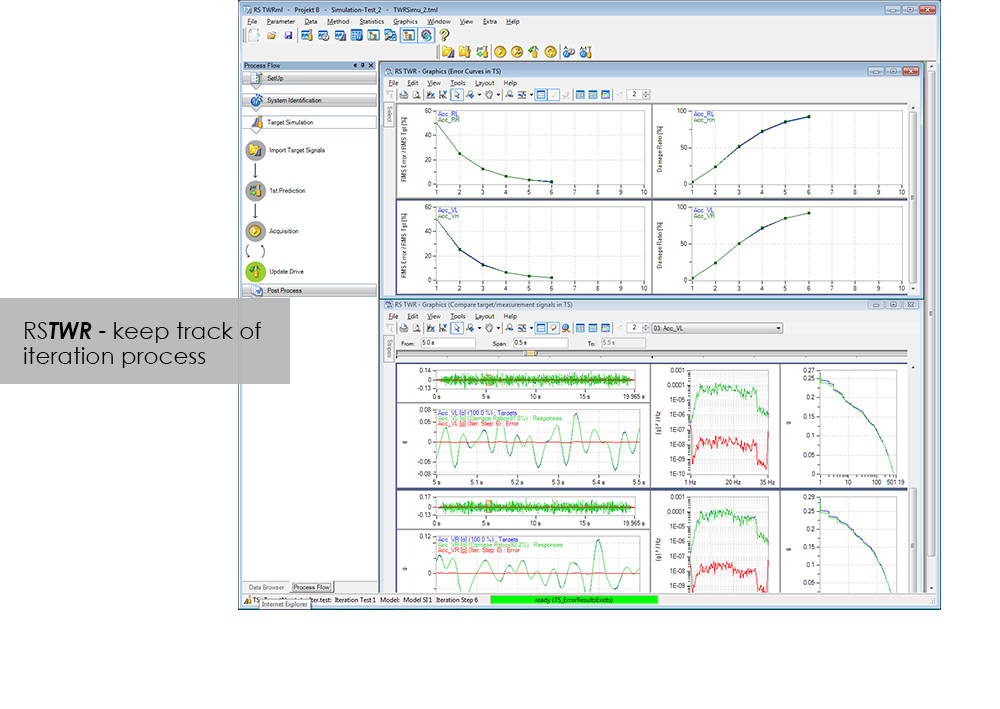
The module excels through user-friendly operation. Assisted by the new integrated process flow tool, less experienced operators will be able after a very short period of familiarization to conduct a typical simulation procedure. The Windows environment will be familiar to most users, and an intelligent selection of parameters minimizes necessary user inputs.

Benefit from the following advantages of RS TWR:

  • Easy to operate through new, integrated process flow tool
  • Fully automatic
    • Automatic management of all setup, model and result files
    • Fully automatic drive file iteration
  • Precise
    • RS TWR enables you to replay loading histories measured on the test track with maximum accuracy on your test rig

RS TWR Features

  • Efficient and transparent data organisation
  • Use of intelligent technologies for model identification
  • Integrated report generation
  • Convergence judgment by forward and backward prediction

Advanced

  • Adaptive model optimization in the iteration phase
  • Time and frequency-dependent correction of the drive signals. e.g. Non-linear stop for a wheel suspension
  • Automatic handling of different models for individual sections in the target signal
  • Interface to virtual test systems

RS Monitoring

ปรแกรมทดสอบวัสดุ

RS Monitoring

Catalog no. RS Monitoring

RSMonitoring

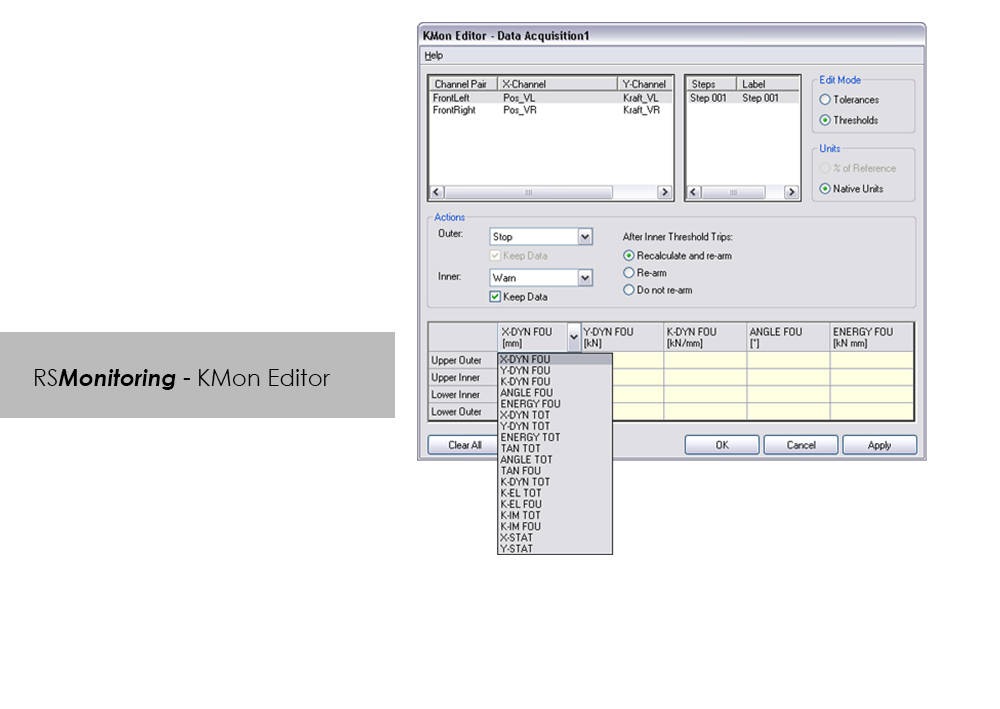
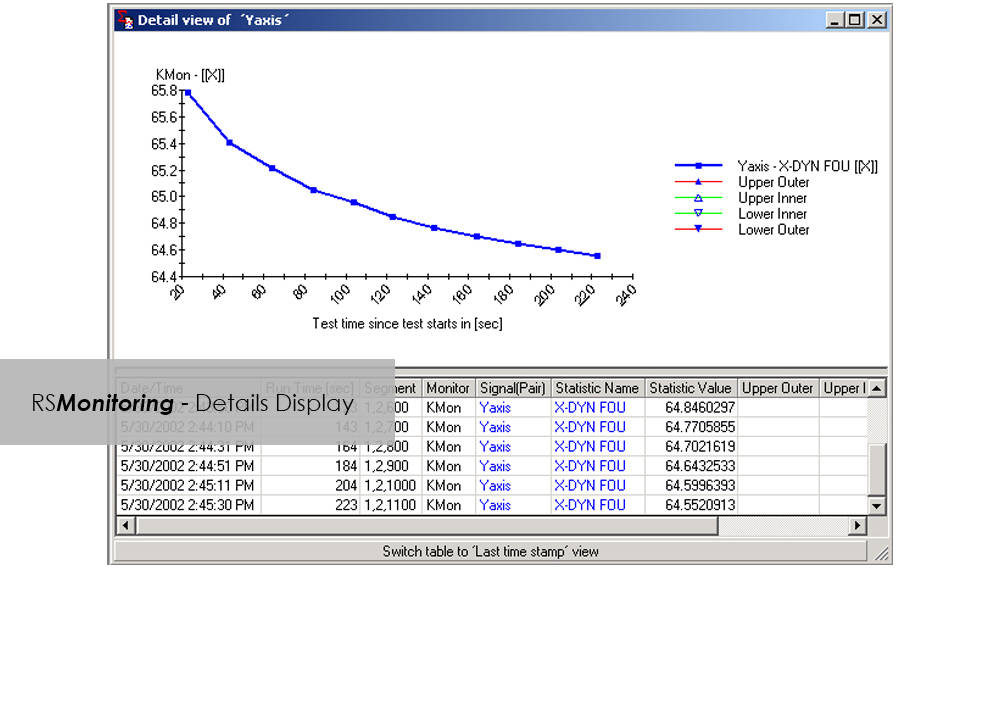
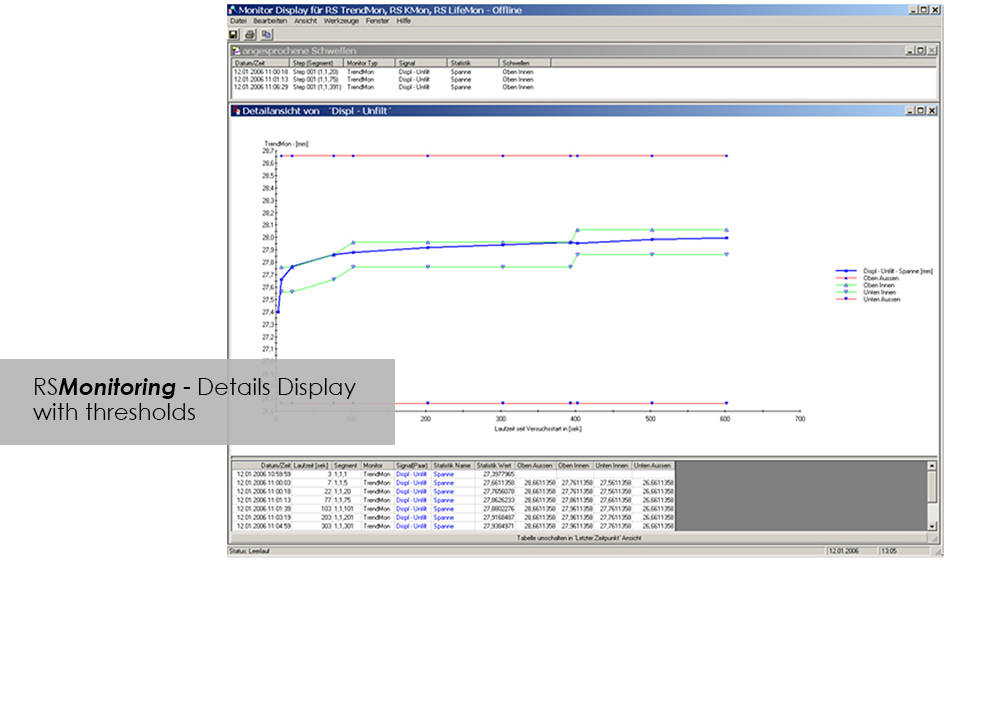
Online monitoring of specimen testing, or quick and easy analysis of measurement values are nowadays no longer convenience features: Fierce competition and the necessity to reduce "Time-to-Market" are entailing a need for ever increasing efficiency. RS Monitoring is a powerful tool that will bring you a significant step closer to this objective. For example, the module enables calculation and monitoring of statistical and physical variables even while the test is in progress, and logs overall damage through rainflow counting. This will enable you to detect changes in the behavior of your test specimen at an early stage, and respond appropriately. This module from the RS LabSite® modulogic Software Suite combines a wealth of extremely useful calculation functions. Make use of the following advantages:

Advantages:

  • High performance on line test monitoring
  • Maximum flexibility for a variety of different evaluation tasks
  • Licensing model to suit your laboratory requirements


RS Monitoring Benefits

  • Calculation of statistical data such as maximum, minimum, amplitude or standard deviation
  • Calculation of online rainflow matrices from measured values, presentation as a 2- or 3-dimensional histogram
  • Conversion of matrices into range pair, peak counting or level crossing distributions for better comparison
  • Calculation of physical parameters such as amplitudes, spring rates, energy loss or phase shift from measured hysteresis loops
  • Monitoring and display of partial damage for individual steps
  • Online comparison of command/feedback values of signals in the time and frequency domains

โปรแกรม CEAST VisualTHERM

ปรแกรมทดสอบวัสดุ

โปรแกรม CEAST VisualTHERM

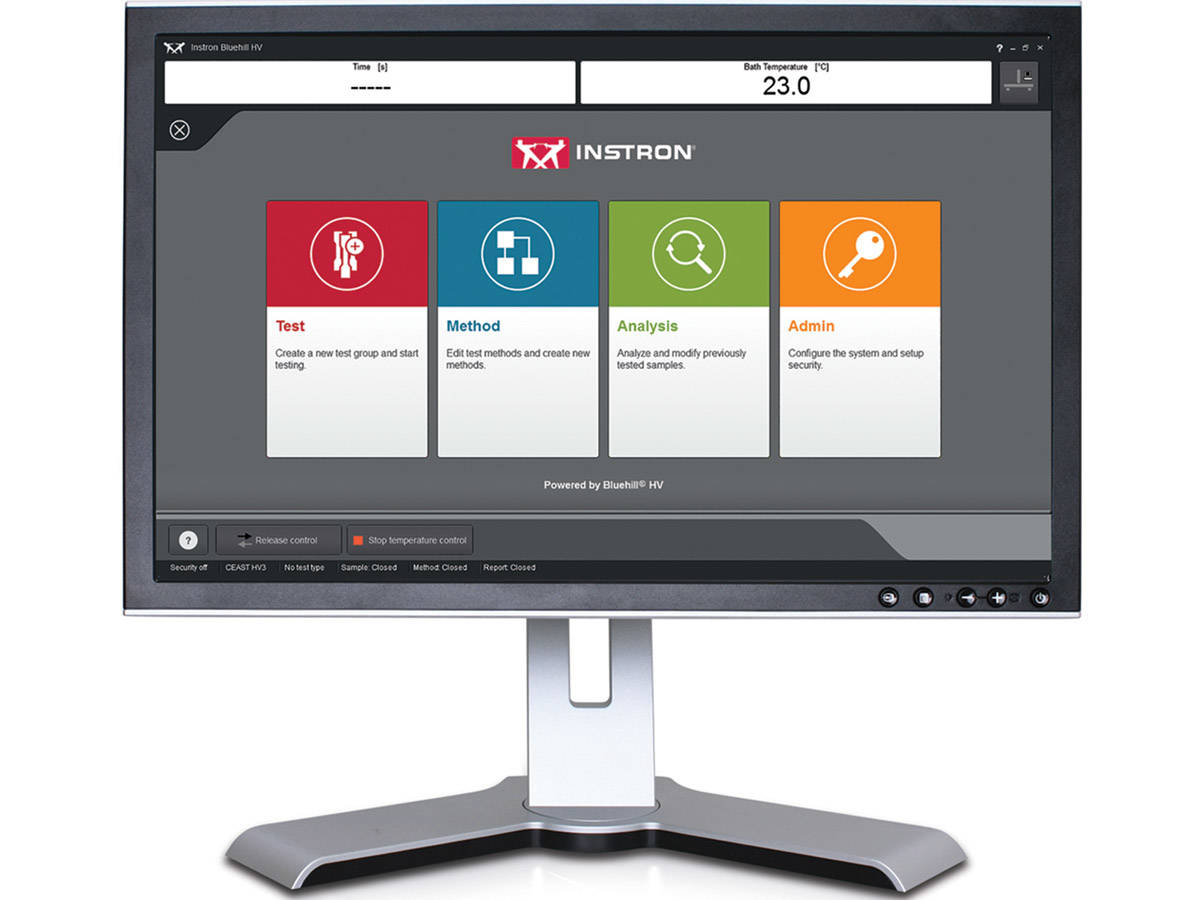
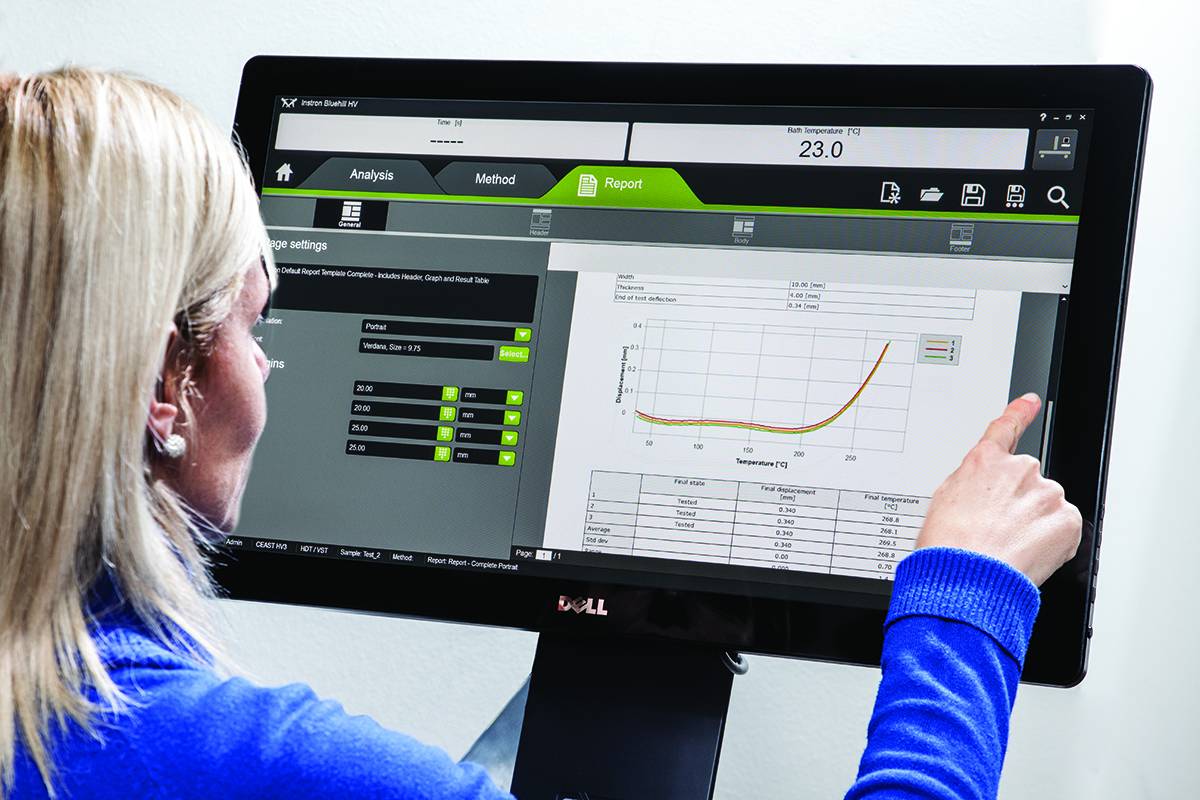
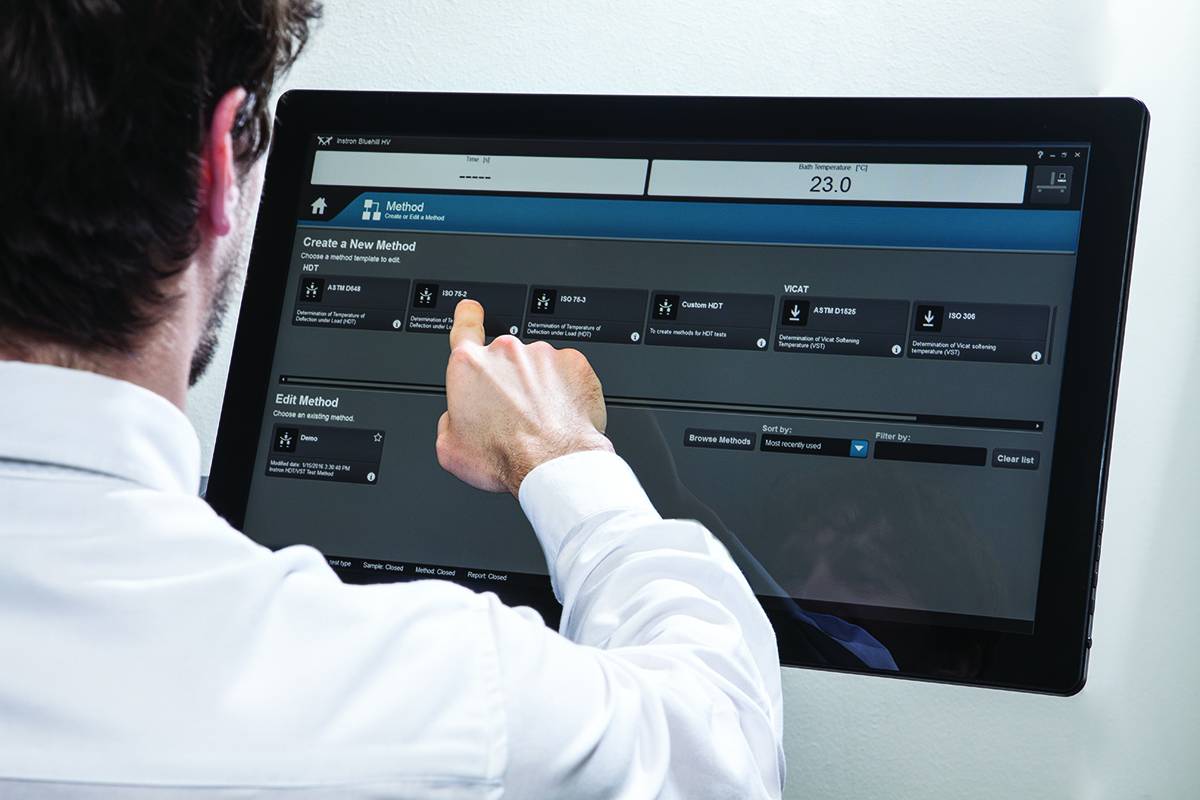
โปรแกรม VisualTHERM นี้ถูกออกแบบมาเป็นพิเศษสำหรับเครื่องทดสอบ HDT และไวแคตของ CEAST โดยจะทำการจัดการเครื่องทดสอบ, การทดสอบ, การจัดเก็บข้อมูล และการบันทึก

โปรแกรมจะจัดการขั้นตอนการทดสอบทางความร้อนทั้งหมด:

  • การแก้ไขค่าพารามิเตอร์
  • กราฟที่เวลาจริงเพื่อสนับสนุนการทดสอบ
  • การจัดเก็บข้อมูล และการบันทึก
  • การวิเคราะห์ผลการทดสอบในรายละเอียด
  • การจัดการรายงานผลการทดสอบ
  • การนำข้อมูลออก

การทำงานทั้งหมดเหลานี้สามารถทำได้กับเครื่องทดสอบมากกว่าหนึ่งเครื่องในเวลาเดียวกัน

ข้อมูลเชิงปริมาณทั้งหมดที่จำเป็นสำหรับมาตรฐานการทดสอบนานาชาติสำหรับการทดสอบสมบัติทางกลเชิงความร้อน เช่น HDT และไวแคต จะถูกจัดการด้วยโปรแกรม ทั้งในรูปแบบของตัวเลขและภาพกราฟฟิก โปรแกรม VisualTHERM จะจัดการแต่ละประเภทของการทดสอบด้วยระยะการดัดงอ,อุณหภูมิ,เวลา หรือการรวมกันของค่าเหล่านี้

วรรณกรรม

Instron HV Series for HDT and Vicat Testing

The effect of temperature on the mechanical properties of plastic materials has a fundamental role in the design of components, especially in the selection of materials. Unlike metals and ceramics, plastics are extremely sensitive to the slightest changes in temperature. The selection of plastics for applications under different temperatures is a complex task. The material must be able to support a stress under operating conditions without losing its strength and without critical distortion. The effect of temperature on geometrical stability and mechanical properties in general can be studied following different procedures and methods like at constant temperature or with a temperature ramp.

  • ผลิตภัณฑ์
  • 06/21/2018
  • 1.15 MB

Bluehill HV

Bluehill HV is the generation software for HDT and Vicat tests

  • ผลิตภัณฑ์
  • 01/12/2018
  • 366.94 KB

RS Analysis

ปรแกรมทดสอบวัสดุ

RS Analysis

Catalog no. RS Analysis

RSAnalysis

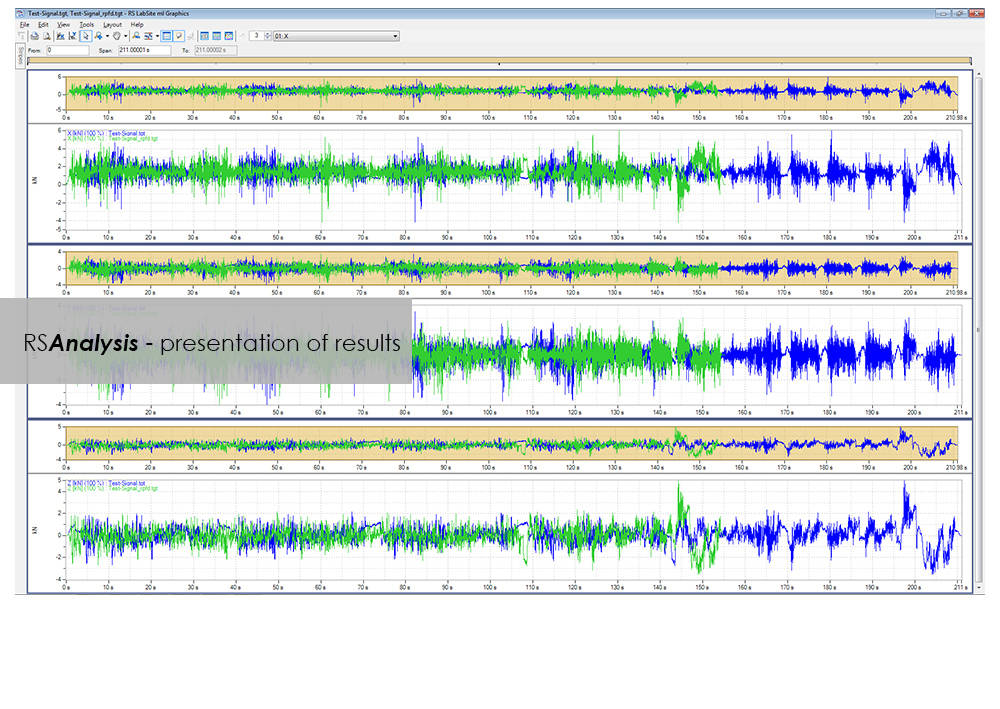
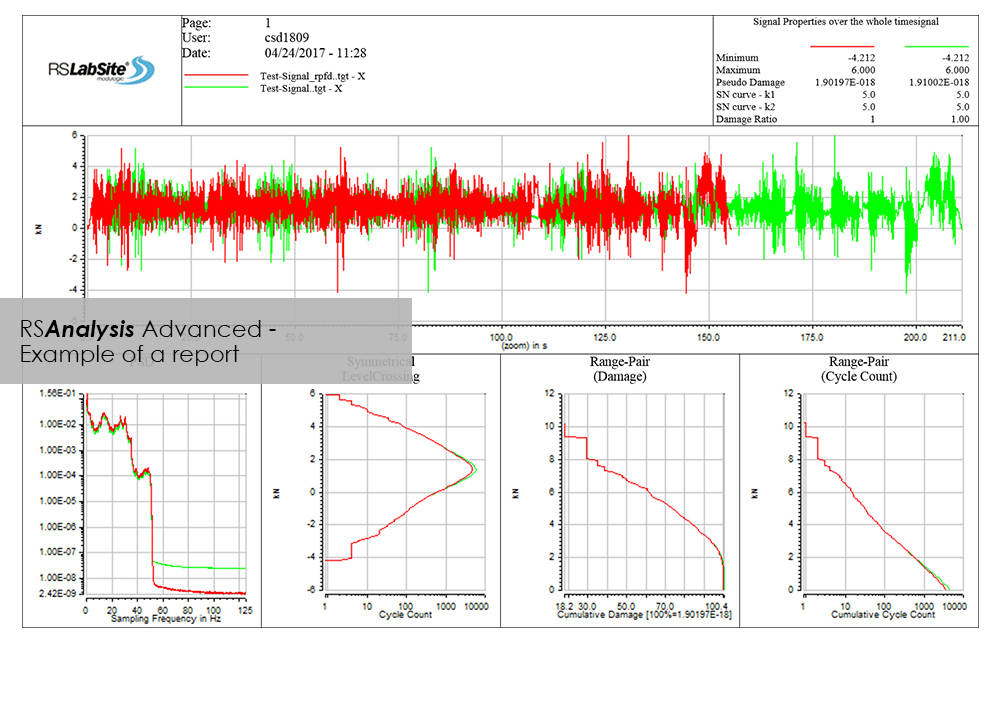
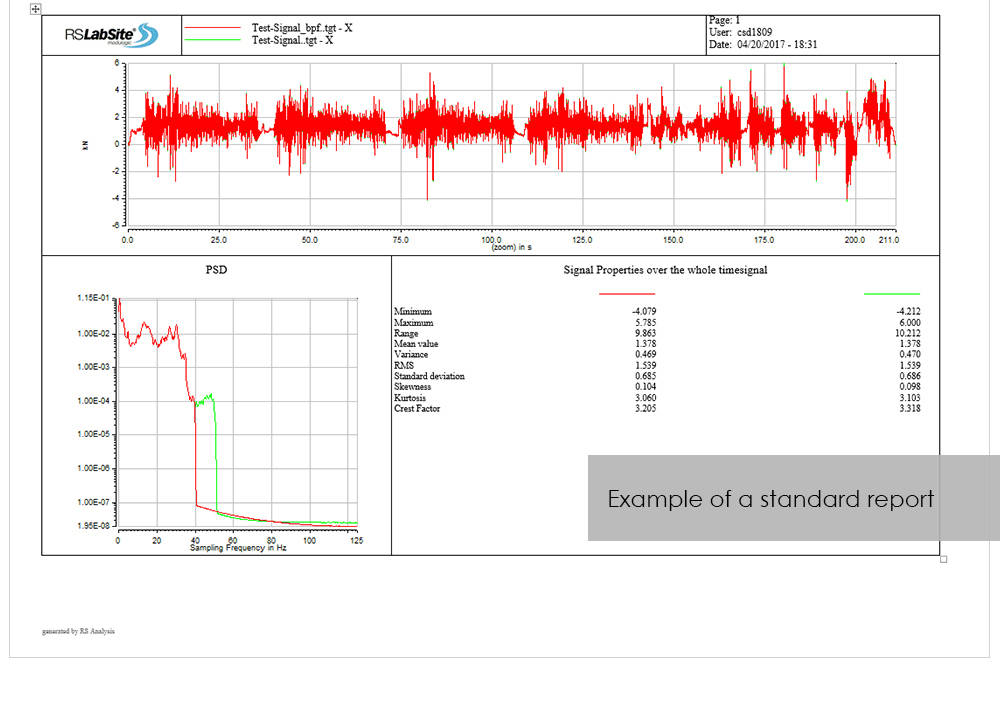
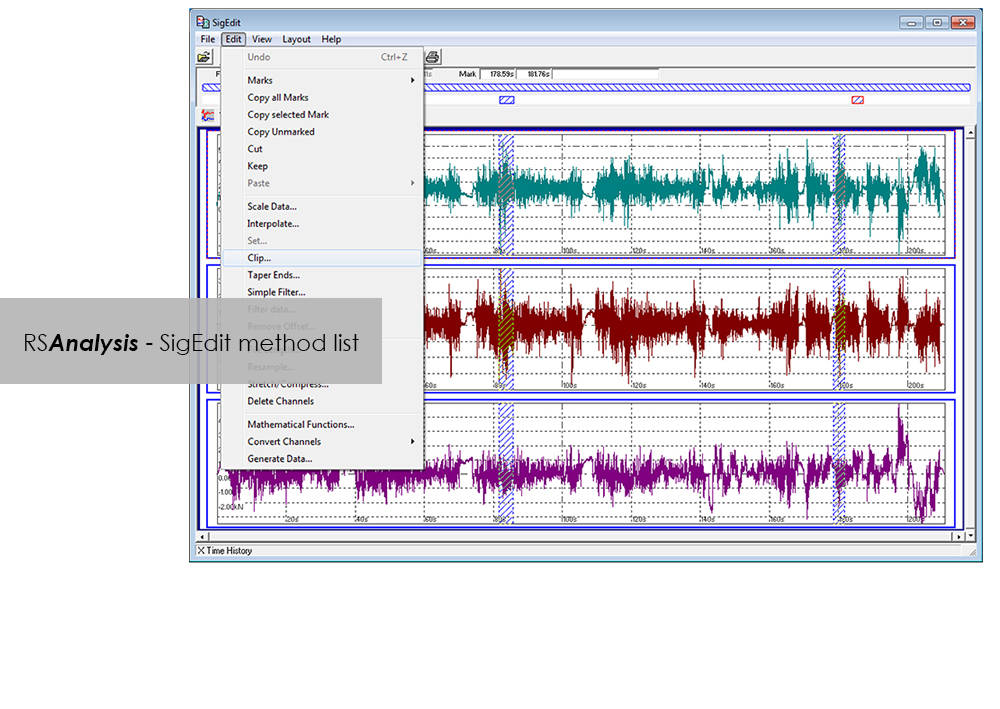
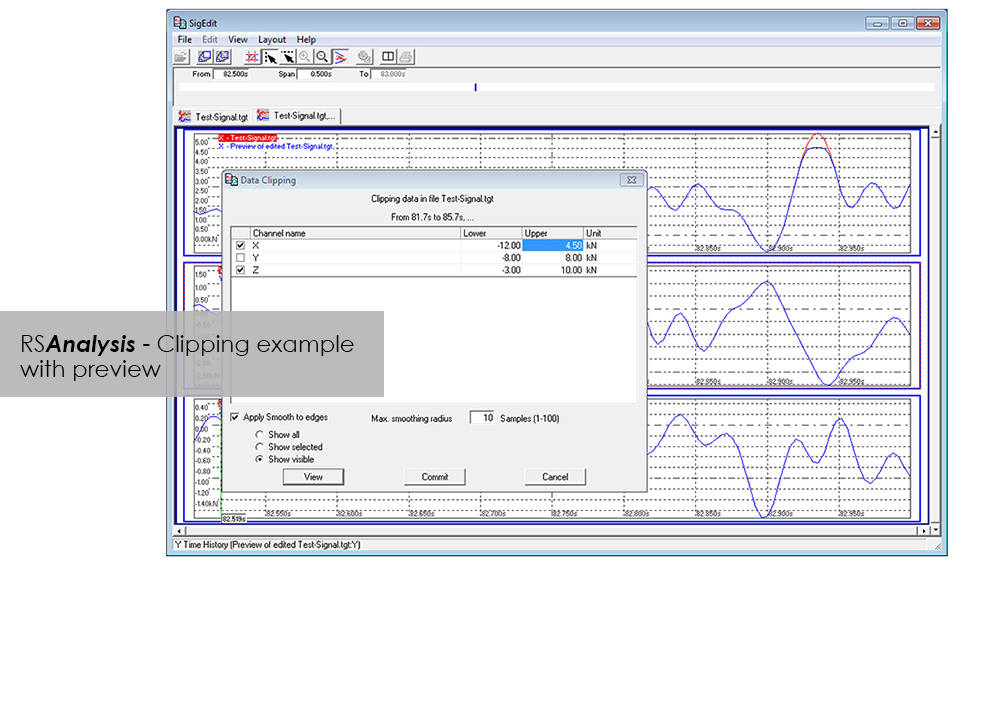
RSAnalysis is an important tool throughout the data acquisition and handling process. Dedicated algorithms condense and optimize your measurement data and turn them into loading data that simulates a complete product life circle. This module from the RS LabSite® modulogic SoftwareSuite provides for analysis and graphical presentation of test data, while allowing maximum freedom: Apart from the presentation of measured data, a wealth of other functions are available for performing typical data analysis procedures quickly and systematically.

If the numerous standard reports integrated in the software do not meet your requirements, customized formats can be created as required. This makes sure that you are aware at all times how your tests are running and what results they are producing.

RS Analysis is available in two versions: Choose either the Basic- or the Advanced-versions in accordance with your specific needs. Whichever version you choose, the following benefits will be at your disposal:

  • Minimum cost of training through integration in Project Manager
  • Traceable results (Test reports are stored in Project Manager along with the test data)
  • High productivity through automation


RS Analysis Benefits

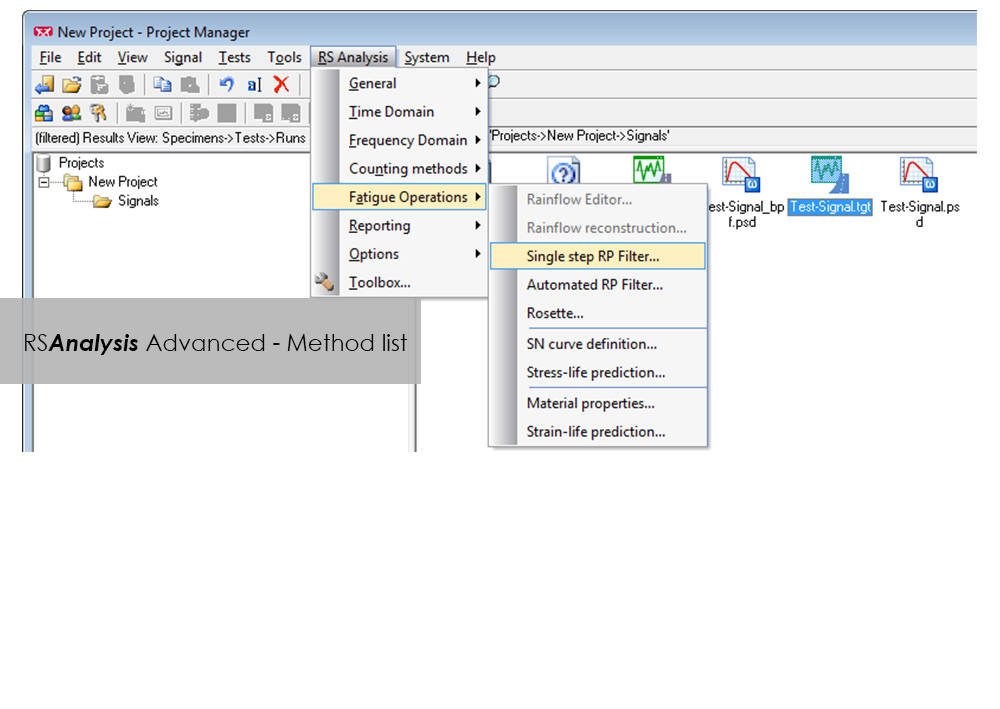
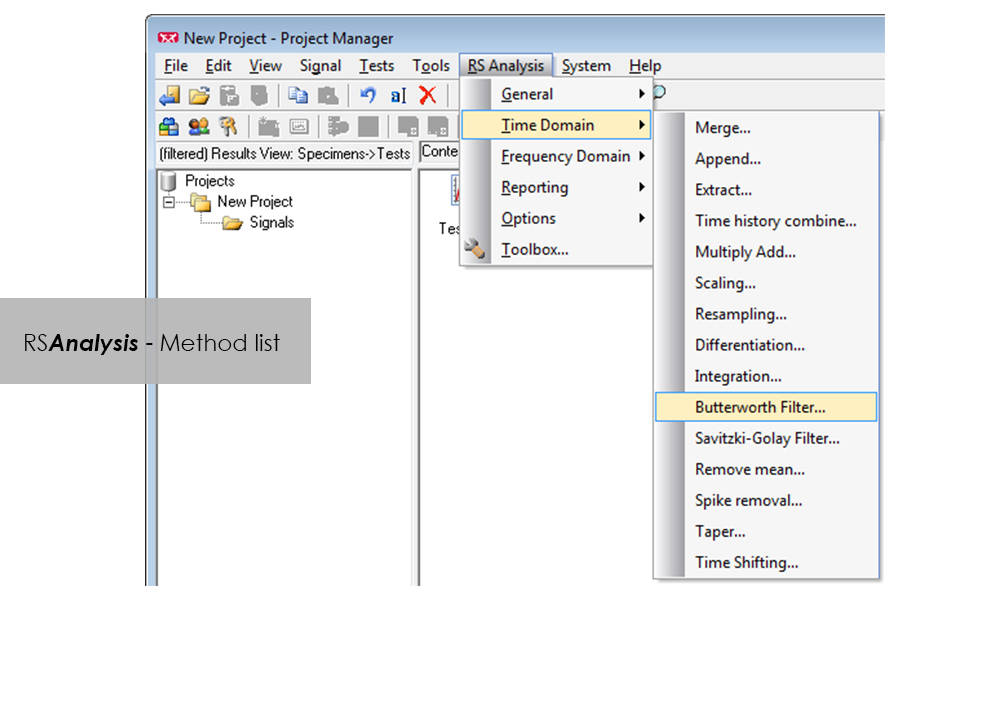
  • Processing methods are started directly from RS BasTest Project Manager
  • Numerious methods
    • Importing and exporting of data
    • Statistical functions
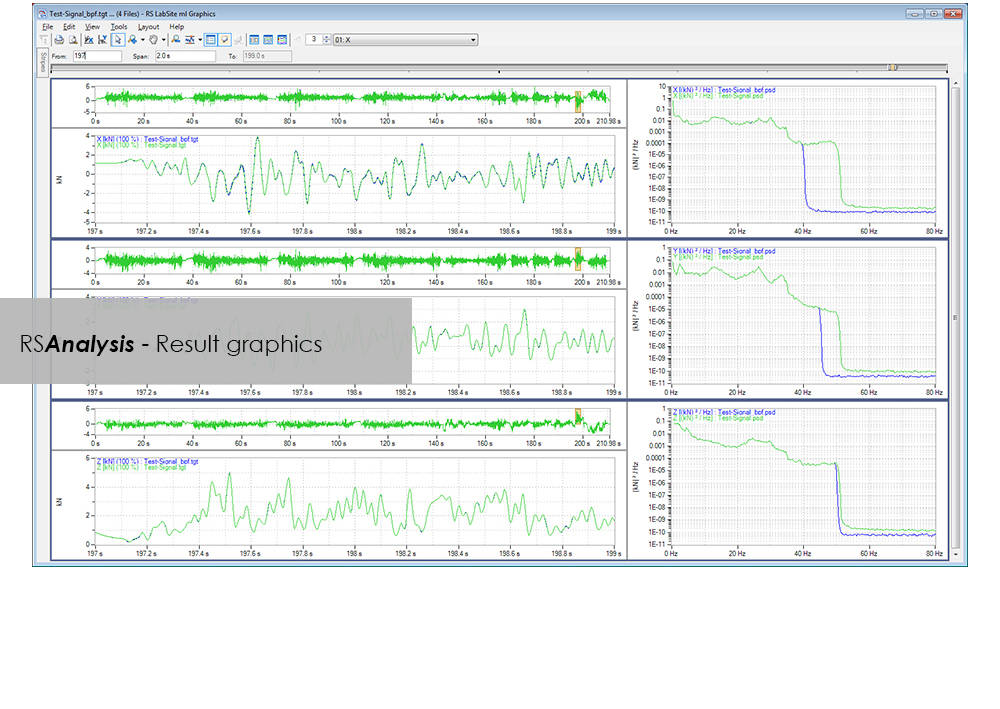
    • Signal presentation and editing
    • Offset/spike correction
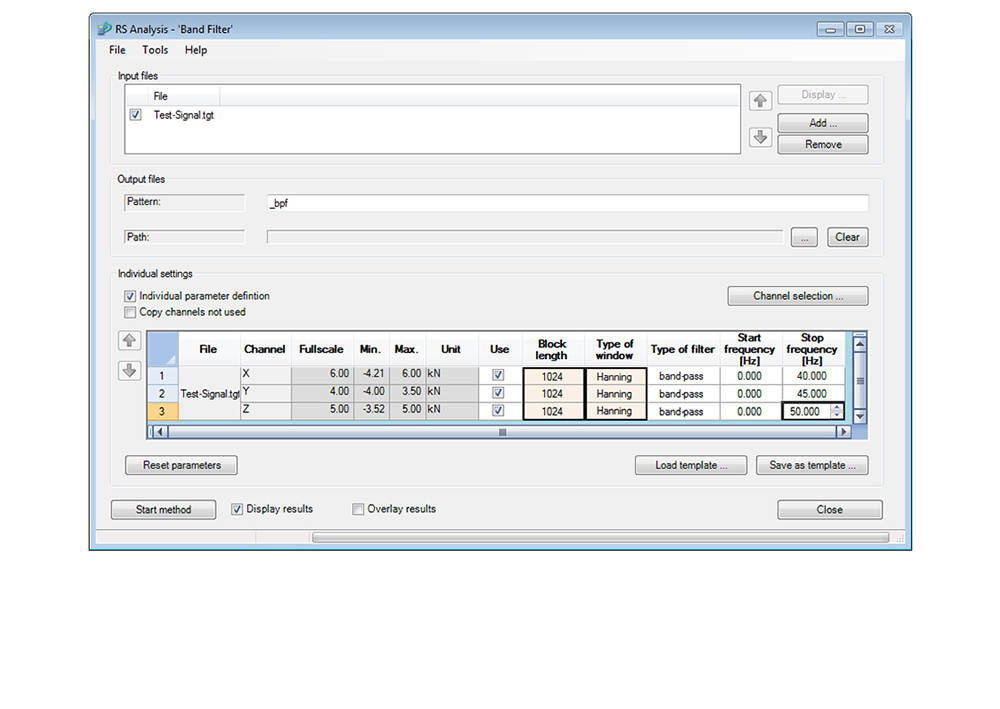
    • Frequency-based methods
    • Wide range of filter functions
    • Graphical, interactive signal editor
    • and many more...
  • Automation through linking of methods
  • Report generation


Advanced

  • Classification procedure
    • Rainflow, level crossing or tension pairing
    • length of stay
  • Fatigue-related editing and analysis procedures
    • Rosette processing
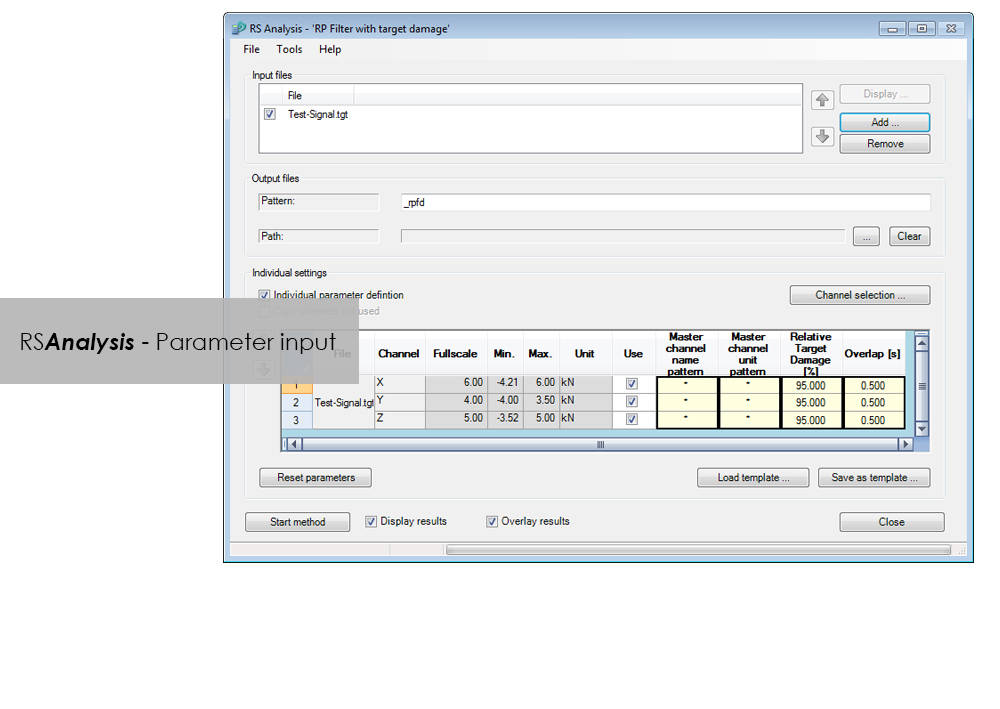
    • Automatic data reduction to remove non-harmful parts (Automatic Rainflow Projection Filter)
    • life expectancy based on stress or strain
  • Layout Builder to create your own templates for logs
  • Automation through graphical programming (Process Builder)

LCF 3 Low Cycle Fatigue Testing Software For Use With Instron 8800 Systems and Extend Upgrades

ปรแกรมทดสอบวัสดุ

LCF 3 Low Cycle Fatigue Testing Software For Use With Instron 8800 Systems and Extend Upgrades

Catalog no. 2495-910

2495-910_P
2495-910_P

Low-Cycle Fatigue 3 Software offers a flexible workspace designed to run and analyze strain-controlled fatigue tests in accordance with ASTM, ISO, and BS Standards.

Live Test Workspace

A range of pre-configured graph and results fields allow real time views of how the test is progressing. Customize the screen to display up to three graphs of cycle and trend data. Pause and re-start the test at any time, checking modulus as desired.

Comprehensive Graphing Toolbox Brings Clarity

Whether you need a single or multiple graphs, the graphing toolbox allows users to clearly display X-Y and double-Y graphs, and peak and trend data charts. Choose to show titles, add legends or show actual data points on a grid. LCF3’s graphing capability is second to none.

Powerful Analysis

Analyze post-test data off-line, selecting from a range of single cycle and trend plots. Overlay individually selected hysteresis loops. Export individual graphics in JPEG format, and data as TXT files.

Test Controls Right Where You Need Them

Start, stop, and finish a test. The simple test control buttons are consistently at the right side of the screen. For added convenience, a test can be paused and continued when desired.

Simple Test Creation

Recall recently used test methods or simply browse the method folder to create or edit existing test methods. Test method creation is available off-line, maximizing testing machine availability. With a unique step-by-step data entry and test selection process, combined with a tabulated pre-test summary, your Low-Cycle Fatigue test will run successfully each time.

Automatic Calculation Avoids Errors

Select rectangular, cylindrical or tubular geometries, and automatically re-calculate the cross sectional area.

Online Check Ensures Accurate Modulus

Ensure your modulus data is accurate by utilizing the user-defined upper and lower calculation points, with clear graphical references.

Built-in Thermal Control

Control the test’s start temperature, soak period, and allowable thermal tolerances from within the application, and log temperature data directly into the test file.

Eliminate Unwanted Data

Configure the combined linear, logarithmic and peak internal data logging parameters to suit your test requirements.

Bluehill Elements สำหรับการทดสอบวัสดุพื้นฐานในระบบรุ่น 3400

ปรแกรมทดสอบวัสดุ

Bluehill Elements สำหรับการทดสอบวัสดุพื้นฐานในระบบรุ่น 3400

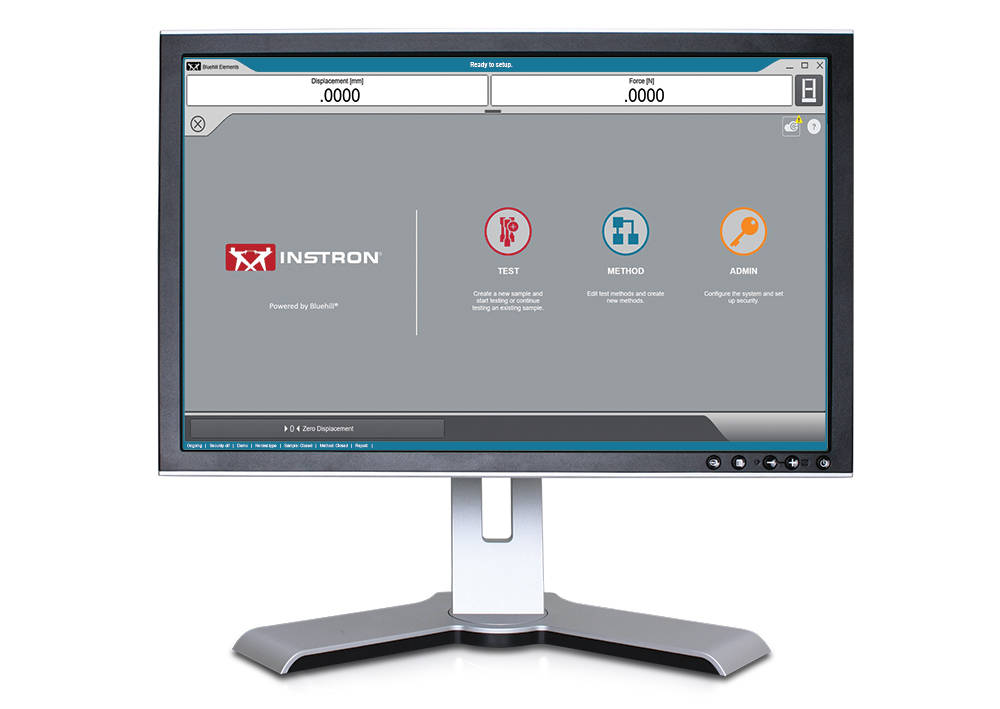
ซอฟต์แวร์ Bluehill Elements ที่สร้างขึ้นบนแพลตฟอร์ม Bluehill ตรงตามข้อกำหนดของการทดสอบแรงตึง, แรงกด, แรงดัดโค้ง, การลอก และการฉีกขาด ด้วยฟังก์ชั่นเช่นการสร้างรายงานอัตโนมัติ, กระแสงานที่มีการเตือนความจำ, แผนภูมิการควบคุม และตัวเลือกในการใช้ฐานข้อมูล TrendTracker องค์ประกอบ Bluehill จึงเหมาะอย่างยิ่งสำหรับการทดสอบการควบคุมคุณภาพ


คุณสมบัติสำหรับกระแสงานที่มีประสิทธิภาพ

การส่งออกข้อมูลอัตโนมัติ
ผู้ใช้สามารถส่งออกผลการทดสอบและข้อมูลดิบในไฟล์รูปแบบ CSV หรือไฟล์ข้อความที่กำหนดเอง การจัดรูปแบบของการส่งออกนั้นสามารถปรับแต่งได้อย่างสมบูรณ์ ทำให้ผู้ใช้สามารถดึงข้อมูลหรือประสานเข้ากับระบบจัดการข้อมูลห้องปฏิบัติการได้อย่างง่ายดาย

โปรแกรมดูข้อมูลดิบ
ตรวจสอบทุกจุดข้อมูลสำหรับการวัดโดยตรงจากซอฟต์แวร์

การป้อนข้อมูลเข้าของผู้ใช้งานโดยไม่ต้องกรอกข้อมูลด้วยตนเอง
ป้อนขนาดชิ้นงานตัวอย่างโดยอัตโนมัติจากอุปกรณ์วัด สแกนบาร์โค้ดเพื่อป้อนหมายเลขและข้อความลงในซอฟต์แวร์ หรือใช้การนำเข้าแบบตัวเลือกเพื่อให้ผู้ใช้มีเมนูดร็อปดาวน์แบบง่ายเพื่อกำจัดการป้อนข้อมูลด้วยตนเอง

หน้าจอแสดงผลที่ตรงกับระยะสายตาพอดี
สถานะการทดสอบการวัดและผลลัพธ์ที่สำคัญจะแสดงบนจอแสดงผลสดที่พร้อมใช้งานและง่ายดาย


ยืดหยุ่น แต่เรียบง่าย

การดำเนินการที่ใช้งานง่าย, การฝึกอบรมน้อยที่สุด
Instron เข้าใจความเป็นจริงของการเปลี่ยนแปลงแรงงาน ดังนั้นเราจึงเลือกการฝึกอบรมขั้นต่ำเป็นมาตรการสำคัญสำหรับการใช้งาน ซอฟต์แวร์ Bluehill Elements มีส่วนต่อประสานที่ใช้งานง่ายและใช้งานง่าย

รายงานที่ถูกต้องสำหรับผู้ชมที่เหมาะสม
Bluehill Elements ประกอบด้วยแผ่นแบบรายงานที่กำหนดไว้ล่วงหน้าหลายแบบสำหรับส่งออกไปยังเครื่องพิมพ์, อีเมล์, หรือบันทึกไฟล์เป็น PDF โดยตรงเพื่อการแบ่งปันที่ง่ายดาย การเปลี่ยนการจัดวางแผนภูมิและตารางสามารถตั้งค่าได้อย่างง่ายดายด้วยตัวเลือกที่เติมไว้ล่วงหน้า ผู้ใช้สามารถผูกแม่แบบรายงานที่เฉพาะเจาะจงกับวิธีการที่กำหนด, สร้างรายงานสำหรับการทดสอบที่แตกต่างกันโดยอัตโนมัติ

ความปลอดภัยขั้นพื้นฐาน
สำหรับการทดสอบในส่วนของการผลิต หรือการทดสอบในส่วนของการควบคุมคุณภาพที่ผู้ทดสอบทั่วไป ไม่ควรเข้าถึงการเปลี่ยนแปลงพารามิเตอร์ในวิธีการทดสอบ ดังนั้น Bluehill Elements มีระดับความปลอดภัยที่กำหนดค่าได้สามระดับผู้ดูแลระบบ, ผู้จัดการ และผู้ปฏิบัติงาน

ภาษาทั่วไป
ในโลกการทดสอบ Bluehill เป็นเครื่องมือมาตรฐาน มีให้บริการในสิบห้าภาษาและใช้กับระบบหลายพันแห่งทั่วโลก วิธีทดสอบ, การคำนวณ และรูปแบบข้อมูลของ Bluehill นั้นได้รับการยอมรับ และยอมรับในระดับสากล ไม่ว่าคุณจะจับคู่ข้อมูลกับผู้ให้บริการในท้องถิ่นหรือเปรียบเทียบวิธีทดสอบกับลูกค้าข้ามชาติ Bluehill Elements ช่วยให้คุณพูดภาษาเดียวกันได้


โปรแกรมเสริมสำหรับ Bluehill Elements

กล้อง TestCam
เชื่อมต่อเว็บแคม USB เพื่อรับประสบการณ์การเล่นวิดีโอแบบจุดต่อจุดช่วยให้คุณสามารถดูการทดสอบได้แม้จะเสร็จสิ้นแล้ว

ผล Pass/Fail
ตั้งค่าเกณฑ์การยอมรับสำหรับผลการทดสอบหลายรายการ หากหนึ่งในผลลัพธ์เหล่านั้นสูงกว่าหรือต่ำกว่าช่วงการยอมรับองค์ประกอบ Bluehill จะแสดงสัญรูปขนาดใหญ่โดยอัตโนมัติในการตรวจสอบสีเขียวสำหรับ Pass หรือ X สีแดงสำหรับ Fail

ซอฟต์แวร์ TrendTracker
ปลั๊กอิน TrendTracker สำหรับ Bluehill Elements อนุญาตให้ผู้ใช้ส่งออกผลลัพธ์ไปยังฐานข้อมูล TrendTracker โดยตรง TrendTracker Viewer มีส่วนต่อประสานที่ใช้งานง่ายเพื่อค้นหา แสดงผล และวิเคราะห์ผลการทดสอบเมื่อเวลาผ่านไป

 

ข้อกำหนดคอมพิวเตอร์

ต้องใช้ Windows 10หรือ 11, ระบบปฏิบัติการ 64 บิต, Bluehill Elements สามารถใช้กับหน้าจอสัมผัส

วรรณกรรม

Bluehill Elements Software Data Sheet

Built on the Bluehill software platform, Bluehill Elements™ meets the requirements of simple tension, compression, flexure, peel, and tear testing.

  • ผลิตภัณฑ์
  • 02/03/2020
  • 785.62 KB

DIC Replay

ปรแกรมทดสอบวัสดุ

DIC Replay

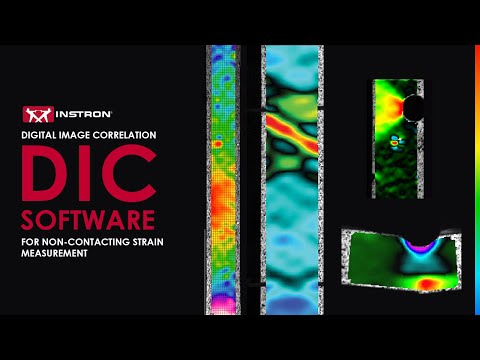
Digital Image Correlation (DIC) Software

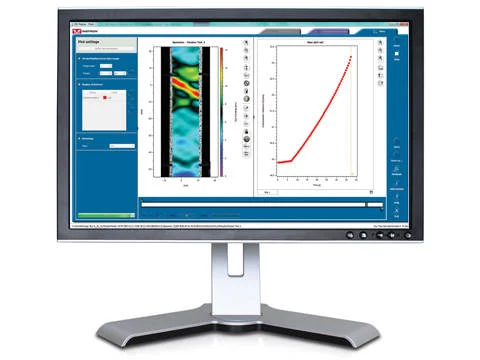
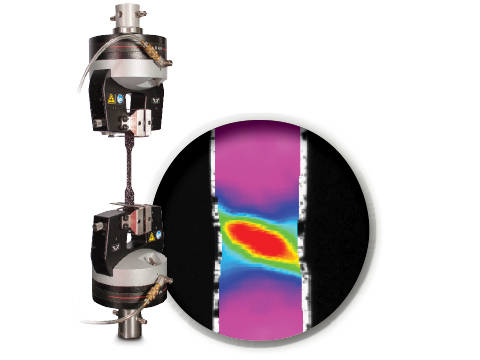
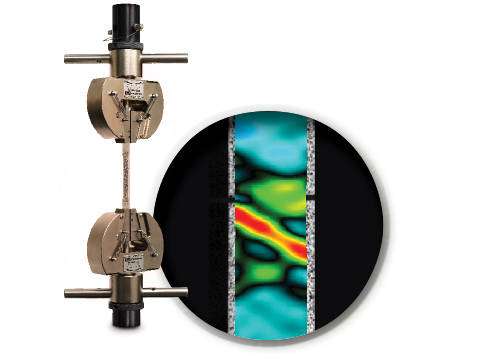
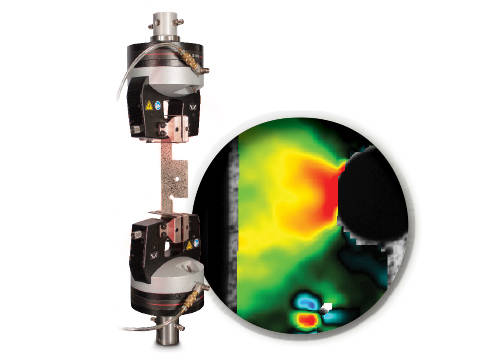
DIC is an optical technique that compares images of a tested specimen’s surface to generate full field strain and displacement maps. It creates pictures that can be used to visualize strain and displacement over the full two dimensional surface of the test specimen.

DIC Replay Software is a self-contained 2D DIC package. The software consumes images and calibration data saved by the Instron® Advanced Video Extensometer (AVE) and works in a post-processing mode. The user interface leverages the same tabbed style and graphical design of Bluehill®.

Standard features include:

  • Full field strain and displacement maps for axial strain (Eyy), axial displacement (Ey), transverse strain (Exx), transverse displacement (Ex), shear strain (Exy), maximum normal strain, and minimum normal strain
  • Virtual strain gauges
  • Virtual extensometers
  • Method saving
  • Plot generation
  • Synchronization with Bluehill test data (load, position, etc.)
  • User defined image collection rate up to 50Hz
  • Three modes of operation (post-processing DIC, real time strain through AVE, or both)

Benefits:

  • View materials testing phenomenon, such as discontinuous yielding, localized necking, and more
  • Analyze strain and displacement on the flat surface of a part or component where traditional extensometers are impractical
  • Visualize and detect cracks that are not visible by eye
  • Check specimen preparation techniques by comparing one specimen to the next
  • Check for standards compliance by identifying localized strain that falls outside of the standard gauge length
  • Visualize the side profile of a flat flexure or compression specimen to observe strain behavior

วรรณกรรม

DIC Replay | 2D Digital Image Correlation Software Data Sheet

Instron DIC Replay Software is a 2D digital image correlation package that works seamlessly with the AVE 2 Advanced Video Extensometer. Use this package to visualize strain and displacement over the full surface of a two dimensional object or create simple line plots from virtual strain gauges and extensometers.

  • ผลิตภัณฑ์
  • 04/12/2017
  • 2.38 MB

CrashSim

ปรแกรมทดสอบวัสดุ

CrashSim

Crash Sim Startpage
Crash Sim Startpage

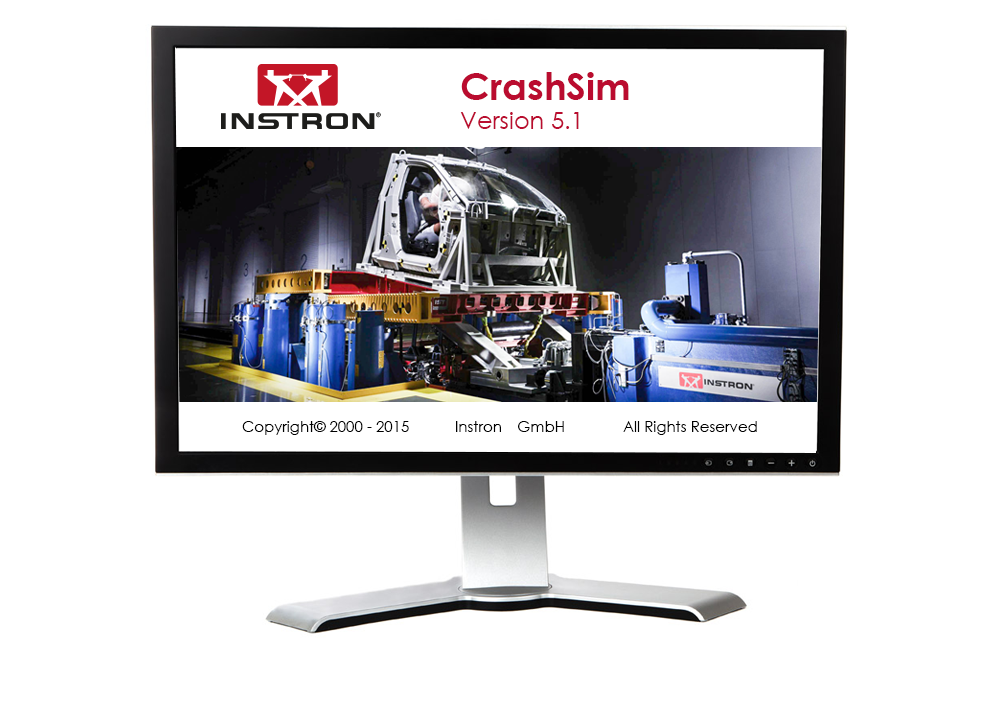
The application software CrashSim is used for the preparation, execution, monitoring, analysis and documentation of crash tests carried out on the Instron sled system. The user application focused software has been continuously improved in cooperation with our worldwide user groups.

There is no special knowledge required for the operation of CrashSim because it is intuitive and largely self-explanatory. The user interface complies with the Windows 7 standard.

The parameter settings and valve configurations required for the applications listed below are stored in the control system and are set automatically by CrashSim when selecting the test method:

  • Frontal and rear impact simulation
  • Frontal Impact with active controlled pitch simulation
  • Side and Pole Impact simulation
  • Side Impact simulation
  • Whiplash - Low Speed Rear Impact Test


Thanks to this high degree of automation, efficient and productive test operation is ensured.

The basic version CrashSim 5.0 offers the following functions:

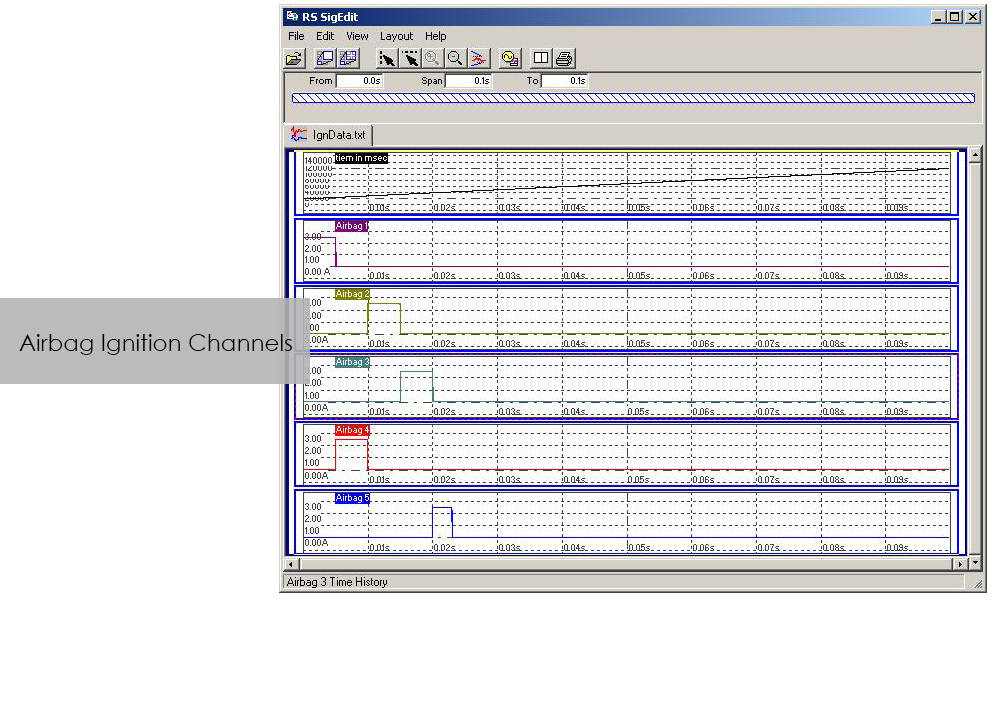
  • Pulse data input and filtering
  • Calculation of drive signals from acceleration / time traces
  • Control of all peripheral systems (airbag igniter, data acquisition, camera systems,...)
  • Test execution
  • Evaluation of the test results
  • Digital storage and retrieval of test parameters for future applications.
  • Visualization of the system status via process display


The advanced version of CrashSim 5.1 includes the new iteration model developed by Instron, which dramatically reduces the number of iterations required. This version also includes the CrashSim Office software module. The module allows external processing of test pulses up to the generation of the drive signals for the catapult system. Pulse predictions previously performed only through trial shots with the system can now be carried out offline with CrashSim Office. This relieves the daily test operation of such tasks and increases the productivity of the system.

Learn more about Crash Simulation Systems.


RS BasTest RT

ปรแกรมทดสอบวัสดุ

RS BasTest RT

Catalog no. RS MePar ml

RSBasTest RT

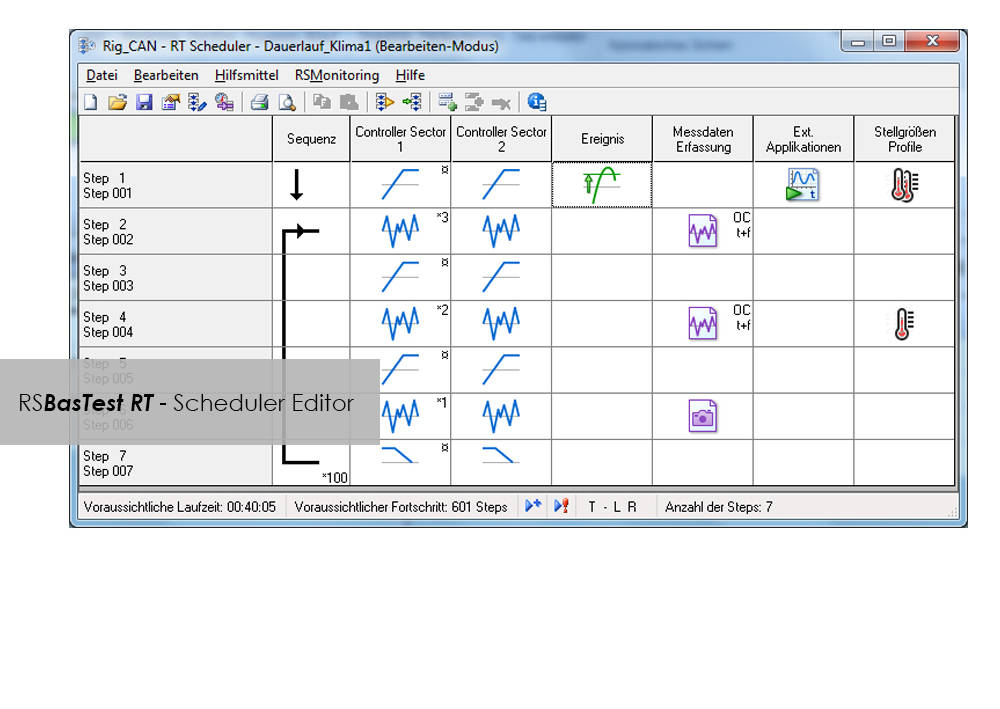
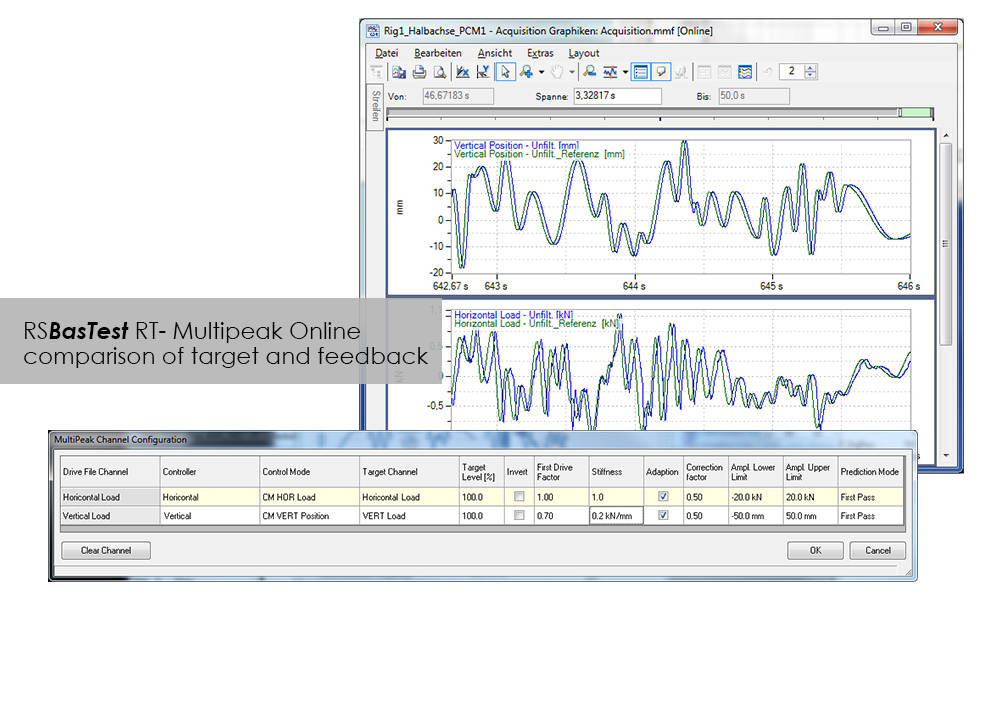
RS BasTest provides a wide range of functions for editing, performing and conducting durability tests. Project Manager will guide you through all processes. It is used to create new projects, and its integrated data base collects and manages all measurement data. If you are envisaging a future extension of your testing environment, you will be ideally set up with RS BasTest: Other modules from the RS LabSite® modulogic family can be integrated into the system without any further intervention. The basic module will assist you with a high degree of flexibilty and provide the following benefits:

  • Basic software package with comprehensive functionality
  • Intuitive operation
  • Flexible adaption to your testing tasks

RS BasTest RT Benefits

  • Numerous test methods, which are processed in real time by the control electronics:
    • Constant amplitude programs
    • Cyclic block programs for single or multi-channel testing
    • Execution of single- or multi-axial durability tests
    • Event controlled test procedure
    • Replay of multi-channel service loads with adaptive control of peak values.(MultiPeak)
  • Multi-channel data acquisition
    • three different options optimized for the respective test metho
    • flight recorder (record / store measurement data even when the test stops or pauses)
  • Switchboard for the administration of test results with database for projects, tests and results. Optionally available as a laboratory version:
    • Central administration and backup
    • Local preparation and execution at the test stand
    • Evaluation at test stand or office
  • Licensing model to suit your laboratory requirements
  • Seamless integration with Labtronic 8800ml

Console Software For Use With Instron 8800 Systems, ElectroPuls and ExtendUpgrades

ปรแกรมทดสอบวัสดุ

Console Software For Use With Instron 8800 Systems, ElectroPuls and ExtendUpgrades

Catalog no. 2495-901

Console Software For Use With Instron 8800 Systems, ElectroPuls, and Extend Upgrades 

Compatible with WaveMatrix, LCF3, Bluehill 2 and Fracture Mechanics (da/dN, K1C & J1C)  

Includes

  • All controller set up functions such as Specimen Protect, transducer calibration, limits, control loop settings (PID´s) and calculated ("Modal") control channels
  • System status displays indicating current control mode, limits, waveform generator, transducer calibration and hydraulics/power
  • Auto Tuning Wizard to perform automatic set up of control loop PID values
  • Loop tuning tool with fast-refresh digital scope to facilitate manual setting and adjustment of control loop PID values
  • Multiple digital Live Displays of transducer values and cycle/time counters that can be rearranged and resized, with setup save/recall from computer disk.
  • Waveform control (start/pause/stop at specified cycle count) to run simple fatigue tests
  • Scope software package for real time graph showing the output of up to four transducers and basic data capturing facilities
  • Comprehensive on-line help system
  • RS Save software for saving and restoring of test system parameters to and from disk
  • DAX data acquisition software for one axis and up to four transducers
  • Latest firmware update for 8800, ElectroPuls and Data Acquisition Boards
  • Set of Electronic Manuals in PDF Format
  • Available in English, French, German or Japanese 

Please contact Instron for the minimum PC requirements necessary to install and operate this software.

RS MePar ml

ปรแกรมทดสอบวัสดุ

RS MePar ml

Catalog no. RS MePar ml

RSMePar ml

RS MePar ml, a module from the RS LabSite® modulogic, software suite, working in conjunction with RS Studio ml and RS BasTest RT, the RS LabSite® modulogic basic module, provides all functions for determining the characteristics of components with viscoelastic properties. RS MePar ml is used to create simple single- axis or complex multi-axis tests.

Flexible test monitoring and data acquisition functions ensure that the test engineer has all the information he needs to precisely specify the components undergoing test. In addition, the integration of MePar Viewer enables the visualisation of test data as they occur on the rig, along with various graphical displays. This tool enables test results to be observed directly on the screen.

RS MePar ml can be used to fullfil the following tasks:

  • Determine static properties of test specimen
  • Determine dynamic properties of test specimen
  • Determine component resonant frequencies
  • Analyze and document test results and test conditions

Suitable for:

  • Elastomers
  • Elastomer compound elements
  • Hydromounts
  • Vibration dampers
  • Torsional vibration dampers
  • Exhaust Lines
  • Clutches
  • Crankshaft

Benefits:

  • The Windows© compliant software is familiar and easy to use
  • The MePar-Viewer functionality enables individual series of data from the measurement file to be plotted as required, with user-selectable scaling for easy test report generation
  • All test data is stored in a data base, enabling data to be exported to other programs such as MS-Excel for presentation or further processing.

Bluehill Impact for Drop Towers

BLUEHILL® IMPACT SOFTWARE

The Drop Weight Impact Testing Machine Software

Bluehill Impact Software for Drop Towers


Bluehill Impact is built from the ground up for touch interaction. The Operator Dashboard features large touchpoints to make the user experience simpler and smarter. Easy-to-understand icons and workflows make it easy to train new or experienced users, simplify operator training, and allow you to start testing even faster than ever before.

REQUEST A QUOTE OR DEMO


SIMPLER
Effortless Drop Weight Impact Testing Workflows


Bluehill Simpler Screenshot
Smart Defaults

Bluehill Impact provides a set of pre-configured defaults that cover the most common impact testing scenarios.

Flexible Data Analysis

Users can define unique data flow and procedures ensuring data processing flexibility. Bluehill Impact reports on anomalies and inconsistent results when they are outside set parameters.

Guided Workflow

Thanks to prompted tests and the touch panel, procedures set up takes just a few clicks. Users can be guided through the entire testing process with step-by-step instructions, ensuring that their tests remain repeatable, simple, and error-free. The prompts are customizable with your own text messages.

Fast Data Acquisition and Results

Increased productivity thanks to the combination of the new Dashboard with data acquisition system and Bluehill Impact.

Speed Up Collaboration

Move from task to task: easily share test method and results within your Company or your Customers with Bluehill Impact file management system.

SMARTER
Advanced Capabilities for Advanced Drop Weight Impact Testing

Bluehill Impact Specimen Multiselection

Specimen Multi Selection
Edit parameters for many specimens at the same time with one click.

Bluehill Impact Smarter Test Analysis

Break Type Recognition
Automatic recognition of the break type according to the shape of the curve (ISO 6603-2). This ensures associations to the break type remain the same operator-to-operator.

Automatic Testing

Automatic Testing
Once a test method has been created in Bluehill Impact, you can use AutoMate Software module to customize how the specimens in the automatic feeder are tested, assigning different test velocities and temperatures.


SAFER
Safety with High Throughput 


Secure Access

Secure Access
Bluehill Impact security allows the Lab manager to configure permissions granting full access to super users and limiting access where needed.

Calibration Alert

Tups Calibration Alert
Automatic alerts are generated when Tup calibration period is expiring. This feature helps to reduce the risk of invalid tests and protect your results against inaccuracies.

Built-In Safety Notifications

Built-In Safety Notifications
The Dashboard gives clear visual information on the instrument status, so users always know when a test is in progress.


REMOTE TECHNICAL SUPPORT (RTS)

Powered by Instron Connect
Instron Remote Technical Support (RTS), powered by Connect, allows our technical support team to connect directly to your Instron systems by either remote screen share or through integrated augmented reality (AR), providing fast and high-quality system diagnostics which should increase your Instron systems uptime.

LEARN MORE

HAVE AN OLDER SOFTWARE VERSION?
Learn About Upgrading your Drop Weight Impact Testing Software

9400 and 9300 Drop Tower Systems

Bluehill Impact & Dashboard with Data Acquisition System

The state-of-the-art controller can be retrofitted on all the 9340 with Firmware version later than 1.00 and on all the 9350 Drop Weight Impact Testing Machines with FW version later than 3.00, including machines with automatic feeding option.

Bluehill Fracture

Bluehill® Fracture

Simplify your Fracture Testing, Analysis and Reporting

Bluehill Fracture is a dedicated fracture mechanics software from Instron. Machine control, data analysis and reporting are performed for metals fracture toughness measurement to key international standards.

As a leading supplier of testing equipment for crack propagation and fracture toughness, Instron are aware of the challenges users face in reducing both the complexity and time taken to produce accurate, repeatable results. The Bluehill Fracture software package addresses these challenges.

Customizable test flows guide the user through the steps needed to produce their final results, saving time by minimizing data entry at each step.

Comprehensive on-screen user guidance along with automatic post-test analysis and reporting tools also reduce the skills and training required. Additionally, the layout, terminology and test progression is common to other Instron software packages, such as Bluehill Universal.

For the latest technology now available with Bluehill Fracture DCPD software, click below to upgrade today.

UPGRADE NOW


Bluehill Fracture Screen

SIMPLER
Spend less time setting up tests

Whether you are testing using a predefined method or customizing your own, Bluehill Fracture comes with the tools to create the method you need.


Method Definition
Bluehill Fracture's unique test workflow definition breaks the test into a logical series of steps, enabling the test designer to control the process of data entry before, during and after the test.

A reduction in entering the same data for each test saves time and minimizes data entry errors. Parameters for each stage can either be pre-populated prior to the test, imported automatically from a LIMS system or entered manually every time a test is run.

  • Customizable Work Flow
    Work flow can be clear and simple or fully detailed depending on your need. Guidance notes can be added to aid operators throughout the test.
  • Intuitive Interface
    The modern user interface is both intuitive and clear allowing for reduced training and simplified instructions.
  • Save Time
    Methods steps can be tailored to suit the test type and operator, saving time and reducing errors.
Bluehill Fracture CT Specimen in Grips

SMARTER
Produce results faster

Although Bluehill Fracture is simple to use, there are still many advanced features for analysis and report generation.


Run and Analyse Tests
Performing and analyzing Fracture Toughness tests has never been simpler than with Bluehill Fracture.

Select a test method to run, from a pre-defined list or your own customized method, and Bluehill Fracture will step you through the pre-test data entry you define, then when ready, the software will perform pre-cracking (if required) and finally onto the main fracture test.


Testing Icon Orange

Run a Test

Pre-configured material properties and pre-cracking targets reduce user input and increase throughput.

Analysis Icon Orange

Post-test Analysis

The software guides operators through data input, graph plotting and results calculation.

Report Icon Orange

Report Generation

The report and export function within Bluehill Fracture completely automates the process of generating a summary report.

SAFER
Control user access and check results

Validity checks confirm your tests are within predefined parameters whilst the security settings allow advanced users to protect areas of the method containing critical settings.


Analysis
The report and export function within Bluehill Fracture completely automates the process of generating a summary report. This reduces complexity, time and errors by avoiding additional data export and manipulation at the post test reporting stage.

Whether you need a summary in text output format or a fully customized PDF report in your organization’s format, Bluehill Fracture has the features to achieve this at the click of mouse button.

  • Automatic validity Checks
    Bluehill Fracture provides both a summary check and detailed breakdown of values and reference clauses for auditability. Validity checks are itemized and include achieved values and allowable limits.
  • User Access
    Account settings control who in the laboratory can change and update test methods.
  • Stay Up to Date
    By utilizing a separate standards library keeping abreast of the latest revisions is a simple upgrade.

Fracture CT Specimen

ADVANCED TOOLS
In addition to more common tests, measurement and analysis is provided for standardized methods using direct current potential drop (DCPD) for crack length measurement.

Bluehill Fracture Specimen DCPD

Test control and method set up are similar to mechanical compliance-based methods and raw data is stored in the same way. Signal noise depends greatly on the preamplification and conditioning of the DCPD system, so an additional averaging feature is available to stabilize readings during crack growth.

For fracture toughness determination, corrected displacement is calculated from user-specified frame compliance coefficients stored within the method, so that correct analyses can be used for different load strings. Manual and automated methods of V0 determination are provided, with a configurable interval for generation of J-da plot.

SUPPORTING DCPD MEASUREMENTS

  • Accepts X or X/Y from any conditioning system as scaled 0-10V transducer input
  • Live calculation of crack length for pre-cracking and fatigue crack growth experiments
  • Automatic setting of reference voltage during test
  • User-defined voltage - crack length relationships
  • Post-test analysis for JIc according to E1820 annex 18

LEARN MORE

Integration Icon Red

Integration

Various functions are available to support integration with laboratory data management systems (e.g. LIMS), such as the option to import automatically generated inputs of specimen geometry and material properties.

Features Icon Red

Supported Features

Bluehill Fracture modules support all common test standards (ASTM, ISO and BS) for crack propagation, ductile and brittle fracture, crack length measurements and specimen geometries. Users can test to predefined standards (e.g. ASTM E647, ASTM E399, ASTM E1820, ISO 12135).

For the latest Bluehill Fracture standard compatibility:

click here

Compatibility Icon Red

Compatibility

Bluehill Fracture is available with new ElectroPuls® and Servohydraulic systems, as well as any existing dynamic testing system with an 8800 or 8800MT controller running Windows 7 or 10.

Microelectronics Tensile Grips

Microelectronics Tensile Grips

ปรแกรมทดสอบวัสดุ

Microelectronics Tensile Grips

Instron offers a variety of grips suitable for performing tensile tests on a wide range of microelectronic components and assemblies including leads, wires, and irregularly shaped products.

50 N Pneumatic Side Action Grips
50 N Pneumatic Side Action Grips 250 N Pneumatic Side Action Grips
Pneumatic Side Action Tensile Grips

Pneumatic action grips clamp the specimen through dual side action movement, actuated by an air cylinder built into the grip body. Gripping force can be controlled by adjusting the input air pressure and remains constant even if the specimen contracts in the gripped area providing the ultimate in 'follow-up' action.

Available Models
Force Capacity Catalog No.
50 N 2712-051
250 N 2712-052

More Info 


Screw Side Action Grips
Screw Side Action Tensile Grips

The 2710-100 Series dual-acting screw design accommodates specimens up to 46 mm (1.8 in) thick and can be offset for irregular or asymmetrical specimens such as lap-shear types and component testing.

Available Models
Force Capacity Maximum Jaw Face Opening With Serrated Jaw Faces Catalog No.
100 N 35 mm 2710-111
500 N 35 mm 2710-112
1 kN 36 mm 2710-113
2 kN 36 mm 2710-114
5 kN 46 mm 2710-115
10 kN 46 mm 2710-116

More Info


Micro Pneumatic Side Action Grips
Micro Pneumatic Side Action Tensile Grips

The micro pneumatic side action grips have one fixed and one moving face that is actuated with a footswitch, freeing up the operator's hands for accurate specimen placement. The grips have a large access area making them ideal for loading miniature specimens such as fine wires, thin films, or single filaments.

Specifications
Force Capacity Maximum Specimen Thickness Catalog No.
10 N 0.8 mm 2712-101

More Info 


Pneumatic Lead Pull Grip
Pneumatic Lead Pull Tensile Grip

The pneumatic lead pull grip is a parallel action pneumatically operated vice action grip fitted with needle nose jaw faces for lead pull testing.

Specifications
Force Capacity Catalog No.
500 N 2712-212

More Info


Wire Pull Hook Fixture

The wire pull hook fixture is designed for wire and wire bond pull testing on microelectronic components. The fixture meets the requirements of MIL-STD-883
method 2011.7 (bond strength - destructive bond pull test) and 2023.5 (non-destructive bond pull test).

Specifications
Force Capacity Catalog No.
10 N 2860-001

More Info