Instron

Bluehill® Central Quiz

Testing Software

Bluehill® Central Quiz


Take a Tour of Bluehill Universal

Testing Software

TOUR BLUEHILL® UNIVERSAL

Simpler, Smarter, Safer Materials Testing Software

Start a test, create a method … learn about the primary modules in the Home screen tour.​

Get a feel for the workspace users will interact with when running a test in the Testing tour.​

The Instron is controlled by parameters specified in a test method. Learn about method configuration in the Creating a Method tour.

Get a glimpse how report templates are configured in the Reporting tour.​

Bluehill Central

Testing Software

BLUEHILL® CENTRAL

Simplify Your Testing Management

Bluehill Central software is a laboratory management tool that enables centralized, remote management of Bluehill Universal software applications associated with multiple Instron test frames. The software allows you to remotely manage all Bluehill Universal users, test templates, results, file revision approvals, and audit trail data from multiple Instron systems.

Request a Demo    View Latest Features


190+
Bluehill Central Database
Implementations Since Launching
425+
Universal Testing Systems
Connected with Bluehill Central
Is Bluehill Central right for your lab?
Take a short quiz to find out.

Take Quiz

HOW IT WORKS
Bluehill Central Architecture


Bluehill Central Architecture

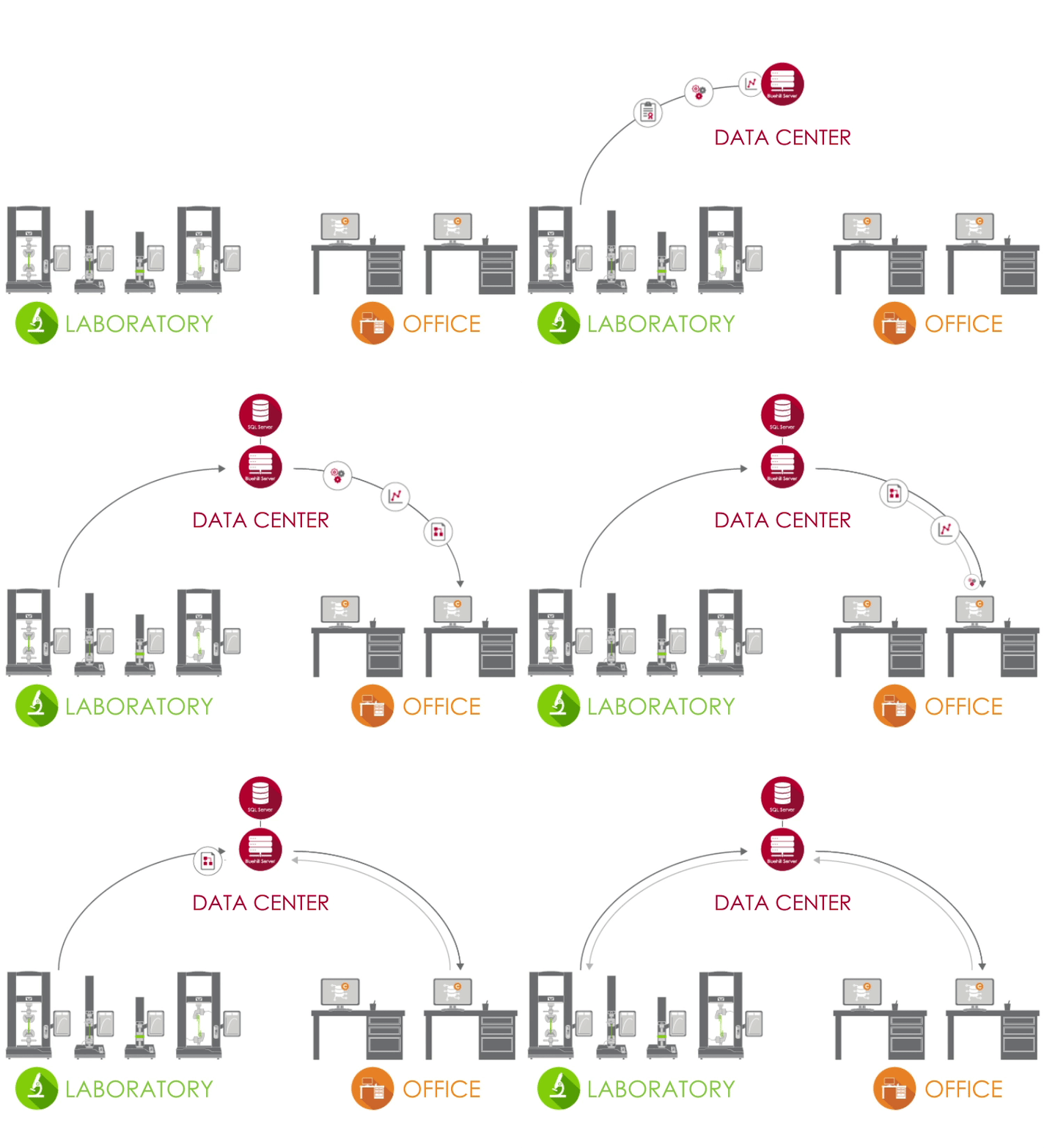
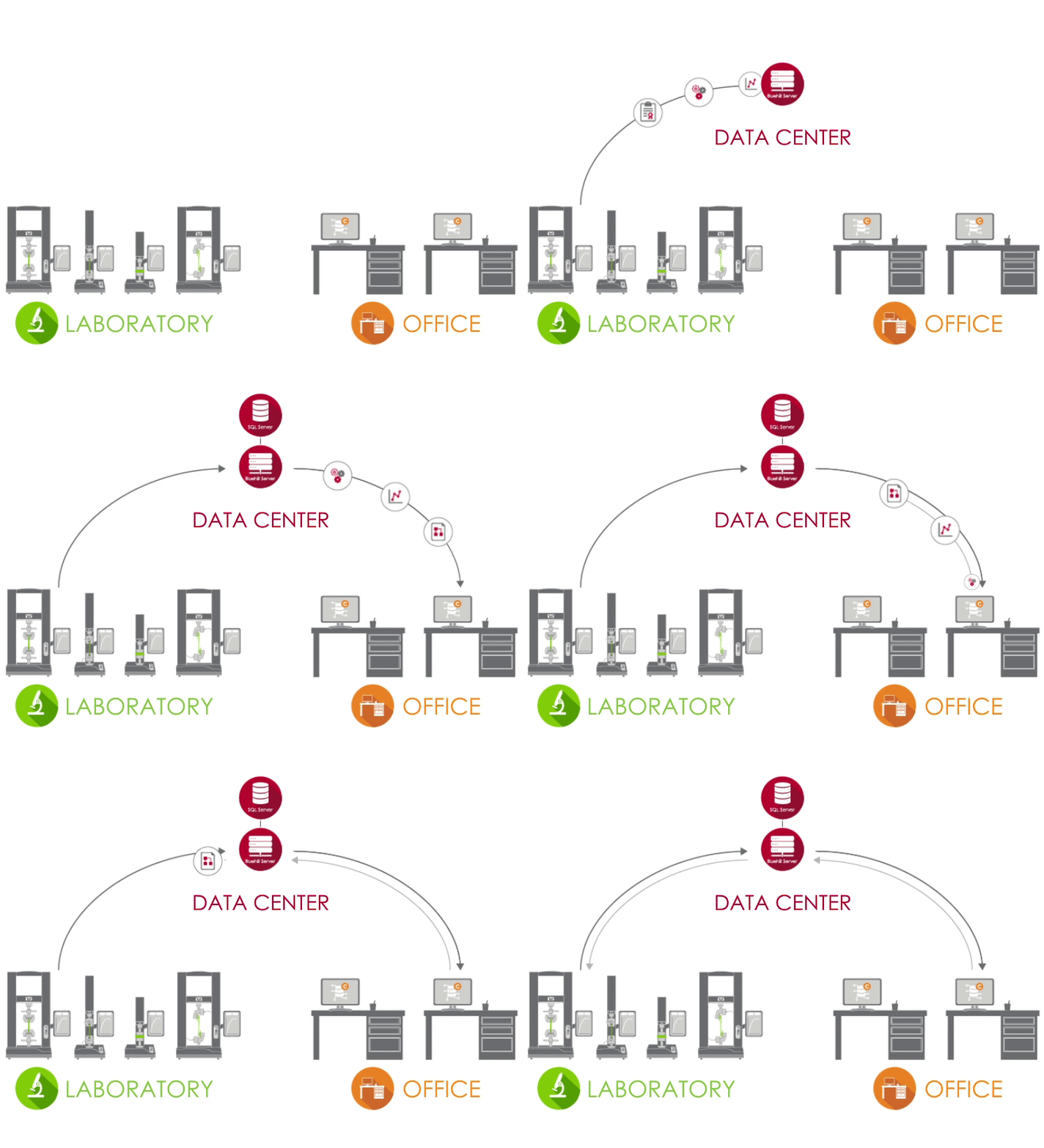
Bluehill Central uses a client / server network to store all shared data, files, and settings on a Microsoft® SQL Server database. When Bluehill Universal is connected to your lab’s Bluehill Central server, each testing system sends and receives data from the centralized database, eliminating the risk of variation and the burden of locally managing each system.

Test Lab Icon LABORATORY
In the lab, PCs that are running Bluehill Universal and are connected to your corporate network can access the Bluehill Central database through the Central plug-in.
Data Center Icon DATA CENTER
A data center managed by your IT group can host the SQL Server database that centrally stores the Instron data and the Bluehill Server application that handles all transactions between clients and the database. All clients and servers are connected via your corporate network.
Office Icon OFFICE
Outside of the laboratory, you can remotely access files and settings from the Bluehill Central viewer. You're also able to use offline Bluehill Universal licenses to edit test methods and view sample data.

Learn more in our Guide for Lab Managers and IT Admins.

TEAMS


Bluehill Central allows groups of users to be organized into teams that share common files and settings. An operator’s permissions and access to files are defined by their team. This gives your lab the flexibility to support different workflows and settings depending on the group using the system.

  MEMBERS | Individual users with personalized permissions

  TESTING SYSTEMS | Instron frames in your lab connected to Bluehill Central

  FILES | Bluehill methods, report templates, PDF reports, or other Instron related files

  AUDIT TRAIL | A record of actions performed by team members

  SETTINGS | Security type, file approvals, and other team-level settings


Learn about security options in Bluehill Central.

DO MORE WITH CENTRAL
Which Modules Are Right for Your Lab?


LAB MANAGEMENT


The Lab Management module contains Bluehill Central’s file repository, which is stored on the database server. Connected Instron frames can access the database to run controlled test methods or export results.


Revision History Icon

View Revision History
Each Bluehill file contains its history, detailing all changes associated with each revision of the file.

Upload Download Icon

Upload and Download Files
Storing and retrieving files from the database is simple with upload and download functions.

Read Write Icon

Read and Write Access
Limit which users can make changes or access files by configuring read and write access for files and folders.

Sync Offline Icon

Sync with Offline Mode
Operators can continue testing if connection to the database is lost by making critical files or folders available offline in Bluehill Universal.
TRACEABILITY


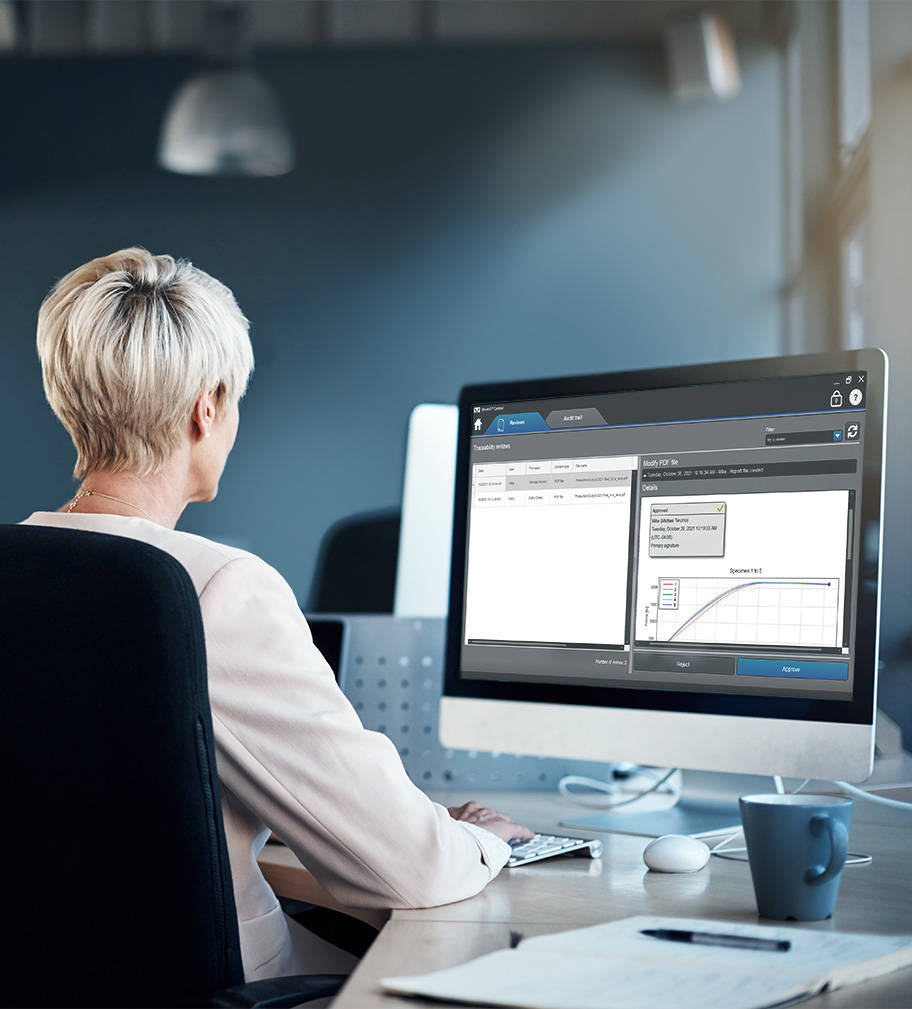
The Traceability module in Bluehill Central allows you to remotely review and electronically sign off on test method modifications, sample data, and other changes to Bluehill files that occur on Instron systems. File approvals and many other user actions in Bluehill Central and Bluehill Universal are automatically captured in a centralized audit trail to verify who, did what, when and why on any connected Instron system. Note: The Traceability module displays data from Instron systems with the Traceability + Lab Management (Central plug-in), an add-on
to Bluehill Universal.


File Changes Icon

Review File Changes Remotely
Perform file reviews from all connected test systems from the comfort of your desk.

Filter Icon

Filter and Print Audit Trail
Query, filter, and print the audit trail of all connected test systems.

Detail Pane Icon

View Details of Audit Trail Items
The detail pane provides further information associated with the selected audit trail entry.


Lab Manager Using the Traceability Module

See how Traceability in Bluehill Central compares to standard Security in Bluehill Universal and local Traceability.

Compare Features

Learn how Traceability within Bluehill Central can help you meet the technical requirements of FDA 21 CFR Part 11.

Download White Paper

TrendTracker Software

TRENDTRACKER

The TrendTracker module in Bluehill Central accelerates the data analysis workflow of your lab. An intuitive interface allows you to quickly search, display, and analyze results over time and across multiple samples and test systems. Say goodbye to tedious file searching and copy-pasting of data.

Data Analysis Icon

Multi-Sample Data Analysis
Perform data analysis on results from multiple samples produced by multiple test systems.

Customizable Queries Icon

Customizable Queries
Create queries defined by test parameters or results that provide insights to trends and outliers.

Plotting Icon

Visually Plotting
Plot a variety of chart types to visualize data sets.

Data Export Icon

Export Data
Export the data to a CSV file and open it in an application, like Minitab®, for further analysis.

Learn more about the statistics and charts available in TrendTracker.

Discover how TrendTracker empowers you to make faster, data-driven decisions.

Take a quick tour of TrendTracker and see how easy it is to set up, monitor trends, and uncover insights.

Frequently Asked Questions for Bluehill Central

Testing Software

BLUEHILL® CENTRAL | FREQUENTLY ASKED QUESTIONS


Get answers to the most frequently asked questions (FAQ) about Bluehill Central, Instron's lab management software.

Method Templates in Bluehill Universal

Testing Software

METHOD TEMPLATES IN BLUEHILL® UNIVERSAL

The following is a listing of all of the pre-configured test methods available in Bluehill Universal materials testing software.

Bluehill Universal

Testing Software

BLUEHILL® UNIVERSAL

Simpler, Smarter, Safer Materials Testing Software


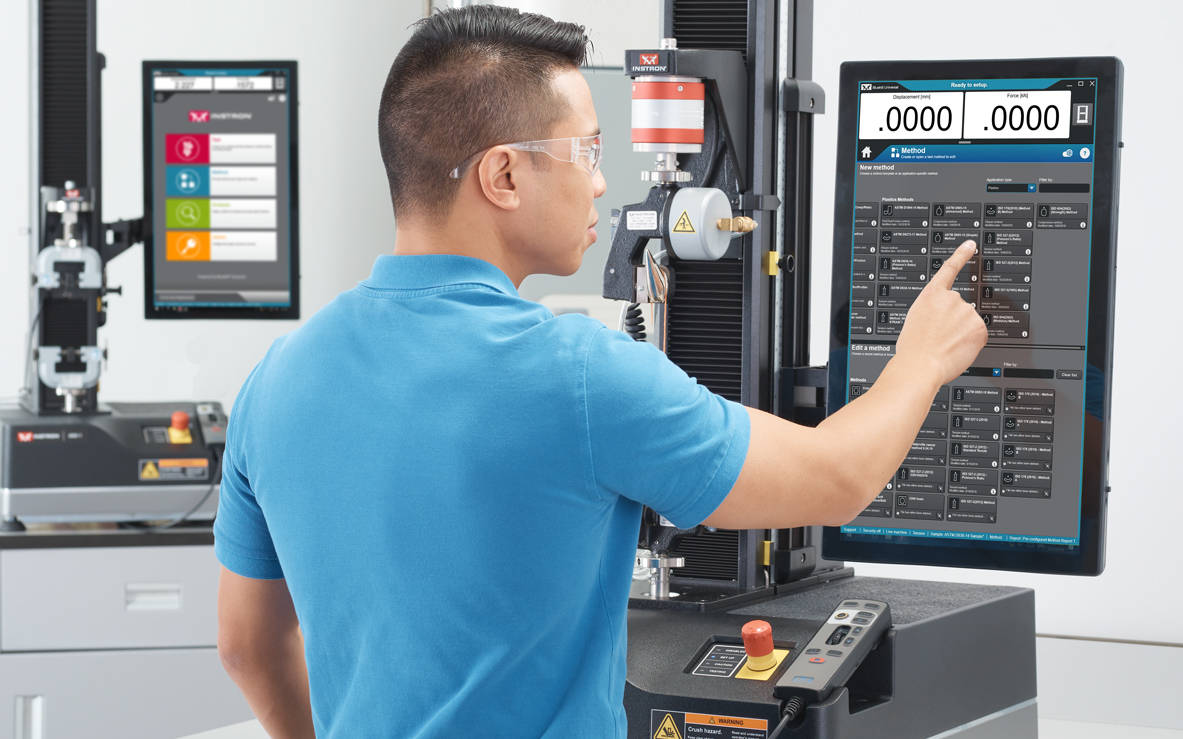
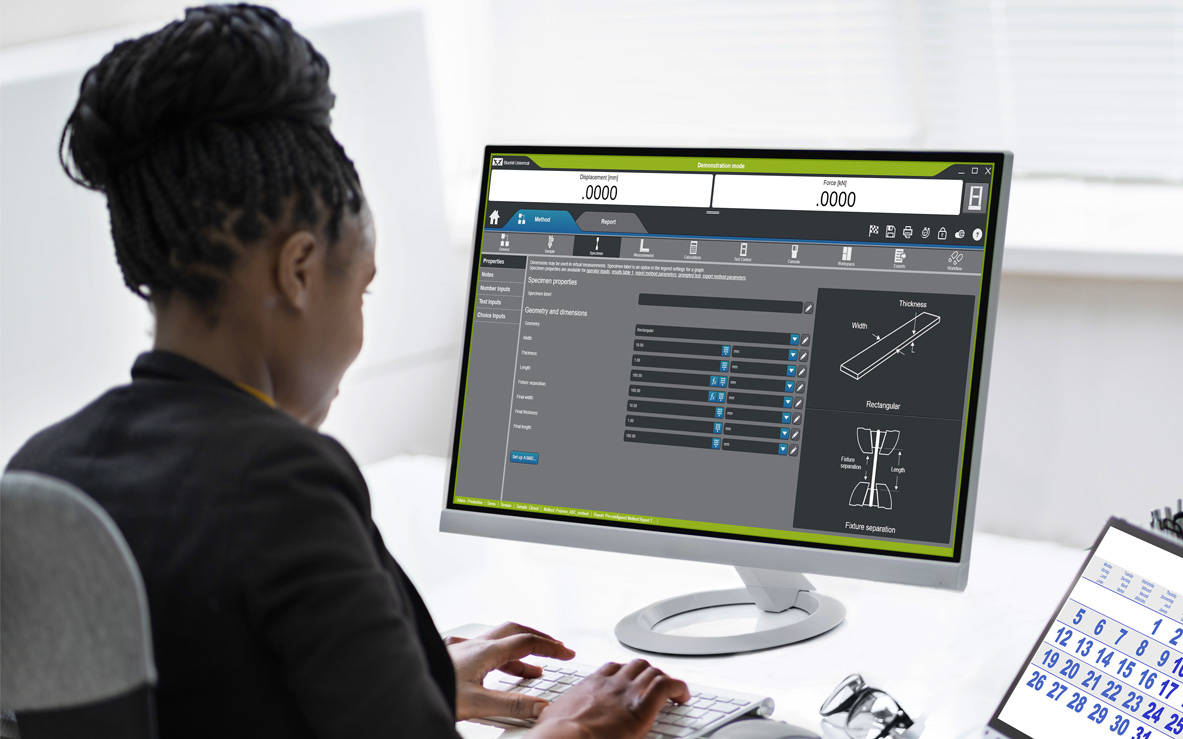
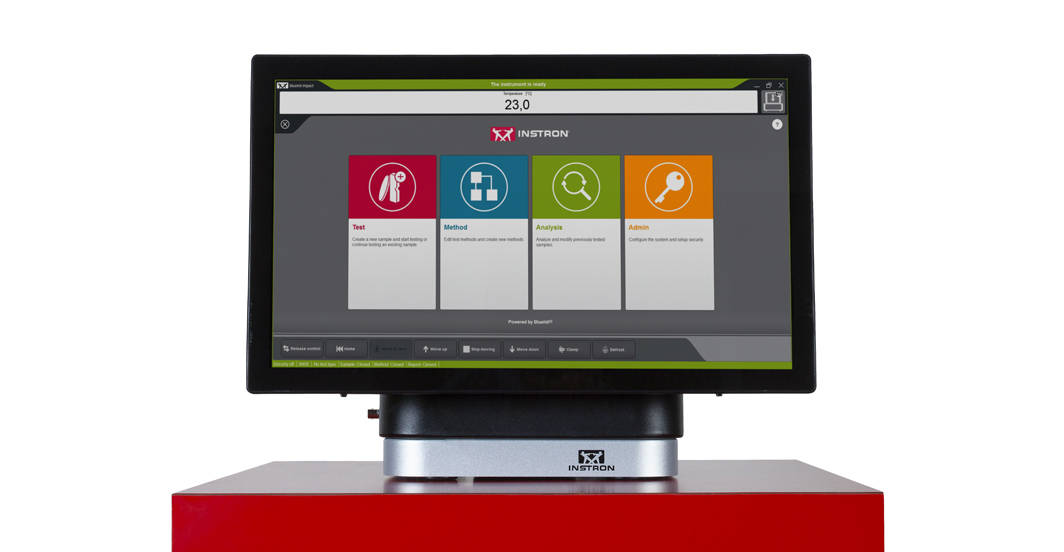
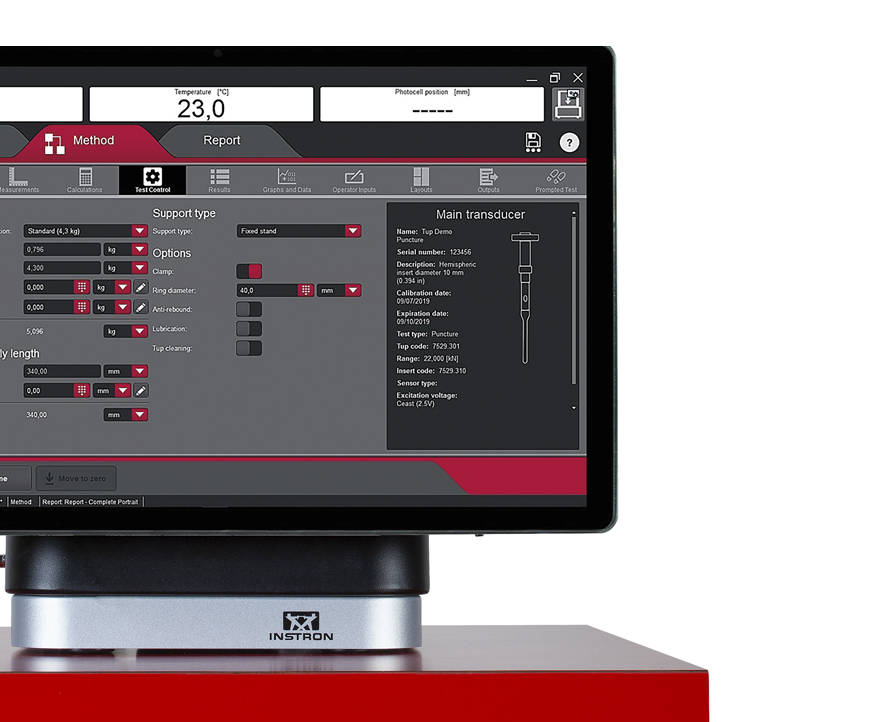
Bluehill Universal is the testing industry’s most advanced software platform. The portrait layout and touchscreen interface feature an outstanding visual design that improves user experience while also incorporating safety features. Intuitive workflows make it easy to train users, simplify operator training, and allow you to start testing faster than ever before.

Take A TourRequest a Demo

Bluehill Universal Operator Dashboard

SIMPLER
Effortless Workflows and Streamlined Functionality


The Operator Dashboard features large touchpoints and easy-to-understand icons, making the user experience simpler and smarter. Designed with ergonomics in mind, the Operator Dashboard is a large format All-in-One computer and touch screen that can be either mounted to the side of a user’s Instron system or used with a pedestal base mount.


View Dashboard Specifications

QuickTest

For when you need results fast, QuickTest allows users to enter a few simple parameters and run their test within seconds.

Method Templates

Bluehill Universal includes an extensive library of pre-configured methods for some of the most commonly used ASTM, ISO, and EN standards.

Prompted Tests / Workflow

Users can be guided through the entire testing process with step-by-step instructions, ensuring that tests remain repeatable, simple, and error-free.


Integrated Specimen Measurement

Connect micrometers and calipers directly into the system to effortlessly import specimen dimensions for stress measurements.

Pass/Fail

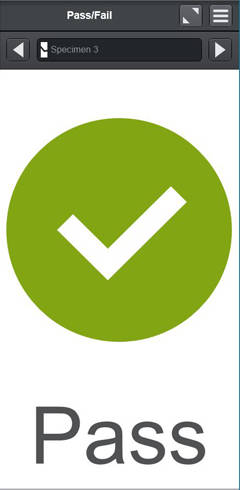
Allows users to add a test component to the workspace to quickly visualize if a test passed or failed based on the acceptance criteria set in the test method.

Barcode Scanner

Users can seamlessly enter information into Bluehill Universal with any USB barcode scanner. Simply create a barcode, inclusive of the tab function, and information can be added in any text or number input fields.


Running a Test in Bluehill Universal
SMARTER
Advanced Capability without the Complexity


Simplicity doesn’t mean that you have to give up advanced features. Bluehill Universal’s modular features give you the power and flexibility to run the most complex of tests.

If you require custom features or integrations, Instron can develop a custom version for your needs.

Learn About Custom Bluehill Services

TestProfiler

Build simple cyclic tests that include ramps, holds, and triangle waves. Conditional logic allows you to create looping patterns that help you re-create real-life scenarios with your tests.

(Optional Capability)

Learn More

Choice Inputs

Choice inputs provide users with a preconfigured list of options that minimize data entry time and reduce the risk of error for commonly used inputs, such as operator name, color, or specimen type. Additionally, each choice can be linked with other parameters, such as test rate or dimensions.

Improving Productivity with Linked Choice Inputs
Instron Live | Tips and Tricks for Choice Inputs


Expression Builder

Build your own custom functions using a list of variables, measurements, and raw data. For example, users can set test speed as a function of specimen width and thickness or create a custom raw data expression such as subtracting out drag force when testing in a fluid bath.

Revision History 

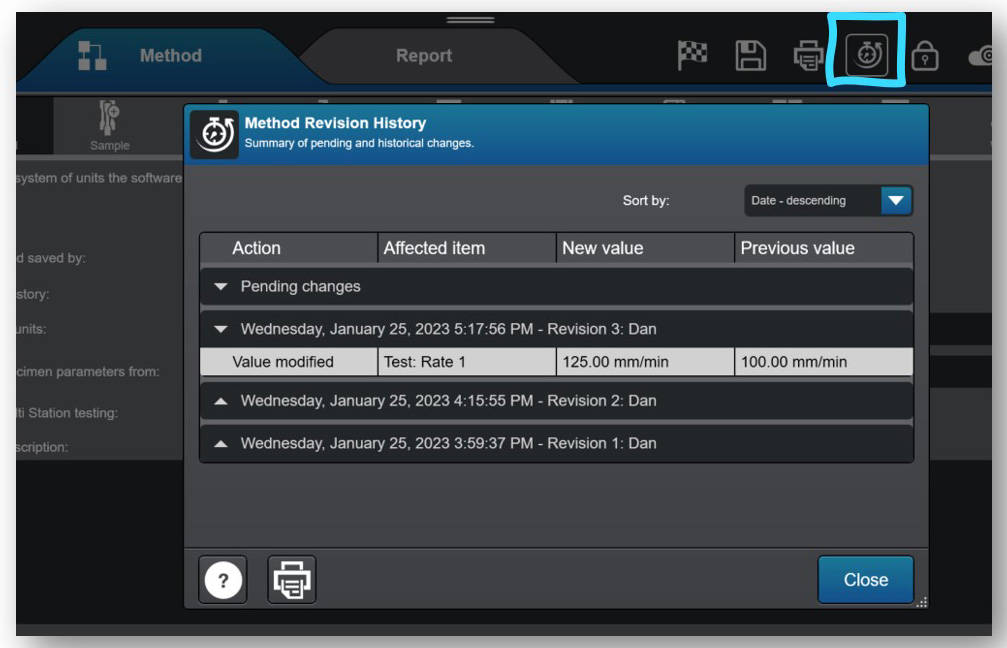
Revision history allows users to view the full revision history of Bluehill methods, tested samples, and report templates. Each revision contains the details of the affected item, including a time stamp, both the previous and the new value, and the name of the user who made the change.


SECURITY & TRACEABILITY


Bluehill Universal Security

Security

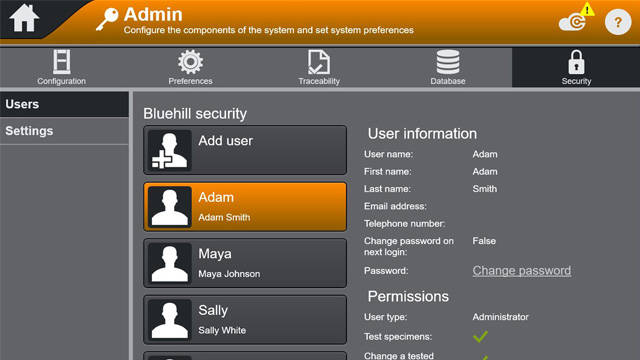
Bluehill Security allows a Lab Manager to configure permission in the software, granting access to trained personnel, such as super users, and limiting access where needed. Bluehill Security allows login permissions to be configured directly in Bluehill, or linked to the local Windows login or Windows Active Directory.

Security in Bluehill Software White Paper
Webinar: Improve Data Integrity with Bluehill Universal Security


Traceability Module

Bluehill Universal’s Traceability Module enables users to meet the audit requirements associated with FDA 21 CFR Part 11, ISO 17025, Nadcap, and others. Through seamless integration of electronic approvals and an automated audit trail, this powerful add-on combines with Bluehill’s built-in security to provide unmatched data traceability.

(Optional Capability)

Brochure
Features Comparison: Standard Security vs. Traceability (Local) vs. Traceability (Bluehill Central)
FDA 21 CFR Part 11 Implementation White Paper
Data Integrity and Bluehill Traceability | Creating a More Efficient Lab
Webinar: Introducing Bluehill Universal’s Traceability Module

Database Types

Traceability’s audit trail offers both a network and local database to accommodate your data management preference. A networked, centralized database offers your lab greater efficiencies and reduced risks when compared to locally managed data. Determining your lab’s IT infrastructure and data management preferences is recommended when considering these alternatives.


local systems
Local


Bluehill Universal’s local Traceability module stores audit trail data on a Microsoft SQL Express database that is hosted on the computer running Bluehill Universal connected to the Instron system. The local database model accommodates labs that cannot connect computers to a shared network. Viewing the audit trail and electronically signing files occurs locally on the computer, and each Instron system with a local Traceability database stores its own SQL Express database. Database backup and restore functions can be performed manually in Bluehill Universal.


Bluehill Central Architecture
Network


The network solution for Instron’s Traceability is powered by Bluehill Central, which employs a client/server framework to store all shared audit trail data, files, and settings on a Microsoft SQL Server database. When Bluehill Universal is connected to your lab’s Bluehill Central server, each testing system send and receives data from the centralized database, eliminating the risk of variation and the burden of locally managing each system. Viewing the audit trail, electronically signing files, and user management is performed either remotely in Bluehill Central or locally in Bluehill Universal. Database backup and restore functions can be performed manually in Bluehill Central.


DATA ANALYSIS

Customizable Exporting

Export anything post-test, from a professional report with graphs and tables, to customized text files to integrate with your Lab Information Management System.

Learn More

Analysis

Replay, reanalyze, or make modifications to previously-tested specimens without having to re-run tests.

(Optional Capability)

TestCam

Connect a USB webcam to experience point-by-point video playback, allowing you to view the test even after it has finished.

(Optional Capability)


Subsamples

Using subsample, users have the ability to sort results by all parameters including operator name, specimen break location, and specific specimen properties.

TrendTracker

With the TrendTracker add-on, Bluehill Universal exports results and associated sample information directly to Bluehill Central's SQL database. From the TrendTracker module in Bluehill Central, users can easily query relevant data sets to analyze process control metrics of your testing.

(Optional Capability)


Operator Using an Offline License of Bluehill Universal

Application Programming Interface

Bluehill Universal’s Application Programming Interface (API) allows system administrators to program their own custom interfaces for controlling pre- and post-test actions within Bluehill. In many cases, the API can allow you to automate some components of the testing sequence, as well as create your own interface for running certain parts of the system, like importing, starting, or exporting.

Learn More

Off-Line Licenses

Some users prefer to build methods or perform post-test data analysis at their own desks or remotely on their laptops, rather than at the test instrument. The Off-line Programming and Data Analysis option is available in either a single or unlimited license.

INSTRON CONNECT
The Next Generation of Technical Support


Instron Connect, built into Bluehill Universal, leverages the Internet of Things (IoT) to bring customers even faster, more streamlined technical support. Instron strives to be the leader in customer satisfaction, and Instron Connect helps bring our support engineers even closer to your organization.


Instron Connect Icon
Industry Leading
Technical Support
Instron Connect allows our Technical Support team to provide unparalleled support and guidance. Our investments in secure connectivity allow us to directly read system diagnostics information, assist you with software questions via remote screen share and put our eyes in your lab for hardware issues through our augmented reality video support platform.
Reduce Risk Icon
Enhance Your Capability


Improve your Instron system’s productivity with the InSkill AI troubleshooting tool which draws on a wealth of proprietary technical expertise to rapidly diagnose issues and provide solutions.
Software Update Icon
Obtain Information Fast


Access your Instron system’s calibration certificates, service history and service agreement information through the Instron Connect Portal or InSkill AI mobile app to provide security for audit and lab evaluations.


Instron Universal Testing Machines

COMPATIBILITY

Bluehill Universal is available with an Operator Dashboard on new 6800 and 3400 systems. It can also be added to existing 6800, 3400, 5900, 3300, 5500, 59R, and IS02 static testing systems, in addition to systems upgraded to 5900 and 6800 electronics. ElectroPuls™ and 8800 dynamic systems can also take advantage of Bluehill Universal’s versatility and ease-of-use when running static tests.


Windows® Compatibility

As your lab looks to upgrade Windows operating systems or Bluehill software, it is important to check compatibility.

  Bluehill LE* Bluehill 3* Bluehill Universal Bluehill Elements
Windows 7 Yes Yes No No
Windows 8 Yes Yes No No
Windows 10 3.83 only No Yes Yes
Windows 11 No No 4.28 or greater 4.28 or greater

CrashSim Office

Testing Software

CrashSim Office

CrashSim Office

CrashSim Office is a stand-alone program for signal preparation and processing, as well as for predicting the pulse-making capability and the generation of the DriveSignal for the CrashSimulationSystem. CrashSimOffice is used offline from the crash simulation system and has essentially the following characteristics

Import Functions

  • Easy import from a wide range of data formats
  • Define sampling rate or time data (can be variable period)
  • Add/Clip time to pulse
  • CFC filtering with preview
  • Preview of imported pulse

Edit Functions

  • Scale/Stretch entire pulse
  • Individual peak editing
  • Insert/Delete data
  • Display of velocity and stroke based on edits
  • Graphical editing with zoom
  • Preview of edited pulse

Prediction Functions

  • Contains all rig parameters
  • Simulate different payloads
  • View predicted acceleration result, velocity, and stroke
  • Go direct to Edit function for further editing
  • Save final result as tgt file for use at the rig


CrashSim Office is an indispensable tool in the modern development process. Due to its variety of possibilities, it relieves the sled test operation of a multitude of necessary pre-shots to prove the feasibility of a pulse. As a result, CrashSim Office helps the sled system to function as efficiently and productively as possible.

Learn more about Crash Simulation Systems.

WaveMatrix3 FAQs

WAVEMATRIX3
FAQs

Test Review | Specimen & Test Inputs | Security

What are the new features of WaveMatrix3?
The new features of are; Test Review, Specimen & Test Inputs, Security and IT Compatibility.

What controller is WaveMatrix3 compatible with?
WaveMatrix3 is compatible with 8800T controllers running v8.15 or higher, or 8800MT controllers running MR24 firmware or higher. WM3 is compatible with Windows 10 and Windows 11 Professional (64 bit). WaveMatrix3 is not compatible with Windows 7 and XP, so if a customer has Windows 7 or older, then a new PC (2490-647) needs to be quoted. If they have a classic controller, add USB-GPIB adapter (2490-950).

What if I have already purchased modules for WaveMatrix1 or Wavematrix2?
If a version of WaveMatrix with existing modules is installed on your current machine and you wish to upgrade to WaveMatrix3, there is not an additional cost for the existing modules which will be automatically ported and work with the new software once it is installed.

Is (re)calibration needed after upgrading to WaveMatrix3 & why?
No. All versions of WaveMatrix simply receive data from the 8800 Classic or MT controller – it cannot affect calibration.

Do I need any specific training when upgrading to WaveMatrix3?
If ordering a new machine, training will be provided during installation. For machines with existing versions of WaveMatrix that are being upgraded, training is not required.

Do I need to update Console?
Possibly. All WaveMatrix3 software upgrades should use the latest version of Console.

Do I need to purchase a new PC?
If the PC is running Windows 10 or 11 then a new PC will not be required.

Can WaveMatrix2 and WaveMatrix1 methods and results files be used in WaveMatrix3?
Yes. Note that WaveMatrix3 has not been specifically developed to allow for methods and results files to be used on older versions of WaveMatrix (1 or 2) and this is not supported.


Test Review:
How do I use this feature?
Test review allows users to review their test results directly from the Test tab in WaveMatrix3. Features include editable layout of graphs and results tables, zoom tool, and the ability to overlay multiple cycles for quick review.

How is my data displayed?
The default graph layout will mirror the WM3 test workspace when users first open a test in test review. Users can edit the layout, number of graphs and graph types within test review. Any changes to the layout will be saved, but the original data and method files will remain untouched.

How do I edit the graph layout and graph types?
The graph layout can be changed using the edit layout function, and graph types can be changed using the properties function. Various display options are available such as showing or hiding the legend, adjusting the scale, etc.

How many graphs can I have for one test?
Test review allows up to 4 graphs to be displayed at one time.

What graph types are available?
The graph types available are X-Y, Double Y, Peaks & Trends, Multi-Channel and Stop File.

How do I copy a graph?
Graphs can be copied as an image to the clipboard by right clicking or using the task menu.

Can I review multiple tests?
Users can have multiple instances of test review open for reviewing each test. Users cannot include multiple tests in one review.

How does the Area of Interest pane help me focus my test review?
The Area of Interest pane is used to select the data you wish to include in your Test Review. Multiple cycles can be overlaid by enabling the multi-selection option. Focus the review on your chosen data by editing the Data Source, choosing the steps/loops of interest, and choosing cycles of interest.

Can I compare multiple cycles from the same test?
Yes. Multiple cycles can be selected and displayed in test review.

Can I compare trends from multiple steps from the same test?
Yes. Multiple steps can be selected and displayed in test review.


Specimen & Test Inputs:
When should I add a specimen and test input?
When you want to record dimensions or information about the specimen and/or test along with the test data and when you want to calculate or control axial stress during the test using a cross-section measurement.

Which types of specimens can I add?
The basic specimen geometries (for axial stress) are Flat, Round, or Custom – all of these have mandatory cross-section details and support user-defined inputs. “Other” specimen type allows users to add specimen and test inputs without a cross sectional area and corresponding stress channel. “None” specimen type is provided for backward compatibility for methods from WaveMatrix1 or WaveMatrix2 and collects no inputs at all.

How many specimens and test inputs can I add?
Users can add an unlimited number of specimens and test inputs.

Can I use a specimen and test inputs in user-defined calculations?
Yes. Basic guidance and an example is provided in the online help, or contact the Dynamic Applications team in High Wycombe for advice.

What can I add as a specimen and test input?
Specimen and test inputs are completely customizable. Any dimensions can be added in the ‘custom dimensions’ field with units of length, while any free form text can be added in the ‘custom properties’ field. For example, batch numbers, material, color, total length etc.

How do I view my specimen and test inputs in the test workspace?
These are shown on the test inputs panel, which is now a default part of layout in new methods. Screen layout and panel contents are configured in the method.

How do I prevent a specimen and test input from being edited in the test workspace?
Users can remove specimen and test inputs from the test inputs tab in the method, which will prevent the input from showing in the test workspace. If security is enabled, operators will not be able to access those inputs.

How do I update specimen and test inputs during the test?
Users can update specimen and test inputs in the test workspace. Cross-section inputs cannot be edited after test start, but all other fields can be updated while the test is running (for example users may wish to record visual observations during the test). The final value will be saved at the end of the test.

Can I add a specimen or test input after a test has ended?
No. All specimen and test inputs must be added to the method. They can only be entered or updated during setup or while the test is running.

Where are the specimen and test inputs saved?
There is a specimen and test inputs .txt file saved in the test folder. The specimen and test details are also saved in the method file.


Security:
What does the Security feature do?
The Security option allows you to create and manage different access levels and associated permissions for system operators. If Security is enabled each user must log in with their own account settings (username and passcode) and can only perform operations permitted by their access level.

What happens if Security is disabled?
If Security is disabled or never enabled initially, all users have unlimited access to all non-security operations. Only Administrators can enable or disable Security.

If Security was not activated at first use, can it be activated later?
Yes. An Administrator profile will be automatically created and asked to create their own PIN and when the feature is first enabled.

How many users can be set up?
You can set up as many users as required, and you can set up multiple users at each level to suit your lab needs.

How many user levels are there?
Three: Administrator, Lab Manager, Operator.

What can users do at each level?
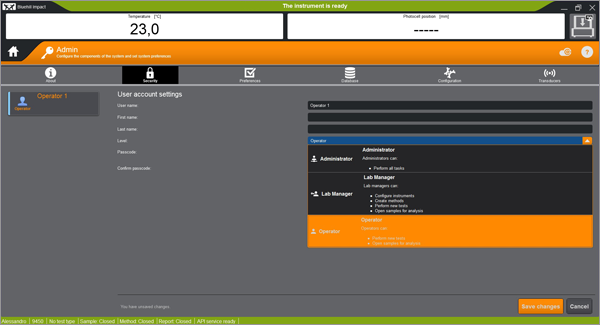
Operators can only run tests using existing methods; they can review data and access tutorials. Lab Managers can create and edit methods and use all functions except Security settings. Administrators have full access to all features including enable/disable Security and create user profiles.

Can I customize my user account settings?
You can customize your own username, first and last name, and passcode. An Administrator can also modify the settings of other users, including their Access Level.

Can I modify the user account settings of another user?
Only an Administrator can change other users’ settings.

Can I remove a user?
An Administrator can remove/add a user and change their settings.

If I remove a user, what happens to their methods?
Saved methods remain visible and usable by other users.

I forgot my passcode, what should I do?
Ask an Administrator to modify your settings and assign a new passcode.

Can I disable Security if users are set up?
An Administrator can disable Security at any time. The list of users will be available again if/when the Administrator re-enables Security.

Can I manage Security for multiple systems centrally?
No. Security is enabled and user profiles are set up locally on each system.

Bluehill Universal Computer Requirements

Testing Software

Bluehill Universal Computer Requirements

Following are the minimum computer requirements necessary to install and operate Bluehill® Universal testing software properly on your system. Further requirements depend on add-on devices, such as a video extensometers. Contact us for the recommended configuration.

  • Intel Pentium (Dual Core or Single Core) Processor with 2 GHz or faster clock speed
  • 8 GB RAM (16 GB if using video extensometer)
  • Microsoft® Windows 10 or 11 (64 bit only)
  • USB Port (for software installation)
  • Hard Drive with 2 GB free space
  • Minimum display resolution: 1024 x 768 high color
  • 1 unused serial port (for ASMD only)
  • 1 unused Ethernet port (Instron® 3300/5500/5900/3400/6800 only - 2 Ethernet ports if network accessibility is required. USB adapters may be used.)

Bluehill Universal is designed for touch interaction, thus it is recommended that a touchscreen monitor be used for optimal user-experience.

Requirements further depend on add-on modules, such as a video extensometers. Contact us for the recommended configuration.


Bluehill Impact Pendulum

Testing Software

BLUEHILL® IMPACT
Pendulum Impact Testing Software

Please
accept marketing-cookies
to watch this video.

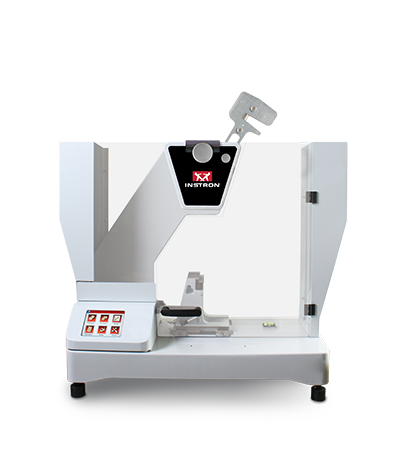
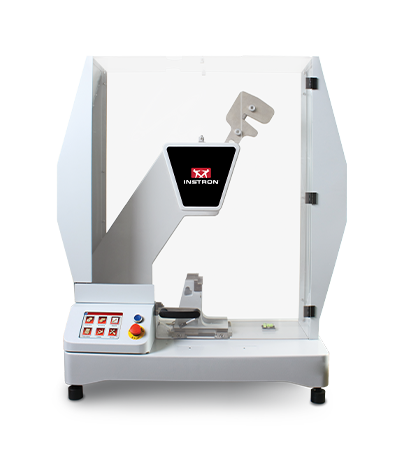
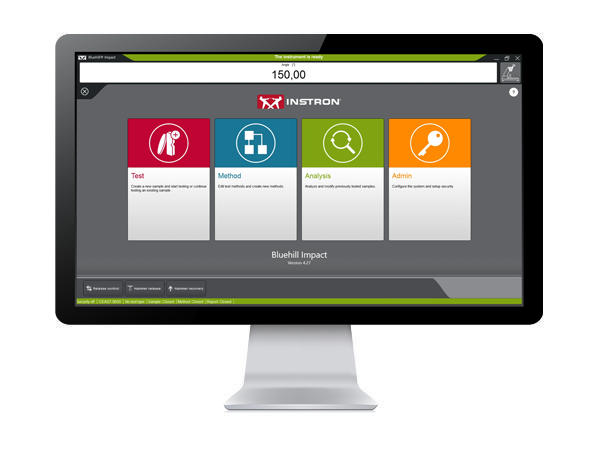
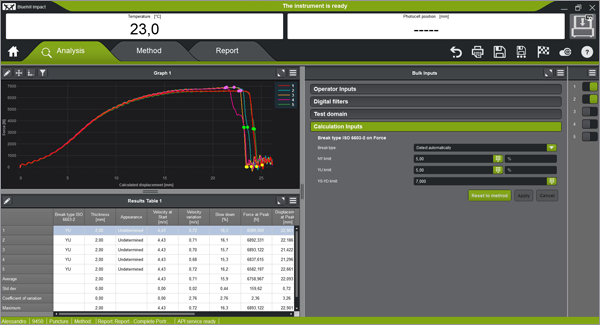
Bluehill Impact for Pendulum has been designed to meet customer needs. The touchscreen interface features an outstanding visual design that improves user experience while also incorporating safety features. Intuitive workflows make it easy to train users, simplify operator training, and allow you to start testing faster than ever before.

SAVE TIME | FULL CUSTOMIZATION
ENHANCED SAFETY

Please
accept marketing-cookies
to watch this video.

Test Icon Grey

CLICK TO PLAY TESTING
Pre-configured methods are already provided. You can select a suitable method, and press start immediately.
Test Icon Grey

ENHANCED SAFETY
The color-coded framework informs you about the machine's status and provides clear, valuable information to the user. A simple glance lets you know what environment you are in, and whether it is safe to interact with the machine.

Please
accept marketing-cookies
to watch this video.

Please
accept marketing-cookies
to watch this video.

Test Icon Grey

ADVANCED CALCULATION
Automatic identification of break type from the shape of the curve in accordance with ISO 179-2.

Test Icon Grey

USER-DEFINED ACCESS RIGHTS
With three different pre-defined profiles to select from, it is possible to configure the workspace to suit the needs of different users and limit the functionality that is available to an individual.

Please
accept marketing-cookies
to watch this video.

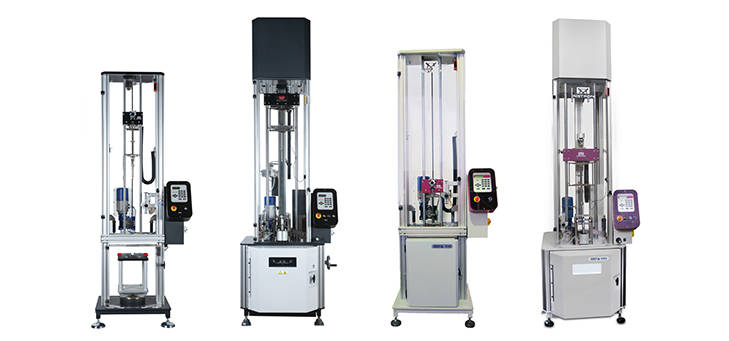
BLUEHILL IMPACT FOR PENDULUM WORKS WITH INSTRON IMPACT PENDULUM TESTING MACHINES
9050 Manual Pendulum
Instron 9050 Manual
9050 Motorized Pendulum
Instron 9050 Motorized

Pendulum Impact Testing Machine enables users to determine the impact resilience of plastics and composites, easily and safely.
EXTRAS

Red Print Icon

Bluehill Impact for Pendulum Brochure

Grey Document Icon

Bluehill Impact for Pendulum POD


Bluehill Fracture Standards Library

Testing Software

Instron® Bluehill® Fracture version 2.7


SUMMARY

Bluehill Fracture is a Microsoft Windows PC compatible software package, developed by Instron - Division of ITW Limited, that provides a library of analysis functionality used by the Instron Bluehill Fracture software.

Tests and Specimens by Standard


Analysis Result
Measurement
Specimen
KIc
KIsi
CTODc
Jc
JIc
Clip-Gauge
DCPD
C(T) Straight Notch
C(T) Load Line
SEN(B)
Disc Straight Notch
Disc Load Line
Arc Tension
Arc Bend
M(T)
ASTM E399-24
ASTM E1820-25a
ISO 12135:2021
GB/T 21143-2014
BS 7448-1:1991
ASTM E647-24
ISO 12108:2019
Standards and Specimens by Test Type


Brittle KIc
Brittle/Basic CTOD or J
Ductile JIc (single specimen)
Ductile JIc (DCPD)
Crack Growth
*Excludes post-test analysis
Standards →
ASTM E399-24
ISO 12135:2021
(GB/T 21143-2014)
ASTM E1820-25a
ISO 12135:2021
(BS 7448-1:1991)
(GB/T 21143-2014)
ASTM E1820-25a
ISO 12135:2021
(GB/T 21143-2014)
ASTM E1820-25a
ASTM E647-24
ISO 12108:2018
(GB/T 6398-2017)
Specimens ↓
C(T) Straight Notch
C(T) Load Line
SEN(B)
Disc Straight Notch
Disc Load Line
Arc Tension
Arc Bend
M(T)
ASTM E3076 Automated Slope Determination

Bluehill Fracture includes automated slope determination in accordance with ASTM E3076 – the methodology is explicitly recommended within ASTM E399 for “brittle” linear-elastic plane strain fracture toughness (KIc). Instron is the only global manufacturer to have participated in pre-publication development of E3076 and implemented it immediately in fracture toughness software at first release. A recent round-robin project, with analysts from multiple laboratories using a range of software tools, showed that incorporating the E3076 methodology can reduce variability in analysis results (of identical data), by up to a factor of 10.

Datasets for Training and Verification

Bluehill Fracture software automatically installs a number of example test files and methods. These are primarily intended as an educational tool for the user, to explore method setup and what typical results may look like, before they start running their own tests. For ASTM E1820, a number of data sets are published as an adjunct to the standard, with expected analysis results, to assist in validation of analysis tools. The installation also includes these data converted into Bluehill Fracture file format, to provide simple evidence of verification of JIc analysis.

Historic Standards

Bluehill Fracture continues to support analysis of KIc, CTODc, and Jc, according to BS7448-1:1991, but this standard is now withdrawn and superseded by BS EN ISO 12135:2021.

In 2022 a corrigendum to ISO 12135:2021 was published which changed the formulae to calculate CTOD, because a symbol was completely missing from the original 2021 publication. This leads to a significant difference in the returned value.

Complex Tests

For advanced testing needs on fatigue crack growth studies, or fracture toughness tests outside of current standardization, please contact Instron to discuss advanced tools available in WaveMatrix3 software.

Webpage last updated October 2025, for Bluehill Fracture version 2.7.

Learn more about Bluehill Fracture

Learn More

Ask for support

Contact Us

Latest Features in Bluehill® Universal

Testing Software

LATEST FEATURES IN BLUEHILL® UNIVERSAL

Note: The list of features shown below is intended to highlight significant enhancements included with each software version release. For a complete list of enhancements and modifications by version, please reference the Bluehill Universal Release Notes, which is stored within the Instron folder accessible from Windows Start. If Bluehill Universal has not been installed, please contact us to request the Release Notes.


Bluehill Universal v4.55

Released August 2025

  • Support for Bluehill Central 2
  • Offline server to continue testing while connection to Bluehill Central database is unavailable

Bluehill Universal v4.52

Released June 2025

  • Support for AVE3 / SVE3 video extensometers
  • Automatic loop control gain setting available for strain transducers on 3400 Series systems
  • Support for compact hydraulic grip pump (catalog number 2718-700)
  • Bluehill Elements supports portrait monitor orientation
  • Fixed IP address warning for computer communication
  • Smart-close air kit option to use supply pressure during test

Bluehill Universal v4.47

Released July 2024

  • New autoinjector method types (basic and TestProfiler) to support Autoinjector Testing Systems. Hardware required.
  • New System Suitability feature to require daily transducer checks before testing. Currently only available for Autoinjector Testing Systems.
  • New sample option for Pass / Fail linked to mean and median statistic failure bounds can be displayed in Pass / Fail workspace component and report. Previously available for individual specimens only.
  • New soft key to toggle digital I/O output states.
  • New export option to reduce number of raw data points in Export 1 / 2 file. Up to three domains can be configured with specific number of points retained in each.
  • Mettler Toledo scale supported for mass measurements. Hardware required.
  • Advanced Performance (K1 option) now included in base Bluehill Universal, supporting up to 2500 Hz data capture rate for 5900 Series systems and 5000 Hz for 6800 Series systems.
  • New export option to override default location of TestCam video files.

Bluehill Universal v4.42

Released January 2023

  • Revision history is now available to all Bluehill Universal users, automatically recording changes to methods, samples, and report templates. Previously an optional purchase with the Traceability add-on, the change log that captures the who, what, and when of changes to Bluehill files is now available as part of the standard offering. Please note: Revision history data is exclusively stored in the file itself. The Traceability add-on is required to (1) store revision history in an audit trail database and (2) to use electronic signatures for change approval. Revision history is not accessible in Bluehill Elements.
Calculation Status
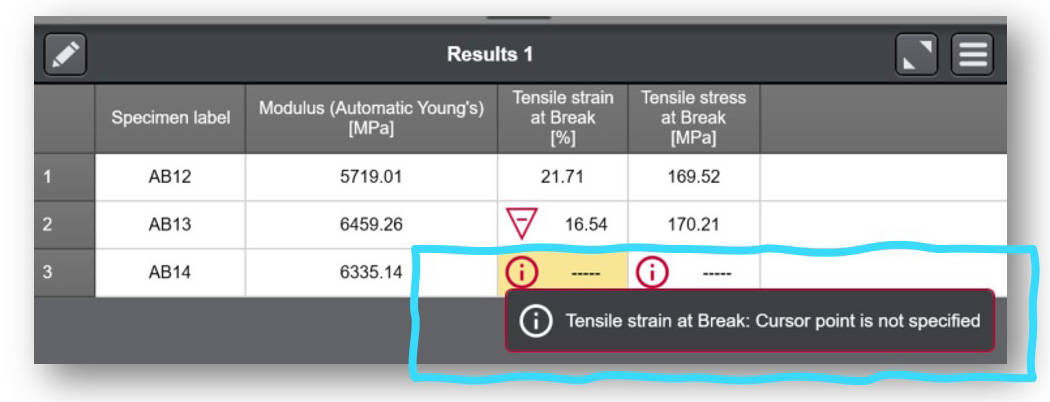
  • Calculation status details are now easily accessible to the user in the results table. If a result fails to calculate or a warning is triggered, an information icon appears in the associated cell of the results table, and the user can select the cell to find out why.


Bluehill Universal v4.37

Released August 2022

  • Added support for Eurotherm EPC 3016 furnace controller.
  • New ability to change the default IP address used by Bluehill to communicate with the frame’s controller. Note: overriding the default IP address is only necessary in rare cases. If required, please contact Instron Service as the change must be initiated from Service Tool Universal.

Bluehill Universal v4.34

Released April 2022

  • New plug-in for Bluehill Central’s TrendTracker module to perform statistical process control (SPC) on all your Instron test results. Trends and outliers in your material can be identified with statistics and a variety of visual charts.
  • New auto-balance option for tensile, compressive, and flexure strain is now available TestProfiler test methods.
  • New pre-configured test methods added to Metals application module: ASTM F606-21, ISO 898-1:2013, ASTM C39-21, ASTM C78-21, and templates for Instron Spring testers.

Bluehill Universal v4.28

Released December 2021

  • New plug-in for Bluehill Central’s Traceability and Lab Management modules to remotely manage all Bluehill Universal users, test templates, file revision approvals, and audit trail data from multiple Instron systems. Bluehill Central, which was released in December 2021, has its own viewer application and uses your corporate domain to share data and files with all connected Bluehill Universal or Bluehill Central clients.
  • New crosshead ‘Return destination’ – in a Bluehill test method, you can now configure the crosshead to return to a non-zero value.
  • New ‘Displacement’ data filtering option for 5500 controllers (currently available for other frame controller types and is found in Admin > Frame > Frame options > Override default data filter settings).
  • New Collision Mitigation ‘Transition time’ – Collision mitigation (active on all 6800/3400 frames) now gives you the option to set a time delay before becoming active (not recommended unless instructed by Instron representative)
  • Qualified* on Windows® 11 operating system. Please note: Bluehill Universal software (the application) is qualified. You must ensure the computer running Bluehill Universal also meets Windows 11 requirements.
*Qualified means the product is tested and fully supported.

Bluehill Universal v4.25

Released May 2021

  • New live display available – “Active zone” – to visually indicate the current zone of the current test in your test workspace.
  • New ability for users with pneumatic grips and the Smart-Close Air Kit. Operator Protection settings can be configured to allow any user to change the pneumatic grip control mode without requiring Admin permissions.
  • New export option - Prepend method parameters to Results table
  • Improvement to date/time value management. Select date/time value now store time zone information, using Coordinated Universal Time (UTC). Date/time values to remain displayed to the user in local time.
  • Added support for Torsion Add-on 3.0 for 5900 frame controller
  • Added support for AT2 Automated XY Stage on 6800 frame controller

Bluehill Universal v4.23

Released December 2020

  • New ability to customize the default units for new methods at the Admin level. When default units are configured to the desired unit preference, users will not need to specify when creating new methods.
  • New ability to specify the Cycles parameter for a TestProfiler cyclic step as an expression. Users can now link the expression to a number input, choice input, or even develop their own function to define the # of cycles.
  • New ability to end a TestProfiler Hold step with an absolute rotation angle (limited to Torsion Add-on users). Users can now select Absolute rotation rotary control and define an End of rotation angle to complete the current Hold step.
  • New ability to define a warning range on results that identifies a valid result that is close to the defined failure range. Warning and failure bounds are found in the Results section(s) of a method.
  • New ability to create a Virtual measurement that is a derivative.
  • Additional functionality to specify the measurement to average when using the Average Value calculation. Previously, the Average Value calculation was limited to Force (Y-axis) and Displacement (X-axis).
  • Additional functionality to set acceptance (failure) ranges on mean/median independently of individual results. Previously, the failure bounds were shared between individual specimens and mean/median of the sample.
  • Added support for the new Instron RTS, Powered by Connect platform (formerly called Instron Connect).

Bluehill Universal v4.19

Released June 2020

  • New screen-lock functionality to lock Bluehill on-demand or after a set period of inactivity. Users can configure this functionality to work with or without the use of Bluehill security. If Bluehill security is enabled, users must re-enter their username and password to unlock the software. Once the software is locked, users can customize their away message to notify other laboratory personal of the status of the machine and testing.

Bluehill Universal v4.18

Released February 2020

  • New controller support for 3400 and 6800 Series systems, including support for collision mitigation, the smart-close airkit, software safety coaching, and auto-positioning on 6800 systems.
  • The New Traceability module. The optional module provides users with method, sample, and report template revision history, electronic signatures, and a secure and searchable audit trail built into Bluehill Universal.
  • XY Stage test control in Bluehill Universal Compression and Compression Test Profiler methods. Allows users with XY stage hardware to create grid, diamond, or custom test control sequences directly in Bluehill Universal, eliminating the need for TestMaster™.
  • New softkey to make a relative move on demand. Ideal for users who want to move the system crosshead on floor models or extra height systems without manually jogging the system.
  • Automatic frame enable/disable when using Security and a user logs-in/ logs-out.
  • New operator input for entering grip pressure. Appropriate for users with the smart-close airkit.

Bluehill Universal v4.11

Released June 2019

  • RS232 exporting capability. In addition to exporting to a file type, this feature allows users to export directly to a serial port.
  • Reminder to set safety limits. When opening a new method or sample file, users must acknowledge that the crosshead limits are set.
  • New button and switch calculations for testing electronics and components. These new calculates help users quantify the usable of their products.
  • Sample data inputs. Allows users to easily select a date in a test using a calendar icon.

Bluehill Universal v4.08

Released December 2018

  • Tension / Torsion TestProfiler and Compression / Torsion TestProfiler method types. Used with the Torsion Add-On 2.0 for biaxial testing (hardware required).
  • Enhanced Bluehill Security with expanded permissions, and Windows® login and Active Directory support. Watch this on-demand webinar to learn more.
  • Quadratic fit calculation allowing users to define a curve from 2nd to 6th order polynomial fit.
  • Ability to balance a transducer directly from the Live Display.

Bluehill Universal v4.06

Released June 2018

  • Generalized End of Test criteria allow users to specify the ends of tests with more physical and virtual measurements.
  • Choice Inputs (customized drop-down menus) now available at the Sample level.
  • More options for customizing export files and post-test actions, such as file-naming and launching an executable file at the end of a test.
  • 4-bar weighted average now available as a sample statistic.
  • Prompted Test and extensometer removal now supported by Multistation systems.

Bluehill Universal v4.04

Released November 2017

  • NEW Sub-Samples allow you to quickly sort your results table by similar parameters, such as warp/weft, operator name, machine/cross, etc. This can be used to show statistics for individual sub-groups, which allows you to recognize trends and differences quickly within a test sample.
  • QuickTest results are now displayed with indicators on the graph.
  • Support for 59-R5 and 59-R6 data-acquisition-only retrofits of manually controlled systems.

Bluehill Universal v4.03

Released August 2017

  • NEW Visual Pass/Fail Indicator for the test workspace allows you quickly see from across the room whether a test passes or fails based on acceptance range criteria set in the method.
  • When modifying a calculation or input post-test, now there’s no need to recalculate the Results Table from the test workspace.
  • Gains are now modifiable within individual TestProfiler blocks.
  • Expression Builder may be used to define acceptance criteria for inputs and results.

Bluehill Universal v4.01

Released February 2017

  • QuickTest: Create a QuickTest method by entering a few basic parameters, and start running simple single-ramp tests in seconds.
  • Enhanced Exporting Capability: More flexibility to create customized results and raw data output files, making it easier to send test information to your data management systems.
  • Instron Connect: A revolutionary way to get in touch with Instron Technical Support. Send inquiries directly from Bluehill Software.

Latest Features in Bluehill® Central

Testing Software

LATEST FEATURES IN BLUEHILL® CENTRAL

Note: The list of features shown below is intended to highlight significant enhancements included with each software version release. For a complete list of enhancements and modifications by version, please reference the Bluehill Central Release Notes, which is stored within the Instron folder accessible from Windows Start. If Bluehill Central has not been installed, please contact us to request the Release Notes.

Bluehill Central v2.12

Released August 2025

  • Lab Management now purchasable without Traceability.
  • Offline mode: If server connection is lost, offline mode allows testing to continue. Files and folders configured to be available offline are synced at each machine. Note: If using active directory (AD) user authentication, access to AD domain controller required while offline.
  • Read / write access: Protect your files by restricting who can open or edit files with read and write access settings.
  • Revision status: Each revision of a file has a status — Active, Obsolete, Draft, or Pending Review. Users with permission can change a file's status.
  • Submit files for review: Users can submit files for review from Bluehill Central. This applies to teams with Traceability and review requirements.
  • Option for no user authentication: Teams can be configured without users for labs that do not require user authentication and individual permissions. Note: Instron recommends user authentication for all labs.

Bluehill Central v1.27

Released November 2024

Lab Management
  • Search files by modified date
  • Filter files by name, user, file type, modified date
Security
  • Add user group to a team (when using Active Directory security)
  • Upload and Download permissions separated from “Manage files and folders”
Traceability
  • Signature and comment settings can be configured for Lab Management file operations (i.e., move, upload, delete)

Bluehill Central v1.24

Released July 2024

All new features for Lab Management’s file system:
  • File search
  • Preview pane for PDFs and other files
  • Print function for PDFs
  • Bulk download, move, delete, and upload files and folders
  • File icons associated with each file type
  • Navigate through folders with hyperlink in file path

Bluehill Central v1.18

Released December 2022

  • TrendTracker query performance improved.

Bluehill Central v1.15

Released April 2022

  • TrendTracker module released! TrendTracker allows users to remotely perform statistical process control (SPC) on all your Instron test results. Find trends and outliers in your material by creating customized search templates with the data, statistics, and visual charts most important to you. All Instron systems with the TrendTracker plug-in for Bluehill Universal can automatically send data to TrendTracker’s database managed by Bluehill Central.

Bluehill Central v1.12

Released December 2021

  • Bluehill Central’s first Production release version. Traceability and Lab Management modules are available for centralized, remote management of Bluehill Universal users, test templates, file revision approvals, and audit trail data from multiple Instron systems. All Instron systems with the Traceability and Lab Management plug-in for Bluehill Universal automatically send and receive files and settings managed by Bluehill Central.

WaveMatrix3 Dynamic Software

Testing Software


WAVEMATRIX3

UPGRADE NOW


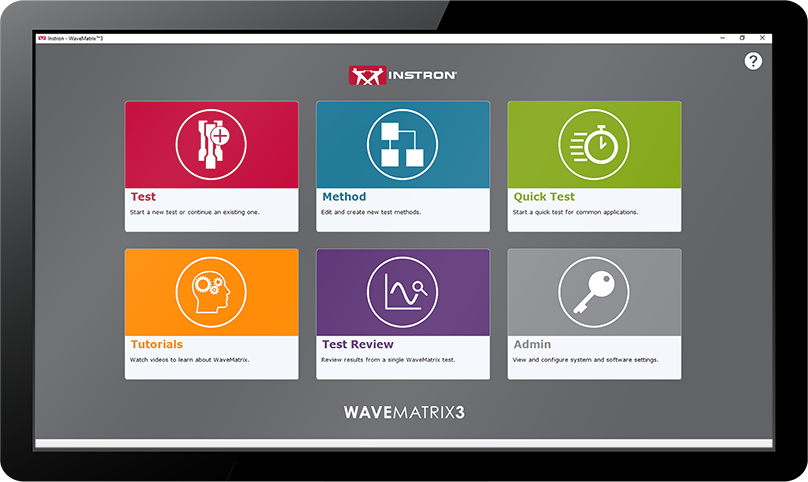
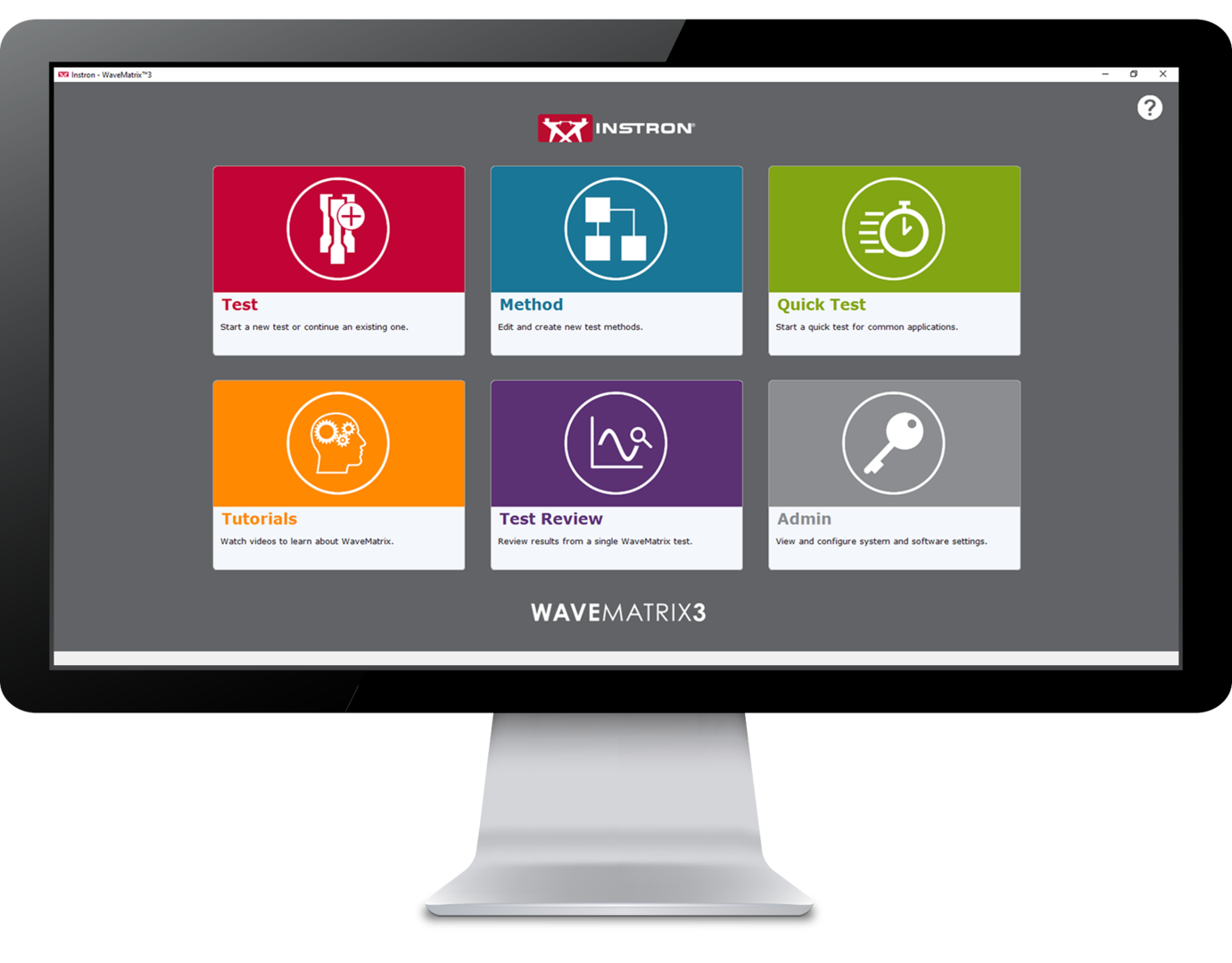
WaveMatrix3 Screen

WaveMatrix3 is the perfect solution for companies using Instron® Dynamic and Fatigue Testing Systems. Developed together with our expert customers and for use with ElectroPuls® and Servohydraulic material testing machines, this innovative software will save time, enhance productivity, improve confidence and ensure your test facilities are futureproofed.
WaveMatrix3 WaveMatrix2 WaveMatrix1
FEATURE
WAVEMATRIX3
WAVEMATRIX2
WAVEMATRIX
Intuitive User Interface
Retrospective Test Review
Auto-Calibration
Stiffness Based Tuning
Quick Test Setup
Customizable Specimen & Test Details
Integrated Virtual Test Information
Specimen Protect
Example Methods
Video Tutorials
PIN-Coded Accessibility
User Defined Access Rights
Visual Test Space
Intuitive Test Setup
Visual Sequence Builder
Microsoft Windows 11 Compatibility ✓*
WaveMatrix Backwards Compatibility
Always-On-Top Display
Automatic Logging
Robust File Structure

* version 2.1.20079 or newer.

Save Time | Enhance Productivity
Improve Confidence | Futureproof Facilities

TEST REVIEW | SAVE TIME

Reducing the time taken to accurately perform tests has been a continuous focus for product innovation and with WaveMatrix3, this concept was central to development. Designed using expert customer feedback, the following features have been produced to accelerate the process of reviewing a test.

SPECIMEN & TEST INPUTS | ENHANCE PRODUCTIVITY

Improving productivity can occupy a significant part of any organizations continuous improvement efforts and is a key component of sustainable growth and unlocking employee potential. WaveMatrix3 has been designed to improve throughput and minimize the inefficiency of routine testing.

SECURITY | IMPROVE CONFIDENCE

Resources required for test validation are necessary and critical to ensuring the quality of test data. WaveMatrix3 features help to simplify the conformity process so that laboratories are more effective, the potential for human error is reduced and confidence in the result is improved.

IT COMPATIBILITY | FUTUREPROOF FACILITIES

As the world advances into the 4th industrial revolution, the demands for automation and data exchange in the materials testing industry has increased. Software has often been used to solve this challenge and WaveMatrix3 has been designed to meet these challenges and ensure testing facilities are as futureproofed as possible.

WAVEMATRIX3 SUPPORTS ADDITIONAL MODULES THAT WILL ENHANCE THE CAPABILITIES OF THE ORIGINAL SOFTWARE

CALCULATIONS
MODULE

Grey Calculator Icon

Data Sheet

Download

ADVANCED CONTROL
MODULE

Grey Strain Icon

Data Sheet

Download

SPECIMEN SELF-HEATING
CONTROL
MODULE

Grey Thermometer Icon

Data Sheet

Download

WAVEMATRIX3 WORKS WITH INSTRON DYNAMIC AND FATIGUE TESTING SYSTEMS
ElectroPuls Systems
ElectroPuls® All-Electric Dynamic and Fatigue Test Systems

Linear electric motor driven dynamic test machines for fatigue and fracture mechanics testing.

More Info

Servohydraulic Fatigue Testing Systems
General Purpose Hydraulic Fatigue

General purpose servohydraulic systems ideal for high-cycle and low-cycle fatigue, fracture mechanics and quasi-static testing.

More Info


EXTRAS

Red Print Icon

Brochure

Download

Grey Document Icon

Data Sheet

Download

Dark Grey Curiosity Icon

FAQs

Learn More

WAVEMATRIX3
CONTACT US


LCF3 Software

Testing Software

LCF3 Software

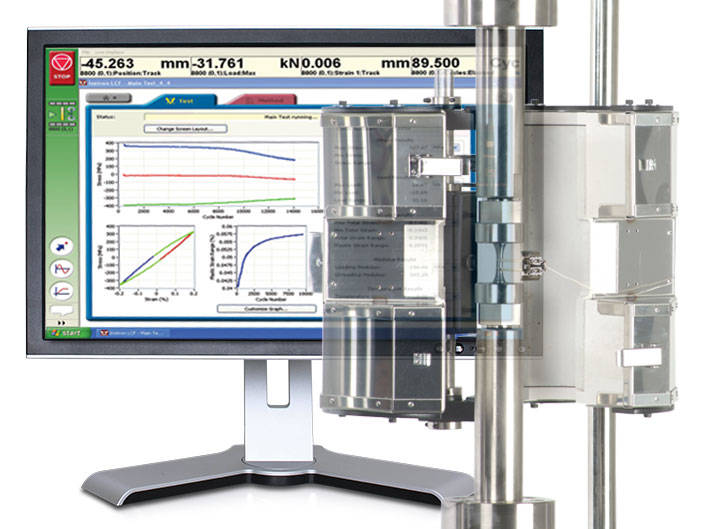
Provides system control, data acquisition, real-time graphs, calculation of results, storage of data to disk, and post test graphs and reports in accordance with the relevant sections of ASTM E606-04, BS 7270 (2006), and ISO 12106 (2003).

Principle Of Operation

  • Tests can be run in axial strain, plastic strain or stress control
  • Ability to select from a range of SI and US Customary units
  • Test method editor allowing for simple test method creation and recall
  • Support of rectangular, cylindrical and tubular specimens
  • Automatic calculation of Modulus within user specified limits
  • Temperature control and/or monitoring are available for Eurotherm 900, 2000
    and 3000 series instruments
  • Automatic adjustment of gauge length when at test temperature
  • Support of Sine, Triangular and Trapezoidal waveforms
  • Ability to perform stress controlled run-out tests at up to 50Hz
  • Selectable specimen break criteria to accurately pinpoint specimen failure
  • Combined linear, logarithmic and peak interval data logging
  • Review of summary data
  • User configurable run-time screen capable of displaying results fields and up to
    3 graphs
  • Ability to stop and re-start test at any point, with modulus checking as required
  • Off-line analysis with user configurable trend and hysteresis plots
  • Export of graphs and test data
  • Comprehensive on-line help system
  • Set of Electronic Manuals in PDF Format

Please contact Instron for the minimum PC requirements necessary to install and operate this software.

Application Range

  • Low Cycle Fatigue tests to ASTM E606-04 and ISO12106 (2003) 
  • Compatible with 8800 Series systems only

Software

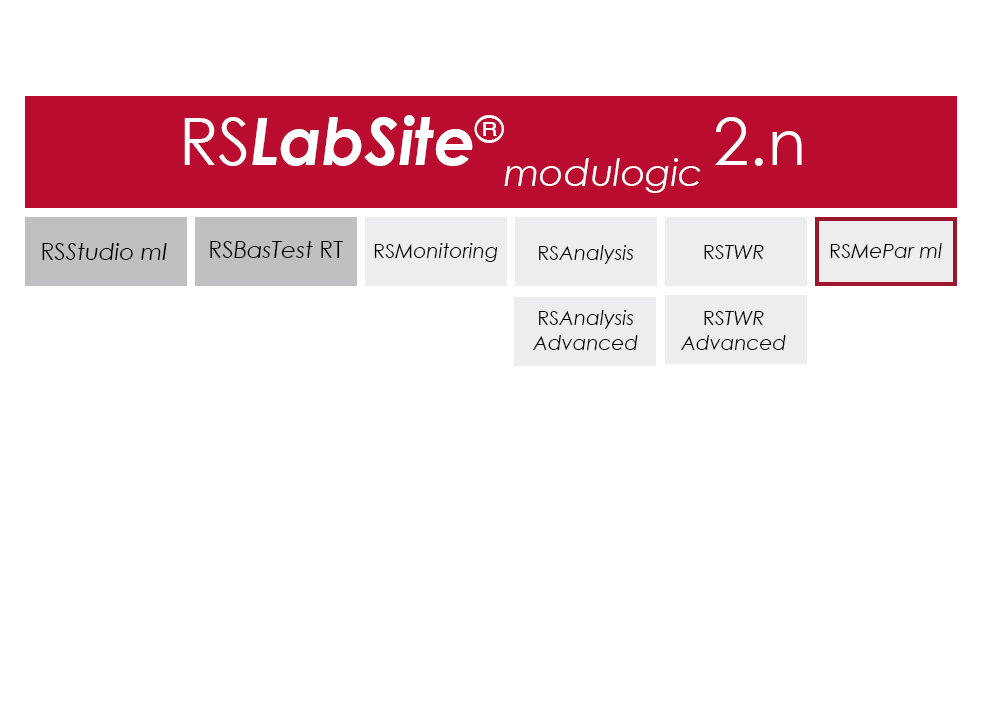
RS LabSite® modulogic

Testing Software

RS LabSite® modulogic

RS LabSite® modulogic is a comprehensive and adaptable software suite conceived for introducing service loads into individual components or complete vehicles, or performing calculations within the framework of Virtual Prototyping (standardized loadsequences, virtual generation of load data). This enables you to stay in full control of all tasks that follow the acquisition of measurement data in the proving ground.

In addition RS LabSite® modulogic provides open and closed loop control functions for your durability tests, collects data and monitors the entire process. Extensive reporting functions with graphical presentation of results – programmable to suit your requirements – round off the package.

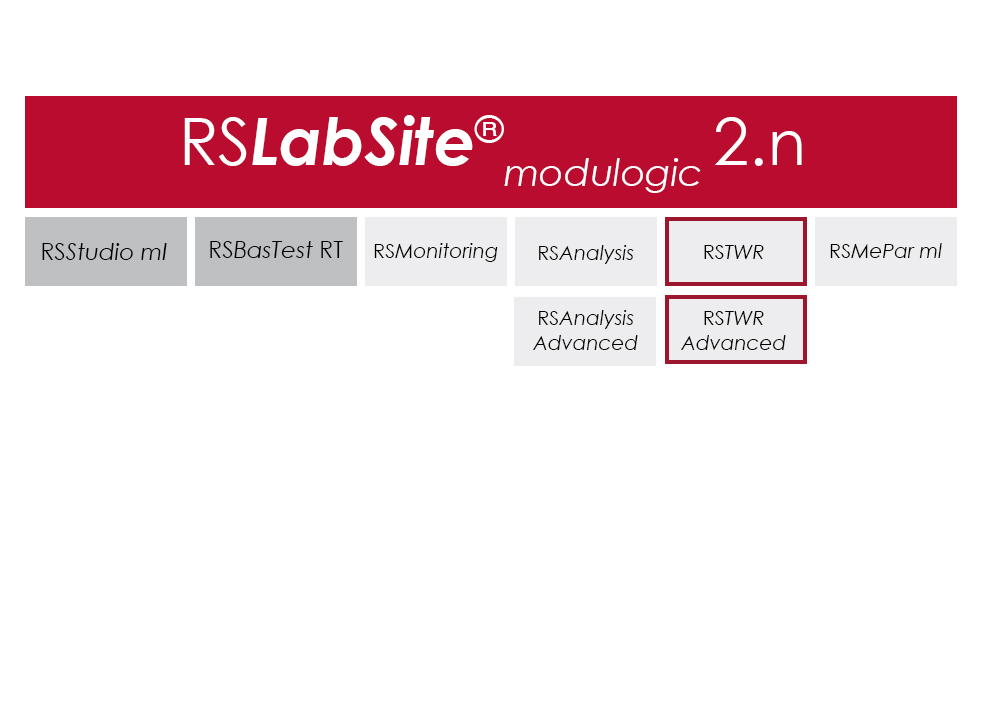
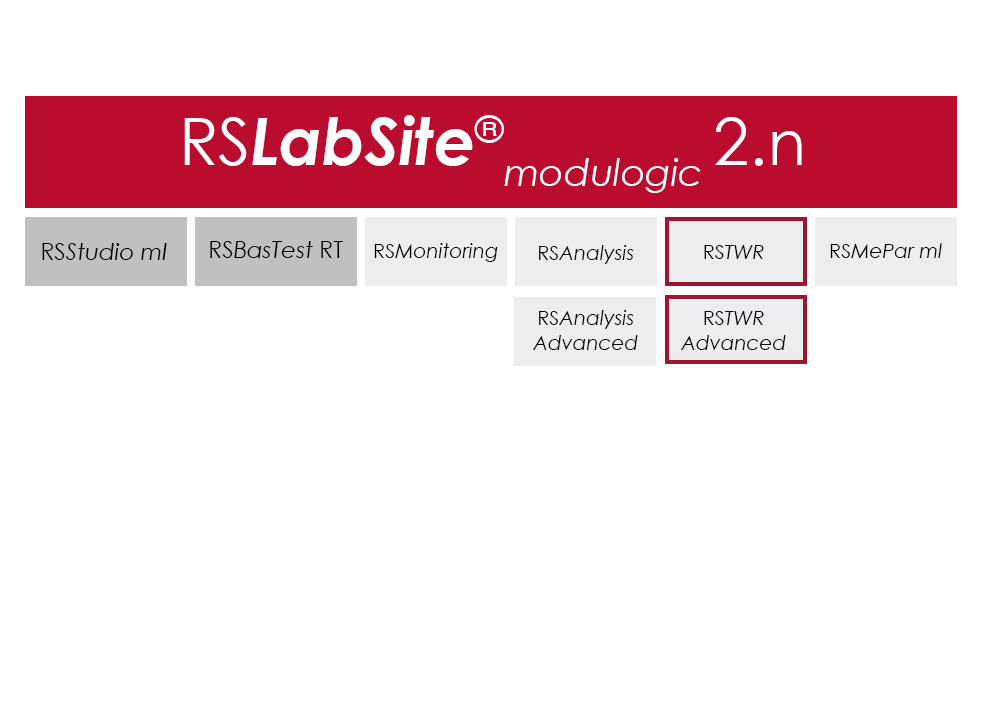
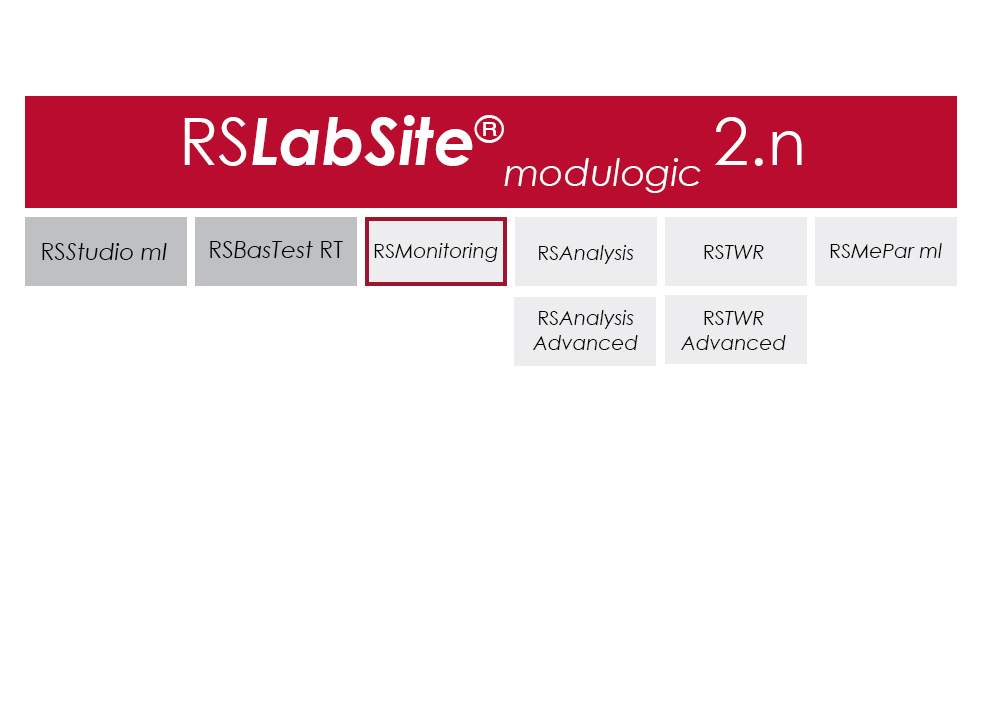
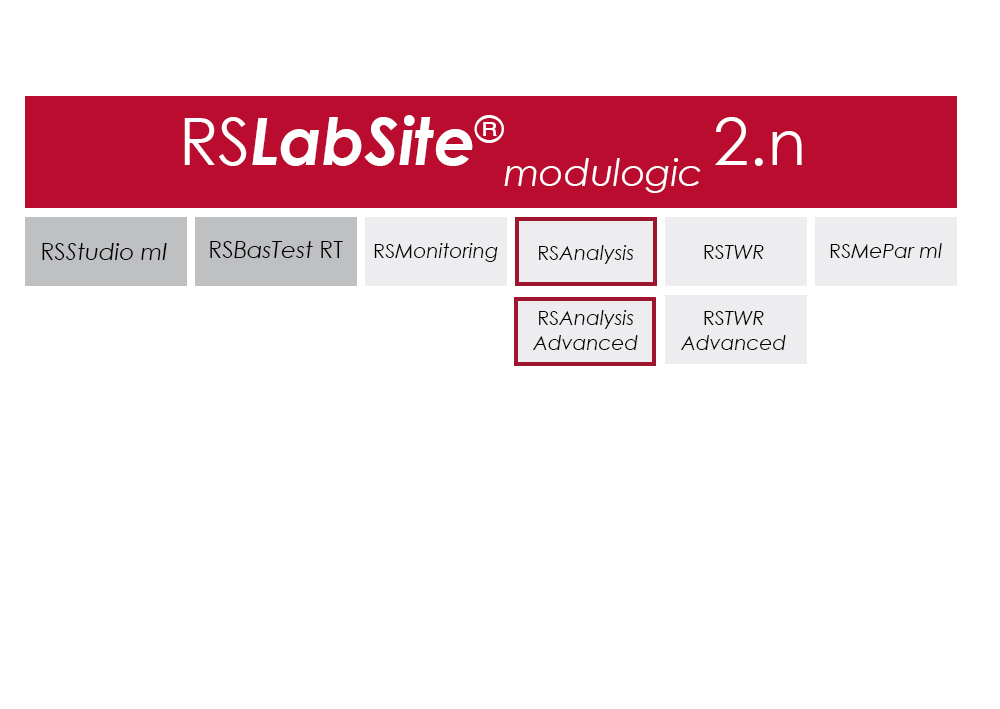
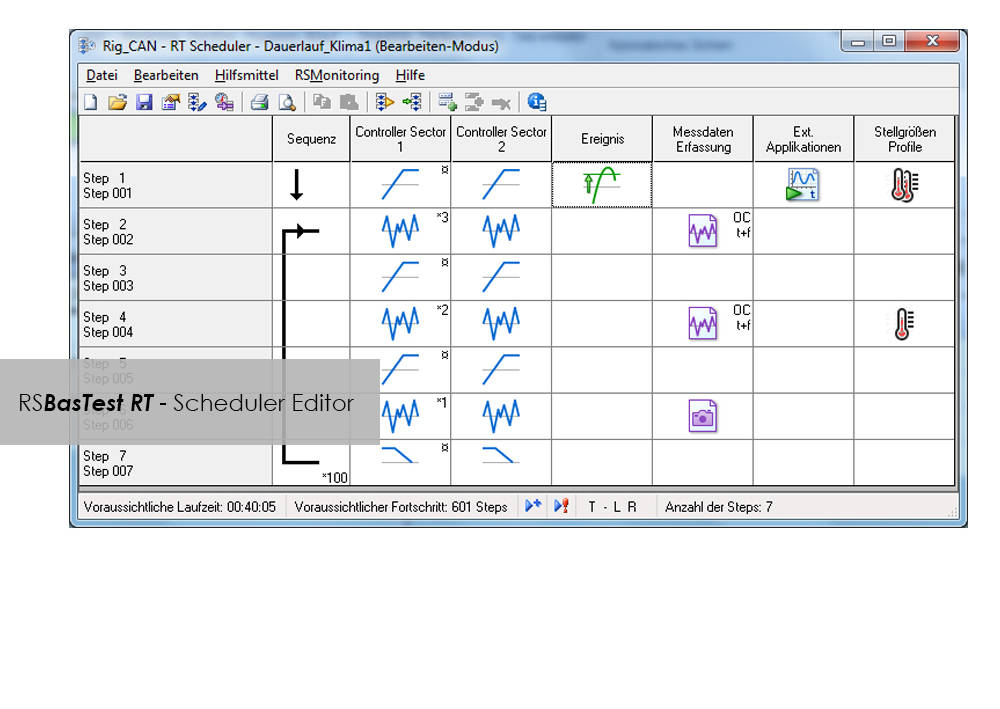
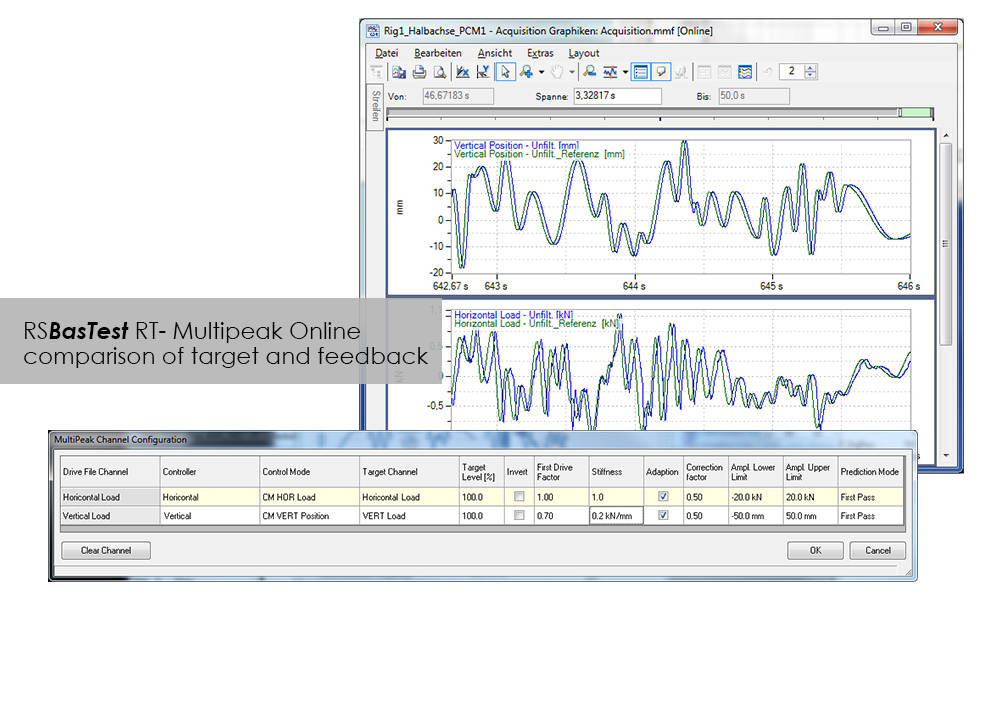
The software is modular and consists of four components. The basic module, RS BasTest RT, provides all necessary tools for digital pre-processing of durability tests. Depending on requirements, the extension modules RS Analysis, RS TWR and RS Monitoring, can be used for single- and multi-axial service load simulations, specific analysis procedures or multistage reporting functions. The software runs under the Windows© operating system.

RS LabSite® modulogic is an integrated and modular solution for analysis of test rig data and test execution:

  • More efficient testing process owing to a user friendly and process-oriented workflow
  • Reduced cost of testing as a result of shorter testing times
  • Reduction of the risk of product recall by representative test results

Accessories

Item Name Cat#
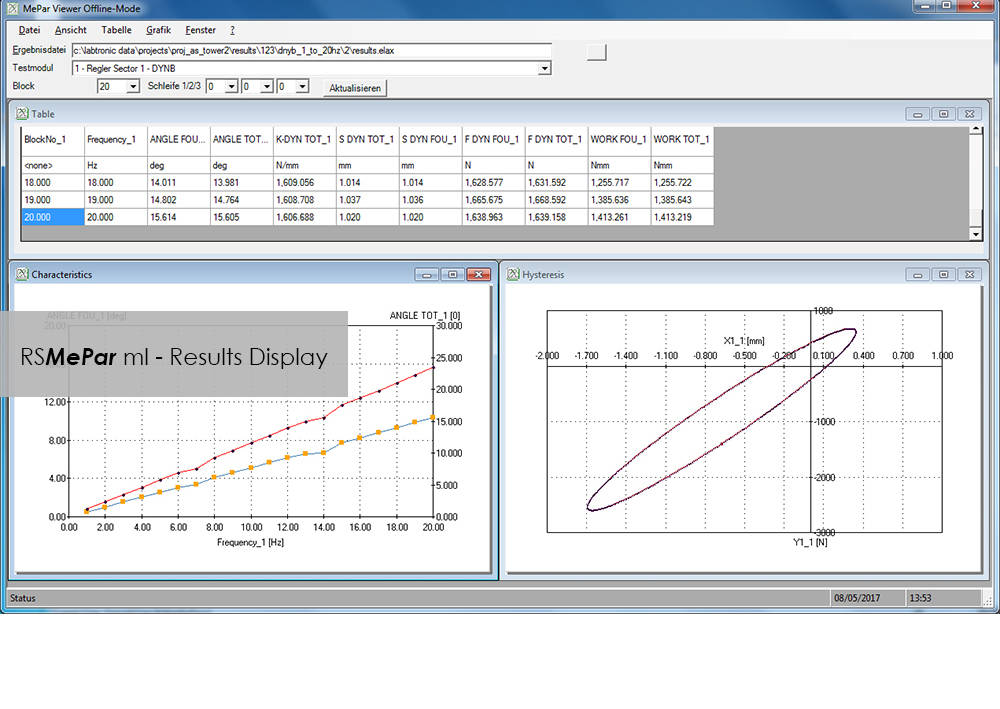
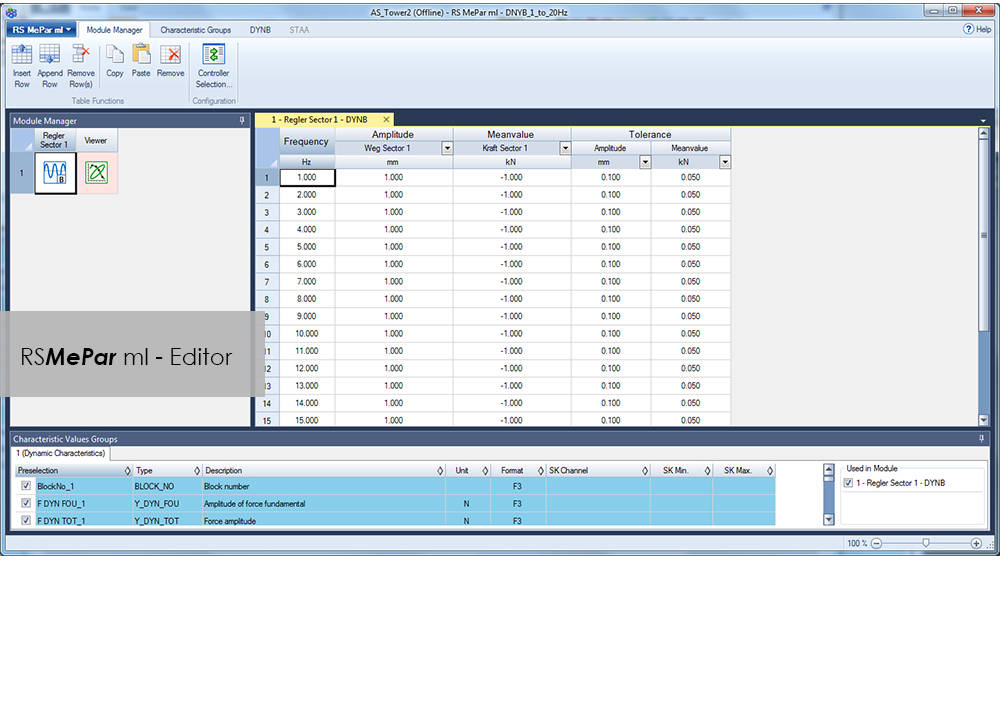
RS MePar ml RS MePar ml
RS BasTest RT RS BasTest RT
RS Monitoring RS Monitoring
RS TWR RS TWR
RS Analysis RS Analysis

RS TWR

Testing Software

RS TWR

Catalog no. RS TWR

RSTWR

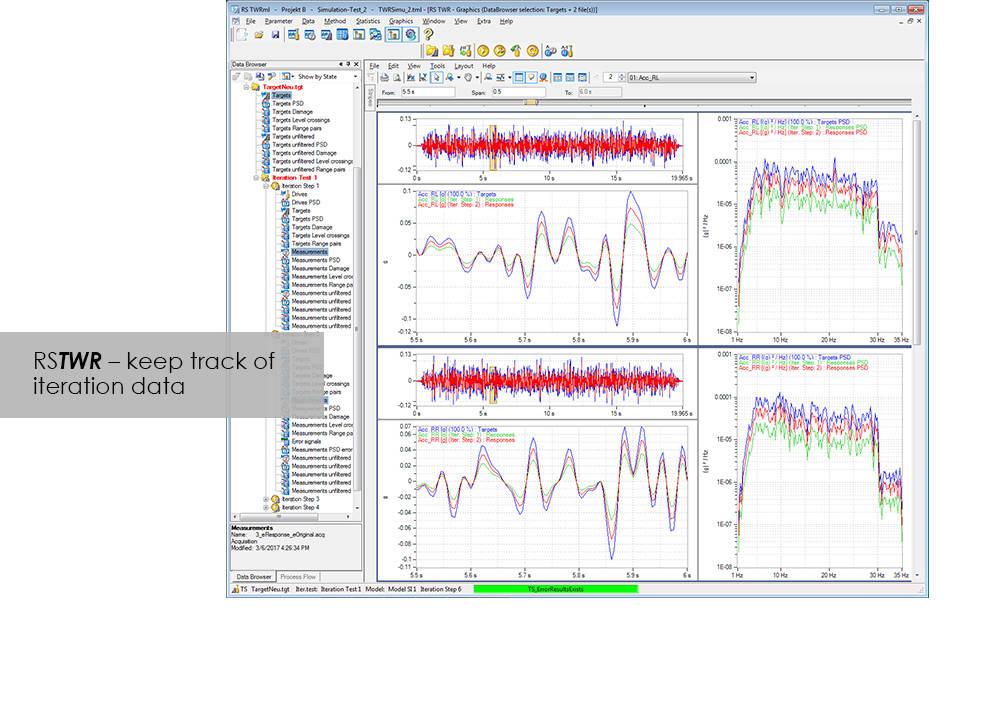
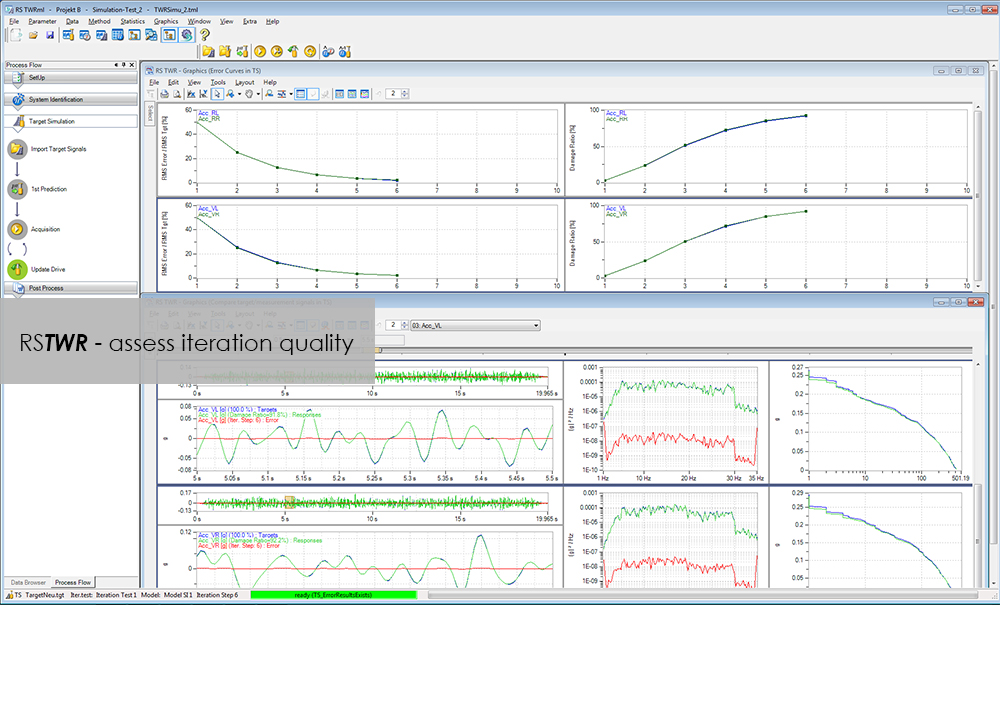
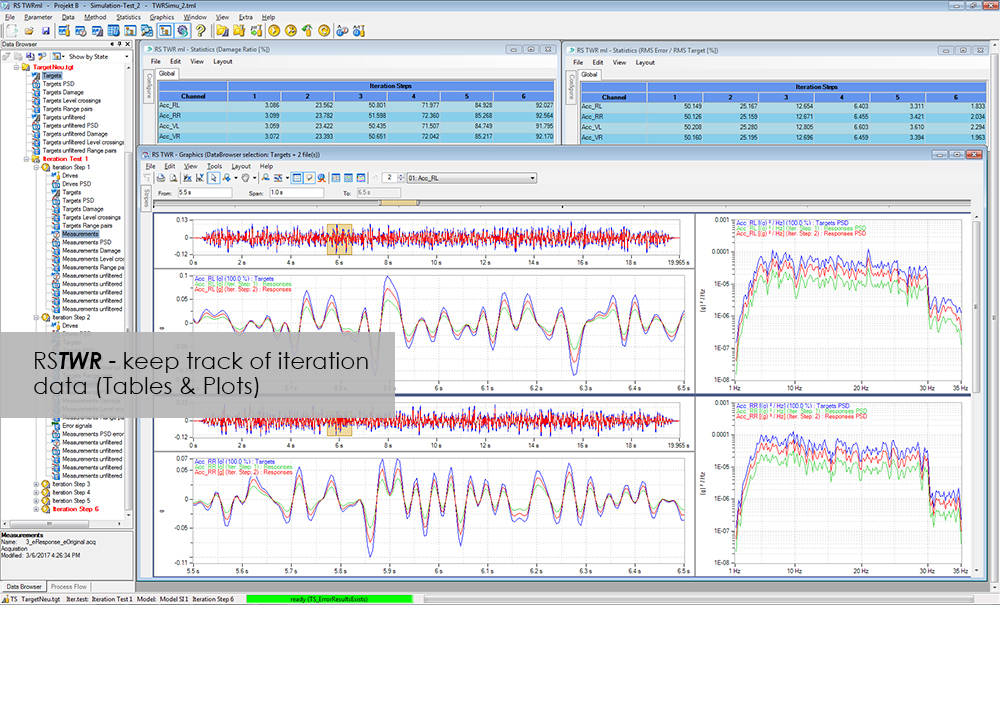
To enable the different loading signals measured under actual service conditions on vehicles, sub-assemblies or components to be replayed on the test rig, these loading signals first need to be "translated". RS TWR (Time Waveform Replication) produces a mathematical model of the test specimen and the test rig, and uses this model to calculate actuator drive signals from measured load histories, e.g. loads or strains. The system employs an iterative procedure and ensures maximum accuracy in the reproduction of measured load data.

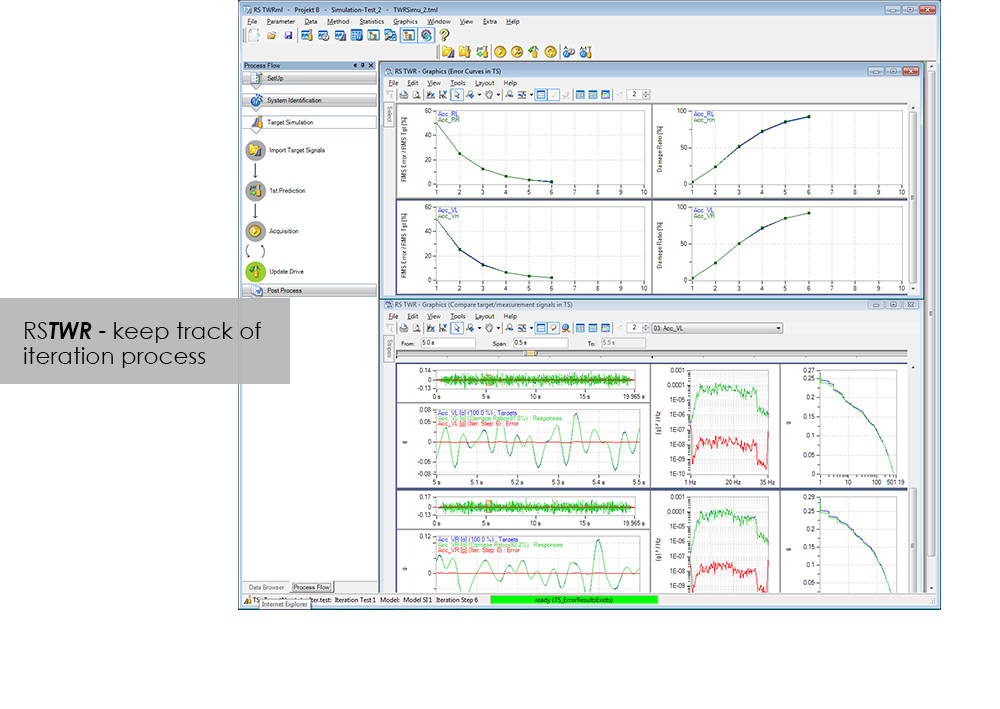
The module excels through user-friendly operation. Assisted by the new integrated process flow tool, less experienced operators will be able after a very short period of familiarization to conduct a typical simulation procedure. The Windows environment will be familiar to most users, and an intelligent selection of parameters minimizes necessary user inputs.

Benefit from the following advantages of RS TWR:

  • Easy to operate through new, integrated process flow tool
  • Fully automatic
    • Automatic management of all setup, model and result files
    • Fully automatic drive file iteration
  • Precise
    • RS TWR enables you to replay loading histories measured on the test track with maximum accuracy on your test rig

RS TWR Features

  • Efficient and transparent data organisation
  • Use of intelligent technologies for model identification
  • Integrated report generation
  • Convergence judgment by forward and backward prediction

Advanced

  • Adaptive model optimization in the iteration phase
  • Time and frequency-dependent correction of the drive signals. e.g. Non-linear stop for a wheel suspension
  • Automatic handling of different models for individual sections in the target signal
  • Interface to virtual test systems

RS Monitoring

Testing Software

RS Monitoring

Catalog no. RS Monitoring

RSMonitoring

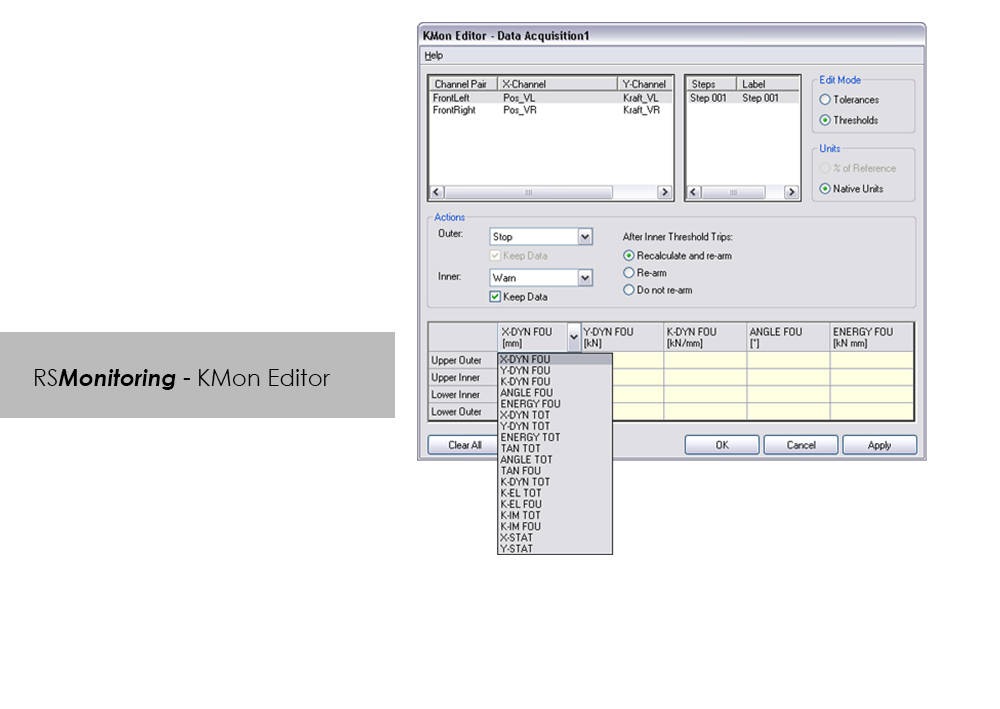
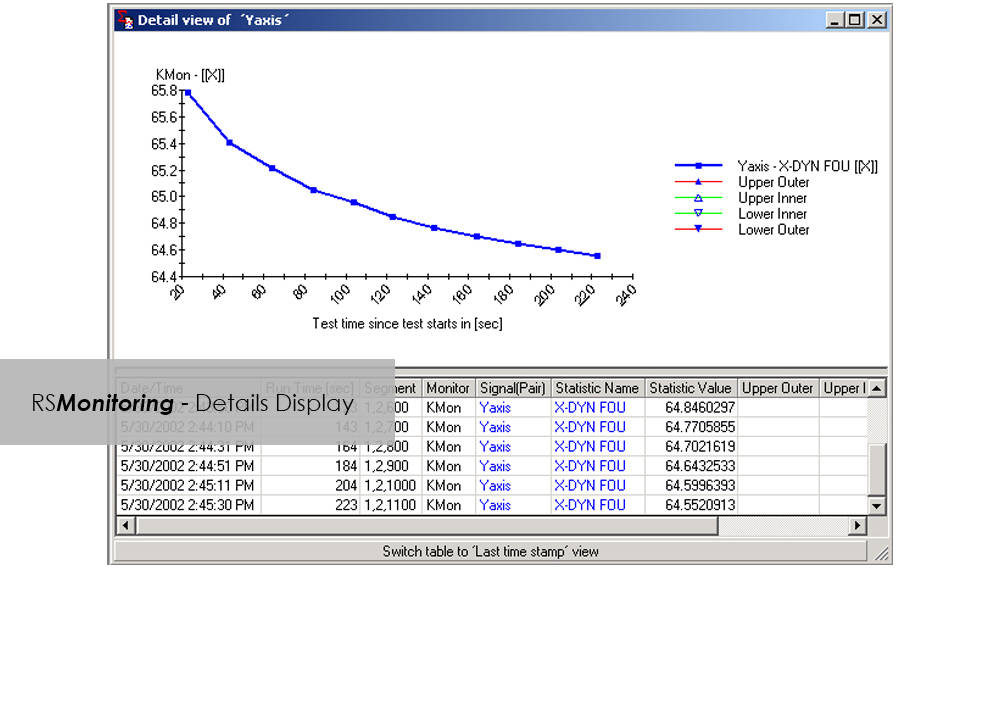
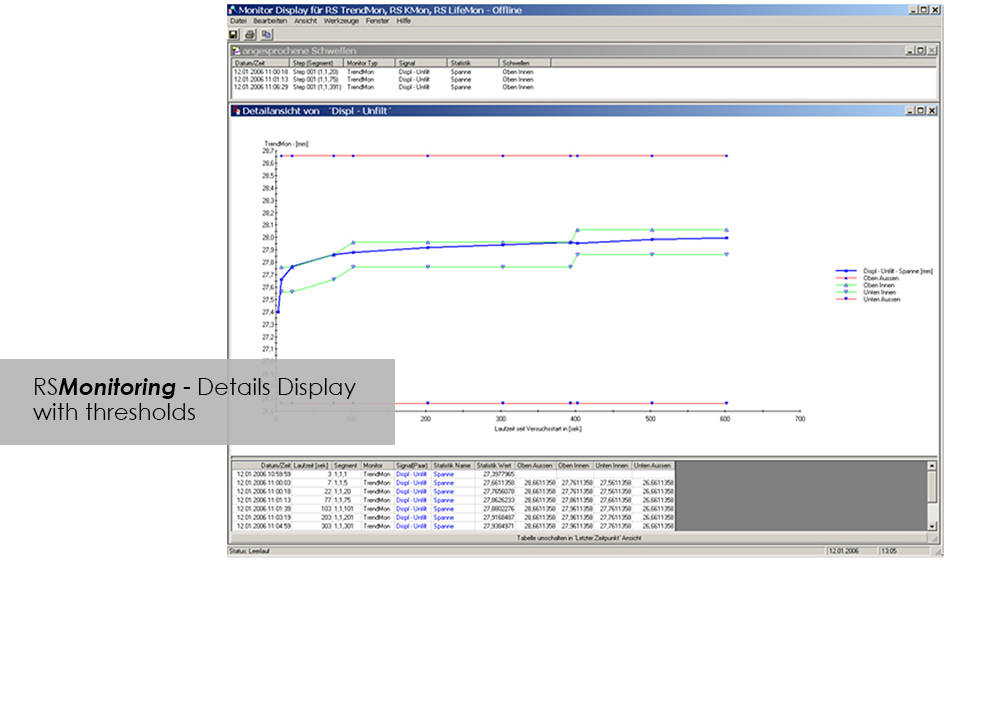
Online monitoring of specimen testing, or quick and easy analysis of measurement values are nowadays no longer convenience features: Fierce competition and the necessity to reduce "Time-to-Market" are entailing a need for ever increasing efficiency. RS Monitoring is a powerful tool that will bring you a significant step closer to this objective. For example, the module enables calculation and monitoring of statistical and physical variables even while the test is in progress, and logs overall damage through rainflow counting. This will enable you to detect changes in the behavior of your test specimen at an early stage, and respond appropriately. This module from the RS LabSite® modulogic Software Suite combines a wealth of extremely useful calculation functions. Make use of the following advantages:

Advantages:

  • High performance on line test monitoring
  • Maximum flexibility for a variety of different evaluation tasks
  • Licensing model to suit your laboratory requirements


RS Monitoring Benefits

  • Calculation of statistical data such as maximum, minimum, amplitude or standard deviation
  • Calculation of online rainflow matrices from measured values, presentation as a 2- or 3-dimensional histogram
  • Conversion of matrices into range pair, peak counting or level crossing distributions for better comparison
  • Calculation of physical parameters such as amplitudes, spring rates, energy loss or phase shift from measured hysteresis loops
  • Monitoring and display of partial damage for individual steps
  • Online comparison of command/feedback values of signals in the time and frequency domains

Bluehill HV

Testing Software

Bluehill HV

Bluehill® HV Software is specifically designed for the Instron® HDT and Vicat testers, both of the previous and current generations.

Bluehill® HV enhances the ease of use of the testing system. The user can run tests, edit methods, analyze results or configure the system with a few clicks. The simplicity of the software allows the user to run tests with minimal effort increasing the laboratory efficiency and throughput.

Main Features of Bluehill HV

Test Method Compliance

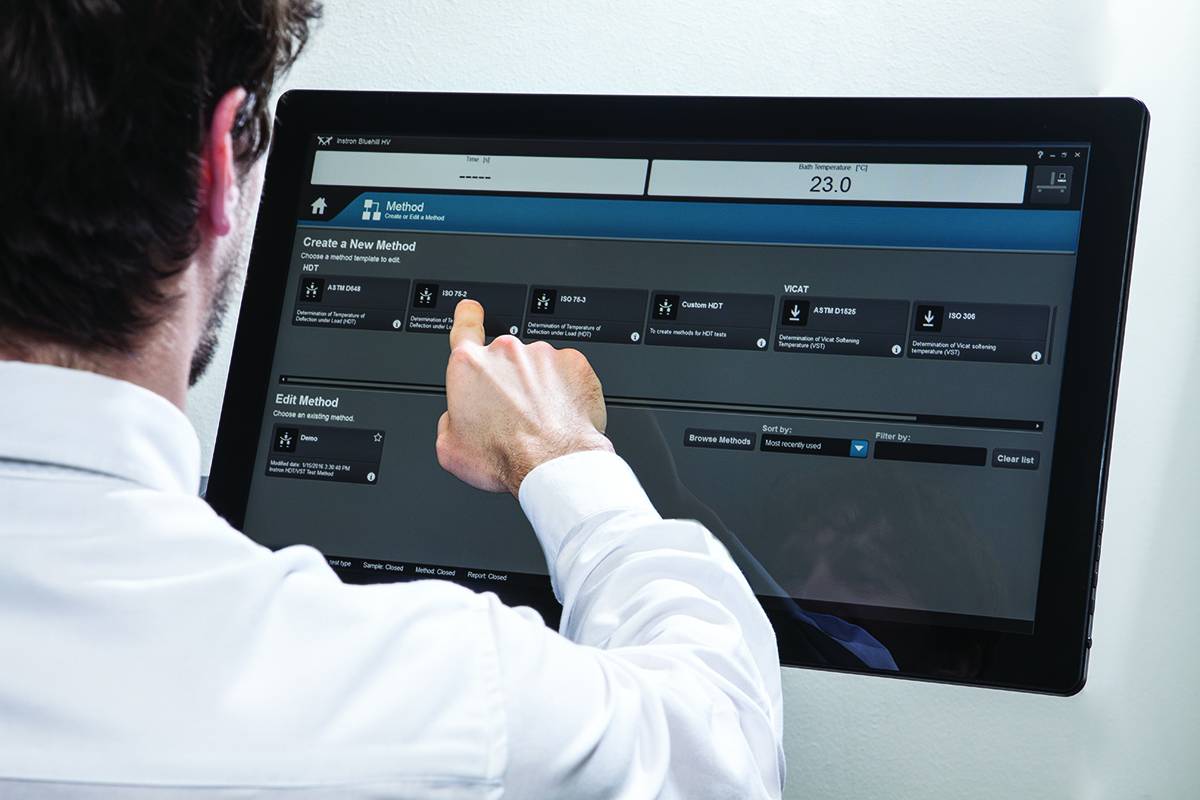
Create ISO and ASTM test templates with smart default values so the user is ready to test with minimal setup time, increasing laboratory efficiency. Bluehill HV Software provides the ability to test samples to different methods simultaneously, helping to optimize throughput.

Analysis of Test Results

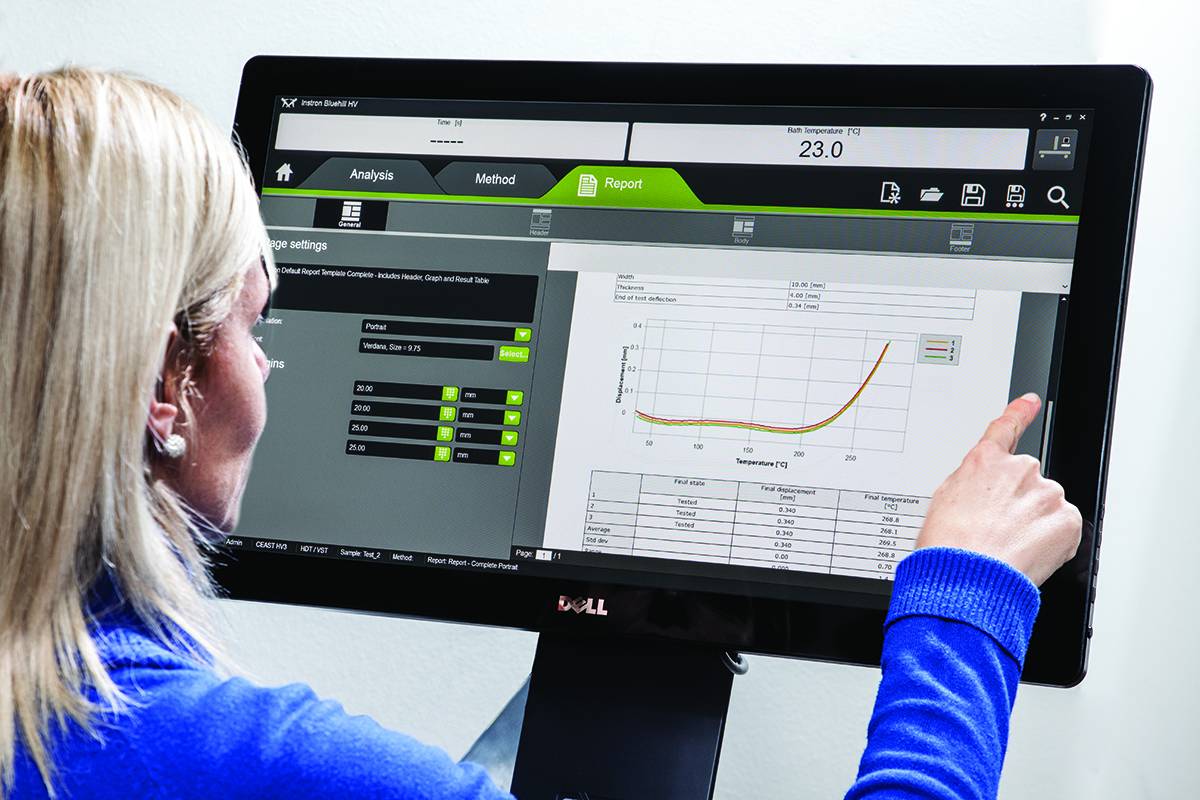
Test data, graphs and inputs are shown in a single screen allowing the user to analyze results at a glance. Set acceptance criteria to automatically reject out of tolerance samples. Create report templates with minimal effort. Export and print test reports or send test data to LIMS or TrendTracker.

Main differences from the previous VisualTHERM Software

  • Bluehill® HV software guides the operator throughout the test procedure. The step of test sequence can be modified by the user according test needing
  • Pre-defined test methods allows to start and execute a test in a few clicks
  • Result tables, graphs and test/analysis layout fully customizable
  • Full compatibility with latest PC OS (i.e. Windows 8 and coming soon Windows 10)
Literature

Instron HV Series for HDT and Vicat Testing

The effect of temperature on the mechanical properties of plastic materials has a fundamental role in the design of components, especially in the selection of materials. Unlike metals and ceramics, plastics are extremely sensitive to the slightest changes in temperature. The selection of plastics for applications under different temperatures is a complex task. The material must be able to support a stress under operating conditions without losing its strength and without critical distortion. The effect of temperature on geometrical stability and mechanical properties in general can be studied following different procedures and methods like at constant temperature or with a temperature ramp.

  • Products
  • 06/21/2018
  • 1.15 MB

Bluehill HV

Bluehill HV is the generation software for HDT and Vicat tests

  • Products
  • 01/12/2018
  • 366.94 KB

RS Analysis

Testing Software

RS Analysis

Catalog no. RS Analysis

RSAnalysis

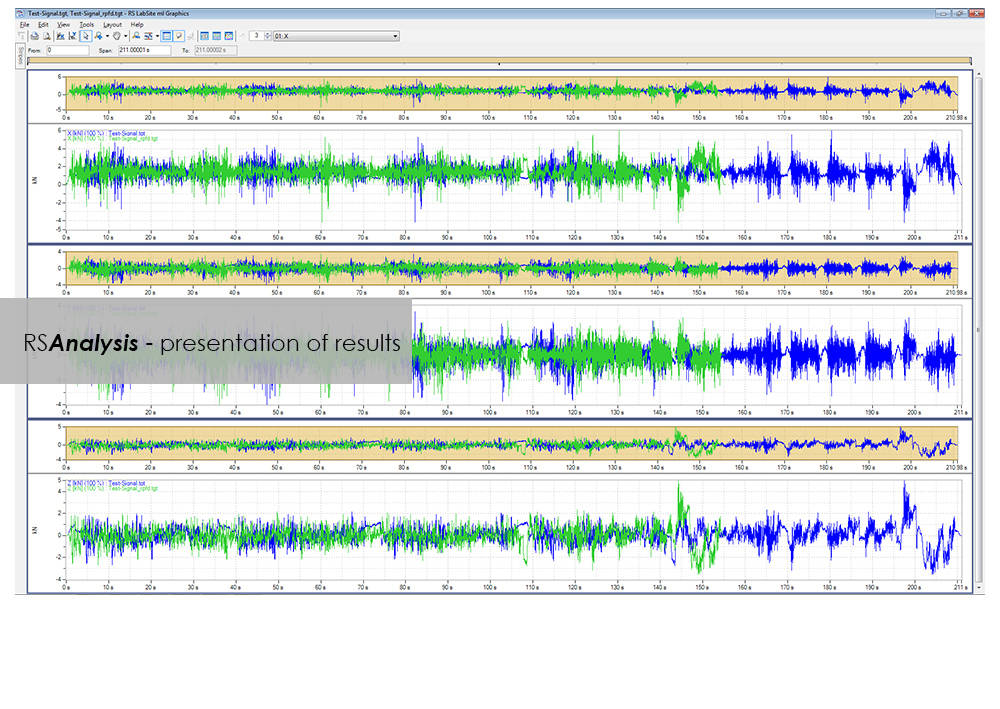
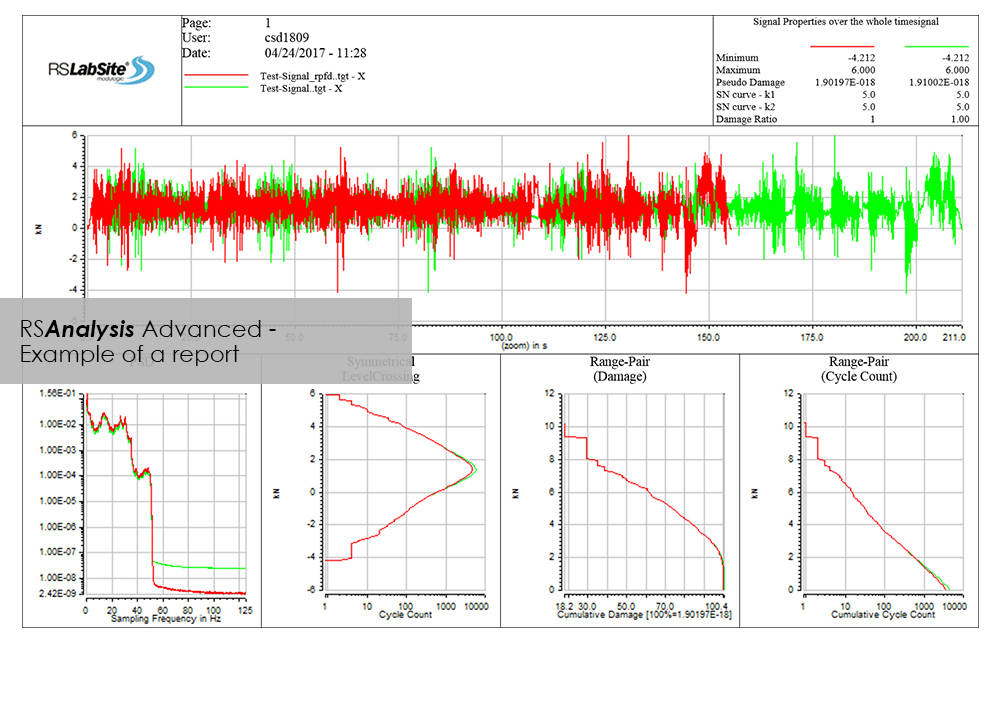
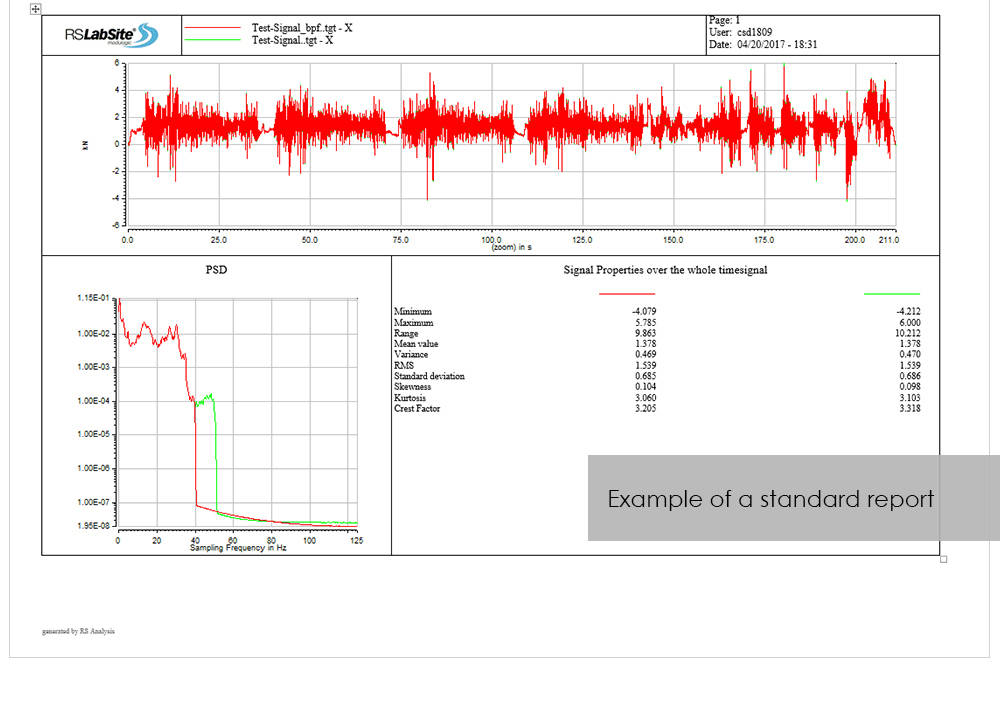
RSAnalysis is an important tool throughout the data acquisition and handling process. Dedicated algorithms condense and optimize your measurement data and turn them into loading data that simulates a complete product life circle. This module from the RS LabSite® modulogic SoftwareSuite provides for analysis and graphical presentation of test data, while allowing maximum freedom: Apart from the presentation of measured data, a wealth of other functions are available for performing typical data analysis procedures quickly and systematically.

If the numerous standard reports integrated in the software do not meet your requirements, customized formats can be created as required. This makes sure that you are aware at all times how your tests are running and what results they are producing.

RS Analysis is available in two versions: Choose either the Basic- or the Advanced-versions in accordance with your specific needs. Whichever version you choose, the following benefits will be at your disposal:

  • Minimum cost of training through integration in Project Manager
  • Traceable results (Test reports are stored in Project Manager along with the test data)
  • High productivity through automation


RS Analysis Benefits

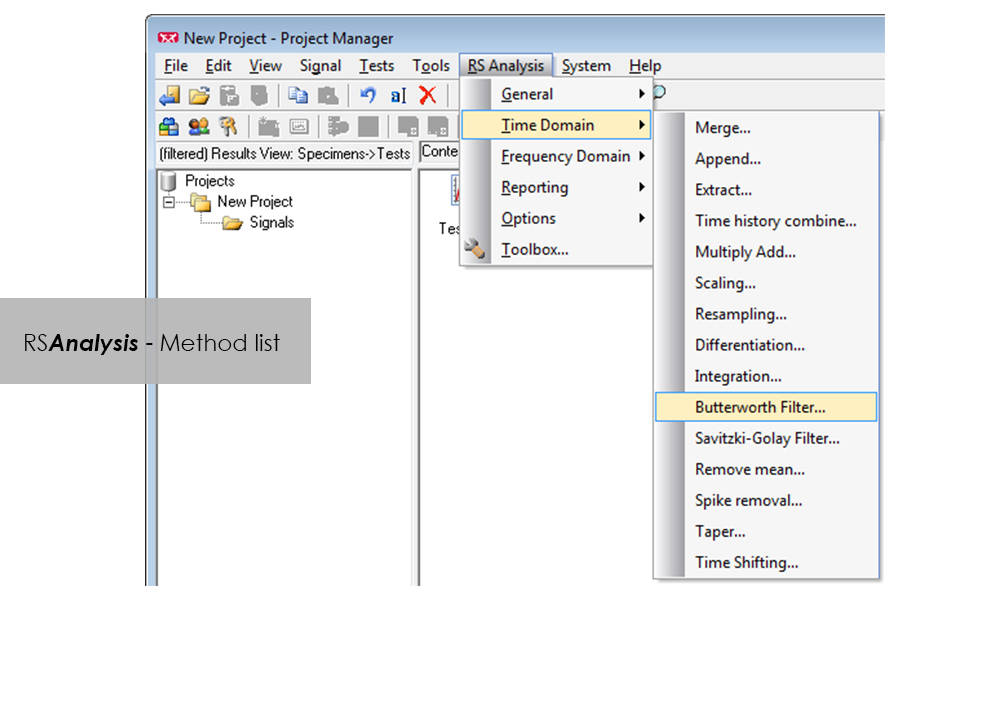
  • Processing methods are started directly from RS BasTest Project Manager
  • Numerious methods
    • Importing and exporting of data
    • Statistical functions
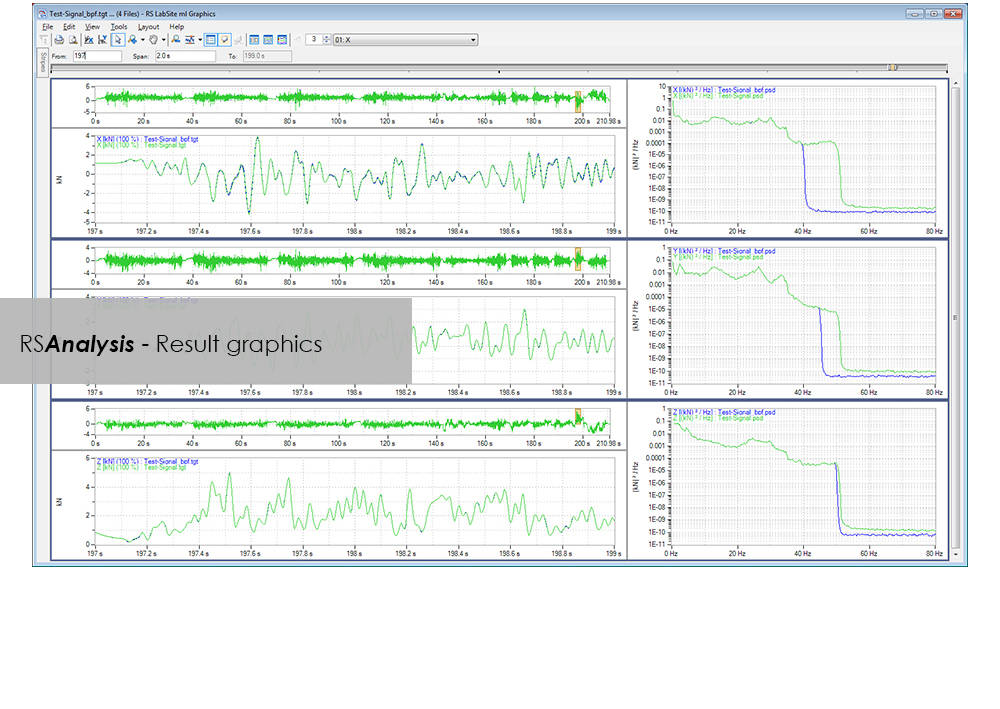
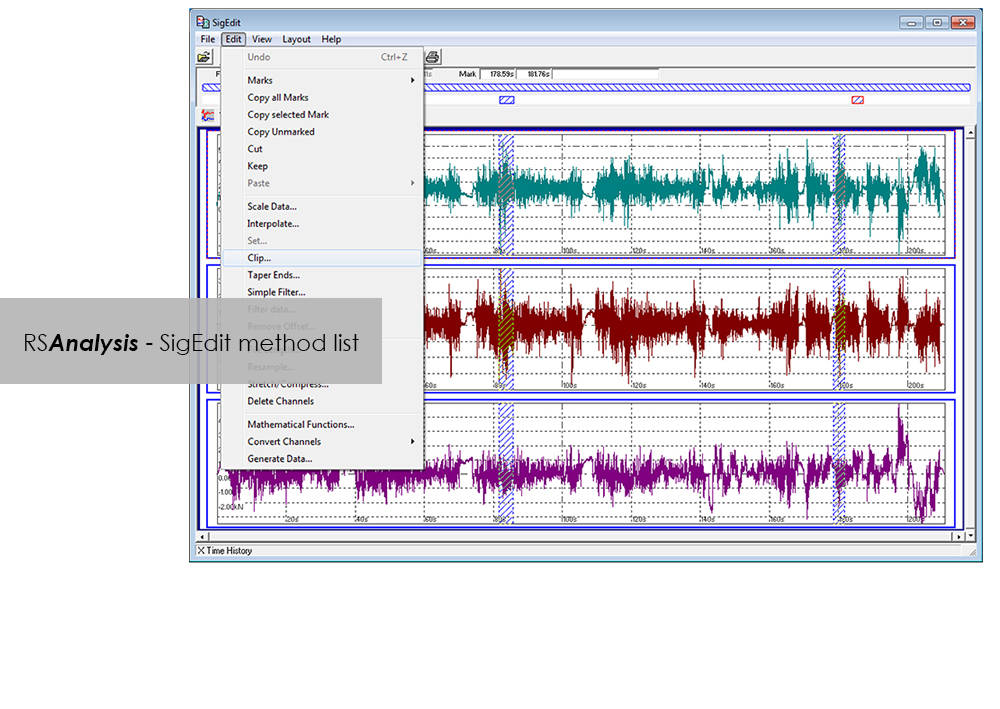
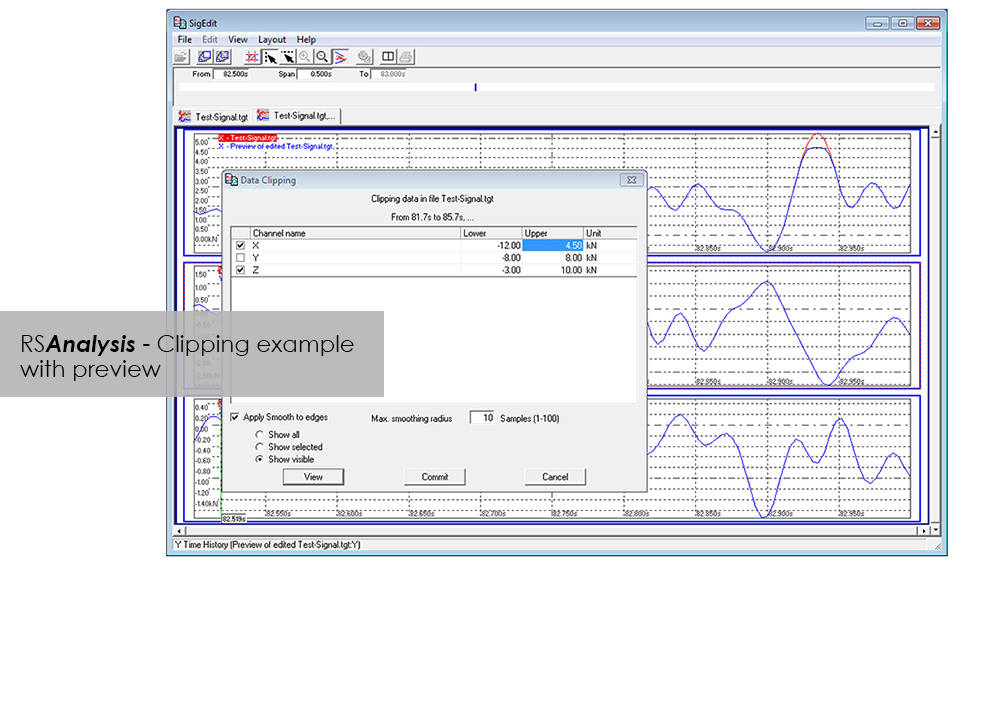
    • Signal presentation and editing
    • Offset/spike correction
    • Frequency-based methods
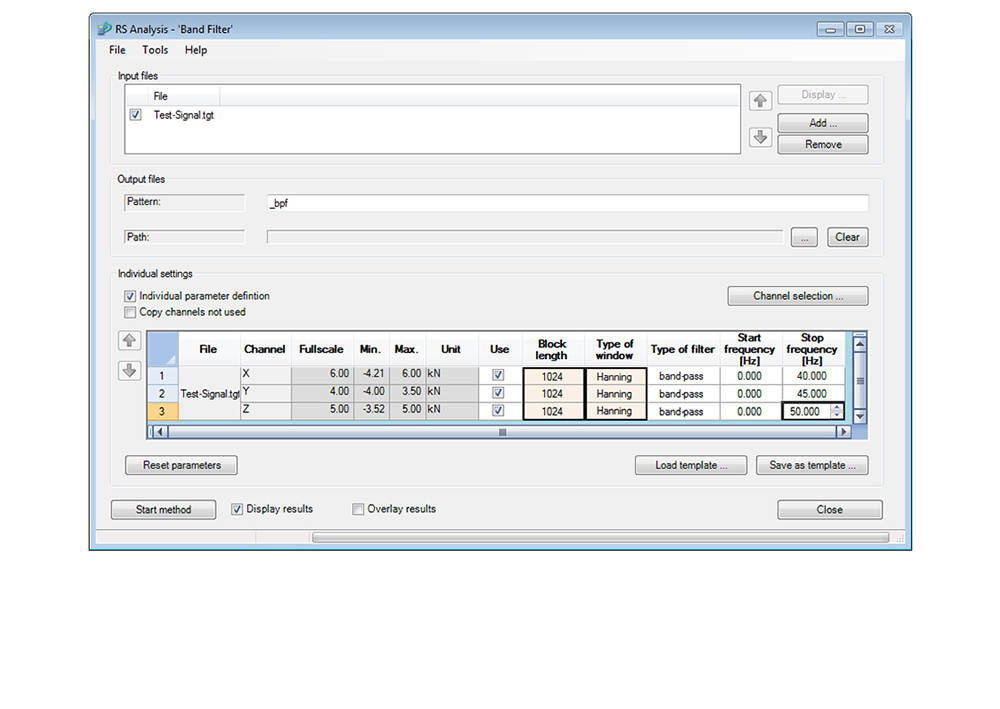
    • Wide range of filter functions
    • Graphical, interactive signal editor
    • and many more...
  • Automation through linking of methods
  • Report generation


Advanced

  • Classification procedure
    • Rainflow, level crossing or tension pairing
    • length of stay
  • Fatigue-related editing and analysis procedures
    • Rosette processing
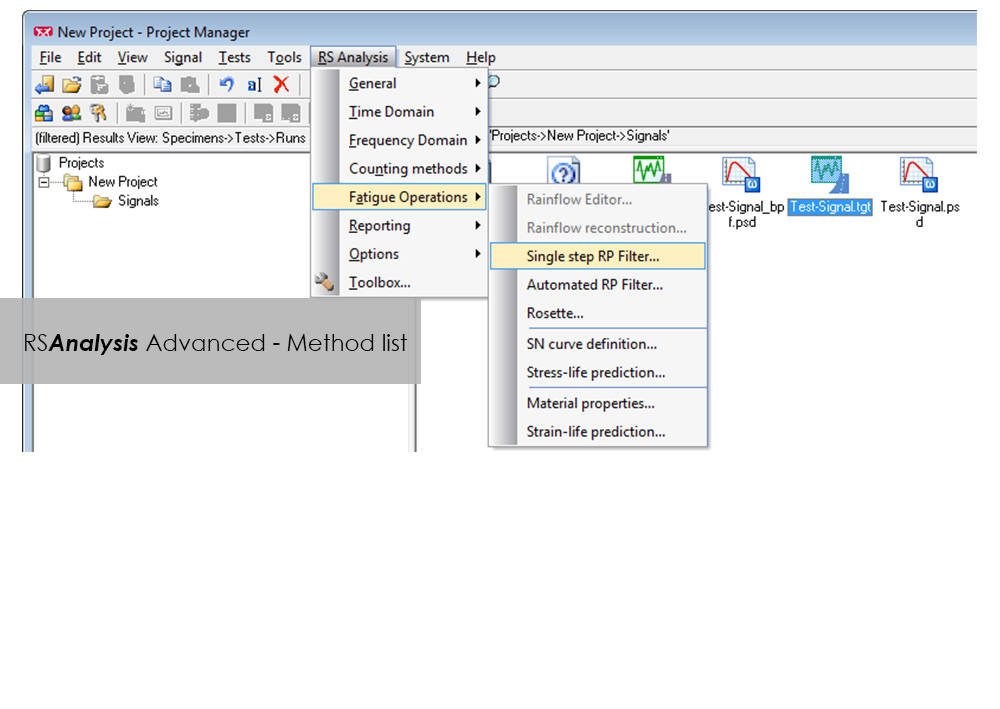
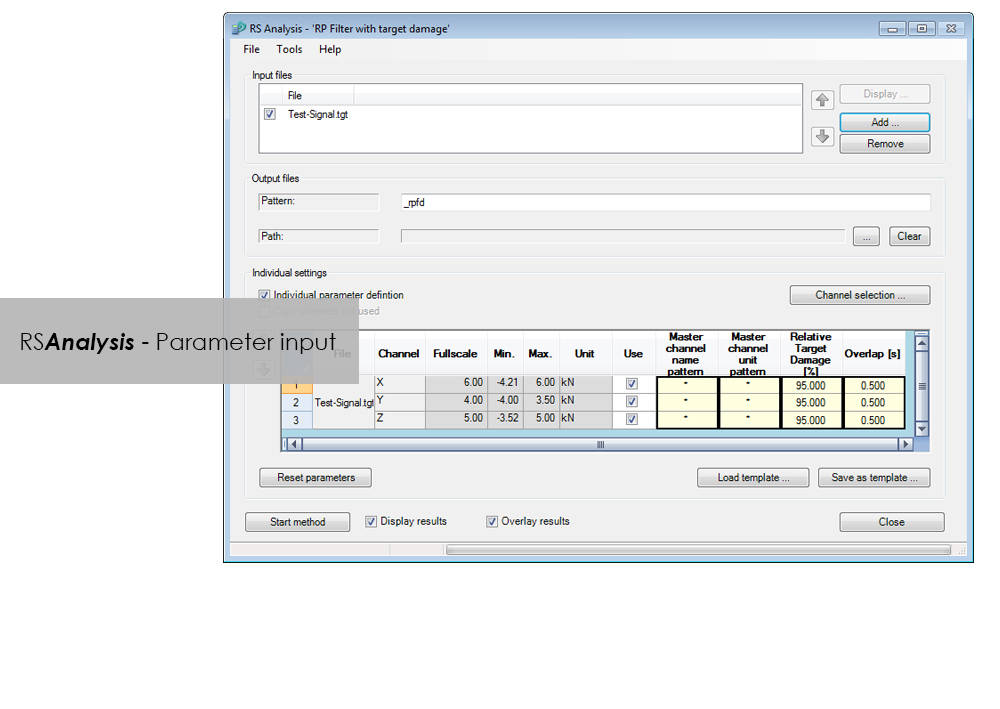
    • Automatic data reduction to remove non-harmful parts (Automatic Rainflow Projection Filter)
    • life expectancy based on stress or strain
  • Layout Builder to create your own templates for logs
  • Automation through graphical programming (Process Builder)

LCF 3 Low Cycle Fatigue Testing Software For Use With Instron 8800 Systems and Extend Upgrades

Testing Software

LCF 3 Low Cycle Fatigue Testing Software For Use With Instron 8800 Systems and Extend Upgrades

Catalog no. 2495-910

2495-910_P
2495-910_P

Low-Cycle Fatigue 3 Software offers a flexible workspace designed to run and analyze strain-controlled fatigue tests in accordance with ASTM, ISO, and BS Standards.

Live Test Workspace

A range of pre-configured graph and results fields allow real time views of how the test is progressing. Customize the screen to display up to three graphs of cycle and trend data. Pause and re-start the test at any time, checking modulus as desired.

Comprehensive Graphing Toolbox Brings Clarity

Whether you need a single or multiple graphs, the graphing toolbox allows users to clearly display X-Y and double-Y graphs, and peak and trend data charts. Choose to show titles, add legends or show actual data points on a grid. LCF3’s graphing capability is second to none.

Powerful Analysis

Analyze post-test data off-line, selecting from a range of single cycle and trend plots. Overlay individually selected hysteresis loops. Export individual graphics in JPEG format, and data as TXT files.

Test Controls Right Where You Need Them

Start, stop, and finish a test. The simple test control buttons are consistently at the right side of the screen. For added convenience, a test can be paused and continued when desired.

Simple Test Creation

Recall recently used test methods or simply browse the method folder to create or edit existing test methods. Test method creation is available off-line, maximizing testing machine availability. With a unique step-by-step data entry and test selection process, combined with a tabulated pre-test summary, your Low-Cycle Fatigue test will run successfully each time.

Automatic Calculation Avoids Errors

Select rectangular, cylindrical or tubular geometries, and automatically re-calculate the cross sectional area.

Online Check Ensures Accurate Modulus

Ensure your modulus data is accurate by utilizing the user-defined upper and lower calculation points, with clear graphical references.

Built-in Thermal Control

Control the test’s start temperature, soak period, and allowable thermal tolerances from within the application, and log temperature data directly into the test file.

Eliminate Unwanted Data

Configure the combined linear, logarithmic and peak internal data logging parameters to suit your test requirements.

Bluehill Elements for Basic Materials Testing on 3400 Systems

Testing Software

Bluehill Elements for Basic Materials Testing on 3400 Systems

Bluehill Elements Software, built on the Bluehill platform meets the requirements of simple tension, compression, flexure, peel, and tear testing. With functionality such as automatic report generation, prompted test work flows, live control charts, and the option to utilize the TrendTracker database, Bluehill Elements is ideal for Quality Control testing.

Features for Efficient Workflows

Automatic Data Export
Users can export test results and raw data in CSV or custom text files. Formatting of exports are completely customizable, allowing users to easily retrieve data or interface with a lab information management system.

Raw Data Viewer
Examine every data point for any measurement directly from the software.

Operator Inputs without Manual Data Entry
Automatically input specimen dimensions from measurement devices, scan a barcode to enter numbers and text inputs into the software, or utilize choice inputs to provide users with simple dropdown menus to eliminate manual data entry.

Displays that Meet the Eye
Testing status, measurements, and key results are displayed on easy to ready, live displays.

Flexible, Yet Simple

Intuitive Operation, Minimal Training
Instron understands the reality of workforce changes. Therefore, we have chosen minimal training as a key measure for usability. Bluehill Elements Software has a simple, user-friendly interface.

Right Report for the Right Audience
Bluehill Elements incorporates several pre-defined report templates for output to a printer, email, or save the file directly as a PDF for easy sharing. Changing the placement of charts and tables can easily be setup with pre-populated choices. Users can tie a specific report template to a given method, automating the report generation for different tests.

Basic Security
For production or quality control testing, where general testers should not have access to change parameters in the method, Bluehill Elements has three configurable levels of security Administrators, Managers, and Operators.

A Common Language
In the testing world, Bluehill is a standard tool. Available in fifteen languages and used with thousands of systems worldwide, Bluehill's test methods, calculations, and data formats are universally recognized and accepted. Whether you are matching data with a local supplier or comparing test methods with a multi-national customer, Bluehill Elements allows you to speak a common language.

Add-Ons for Bluehill Elements

TestCam
Connect a USB webcam to experience point-by-point video playback, allowing users to view test data alongside with video after the test has finished.

Pass/Fail Component
Set up acceptance criteria for multiple test results. If one of those results are above or below the acceptance range, Bluehill Elements will automatically display a large icon in green check for Pass or red X for Fail.

TrendTracker
The TrendTracker plug-in for Bluehill Elements, allows users to export results directly to the TrendTracker database. The TrendTracker Viewer provides an intuitive interface to search, display, and analyze test results over time.

Computer Requirements

Requires Windows 10 or 11, 64-bit Operating System. Bluehill Elements can be used with a touch monitor.

Literature

Bluehill Elements Software Data Sheet

Built on the Bluehill software platform, Bluehill Elements™ meets the requirements of simple tension, compression, flexure, peel, and tear testing.

  • Products
  • 02/03/2020
  • 785.62 KB

DIC Replay

Testing Software

DIC Replay

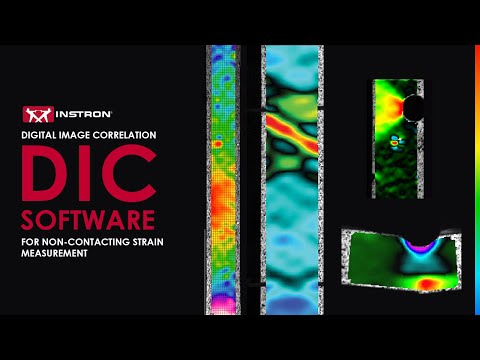
Digital Image Correlation (DIC) Software

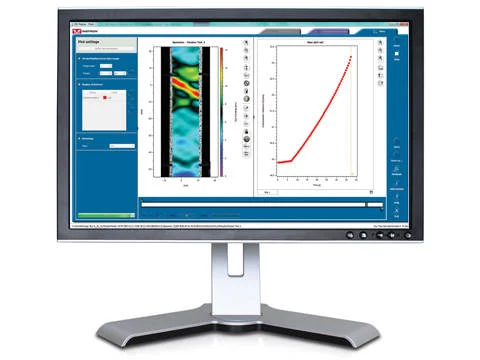
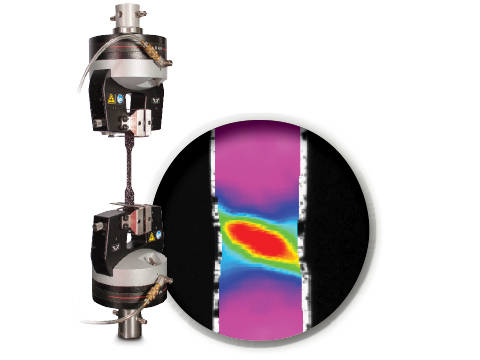
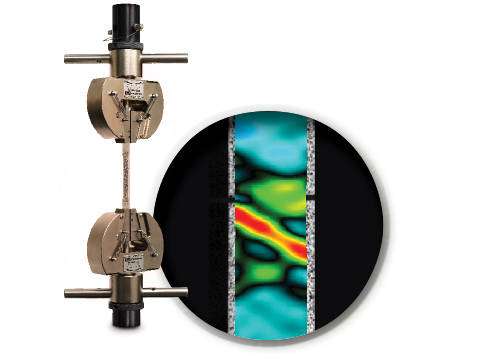
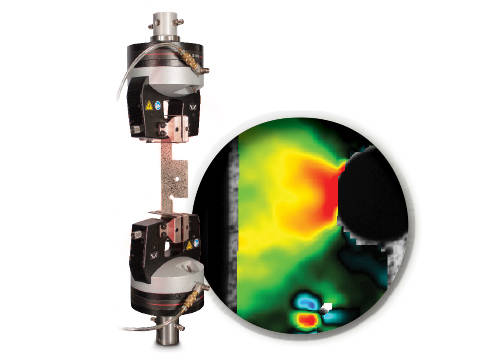
DIC is an optical technique that compares images of a tested specimen’s surface to generate full field strain and displacement maps. It creates pictures that can be used to visualize strain and displacement over the full two dimensional surface of the test specimen.

DIC Replay Software is a self-contained 2D DIC package. The software consumes images and calibration data saved by the Instron® Advanced Video Extensometer (AVE) and works in a post-processing mode. The user interface leverages the same tabbed style and graphical design of Bluehill®.

Standard features include:

  • Full field strain and displacement maps for axial strain (Eyy), axial displacement (Ey), transverse strain (Exx), transverse displacement (Ex), shear strain (Exy), maximum normal strain, and minimum normal strain
  • Virtual strain gauges
  • Virtual extensometers
  • Method saving
  • Plot generation
  • Synchronization with Bluehill test data (load, position, etc.)
  • User defined image collection rate up to 50Hz
  • Three modes of operation (post-processing DIC, real time strain through AVE, or both)

Benefits:

  • View materials testing phenomenon, such as discontinuous yielding, localized necking, and more
  • Analyze strain and displacement on the flat surface of a part or component where traditional extensometers are impractical
  • Visualize and detect cracks that are not visible by eye
  • Check specimen preparation techniques by comparing one specimen to the next
  • Check for standards compliance by identifying localized strain that falls outside of the standard gauge length
  • Visualize the side profile of a flat flexure or compression specimen to observe strain behavior


Literature

DIC Replay | 2D Digital Image Correlation Software Data Sheet

Instron DIC Replay Software is a 2D digital image correlation package that works seamlessly with the AVE 2 Advanced Video Extensometer. Use this package to visualize strain and displacement over the full surface of a two dimensional object or create simple line plots from virtual strain gauges and extensometers.

  • Products
  • 04/12/2017
  • 2.38 MB

CrashSim

Testing Software

CrashSim

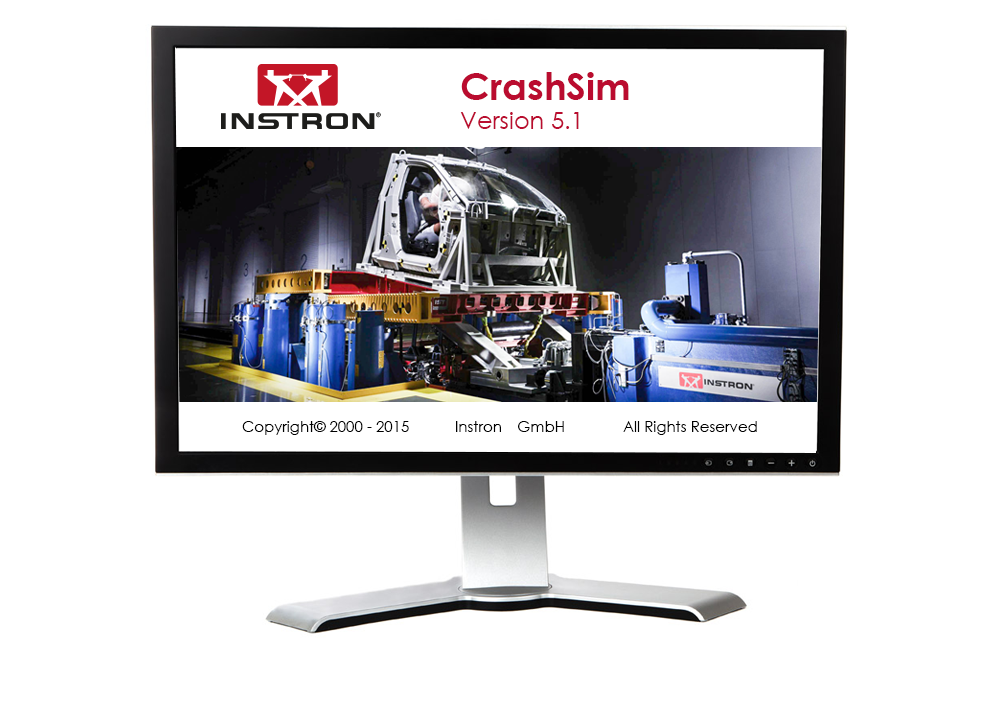
Crash Sim Startpage
Crash Sim Startpage

The application software CrashSim is used for the preparation, execution, monitoring, analysis and documentation of crash tests carried out on the Instron sled system. The user application focused software has been continuously improved in cooperation with our worldwide user groups.

There is no special knowledge required for the operation of CrashSim because it is intuitive and largely self-explanatory. The user interface complies with the Windows 7 standard.

The parameter settings and valve configurations required for the applications listed below are stored in the control system and are set automatically by CrashSim when selecting the test method:

  • Frontal and rear impact simulation
  • Frontal Impact with active controlled pitch simulation
  • Side and Pole Impact simulation
  • Side Impact simulation
  • Whiplash - Low Speed Rear Impact Test

Thanks to this high degree of automation, efficient and productive test operation is ensured.

The basic version CrashSim 5.0 offers the following functions:

  • Pulse data input and filtering
  • Calculation of drive signals from acceleration / time traces
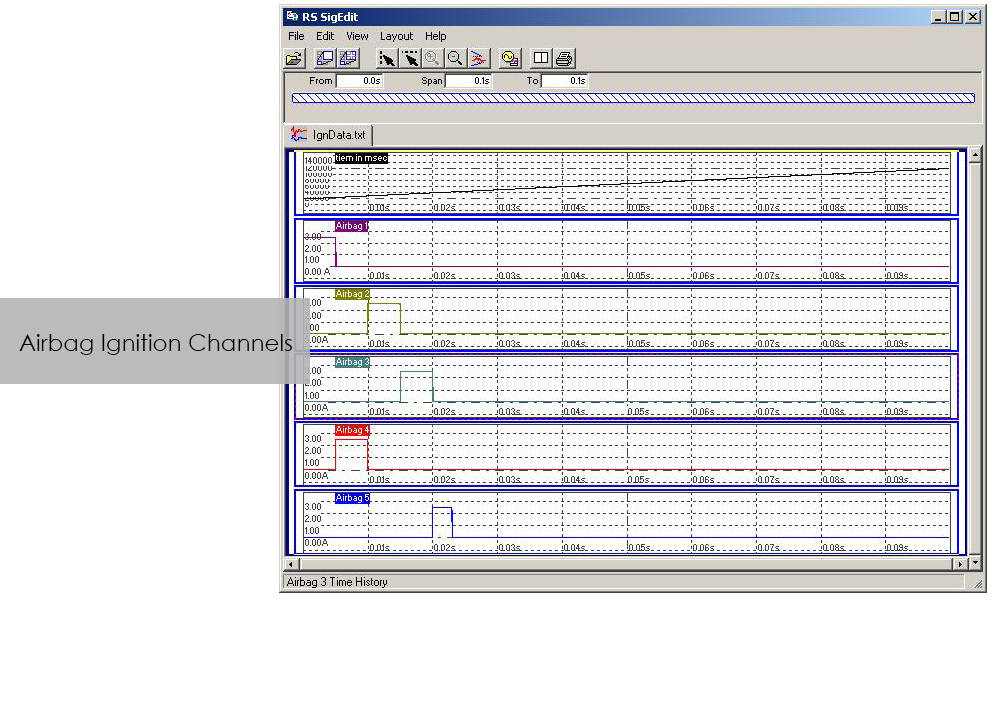
  • Control of all peripheral systems (airbag igniter, data acquisition, camera systems,...)
  • Test execution
  • Evaluation of the test results
  • Digital storage and retrieval of test parameters for future applications.
  • Visualization of the system status via process display

The advanced version of CrashSim 5.1 includes the new iteration model developed by Instron, which dramatically reduces the number of iterations required. This version also includes the CrashSim Office software module. The module allows external processing of test pulses up to the generation of the drive signals for the catapult system. Pulse predictions previously performed only through trial shots with the system can now be carried out offline with CrashSim Office. This relieves the daily test operation of such tasks and increases the productivity of the system.

Learn more about Crash Simulation Systems.

RS BasTest RT

Testing Software

RS BasTest RT

Catalog no. RS BasTest RT

RSBasTest RT

RS BasTest provides a wide range of functions for editing, performing and conducting durability tests. Project Manager will guide you through all processes. It is used to create new projects, and its integrated data base collects and manages all measurement data. If you are envisaging a future extension of your testing environment, you will be ideally set up with RS BasTest: Other modules from the RS LabSite® modulogic family can be integrated into the system without any further intervention. The basic module will assist you with a high degree of flexibilty and provide the following benefits:

  • Basic software package with comprehensive functionality
  • Intuitive operation
  • Flexible adaption to your testing tasks

RS BasTest RT Benefits

  • Numerous test methods, which are processed in real time by the control electronics:
    • Constant amplitude programs
    • Cyclic block programs for single or multi-channel testing
    • Execution of single- or multi-axial durability tests
    • Event controlled test procedure
    • Replay of multi-channel service loads with adaptive control of peak values.(MultiPeak)
  • Multi-channel data acquisition
    • three different options optimized for the respective test metho
    • flight recorder (record / store measurement data even when the test stops or pauses)
  • Switchboard for the administration of test results with database for projects, tests and results. Optionally available as a laboratory version:
    • Central administration and backup
    • Local preparation and execution at the test stand
    • Evaluation at test stand or office
  • Licensing model to suit your laboratory requirements
  • Seamless integration with Labtronic 8800ml

Console Software For Use With Instron 8800 Systems, ElectroPuls and ExtendUpgrades

Testing Software

Console Software For Use With Instron 8800 Systems, ElectroPuls and ExtendUpgrades

Catalog no. 2495-901

Console Software For Use With Instron 8800 Systems, ElectroPuls, and Extend Upgrades 

Compatible with WaveMatrix, LCF3, Bluehill 2 and Fracture Mechanics (da/dN, K1C & J1C)  

Includes

  • All controller set up functions such as Specimen Protect, transducer calibration, limits, control loop settings (PID´s) and calculated ("Modal") control channels
  • System status displays indicating current control mode, limits, waveform generator, transducer calibration and hydraulics/power
  • Auto Tuning Wizard to perform automatic set up of control loop PID values
  • Loop tuning tool with fast-refresh digital scope to facilitate manual setting and adjustment of control loop PID values
  • Multiple digital Live Displays of transducer values and cycle/time counters that can be rearranged and resized, with setup save/recall from computer disk.
  • Waveform control (start/pause/stop at specified cycle count) to run simple fatigue tests
  • Scope software package for real time graph showing the output of up to four transducers and basic data capturing facilities
  • Comprehensive on-line help system
  • RS Save software for saving and restoring of test system parameters to and from disk
  • DAX data acquisition software for one axis and up to four transducers
  • Latest firmware update for 8800, ElectroPuls and Data Acquisition Boards
  • Set of Electronic Manuals in PDF Format
  • Available in English, French, German or Japanese 

Please contact Instron for the minimum PC requirements necessary to install and operate this software.

RS MePar ml

Testing Software

RS MePar ml

Catalog no. RS MePar ml

RSMePar ml

RS MePar ml, a module from the RS LabSite® modulogic, software suite, working in conjunction with RS Studio ml and RS BasTest RT, the RS LabSite® modulogic basic module, provides all functions for determining the characteristics of components with viscoelastic properties. RS MePar ml is used to create simple single- axis or complex multi-axis tests.

Flexible test monitoring and data acquisition functions ensure that the test engineer has all the information he needs to precisely specify the components undergoing test. In addition, the integration of MePar Viewer enables the visualisation of test data as they occur on the rig, along with various graphical displays. This tool enables test results to be observed directly on the screen.

RS MePar ml can be used to fullfil the following tasks:

  • Determine static properties of test specimen
  • Determine dynamic properties of test specimen
  • Determine component resonant frequencies
  • Analyze and document test results and test conditions

Suitable for:

  • Elastomers
  • Elastomer compound elements
  • Hydromounts
  • Vibration dampers
  • Torsional vibration dampers
  • Exhaust Lines
  • Clutches
  • Crankshaft


Benefits:

  • The Windows© compliant software is familiar and easy to use
  • The MePar-Viewer functionality enables individual series of data from the measurement file to be plotted as required, with user-selectable scaling for easy test report generation
  • All test data is stored in a data base, enabling data to be exported to other programs such as MS-Excel for presentation or further processing.

Bluehill Impact for Drop Towers

BLUEHILL® IMPACT SOFTWARE

The Drop Weight Impact Testing Machine Software

Bluehill Impact Software for Drop Towers


Bluehill Impact is built from the ground up for touch interaction. The Operator Dashboard features large touchpoints to make the user experience simpler and smarter. Easy-to-understand icons and workflows make it easy to train new or experienced users, simplify operator training, and allow you to start testing even faster than ever before.

REQUEST A QUOTE OR DEMO


SIMPLER
Effortless Drop Weight Impact Testing Workflows


Bluehill Simpler Screenshot
Smart Defaults

Bluehill Impact provides a set of pre-configured defaults that cover the most common impact testing scenarios.

Flexible Data Analysis

Users can define unique data flow and procedures ensuring data processing flexibility. Bluehill Impact reports on anomalies and inconsistent results when they are outside set parameters.

Guided Workflow

Thanks to prompted tests and the touch panel, procedures set up takes just a few clicks. Users can be guided through the entire testing process with step-by-step instructions, ensuring that their tests remain repeatable, simple, and error-free. The prompts are customizable with your own text messages.

Fast Data Acquisition and Results

Increased productivity thanks to the combination of the new Dashboard with data acquisition system and Bluehill Impact.

Speed Up Collaboration

Move from task to task: easily share test method and results within your Company or your Customers with Bluehill Impact file management system.

SMARTER
Advanced Capabilities for Advanced Drop Weight Impact Testing

Bluehill Impact Specimen Multiselection

Specimen Multi Selection
Edit parameters for many specimens at the same time with one click.

Bluehill Impact Smarter Test Analysis

Break Type Recognition
Automatic recognition of the break type according to the shape of the curve (ISO 6603-2). This ensures associations to the break type remain the same operator-to-operator.

Automatic Testing

Automatic Testing
Once a test method has been created in Bluehill Impact, you can use AutoMate Software module to customize how the specimens in the automatic feeder are tested, assigning different test velocities and temperatures.

SAFER
Safety with High Throughput 


Secure Access

Secure Access
Bluehill Impact security allows the Lab manager to configure permissions granting full access to super users and limiting access where needed.

Calibration Alert

Tups Calibration Alert
Automatic alerts are generated when Tup calibration period is expiring. This feature helps to reduce the risk of invalid tests and protect your results against inaccuracies.

Built-In Safety Notifications

Built-In Safety Notifications
The Dashboard gives clear visual information on the instrument status, so users always know when a test is in progress.


REMOTE TECHNICAL SUPPORT (RTS)

Powered by Instron Connect
Instron Remote Technical Support (RTS), powered by Connect, allows our technical support team to connect directly to your Instron systems by either remote screen share or through integrated augmented reality (AR), providing fast and high-quality system diagnostics which should increase your Instron systems uptime.

LEARN MORE

HAVE AN OLDER SOFTWARE VERSION?
Learn About Upgrading your Drop Weight Impact Testing Software

9400 and 9300 Drop Tower Systems

Bluehill Impact & Dashboard with Data Acquisition System

The state-of-the-art controller can be retrofitted on all the 9340 with Firmware version later than 1.00 and on all the 9350 Drop Weight Impact Testing Machines with FW version later than 3.00, including machines with automatic feeding option.

Bluehill Fracture

Bluehill® Fracture

Simplify your Fracture Testing, Analysis and Reporting

Bluehill Fracture is a dedicated fracture mechanics software from Instron. Machine control, data analysis and reporting are performed for metals fracture toughness measurement to key international standards.

As a leading supplier of testing equipment for crack propagation and fracture toughness, Instron are aware of the challenges users face in reducing both the complexity and time taken to produce accurate, repeatable results. The Bluehill Fracture software package addresses these challenges.

Customizable test flows guide the user through the steps needed to produce their final results, saving time by minimizing data entry at each step.

Comprehensive on-screen user guidance along with automatic post-test analysis and reporting tools also reduce the skills and training required. Additionally, the layout, terminology and test progression is common to other Instron software packages, such as Bluehill Universal.

For the latest technology now available with Bluehill Fracture DCPD software, click below to upgrade today.

UPGRADE NOW


Bluehill Fracture Screen
SIMPLER
Spend less time setting up tests

Whether you are testing using a predefined method or customizing your own, Bluehill Fracture comes with the tools to create the method you need.
Method Definition
Bluehill Fracture's unique test workflow definition breaks the test into a logical series of steps, enabling the test designer to control the process of data entry before, during and after the test.

A reduction in entering the same data for each test saves time and minimizes data entry errors. Parameters for each stage can either be pre-populated prior to the test, imported automatically from a LIMS system or entered manually every time a test is run.

  • Customizable Work Flow
    Work flow can be clear and simple or fully detailed depending on your need. Guidance notes can be added to aid operators throughout the test.
  • Intuitive Interface
    The modern user interface is both intuitive and clear allowing for reduced training and simplified instructions.
  • Save Time
    Methods steps can be tailored to suit the test type and operator, saving time and reducing errors.
Bluehill Fracture CT Specimen in Grips
SMARTER
Produce results faster

Although Bluehill Fracture is simple to use, there are still many advanced features for analysis and report generation.


Run and Analyse Tests
Performing and analyzing Fracture Toughness tests has never been simpler than with Bluehill Fracture.

Select a test method to run, from a pre-defined list or your own customized method, and Bluehill Fracture will step you through the pre-test data entry you define, then when ready, the software will perform pre-cracking (if required) and finally onto the main fracture test.


Testing Icon Orange

Run a Test

Pre-configured material properties and pre-cracking targets reduce user input and increase throughput.

Analysis Icon Orange

Post-test Analysis

The software guides operators through data input, graph plotting and results calculation.

Report Icon Orange

Report Generation

The report and export function within Bluehill Fracture completely automates the process of generating a summary report.

SAFER
Control user access and check results

Validity checks confirm your tests are within predefined parameters whilst the security settings allow advanced users to protect areas of the method containing critical settings.


Analysis
The report and export function within Bluehill Fracture completely automates the process of generating a summary report. This reduces complexity, time and errors by avoiding additional data export and manipulation at the post test reporting stage.

Whether you need a summary in text output format or a fully customized PDF report in your organization’s format, Bluehill Fracture has the features to achieve this at the click of mouse button.

  • Automatic validity Checks
    Bluehill Fracture provides both a summary check and detailed breakdown of values and reference clauses for auditability. Validity checks are itemized and include achieved values and allowable limits.
  • User Access
    Account settings control who in the laboratory can change and update test methods.
  • Stay Up to Date
    By utilizing a separate standards library keeping abreast of the latest revisions is a simple upgrade.

Fracture CT Specimen

ADVANCED TOOLS
In addition to more common tests, measurement and analysis is provided for standardized methods using direct current potential drop (DCPD) for crack length measurement.

Bluehill Fracture Specimen DCPD

Test control and method set up are similar to mechanical compliance-based methods and raw data is stored in the same way. Signal noise depends greatly on the preamplification and conditioning of the DCPD system, so an additional averaging feature is available to stabilize readings during crack growth.

For fracture toughness determination, corrected displacement is calculated from user-specified frame compliance coefficients stored within the method, so that correct analyses can be used for different load strings. Manual and automated methods of V0 determination are provided, with a configurable interval for generation of J-da plot.

SUPPORTING DCPD MEASUREMENTS

  • Accepts X or X/Y from any conditioning system as scaled 0-10V transducer input
  • Live calculation of crack length for pre-cracking and fatigue crack growth experiments
  • Automatic setting of reference voltage during test
  • User-defined voltage - crack length relationships
  • Post-test analysis for JIc according to E1820 annex 18

LEARN MORE

Integration Icon Red

Integration

Various functions are available to support integration with laboratory data management systems (e.g. LIMS), such as the option to import automatically generated inputs of specimen geometry and material properties.

Features Icon Red

Supported Features

Bluehill Fracture modules support all common test standards (ASTM, ISO and BS) for crack propagation, ductile and brittle fracture, crack length measurements and specimen geometries. Users can test to predefined standards (e.g. ASTM E647, ASTM E399, ASTM E1820, ISO 12135).

For the latest Bluehill Fracture standard compatibility:

click here

Compatibility Icon Red

Compatibility

Bluehill Fracture is available with new ElectroPuls® and Servohydraulic systems, as well as any existing dynamic testing system with an 8800 or 8800MT controller running Windows 7 or 10.